
Livepolls Slide Generator

Livepolls Slide Generator
Ai Tool Screenshots & Usage
Overview
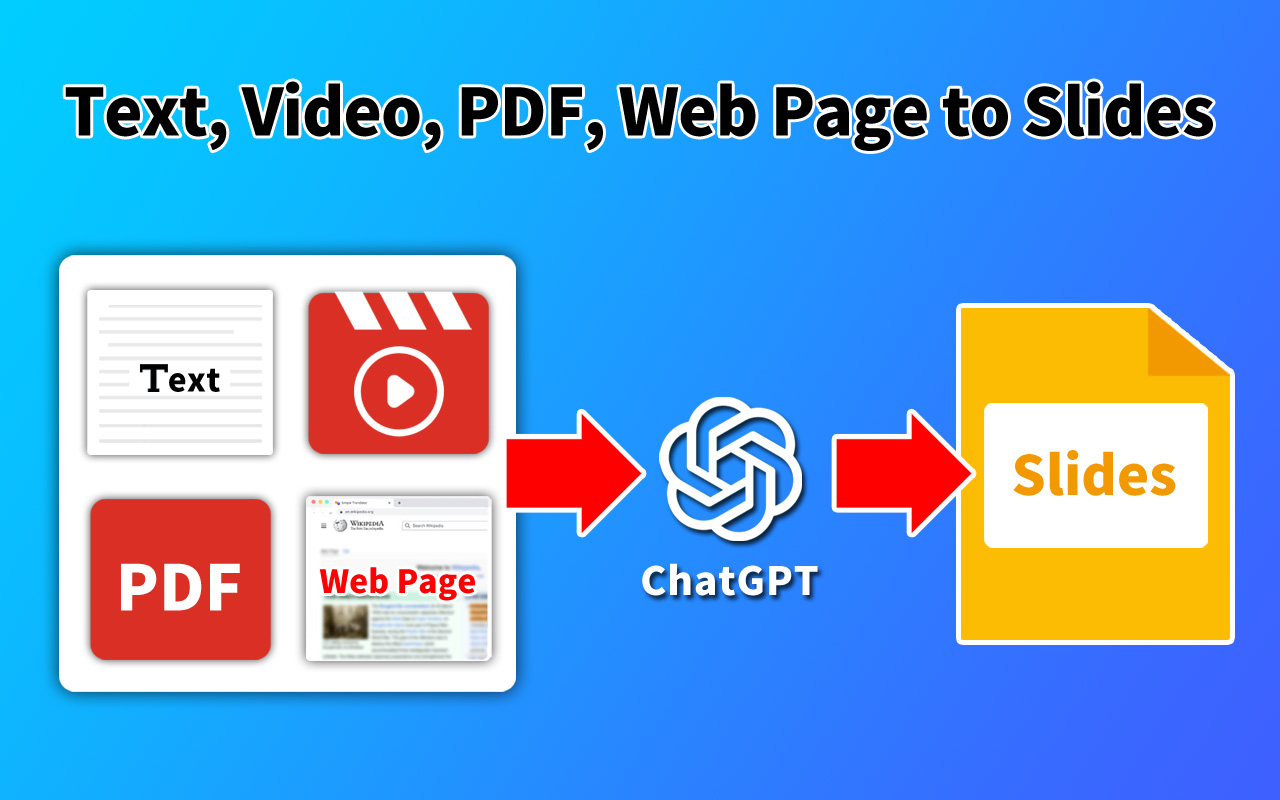
Livepolls Slide Generator is an innovative AI-powered presentation tool that converts textual content into visually compelling and professionally designed presentation slides. It addresses the challenge of time-consuming and often complex slide creation, offering a streamlined solution for generating engaging presentations. Utilizing artificial intelligence and machine learning algorithms, the tool automates the design process, making it accessible to users regardless of their design expertise. This tool is particularly valuable for speakers, educators, trainers, marketing professionals, and anyone needing to quickly produce high-quality presentation materials. It’s a powerful resource for those seeking to enhance their AI presentation generation, slide design automation, and overall presentation efficiency.
Key Features of Livepolls Slide Generator
- Transforms text input into complete presentation slides.
- Offers a variety of pre-designed slide templates.
- Automatically adjusts layouts for optimal visual appeal.
- Allows for customization of fonts, colors, and images.
- Supports multiple slide formats for diverse presentation needs.
- Provides an intuitive and user-friendly interface.
- Enables quick iteration and refinement of slide content.
- Generates slides suitable for various presentation platforms.
- Facilitates the creation of visually consistent presentations.
- Offers a fast turnaround time for slide generation.
Why People Use Livepolls Slide Generator
Individuals and organizations utilize Livepolls Slide Generator to overcome the common hurdles associated with presentation creation. Traditionally, building effective presentations requires significant time investment in design, layout, and visual element selection. This process often necessitates specialized skills in graphic design and presentation software. Livepolls Slide Generator eliminates these barriers by automating the design aspects, allowing users to concentrate on the core message and content of their presentations.
The tool significantly reduces the time spent on slide creation, enabling users to produce professional-looking presentations in minutes rather than hours. This efficiency is particularly beneficial for those with tight deadlines or frequent presentation requirements. Furthermore, the AI-driven design ensures a level of visual consistency and polish that can be difficult to achieve manually, ultimately enhancing the impact and effectiveness of the presentation. It provides a scalable solution for creating presentations, from simple internal updates to large-scale conference keynotes.
Popular Use Cases
- Educational Institutions: Teachers and professors can quickly create engaging lecture slides from course materials.
- Corporate Training: Training departments can develop professional training presentations for employee development programs.
- Sales & Marketing: Sales teams can generate compelling sales presentations to showcase products and services.
- Public Speaking: Speakers can efficiently create visually appealing presentations for conferences and events.
- Business Meetings: Professionals can prepare concise and informative presentations for internal meetings and updates.
- Workshops & Seminars: Facilitators can develop interactive workshop materials with visually engaging slides.
- Pitch Decks: Startups and entrepreneurs can create professional pitch decks to attract investors.
- Webinars & Online Courses: Educators and businesses can create visually appealing slides for online learning platforms.
- Report Summaries: Professionals can transform data-heavy reports into easily digestible slide presentations.
- Internal Communications: Companies can use the tool to create visually engaging internal communications and announcements.
Benefits of Livepolls Slide Generator
- Increased Efficiency: Significantly reduces the time and effort required to create presentations.
- Enhanced Visual Appeal: Generates professionally designed slides that capture audience attention.
- Improved Content Clarity: Facilitates the clear and concise presentation of information.
- Greater Accessibility: Empowers users without design expertise to create high-quality presentations.
- Consistent Branding: Ensures visual consistency across all presentations.
- Reduced Costs: Eliminates the need for expensive design software or external design services.
- Scalable Solution: Adapts to varying presentation needs, from small meetings to large conferences.
- Faster Iteration: Allows for quick and easy revisions and updates to presentation content.
- Focus on Message: Enables users to concentrate on the core message rather than design details.
- Professional Results: Delivers polished and impactful presentations that enhance credibility.
Key use cases and capabilities
- ai presentation generator
- ai slides
- presentation design
- slide creation
- ai content creation
- worksheet generator
- ai worksheets
- presentation maker
- ai powered
- visual storytelling
- speaker tool
- educator tool
- business presentations
- quick slides
- professional slides
- ai design
- text to slides
- slide templates
- engaging presentations
- content transformation
- affordable presentations
- ai assistant
- slide automation
Page Insights

GetAi
@getai
Professional AI Worksheet Generators tools for creators.
Pricing Details
More Related AIs
View AllSongGenerator.io

SongGenerator.io is an innovative AI music worksheet generator that empowers educators and music enthusiasts to create customized musical exercises and learning materials. It addresses the challenge of time-consuming manual worksheet creation by automating the process through artificial intelligence, specifically leveraging large language models and music theory principles. This tool is designed for music teachers, students, composers, and anyone seeking to reinforce musical concepts through practical application. It provides a streamlined solution for generating a wide variety of music-related worksheets, fostering a more engaging and efficient learning experience. Key Features of SongGenerator.io Generates music theory worksheets with customizable parameters. Creates worksheets focused on note identification, key signatures, and time signatures. Offers options for generating worksheets on scales, chords, and intervals. Allows users to specify the difficulty level of the generated worksheets. Provides a user-friendly interface for inputting desired worksheet characteristics. Supports the creation of worksheets in various musical keys. Enables the generation of worksheets with different rhythmic values. Offers options for including clef variations (treble, bass, alto, tenor). Allows users to generate worksheets focused on specific musical concepts. Provides a downloadable output format for easy printing and distribution. Offers a free tier for basic worksheet generation. Supports multiple languages for broader accessibility. Why People Use SongGenerator.io SongGenerator.io is utilized by individuals seeking to simplify and accelerate the creation of music education materials. Traditionally, music teachers and educators have spent considerable time manually designing worksheets, a process that can be both tedious and resource-intensive. This tool eliminates that burden by automating the generation process, allowing educators to focus on teaching and student engagement. The AI algorithms within SongGenerator.io ensure accuracy and consistency in the generated content, reducing the potential for errors often associated with manual creation. Furthermore, the tool’s customization options enable users to tailor worksheets to the specific needs of their students or learning objectives, providing a personalized learning experience. The speed and efficiency of the tool allow for the rapid creation of diverse materials, supporting a more dynamic and comprehensive music curriculum. Popular Use Cases Music Education: Teachers can quickly generate worksheets for in-class exercises, homework assignments, and assessments. Private Music Lessons: Instructors can create customized practice materials tailored to each student’s skill level and learning goals. Music Theory Study: Students can utilize the tool to generate practice exercises for reinforcing theoretical concepts. Composition Practice: Composers can use the tool to create exercises for developing their understanding of harmony and counterpoint. Homeschooling: Parents can supplement their homeschooling curriculum with engaging and educational music worksheets. Music Therapy: Therapists can create customized exercises to support musical skill development in therapeutic settings. Adult Music Learners: Individuals learning music as a hobby can use the tool to practice and improve their skills. Curriculum Development: Music curriculum designers can leverage the tool to rapidly prototype and refine learning materials. Substitute Teacher Resources: Provides readily available materials for substitute teachers to maintain continuity in music instruction. Remote Learning: Facilitates the creation of digital worksheets for students participating in remote learning environments. Benefits of SongGenerator.io Significant Time Savings: Reduces the time spent on manual worksheet creation, freeing up educators to focus on other tasks. Increased Efficiency: Streamlines the process of generating music education materials, improving overall productivity. Enhanced Accuracy: Leverages AI algorithms to ensure the accuracy and consistency of generated content. Customization Options: Allows users to tailor worksheets to specific learning objectives and student needs. Improved Student Engagement: Provides a variety of engaging exercises to reinforce musical concepts. Cost-Effectiveness: Offers a free tier and affordable subscription options, making it accessible to a wide range of users. Scalability: Enables the rapid creation of large volumes of worksheets to support growing educational needs. Accessibility: Supports multiple languages, broadening its reach and usability. Simplified Curriculum Development: Facilitates the creation and refinement of music curricula. Personalized Learning: Supports individualized instruction through customized worksheet generation. Reduced Preparation Time: Minimizes the time required to prepare for music lessons and assessments. Consistent Quality: Ensures a consistent level of quality in all generated worksheets.

SongGenerator.io is an innovative AI music worksheet generator that empowers educators and music enthusiasts to create customized musical exercises and learning materials. It addresses the challenge of time-consuming manual worksheet creation by automating the process through artificial intelligence, specifically leveraging large language models and music theory principles. This tool is designed for music teachers, students, composers, and anyone seeking to reinforce musical concepts through practical application. It provides a streamlined solution for generating a wide variety of music-related worksheets, fostering a more engaging and efficient learning experience. Key Features of SongGenerator.io Generates music theory worksheets with customizable parameters. Creates worksheets focused on note identification, key signatures, and time signatures. Offers options for generating worksheets on scales, chords, and intervals. Allows users to specify the difficulty level of the generated worksheets. Provides a user-friendly interface for inputting desired worksheet characteristics. Supports the creation of worksheets in various musical keys. Enables the generation of worksheets with different rhythmic values. Offers options for including clef variations (treble, bass, alto, tenor). Allows users to generate worksheets focused on specific musical concepts. Provides a downloadable output format for easy printing and distribution. Offers a free tier for basic worksheet generation. Supports multiple languages for broader accessibility. Why People Use SongGenerator.io SongGenerator.io is utilized by individuals seeking to simplify and accelerate the creation of music education materials. Traditionally, music teachers and educators have spent considerable time manually designing worksheets, a process that can be both tedious and resource-intensive. This tool eliminates that burden by automating the generation process, allowing educators to focus on teaching and student engagement. The AI algorithms within SongGenerator.io ensure accuracy and consistency in the generated content, reducing the potential for errors often associated with manual creation. Furthermore, the tool’s customization options enable users to tailor worksheets to the specific needs of their students or learning objectives, providing a personalized learning experience. The speed and efficiency of the tool allow for the rapid creation of diverse materials, supporting a more dynamic and comprehensive music curriculum. Popular Use Cases Music Education: Teachers can quickly generate worksheets for in-class exercises, homework assignments, and assessments. Private Music Lessons: Instructors can create customized practice materials tailored to each student’s skill level and learning goals. Music Theory Study: Students can utilize the tool to generate practice exercises for reinforcing theoretical concepts. Composition Practice: Composers can use the tool to create exercises for developing their understanding of harmony and counterpoint. Homeschooling: Parents can supplement their homeschooling curriculum with engaging and educational music worksheets. Music Therapy: Therapists can create customized exercises to support musical skill development in therapeutic settings. Adult Music Learners: Individuals learning music as a hobby can use the tool to practice and improve their skills. Curriculum Development: Music curriculum designers can leverage the tool to rapidly prototype and refine learning materials. Substitute Teacher Resources: Provides readily available materials for substitute teachers to maintain continuity in music instruction. Remote Learning: Facilitates the creation of digital worksheets for students participating in remote learning environments. Benefits of SongGenerator.io Significant Time Savings: Reduces the time spent on manual worksheet creation, freeing up educators to focus on other tasks. Increased Efficiency: Streamlines the process of generating music education materials, improving overall productivity. Enhanced Accuracy: Leverages AI algorithms to ensure the accuracy and consistency of generated content. Customization Options: Allows users to tailor worksheets to specific learning objectives and student needs. Improved Student Engagement: Provides a variety of engaging exercises to reinforce musical concepts. Cost-Effectiveness: Offers a free tier and affordable subscription options, making it accessible to a wide range of users. Scalability: Enables the rapid creation of large volumes of worksheets to support growing educational needs. Accessibility: Supports multiple languages, broadening its reach and usability. Simplified Curriculum Development: Facilitates the creation and refinement of music curricula. Personalized Learning: Supports individualized instruction through customized worksheet generation. Reduced Preparation Time: Minimizes the time required to prepare for music lessons and assessments. Consistent Quality: Ensures a consistent level of quality in all generated worksheets.
GPT for Sheets and Docs
GPT for Sheets and Docs is a versatile AI-powered Google Workspace add-on that enables users to directly access the capabilities of large language models (LLMs) within Google Sheets and Google Docs. It solves the problem of needing to constantly switch between applications to leverage AI for tasks like content generation, data analysis, and text manipulation. The tool utilizes artificial intelligence and natural language processing to provide intelligent assistance directly within the user’s existing workflow. It is designed for anyone who regularly uses Google Sheets and Docs and wants to enhance their productivity with AI-driven automation and content creation. Users seeking AI tools for Google Workspace , AI spreadsheet functions , or AI document assistance will find this add-on particularly valuable. Key Features of GPT for Sheets and Docs Accesses multiple LLMs including GPT-3.5, GPT-4, Gemini Pro, and others. Provides custom prompts for tailored AI responses. Offers a sidebar interface within Google Sheets and Docs for easy access. Enables bulk generation of content within spreadsheets. Supports translation between multiple languages. Allows for sentiment analysis of text data. Facilitates text summarization and simplification. Offers data extraction from text. Provides the ability to generate images using integrations with image generation models. Includes a function to rewrite text in different styles or tones. Supports the creation of custom functions within Google Sheets using AI. Allows for the generation of regular expressions. Offers a chat interface for conversational AI interactions. Provides a history of previous prompts and responses. Why People Use GPT for Sheets and Docs Individuals and teams adopt GPT for Sheets and Docs to streamline their workflows and unlock new levels of productivity within the Google Workspace ecosystem. Traditionally, tasks requiring AI capabilities necessitated copying data to separate AI platforms, processing it, and then transferring the results back into Sheets or Docs ΓÇô a time-consuming and error-prone process. This add-on eliminates that friction by bringing the power of AI directly into the tools users already rely on. It significantly reduces the time spent on repetitive tasks, improves the accuracy of content generation, and empowers users to analyze and manipulate data more effectively. The ability to automate tasks like data cleaning, content creation, and translation within a familiar environment makes it a compelling solution for professionals across various industries. It offers a more efficient alternative to manual processes and disparate software solutions, fostering a more integrated and productive work experience. Popular Use Cases Marketing Teams: Generating ad copy variations, writing social media posts, and summarizing market research reports directly within Google Sheets for campaign analysis. Sales Professionals: Drafting personalized email templates, summarizing customer interactions from CRM data imported into Google Sheets, and creating compelling sales presentations within Google Docs. Data Analysts: Cleaning and transforming data within Google Sheets using AI-powered formulas, performing sentiment analysis on customer feedback, and extracting key insights from large datasets. Content Creators: Brainstorming blog post ideas, writing outlines, and generating initial drafts within Google Docs, then refining the content using AI-powered rewriting tools. Educators: Creating quizzes and assignments, summarizing research articles, and providing personalized feedback to students within Google Docs. Project Managers: Automating report generation, summarizing meeting notes, and tracking project progress within Google Sheets. Human Resources: Drafting job descriptions, screening resumes, and summarizing employee feedback within Google Sheets and Docs. Translation Services: Quickly translating documents and spreadsheets into multiple languages. Customer Support: Summarizing customer support tickets and generating responses. Legal Professionals: Summarizing legal documents and extracting key clauses. Benefits of GPT for Sheets and Docs Increased Productivity: Automate repetitive tasks and generate content faster, freeing up time for more strategic work. Enhanced Accuracy: Leverage AI to minimize errors in data analysis, content creation, and translation. Streamlined Workflow: Eliminate the need to switch between applications, keeping users focused within the Google Workspace environment. Improved Content Quality: Generate compelling and engaging content with AI-powered writing assistance. Data-Driven Insights: Unlock valuable insights from data with AI-powered analysis and summarization tools. Cost Savings: Reduce the need for manual labor and expensive software subscriptions. Accessibility: Bring the power of AI to a wider range of users, regardless of their technical expertise. Customization: Tailor AI responses with custom prompts to meet specific needs. Scalability: Easily process large volumes of data and generate content at scale. Integration: Seamlessly integrates with existing Google Sheets and Docs workflows. Versatility: Supports a wide range of tasks, from data analysis to content creation to translation. Ease of Use: Intuitive interface and simple setup make it easy to get started.

StudyX
StudyX is an innovative AI-powered worksheet generator designed to help educators, parents, and students create customized learning materials quickly and efficiently. It addresses the challenge of time-consuming worksheet creation by automating the process, allowing users to focus on teaching and learning rather than manual design. Utilizing advanced artificial intelligence and natural language processing , StudyX generates diverse educational content tailored to specific learning objectives. This tool is particularly valuable for teachers seeking to differentiate instruction, parents looking to supplement their child’s education, and students who benefit from personalized practice. It’s a powerful resource for anyone involved in educational content creation and personalized learning . Key Features of StudyX Generates worksheets across a wide range of subjects including Math, English, Science, and History. Offers various question types such as multiple choice, fill-in-the-blanks, true/false, and short answer. Allows users to specify grade levels to ensure age-appropriateness of content. Provides options to customize worksheet titles and instructions. Enables the creation of worksheets based on specific keywords or topics. Supports the generation of answer keys for easy grading. Offers a user-friendly interface for easy navigation and worksheet creation. Allows users to download worksheets in PDF format for easy printing and distribution. Provides options for adjusting worksheet difficulty levels. Facilitates the creation of worksheets aligned with specific learning standards. Why People Use StudyX StudyX streamlines the often laborious process of creating educational worksheets. Traditionally, educators and parents have spent significant time manually designing worksheets, ensuring alignment with curriculum standards, and adapting materials to individual student needs. This process can be incredibly time-consuming, diverting valuable resources from core teaching and learning activities. StudyX eliminates this bottleneck by automating worksheet generation, offering a rapid and efficient solution. The tool’s AI-driven approach ensures accuracy and consistency, reducing the risk of errors often associated with manual creation. Furthermore, StudyX empowers users to easily differentiate instruction by generating customized worksheets tailored to varying skill levels and learning styles. This level of personalization is difficult to achieve efficiently through traditional methods. By automating content creation, StudyX allows educators and parents to focus on what matters most: fostering a positive and effective learning environment. The platform’s speed and flexibility make it a valuable asset for busy schedules and dynamic classroom needs. Popular Use Cases Elementary School Teachers: Creating supplemental practice materials for math facts, reading comprehension, and spelling. Middle School Educators: Generating quizzes and worksheets to assess student understanding of science concepts or historical events. High School Teachers: Developing review materials for standardized tests or creating practice problems for advanced math courses. Homeschooling Parents: Designing a comprehensive curriculum with customized worksheets for various subjects and grade levels. Special Education Teachers: Adapting worksheets to meet the specific needs of students with learning disabilities. Tutoring Services: Quickly generating practice materials tailored to individual student learning goals. Educational Content Creators: Producing a high volume of worksheets for online learning platforms or educational websites. Parents Supporting Remote Learning: Providing additional practice opportunities for children learning remotely. Curriculum Developers: Rapidly prototyping worksheet ideas and testing different question formats. Adult Education Programs: Creating customized learning materials for adult learners seeking to improve their skills. Benefits of StudyX Significant Time Savings: Reduces the time spent on worksheet creation, freeing up educators and parents to focus on other important tasks. Increased Efficiency: Automates the worksheet generation process, allowing for rapid creation of learning materials. Enhanced Personalization: Enables the creation of customized worksheets tailored to individual student needs and learning styles. Improved Accuracy: Leverages AI to ensure accuracy and consistency in worksheet content. Greater Flexibility: Offers a wide range of customization options, including subject, grade level, question type, and difficulty level. Cost-Effectiveness: Provides a more affordable alternative to purchasing pre-made worksheets or hiring instructional designers. Easy Accessibility: Offers a user-friendly interface that is accessible to users with varying levels of technical expertise. Streamlined Assessment: Facilitates easy assessment of student understanding with automatically generated answer keys. Curriculum Alignment: Supports the creation of worksheets aligned with specific learning standards and curriculum objectives. Scalable Content Creation: Enables the rapid generation of a large volume of worksheets to meet the needs of diverse learners.

StudyX is an innovative AI-powered worksheet generator designed to help educators, parents, and students create customized learning materials quickly and efficiently. It addresses the challenge of time-consuming worksheet creation by automating the process, allowing users to focus on teaching and learning rather than manual design. Utilizing advanced artificial intelligence and natural language processing , StudyX generates diverse educational content tailored to specific learning objectives. This tool is particularly valuable for teachers seeking to differentiate instruction, parents looking to supplement their child’s education, and students who benefit from personalized practice. It’s a powerful resource for anyone involved in educational content creation and personalized learning . Key Features of StudyX Generates worksheets across a wide range of subjects including Math, English, Science, and History. Offers various question types such as multiple choice, fill-in-the-blanks, true/false, and short answer. Allows users to specify grade levels to ensure age-appropriateness of content. Provides options to customize worksheet titles and instructions. Enables the creation of worksheets based on specific keywords or topics. Supports the generation of answer keys for easy grading. Offers a user-friendly interface for easy navigation and worksheet creation. Allows users to download worksheets in PDF format for easy printing and distribution. Provides options for adjusting worksheet difficulty levels. Facilitates the creation of worksheets aligned with specific learning standards. Why People Use StudyX StudyX streamlines the often laborious process of creating educational worksheets. Traditionally, educators and parents have spent significant time manually designing worksheets, ensuring alignment with curriculum standards, and adapting materials to individual student needs. This process can be incredibly time-consuming, diverting valuable resources from core teaching and learning activities. StudyX eliminates this bottleneck by automating worksheet generation, offering a rapid and efficient solution. The tool’s AI-driven approach ensures accuracy and consistency, reducing the risk of errors often associated with manual creation. Furthermore, StudyX empowers users to easily differentiate instruction by generating customized worksheets tailored to varying skill levels and learning styles. This level of personalization is difficult to achieve efficiently through traditional methods. By automating content creation, StudyX allows educators and parents to focus on what matters most: fostering a positive and effective learning environment. The platform’s speed and flexibility make it a valuable asset for busy schedules and dynamic classroom needs. Popular Use Cases Elementary School Teachers: Creating supplemental practice materials for math facts, reading comprehension, and spelling. Middle School Educators: Generating quizzes and worksheets to assess student understanding of science concepts or historical events. High School Teachers: Developing review materials for standardized tests or creating practice problems for advanced math courses. Homeschooling Parents: Designing a comprehensive curriculum with customized worksheets for various subjects and grade levels. Special Education Teachers: Adapting worksheets to meet the specific needs of students with learning disabilities. Tutoring Services: Quickly generating practice materials tailored to individual student learning goals. Educational Content Creators: Producing a high volume of worksheets for online learning platforms or educational websites. Parents Supporting Remote Learning: Providing additional practice opportunities for children learning remotely. Curriculum Developers: Rapidly prototyping worksheet ideas and testing different question formats. Adult Education Programs: Creating customized learning materials for adult learners seeking to improve their skills. Benefits of StudyX Significant Time Savings: Reduces the time spent on worksheet creation, freeing up educators and parents to focus on other important tasks. Increased Efficiency: Automates the worksheet generation process, allowing for rapid creation of learning materials. Enhanced Personalization: Enables the creation of customized worksheets tailored to individual student needs and learning styles. Improved Accuracy: Leverages AI to ensure accuracy and consistency in worksheet content. Greater Flexibility: Offers a wide range of customization options, including subject, grade level, question type, and difficulty level. Cost-Effectiveness: Provides a more affordable alternative to purchasing pre-made worksheets or hiring instructional designers. Easy Accessibility: Offers a user-friendly interface that is accessible to users with varying levels of technical expertise. Streamlined Assessment: Facilitates easy assessment of student understanding with automatically generated answer keys. Curriculum Alignment: Supports the creation of worksheets aligned with specific learning standards and curriculum objectives. Scalable Content Creation: Enables the rapid generation of a large volume of worksheets to meet the needs of diverse learners.

Questgen
Questgen is an innovative AI-powered worksheet generator designed to help educators and content creators automatically create customized educational materials . It addresses the challenge of time-consuming manual worksheet creation by leveraging artificial intelligence to produce diverse question types and formats. This tool is particularly valuable for teachers, tutors, homeschoolers, and anyone needing to quickly generate practice exercises, quizzes, or assessments. It streamlines the process of creating engaging and effective learning resources, focusing on AI worksheet generation , educational content creation , and automated assessment tools . Key Features of Questgen Generates multiple-choice questions from provided text. Creates fill-in-the-blank questions from uploaded content. Produces true/false questions based on input text. Offers open-ended question generation capabilities. Supports various question difficulty levels. Allows users to specify the number of questions desired. Provides options for generating answer keys. Enables customization of worksheet titles and instructions. Supports text input directly or via URL. Offers a user-friendly interface for easy navigation. Allows for the creation of worksheets in multiple formats. Provides options to adjust the question style and tone. Facilitates the generation of worksheets for diverse subjects. Offers a free plan for basic usage. Supports bulk worksheet creation for efficient content development. Why People Use Questgen Individuals and organizations utilize Questgen to overcome the significant time investment traditionally required for worksheet creation. Manually crafting effective educational materials can be a laborious process, demanding substantial effort from educators and content developers. Questgen automates this process, significantly reducing the time needed to produce high-quality worksheets. Unlike traditional methods that rely on manual question writing and formatting, Questgen leverages the power of artificial intelligence to quickly generate a wide range of question types tailored to specific content. This allows users to focus on teaching and curriculum development rather than being bogged down in repetitive task of creating practice materials. The tool’s efficiency and scalability make it ideal for educators managing multiple classes or those needing to adapt materials frequently. It also provides a consistent level of quality and accuracy, minimizing errors that can occur with manual creation. Popular Use Cases K-12 Education: Teachers can quickly generate quizzes, homework assignments, and review materials for various subjects. Higher Education: Professors can create practice exams, study guides, and supplemental exercises for college courses. Corporate Training: Training departments can develop assessments to evaluate employee understanding of new policies or procedures. Homeschooling: Parents can create customized learning materials tailored to their child’s specific needs and curriculum. Tutoring Services: Tutors can generate practice problems and assessments to help students reinforce their understanding of key concepts. Test Preparation: Individuals preparing for standardized tests can use Questgen to create practice questions and identify areas for improvement. Content Creation: Bloggers and online educators can create engaging quizzes and interactive content for their audiences. Language Learning: Educators can generate exercises to help students practice grammar, vocabulary, and comprehension skills. Scientific Research: Researchers can create questionnaires and surveys for data collection purposes. Medical Training: Medical professionals can develop quizzes to assess knowledge of medical terminology and procedures. Benefits of Questgen Significant Time Savings: Automates worksheet creation, freeing up valuable time for educators and content creators. Increased Productivity: Enables the rapid generation of a large volume of educational materials. Enhanced Learning Outcomes: Provides students with ample opportunities for practice and assessment. Improved Accuracy: Reduces the risk of errors associated with manual worksheet creation. Customization Options: Allows users to tailor worksheets to specific content, difficulty levels, and learning objectives. Versatile Question Types: Supports a variety of question formats, including multiple-choice, fill-in-the-blank, true/false, and open-ended. Easy-to-Use Interface: Simplifies the worksheet creation process with an intuitive and user-friendly design. Cost-Effective Solution: Offers a free plan and affordable paid options, making it accessible to a wide range of users. Scalability: Easily adapts to changing needs, allowing users to create worksheets for classes of any size. Consistent Quality: Ensures a uniform level of quality and professionalism across all generated materials. Reduced Workload: Alleviates the burden of manual worksheet creation, allowing educators to focus on other important tasks. Engaging Learning Materials: Creates interactive and stimulating worksheets that capture student attention. Adaptable to Various Subjects: Supports the creation of worksheets for a wide range of academic disciplines. Streamlined Assessment Process: Simplifies the process of evaluating student understanding and identifying areas for improvement. Accessibility: Provides a convenient and accessible solution for creating educational materials from anywhere with an internet connection.

Questgen is an innovative AI-powered worksheet generator designed to help educators and content creators automatically create customized educational materials . It addresses the challenge of time-consuming manual worksheet creation by leveraging artificial intelligence to produce diverse question types and formats. This tool is particularly valuable for teachers, tutors, homeschoolers, and anyone needing to quickly generate practice exercises, quizzes, or assessments. It streamlines the process of creating engaging and effective learning resources, focusing on AI worksheet generation , educational content creation , and automated assessment tools . Key Features of Questgen Generates multiple-choice questions from provided text. Creates fill-in-the-blank questions from uploaded content. Produces true/false questions based on input text. Offers open-ended question generation capabilities. Supports various question difficulty levels. Allows users to specify the number of questions desired. Provides options for generating answer keys. Enables customization of worksheet titles and instructions. Supports text input directly or via URL. Offers a user-friendly interface for easy navigation. Allows for the creation of worksheets in multiple formats. Provides options to adjust the question style and tone. Facilitates the generation of worksheets for diverse subjects. Offers a free plan for basic usage. Supports bulk worksheet creation for efficient content development. Why People Use Questgen Individuals and organizations utilize Questgen to overcome the significant time investment traditionally required for worksheet creation. Manually crafting effective educational materials can be a laborious process, demanding substantial effort from educators and content developers. Questgen automates this process, significantly reducing the time needed to produce high-quality worksheets. Unlike traditional methods that rely on manual question writing and formatting, Questgen leverages the power of artificial intelligence to quickly generate a wide range of question types tailored to specific content. This allows users to focus on teaching and curriculum development rather than being bogged down in repetitive task of creating practice materials. The tool’s efficiency and scalability make it ideal for educators managing multiple classes or those needing to adapt materials frequently. It also provides a consistent level of quality and accuracy, minimizing errors that can occur with manual creation. Popular Use Cases K-12 Education: Teachers can quickly generate quizzes, homework assignments, and review materials for various subjects. Higher Education: Professors can create practice exams, study guides, and supplemental exercises for college courses. Corporate Training: Training departments can develop assessments to evaluate employee understanding of new policies or procedures. Homeschooling: Parents can create customized learning materials tailored to their child’s specific needs and curriculum. Tutoring Services: Tutors can generate practice problems and assessments to help students reinforce their understanding of key concepts. Test Preparation: Individuals preparing for standardized tests can use Questgen to create practice questions and identify areas for improvement. Content Creation: Bloggers and online educators can create engaging quizzes and interactive content for their audiences. Language Learning: Educators can generate exercises to help students practice grammar, vocabulary, and comprehension skills. Scientific Research: Researchers can create questionnaires and surveys for data collection purposes. Medical Training: Medical professionals can develop quizzes to assess knowledge of medical terminology and procedures. Benefits of Questgen Significant Time Savings: Automates worksheet creation, freeing up valuable time for educators and content creators. Increased Productivity: Enables the rapid generation of a large volume of educational materials. Enhanced Learning Outcomes: Provides students with ample opportunities for practice and assessment. Improved Accuracy: Reduces the risk of errors associated with manual worksheet creation. Customization Options: Allows users to tailor worksheets to specific content, difficulty levels, and learning objectives. Versatile Question Types: Supports a variety of question formats, including multiple-choice, fill-in-the-blank, true/false, and open-ended. Easy-to-Use Interface: Simplifies the worksheet creation process with an intuitive and user-friendly design. Cost-Effective Solution: Offers a free plan and affordable paid options, making it accessible to a wide range of users. Scalability: Easily adapts to changing needs, allowing users to create worksheets for classes of any size. Consistent Quality: Ensures a uniform level of quality and professionalism across all generated materials. Reduced Workload: Alleviates the burden of manual worksheet creation, allowing educators to focus on other important tasks. Engaging Learning Materials: Creates interactive and stimulating worksheets that capture student attention. Adaptable to Various Subjects: Supports the creation of worksheets for a wide range of academic disciplines. Streamlined Assessment Process: Simplifies the process of evaluating student understanding and identifying areas for improvement. Accessibility: Provides a convenient and accessible solution for creating educational materials from anywhere with an internet connection.

Free AI Excel Formula Generator
Free AI Excel Formula Generator is an AI-powered Excel and Google Sheets formula generator that empowers users to create complex formulas using natural language. It solves the common problem of difficulty in writing and understanding spreadsheet formulas, particularly for those with limited technical expertise. The tool utilizes artificial intelligence and natural language processing (NLP) to interpret user requests and translate them into functional formulas. It is designed for anyone who works with spreadsheets, from students and data analysts to business professionals and casual users, seeking to streamline data analysis , formula creation , and spreadsheet automation . Key Features of Free AI Excel Formula Generator Generates Excel and Google Sheets formulas from plain English text. Supports a wide range of Excel functions and operations. Provides explanations of generated formulas for better understanding. Offers a user-friendly interface for easy input and output. Allows users to refine and iterate on generated formulas. Includes a free tier for basic formula generation. Offers premium plans with increased usage limits and features. Supports various data types and scenarios. Provides assistance with complex logical operations. Facilitates the creation of formulas for data manipulation and analysis. Why People Use Free AI Excel Formula Generator Individuals and organizations utilize the Free AI Excel Formula Generator to overcome the challenges associated with traditional spreadsheet formula creation. Manually constructing formulas can be time-consuming, prone to errors, and require a deep understanding of Excel’s syntax. This tool drastically reduces the learning curve and accelerates the process, allowing users to focus on interpreting data rather than wrestling with formulas. It eliminates the need to spend hours searching for the correct function or deciphering complex documentation. The AI-driven approach ensures accuracy and efficiency, minimizing the risk of errors that can lead to incorrect analysis and flawed decision-making. By automating formula generation, users can significantly improve their spreadsheet productivity and unlock the full potential of their data. Popular Use Cases Data Analysis: Quickly generate formulas for calculating sums, averages, percentages, and other statistical measures. Financial Modeling: Create complex financial formulas for forecasting, budgeting, and investment analysis. Business Reporting: Automate the creation of formulas for generating key performance indicators (KPIs) and business reports. Data Cleaning: Develop formulas to identify and correct errors, inconsistencies, and duplicates in datasets. Inventory Management: Generate formulas for tracking inventory levels, calculating reorder points, and optimizing stock control. Project Management: Create formulas for tracking project progress, calculating task durations, and managing resources. Academic Research: Assist students and researchers in analyzing data and performing statistical calculations. Sales and Marketing: Develop formulas for calculating conversion rates, customer lifetime value, and marketing ROI. Human Resources: Generate formulas for calculating employee benefits, payroll deductions, and performance metrics. Personal Finance: Create formulas for budgeting, tracking expenses, and managing personal investments. Benefits of Free AI Excel Formula Generator Increased Productivity: Significantly reduces the time and effort required to create Excel and Google Sheets formulas. Improved Accuracy: Minimizes the risk of errors associated with manual formula creation. Enhanced Data Analysis: Enables users to extract more insights from their data with ease. Simplified Spreadsheet Automation: Automates repetitive tasks and streamlines workflows. Reduced Learning Curve: Makes spreadsheet formula creation accessible to users of all skill levels. Cost Savings: Eliminates the need for expensive spreadsheet training or consulting services. Greater Efficiency: Allows users to focus on interpreting data and making informed decisions. Enhanced Collaboration: Facilitates the sharing of accurate and reliable spreadsheets. Improved Data Quality: Helps identify and correct errors in datasets. Scalable Solution: Adapts to the needs of individuals and organizations of all sizes.

Free AI Excel Formula Generator is an AI-powered Excel and Google Sheets formula generator that empowers users to create complex formulas using natural language. It solves the common problem of difficulty in writing and understanding spreadsheet formulas, particularly for those with limited technical expertise. The tool utilizes artificial intelligence and natural language processing (NLP) to interpret user requests and translate them into functional formulas. It is designed for anyone who works with spreadsheets, from students and data analysts to business professionals and casual users, seeking to streamline data analysis , formula creation , and spreadsheet automation . Key Features of Free AI Excel Formula Generator Generates Excel and Google Sheets formulas from plain English text. Supports a wide range of Excel functions and operations. Provides explanations of generated formulas for better understanding. Offers a user-friendly interface for easy input and output. Allows users to refine and iterate on generated formulas. Includes a free tier for basic formula generation. Offers premium plans with increased usage limits and features. Supports various data types and scenarios. Provides assistance with complex logical operations. Facilitates the creation of formulas for data manipulation and analysis. Why People Use Free AI Excel Formula Generator Individuals and organizations utilize the Free AI Excel Formula Generator to overcome the challenges associated with traditional spreadsheet formula creation. Manually constructing formulas can be time-consuming, prone to errors, and require a deep understanding of Excel’s syntax. This tool drastically reduces the learning curve and accelerates the process, allowing users to focus on interpreting data rather than wrestling with formulas. It eliminates the need to spend hours searching for the correct function or deciphering complex documentation. The AI-driven approach ensures accuracy and efficiency, minimizing the risk of errors that can lead to incorrect analysis and flawed decision-making. By automating formula generation, users can significantly improve their spreadsheet productivity and unlock the full potential of their data. Popular Use Cases Data Analysis: Quickly generate formulas for calculating sums, averages, percentages, and other statistical measures. Financial Modeling: Create complex financial formulas for forecasting, budgeting, and investment analysis. Business Reporting: Automate the creation of formulas for generating key performance indicators (KPIs) and business reports. Data Cleaning: Develop formulas to identify and correct errors, inconsistencies, and duplicates in datasets. Inventory Management: Generate formulas for tracking inventory levels, calculating reorder points, and optimizing stock control. Project Management: Create formulas for tracking project progress, calculating task durations, and managing resources. Academic Research: Assist students and researchers in analyzing data and performing statistical calculations. Sales and Marketing: Develop formulas for calculating conversion rates, customer lifetime value, and marketing ROI. Human Resources: Generate formulas for calculating employee benefits, payroll deductions, and performance metrics. Personal Finance: Create formulas for budgeting, tracking expenses, and managing personal investments. Benefits of Free AI Excel Formula Generator Increased Productivity: Significantly reduces the time and effort required to create Excel and Google Sheets formulas. Improved Accuracy: Minimizes the risk of errors associated with manual formula creation. Enhanced Data Analysis: Enables users to extract more insights from their data with ease. Simplified Spreadsheet Automation: Automates repetitive tasks and streamlines workflows. Reduced Learning Curve: Makes spreadsheet formula creation accessible to users of all skill levels. Cost Savings: Eliminates the need for expensive spreadsheet training or consulting services. Greater Efficiency: Allows users to focus on interpreting data and making informed decisions. Enhanced Collaboration: Facilitates the sharing of accurate and reliable spreadsheets. Improved Data Quality: Helps identify and correct errors in datasets. Scalable Solution: Adapts to the needs of individuals and organizations of all sizes.
TopWorksheets
TopWorksheets is an innovative AI-powered worksheet generator that empowers educators to convert static worksheets into dynamic, self-grading digital activities. It addresses the challenge of time-consuming manual grading and limited student engagement in traditional learning environments. Utilizing artificial intelligence and optical character recognition (OCR) technology, the platform automates assessment and provides immediate feedback to students. TopWorksheets is designed for teachers, trainers, educators, and anyone involved in creating and delivering educational content who seeks to streamline their workflow and enhance the learning experience. It is a valuable resource for those looking for digital worksheet solutions , auto-grading tools , and interactive learning platforms . Key Features of TopWorksheets Converts PDF worksheets into interactive digital exercises. Supports multiple question types including multiple choice, fill-in-the-blanks, and matching. Offers automatic grading and instant feedback for students. Allows for multimedia integration, including images and audio. Provides a user-friendly interface for creating and editing digital worksheets. Enables easy distribution of worksheets to students via shareable links. Offers detailed analytics on student performance. Supports various languages for global accessibility. Provides a free creator tool for accessible digital transformation. Facilitates the creation of engaging and interactive learning materials. Why People Use TopWorksheets TopWorksheets is utilized by educators seeking to modernize their teaching methods and improve student outcomes. Traditional worksheet grading is a notoriously time-intensive task, often diverting valuable time away from lesson planning and individual student support. TopWorksheets alleviates this burden by automating the grading process, freeing up educators to focus on more impactful activities. Beyond time savings, the platform enhances the learning experience through instant feedback, which allows students to identify and correct errors in real-time. This immediate reinforcement promotes deeper understanding and improved retention. Compared to manually creating digital exercises from scratch, TopWorksheets offers a significantly faster and more efficient solution, allowing educators to quickly digitize existing resources and adapt to evolving pedagogical needs. The platform’s accessibility and ease of use make digital transformation achievable for educators with varying levels of technical expertise. Popular Use Cases K-12 Education: Teachers can convert existing math, science, and language arts worksheets into interactive digital assignments for classroom use or remote learning. Higher Education: Professors can utilize the platform to create and administer quizzes, homework assignments, and practice exams. Corporate Training: Trainers can develop engaging digital training materials for employee onboarding, skill development, and compliance programs. Language Learning: Educators can create interactive language exercises to help students practice vocabulary, grammar, and pronunciation. Test Preparation: Tutors and test prep centers can generate practice tests and quizzes to help students prepare for standardized exams. Homeschooling: Parents can create customized learning materials for their children, tailored to their individual needs and learning styles. Special Education: Educators can adapt worksheets to meet the specific needs of students with disabilities, providing personalized learning experiences. Remote Learning Environments: Facilitates seamless delivery and assessment of worksheets in online classrooms. Creating Supplemental Learning Materials: Quickly digitize and enhance existing resources for blended learning approaches. Formative Assessment: Regularly assess student understanding with auto-graded exercises to inform instruction. Benefits of TopWorksheets Significant Time Savings: Automates the grading process, freeing up educators’ time for other essential tasks. Enhanced Student Engagement: Interactive digital exercises make learning more engaging and enjoyable for students. Improved Learning Outcomes: Instant feedback helps students identify and correct errors, leading to deeper understanding and improved retention. Increased Efficiency: Streamlines the creation, distribution, and assessment of worksheets. Data-Driven Insights: Provides detailed analytics on student performance, allowing educators to identify areas where students are struggling. Accessibility and Convenience: Enables students to access and complete worksheets from anywhere with an internet connection. Cost-Effectiveness: Offers a free creator tool, making digital transformation accessible to educators with limited budgets. Simplified Workflow: Integrates seamlessly into existing teaching practices, minimizing disruption and maximizing impact. Scalability: Easily adapt and distribute worksheets to large numbers of students. Modernized Teaching Methods: Empowers educators to embrace innovative technologies and enhance the learning experience.

TopWorksheets is an innovative AI-powered worksheet generator that empowers educators to convert static worksheets into dynamic, self-grading digital activities. It addresses the challenge of time-consuming manual grading and limited student engagement in traditional learning environments. Utilizing artificial intelligence and optical character recognition (OCR) technology, the platform automates assessment and provides immediate feedback to students. TopWorksheets is designed for teachers, trainers, educators, and anyone involved in creating and delivering educational content who seeks to streamline their workflow and enhance the learning experience. It is a valuable resource for those looking for digital worksheet solutions , auto-grading tools , and interactive learning platforms . Key Features of TopWorksheets Converts PDF worksheets into interactive digital exercises. Supports multiple question types including multiple choice, fill-in-the-blanks, and matching. Offers automatic grading and instant feedback for students. Allows for multimedia integration, including images and audio. Provides a user-friendly interface for creating and editing digital worksheets. Enables easy distribution of worksheets to students via shareable links. Offers detailed analytics on student performance. Supports various languages for global accessibility. Provides a free creator tool for accessible digital transformation. Facilitates the creation of engaging and interactive learning materials. Why People Use TopWorksheets TopWorksheets is utilized by educators seeking to modernize their teaching methods and improve student outcomes. Traditional worksheet grading is a notoriously time-intensive task, often diverting valuable time away from lesson planning and individual student support. TopWorksheets alleviates this burden by automating the grading process, freeing up educators to focus on more impactful activities. Beyond time savings, the platform enhances the learning experience through instant feedback, which allows students to identify and correct errors in real-time. This immediate reinforcement promotes deeper understanding and improved retention. Compared to manually creating digital exercises from scratch, TopWorksheets offers a significantly faster and more efficient solution, allowing educators to quickly digitize existing resources and adapt to evolving pedagogical needs. The platform’s accessibility and ease of use make digital transformation achievable for educators with varying levels of technical expertise. Popular Use Cases K-12 Education: Teachers can convert existing math, science, and language arts worksheets into interactive digital assignments for classroom use or remote learning. Higher Education: Professors can utilize the platform to create and administer quizzes, homework assignments, and practice exams. Corporate Training: Trainers can develop engaging digital training materials for employee onboarding, skill development, and compliance programs. Language Learning: Educators can create interactive language exercises to help students practice vocabulary, grammar, and pronunciation. Test Preparation: Tutors and test prep centers can generate practice tests and quizzes to help students prepare for standardized exams. Homeschooling: Parents can create customized learning materials for their children, tailored to their individual needs and learning styles. Special Education: Educators can adapt worksheets to meet the specific needs of students with disabilities, providing personalized learning experiences. Remote Learning Environments: Facilitates seamless delivery and assessment of worksheets in online classrooms. Creating Supplemental Learning Materials: Quickly digitize and enhance existing resources for blended learning approaches. Formative Assessment: Regularly assess student understanding with auto-graded exercises to inform instruction. Benefits of TopWorksheets Significant Time Savings: Automates the grading process, freeing up educators’ time for other essential tasks. Enhanced Student Engagement: Interactive digital exercises make learning more engaging and enjoyable for students. Improved Learning Outcomes: Instant feedback helps students identify and correct errors, leading to deeper understanding and improved retention. Increased Efficiency: Streamlines the creation, distribution, and assessment of worksheets. Data-Driven Insights: Provides detailed analytics on student performance, allowing educators to identify areas where students are struggling. Accessibility and Convenience: Enables students to access and complete worksheets from anywhere with an internet connection. Cost-Effectiveness: Offers a free creator tool, making digital transformation accessible to educators with limited budgets. Simplified Workflow: Integrates seamlessly into existing teaching practices, minimizing disruption and maximizing impact. Scalability: Easily adapt and distribute worksheets to large numbers of students. Modernized Teaching Methods: Empowers educators to embrace innovative technologies and enhance the learning experience.
GPTExcel
GPTExcel is an innovative AI-powered spreadsheet tool that allows users to generate and manipulate data within Microsoft Excel using natural language commands. It solves the problem of complex and time-consuming spreadsheet tasks by translating plain English instructions into functional Excel formulas and operations. Leveraging the power of large language models (LLMs) , GPTExcel empowers individuals to automate data analysis, reporting, and manipulation without requiring advanced Excel skills or VBA programming. This tool is designed for anyone who regularly uses Excel, from data analysts and business professionals to students and casual users seeking to streamline their workflow. It’s particularly valuable for those who find traditional Excel functions difficult to learn or apply. Key Features of GPTExcel Generates Excel formulas from natural language descriptions. Automates data cleaning and transformation tasks. Creates charts and visualizations based on text prompts. Performs complex calculations using simple English commands. Offers a user-friendly interface within Microsoft Excel. Supports a wide range of Excel functions and features. Enables users to extract insights from data using AI. Provides a collaborative environment for sharing and editing spreadsheets. Allows for the creation of custom functions using natural language. Offers version control and history tracking for spreadsheet changes. Why People Use GPTExcel Users adopt GPTExcel to significantly reduce the time and effort associated with common spreadsheet tasks. Traditionally, building complex formulas or automating data processes in Excel requires a deep understanding of its function syntax and logical structure. This can be a steep learning curve for many, and even experienced users can spend considerable time debugging and refining their formulas. GPTExcel bypasses this complexity by allowing users to simply describe what they want to achieve in plain English. The AI then translates this description into the appropriate Excel commands, automating the process and minimizing the risk of errors. This results in increased productivity, improved accuracy, and a more accessible spreadsheet experience for everyone. The tool democratizes data analysis, enabling users to focus on interpreting results rather than struggling with technical implementation. Popular Use Cases Financial Analysis: Generating financial models, calculating key performance indicators (KPIs), and creating budget reports using natural language. Marketing Reporting: Automating the creation of marketing dashboards, analyzing campaign performance, and identifying trends in customer data. Sales Data Management: Cleaning and organizing sales data, calculating sales commissions, and forecasting future sales revenue. Human Resources: Analyzing employee data, calculating payroll, and generating HR reports. Academic Research: Performing statistical analysis, creating data visualizations, and summarizing research findings. Project Management: Tracking project progress, calculating project costs, and generating project reports. Inventory Management: Analyzing inventory levels, forecasting demand, and optimizing stock levels. Data Entry and Cleaning: Automating the process of cleaning and standardizing data from various sources. Educational Purposes: Teaching students how to use Excel and data analysis techniques in a more intuitive way. Small Business Operations: Streamlining daily tasks such as invoicing, expense tracking, and customer relationship management. Benefits of GPTExcel Increased Productivity: Automates repetitive tasks, freeing up users to focus on higher-value activities. Reduced Errors: Minimizes the risk of errors associated with manual formula creation and data manipulation. Improved Accessibility: Makes Excel more accessible to users without advanced technical skills. Faster Data Analysis: Accelerates the process of extracting insights from data. Enhanced Collaboration: Facilitates collaboration by allowing users to easily share and edit spreadsheets. Simplified Reporting: Streamlines the creation of reports and dashboards. Cost Savings: Reduces the need for specialized Excel training or VBA programming. Greater Flexibility: Adapts to a wide range of data analysis and reporting needs. Time Efficiency: Significantly reduces the time spent on spreadsheet-related tasks. Data-Driven Decision Making: Empowers users to make more informed decisions based on accurate and timely data.

GPTExcel is an innovative AI-powered spreadsheet tool that allows users to generate and manipulate data within Microsoft Excel using natural language commands. It solves the problem of complex and time-consuming spreadsheet tasks by translating plain English instructions into functional Excel formulas and operations. Leveraging the power of large language models (LLMs) , GPTExcel empowers individuals to automate data analysis, reporting, and manipulation without requiring advanced Excel skills or VBA programming. This tool is designed for anyone who regularly uses Excel, from data analysts and business professionals to students and casual users seeking to streamline their workflow. It’s particularly valuable for those who find traditional Excel functions difficult to learn or apply. Key Features of GPTExcel Generates Excel formulas from natural language descriptions. Automates data cleaning and transformation tasks. Creates charts and visualizations based on text prompts. Performs complex calculations using simple English commands. Offers a user-friendly interface within Microsoft Excel. Supports a wide range of Excel functions and features. Enables users to extract insights from data using AI. Provides a collaborative environment for sharing and editing spreadsheets. Allows for the creation of custom functions using natural language. Offers version control and history tracking for spreadsheet changes. Why People Use GPTExcel Users adopt GPTExcel to significantly reduce the time and effort associated with common spreadsheet tasks. Traditionally, building complex formulas or automating data processes in Excel requires a deep understanding of its function syntax and logical structure. This can be a steep learning curve for many, and even experienced users can spend considerable time debugging and refining their formulas. GPTExcel bypasses this complexity by allowing users to simply describe what they want to achieve in plain English. The AI then translates this description into the appropriate Excel commands, automating the process and minimizing the risk of errors. This results in increased productivity, improved accuracy, and a more accessible spreadsheet experience for everyone. The tool democratizes data analysis, enabling users to focus on interpreting results rather than struggling with technical implementation. Popular Use Cases Financial Analysis: Generating financial models, calculating key performance indicators (KPIs), and creating budget reports using natural language. Marketing Reporting: Automating the creation of marketing dashboards, analyzing campaign performance, and identifying trends in customer data. Sales Data Management: Cleaning and organizing sales data, calculating sales commissions, and forecasting future sales revenue. Human Resources: Analyzing employee data, calculating payroll, and generating HR reports. Academic Research: Performing statistical analysis, creating data visualizations, and summarizing research findings. Project Management: Tracking project progress, calculating project costs, and generating project reports. Inventory Management: Analyzing inventory levels, forecasting demand, and optimizing stock levels. Data Entry and Cleaning: Automating the process of cleaning and standardizing data from various sources. Educational Purposes: Teaching students how to use Excel and data analysis techniques in a more intuitive way. Small Business Operations: Streamlining daily tasks such as invoicing, expense tracking, and customer relationship management. Benefits of GPTExcel Increased Productivity: Automates repetitive tasks, freeing up users to focus on higher-value activities. Reduced Errors: Minimizes the risk of errors associated with manual formula creation and data manipulation. Improved Accessibility: Makes Excel more accessible to users without advanced technical skills. Faster Data Analysis: Accelerates the process of extracting insights from data. Enhanced Collaboration: Facilitates collaboration by allowing users to easily share and edit spreadsheets. Simplified Reporting: Streamlines the creation of reports and dashboards. Cost Savings: Reduces the need for specialized Excel training or VBA programming. Greater Flexibility: Adapts to a wide range of data analysis and reporting needs. Time Efficiency: Significantly reduces the time spent on spreadsheet-related tasks. Data-Driven Decision Making: Empowers users to make more informed decisions based on accurate and timely data.
KindlePPT
KindlePPT is a versatile AI content generation platform that empowers users to create presentations, scripts, quizzes, essays, and compelling infographics from text or web URLs. KindlePPT addresses the challenge of time-consuming content creation by automating various tasks traditionally done manually. It leverages artificial intelligence and natural language processing to transform raw information into polished, engaging materials. This tool is designed for a broad audience, including content creators, marketers, educators, students, and professionals who need to quickly produce diverse content formats. It streamlines workflows and enhances productivity for anyone involved in communication and knowledge dissemination, offering a comprehensive solution for AI-powered content creation . Key Features of KindlePPT Generates presentations from text or URLs. Creates scripts for videos, podcasts, or other media. Develops quizzes for educational or assessment purposes. Writes essays on a variety of topics. Produces infographics from text or data. Offers a user-friendly interface for easy navigation. Provides customizable templates for various content types. Supports multiple output formats for flexibility. Enables quick content repurposing. Facilitates rapid prototyping of ideas. Why People Use KindlePPT Individuals and organizations utilize KindlePPT to significantly reduce the time and effort required for content creation. Traditional methods often involve hours of research, writing, and design work. KindlePPT automates these processes, allowing users to generate high-quality content in a fraction of the time. The platform’s ability to convert complex data into visually appealing infographics is particularly valuable, as it simplifies information and enhances understanding. Unlike manual infographic creation, which requires specialized design skills and software, KindlePPT makes this capability accessible to everyone. The platform’s all-in-one approach consolidates multiple AI tools, eliminating the need for subscriptions to separate services and streamlining the content creation workflow. This results in increased efficiency, reduced costs, and a faster turnaround time for projects. Popular Use Cases Marketing Teams: Creating presentations for sales pitches, generating social media scripts, and designing infographics to visualize marketing data. Educators: Developing lesson plans, generating quizzes for student assessment, and creating engaging presentations for classroom instruction. Students: Writing essays, preparing presentations for school projects, and creating study guides. Content Creators: Producing scripts for YouTube videos, writing blog posts, and designing infographics to accompany articles. Business Professionals: Developing presentations for meetings, creating reports, and summarizing complex information into easily digestible infographics. Researchers: Visualizing research findings through compelling infographics. Trainers: Developing training materials, including scripts and quizzes, for employee development programs. Authors: Outlining book chapters and creating promotional materials. Benefits of KindlePPT Increased Productivity: Generate content faster and more efficiently, freeing up time for other tasks. Enhanced Creativity: Explore new ideas and formats with the help of AI-powered suggestions. Improved Communication: Present information in a clear, concise, and visually appealing manner. Cost Savings: Reduce the need for expensive design software and freelance services. Simplified Workflows: Consolidate multiple content creation tools into a single platform. Greater Accessibility: Make complex information accessible to a wider audience through infographics. Data-Driven Insights: Visualize data to identify trends and patterns. Professional-Quality Results: Create polished, professional-looking content without specialized skills. Content Repurposing: Easily adapt existing content into different formats. Time Efficiency: Quickly transform ideas into tangible content assets.

KindlePPT is a versatile AI content generation platform that empowers users to create presentations, scripts, quizzes, essays, and compelling infographics from text or web URLs. KindlePPT addresses the challenge of time-consuming content creation by automating various tasks traditionally done manually. It leverages artificial intelligence and natural language processing to transform raw information into polished, engaging materials. This tool is designed for a broad audience, including content creators, marketers, educators, students, and professionals who need to quickly produce diverse content formats. It streamlines workflows and enhances productivity for anyone involved in communication and knowledge dissemination, offering a comprehensive solution for AI-powered content creation . Key Features of KindlePPT Generates presentations from text or URLs. Creates scripts for videos, podcasts, or other media. Develops quizzes for educational or assessment purposes. Writes essays on a variety of topics. Produces infographics from text or data. Offers a user-friendly interface for easy navigation. Provides customizable templates for various content types. Supports multiple output formats for flexibility. Enables quick content repurposing. Facilitates rapid prototyping of ideas. Why People Use KindlePPT Individuals and organizations utilize KindlePPT to significantly reduce the time and effort required for content creation. Traditional methods often involve hours of research, writing, and design work. KindlePPT automates these processes, allowing users to generate high-quality content in a fraction of the time. The platform’s ability to convert complex data into visually appealing infographics is particularly valuable, as it simplifies information and enhances understanding. Unlike manual infographic creation, which requires specialized design skills and software, KindlePPT makes this capability accessible to everyone. The platform’s all-in-one approach consolidates multiple AI tools, eliminating the need for subscriptions to separate services and streamlining the content creation workflow. This results in increased efficiency, reduced costs, and a faster turnaround time for projects. Popular Use Cases Marketing Teams: Creating presentations for sales pitches, generating social media scripts, and designing infographics to visualize marketing data. Educators: Developing lesson plans, generating quizzes for student assessment, and creating engaging presentations for classroom instruction. Students: Writing essays, preparing presentations for school projects, and creating study guides. Content Creators: Producing scripts for YouTube videos, writing blog posts, and designing infographics to accompany articles. Business Professionals: Developing presentations for meetings, creating reports, and summarizing complex information into easily digestible infographics. Researchers: Visualizing research findings through compelling infographics. Trainers: Developing training materials, including scripts and quizzes, for employee development programs. Authors: Outlining book chapters and creating promotional materials. Benefits of KindlePPT Increased Productivity: Generate content faster and more efficiently, freeing up time for other tasks. Enhanced Creativity: Explore new ideas and formats with the help of AI-powered suggestions. Improved Communication: Present information in a clear, concise, and visually appealing manner. Cost Savings: Reduce the need for expensive design software and freelance services. Simplified Workflows: Consolidate multiple content creation tools into a single platform. Greater Accessibility: Make complex information accessible to a wider audience through infographics. Data-Driven Insights: Visualize data to identify trends and patterns. Professional-Quality Results: Create polished, professional-looking content without specialized skills. Content Repurposing: Easily adapt existing content into different formats. Time Efficiency: Quickly transform ideas into tangible content assets.
FileDrop
FileDrop Formula Generator is an innovative AI-powered worksheet generator that empowers users to create customized formulas and calculations within spreadsheet applications. It addresses the challenge of manually constructing complex formulas, which can be time-consuming and prone to errors. By leveraging artificial intelligence and natural language processing , the tool translates plain English instructions into functional spreadsheet formulas. This tool is designed for students, educators, data analysts, and anyone who frequently works with spreadsheets and needs to quickly generate accurate formulas. It streamlines the formula creation process, making it accessible to users with varying levels of spreadsheet expertise. Key Features of FileDrop Formula Generator Translates natural language into spreadsheet formulas. Supports various spreadsheet applications, including Google Sheets and Microsoft Excel. Generates formulas for a wide range of mathematical, statistical, and logical operations. Offers a user-friendly interface for inputting instructions. Provides clear and concise formula outputs. Allows users to copy the generated formula directly to their spreadsheet. Supports complex calculations and nested functions. Offers a free-to-use service without requiring account creation. Enables formula generation for different data types (numbers, text, dates). Facilitates the creation of custom formulas based on specific requirements. Why People Use FileDrop Formula Generator Individuals and professionals alike often find themselves spending considerable time and effort crafting formulas in spreadsheet software. Traditional methods involve manually entering functions, referencing cells, and ensuring correct syntax ΓÇô a process that can be particularly challenging for those less familiar with spreadsheet languages. FileDrop Formula Generator simplifies this process dramatically. It eliminates the need to memorize complex formulas or spend hours debugging errors. Users simply describe the calculation they need in plain English, and the tool instantly generates the corresponding formula. This results in significant time savings , increased accuracy , and improved productivity . The tool democratizes spreadsheet functionality, making it easier for a broader audience to perform complex data analysis and calculations without specialized training. It’s a valuable resource for anyone seeking to streamline their workflow and reduce the frustration associated with spreadsheet formula creation. Popular Use Cases Education: Students can use the tool to verify their understanding of formulas and quickly generate solutions for homework assignments. Educators can create customized worksheets with pre-generated formulas for classroom exercises. Data Analysis: Data analysts can rapidly prototype formulas for data manipulation, cleaning, and analysis, accelerating their research and reporting processes. Financial Modeling: Finance professionals can quickly build financial models by generating formulas for calculating present values, future values, loan payments, and other financial metrics. Business Reporting: Business users can create custom reports by generating formulas for calculating key performance indicators (KPIs), sales commissions, and other business metrics. Scientific Research: Researchers can use the tool to generate formulas for statistical analysis, data transformation, and modeling scientific phenomena. Personal Finance: Individuals can use the tool to create budgets, track expenses, and calculate savings goals. Inventory Management: Businesses can generate formulas for calculating inventory levels, reorder points, and cost of goods sold. Project Management: Project managers can use the tool to generate formulas for calculating project timelines, resource allocation, and cost estimates. Engineering Calculations: Engineers can quickly generate formulas for various engineering calculations, such as stress analysis, fluid dynamics, and electrical circuit analysis. Automating Repetitive Tasks: Users can automate repetitive spreadsheet tasks by generating formulas for common calculations and data manipulations. Benefits of FileDrop Formula Generator Increased Efficiency: Users can generate formulas in seconds, saving valuable time and effort compared to manual creation. Reduced Errors: The AI-powered generation process minimizes the risk of syntax errors and logical mistakes. Enhanced Productivity: Streamlined formula creation allows users to focus on data analysis and interpretation rather than formula construction. Improved Accessibility: The tool makes spreadsheet functionality accessible to users with varying levels of spreadsheet expertise. Simplified Workflow: The intuitive interface and natural language input simplify the formula creation process. Cost Savings: The free-to-use service eliminates the need for expensive spreadsheet add-ins or training courses. Faster Prototyping: Data analysts and researchers can quickly prototype formulas for data analysis and modeling. Greater Accuracy: AI-generated formulas are more likely to be accurate and reliable than manually created formulas. Enhanced Learning: Students can use the tool to learn about spreadsheet formulas and improve their understanding of mathematical concepts. Increased Confidence: Users can confidently perform complex calculations without fear of making errors.

FileDrop Formula Generator is an innovative AI-powered worksheet generator that empowers users to create customized formulas and calculations within spreadsheet applications. It addresses the challenge of manually constructing complex formulas, which can be time-consuming and prone to errors. By leveraging artificial intelligence and natural language processing , the tool translates plain English instructions into functional spreadsheet formulas. This tool is designed for students, educators, data analysts, and anyone who frequently works with spreadsheets and needs to quickly generate accurate formulas. It streamlines the formula creation process, making it accessible to users with varying levels of spreadsheet expertise. Key Features of FileDrop Formula Generator Translates natural language into spreadsheet formulas. Supports various spreadsheet applications, including Google Sheets and Microsoft Excel. Generates formulas for a wide range of mathematical, statistical, and logical operations. Offers a user-friendly interface for inputting instructions. Provides clear and concise formula outputs. Allows users to copy the generated formula directly to their spreadsheet. Supports complex calculations and nested functions. Offers a free-to-use service without requiring account creation. Enables formula generation for different data types (numbers, text, dates). Facilitates the creation of custom formulas based on specific requirements. Why People Use FileDrop Formula Generator Individuals and professionals alike often find themselves spending considerable time and effort crafting formulas in spreadsheet software. Traditional methods involve manually entering functions, referencing cells, and ensuring correct syntax ΓÇô a process that can be particularly challenging for those less familiar with spreadsheet languages. FileDrop Formula Generator simplifies this process dramatically. It eliminates the need to memorize complex formulas or spend hours debugging errors. Users simply describe the calculation they need in plain English, and the tool instantly generates the corresponding formula. This results in significant time savings , increased accuracy , and improved productivity . The tool democratizes spreadsheet functionality, making it easier for a broader audience to perform complex data analysis and calculations without specialized training. It’s a valuable resource for anyone seeking to streamline their workflow and reduce the frustration associated with spreadsheet formula creation. Popular Use Cases Education: Students can use the tool to verify their understanding of formulas and quickly generate solutions for homework assignments. Educators can create customized worksheets with pre-generated formulas for classroom exercises. Data Analysis: Data analysts can rapidly prototype formulas for data manipulation, cleaning, and analysis, accelerating their research and reporting processes. Financial Modeling: Finance professionals can quickly build financial models by generating formulas for calculating present values, future values, loan payments, and other financial metrics. Business Reporting: Business users can create custom reports by generating formulas for calculating key performance indicators (KPIs), sales commissions, and other business metrics. Scientific Research: Researchers can use the tool to generate formulas for statistical analysis, data transformation, and modeling scientific phenomena. Personal Finance: Individuals can use the tool to create budgets, track expenses, and calculate savings goals. Inventory Management: Businesses can generate formulas for calculating inventory levels, reorder points, and cost of goods sold. Project Management: Project managers can use the tool to generate formulas for calculating project timelines, resource allocation, and cost estimates. Engineering Calculations: Engineers can quickly generate formulas for various engineering calculations, such as stress analysis, fluid dynamics, and electrical circuit analysis. Automating Repetitive Tasks: Users can automate repetitive spreadsheet tasks by generating formulas for common calculations and data manipulations. Benefits of FileDrop Formula Generator Increased Efficiency: Users can generate formulas in seconds, saving valuable time and effort compared to manual creation. Reduced Errors: The AI-powered generation process minimizes the risk of syntax errors and logical mistakes. Enhanced Productivity: Streamlined formula creation allows users to focus on data analysis and interpretation rather than formula construction. Improved Accessibility: The tool makes spreadsheet functionality accessible to users with varying levels of spreadsheet expertise. Simplified Workflow: The intuitive interface and natural language input simplify the formula creation process. Cost Savings: The free-to-use service eliminates the need for expensive spreadsheet add-ins or training courses. Faster Prototyping: Data analysts and researchers can quickly prototype formulas for data analysis and modeling. Greater Accuracy: AI-generated formulas are more likely to be accurate and reliable than manually created formulas. Enhanced Learning: Students can use the tool to learn about spreadsheet formulas and improve their understanding of mathematical concepts. Increased Confidence: Users can confidently perform complex calculations without fear of making errors.

Graph Maker
Graph Maker is an innovative AI-powered data visualization tool designed to empower users to create compelling charts and graphs with unprecedented ease and speed. It addresses the common challenge of transforming raw data into insightful visuals, eliminating the need for manual chart creation and complex spreadsheet manipulation. Leveraging artificial intelligence and machine learning algorithms , Graph Maker automates the design process, ensuring professional-quality results. This tool is ideally suited for professionals, researchers, educators, and anyone seeking to effectively communicate data-driven insights. Key Features of Graph Maker Generates various chart types including bar graphs, line graphs, pie charts, and scatter plots. Accepts data input in multiple formats, including direct copy-paste and text descriptions. Offers customizable chart elements such as colors, labels, and titles. Provides an intuitive interface for quick and easy chart creation. Allows users to download charts in high-resolution formats like PNG and SVG. Supports the creation of visually appealing and informative data stories. Enables users to refine and iterate on chart designs with simple adjustments. Automatically handles data scaling and formatting for optimal presentation. Offers a free plan for basic chart creation needs. Provides a user-friendly experience requiring no prior data visualization expertise. Why People Use Graph Maker Individuals and organizations utilize Graph Maker to overcome the time-consuming and often frustrating process of manual data visualization. Traditional methods, relying on spreadsheet software and manual design, can be prone to errors, require significant technical skill, and consume valuable time. Graph Maker streamlines this process, allowing users to focus on interpreting data rather than struggling with formatting. The tool’s AI-driven approach ensures accuracy, consistency, and a professional aesthetic, even for those without design experience. It democratizes data visualization, making it accessible to a wider audience and accelerating the pace of data-driven decision-making. The platform’s speed and simplicity are key differentiators, enabling rapid prototyping of visualizations and efficient communication of complex information. Popular Use Cases Business Analysts: Creating reports and presentations to showcase key performance indicators (KPIs) and market trends. Researchers: Visualizing research findings for publications, conferences, and grant proposals. Educators: Developing engaging learning materials and illustrating complex concepts for students. Marketing Teams: Presenting campaign performance data and customer insights to stakeholders. Students: Completing assignments and projects that require data analysis and visualization. Financial Professionals: Illustrating investment performance and financial data for clients. Project Managers: Tracking project progress and communicating status updates to teams. Data Scientists: Quickly prototyping visualizations to explore data and identify patterns. Content Creators: Enhancing blog posts and articles with informative and visually appealing charts. Non-profit Organizations: Communicating impact metrics and fundraising goals to donors. Benefits of Graph Maker Increased Efficiency: Significantly reduces the time and effort required to create professional-quality charts. Improved Data Communication: Transforms complex data into easily understandable visuals, enhancing clarity and impact. Enhanced Accuracy: Minimizes errors associated with manual data entry and formatting. Greater Accessibility: Empowers users without specialized design skills to create compelling visualizations. Streamlined Reporting: Facilitates the creation of visually rich reports and presentations. Faster Insights: Accelerates the process of identifying trends and patterns in data. Professional Aesthetics: Ensures charts are visually appealing and consistent with branding guidelines. Cost-Effectiveness: Provides a high-value solution for data visualization needs, particularly for individuals and small teams. Simplified Data Storytelling: Enables users to craft compelling narratives with data as the central element. Increased Productivity: Frees up valuable time for data analysis and interpretation, rather than chart creation.

Graph Maker is an innovative AI-powered data visualization tool designed to empower users to create compelling charts and graphs with unprecedented ease and speed. It addresses the common challenge of transforming raw data into insightful visuals, eliminating the need for manual chart creation and complex spreadsheet manipulation. Leveraging artificial intelligence and machine learning algorithms , Graph Maker automates the design process, ensuring professional-quality results. This tool is ideally suited for professionals, researchers, educators, and anyone seeking to effectively communicate data-driven insights. Key Features of Graph Maker Generates various chart types including bar graphs, line graphs, pie charts, and scatter plots. Accepts data input in multiple formats, including direct copy-paste and text descriptions. Offers customizable chart elements such as colors, labels, and titles. Provides an intuitive interface for quick and easy chart creation. Allows users to download charts in high-resolution formats like PNG and SVG. Supports the creation of visually appealing and informative data stories. Enables users to refine and iterate on chart designs with simple adjustments. Automatically handles data scaling and formatting for optimal presentation. Offers a free plan for basic chart creation needs. Provides a user-friendly experience requiring no prior data visualization expertise. Why People Use Graph Maker Individuals and organizations utilize Graph Maker to overcome the time-consuming and often frustrating process of manual data visualization. Traditional methods, relying on spreadsheet software and manual design, can be prone to errors, require significant technical skill, and consume valuable time. Graph Maker streamlines this process, allowing users to focus on interpreting data rather than struggling with formatting. The tool’s AI-driven approach ensures accuracy, consistency, and a professional aesthetic, even for those without design experience. It democratizes data visualization, making it accessible to a wider audience and accelerating the pace of data-driven decision-making. The platform’s speed and simplicity are key differentiators, enabling rapid prototyping of visualizations and efficient communication of complex information. Popular Use Cases Business Analysts: Creating reports and presentations to showcase key performance indicators (KPIs) and market trends. Researchers: Visualizing research findings for publications, conferences, and grant proposals. Educators: Developing engaging learning materials and illustrating complex concepts for students. Marketing Teams: Presenting campaign performance data and customer insights to stakeholders. Students: Completing assignments and projects that require data analysis and visualization. Financial Professionals: Illustrating investment performance and financial data for clients. Project Managers: Tracking project progress and communicating status updates to teams. Data Scientists: Quickly prototyping visualizations to explore data and identify patterns. Content Creators: Enhancing blog posts and articles with informative and visually appealing charts. Non-profit Organizations: Communicating impact metrics and fundraising goals to donors. Benefits of Graph Maker Increased Efficiency: Significantly reduces the time and effort required to create professional-quality charts. Improved Data Communication: Transforms complex data into easily understandable visuals, enhancing clarity and impact. Enhanced Accuracy: Minimizes errors associated with manual data entry and formatting. Greater Accessibility: Empowers users without specialized design skills to create compelling visualizations. Streamlined Reporting: Facilitates the creation of visually rich reports and presentations. Faster Insights: Accelerates the process of identifying trends and patterns in data. Professional Aesthetics: Ensures charts are visually appealing and consistent with branding guidelines. Cost-Effectiveness: Provides a high-value solution for data visualization needs, particularly for individuals and small teams. Simplified Data Storytelling: Enables users to craft compelling narratives with data as the central element. Increased Productivity: Frees up valuable time for data analysis and interpretation, rather than chart creation.

GPT Quiz Maker
GPT Quiz Maker is an innovative AI-powered quiz generation tool designed to help educators, trainers, and content creators quickly create engaging and effective quizzes directly within Google Forms. It addresses the time-consuming challenge of manual quiz creation by automating the process using the power of artificial intelligence and natural language processing . This tool is specifically for anyone who needs to assess knowledge, test comprehension, or create interactive learning experiences, offering a streamlined solution for AI quiz generation , form creation , and educational assessment . Key Features of GPT Quiz Maker Generates multiple-choice questions from provided text. Creates quizzes with varying difficulty levels. Supports different question types, including multiple choice. Integrates seamlessly with Google Forms. Allows users to customize the number of questions generated. Offers options to adjust the quiz’s complexity. Enables quick creation of assessments from articles, documents, or notes. Provides a user-friendly interface within the Google Workspace environment. Facilitates the creation of quizzes in multiple subjects and disciplines. Automatically populates Google Forms with generated questions and answers. Why People Use GPT Quiz Maker Individuals and organizations utilize GPT Quiz Maker to overcome the inefficiencies associated with traditional quiz creation methods. Manually writing questions, formulating answer options, and ensuring accuracy can be incredibly time-intensive. GPT Quiz Maker significantly reduces this workload by leveraging AI to automatically generate relevant and diverse questions based on supplied content. This allows educators to focus on teaching and students to benefit from more frequent and targeted assessments. The tool’s integration with Google Forms further streamlines the process, eliminating the need to switch between platforms and simplifying quiz distribution and grading. It offers a scalable solution for creating a large volume of quizzes, making it ideal for institutions and trainers with extensive learning materials. The speed and ease of use empower users to quickly adapt assessments to changing curriculum needs or individual student requirements. Popular Use Cases Educators: Quickly generate quizzes for classroom assessments, homework assignments, and exam preparation across various subjects. Corporate Trainers: Develop training quizzes to evaluate employee understanding of company policies, procedures, and new skills. E-learning Content Creators: Create interactive quizzes to enhance online courses and learning modules, improving student engagement and knowledge retention. Researchers: Design surveys and questionnaires with multiple-choice questions for data collection and analysis. Content Marketers: Develop quizzes for lead generation and audience engagement, offering valuable insights into customer preferences. Students: Self-assessment and practice quizzes to reinforce learning and identify areas for improvement. HR Professionals: Create pre-employment assessments to evaluate candidate knowledge and skills. Authors and Publishers: Generate quizzes to accompany books and articles, providing readers with a way to test their comprehension. Museums and Cultural Institutions: Develop interactive quizzes for exhibits and educational programs. Language Learners: Create quizzes to practice vocabulary and grammar skills in a new language. Benefits of GPT Quiz Maker Significant Time Savings: Reduces the time spent on quiz creation, allowing users to focus on other important tasks. Increased Efficiency: Streamlines the assessment process, from question generation to quiz distribution and grading. Enhanced Learning: Provides students with more frequent and targeted assessments, leading to improved knowledge retention. Improved Accuracy: Leverages AI to generate accurate and relevant questions, minimizing errors and ensuring assessment validity. Scalability: Enables the creation of a large volume of quizzes quickly and easily, making it ideal for large organizations and institutions. Seamless Integration: Works directly within Google Forms, eliminating the need to switch between platforms. Customization Options: Allows users to adjust the difficulty level and number of questions to meet specific needs. Increased Engagement: Creates interactive and engaging quizzes that motivate students and improve learning outcomes. Cost-Effectiveness: Offers a free solution for generating quizzes, reducing the need for expensive assessment tools. Accessibility: Available as a Google Workspace Marketplace app, making it easily accessible to a wide range of users.

GPT Quiz Maker is an innovative AI-powered quiz generation tool designed to help educators, trainers, and content creators quickly create engaging and effective quizzes directly within Google Forms. It addresses the time-consuming challenge of manual quiz creation by automating the process using the power of artificial intelligence and natural language processing . This tool is specifically for anyone who needs to assess knowledge, test comprehension, or create interactive learning experiences, offering a streamlined solution for AI quiz generation , form creation , and educational assessment . Key Features of GPT Quiz Maker Generates multiple-choice questions from provided text. Creates quizzes with varying difficulty levels. Supports different question types, including multiple choice. Integrates seamlessly with Google Forms. Allows users to customize the number of questions generated. Offers options to adjust the quiz’s complexity. Enables quick creation of assessments from articles, documents, or notes. Provides a user-friendly interface within the Google Workspace environment. Facilitates the creation of quizzes in multiple subjects and disciplines. Automatically populates Google Forms with generated questions and answers. Why People Use GPT Quiz Maker Individuals and organizations utilize GPT Quiz Maker to overcome the inefficiencies associated with traditional quiz creation methods. Manually writing questions, formulating answer options, and ensuring accuracy can be incredibly time-intensive. GPT Quiz Maker significantly reduces this workload by leveraging AI to automatically generate relevant and diverse questions based on supplied content. This allows educators to focus on teaching and students to benefit from more frequent and targeted assessments. The tool’s integration with Google Forms further streamlines the process, eliminating the need to switch between platforms and simplifying quiz distribution and grading. It offers a scalable solution for creating a large volume of quizzes, making it ideal for institutions and trainers with extensive learning materials. The speed and ease of use empower users to quickly adapt assessments to changing curriculum needs or individual student requirements. Popular Use Cases Educators: Quickly generate quizzes for classroom assessments, homework assignments, and exam preparation across various subjects. Corporate Trainers: Develop training quizzes to evaluate employee understanding of company policies, procedures, and new skills. E-learning Content Creators: Create interactive quizzes to enhance online courses and learning modules, improving student engagement and knowledge retention. Researchers: Design surveys and questionnaires with multiple-choice questions for data collection and analysis. Content Marketers: Develop quizzes for lead generation and audience engagement, offering valuable insights into customer preferences. Students: Self-assessment and practice quizzes to reinforce learning and identify areas for improvement. HR Professionals: Create pre-employment assessments to evaluate candidate knowledge and skills. Authors and Publishers: Generate quizzes to accompany books and articles, providing readers with a way to test their comprehension. Museums and Cultural Institutions: Develop interactive quizzes for exhibits and educational programs. Language Learners: Create quizzes to practice vocabulary and grammar skills in a new language. Benefits of GPT Quiz Maker Significant Time Savings: Reduces the time spent on quiz creation, allowing users to focus on other important tasks. Increased Efficiency: Streamlines the assessment process, from question generation to quiz distribution and grading. Enhanced Learning: Provides students with more frequent and targeted assessments, leading to improved knowledge retention. Improved Accuracy: Leverages AI to generate accurate and relevant questions, minimizing errors and ensuring assessment validity. Scalability: Enables the creation of a large volume of quizzes quickly and easily, making it ideal for large organizations and institutions. Seamless Integration: Works directly within Google Forms, eliminating the need to switch between platforms. Customization Options: Allows users to adjust the difficulty level and number of questions to meet specific needs. Increased Engagement: Creates interactive and engaging quizzes that motivate students and improve learning outcomes. Cost-Effectiveness: Offers a free solution for generating quizzes, reducing the need for expensive assessment tools. Accessibility: Available as a Google Workspace Marketplace app, making it easily accessible to a wide range of users.

Calculator Studio
Calculator Studio is an innovative AI-powered web calculator builder that enables users to transform existing spreadsheets into interactive, embeddable calculators for websites. It addresses the challenge of creating engaging, value-added tools for website visitors without requiring coding expertise or extensive development resources. The platform leverages artificial intelligence to streamline the calculator creation process and ensure a user-friendly experience. This tool is designed for businesses, marketers, educators, and anyone seeking to enhance their online presence with custom calculation tools, such as ROI calculators , loan estimators , or fitness trackers . Key Features of Calculator Studio Converts spreadsheets into interactive web calculators. Offers a no-code calculator building interface. Provides customizable calculator themes and branding options. Allows for easy embedding of calculators on any website. Supports various input types, including numbers, text, and dropdowns. Enables conditional logic and calculations within the spreadsheet. Offers real-time updates to calculator outputs based on user inputs. Provides analytics to track calculator usage and performance. Supports integration with popular spreadsheet software. Includes a library of pre-built calculator templates. Offers a free plan for basic calculator creation. Allows for custom domain usage on premium plans. Provides dedicated support for premium users. Why People Use Calculator Studio Individuals and organizations utilize Calculator Studio to overcome the limitations of static website content and provide dynamic, interactive experiences for their audience. Traditionally, building web calculators required significant coding knowledge and development time. Calculator Studio simplifies this process, allowing users to leverage their existing spreadsheet skills to create sophisticated tools quickly and efficiently. This eliminates the need for expensive developers or complex software, making it accessible to a wider range of users. The platform’s ability to seamlessly integrate with existing spreadsheets ensures data accuracy and simplifies maintenance, while the resulting calculators enhance user engagement and generate valuable leads. It offers a significant advantage over manually calculating figures or relying on generic, off-the-shelf calculators that may not align with specific business needs. Popular Use Cases Financial Services: Creating loan calculators, mortgage estimators, and investment return calculators to help potential clients assess their financial options. Marketing & Sales: Developing ROI calculators, pricing estimators, and lead qualification tools to demonstrate the value of products or services. Healthcare & Wellness: Building BMI calculators, calorie trackers, and health risk assessment tools to engage users and provide personalized insights. Real Estate: Designing mortgage affordability calculators, rent vs. buy calculators, and property tax estimators to assist potential buyers and renters. Education: Creating interactive learning tools, grade calculators, and financial aid estimators for students and educators. E-commerce: Developing product configurators, shipping cost calculators, and discount calculators to enhance the online shopping experience. Small Businesses: Building custom calculators for quoting services, estimating project costs, or providing personalized recommendations. Insurance: Creating insurance quote calculators and coverage comparison tools. Renewable Energy: Designing solar panel savings calculators and energy efficiency estimators. Human Resources: Developing salary calculators, benefits calculators, and time-off accrual tools. Benefits of Calculator Studio Increased User Engagement: Interactive calculators capture visitor attention and encourage them to spend more time on a website. Lead Generation: Calculators can be used to collect valuable user data in exchange for personalized results, boosting lead generation efforts. Enhanced Brand Value: Providing useful, custom tools positions a business as a trusted resource and thought leader in its industry. Improved Conversion Rates: Calculators can help potential customers make informed decisions, leading to higher conversion rates. Reduced Development Costs: The no-code interface eliminates the need for expensive developers and reduces development time. Simplified Maintenance: Calculations are managed within a familiar spreadsheet environment, making updates and modifications easy. Data Accuracy: Integration with spreadsheets ensures that calculations are accurate and reliable. Scalability: The platform can handle a large volume of calculator usage without performance issues. Customization: Calculators can be branded to match a website’s design and aesthetic. Accessibility: Calculators are designed to be user-friendly and accessible to a wide range of users. Actionable Insights: Analytics provide valuable data on calculator usage and performance, enabling continuous improvement. Time Savings: Quickly create and deploy calculators without the need for extensive technical expertise.

Calculator Studio is an innovative AI-powered web calculator builder that enables users to transform existing spreadsheets into interactive, embeddable calculators for websites. It addresses the challenge of creating engaging, value-added tools for website visitors without requiring coding expertise or extensive development resources. The platform leverages artificial intelligence to streamline the calculator creation process and ensure a user-friendly experience. This tool is designed for businesses, marketers, educators, and anyone seeking to enhance their online presence with custom calculation tools, such as ROI calculators , loan estimators , or fitness trackers . Key Features of Calculator Studio Converts spreadsheets into interactive web calculators. Offers a no-code calculator building interface. Provides customizable calculator themes and branding options. Allows for easy embedding of calculators on any website. Supports various input types, including numbers, text, and dropdowns. Enables conditional logic and calculations within the spreadsheet. Offers real-time updates to calculator outputs based on user inputs. Provides analytics to track calculator usage and performance. Supports integration with popular spreadsheet software. Includes a library of pre-built calculator templates. Offers a free plan for basic calculator creation. Allows for custom domain usage on premium plans. Provides dedicated support for premium users. Why People Use Calculator Studio Individuals and organizations utilize Calculator Studio to overcome the limitations of static website content and provide dynamic, interactive experiences for their audience. Traditionally, building web calculators required significant coding knowledge and development time. Calculator Studio simplifies this process, allowing users to leverage their existing spreadsheet skills to create sophisticated tools quickly and efficiently. This eliminates the need for expensive developers or complex software, making it accessible to a wider range of users. The platform’s ability to seamlessly integrate with existing spreadsheets ensures data accuracy and simplifies maintenance, while the resulting calculators enhance user engagement and generate valuable leads. It offers a significant advantage over manually calculating figures or relying on generic, off-the-shelf calculators that may not align with specific business needs. Popular Use Cases Financial Services: Creating loan calculators, mortgage estimators, and investment return calculators to help potential clients assess their financial options. Marketing & Sales: Developing ROI calculators, pricing estimators, and lead qualification tools to demonstrate the value of products or services. Healthcare & Wellness: Building BMI calculators, calorie trackers, and health risk assessment tools to engage users and provide personalized insights. Real Estate: Designing mortgage affordability calculators, rent vs. buy calculators, and property tax estimators to assist potential buyers and renters. Education: Creating interactive learning tools, grade calculators, and financial aid estimators for students and educators. E-commerce: Developing product configurators, shipping cost calculators, and discount calculators to enhance the online shopping experience. Small Businesses: Building custom calculators for quoting services, estimating project costs, or providing personalized recommendations. Insurance: Creating insurance quote calculators and coverage comparison tools. Renewable Energy: Designing solar panel savings calculators and energy efficiency estimators. Human Resources: Developing salary calculators, benefits calculators, and time-off accrual tools. Benefits of Calculator Studio Increased User Engagement: Interactive calculators capture visitor attention and encourage them to spend more time on a website. Lead Generation: Calculators can be used to collect valuable user data in exchange for personalized results, boosting lead generation efforts. Enhanced Brand Value: Providing useful, custom tools positions a business as a trusted resource and thought leader in its industry. Improved Conversion Rates: Calculators can help potential customers make informed decisions, leading to higher conversion rates. Reduced Development Costs: The no-code interface eliminates the need for expensive developers and reduces development time. Simplified Maintenance: Calculations are managed within a familiar spreadsheet environment, making updates and modifications easy. Data Accuracy: Integration with spreadsheets ensures that calculations are accurate and reliable. Scalability: The platform can handle a large volume of calculator usage without performance issues. Customization: Calculators can be branded to match a website’s design and aesthetic. Accessibility: Calculators are designed to be user-friendly and accessible to a wide range of users. Actionable Insights: Analytics provide valuable data on calculator usage and performance, enabling continuous improvement. Time Savings: Quickly create and deploy calculators without the need for extensive technical expertise.
SheetGod
SheetGod is an innovative AI-powered spreadsheet tool that translates natural language into functional Microsoft Excel and Google Sheets formulas, empowering users to automate data tasks without requiring extensive spreadsheet expertise. SheetGod addresses the common challenge of needing to perform complex calculations in spreadsheets without the necessary knowledge of intricate formulas. It leverages the power of artificial intelligence and natural language processing (NLP) to understand user requests expressed in plain English and instantly generate the corresponding spreadsheet formula. This tool is designed for a broad audience, including data analysts, business professionals, accountants, marketers, and anyone who regularly works with spreadsheets but struggles with formula creation. It streamlines Excel automation , simplifies data analysis , and enhances spreadsheet productivity . Key Features of SheetGod Converts natural language requests into Excel or Google Sheets formulas. Supports a wide range of spreadsheet functions and operations. Offers a user-friendly interface for inputting requests. Provides instant formula generation with minimal delay. Compatible with both Microsoft Excel and Google Sheets. Allows users to copy the generated formula directly to their spreadsheet. Offers a history of generated formulas for easy access. Supports multiple languages for broader accessibility. Provides clear and concise formula explanations. Enables users to refine requests for more accurate results. Why People Use SheetGod Individuals and organizations adopt SheetGod to overcome the steep learning curve associated with spreadsheet formulas. Traditionally, creating complex formulas requires significant time and expertise, often necessitating reliance on skilled professionals or extensive online research. SheetGod eliminates this bottleneck by allowing users to simply describe their desired outcome in everyday language. This dramatically reduces the time spent on formula creation, minimizes errors, and empowers users to perform sophisticated data analysis independently. The tool fosters self-service analytics and accelerates data-driven decision-making by making spreadsheet functionality accessible to a wider range of users. It’s a significant improvement over manually building formulas or relying on pre-built templates that may not perfectly fit specific needs. Popular Use Cases Financial Modeling: Generating formulas for calculating loan payments, investment returns, and financial ratios. Sales Reporting: Creating formulas to analyze sales data, track key performance indicators (KPIs), and generate sales forecasts. Marketing Analytics: Building formulas to measure campaign performance, calculate conversion rates, and analyze customer behavior. Inventory Management: Developing formulas to track inventory levels, calculate reorder points, and optimize stock control. Human Resources: Generating formulas for calculating employee benefits, tracking attendance, and analyzing workforce data. Project Management: Creating formulas to track project progress, calculate resource allocation, and manage budgets. Academic Research: Assisting students and researchers in performing statistical analysis and data manipulation. Personal Finance: Helping individuals manage their budgets, track expenses, and plan for financial goals. Data Cleaning and Transformation: Automating tasks like extracting specific data points or converting data formats. Business Intelligence Dashboards: Building formulas to populate and update key metrics in interactive dashboards. Benefits of SheetGod Increased Productivity: Significantly reduces the time and effort required to create spreadsheet formulas. Reduced Errors: Minimizes the risk of errors associated with manual formula creation. Enhanced Accessibility: Makes spreadsheet functionality accessible to users without extensive technical skills. Improved Data Analysis: Empowers users to perform more sophisticated data analysis and gain deeper insights. Faster Decision-Making: Accelerates the process of data-driven decision-making. Cost Savings: Reduces the need to hire specialized spreadsheet experts. Greater Flexibility: Allows users to customize formulas to meet their specific needs. Simplified Workflow: Streamlines data management processes and improves overall workflow efficiency. Democratization of Data: Empowers a wider range of employees to work with and analyze data. Enhanced Collaboration: Facilitates collaboration by making spreadsheets easier to understand and modify.

SheetGod is an innovative AI-powered spreadsheet tool that translates natural language into functional Microsoft Excel and Google Sheets formulas, empowering users to automate data tasks without requiring extensive spreadsheet expertise. SheetGod addresses the common challenge of needing to perform complex calculations in spreadsheets without the necessary knowledge of intricate formulas. It leverages the power of artificial intelligence and natural language processing (NLP) to understand user requests expressed in plain English and instantly generate the corresponding spreadsheet formula. This tool is designed for a broad audience, including data analysts, business professionals, accountants, marketers, and anyone who regularly works with spreadsheets but struggles with formula creation. It streamlines Excel automation , simplifies data analysis , and enhances spreadsheet productivity . Key Features of SheetGod Converts natural language requests into Excel or Google Sheets formulas. Supports a wide range of spreadsheet functions and operations. Offers a user-friendly interface for inputting requests. Provides instant formula generation with minimal delay. Compatible with both Microsoft Excel and Google Sheets. Allows users to copy the generated formula directly to their spreadsheet. Offers a history of generated formulas for easy access. Supports multiple languages for broader accessibility. Provides clear and concise formula explanations. Enables users to refine requests for more accurate results. Why People Use SheetGod Individuals and organizations adopt SheetGod to overcome the steep learning curve associated with spreadsheet formulas. Traditionally, creating complex formulas requires significant time and expertise, often necessitating reliance on skilled professionals or extensive online research. SheetGod eliminates this bottleneck by allowing users to simply describe their desired outcome in everyday language. This dramatically reduces the time spent on formula creation, minimizes errors, and empowers users to perform sophisticated data analysis independently. The tool fosters self-service analytics and accelerates data-driven decision-making by making spreadsheet functionality accessible to a wider range of users. It’s a significant improvement over manually building formulas or relying on pre-built templates that may not perfectly fit specific needs. Popular Use Cases Financial Modeling: Generating formulas for calculating loan payments, investment returns, and financial ratios. Sales Reporting: Creating formulas to analyze sales data, track key performance indicators (KPIs), and generate sales forecasts. Marketing Analytics: Building formulas to measure campaign performance, calculate conversion rates, and analyze customer behavior. Inventory Management: Developing formulas to track inventory levels, calculate reorder points, and optimize stock control. Human Resources: Generating formulas for calculating employee benefits, tracking attendance, and analyzing workforce data. Project Management: Creating formulas to track project progress, calculate resource allocation, and manage budgets. Academic Research: Assisting students and researchers in performing statistical analysis and data manipulation. Personal Finance: Helping individuals manage their budgets, track expenses, and plan for financial goals. Data Cleaning and Transformation: Automating tasks like extracting specific data points or converting data formats. Business Intelligence Dashboards: Building formulas to populate and update key metrics in interactive dashboards. Benefits of SheetGod Increased Productivity: Significantly reduces the time and effort required to create spreadsheet formulas. Reduced Errors: Minimizes the risk of errors associated with manual formula creation. Enhanced Accessibility: Makes spreadsheet functionality accessible to users without extensive technical skills. Improved Data Analysis: Empowers users to perform more sophisticated data analysis and gain deeper insights. Faster Decision-Making: Accelerates the process of data-driven decision-making. Cost Savings: Reduces the need to hire specialized spreadsheet experts. Greater Flexibility: Allows users to customize formulas to meet their specific needs. Simplified Workflow: Streamlines data management processes and improves overall workflow efficiency. Democratization of Data: Empowers a wider range of employees to work with and analyze data. Enhanced Collaboration: Facilitates collaboration by making spreadsheets easier to understand and modify.

Draft1
Draft1 is an AI-powered worksheet generator designed to help educators and content creators quickly produce engaging and customized learning materials . It addresses the challenge of time-consuming worksheet creation by automating the process, leveraging artificial intelligence to generate diverse question types and content tailored to specific topics. This tool is particularly valuable for teachers, homeschool parents, tutors, and anyone needing to create educational resources efficiently. It excels in AI worksheet creation , educational content generation , and learning material design . Draft1 streamlines the creation of educational worksheets, moving beyond the limitations of traditional methods that rely heavily on manual design and content writing. By utilizing advanced natural language processing (NLP) and machine learning (ML) algorithms, Draft1 can understand the nuances of educational topics and generate relevant, high-quality questions. This allows users to focus on teaching and curriculum development rather than spending hours on worksheet formatting and content creation. The platform is designed to be accessible and user-friendly, requiring no prior experience with AI or worksheet design. The core functionality of Draft1 centers around its ability to transform simple text prompts into fully formatted, printable worksheets. This capability is particularly useful for creating assessments, practice exercises, homework assignments, and review materials. The tool’s AI engine ensures that the generated content is not only accurate but also aligned with educational standards and learning objectives. Draft1 offers a significant advantage over conventional methods, providing a scalable and efficient solution for generating a wide range of educational resources. Key Features of Draft1 Generates worksheets from text prompts. Supports multiple question types including multiple choice, fill-in-the-blank, and short answer. Allows users to specify the number of questions. Offers customization options for worksheet title and instructions. Provides a user-friendly interface for easy navigation. Enables quick creation of diverse educational content. Facilitates the generation of worksheets across various subjects. Offers a free plan for basic usage. Supports exporting worksheets in various formats. Automatically formats worksheets for readability and printability. Why People Use Draft1 Individuals and organizations utilize Draft1 to overcome the significant time investment traditionally required for worksheet creation. Manually designing worksheets involves not only writing questions but also formatting them, creating answer keys, and ensuring alignment with learning objectives. Draft1 automates these processes, reducing the time spent on worksheet creation by up to 80%. This allows educators to dedicate more time to student interaction, lesson planning, and personalized learning. Compared to searching for pre-made worksheets online, Draft1 offers a unique advantage: complete customization. Users are not limited to existing content; they can generate worksheets tailored precisely to their curriculum and students’ needs. This level of control ensures that the learning materials are relevant, engaging, and aligned with specific learning goals. The platform’s efficiency and customization capabilities make it a valuable asset for anyone involved in education or content creation. Popular Use Cases K-12 Educators: Creating quizzes, tests, and homework assignments for various subjects. Homeschool Parents: Developing customized learning materials for their children. Tutors: Generating practice exercises and assessments for individual students. Curriculum Developers: Rapidly prototyping and iterating on worksheet content. Corporate Trainers: Designing knowledge checks and assessments for employee training programs. Educational Content Creators: Producing worksheets for online learning platforms and educational websites. Special Education Teachers: Creating differentiated worksheets to meet the needs of diverse learners. Language Teachers: Generating exercises for vocabulary, grammar, and comprehension practice. Test Preparation: Developing practice tests for standardized exams. Subject Matter Experts: Quickly creating educational resources to share their knowledge. Benefits of Draft1 Significant Time Savings: Reduces the time spent on worksheet creation, allowing educators to focus on teaching. Enhanced Customization: Enables the creation of worksheets tailored to specific curriculum and student needs. Increased Efficiency: Streamlines the worksheet creation process, improving productivity. Improved Learning Outcomes: Provides engaging and relevant learning materials that support student success. Reduced Workload: Alleviates the burden of manual worksheet design and content writing. Scalable Content Creation: Facilitates the rapid generation of a large volume of worksheets. Cost-Effective Solution: Offers a free plan and affordable paid options for access to advanced features. Easy to Use: Features a user-friendly interface that requires no prior experience with AI or worksheet design. Versatile Application: Supports a wide range of subjects and educational levels. Consistent Quality: Ensures that generated worksheets are accurate, well-formatted, and aligned with learning objectives.

Draft1 is an AI-powered worksheet generator designed to help educators and content creators quickly produce engaging and customized learning materials . It addresses the challenge of time-consuming worksheet creation by automating the process, leveraging artificial intelligence to generate diverse question types and content tailored to specific topics. This tool is particularly valuable for teachers, homeschool parents, tutors, and anyone needing to create educational resources efficiently. It excels in AI worksheet creation , educational content generation , and learning material design . Draft1 streamlines the creation of educational worksheets, moving beyond the limitations of traditional methods that rely heavily on manual design and content writing. By utilizing advanced natural language processing (NLP) and machine learning (ML) algorithms, Draft1 can understand the nuances of educational topics and generate relevant, high-quality questions. This allows users to focus on teaching and curriculum development rather than spending hours on worksheet formatting and content creation. The platform is designed to be accessible and user-friendly, requiring no prior experience with AI or worksheet design. The core functionality of Draft1 centers around its ability to transform simple text prompts into fully formatted, printable worksheets. This capability is particularly useful for creating assessments, practice exercises, homework assignments, and review materials. The tool’s AI engine ensures that the generated content is not only accurate but also aligned with educational standards and learning objectives. Draft1 offers a significant advantage over conventional methods, providing a scalable and efficient solution for generating a wide range of educational resources. Key Features of Draft1 Generates worksheets from text prompts. Supports multiple question types including multiple choice, fill-in-the-blank, and short answer. Allows users to specify the number of questions. Offers customization options for worksheet title and instructions. Provides a user-friendly interface for easy navigation. Enables quick creation of diverse educational content. Facilitates the generation of worksheets across various subjects. Offers a free plan for basic usage. Supports exporting worksheets in various formats. Automatically formats worksheets for readability and printability. Why People Use Draft1 Individuals and organizations utilize Draft1 to overcome the significant time investment traditionally required for worksheet creation. Manually designing worksheets involves not only writing questions but also formatting them, creating answer keys, and ensuring alignment with learning objectives. Draft1 automates these processes, reducing the time spent on worksheet creation by up to 80%. This allows educators to dedicate more time to student interaction, lesson planning, and personalized learning. Compared to searching for pre-made worksheets online, Draft1 offers a unique advantage: complete customization. Users are not limited to existing content; they can generate worksheets tailored precisely to their curriculum and students’ needs. This level of control ensures that the learning materials are relevant, engaging, and aligned with specific learning goals. The platform’s efficiency and customization capabilities make it a valuable asset for anyone involved in education or content creation. Popular Use Cases K-12 Educators: Creating quizzes, tests, and homework assignments for various subjects. Homeschool Parents: Developing customized learning materials for their children. Tutors: Generating practice exercises and assessments for individual students. Curriculum Developers: Rapidly prototyping and iterating on worksheet content. Corporate Trainers: Designing knowledge checks and assessments for employee training programs. Educational Content Creators: Producing worksheets for online learning platforms and educational websites. Special Education Teachers: Creating differentiated worksheets to meet the needs of diverse learners. Language Teachers: Generating exercises for vocabulary, grammar, and comprehension practice. Test Preparation: Developing practice tests for standardized exams. Subject Matter Experts: Quickly creating educational resources to share their knowledge. Benefits of Draft1 Significant Time Savings: Reduces the time spent on worksheet creation, allowing educators to focus on teaching. Enhanced Customization: Enables the creation of worksheets tailored to specific curriculum and student needs. Increased Efficiency: Streamlines the worksheet creation process, improving productivity. Improved Learning Outcomes: Provides engaging and relevant learning materials that support student success. Reduced Workload: Alleviates the burden of manual worksheet design and content writing. Scalable Content Creation: Facilitates the rapid generation of a large volume of worksheets. Cost-Effective Solution: Offers a free plan and affordable paid options for access to advanced features. Easy to Use: Features a user-friendly interface that requires no prior experience with AI or worksheet design. Versatile Application: Supports a wide range of subjects and educational levels. Consistent Quality: Ensures that generated worksheets are accurate, well-formatted, and aligned with learning objectives.