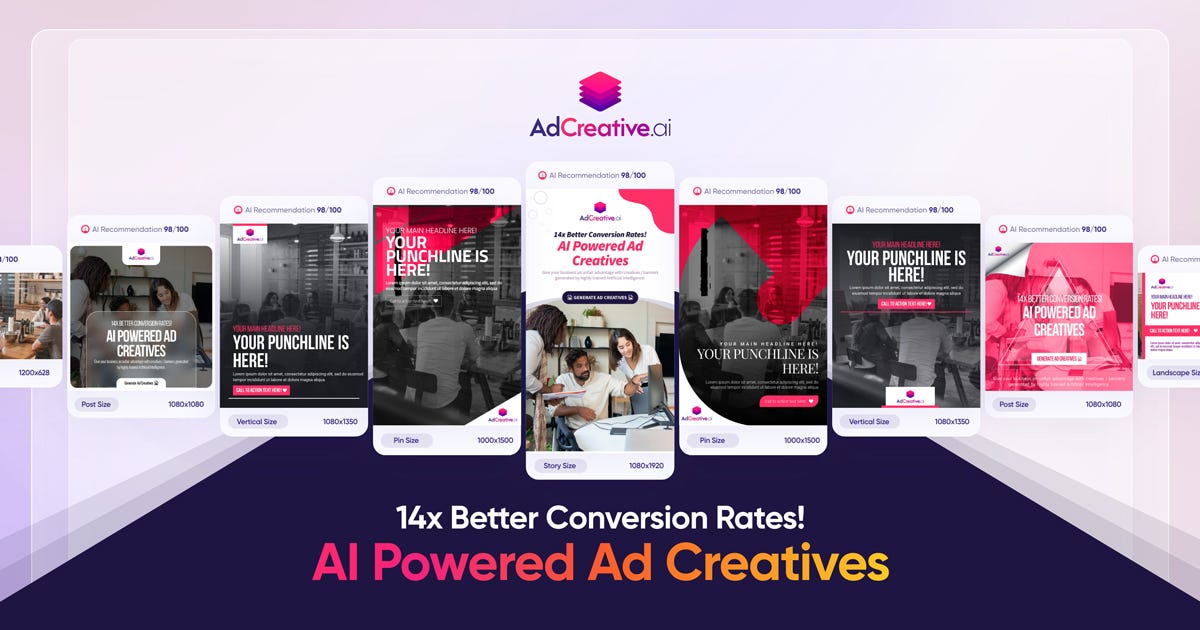
AdCreative.ai is an advanced AI-powered marketing platform that helps users generate high-conversion creatives, ad copy, and visual assets instantly. Leveraging artificial intelligence and data-driven design principles, AdCreative.ai creates compelling ad variations optimized for performance on platforms like Facebook, Instagram, TikTok, Google, and YouTube . AdCreative.ai is widely used by marketers, business owners, performance teams, and advertisers who want to boost engagement, reduce design time, and maximize ROI through intelligent creative automation . What Is AdCreative.ai? AdCreative.ai is an AI creative generation tool that produces multiple versions of ad visuals, headlines, captions, and marketing banners based on input prompts, product descriptions, target audience insights, and campaign goals. Instead of spending hours designing creatives manually, users can generate performance-focused assets in minutes . Key Features of AdCreative.ai AI-generated ad visuals and creatives Automated headline and caption writing Conversion-focused design templates Multiple ad variants for A/B testing Style and brand asset consistency Integration with ad platforms (Meta, Google, TikTok, etc.) Data-driven optimization and predictive insights Export in multiple formats ready for ad platforms Why People Use AdCreative.ai Manual creative design and copywriting can be time-intensive and costly. AdCreative.ai automates both visual and text components of advertising , allowing users to focus on strategy and campaign optimization rather than repetitive design work. Marketers use AdCreative.ai to produce more ad variants quickly, improve click-through rates, and increase conversion outcomes . Popular Use Cases Facebook and Instagram ad creatives TikTok and YouTube video thumbnails and banners Google Display Network visuals E-commerce product ad creatives Seasonal and promotional campaigns A/B testing of ads at scale Benefits of AdCreative.ai Save time on design and copywriting Generate more variations for testing Improve campaign performance with AI insights Maintain brand consistency across creatives Suitable for teams and solo marketers Faster ad deployment and iteration Who Should Use AdCreative.ai? Digital marketers and advertisers E-commerce store owners Social media managers Performance marketing teams Freelancers and agencies Entrepreneurs running paid campaigns Frequently Asked Questions What does AdCreative.ai do? AdCreative.ai uses AI to automatically generate high-conversion ad creatives and marketing assets including visuals, headlines, and captions. Can AdCreative.ai create ads for multiple platforms? Yes, AdCreative.ai supports creative generation for platforms like Facebook, Instagram, Google, TikTok, and YouTube . Do I need design skills to use AdCreative.ai? No. AdCreative.ai generates professional designs without requiring manual graphic design expertise. Can I export creatives directly to ad platforms? Most tools allow export in ad-ready formats , but platform integration options may vary. Does AdCreative.ai help with A/B testing? Yes. AdCreative.ai can generate multiple ad variants for testing and optimization. AdCreative.ai, AI Ad Creative Generator, AI Marketing Tool, AI Ad Design, Automated Ad Creator, Ad Copy AI, Performance-Driven Creative Tool
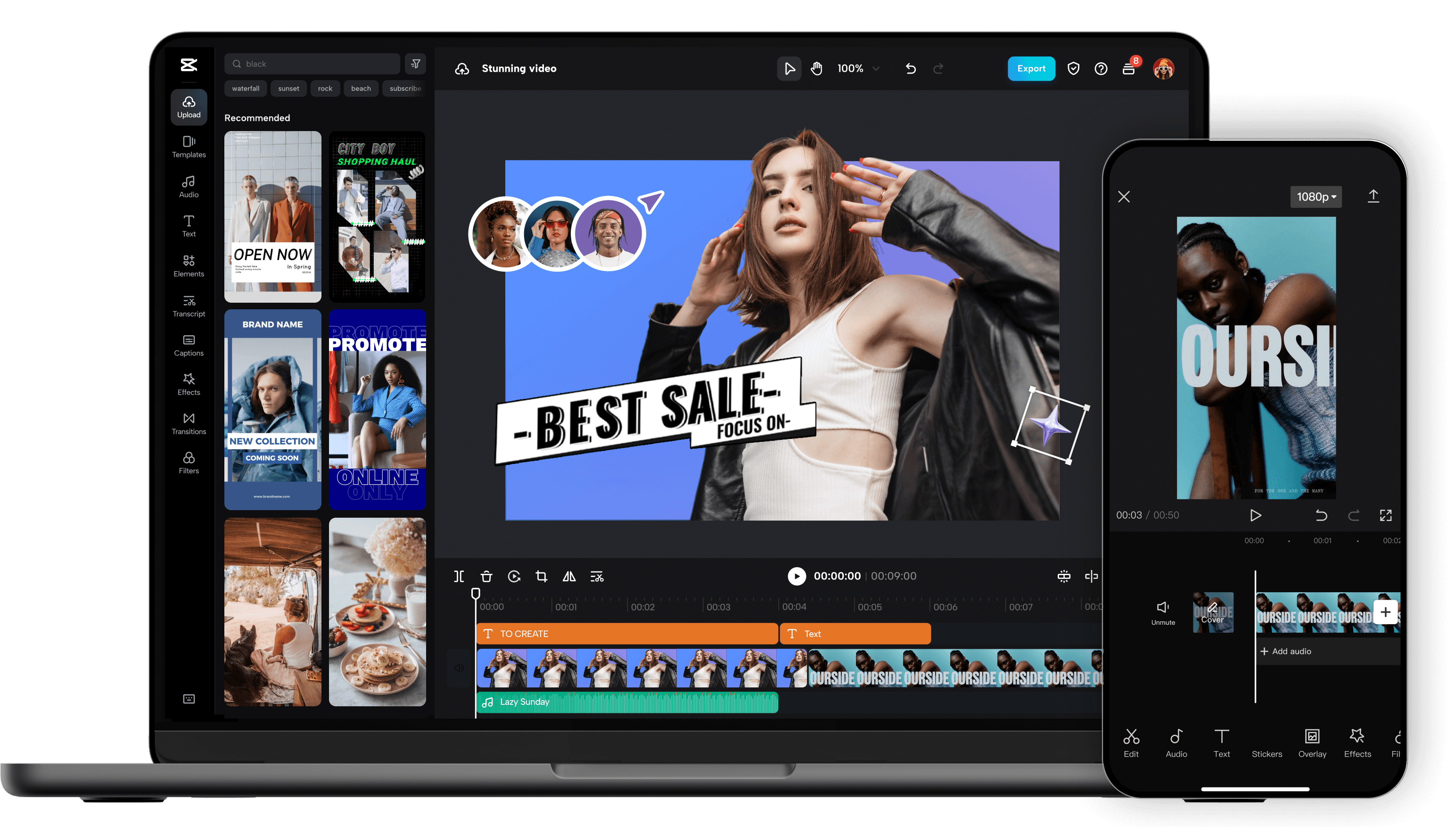
Unleash your creativity and transform your videos with CapCut AI Video Editor, the ultimate all-in-one mobile editing suite designed for creators, influencers, and anyone looking to make their content shine. Whether you're a seasoned pro or just starting out, CapCut's intuitive interface and powerful AI-driven features make professional-quality video editing accessible to everyone, right from your smartphone. Experience the Magic of AI-Powered Editing: CapCut's intelligent AI tools take the heavy lifting out of video production. Effortlessly remove backgrounds with a single tap, creating seamless green-screen effects or isolating subjects for dynamic visual storytelling. Our advanced auto-captions feature transcribes your audio with remarkable accuracy, saving you hours of manual work and making your videos more accessible to a wider audience. Dive into a world of creative possibilities with AI text-to-video , allowing you to generate stunning visuals from simple text prompts. Need to clean up your audio? CapCut's AI audio enhancer intelligently refines your sound, reducing background noise and boosting clarity for a professional finish. Edit Like a Pro, Effortlessly: Beyond its AI prowess, CapCut offers a comprehensive suite of traditional editing tools. Trim, split, merge, and reorder your clips with precision. Enhance your visuals with a vast library of filters, effects, and transitions that will captivate your viewers. Add personality and polish with a wide selection of royalty-free music, sound effects, and voiceovers . Experiment with keyframe animation to bring your elements to life with smooth, dynamic movement. Fine-tune your footage with color correction and adjustment tools to achieve the perfect mood and aesthetic. Elevate Your Content with Premium Features: CapCut empowers you to create engaging and professional content for all your favorite platforms. Speed ramping allows for dramatic slow-motion or exhilarating fast-forward effects. Chroma keying (green screen) opens up endless possibilities for background replacement. Utilize picture-in-picture to layer videos and create dynamic compositions. Explore strobe effects, zoom effects, and motion blur to add visual flair and keep your audience hooked. Why Choose CapCut AI Video Editor? User-Friendly Interface: Designed for ease of use, making complex editing simple. Powerful AI Tools: Automate tedious tasks and unlock new creative avenues with intelligent features. Extensive Feature Set: From basic cuts to advanced effects, CapCut has everything you need. Vast Asset Library: Access a wealth of music, effects, and templates to enhance your videos. No Watermarks (Free Version): Create and export your videos without unwanted branding. Regular Updates: Benefit from continuous improvements and new features. Cross-Platform Sync (with Pro): Seamlessly work across devices. Perfect for Social Media: Optimize your videos for TikTok, Instagram Reels, YouTube Shorts, and more. Who is CapCut for? Social Media Influencers: Create captivating content that drives engagement. Content Creators: Produce professional-looking videos for YouTube, Twitch, and other platforms. Small Business Owners: Craft compelling promotional videos to showcase your products and services. Educators: Develop engaging video lessons and presentations. Hobbyists & Enthusiasts: Bring your passion projects to life with stunning visuals. Anyone! If you have a story to tell, CapCut is your tool. Download CapCut AI Video Editor today and experience the future of mobile video editing. Transform ordinary moments into extraordinary stories. Join millions of creators worldwide and discover how easy it is to make your videos stand out. Your next viral video starts here!

Visuali is an advanced AI-powered visual creation and visualization platform designed to help users turn ideas, data, and concepts into clear, engaging visuals . By combining artificial intelligence, design automation, and visual analytics , Visuali enables the creation of charts, graphics, diagrams, presentations, and visual stories with minimal effort. Visuali is commonly searched by users looking for visual AI tools, data visualization software, and smart design solutions that simplify complex information and improve communication. Key Features of Visuali AI-generated visuals and graphics Data visualization with charts, graphs, and dashboards Smart layout, color, and design suggestions Visual storytelling for presentations and reports Export options: PNG, PDF, SVG Easy integration with documents, slides, and web tools Why People Use Visuali Visuali helps users simplify complex data, communicate ideas clearly, and create professional visuals without design skills . Businesses, students, and content creators rely on Visuali to present insights faster and more effectively through visually engaging content. Popular Use Cases Data visualization and analytics dashboards Business reports and presentations Educational visuals and learning materials Marketing graphics and infographics Product demos and visual explanations AI-powered visual storytelling Benefits of Visuali Convert data and ideas into visuals instantly Improve clarity and decision-making Save time on manual design work Professional-quality visuals without expertise Suitable for businesses, educators, and creators

Visla stands out as an innovative AI Video Generator designed to transform virtually any input into a polished, professional video with remarkable ease. This platform is ideal for creators, marketers, educators, and businesses looking to produce high-quality video content without extensive technical skills or costly software. By leveraging advanced artificial intelligence, Visla simplifies the entire video production process, from script to final cut, enabling users to generate engaging visuals and narratives quickly and efficiently. Its intuitive interface and powerful AI engine make it accessible for beginners while still offering robust capabilities for more experienced users. Whether you need explainer videos, social media clips, presentations, or marketing content, Visla empowers you to bring your ideas to life. The AI handles the complex tasks of editing, sequencing, and adding effects, ensuring that your videos look professionally produced and captivate your audience. With Visla, you can significantly reduce the time and effort typically associated with video creation, allowing you to focus more on your message and content strategy. Experience the future of video production where creativity meets cutting-edge AI technology, making compelling video creation accessible to everyone.

Masonry is an innovative AI-powered image and video generation platform that empowers users to visually compare outputs from multiple artificial intelligence models using a single text prompt. It addresses the challenge of navigating the rapidly expanding landscape of AI art generation tools, offering a centralized hub for experimentation and discovery. This platform is designed for artists, designers, marketers, and anyone seeking to leverage AI image generation and AI video generation to create compelling visual content. It streamlines the creative workflow by eliminating the need to individually test prompts across numerous platforms, saving valuable time and resources. Key Features of Masonry Compares outputs from multiple AI models simultaneously. Offers a visual canvas for side-by-side image and video comparisons. Supports text-to-image generation. Supports text-to-video generation. Allows users to explore diverse AI art styles. Provides a unified interface for accessing various AI models. Enables prompt experimentation and refinement. Facilitates the discovery of optimal AI models for specific creative needs. Offers a user-friendly interface for both beginners and experienced AI artists. Supports high-resolution image and video outputs. Why People Use Masonry Users adopt Masonry to overcome the complexities and inefficiencies of working with multiple, disparate AI art generation tools. Traditionally, creating visuals with AI required submitting the same prompt to each platform ΓÇô Midjourney, Stable Diffusion, DALL-E 2, and others ΓÇô and manually comparing the results. This process is time-consuming and can be frustrating when seeking a specific aesthetic or style. Masonry consolidates this process, presenting outputs from various models in a unified, easily comparable format. This allows users to quickly identify the best model for their project, refine their prompts, and accelerate their creative workflow. The platformΓÇÖs comparative approach fosters a deeper understanding of each modelΓÇÖs strengths and weaknesses, ultimately leading to higher-quality and more targeted AI-generated content. Popular Use Cases Graphic Design: Designers utilize Masonry to rapidly prototype visual concepts and explore different artistic styles for branding, marketing materials, and web design. Marketing & Advertising: Marketing teams leverage the platform to generate diverse ad creatives, social media content, and campaign visuals, optimizing for engagement and brand consistency. Content Creation: Bloggers, YouTubers, and social media influencers employ Masonry to create unique thumbnails, illustrations, and video assets to enhance their content. Artistic Exploration: Artists and hobbyists use the platform to experiment with AI art generation, discover new styles, and push the boundaries of their creativity. Video Production: Filmmakers and video editors utilize Masonry to generate storyboards, concept art, and short video clips for pre-production and post-production workflows. E-commerce: Online retailers use Masonry to create product mockups, lifestyle imagery, and visually appealing marketing materials. Architectural Visualization: Architects and designers can quickly generate visualizations of building designs and interior spaces. Game Development: Game developers use Masonry to create concept art, textures, and promotional materials for their games. Benefits of Masonry Time Savings: Significantly reduces the time spent testing prompts across multiple AI models. Enhanced Creativity: Facilitates experimentation and discovery of new artistic styles and techniques. Improved Output Quality: Enables users to select the optimal AI model for their specific creative needs, resulting in higher-quality visuals. Streamlined Workflow: Consolidates the AI art generation process into a single, user-friendly platform. Cost-Effectiveness: Reduces the need for expensive subscriptions to multiple AI art generation tools. Increased Efficiency: Accelerates the creative process, allowing users to produce more content in less time. Simplified Comparison: Provides a clear and concise visual comparison of AI model outputs. Greater Control: Empowers users to refine their prompts and achieve desired results with greater precision. Accessibility: Offers a user-friendly interface suitable for both beginners and experienced AI artists. Broad Model Support: Supports a wide range of popular AI image and video generation models.

Krater.ai is a comprehensive AI content creation platform that empowers users to generate high-quality AI images, videos, and text from a single, unified interface. It addresses the challenge of fragmented workflows and the need for diverse content creation tools by offering an all-in-one solution. Utilizing advanced artificial intelligence and machine learning algorithms , Krater.ai is designed for marketers, content creators, social media managers, and businesses seeking to streamline their content production process and enhance their creative output. This platform is a valuable resource for anyone looking to leverage AI for content generation and improve their overall content strategy. Key Features of Krater.ai Generates original AI images from text prompts. Creates AI-powered videos from scripts or text. Offers a variety of text generation tools, including copywriting and article writing. Provides a user-friendly interface for easy navigation and content creation. Includes AI-driven tools for photo enhancement and upscaling. Supports multiple video aspect ratios for various social media platforms. Allows for the creation of AI avatars and talking head videos. Offers a library of pre-designed templates for faster content creation. Provides options for customizing generated content with different styles and parameters. Enables users to create product demo videos with AI. Why People Use Krater.ai Individuals and teams adopt Krater.ai to overcome the limitations of traditional content creation methods. Historically, producing diverse content ΓÇô images, videos, and written material ΓÇô required multiple specialized tools and significant time investment. Krater.ai consolidates these functionalities into a single platform, dramatically reducing the time and resources needed for content production. The platformΓÇÖs AI algorithms ensure consistent quality and scalability, allowing users to generate a high volume of content without compromising on creativity or brand consistency. Unlike manual content creation, Krater.ai offers rapid prototyping and iteration, enabling users to quickly test different ideas and refine their messaging. This streamlined approach empowers users to focus on strategy and impact, rather than being bogged down in the technicalities of content creation. Popular Use Cases Social Media Marketing: Generating engaging visuals and captions for platforms like Instagram, Facebook, and Twitter. Content Marketing: Creating blog posts, articles, and website copy with AI assistance. E-commerce: Producing product images and videos for online stores. Advertising: Developing compelling ad creatives for various marketing campaigns. Educational Content: Generating visuals and scripts for online courses and presentations. Video Production: Creating explainer videos, promotional videos, and short-form video content. Personal Branding: Developing a consistent visual identity and content strategy for individuals. Real Estate: Generating virtual tours and property visualizations. Startup Marketing: Quickly creating marketing materials with limited resources. Internal Communications: Producing engaging visuals for company newsletters and presentations. Benefits of Krater.ai Increased Content Output: Generate more content in less time, accelerating marketing and communication efforts. Reduced Content Creation Costs: Eliminate the need for expensive design software, stock photos, and video production services. Enhanced Brand Consistency: Maintain a consistent visual style and messaging across all content channels. Improved Content Quality: Leverage AI algorithms to create high-quality, engaging content. Streamlined Workflow: Consolidate multiple content creation tools into a single, user-friendly platform. Faster Prototyping: Quickly test different content ideas and refine messaging. Greater Creative Freedom: Explore new creative possibilities with AI-powered tools. Scalable Content Production: Easily scale content creation efforts to meet growing demands. Accessibility for Non-Designers: Empower individuals without design experience to create professional-quality content. Time Savings: Automate repetitive tasks and free up valuable time for strategic initiatives.
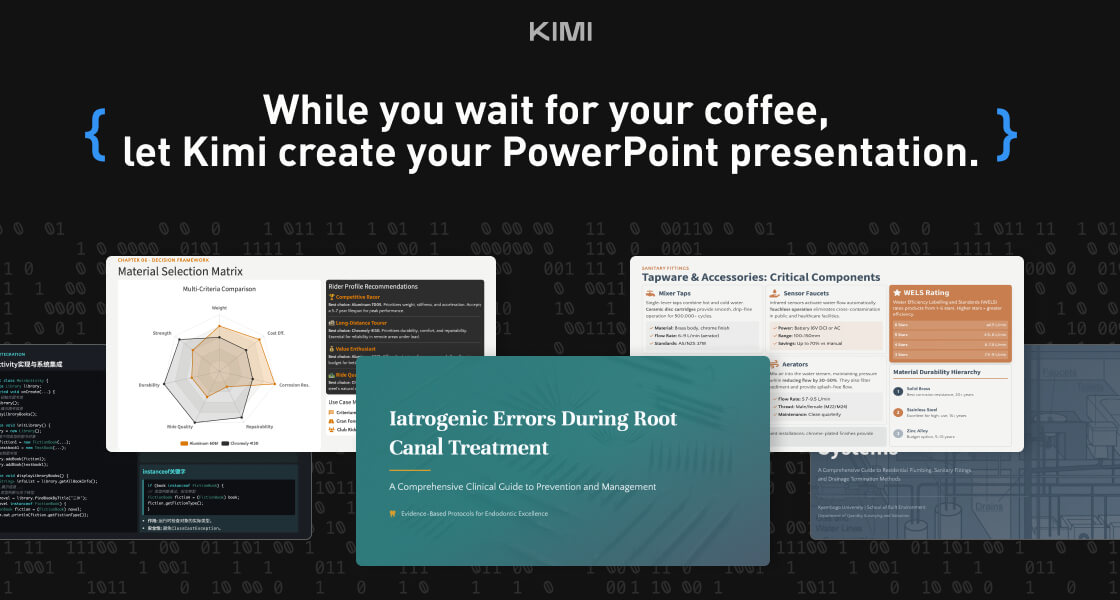
Kimi Slides is a cutting-edge AI-powered slide and presentation generator designed to help users create professional-looking presentations in seconds without manual designing. By using artificial intelligence and smart design templates , Kimi Slides turns your ideas, text, or outlines into visually appealing, structured, and engaging slides . Kimi Slides is frequently searched by users looking for fast presentation creation, AI slide tools, and automated design assistants that simplify the process of building presentations for work, school, and creative projects. Key Features of Kimi Slides AI-generated presentation slides from prompts or text Smart layout, color scheme, and template suggestions Automatic formatting and design consistency Charts, infographics, and visual elements Export options (PowerPoint, PDF, Google Slides compatible) Customizable themes and styles Real-time editing and collaboration tools Why People Use Kimi Slides Traditional presentation design can be time-consuming and requires design skills . Kimi Slides allows users to focus on content while AI handles the visual structure and layout . Whether youΓÇÖre preparing a business pitch, lecture, report, or project summary, Kimi Slides speeds up the process and ensures professional-quality output . Popular Use Cases Business pitch decks and investor presentations Educational lectures and class slides Marketing reports and strategy briefs Project proposals and team updates Training modules and workshops Visual storytelling and client presentations Benefits of Kimi Slides Saves hours of manual slide design Produces consistent, professional-quality visuals Easy to use for beginners and experts Enhances clarity and audience engagement Supports quick revisions and collaborative editing

Galileo AI is an innovative AI design tool that empowers users to generate stunning user interface (UI) designs from simple text prompts. It addresses the challenge of rapid prototyping and design iteration by automating the initial design phases, significantly reducing the time and resources required to create visually appealing and functional interfaces. Utilizing advanced artificial intelligence and natural language processing , Galileo AI translates user ideas into high-fidelity UI mockups, catering to designers, founders, and product teams seeking to accelerate their design workflows. This tool is particularly valuable for those exploring multiple design concepts or needing to quickly visualize their product ideas. Key Features of Galileo AI Generates UI designs from text descriptions. Offers a variety of design styles and themes. Allows users to refine designs through iterative prompting. Provides customizable design components and elements. Supports the creation of designs for web and mobile applications. Enables users to export designs in multiple formats. Facilitates rapid prototyping and concept exploration. Offers a user-friendly interface for easy navigation. Allows for the specification of desired platform (iOS, Android, Web). Provides options to define specific UI elements like buttons, forms, and navigation bars. Supports the generation of complete screen designs or individual components. Enables users to adjust the level of detail and complexity in generated designs. Why People Use Galileo AI Individuals and teams utilize Galileo AI to overcome the initial hurdles of the design process. Traditionally, creating UI designs requires significant time and expertise in design software. Galileo AI streamlines this process by allowing users to articulate their vision in natural language, which the AI then translates into a visual representation. This is particularly beneficial for startups and entrepreneurs who may not have dedicated design resources, or for established teams looking to accelerate their design cycles. The toolΓÇÖs ability to quickly generate multiple design variations fosters exploration and allows for faster iteration based on feedback. By automating the foundational aspects of UI design, Galileo AI frees up designers to focus on more complex tasks like user research, usability testing, and refining the overall user experience. It democratizes the design process, making it accessible to a wider range of users, regardless of their design background. Popular Use Cases Startup Prototyping: Quickly generate mockups for pitch decks and investor presentations. Web Application Design: Create initial designs for web-based software and platforms. Mobile App Design: Develop UI concepts for iOS and Android applications. UX/UI Exploration: Rapidly iterate on design ideas and explore different visual approaches. Design System Creation: Generate consistent UI components for building design systems. A/B Testing Mockups: Create variations of UI elements for A/B testing purposes. User Flow Visualization: Design screens representing different stages of a user flow. Concept Validation: Quickly visualize and validate product ideas with potential users. Educational Purposes: Students learning UI/UX design can use it to experiment with different concepts. Rapid Wireframing: Generate basic wireframes to outline the structure of an application. Generating Design Inspiration: Overcome creative blocks by exploring AI-generated design options. Creating Mockups for User Research: Quickly produce visuals for user interviews and testing. Benefits of Galileo AI Accelerated Design Workflow: Significantly reduces the time spent on initial design creation. Increased Design Iteration: Enables rapid exploration of multiple design concepts. Reduced Design Costs: Minimizes the need for extensive design resources. Enhanced Creativity: Inspires new design ideas and approaches. Improved Collaboration: Facilitates communication between designers, developers, and stakeholders. Democratized Design Access: Empowers non-designers to create professional-looking UI designs. Streamlined Prototyping: Simplifies the process of creating interactive prototypes. Faster Time to Market: Accelerates the product development lifecycle. Consistent Design Language: Helps maintain a consistent visual style across applications. Efficient Resource Allocation: Frees up designers to focus on higher-level tasks. Simplified Concept Validation: Allows for quick and easy validation of product ideas. Reduced Risk of Design Errors: AI-powered generation can minimize common design mistakes.

Visual Electric is an innovative AI image generator designed to empower creatives with a spatially intuitive and non-linear workflow for visual exploration and development. It addresses the limitations of traditional text-to-image tools by offering an infinite canvas environment that mirrors the organic nature of the creative process. Utilizing generative AI , Visual Electric allows users to rapidly prototype, remix, and iterate on visual ideas, making it ideal for designers, artists, and anyone involved in visual storytelling. This tool solves the problem of rigid, linear workflows in AI image generation. Existing solutions often require precise prompting and offer limited flexibility for exploring variations and branching out ideas. Visual Electric provides a more fluid and intuitive experience, enabling users to visually organize and manipulate generated images in a way that closely resembles traditional creative methods like mood boards and sketching. ItΓÇÖs particularly valuable for those seeking to overcome creative blocks, explore multiple concepts simultaneously, and refine visual ideas through spatial arrangement and iterative refinement. Key Features of Visual Electric Generates images from text prompts. Offers an infinite canvas for spatial organization of images. Allows for remixing and combining of generated images. Enables exploration of variations through iterative prompting. Provides a visually intuitive interface for creative workflows. Supports image uploads for use as starting points or inspiration. Facilitates branching out of ideas with multiple image streams. Offers real-time image generation and updates. Allows for easy duplication and modification of existing images. Provides a collaborative workspace for team projects. Why People Use Visual Electric Individuals and teams are adopting Visual Electric to overcome the constraints of conventional AI image generation tools. Traditional methods often require a precise understanding of prompting techniques and can be frustrating when attempting to explore a wide range of visual concepts. Visual Electric offers a more natural and intuitive approach, mirroring the way creatives typically work ΓÇô by gathering inspiration, sketching ideas, and iteratively refining concepts. The platformΓÇÖs infinite canvas allows users to visually map out their creative process, branching out from initial ideas and exploring variations without being limited by a linear sequence of prompts. This spatial organization fosters serendipitous discoveries and allows for a more holistic understanding of the visual landscape. Compared to manually creating mood boards or iterating on designs in traditional software, Visual Electric significantly accelerates the creative workflow, enabling faster prototyping and more efficient exploration of visual possibilities. ItΓÇÖs a tool designed to augment, not replace, the creative mind. Popular Use Cases Graphic Design: Rapidly prototyping logo concepts, exploring color palettes, and generating visual assets for branding projects. UI/UX Design: Creating mood boards, visualizing user interface elements, and iterating on design layouts. Illustration: Developing character designs, exploring different art styles, and generating visual concepts for illustrations. Storyboarding: Quickly visualizing scenes and compositions for film, animation, and comics. Marketing & Advertising: Generating visual content for social media campaigns, website banners, and marketing materials. Fashion Design: Exploring textile patterns, visualizing garment designs, and creating mood boards for collections. Architectural Visualization: Generating conceptual renderings and exploring different design options. Game Development: Creating concept art, texture variations, and visual assets for game environments. Creative Writing: Visualizing scenes and characters to inspire and enhance storytelling. Art Education: Teaching visual design principles and exploring the possibilities of AI-assisted creativity. Benefits of Visual Electric Accelerated Creative Workflow: Significantly reduces the time spent on initial concept development and visual exploration. Enhanced Creative Exploration: Facilitates the discovery of unexpected ideas and visual possibilities through spatial arrangement and iterative refinement. Improved Visual Communication: Enables clear and effective communication of visual concepts to clients and collaborators. Increased Design Iteration: Allows for rapid prototyping and experimentation with different design variations. Intuitive User Experience: Provides a visually intuitive interface that requires minimal training and is accessible to users of all skill levels. Streamlined Collaboration: Offers a collaborative workspace for teams to share ideas, provide feedback, and co-create visual content. Overcoming Creative Blocks: Provides a stimulating environment for generating new ideas and breaking through creative barriers. Spatial Organization of Ideas: The infinite canvas allows for a more holistic and organized approach to visual thinking. Seamless Remixing and Combination: Easily combine and modify generated images to create unique and compelling visuals. Empowered Creative Control: Offers a greater degree of control over the creative process compared to traditional text-to-image tools.

Magician is an innovative AI-powered design tool that empowers users to create stunning visuals and presentations with remarkable ease and speed. It addresses the challenge of time-consuming and often expensive design processes, making professional-quality design accessible to everyone, regardless of their skill level. Magician leverages the power of generative AI to transform simple text prompts into fully realized designs, streamlining the creative workflow for marketers, entrepreneurs, and anyone needing compelling visual content. This tool is particularly valuable for individuals and teams seeking to enhance their content creation , marketing materials , and presentation design without relying on traditional graphic design expertise or extensive software knowledge. Key Features of Magician Transforms text prompts into visually appealing slides and designs. Offers a vast library of customizable design templates. Provides AI-powered image generation capabilities. Enables users to rebrand designs with custom logos and brand colors. Facilitates collaborative design projects with team sharing features. Supports various export formats, including PPTX and PNG. Allows for quick iteration and refinement of designs based on feedback. Integrates with popular presentation platforms. Offers AI-driven layout suggestions for optimal visual hierarchy. Provides a user-friendly interface for intuitive design creation. Why People Use Magician Individuals and organizations adopt Magician to drastically reduce the time and resources required for design tasks. Traditional design workflows often involve lengthy back-and-forth communication with designers, multiple revisions, and significant costs. Magician bypasses these bottlenecks by enabling users to generate high-quality designs directly from their ideas, expressed in simple text. This AI-driven approach democratizes design, empowering anyone to create professional-looking materials without needing specialized skills. The toolΓÇÖs efficiency is particularly beneficial for fast-paced environments where rapid content creation is crucial, such as marketing campaigns, sales presentations, and internal communications. By automating many of the tedious aspects of design, Magician allows users to focus on strategy and messaging, ultimately improving overall productivity and impact. ItΓÇÖs a shift from designing to directing design, making the process more accessible and agile. Popular Use Cases Marketing Teams: Creating social media graphics, ad banners, and marketing presentations quickly and efficiently. Sales Professionals: Developing compelling sales decks and pitch presentations to close deals. Entrepreneurs & Startups: Designing branding materials, investor presentations, and website visuals on a budget. Educators & Trainers: Building engaging educational presentations and course materials. Content Creators: Generating visually appealing content for blogs, articles, and newsletters. Internal Communications: Crafting informative and visually consistent internal presentations and reports. Product Managers: Developing product demo presentations and marketing collateral. Small Business Owners: Creating professional-looking marketing materials without hiring a designer. Remote Teams: Collaborating on design projects seamlessly, regardless of location. Event Planners: Designing event presentations, promotional materials, and signage. Benefits of Magician Increased Productivity: Significantly reduces the time spent on design tasks, allowing users to focus on other priorities. Cost Savings: Eliminates the need for expensive design software or external design services. Enhanced Creativity: Facilitates rapid experimentation and iteration, leading to more innovative designs. Improved Brand Consistency: Ensures that all designs adhere to brand guidelines with customizable templates and branding features. Greater Accessibility: Empowers anyone, regardless of design skills, to create professional-quality visuals. Streamlined Workflow: Simplifies the design process, making it more efficient and collaborative. Faster Time-to-Market: Enables quicker creation of marketing materials and presentations, accelerating campaign launches. Scalable Design Solutions: Provides a flexible solution that can adapt to changing design needs and volumes. Data-Driven Design: Leverages AI to suggest optimal layouts and visual elements for maximum impact. Empowered Teams: Enables teams to take ownership of their design needs, reducing reliance on specialized resources.

 Android
 IOS
IOS Mini Tools
 Software
 Web
Web