Android
 IOS
IOS Mini Tools
 Software
 Web
WebTop matches

Wispr Flow
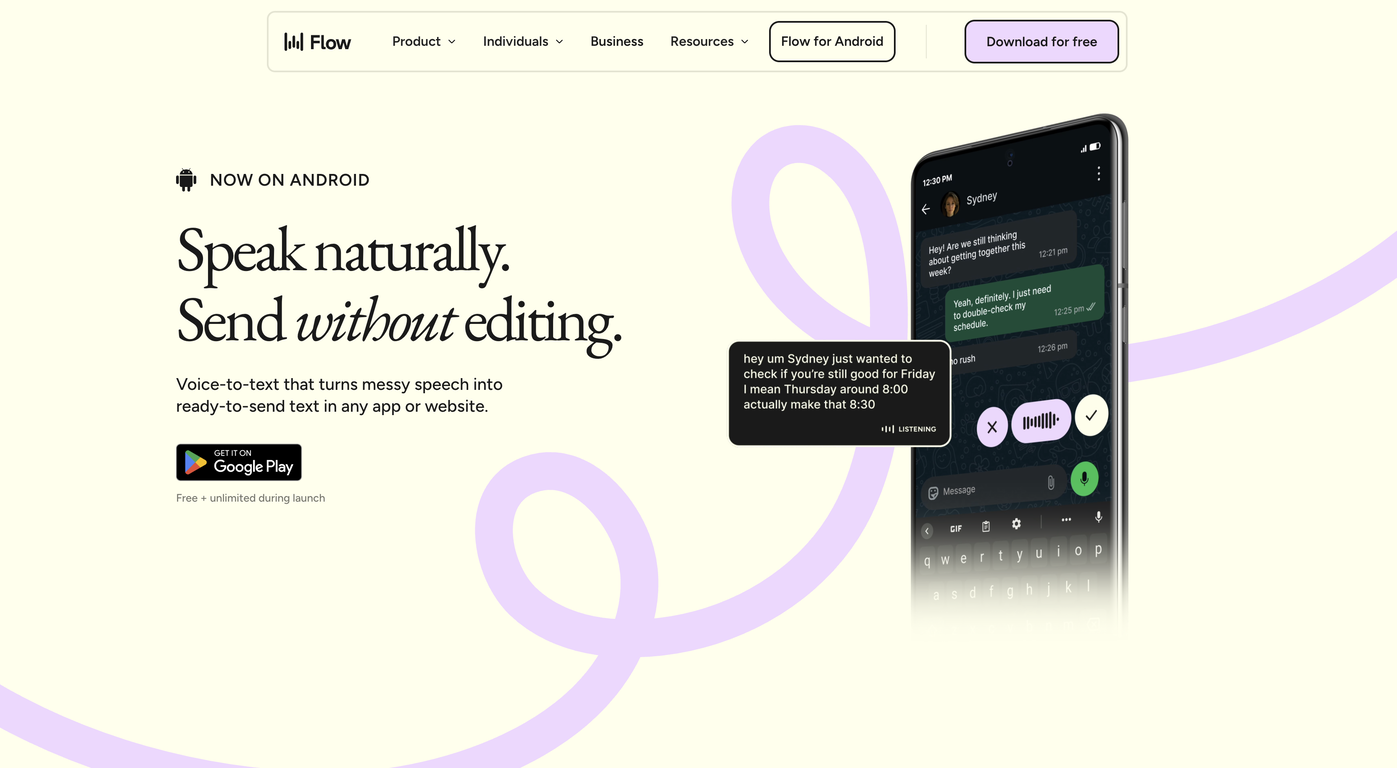
Wispr Flow – AI Voice Dictation & Productivity Tool Wispr Flow is an advanced AI-powered voice dictation and productivity tool designed to help users write, communicate, and work faster using their voice . By combining speech recognition, natural language processing, and real-time AI transcription , Wispr Flow allows users to convert spoken words into accurate, well-structured text across apps and workflows. Wispr Flow is commonly searched by users looking for AI voice typing tools, speech-to-text software, voice productivity apps, and AI dictation solutions that improve efficiency and reduce manual typing. What Is Wispr Flow? Wispr Flow is an AI-driven voice interface that enables hands-free writing and seamless voice-to-text conversion . It works across emails, documents, notes, chats, and productivity tools, allowing users to think and speak naturally while AI handles transcription and formatting . Unlike traditional dictation tools, Wispr Flow focuses on speed, accuracy, and workflow integration , making it ideal for professionals who want to maintain focus without switching between tools. Key Features of Wispr Flow Real-time AI-powered speech-to-text High-accuracy voice recognition Natural language understanding for better formatting Works across multiple apps and platforms Supports emails, documents, notes, and messaging Voice commands for editing and navigation Low-latency transcription for fast workflows Secure and privacy-focused processing Why People Use Wispr Flow Typing can slow down thinking and reduce productivity. Wispr Flow allows users to capture ideas at the speed of thought , helping them write faster, reduce fatigue, and stay focused. Professionals, creators, and knowledge workers use Wispr Flow to draft content, reply to messages, write reports, and take notes without breaking their workflow. Popular Use Cases Writing emails and professional messages Drafting documents, articles, and notes Meeting notes and quick idea capture Productivity workflows and task management Hands-free writing for multitasking Accessibility and ergonomic writing support Benefits of Wispr Flow Significantly faster than manual typing Improves productivity and focus Reduces physical strain and fatigue Enables natural and fluid writing Works seamlessly across daily tools Suitable for beginners and professionals Who Should Use Wispr Flow? Professionals and business users Writers, bloggers, and content creators Developers and technical teams Students and researchers People who prefer voice-first workflows Users seeking accessibility-friendly tools Frequently Asked Questions (FAQ) What does Wispr Flow do? Wispr Flow converts spoken voice into accurate text in real time, helping users write and communicate faster using AI-powered dictation. Is Wispr Flow better than traditional dictation tools? Yes. Wispr Flow is optimized for speed, accuracy, and workflow integration , making it more efficient than basic speech-to-text tools. Can Wispr Flow be used across different applications? Yes. Wispr Flow is designed to work across emails, documents, chats, and productivity platforms. Does Wispr Flow support long-form writing? Yes. It is suitable for both short messages and long-form content such as articles, reports, and notes. Is Wispr Flow useful for accessibility? Yes. Wispr Flow supports hands-free writing and reduces the need for typing, making it useful for accessibility and ergonomic use cases. Is voice data secure in Wispr Flow? Wispr Flow is built with privacy and security in mind, ensuring safe handling of voice and text data. Wispr Flow, AI Voice Dictation, Speech to Text AI, Voice Typing Tool, AI Productivity Tool, Voice Writing Software, AI Transcription Tool
Visit Website
Wispr Flow – AI Voice Dictation & Productivity Tool Wispr Flow is an advanced AI-powered voice dictation and productivity tool designed to help users write, communicate, and work faster using their voice . By combining speech recognition, natural language processing, and real-time AI transcription , Wispr Flow allows users to convert spoken words into accurate, well-structured text across apps and workflows. Wispr Flow is commonly searched by users looking for AI voice typing tools, speech-to-text software, voice productivity apps, and AI dictation solutions that improve efficiency and reduce manual typing. What Is Wispr Flow? Wispr Flow is an AI-driven voice interface that enables hands-free writing and seamless voice-to-text conversion . It works across emails, documents, notes, chats, and productivity tools, allowing users to think and speak naturally while AI handles transcription and formatting . Unlike traditional dictation tools, Wispr Flow focuses on speed, accuracy, and workflow integration , making it ideal for professionals who want to maintain focus without switching between tools. Key Features of Wispr Flow Real-time AI-powered speech-to-text High-accuracy voice recognition Natural language understanding for better formatting Works across multiple apps and platforms Supports emails, documents, notes, and messaging Voice commands for editing and navigation Low-latency transcription for fast workflows Secure and privacy-focused processing Why People Use Wispr Flow Typing can slow down thinking and reduce productivity. Wispr Flow allows users to capture ideas at the speed of thought , helping them write faster, reduce fatigue, and stay focused. Professionals, creators, and knowledge workers use Wispr Flow to draft content, reply to messages, write reports, and take notes without breaking their workflow. Popular Use Cases Writing emails and professional messages Drafting documents, articles, and notes Meeting notes and quick idea capture Productivity workflows and task management Hands-free writing for multitasking Accessibility and ergonomic writing support Benefits of Wispr Flow Significantly faster than manual typing Improves productivity and focus Reduces physical strain and fatigue Enables natural and fluid writing Works seamlessly across daily tools Suitable for beginners and professionals Who Should Use Wispr Flow? Professionals and business users Writers, bloggers, and content creators Developers and technical teams Students and researchers People who prefer voice-first workflows Users seeking accessibility-friendly tools Frequently Asked Questions (FAQ) What does Wispr Flow do? Wispr Flow converts spoken voice into accurate text in real time, helping users write and communicate faster using AI-powered dictation. Is Wispr Flow better than traditional dictation tools? Yes. Wispr Flow is optimized for speed, accuracy, and workflow integration , making it more efficient than basic speech-to-text tools. Can Wispr Flow be used across different applications? Yes. Wispr Flow is designed to work across emails, documents, chats, and productivity platforms. Does Wispr Flow support long-form writing? Yes. It is suitable for both short messages and long-form content such as articles, reports, and notes. Is Wispr Flow useful for accessibility? Yes. Wispr Flow supports hands-free writing and reduces the need for typing, making it useful for accessibility and ergonomic use cases. Is voice data secure in Wispr Flow? Wispr Flow is built with privacy and security in mind, ensuring safe handling of voice and text data. Wispr Flow, AI Voice Dictation, Speech to Text AI, Voice Typing Tool, AI Productivity Tool, Voice Writing Software, AI Transcription Tool
0

Replicate
Replicate Run and Deploy AI Models in the Cloud Replicate is a powerful AI model hosting and deployment platform that allows developers, startups, and businesses to run, test, and integrate machine learning models using simple APIs. It removes the complexity of setting up infrastructure, GPUs, and environments by providing instant access to advanced AI models in the cloud. Replicate is widely searched by users looking for AI model APIs, machine learning deployment platforms, open-source AI models, image generation APIs, and AI inference tools. What Is Replicate? Replicate is a cloud-based platform that lets users run open-source and community-built AI models with minimal setup. Instead of downloading models, managing dependencies, or configuring hardware, users can access AI models directly through APIs. The platform supports a wide range of AI use cases including image generation, video processing, speech, text, vision, audio, and multimodal AI models. Key Features of Replicate Cloud-based AI model execution Simple REST APIs for running models GPU-powered inference without setup Access to popular open-source AI models Scalable and production-ready infrastructure Versioned models for consistent results Image, video, text, and audio model support Types of AI Models Available on Replicate Image generation and enhancement models Video generation and processing models Speech recognition and audio models Text generation and language models Multimodal AI models Community-contributed custom models Why People Use Replicate Running AI models locally requires powerful hardware, technical expertise, and time-consuming setup. Replicate eliminates these challenges by offering ready-to-use AI models in the cloud. Developers use Replicate to prototype faster, deploy AI features into applications, test new models, automate workflows, and scale AI workloads without managing infrastructure. Popular Use Cases AI-powered image and video generation Integrating AI features into apps and websites Prototyping machine learning ideas Running open-source AI models at scale Creative AI projects and automation Research and experimentation Benefits of Replicate No need for GPUs or servers Faster AI development and deployment Pay-as-you-go pricing model Access to cutting-edge open-source AI models Easy integration into existing products Suitable for individuals and enterprises Who Should Use Replicate? Software developers and engineers AI researchers and ML practitioners Startups building AI-powered products Content creators using AI generation Businesses integrating AI APIs Students learning AI deployment Frequently Asked Questions What does Replicate do? Replicate allows users to run and deploy AI models in the cloud using simple APIs without managing infrastructure. Does Replicate host open-source models? Yes, Replicate focuses on hosting and running open-source and community-built AI models. Do I need a GPU to use Replicate? No, Replicate provides GPU-powered infrastructure, so users do not need their own hardware. Can I use Replicate for production applications? Yes, Replicate supports scalable and production-ready AI inference. What types of AI models are supported? Replicate supports image, video, audio, text, and multimodal AI models. Is Replicate beginner-friendly? Yes, Replicate offers simple APIs and documentation that make it accessible to beginners. SEO Keywords Replicate, AI model hosting, AI model API, machine learning deployment, run AI models online, AI inference platform, open source AI models