Behavly is a powerful platform designed to help businesses maximize their website potential through targeted tweaks and data-driven insights. It provides sophisticated tools to analyze user behavior, identify areas for improvement, and implement precise adjustments that lead to better engagement, higher conversion rates, and increased online performance. Behavly moves beyond generic analytics, offering actionable recommendations tailored to your specific website and business goals. This intelligent solution empowers website owners and digital marketers to uncover hidden opportunities for optimization, ranging from user experience enhancements to content adjustments and call-to-action refinements. By continuously monitoring and adapting to visitor interactions, Behavly ensures your website is always performing at its peak, transforming casual browsers into loyal customers. Integrate Behavly to gain a competitive edge, improve your online presence, and achieve measurable growth by leveraging smart, targeted website optimizations.

Adobe Podcast is your all-in-one AI-powered solution for creating professional-quality audio content, whether you're a seasoned podcaster, a budding content creator, or a business looking to enhance your audio presence. Gone are the days of struggling with complex audio editing software and expensive studio equipment. Adobe Podcast leverages cutting-edge artificial intelligence to simplify and elevate your audio production process, making it accessible to everyone. At its core, Adobe Podcast offers a suite of intuitive tools designed to transform your raw recordings into polished masterpieces. The flagship feature, AI Denoise , is a game-changer. Say goodbye to distracting background noise, hums, and echoes. With just a few clicks, Adobe Podcast intelligently identifies and removes unwanted audio artifacts, leaving you with crystal-clear vocals that sound like they were recorded in a professional studio. This isn't just about making your audio sound better; it's about making your message heard clearly and effectively. But Adobe Podcast doesn't stop at noise reduction. The AI Speech Enhancement feature goes even further, automatically improving the clarity, richness, and presence of your voice. It intelligently adjusts levels, adds warmth, and ensures your voice stands out, making your spoken word more engaging and impactful. Imagine your interviews sounding richer, your narrations more captivating, and your podcasts more professional ΓÇô all without extensive audio engineering knowledge. For those who need to fine-tune their recordings, Adobe Podcast provides a user-friendly editing interface. Easily trim, cut, and arrange your audio segments. Add background music, sound effects, or other audio elements to enhance your content. The intuitive timeline makes it simple to visualize and manipulate your audio, allowing for precise edits and seamless transitions. Even if you're new to audio editing, you'll find yourself mastering the basics in no time. Adobe Podcast also understands the importance of consistency and branding. You can easily manage your audio assets, apply custom presets, and ensure a consistent sound across all your episodes or audio projects. This is crucial for building a recognizable brand identity and maintaining a professional image. Beyond the core editing features, Adobe Podcast is designed to streamline your entire workflow. Upload your audio files directly, work on them within the platform, and export them in a variety of formats suitable for all major podcasting platforms, websites, and social media channels. This end-to-end solution saves you time and effort, allowing you to focus on what you do best: creating compelling content. Whether you're looking to start a podcast from scratch, improve the audio quality of your existing podcast, create engaging audio for marketing videos, record clear voiceovers, or even produce professional-sounding audio for online courses, Adobe Podcast is the ultimate tool for the job. It democratizes professional audio production, empowering creators of all levels to achieve exceptional results. Experience the future of audio creation and elevate your content with the intelligent power of Adobe Podcast. Get started today and hear the difference AI can make.
Phonely AI revolutionizes customer communication with its advanced AI-powered answering services tailored for both support and sales calls. This innovative platform leverages sophisticated voice AI technology to provide seamless, intelligent, and efficient interactions, ensuring that every customer query or sales opportunity is handled with precision. Businesses can significantly enhance their customer experience, streamline operations, and boost sales performance by implementing Phonely AI's automated yet personalized communication solutions. Designed to handle high call volumes, provide instant responses, and even qualify leads, Phonely AI acts as an invaluable extension of your team. It frees up human agents to focus on more complex tasks, reduces wait times for customers, and ensures consistent service delivery 24/7. Whether you aim to improve customer satisfaction, increase lead conversion, or simply optimize your call handling process, Phonely AI offers a scalable and effective solution that transforms your phone-based interactions into a strategic asset.

OnSpace.AI is a cutting-edge, no-code AI app builder that empowers users to create sophisticated applications powered by artificial intelligence without writing a single line of code. This revolutionary platform democratizes app development, making it accessible to entrepreneurs, small businesses, and innovators who lack traditional coding expertise. By leveraging intuitive visual interfaces and AI-driven functionalities, OnSpace.AI enables rapid prototyping and deployment of custom applications, from intelligent chatbots and data analysis tools to automated workflow solutions, transforming ideas into functional products with unprecedented speed and ease. The core advantage of OnSpace.AI lies in its ability to abstract away technical complexities, allowing users to focus purely on their app's logic and user experience. With a robust "Free + from $20/mo" pricing model, it offers a pathway for both beginners to experiment and for growing businesses to scale their AI-powered solutions. Whether you're looking to automate internal processes, enhance customer engagement, or build a new product entirely, OnSpace.AI provides all the necessary tools to design, develop, and launch powerful AI applications efficiently and cost-effectively, fostering a new era of innovation.
Vi Labs pioneers Vi, The Enterprise AI for Health, an advanced platform dedicated to AI-powered health optimization for organizations. This innovative solution is designed to deliver better health outcomes for populations and demonstrate clear returns on investment for enterprises, including healthcare providers, insurers, and large corporations focused on employee wellness. By harnessing cutting-edge artificial intelligence, Vi Labs processes vast amounts of health data to provide predictive insights, personalized recommendations, and efficient resource allocation strategies. Vi transforms how health initiatives are planned, executed, and measured, moving beyond reactive care to proactive health management. It assists in identifying at-risk individuals, optimizing care pathways, and enhancing the overall well-being of a target population, ultimately leading to improved health metrics and reduced costs. For enterprises committed to advancing health, Vi Labs offers a sophisticated, data-driven approach to achieving superior health outcomes and maximizing the value of their health investments.

Pine Script Wizard AI is a cutting-edge AI-powered code generation tool designed specifically for TradingView Pine Script developers, traders, and algorithmic strategists . Using an advanced ChatGPT-based prompt engine fine-tuned for Pine Script coding , this intuitive platform instantly transforms plain-language trading ideas into ready-to-use Pine Script strategies and indicators , saving hours of manual coding and debugging. With Pine Script Wizard AI, users can: Generate optimized Pine Script strategy code within seconds simply by describing their entry, exit, and indicator logic. Produce accurate, clean and TradingView-ready scripts tailored to specific market conditions and technical setups. Customize parameters and trading rules — from SMA/EMA crossovers to RSI filters and stop-loss/take-profit logic — without writing a single line of syntax. Quickly copy the generated code into the TradingView Pine Editor for backtesting, refinement, and live deployment. Whether you’re a seasoned Pine Script coder or a trader with no programming experience, Pine Script Wizard AI accelerates strategy creation, enhances automation workflows, and makes it easier to build custom TradingView tools with AI-assisted precision. Learn more and start generating high-quality Pine Script today at https://www.pinescriptwizard.com/ .

Findly delivers powerful AI Data Analysis Tools and Machine Learning capabilities specifically designed for businesses, enabling them to query complex datasets in plain English without the need for any coding expertise. This revolutionary platform democratizes data science, allowing business users, analysts, and decision-makers to extract valuable insights and make informed decisions with unprecedented ease and speed. By translating natural language questions into sophisticated data queries, Findly eliminates the technical barrier often associated with data analysis. From sales trends to customer behavior patterns, Findly empowers organizations to unlock the full potential of their data, transforming raw information into actionable intelligence. It streamlines the analytical process, accelerates decision-making cycles, and fosters a data-driven culture across all departments. For businesses looking to harness machine learning and advanced analytics without investing heavily in specialized talent, Findly provides an accessible, efficient, and intuitive solution for uncovering the critical insights hidden within their data.

Cabina.AI: Your All-in-One AI Chat Workspace for Enhanced Productivity Discover Cabina.AI, the groundbreaking AI assistant platform designed to be your ultimate AI chat workspace. This innovative solution seamlessly integrates a wide array of artificial intelligence tools into a single, cohesive environment, revolutionizing how you work and interact with technology. Cabina.AI is engineered to streamline your workflows, boost productivity, and deliver intelligent assistance for a vast range of tasks, catering to both individual users and collaborative teams. Experience the power of a centralized hub for all your AI-powered needs, enabling effortless content generation, insightful data analysis, efficient routine automation, and much more, all within an intuitive and integrated ecosystem that makes sophisticated AI accessible for everyday use. Unlock Your Potential with a Versatile AI Assistant Cabina.AI proudly positions itself as the "Best AI chat workspace for your needs," a testament to its dedication to providing a versatile and user-friendly experience that adapts to your unique requirements. Whether you're a creative professional looking to generate compelling content, a marketer aiming to optimize campaigns, a developer seeking to accelerate coding, or an individual aiming to enhance personal efficiency, Cabina.AI offers a comprehensive suite of tools. Supercharge your output and unlock new levels of creativity and efficiency by leveraging the power of AI in a single, integrated platform. Accessible AI Power for Every Budget We believe that powerful AI tools should be accessible to everyone. That's why Cabina.AI offers a flexible "Free + from $4.99/mo" pricing model. Start with essential AI capabilities without any upfront cost and experience the transformative benefits of our platform. As your needs evolve and grow, you can seamlessly upgrade to access more advanced features and higher usage limits, ensuring you always have the right AI power at your fingertips, without breaking the bank. This approach makes sophisticated AI manageable and cost-effective for a wide range of users and businesses. Foster a Smarter Way of Working with Cabina.AI Embrace a more intelligent future of work with Cabina.AI. By consolidating diverse AI tools into one powerful platform, we empower you to overcome complex challenges, automate mundane tasks, and focus on what truly matters. Our intuitive interface and integrated ecosystem simplify the process of harnessing AI, making it an indispensable partner in your daily endeavors. Join the growing community of innovators and professionals who are transforming their productivity and creativity with Cabina.AI, the ultimate AI chat workspace designed for your success.

Visuali is an advanced AI-powered visual creation and visualization platform designed to help users turn ideas, data, and concepts into clear, engaging visuals . By combining artificial intelligence, design automation, and visual analytics , Visuali enables the creation of charts, graphics, diagrams, presentations, and visual stories with minimal effort. Visuali is commonly searched by users looking for visual AI tools, data visualization software, and smart design solutions that simplify complex information and improve communication. Key Features of Visuali AI-generated visuals and graphics Data visualization with charts, graphs, and dashboards Smart layout, color, and design suggestions Visual storytelling for presentations and reports Export options: PNG, PDF, SVG Easy integration with documents, slides, and web tools Why People Use Visuali Visuali helps users simplify complex data, communicate ideas clearly, and create professional visuals without design skills . Businesses, students, and content creators rely on Visuali to present insights faster and more effectively through visually engaging content. Popular Use Cases Data visualization and analytics dashboards Business reports and presentations Educational visuals and learning materials Marketing graphics and infographics Product demos and visual explanations AI-powered visual storytelling Benefits of Visuali Convert data and ideas into visuals instantly Improve clarity and decision-making Save time on manual design work Professional-quality visuals without expertise Suitable for businesses, educators, and creators

Unlock the power of computational intelligence with Wolfram Alpha, the revolutionary engine that delivers answers and insights using Wolfram's groundbreaking technology and comprehensive knowledge base. Trusted by millions of students, educators, researchers, and professionals worldwide, Wolfram Alpha goes beyond simple search to provide precise, data-driven results for a vast array of subjects. Whether you're tackling complex mathematical equations, exploring scientific concepts, analyzing nutritional data, or delving into a multitude of other domains, Wolfram Alpha offers the definitive computational knowledge engine. Experience the difference of intelligent computation. Input your query ΓÇô from a simple math problem to an intricate scientific question ΓÇô and Wolfram Alpha will process it using its vast repository of curated data and powerful algorithms. Get step-by-step solutions for algebra, calculus, differential equations, and more. Visualize data, plot functions, and explore mathematical concepts with interactive tools. Dive into physics, chemistry, biology, and engineering with access to real-world data, formulas, and simulations. Understand the nutritional content of foods, analyze historical trends, or even get quick facts on geography and current events. Wolfram Alpha is more than just a tool; it's your personal computational expert. Its intuitive interface and rich, dynamic output make learning and problem-solving more efficient and engaging than ever before. From homework help and exam preparation to advanced research and professional analysis, Wolfram Alpha empowers you to compute, analyze, and understand. Discover the answers you need, the insights you crave, and the computational power to achieve your goals. Transform your queries into knowledge with Wolfram Alpha. Get accurate, reliable, and comprehensive computational intelligence at your fingertips. Explore math, science, nutrition, and beyond with the world's leading computational knowledge engine.
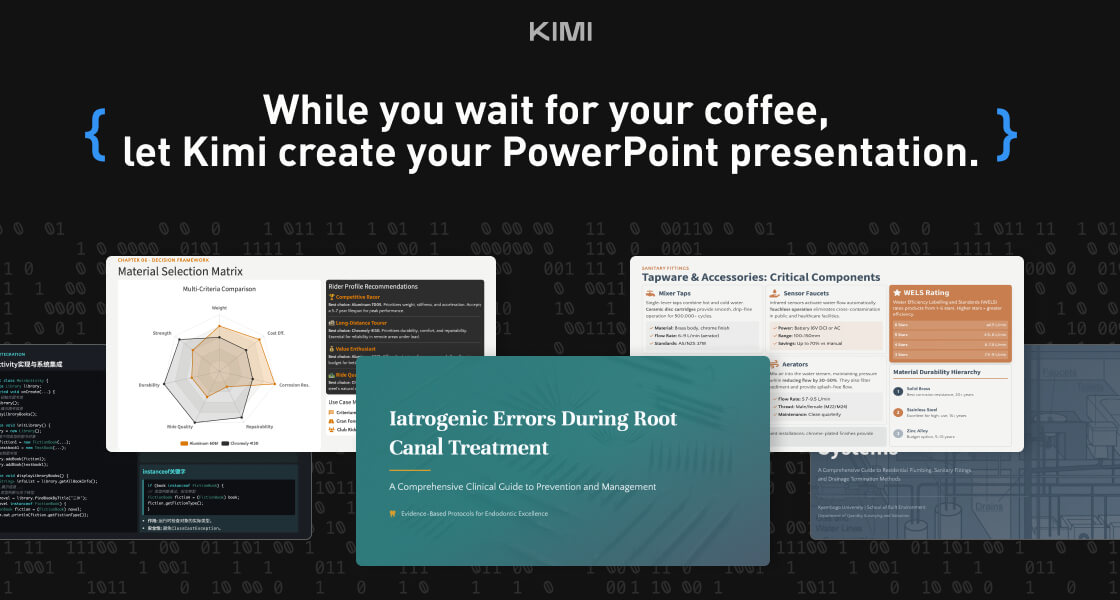
Kimi Slides is a cutting-edge AI-powered slide and presentation generator designed to help users create professional-looking presentations in seconds without manual designing. By using artificial intelligence and smart design templates , Kimi Slides turns your ideas, text, or outlines into visually appealing, structured, and engaging slides . Kimi Slides is frequently searched by users looking for fast presentation creation, AI slide tools, and automated design assistants that simplify the process of building presentations for work, school, and creative projects. Key Features of Kimi Slides AI-generated presentation slides from prompts or text Smart layout, color scheme, and template suggestions Automatic formatting and design consistency Charts, infographics, and visual elements Export options (PowerPoint, PDF, Google Slides compatible) Customizable themes and styles Real-time editing and collaboration tools Why People Use Kimi Slides Traditional presentation design can be time-consuming and requires design skills . Kimi Slides allows users to focus on content while AI handles the visual structure and layout . Whether youΓÇÖre preparing a business pitch, lecture, report, or project summary, Kimi Slides speeds up the process and ensures professional-quality output . Popular Use Cases Business pitch decks and investor presentations Educational lectures and class slides Marketing reports and strategy briefs Project proposals and team updates Training modules and workshops Visual storytelling and client presentations Benefits of Kimi Slides Saves hours of manual slide design Produces consistent, professional-quality visuals Easy to use for beginners and experts Enhances clarity and audience engagement Supports quick revisions and collaborative editing

Meta AI is an advanced artificial intelligence assistant and generative AI platform developed to enhance communication, creativity, and productivity across MetaΓÇÖs ecosystem. Powered by large language models, machine learning, and multimodal AI , Meta AI helps users generate content, answer questions, create images, and automate everyday tasks seamlessly. Meta AI is frequently searched by users looking for AI chat assistants, generative AI tools, social media AI, and smart virtual assistants integrated into messaging and digital platforms. Key Features of Meta AI AI-powered conversational assistant Text, image, and multimodal content generation Real-time answers and smart recommendations Image creation and visual assistance Integrated across Meta platforms (chat and social apps) Context-aware responses and personalization Continuous learning with AI models Why People Use Meta AI Meta AI allows users to interact naturally with AI inside familiar platforms , reducing the need for separate tools. It helps users create content, discover information, and get assistance instantly while chatting or browsing. Creators, businesses, and everyday users rely on Meta AI to boost engagement, creativity, and productivity within digital conversations. Popular Use Cases AI chat and virtual assistance Content creation for social media Image generation and visual ideas Quick research and information discovery Product recommendations and discovery AI-enhanced messaging experiences Benefits of Meta AI Seamless AI assistance inside social platforms Faster content creation and idea generation Improved user engagement and interaction Easy-to-use conversational interface Ideal for creators, businesses, and daily users

Generor is an innovative AI content creation and management platform designed to help users centralize, organize, and streamline all their AI-generated content . It addresses the growing challenge of managing outputs from various AI tools, offering a unified workspace for text and image creation. Generor leverages artificial intelligence, machine learning, and cloud-based storage to provide a comprehensive solution for individuals and teams seeking to maximize their AI-driven content workflows. This platform is particularly valuable for content creators, marketers, designers, and businesses looking to scale their content production with the power of AI. Key Features of Generor Generates text content using integrated AI models. Creates images from text prompts with AI image generation. Provides a centralized dashboard for all AI creations. Offers organization tools like folders and tagging. Enables version control for tracking content iterations. Supports collaboration features for team workflows. Allows for easy export of generated content. Offers a search function to quickly locate specific creations. Provides usage statistics and analytics. Integrates with various AI generation APIs. Why People Use Generor Individuals and organizations are increasingly adopting AI tools for content creation, but this often results in fragmented workflows and difficulty managing the sheer volume of generated assets. Generor solves this problem by providing a single source of truth for all AI creations. Unlike relying on individual AI tools and scattered files, Generor offers a unified system for organization, tracking, and access. This centralized approach significantly reduces time spent searching for content, managing versions, and ensuring consistency. The platform empowers users to focus on creative strategy and refinement, rather than administrative overhead, ultimately boosting productivity and accelerating content production cycles. It moves beyond simply generating content with AI to managing an entire AI-powered content ecosystem. Popular Use Cases Social Media Management: Generating captions, post ideas, and accompanying images for various social media platforms. Blog Content Creation: Drafting blog posts, outlines, and generating relevant images to enhance articles. Marketing Campaign Development: Creating ad copy, email newsletters, and marketing materials with AI assistance. E-commerce Product Descriptions: Generating compelling and informative product descriptions for online stores. Graphic Design & Visual Content: Producing unique images for presentations, websites, and marketing collateral. Content Repurposing: Adapting existing content into different formats (e.g., turning a blog post into a social media series). Brainstorming & Idea Generation: Utilizing AI to explore new concepts and generate creative ideas. Scriptwriting & Storytelling: Developing scripts for videos, podcasts, or other narrative content. Educational Material Creation: Generating quizzes, summaries, and learning resources. Personal Productivity: Assisting with writing tasks, note-taking, and organization. Benefits of Generor Increased Productivity: Streamlines content creation workflows, saving users significant time and effort. Improved Organization: Centralizes all AI-generated content in a single, easily navigable platform. Enhanced Collaboration: Facilitates teamwork and shared access to AI-powered assets. Greater Control: Provides version control and tracking capabilities for managing content iterations. Simplified Content Management: Eliminates the need to switch between multiple AI tools and file locations. Scalable Content Production: Enables users to efficiently generate and manage large volumes of content. Reduced Errors & Inconsistencies: Promotes consistency and accuracy through centralized control. Faster Time-to-Market: Accelerates content production cycles, allowing for quicker deployment of marketing materials and other content. Cost Savings: Optimizes resource allocation by streamlining workflows and reducing manual effort. Creative Empowerment: Frees up users to focus on strategic thinking and creative refinement.
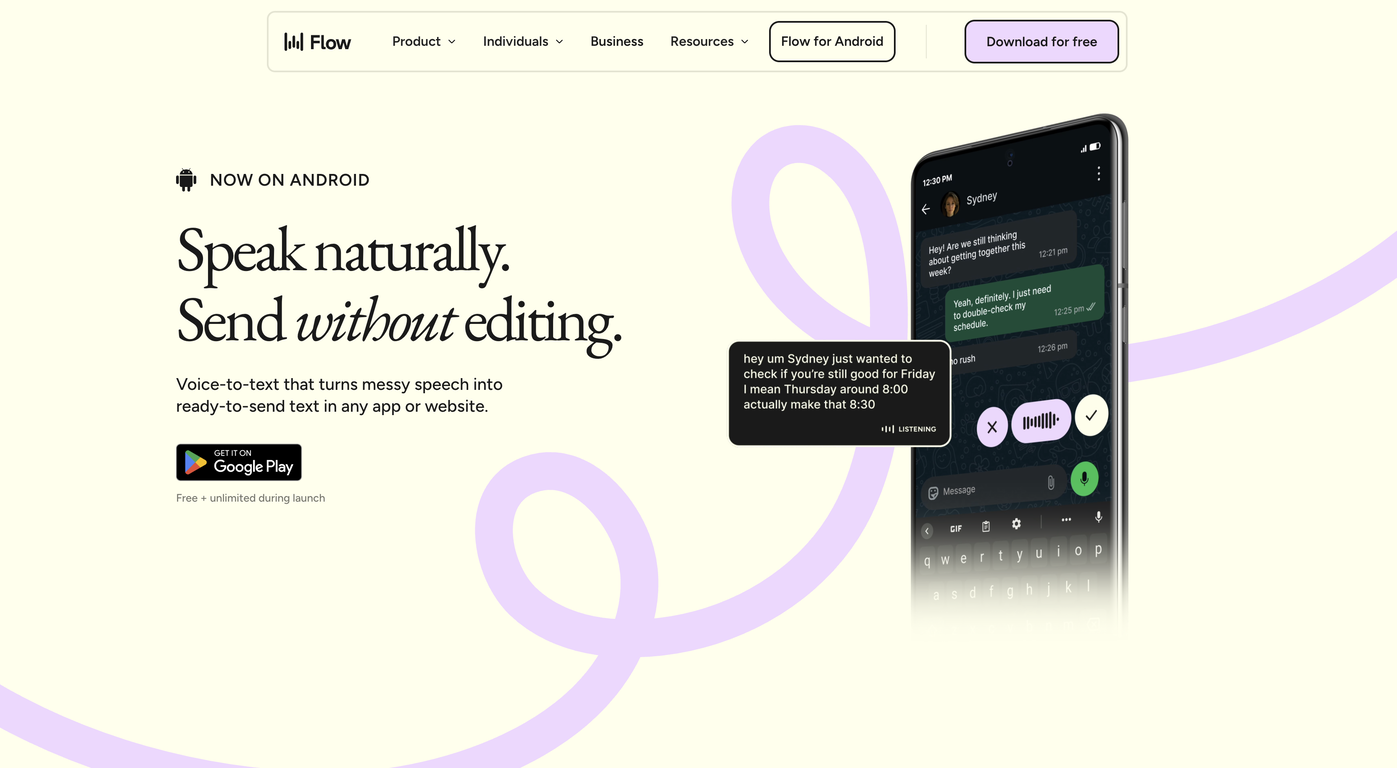
Wispr Flow – AI Voice Dictation & Productivity Tool Wispr Flow is an advanced AI-powered voice dictation and productivity tool designed to help users write, communicate, and work faster using their voice . By combining speech recognition, natural language processing, and real-time AI transcription , Wispr Flow allows users to convert spoken words into accurate, well-structured text across apps and workflows. Wispr Flow is commonly searched by users looking for AI voice typing tools, speech-to-text software, voice productivity apps, and AI dictation solutions that improve efficiency and reduce manual typing. What Is Wispr Flow? Wispr Flow is an AI-driven voice interface that enables hands-free writing and seamless voice-to-text conversion . It works across emails, documents, notes, chats, and productivity tools, allowing users to think and speak naturally while AI handles transcription and formatting . Unlike traditional dictation tools, Wispr Flow focuses on speed, accuracy, and workflow integration , making it ideal for professionals who want to maintain focus without switching between tools. Key Features of Wispr Flow Real-time AI-powered speech-to-text High-accuracy voice recognition Natural language understanding for better formatting Works across multiple apps and platforms Supports emails, documents, notes, and messaging Voice commands for editing and navigation Low-latency transcription for fast workflows Secure and privacy-focused processing Why People Use Wispr Flow Typing can slow down thinking and reduce productivity. Wispr Flow allows users to capture ideas at the speed of thought , helping them write faster, reduce fatigue, and stay focused. Professionals, creators, and knowledge workers use Wispr Flow to draft content, reply to messages, write reports, and take notes without breaking their workflow. Popular Use Cases Writing emails and professional messages Drafting documents, articles, and notes Meeting notes and quick idea capture Productivity workflows and task management Hands-free writing for multitasking Accessibility and ergonomic writing support Benefits of Wispr Flow Significantly faster than manual typing Improves productivity and focus Reduces physical strain and fatigue Enables natural and fluid writing Works seamlessly across daily tools Suitable for beginners and professionals Who Should Use Wispr Flow? Professionals and business users Writers, bloggers, and content creators Developers and technical teams Students and researchers People who prefer voice-first workflows Users seeking accessibility-friendly tools Frequently Asked Questions (FAQ) What does Wispr Flow do? Wispr Flow converts spoken voice into accurate text in real time, helping users write and communicate faster using AI-powered dictation. Is Wispr Flow better than traditional dictation tools? Yes. Wispr Flow is optimized for speed, accuracy, and workflow integration , making it more efficient than basic speech-to-text tools. Can Wispr Flow be used across different applications? Yes. Wispr Flow is designed to work across emails, documents, chats, and productivity platforms. Does Wispr Flow support long-form writing? Yes. It is suitable for both short messages and long-form content such as articles, reports, and notes. Is Wispr Flow useful for accessibility? Yes. Wispr Flow supports hands-free writing and reduces the need for typing, making it useful for accessibility and ergonomic use cases. Is voice data secure in Wispr Flow? Wispr Flow is built with privacy and security in mind, ensuring safe handling of voice and text data. Wispr Flow, AI Voice Dictation, Speech to Text AI, Voice Typing Tool, AI Productivity Tool, Voice Writing Software, AI Transcription Tool
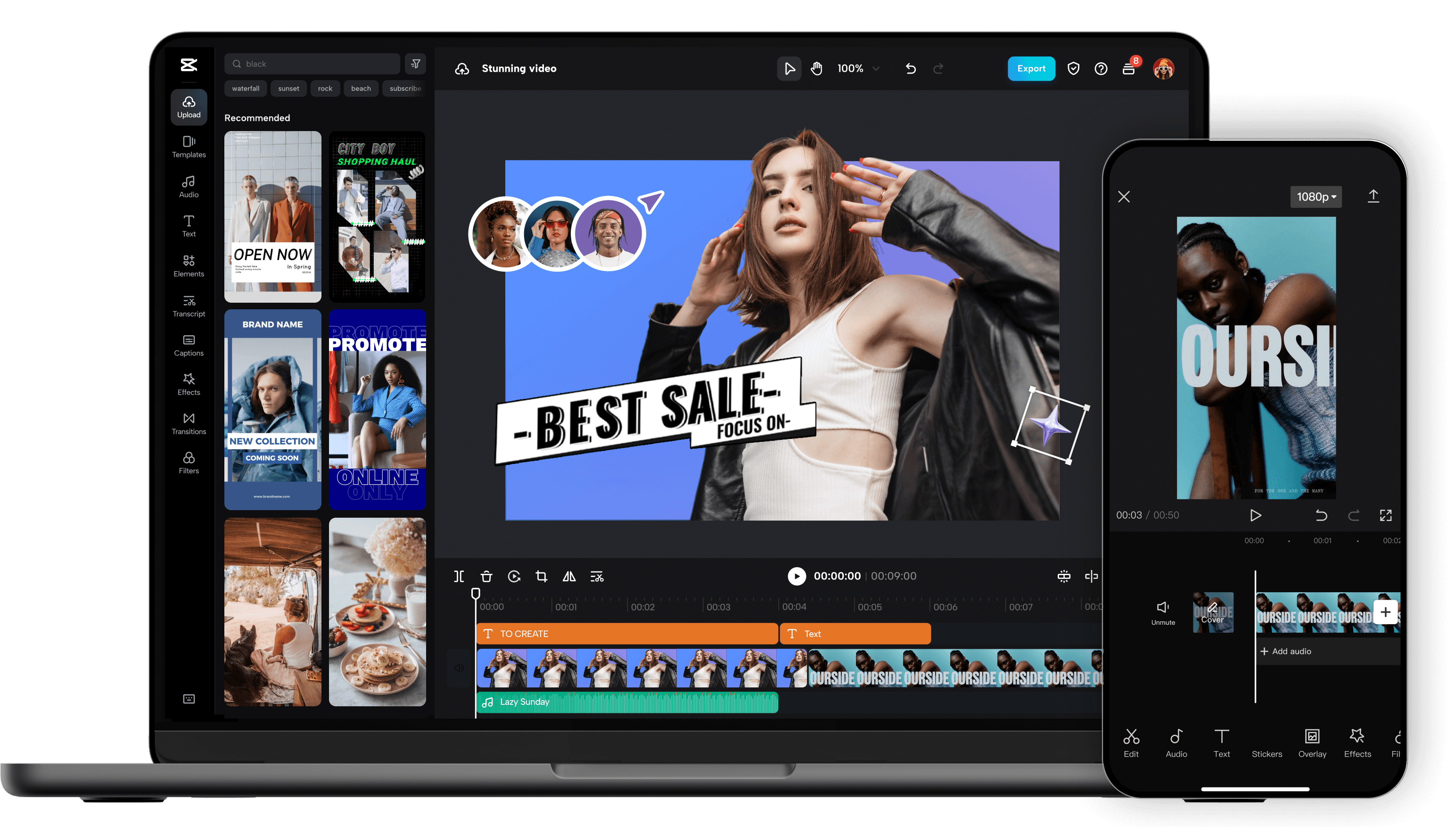
Unleash your creativity and transform your videos with CapCut AI Video Editor, the ultimate all-in-one mobile editing suite designed for creators, influencers, and anyone looking to make their content shine. Whether you're a seasoned pro or just starting out, CapCut's intuitive interface and powerful AI-driven features make professional-quality video editing accessible to everyone, right from your smartphone. Experience the Magic of AI-Powered Editing: CapCut's intelligent AI tools take the heavy lifting out of video production. Effortlessly remove backgrounds with a single tap, creating seamless green-screen effects or isolating subjects for dynamic visual storytelling. Our advanced auto-captions feature transcribes your audio with remarkable accuracy, saving you hours of manual work and making your videos more accessible to a wider audience. Dive into a world of creative possibilities with AI text-to-video , allowing you to generate stunning visuals from simple text prompts. Need to clean up your audio? CapCut's AI audio enhancer intelligently refines your sound, reducing background noise and boosting clarity for a professional finish. Edit Like a Pro, Effortlessly: Beyond its AI prowess, CapCut offers a comprehensive suite of traditional editing tools. Trim, split, merge, and reorder your clips with precision. Enhance your visuals with a vast library of filters, effects, and transitions that will captivate your viewers. Add personality and polish with a wide selection of royalty-free music, sound effects, and voiceovers . Experiment with keyframe animation to bring your elements to life with smooth, dynamic movement. Fine-tune your footage with color correction and adjustment tools to achieve the perfect mood and aesthetic. Elevate Your Content with Premium Features: CapCut empowers you to create engaging and professional content for all your favorite platforms. Speed ramping allows for dramatic slow-motion or exhilarating fast-forward effects. Chroma keying (green screen) opens up endless possibilities for background replacement. Utilize picture-in-picture to layer videos and create dynamic compositions. Explore strobe effects, zoom effects, and motion blur to add visual flair and keep your audience hooked. Why Choose CapCut AI Video Editor? User-Friendly Interface: Designed for ease of use, making complex editing simple. Powerful AI Tools: Automate tedious tasks and unlock new creative avenues with intelligent features. Extensive Feature Set: From basic cuts to advanced effects, CapCut has everything you need. Vast Asset Library: Access a wealth of music, effects, and templates to enhance your videos. No Watermarks (Free Version): Create and export your videos without unwanted branding. Regular Updates: Benefit from continuous improvements and new features. Cross-Platform Sync (with Pro): Seamlessly work across devices. Perfect for Social Media: Optimize your videos for TikTok, Instagram Reels, YouTube Shorts, and more. Who is CapCut for? Social Media Influencers: Create captivating content that drives engagement. Content Creators: Produce professional-looking videos for YouTube, Twitch, and other platforms. Small Business Owners: Craft compelling promotional videos to showcase your products and services. Educators: Develop engaging video lessons and presentations. Hobbyists & Enthusiasts: Bring your passion projects to life with stunning visuals. Anyone! If you have a story to tell, CapCut is your tool. Download CapCut AI Video Editor today and experience the future of mobile video editing. Transform ordinary moments into extraordinary stories. Join millions of creators worldwide and discover how easy it is to make your videos stand out. Your next viral video starts here!

Blend AI is an innovative AI productivity platform that streamlines workflows by integrating multiple artificial intelligence tools into a single, unified interface. It addresses the challenge of managing numerous AI subscriptions and switching between different platforms, offering a centralized hub for diverse AI-powered tasks. Blend AI utilizes artificial intelligence to connect and orchestrate various AI models, providing a seamless experience for users seeking to enhance their productivity. This tool is designed for professionals, marketers, content creators, and anyone looking to leverage the power of AI without the complexity of managing multiple subscriptions and interfaces. Key Features of Blend AI Integrates a wide range of AI models and tools. Offers a unified dashboard for accessing all connected AI services. Provides a streamlined workflow for executing AI-powered tasks. Supports both text and image-based AI applications. Enables users to manage AI subscriptions in one place. Facilitates collaboration by sharing AI workflows and results. Allows for custom AI tool integrations via API. Offers a user-friendly interface for both beginners and advanced users. Provides detailed usage analytics for tracking AI consumption. Supports multiple user accounts for team collaboration. Why People Use Blend AI Individuals and teams adopt Blend AI to overcome the fragmentation inherent in the current AI landscape. Traditionally, users needing to perform diverse AI tasks ΓÇô such as generating text, editing images, or analyzing data ΓÇô would be required to subscribe to and navigate multiple, separate AI platforms. This process is time-consuming, costly, and often leads to context switching that diminishes productivity. Blend AI solves this problem by providing a single point of access to a curated collection of AI tools. This consolidation simplifies workflows, reduces administrative overhead, and allows users to focus on their core tasks rather than managing AI infrastructure. The platformΓÇÖs unified interface and streamlined processes result in significant time savings and increased efficiency, making it a valuable asset for anyone seeking to maximize the benefits of artificial intelligence. Popular Use Cases Content Creation: Marketing teams utilize Blend AI to generate blog posts, social media copy, and marketing materials using integrated AI writing tools. Image Editing & Generation: Graphic designers and content creators leverage AI-powered image editing and generation features for creating visuals. Data Analysis: Analysts and researchers employ Blend AI to analyze datasets and extract insights using integrated AI analytics tools. Social Media Management: Social media managers use Blend AI to schedule posts, generate captions, and analyze engagement metrics. Customer Support: Businesses integrate Blend AI with customer support platforms to automate responses and improve customer satisfaction. E-commerce: Online retailers use Blend AI to generate product descriptions, optimize listings, and personalize customer experiences. Academic Research: Students and researchers utilize Blend AI for literature reviews, data analysis, and report writing. Personal Productivity: Individuals use Blend AI to automate tasks, manage information, and enhance their daily workflows. Software Development: Developers use Blend AI to generate code snippets, debug programs, and automate testing processes. Translation Services: Professionals utilize Blend AI to translate documents and communications into multiple languages. Benefits of Blend AI Increased Productivity: Streamlined workflows and centralized access to AI tools significantly reduce the time required to complete tasks. Cost Savings: Consolidating AI subscriptions into a single platform can lower overall expenses. Simplified Management: A unified dashboard simplifies the management of AI tools and subscriptions. Enhanced Collaboration: Shared workflows and results facilitate teamwork and knowledge sharing. Improved Efficiency: Automated tasks and intelligent workflows free up users to focus on higher-value activities. Greater Flexibility: The ability to integrate custom AI tools via API provides greater control and customization. Reduced Complexity: A user-friendly interface makes AI accessible to users of all skill levels. Data-Driven Insights: Usage analytics provide valuable insights into AI consumption and performance. Scalability: The platform can easily scale to accommodate growing AI needs. Centralized Access: Provides a single source of truth for all AI-related activities, eliminating the need to switch between multiple applications.
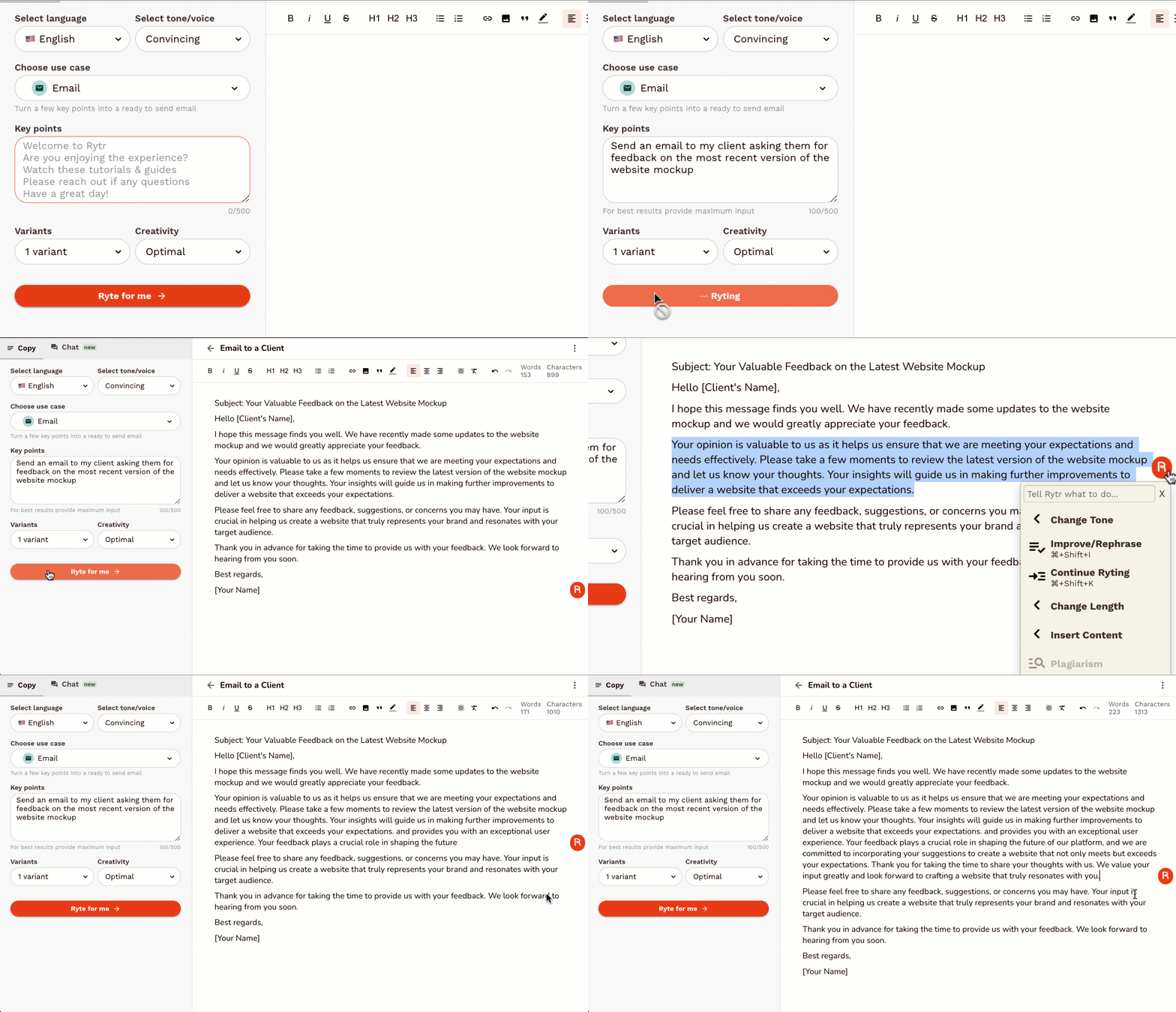
Rytr is an AI-powered writing assistant designed to help users generate high-quality, short-form content quickly and efficiently . It addresses the challenge of content creation by automating the writing process, leveraging artificial intelligence to produce compelling copy for various marketing and communication needs. This tool is ideal for marketers, entrepreneurs, bloggers, social media managers, and anyone requiring fast and effective content generation . Rytr streamlines the writing workflow, offering a solution for overcoming writerΓÇÖs block and scaling content output. Key Features of Rytr Generates content in 40+ use cases. Offers 20+ tones of voice to tailor content style. Supports 30+ languages for global content creation. Includes a built-in plagiarism checker. Provides a user-friendly interface for easy navigation. Offers various output variants for diverse content options. Features a magic command functionality for specific content requests. Allows users to define content length and creativity levels. Integrates with SEO tools to optimize content for search engines. Provides a Chrome extension for writing directly within other applications. Why People Use Rytr Individuals and businesses utilize Rytr to overcome the time-consuming and often challenging process of writing compelling content. Traditional content creation methods often require significant time investment, research, and editing. Rytr drastically reduces this effort by automating the initial drafting process, allowing users to focus on refining and optimizing the generated text. The toolΓÇÖs ability to produce multiple variations of content ensures users can quickly explore different angles and find the most effective messaging. Unlike manual writing, Rytr provides consistent quality and speed, making it a valuable asset for maintaining a strong online presence and engaging target audiences. It empowers users to scale their content creation efforts without compromising on quality or originality. Popular Use Cases Social Media Marketing: Generating engaging captions, posts, and ad copy for platforms like Facebook, Instagram, Twitter, and LinkedIn. Digital Advertising: Creating compelling ad headlines and descriptions for Google Ads, Facebook Ads, and other advertising platforms. Email Marketing: Drafting persuasive email subject lines, body copy, and call-to-actions for marketing campaigns. Product Descriptions: Writing detailed and attractive product descriptions for e-commerce stores and online marketplaces. Blog Content: Generating ideas, outlines, and introductory paragraphs for blog posts. Website Copy: Crafting concise and impactful website headlines, taglines, and call-to-action buttons. Video Scriptwriting: Developing short scripts for explainer videos, social media videos, and advertisements. Business Idea Generation: Brainstorming business names, taglines, and value propositions. Content Summarization: Condensing lengthy articles or documents into concise summaries. Creative Writing: Assisting with brainstorming and drafting short stories, poems, and other creative content. Benefits of Rytr Increased Productivity: Significantly reduces the time spent on writing tasks, allowing users to focus on other critical business activities. Enhanced Content Quality: Generates well-written, grammatically correct, and engaging content that captures audience attention. Cost Savings: Eliminates the need to hire expensive copywriters or content agencies for short-form content creation. Improved Marketing Results: Creates compelling marketing copy that drives conversions, increases brand awareness, and generates leads. Overcome WriterΓÇÖs Block: Provides a constant source of inspiration and ideas, helping users overcome creative hurdles. Scalable Content Creation: Enables businesses to quickly and easily scale their content output to meet growing demands. Versatile Application: Suitable for a wide range of content types and industries, offering a flexible solution for diverse needs. Accessibility and Convenience: Available as a web application and Chrome extension, providing access from any device. Multilingual Support: Facilitates content creation for global audiences with support for over 30 languages. Originality Assurance: Includes a built-in plagiarism checker to ensure content is unique and original.

TurboPatent is an advanced AI-driven patent research and intelligence platform designed to simplify, accelerate, and improve the way patents are searched, analyzed, and drafted. It leverages artificial intelligence, natural language processing (NLP), and semantic search to help inventors, startups, enterprises, and IP professionals make faster and more accurate patent decisions. In a world where millions of patents exist across global databases, traditional keyword-based searches are slow, complex, and often incomplete. TurboPatent solves this problem by enabling context-aware patent discovery , ensuring higher accuracy and deeper insights. What is TurboPatent? TurboPatent is a smart patent intelligence tool that allows users to search patents using plain English descriptions instead of complex legal keywords . It understands the intent behind an invention and matches it with relevant prior art across multiple patent databases. This makes TurboPatent especially useful for: Patentability checks Prior art searches Competitive IP analysis Patent drafting support Freedom-to-operate (FTO) analysis Key Features of TurboPatent 1. AI-Powered Semantic Patent Search TurboPatent uses semantic AI models to understand invention concepts, not just keywords. This ensures: More relevant search results Reduced risk of missing critical prior art Better coverage across industries and technologies 2. Natural Language Queries Users can describe their invention in simple, human-readable language , and TurboPatent translates it into intelligent patent queriesΓÇöeliminating the need for complex patent syntax. 3. Global Patent Coverage TurboPatent analyzes patent data from major authorities, including: USPTO EPO WIPO Other international patent databases This enables comprehensive global patent research . 4. Patent Similarity & Relevance Scoring The platform ranks patents based on: Technical similarity Conceptual overlap Legal relevance This helps users quickly identify high-risk prior art and focus on what matters most. 5. Time & Cost Efficiency Traditional patent research can take weeks and cost thousands. TurboPatent reduces this to: Hours instead of weeks Lower dependency on manual research Faster decision-making 6. Support for Patent Drafting TurboPatent assists in identifying: Novel aspects of an invention Potential claim boundaries Areas of differentiation This leads to stronger, more defensible patent applications . 7. Competitive Intelligence & IP Strategy Businesses can track: Competitor patent activity Technology trends Innovation gaps This helps in building long-term IP strategies . Who Should Use TurboPatent? TurboPatent is ideal for: Inventors & Innovators ΓÇô Validate ideas before filing Startups ΓÇô Protect innovations with limited budgets Patent Attorneys & Agents ΓÇô Speed up research workflows R&D Teams ΓÇô Monitor technology landscapes Enterprises ΓÇô Strengthen IP portfolios Advantages Over Traditional Patent Tools | Traditional Tools | TurboPatent | |------------------|------------| | Keyword-based search | AI semantic search | | Complex syntax | Simple language queries | | Manual filtering | Smart relevance ranking | | Time-consuming | Fast & automated | | High learning curve | Beginner-friendly | Accuracy, Reliability & Compliance TurboPatent is designed with: High-quality data sources Advanced AI validation layers Compliance with patent research standards While it does not replace legal judgment, it significantly enhances accuracy and efficiency . Why TurboPatent Matters Today With rapid innovation in AI, biotech, software, and clean energy , patent landscapes are becoming more complex. TurboPatent empowers innovators to: Avoid infringement risks Protect originality Innovate with confidence It bridges the gap between technical creativity and legal protection . TurboPatent represents the future of AI-powered patent research . By combining speed, intelligence, and simplicity, it transforms how patents are discovered, analyzed, and protected. Whether you're validating a new idea or managing a large IP portfolio, TurboPatent helps you make smarter, faster, and more informed patent decisions. TurboPatent: Turning Innovation into Protected Intelligence.
In the fast-evolving landscape of 2025, Grammarly has transitioned from a simple spell-checker into a sophisticated AI-powered writing partner . For students, it is no longer just about fixing a "their" or "there" mistake; it is about refining arguments, ensuring academic integrity, and mastering the tone of professional communication. Below is a comprehensive breakdown of Grammarly's core aspects, optimized to show why it remains the top choice for academic success. 1. Core Grammar and Mechanics At its foundation, Grammarly uses advanced Natural Language Processing (NLP) to provide real-time corrections. Unlike standard word processor tools, GrammarlyΓÇÖs 2025 engine understands the nuances of English syntax. It identifies: Contextual Spelling: Catching errors that are spelled correctly but used wrongly (e.g., "affect" vs. "effect"). Advanced Punctuation: Ensuring comma usage follows complex grammatical rules, which is vital for high-level essay writing. Subject-Verb Agreement: Detecting subtle mismatches that often occur in long, complex academic sentences. 2. Generative AI and "GrammarlyGO" The 2025 version of Grammarly features an integrated generative AI assistant. For students, this is a game-changer for beating writer's block . Drafting & Outlining: You can prompt the AI to "Create an outline for a 1,000-word essay on renewable energy," providing a structural head start. Paraphrasing: If a sentence feels clunky, the AI offers multiple "re-write" options to improve flow without changing the original meaning. 3. Academic Integrity: Plagiarism & AI Detection With the rise of AI in the classroom, maintaining academic honesty is more critical than ever. Plagiarism Checker: Grammarly Pro (formerly Premium) scans billions of web pages and ProQuestΓÇÖs academic databases to ensure your work is original and properly cited. Authorship Features: A new feature for 2025, Grammarly Authorship , helps students categorize their text sources. It can distinguish between what you typed manually and what was assisted by AI, allowing for full transparency with instructors. 4. Strategic Tone and Clarity Adjustments Writing an email to a professor requires a different "voice" than a lab report or a creative story. Tone Detector: Grammarly analyzes your word choice to tell you if you sound "confident," "tentative," or "formal." Full-Sentence Rewrites: This feature identifies wordy or "fluffy" sentences and suggests concise alternatives. In academic writing, where clarity is king, this helps students stay within word counts while maximizing impact. 5. Seamless Platform Integration One of GrammarlyΓÇÖs greatest strengths in 2025 is its ubiquity. It lives wherever you write: Browser Extensions: Works instantly in Google Docs, Canva, and Gmail. Desktop Apps: Integrates directly with Microsoft Word and Apple Pages. Mobile Keyboard: Ensures that even your quick emails and Discord messages are professional and error-free. Grammarly Free vs. Pro: 2025 Comparison | Feature | Grammarly Free | Grammarly Pro | | --- | --- | --- | | Spelling & Grammar | Basic corrections | Advanced & nuanced checks | | Tone Detection | Detects tone only | Suggests tone adjustments | | Generative AI | 100 prompts/month | 2,000 prompts/month | | Plagiarism Checker | Not included | Included (Billions of sources) | | Full-Sentence Rewrites | Not included | Unlimited clarity rewrites | Conclusion In 2025, Grammarly is more than a tool; it's a writing coach . By providing deep explanations for every suggestion, it doesn't just fix your mistakesΓÇöit teaches you how to become a better writer over time. Whether you are drafting a thesis or applying for your first internship, Grammarly ensures your ideas are heard clearly and professionally.

The Chrome Web Store is GoogleΓÇÖs official marketplace for browser extensions and themes created for the Google Chrome browser. It serves as a central hub where users can discover, install, manage, and update tools that extend ChromeΓÇÖs functionality and personalize the browsing experience. As of 2025, the Chrome Web Store has grown into a large-scale ecosystem supporting millions of users and developers worldwide. It plays a critical role in transforming Chrome from a basic web browser into a powerful platform for productivity, creativity, security, and AI-driven workflows. What Is the Chrome Web Store? The Chrome Web Store is an online platform maintained by Google that hosts: Browser extensions Chrome themes Web-based productivity tools Extensions available on the store can modify website behavior, automate repetitive tasks, enhance security, assist with content creation, or integrate advanced technologies such as artificial intelligence directly into the browser. Users can browse extensions by category, popularity, ratings, or featured recommendations, making it easy to find tools that suit specific needs. Evolution of the Chrome Web Store Initially launched as a simple extension directory, the Chrome Web Store has evolved significantly over the years. In recent updates, Google has improved: Search and discovery features Extension review and moderation systems Developer policies and transparency requirements The most notable change in recent years has been the rapid adoption of AI-powered extensions , which now dominate many of the most popular categories. AI-Powered Extensions in 2025 Artificial intelligence has become a major driver of growth in the Chrome Web Store. AI extensions enable users to perform advanced tasks directly within the browser without switching tools. Common AI-powered use cases include: Web page summarization and content analysis Writing assistance, grammar correction, and rewriting Research and note-taking automation Code generation and debugging support Language translation and learning These extensions turn the browser into an intelligent assistant, improving efficiency for professionals, students, and creators. Key Categories in the Chrome Web Store The Chrome Web Store organizes extensions into several major categories: Productivity Includes tools for task management, tab organization, meeting transcription, time tracking, and workflow optimization. Security and Privacy Features ad blockers, tracker blockers, password managers, VPN extensions, and phishing protection tools. Developer Tools Provides debugging utilities, performance monitors, API testers, and code inspection tools for web developers. Shopping and Finance Includes price trackers, coupon finders, cashback tools, and deal comparison extensions. Education and Learning Offers language learning tools, study assistants, note-taking extensions, and exam preparation aids. Personalization and Themes Allows users to customize the look and feel of the Chrome browser with visual themes and layouts. Chrome Web Store for Developers The Chrome Web Store also serves as a distribution and monetization platform for developers. Developers can publish extensions and reach a global audience with minimal infrastructure requirements. Monetization options include: Free extensions with premium features Subscription-based models One-time purchases Google provides analytics, performance insights, and policy guidelines to help developers maintain high-quality extensions and improve user trust. Security, Privacy, and Trust Security remains a key focus area for the Chrome Web Store. While Google actively reviews and removes malicious extensions, users must also take responsibility for managing their installed tools. Best practices for users include: Reviewing extension permissions before installation Installing extensions from trusted developers Removing unused or outdated extensions Keeping extensions updated Google continues to strengthen its extension policies to ensure transparency around data collection and usage. User Experience and Interface Improvements Recent updates to the Chrome Web Store interface have focused on: Clearer permission information Better categorization and filtering Highlighting trusted and featured extensions Improved mobile and desktop usability These improvements aim to help users make informed decisions while browsing the store. Importance of the Chrome Web Store in the Modern Web The Chrome Web Store plays a vital role in how people interact with the internet today. For many users, Chrome extensions are essential tools for: Remote work and collaboration Online learning and research Digital marketing and content creation Secure and efficient browsing By enabling deep customization and automation, the Chrome Web Store has become a foundational part of the modern web ecosystem. Future Outlook Looking ahead, the Chrome Web Store is expected to continue evolving with: Deeper integration of on-device AI models Smarter permission and security systems Greater support for enterprise and professional users More personalized extension recommendations As browsers increasingly function as digital workspaces, the Chrome Web Store will remain a central platform for innovation and user empowerment. The Chrome Web Store is more than an extension marketplaceΓÇöit is a critical ecosystem that enhances how millions of people use the web every day. With its growing focus on AI, productivity, security, and developer innovation, the Chrome Web Store continues to shape the future of browser-based experiences in 2025 and beyond.

Motiff is an innovative AI-powered design tool that streamlines the design process and empowers designers to focus on creativity rather than repetitive tasks. It addresses the challenges of maintaining consistency, scaling designs, and managing complex projects by automating common workflows and leveraging the power of artificial intelligence to enhance efficiency. This tool is particularly valuable for UI/UX designers, product teams, and design systems managers seeking to accelerate their workflow and improve design quality. Motiff offers a new approach to design, moving beyond traditional methods to an AI-native experience. Key Features of Motiff Automated frame cleanup and organization. AI-powered design system generation from existing files. Automatic component detection and replication. Intelligent layout suggestions and adjustments. Version control and collaboration features. Seamless integration with existing design workflows. Ability to create and maintain consistent design languages. Automated documentation of design components. Real-time collaboration capabilities for design teams. AI-driven style guide creation and enforcement. Component variant generation. Automated responsive resizing. Why People Use Motiff Motiff is utilized by design professionals who are looking to overcome the limitations of traditional design tools and processes. Historically, maintaining design consistency across large projects has been a manual and time-consuming effort, often requiring meticulous attention to detail and significant overhead. Similarly, building and scaling design systems from scratch can be a complex undertaking. Motiff automates these processes, significantly reducing the time and effort required to achieve high-quality, consistent designs. The toolΓÇÖs AI capabilities allow designers to focus on higher-level creative tasks, such as user research, ideation, and prototyping, rather than getting bogged down in repetitive pixel-perfect adjustments. By automating tasks like frame organization, component detection, and style guide creation, Motiff enables teams to iterate faster, reduce errors, and deliver more polished designs. It offers a scalable solution for organizations of all sizes, from startups to large enterprises, looking to improve their design efficiency and maintain brand consistency. Popular Use Cases Rapid Prototyping: Quickly generate and iterate on design concepts using AI-powered layout suggestions and component replication. Design System Creation & Maintenance: Automatically build and maintain comprehensive design systems from existing design files, ensuring consistency across all products. UI Component Library Management: Efficiently manage and update UI component libraries, reducing redundancy and improving reusability. Website Redesign: Streamline the redesign of websites by automatically identifying and replicating existing UI elements. Mobile App Design: Accelerate the design process for mobile applications with AI-powered responsive resizing and layout adjustments. Large-Scale Design Projects: Maintain consistency and efficiency across large-scale design projects with automated frame cleanup and organization. Design Audit & Cleanup: Quickly identify and fix inconsistencies in existing design files, improving overall design quality. Brand Consistency Enforcement: Ensure brand consistency across all design assets with AI-driven style guide creation and enforcement. Collaboration on Design Projects: Facilitate seamless collaboration among design teams with real-time editing and version control features. Creating Design Documentation: Automatically generate documentation for design components and styles, improving communication and knowledge sharing. Benefits of Motiff Increased Design Efficiency: Automate repetitive tasks and streamline workflows, allowing designers to focus on creative problem-solving. Improved Design Consistency: Maintain a consistent design language across all products and platforms, enhancing brand recognition and user experience. Reduced Design Debt: Identify and fix inconsistencies in existing design files, reducing technical debt and improving maintainability. Faster Iteration Cycles: Accelerate the design process with AI-powered layout suggestions and component replication, enabling faster iteration and experimentation. Enhanced Collaboration: Facilitate seamless collaboration among design teams with real-time editing and version control features. Scalable Design Systems: Build and maintain scalable design systems that can adapt to evolving business needs. Simplified Design Documentation: Automatically generate documentation for design components and styles, improving communication and knowledge sharing. Reduced Manual Effort: Minimize the need for manual pixel-perfect adjustments, freeing up designers to focus on higher-level tasks. Improved Design Quality: Enhance the overall quality of designs with AI-powered suggestions and automated cleanup features. Cost Savings: Reduce design costs by automating tasks and improving efficiency.

Visual Electric is an innovative AI image generator designed to empower creatives with a spatially intuitive and non-linear workflow for visual exploration and development. It addresses the limitations of traditional text-to-image tools by offering an infinite canvas environment that mirrors the organic nature of the creative process. Utilizing generative AI , Visual Electric allows users to rapidly prototype, remix, and iterate on visual ideas, making it ideal for designers, artists, and anyone involved in visual storytelling. This tool solves the problem of rigid, linear workflows in AI image generation. Existing solutions often require precise prompting and offer limited flexibility for exploring variations and branching out ideas. Visual Electric provides a more fluid and intuitive experience, enabling users to visually organize and manipulate generated images in a way that closely resembles traditional creative methods like mood boards and sketching. ItΓÇÖs particularly valuable for those seeking to overcome creative blocks, explore multiple concepts simultaneously, and refine visual ideas through spatial arrangement and iterative refinement. Key Features of Visual Electric Generates images from text prompts. Offers an infinite canvas for spatial organization of images. Allows for remixing and combining of generated images. Enables exploration of variations through iterative prompting. Provides a visually intuitive interface for creative workflows. Supports image uploads for use as starting points or inspiration. Facilitates branching out of ideas with multiple image streams. Offers real-time image generation and updates. Allows for easy duplication and modification of existing images. Provides a collaborative workspace for team projects. Why People Use Visual Electric Individuals and teams are adopting Visual Electric to overcome the constraints of conventional AI image generation tools. Traditional methods often require a precise understanding of prompting techniques and can be frustrating when attempting to explore a wide range of visual concepts. Visual Electric offers a more natural and intuitive approach, mirroring the way creatives typically work ΓÇô by gathering inspiration, sketching ideas, and iteratively refining concepts. The platformΓÇÖs infinite canvas allows users to visually map out their creative process, branching out from initial ideas and exploring variations without being limited by a linear sequence of prompts. This spatial organization fosters serendipitous discoveries and allows for a more holistic understanding of the visual landscape. Compared to manually creating mood boards or iterating on designs in traditional software, Visual Electric significantly accelerates the creative workflow, enabling faster prototyping and more efficient exploration of visual possibilities. ItΓÇÖs a tool designed to augment, not replace, the creative mind. Popular Use Cases Graphic Design: Rapidly prototyping logo concepts, exploring color palettes, and generating visual assets for branding projects. UI/UX Design: Creating mood boards, visualizing user interface elements, and iterating on design layouts. Illustration: Developing character designs, exploring different art styles, and generating visual concepts for illustrations. Storyboarding: Quickly visualizing scenes and compositions for film, animation, and comics. Marketing & Advertising: Generating visual content for social media campaigns, website banners, and marketing materials. Fashion Design: Exploring textile patterns, visualizing garment designs, and creating mood boards for collections. Architectural Visualization: Generating conceptual renderings and exploring different design options. Game Development: Creating concept art, texture variations, and visual assets for game environments. Creative Writing: Visualizing scenes and characters to inspire and enhance storytelling. Art Education: Teaching visual design principles and exploring the possibilities of AI-assisted creativity. Benefits of Visual Electric Accelerated Creative Workflow: Significantly reduces the time spent on initial concept development and visual exploration. Enhanced Creative Exploration: Facilitates the discovery of unexpected ideas and visual possibilities through spatial arrangement and iterative refinement. Improved Visual Communication: Enables clear and effective communication of visual concepts to clients and collaborators. Increased Design Iteration: Allows for rapid prototyping and experimentation with different design variations. Intuitive User Experience: Provides a visually intuitive interface that requires minimal training and is accessible to users of all skill levels. Streamlined Collaboration: Offers a collaborative workspace for teams to share ideas, provide feedback, and co-create visual content. Overcoming Creative Blocks: Provides a stimulating environment for generating new ideas and breaking through creative barriers. Spatial Organization of Ideas: The infinite canvas allows for a more holistic and organized approach to visual thinking. Seamless Remixing and Combination: Easily combine and modify generated images to create unique and compelling visuals. Empowered Creative Control: Offers a greater degree of control over the creative process compared to traditional text-to-image tools.

Granola – AI-Powered Meeting Notes & Productivity Assistant Granola is an advanced AI meeting notes and productivity tool designed to help professionals capture, organize, and understand meetings effortlessly . By using artificial intelligence, speech recognition, and natural language processing , Granola turns conversations into structured notes, summaries, and action items without interrupting your workflow. Granola is commonly searched by users looking for AI meeting notes tools, meeting summarizer AI, note-taking assistants, and productivity software that work quietly in the background while meetings happen. What Is Granola? Granola is an AI-powered note-taking assistant built for modern work environments. It listens to meetings, processes conversations in real time, and produces clean, readable notes that highlight key points, decisions, and next steps. Unlike traditional meeting recorders, Granola focuses on clarity and usefulness , helping teams and individuals quickly understand what matters without rewatching or replaying meetings. Key Features of Granola AI-generated meeting notes and summaries Automatic extraction of key points and action items Real-time or post-meeting processing Works across online meetings and discussions Clean, structured, and readable output Searchable meeting history and notes Minimal and distraction-free workflow Secure handling of meeting data Why People Use Granola Meetings often result in lost details and forgotten action items . Granola solves this by ensuring every important discussion is captured accurately and summarized clearly. Professionals use Granola to stay focused during meetings , reduce manual note-taking, and ensure nothing important is missed . Teams benefit from better alignment, faster follow-ups, and improved accountability. Popular Use Cases Business and team meetings Client calls and discussions Project planning and reviews Product and strategy meetings Interviews and research conversations Daily stand-ups and retrospectives Benefits of Granola Saves time spent on manual note-taking Improves meeting clarity and follow-up Keeps teams aligned and informed Reduces the need to record or replay meetings Helps capture decisions and next steps accurately Suitable for individuals and teams Who Should Use Granola? Professionals and business users Startup teams and enterprises Product managers and project managers Sales and customer success teams Consultants and freelancers Students and researchers attending discussions Frequently Asked Questions (FAQ) What does Granola do? Granola uses AI to automatically generate structured notes and summaries from meetings and conversations. Does Granola record meetings? Granola focuses on note generation and summarization , helping users capture insights without relying on full recordings. Can Granola identify action items? Yes. Granola highlights important points, decisions, and action items discussed during meetings. Is Granola suitable for remote meetings? Yes. Granola works well with online and virtual meetings commonly used by remote teams. Does Granola replace manual note-taking? Yes. Granola significantly reduces or eliminates the need for manual note-taking during meetings. Is meeting data secure in Granola? Granola is built with privacy and security in mind to ensure meeting information is handled safely. Granola, AI Meeting Notes, Meeting Summarizer AI, AI Note Taking Tool, Productivity Assistant, Meeting Productivity Software, AI Work Assistant
Comet – AI-Powered Web Browser & Intelligent Research Assistant by Perplexity.ai Comet is an advanced AI-powered web browser and intelligent assistant developed by Perplexity to transform how users access information, interact online, and automate tasks within the browser. Unlike traditional browsers, Comet embeds artificial intelligence directly into the browsing experience , allowing users to search, summarize, automate tasks, and work more efficiently without switching between multiple apps . :contentReference[oaicite:0] Comet works across Mac, Windows, and Android platforms , offering a unified interface where AI assists with research, summarization, automation, and workflow management. The browser integrates Perplexity’s AI capabilities to act as a personal thinking partner and digital assistant while you surf the web. :contentReference[oaicite:1] What Is Comet? Comet is a Chromium-based AI browser that combines the power of a modern web browser with a built-in AI assistant . It’s designed to help users get things done faster by understanding context, summarizing web content, automating processes, and facilitating smarter online interactions—all within a single environment. :contentReference[oaicite:2] The AI assistant can access the content of your open tabs, interpret it, and help answer questions or perform tasks without manually switching between tools. It also learns from your workflow to provide contextual suggestions and personalized assistance . :contentReference[oaicite:3] Key Features of Comet AI-Powered Browsing and Search Comet combines intelligent search with browsing, enabling users to ask questions, get summaries, and explore information in a human-like way. :contentReference[oaicite:4] Built-In AI Assistant The Comet Assistant lives in the browser and provides real-time summaries, contextual answers, research support, and task recommendations . :contentReference[oaicite:5] Task Automation Advanced AI can automate routine tasks like scheduling meetings, drafting emails, comparing information, filling forms, and more. :contentReference[oaicite:6] Integrated Workflow Tools Comet supports workspace management, tab organization, and productivity tools to reduce distractions and maintain focus. :contentReference[oaicite:7] Personalized Recommendations The browser learns user behavior to suggest relevant articles, products, and insights tailored to your interests. :contentReference[oaicite:8] Multimodal Research Support AI can summarize long articles, extract key points, and help users digest complex information quickly. :contentReference[oaicite:9] Cross-Platform Compatibility Available on desktop and Android , with ongoing enhancements and expanding features for mobile users. :contentReference[oaicite:10] Why People Use Comet Users turn to Comet because it goes beyond traditional browsing —its AI assistant can instantly summarize web pages, automate workflows, assist with complex queries, and help manage tasks that would normally take multiple apps or steps. This results in boosted productivity, faster research, and streamlined workflows . :contentReference[oaicite:11] Whether you are a student, professional, researcher, or everyday browser , Comet helps you work smarter by reducing manual effort and improving focus. :contentReference[oaicite:12] Popular Use Cases AI-assisted research and long-form content summarization Automated email drafting, scheduling, and task management Intelligent search and information discovery Workflow and tab organization for productivity Shopping comparisons and online tasks automation Personalized content recommendations and suggestions :contentReference[oaicite:13] Benefits of Using Comet Smarter browsing with built-in AI Faster research, summarization, and task execution Reduced context switching between apps Personalized suggestions based on workflow Cross-platform support (desktop & mobile) AI assistance for both casual users and professionals :contentReference[oaicite:14] Frequently Asked Questions (FAQ) What is Comet? Comet is an AI-powered web browser that includes an intelligent assistant to help users browse, search, summarize, and automate tasks directly within the browser. :contentReference[oaicite:15] Is Comet free? Yes — Comet has a free tier available to users, and it can be downloaded for supported devices with built-in AI search and assistance. :contentReference[oaicite:16] Which platforms support Comet? Comet is available on Mac, Windows, and Android , with features expanding over time. :contentReference[oaicite:17] Can Comet automate tasks? Yes. Comet’s AI can help automate routine online tasks such as scheduling, drafting emails, and filling forms when permitted by the user. :contentReference[oaicite:18] Does Comet replace traditional browsers? Comet combines traditional browsing features with AI tools, and it supports standard browser functions (like extensions and bookmarks) while adding built-in AI capabilities. :contentReference[oaicite:19] Is my data safe with Comet? Comet includes privacy features and local data handling options designed to protect user information, though users should always review privacy settings and policies for any browser. :contentReference[oaicite:20] Comet, Comet AI Browser, AI-Powered Browser, Perplexity Comet, AI Assistant Browser, Intelligent Browser AI, AI Search Browser, Automated Web Tasks
Visily is an innovative AI-powered flowchart and diagramming tool designed to help users visualize and document complex processes, systems, and ideas with ease . It addresses the challenges of traditional diagramming software ΓÇô often complex, time-consuming, and requiring significant manual effort ΓÇô by automating much of the creation process through artificial intelligence. Visily is intended for a broad audience, including project managers, business analysts, developers, educators, and anyone who needs to communicate information visually. It excels in AI diagram generation , flowchart creation , and process mapping , offering a streamlined alternative to conventional methods. Key Features of Visily Generates flowcharts and diagrams from text prompts. Supports a wide range of diagram types, including flowcharts, mind maps, and network diagrams. Offers an intuitive drag-and-drop interface for manual editing and customization. Provides AI-powered suggestions for diagram elements and connections. Allows for real-time collaboration with team members. Enables exporting diagrams in various formats, such as PNG, JPG, and SVG. Features a built-in library of pre-designed templates. Supports version history for tracking changes and reverting to previous versions. Offers customizable styling options for branding and visual consistency. Integrates with popular productivity tools. Provides a user-friendly interface for both beginners and experienced diagrammers. Includes AI-assisted layout and formatting. Facilitates the creation of interactive diagrams with clickable elements. Allows for embedding diagrams in websites and presentations. Offers a dedicated workspace for organizing and managing diagrams. Why People Use Visily Individuals and teams adopt Visily to overcome the limitations of traditional diagramming methods. Creating diagrams manually can be a tedious and time-consuming process, often requiring specialized skills and software proficiency. Visily simplifies this process by leveraging the power of AI to automatically generate diagrams from simple text descriptions. This significantly reduces the time and effort required to visualize complex information, allowing users to focus on the content and insights rather than the technical aspects of diagram creation. Compared to conventional flowchart software, Visily offers a more intuitive and accessible experience. The AI-powered features assist users in structuring their thoughts and creating clear, concise diagrams, even without prior diagramming experience. This makes it an ideal solution for brainstorming, project planning, process documentation, and communication across various teams and departments. The ability to quickly iterate on diagrams and collaborate in real-time further enhances productivity and ensures everyone is on the same page. Visily empowers users to transform abstract ideas into tangible visual representations, fostering better understanding and collaboration. Popular Use Cases Software Development: Documenting system architecture, workflows, and algorithms. Developers can use Visily to map out complex code structures and processes, aiding in debugging and maintenance. Project Management: Creating project timelines, Gantt charts, and workflow diagrams to track progress and manage resources. Business Analysis: Mapping business processes, identifying bottlenecks, and designing solutions for improvement. Visily helps analysts visualize current state and future state processes. Education: Illustrating concepts, explaining complex topics, and creating visual aids for presentations. Educators can use Visily to engage students and enhance learning. Marketing & Sales: Visualizing customer journeys, sales funnels, and marketing campaigns. Human Resources: Mapping organizational charts, onboarding processes, and employee workflows. Customer Support: Creating troubleshooting guides and documenting support processes. Data Science: Visualizing data flows, machine learning pipelines, and algorithm logic. Content Creation: Storyboarding videos, outlining articles, and planning presentations. Personal Productivity: Brainstorming ideas, organizing thoughts, and planning tasks. Process Improvement: Identifying inefficiencies and streamlining workflows in any industry. System Design: Modeling complex systems and their interactions. Benefits of Visily Increased Productivity: Automates diagram creation, saving users significant time and effort. Improved Clarity: Transforms complex information into easily understandable visual representations. Enhanced Collaboration: Facilitates real-time collaboration and shared understanding among team members. Reduced Errors: AI-powered suggestions and automated layout minimize the risk of errors and inconsistencies. Streamlined Communication: Provides a clear and concise way to communicate ideas and processes. Greater Accessibility: Makes diagramming accessible to users of all skill levels. Faster Iteration: Enables quick and easy modifications to diagrams, allowing for rapid prototyping and refinement. Better Documentation: Creates professional-looking diagrams for documentation and reporting purposes. Simplified Process Mapping: Simplifies the process of mapping and analyzing complex workflows. Enhanced Problem Solving: Facilitates the identification of bottlenecks and areas for improvement. Improved Decision Making: Provides a clear visual overview of information, supporting informed decision-making. Increased Engagement: Visual diagrams are more engaging and memorable than text-based descriptions. Cost-Effective Solution: Offers a free plan and affordable paid options, making it accessible to individuals and organizations of all sizes. Versatile Application: Suitable for a wide range of industries and use cases. Modern Interface: Provides a clean and intuitive user experience.

Mubert represents a revolutionary AI music generation platform that democratizes music creation for content creators, streamers, filmmakers, and musicians worldwide. By leveraging sophisticated artificial intelligence and machine learning technologies, Mubert generates original, royalty-free music compositions on-demand, eliminating the time-consuming and expensive process of traditional music licensing or hiring professional composers. The Mubert Advantage Mubert's unique position in the AI music space stems from its focus on flexibility and accessibility. Rather than limiting users to pre-made choices, Mubert empowers creators to generate truly personalized music that perfectly matches their creative vision. The platform's intelligent algorithms learn from millions of music patterns to produce compositions that feel authentic and professional while maintaining complete originality. Core Features and Capabilities Flexible Music Generation : Mubert's core strength lies in its ability to generate music that adapts to diverse creative needs. Whether creators need energetic tracks for gaming, ambient soundscapes for meditation content, or dynamic compositions for action videos, Mubert delivers custom-tailored results. Multiple Subscription Plans : Mubert's tiered pricing structure makes professional music generation accessible to everyone. The free plan provides 25 soundtracks monthly—perfect for casual creators. Paid plans ($11.69/month and higher) unlock 500+ track generations, offering exceptional value for professional creators managing multiple projects. Royalty-Free Music : All Mubert-generated compositions are original and royalty-free, giving creators complete freedom to monetize content without copyright concerns or licensing complications. This is particularly valuable for content creators on platforms like YouTube, Twitch, and streaming services. Adaptive Music for Livestreams : Mubert's livestream integration allows creators to generate continuous background music during broadcasts. This feature is particularly valuable for gaming streamers, musicians, and content creators who maintain consistent live presence across multiple platforms. Seamless Integration : Mubert integrates smoothly with popular platforms and tools, allowing creators to incorporate generated music directly into their workflows without complicated conversion processes or file management issues. API Access for Developers : Advanced users and developers can leverage Mubert's API to integrate music generation directly into applications, creating dynamic, personalized audio experiences at scale. Real-World Applications Gaming and Streaming : Gamers and Twitch streamers use Mubert for continuous, non-repetitive background music during gaming sessions. The variety ensures viewers never hear the same track twice, maintaining engagement and freshness throughout extended broadcasts. YouTube Content Creation : YouTubers use Mubert for intro music, background scoring, and transition audio. The ability to generate unique music for every video while maintaining consistent branding helps channels stand out and reduces copyright strike risks. Podcast Production : Podcasters leverage Mubert for intro music, chapter transitions, and background ambiance. The customizable nature allows podcast creators to evolve their audio brand as their show develops and grows. Film and Animation : Independent filmmakers and animators use Mubert for scoring rough cuts, creating placeholder audio during editing, and generating final soundtracks. The speed of generation allows rapid iteration and creative exploration. Advertising and Marketing : Advertising agencies and brands use Mubert to create unique, branded music for commercials, social media ads, and marketing campaigns. Custom-generated music gives brands distinctive audio branding that differentiates them from competitors. Virtual Events and Webinars : Event organizers and conference producers use Mubert for background music during virtual events, webinars, and presentations, creating professional atmosphere and enhancing attendee experience. Meditation and Wellness Content : Meditation app developers and wellness content creators use Mubert's ambient and relaxing music options for meditation guides, sleep audio, and yoga videos. Advantages of Mubert Cost Efficiency : Compared to hiring composers, licensing music from traditional libraries, or subscribing to expensive stock music services, Mubert is remarkably affordable. The subscription model provides unlimited access to music generation, making professional soundtracks accessible to creators of all budget levels. Speed and Convenience : Generating complete music compositions in seconds eliminates weeks of composition time or days spent searching licensing libraries. Creators can adjust parameters and regenerate until achieving the perfect result. Copyright and Licensing Freedom : All Mubert-generated music is original and royalty-free, eliminating copyright strikes, DMCA takedowns, licensing fees, and complex legal agreements. Creators can confidently monetize content without legal risks. Variety and Uniqueness : The AI generates infinite variations, ensuring creators never run out of fresh music. Each generated track is unique, yet maintains thematic and tonal consistency if desired. Quality Consistency : Mubert consistently produces professional-grade audio suitable for commercial release and broadcast. The AI's training on high-quality music samples ensures generated compositions rival professionally-produced music. Community and Support : Mubert maintains an active community of creators sharing tips, configurations, and success stories. The platform provides responsive customer support and regular updates expanding capabilities. Technical Specifications Mubert exports music in multiple high-quality formats including MP3 and WAV. Audio quality meets professional streaming and broadcasting standards. The platform's cloud-based infrastructure ensures reliability and accessibility from any device with internet connection. The Future of Music Creation Mubert exemplifies how artificial intelligence transforms creative industries by removing barriers to professional music production. Rather than replacing human musicians, Mubert augments creator capabilities, allowing focus on conceptual and strategic work while technology handles audio production. Conclusion Mubert empowers creators worldwide to produce professional-quality, royalty-free music without expensive hiring or complex licensing. Whether for independent content creators just starting out, professional productions managing large portfolios, or gaming streamers maintaining consistent presence, Mubert delivers unmatched flexibility, affordability, and convenience, making it an essential tool for modern content production across all platforms and mediums.

Unlock Peak Productivity with Clockwise: The AI-Powered Time Management Calendar That Works for You Tired of back-to-back meetings eating into your focus time? Struggling to find blocks for deep work, personal appointments, or even just a breather? Introducing Clockwise, the revolutionary AI-powered time management calendar designed to intelligently optimize your schedule and reclaim your workday. Clockwise goes beyond a traditional calendar. It's your personal AI assistant, meticulously analyzing your existing schedule, team availability, and work preferences to proactively find the best times for everything that matters. Forget the tedious back-and-forth of scheduling ΓÇô Clockwise automates the process, ensuring your calendar works for you, not against you. Key Features That Will Transform Your Time Management: Smart Scheduling: Clockwise automatically finds ideal meeting times that minimize disruption to your focus blocks and respect everyone's availability. It understands that productive work requires uninterrupted concentration. Automatic Rescheduling: Unexpected meetings or urgent tasks? Clockwise intelligently shifts your existing calendar events to make space, all while informing attendees of any changes in a clear and concise manner. Focus Time Optimization: Protect your most valuable asset ΓÇô your time. Clockwise actively carves out dedicated focus time blocks, shielding you from unnecessary interruptions and allowing you to dive deep into important projects. Team Coordination Made Easy: Coordinating with your team has never been simpler. Clockwise helps you find common availability for group meetings effortlessly, reducing scheduling conflicts and saving valuable collective time. Personalized Preferences: Tailor Clockwise to your unique workflow. Set your preferred meeting lengths, buffer times between appointments, and even designate specific "no-meeting" days. Seamless Integration: Clockwise integrates effortlessly with your existing calendar (Google Calendar, Outlook Calendar, etc.), providing a smooth and intuitive user experience from day one. Actionable Insights: Gain a deeper understanding of how you spend your time. Clockwise provides insights into meeting density, focus time utilization, and potential scheduling inefficiencies, empowering you to make data-driven improvements. Stop Wasting Time on Scheduling. Start Achieving More. Clockwise is more than just a calendar; it's a commitment to a more efficient, less stressful, and ultimately more productive workday. Whether you're a busy professional, a student juggling multiple commitments, or a team striving for better collaboration, Clockwise provides the intelligent tools you need to master your time. Experience the future of time management. Try Clockwise today and discover how AI can transform your productivity, reduce meeting fatigue, and help you achieve your goals with less effort and more focus.
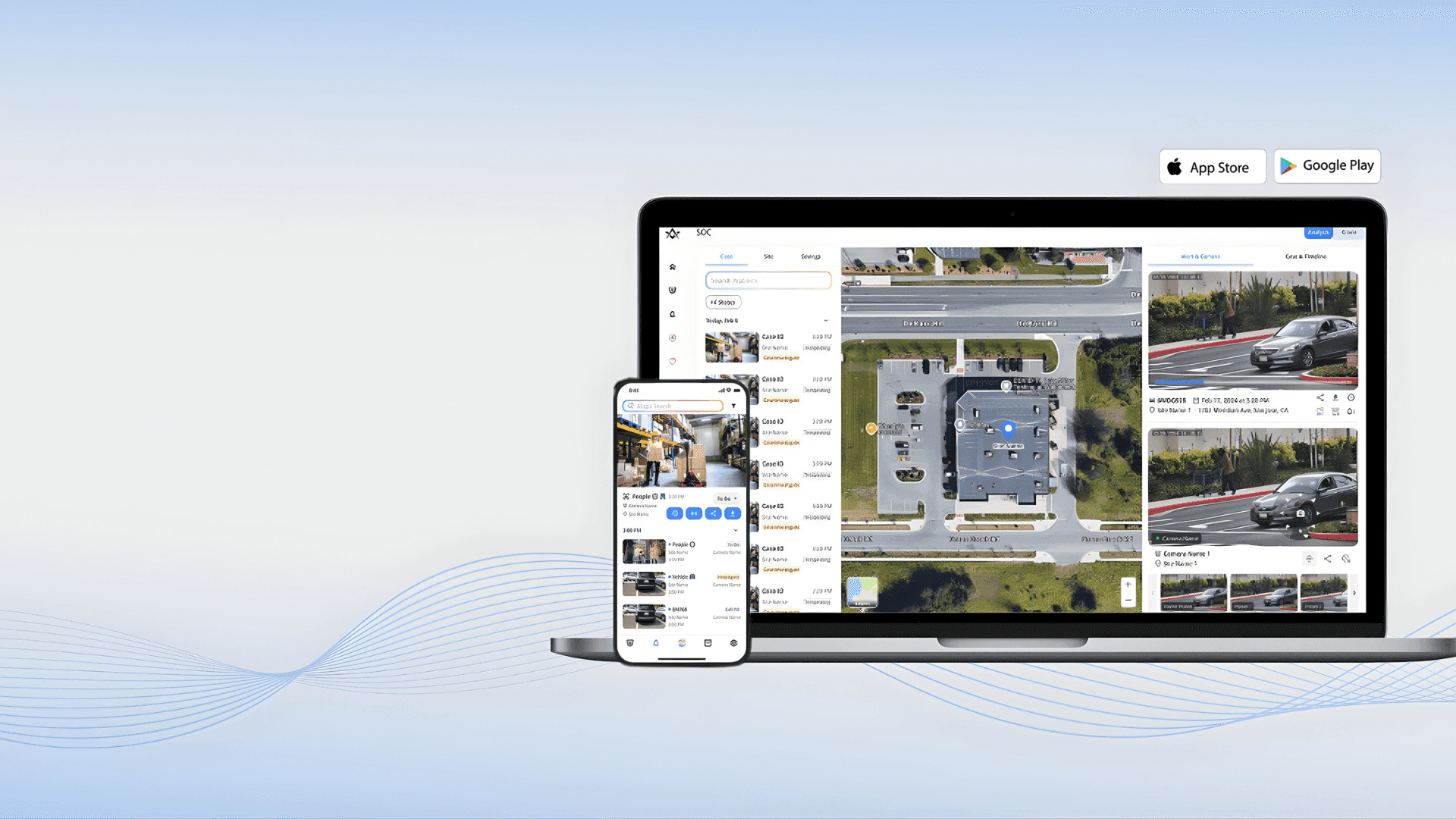
Alpha Vision is a powerful AI-driven visual intelligence and computer vision platform designed to analyze, interpret, and generate insights from images and videos. By leveraging deep learning, computer vision, and artificial intelligence , Alpha Vision helps businesses, developers, and creators understand visual data faster and more accurately . Alpha Vision is widely searched by users looking for AI vision tools, computer vision software, image recognition AI, and video analysis platforms that automate visual processing and decision-making. Key Features of Alpha Vision AI-powered image and video analysis Computer vision for object detection and recognition Facial recognition and visual pattern analysis Real-time visual data processing Automated tagging, classification, and labeling Integration with apps, APIs, and cloud platforms High-accuracy visual insights using deep learning models Why People Use Alpha Vision Alpha Vision enables users to extract meaningful insights from visual data without manual analysis . It reduces human effort, improves accuracy, and allows organizations to scale visual intelligence across operations . Businesses, researchers, and developers use Alpha Vision to automate monitoring, improve security, enhance user experiences, and gain visual insights from large datasets. Popular Use Cases Image recognition and classification Video surveillance and security analysis Facial recognition systems Medical imaging and diagnostics Retail analytics and customer behavior tracking Autonomous systems and smart automation AI-powered visual search engines Benefits of Alpha Vision Faster and more accurate visual analysis Automates complex image and video processing Reduces manual effort and operational costs Scalable solution for enterprise and startups Ideal for security, healthcare, retail, and AI research

 Android
 IOS
IOS Mini Tools
 Software
 Web
Web