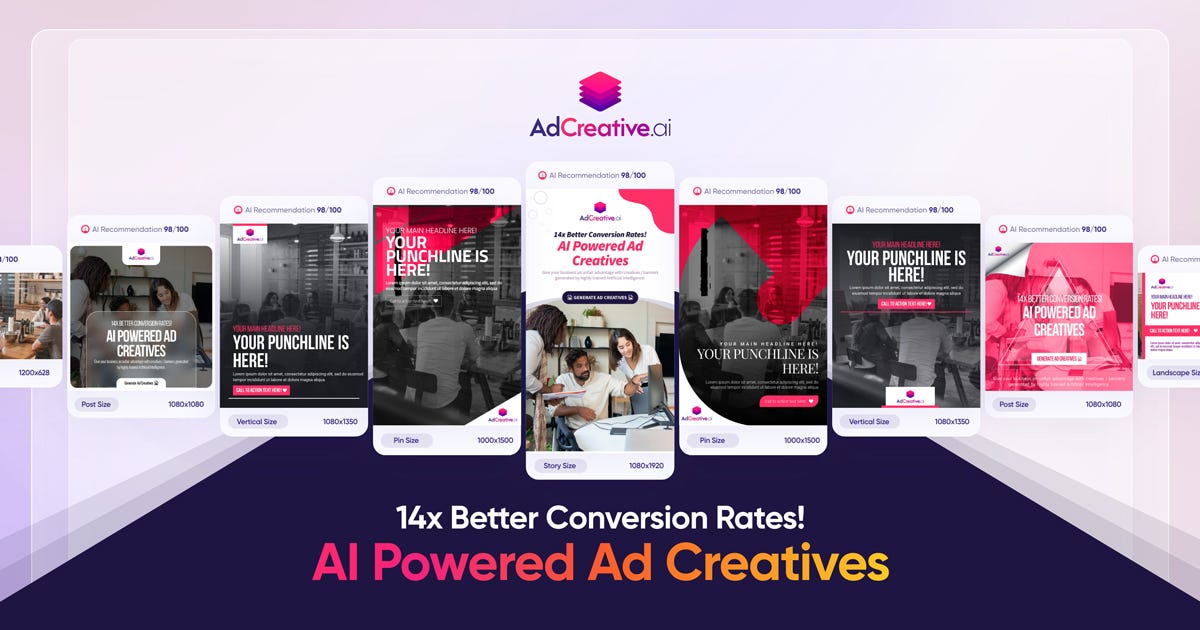
AdCreative.ai is an advanced AI-powered marketing platform that helps users generate high-conversion creatives, ad copy, and visual assets instantly. Leveraging artificial intelligence and data-driven design principles, AdCreative.ai creates compelling ad variations optimized for performance on platforms like Facebook, Instagram, TikTok, Google, and YouTube . AdCreative.ai is widely used by marketers, business owners, performance teams, and advertisers who want to boost engagement, reduce design time, and maximize ROI through intelligent creative automation . What Is AdCreative.ai? AdCreative.ai is an AI creative generation tool that produces multiple versions of ad visuals, headlines, captions, and marketing banners based on input prompts, product descriptions, target audience insights, and campaign goals. Instead of spending hours designing creatives manually, users can generate performance-focused assets in minutes . Key Features of AdCreative.ai AI-generated ad visuals and creatives Automated headline and caption writing Conversion-focused design templates Multiple ad variants for A/B testing Style and brand asset consistency Integration with ad platforms (Meta, Google, TikTok, etc.) Data-driven optimization and predictive insights Export in multiple formats ready for ad platforms Why People Use AdCreative.ai Manual creative design and copywriting can be time-intensive and costly. AdCreative.ai automates both visual and text components of advertising , allowing users to focus on strategy and campaign optimization rather than repetitive design work. Marketers use AdCreative.ai to produce more ad variants quickly, improve click-through rates, and increase conversion outcomes . Popular Use Cases Facebook and Instagram ad creatives TikTok and YouTube video thumbnails and banners Google Display Network visuals E-commerce product ad creatives Seasonal and promotional campaigns A/B testing of ads at scale Benefits of AdCreative.ai Save time on design and copywriting Generate more variations for testing Improve campaign performance with AI insights Maintain brand consistency across creatives Suitable for teams and solo marketers Faster ad deployment and iteration Who Should Use AdCreative.ai? Digital marketers and advertisers E-commerce store owners Social media managers Performance marketing teams Freelancers and agencies Entrepreneurs running paid campaigns Frequently Asked Questions What does AdCreative.ai do? AdCreative.ai uses AI to automatically generate high-conversion ad creatives and marketing assets including visuals, headlines, and captions. Can AdCreative.ai create ads for multiple platforms? Yes, AdCreative.ai supports creative generation for platforms like Facebook, Instagram, Google, TikTok, and YouTube . Do I need design skills to use AdCreative.ai? No. AdCreative.ai generates professional designs without requiring manual graphic design expertise. Can I export creatives directly to ad platforms? Most tools allow export in ad-ready formats , but platform integration options may vary. Does AdCreative.ai help with A/B testing? Yes. AdCreative.ai can generate multiple ad variants for testing and optimization. AdCreative.ai, AI Ad Creative Generator, AI Marketing Tool, AI Ad Design, Automated Ad Creator, Ad Copy AI, Performance-Driven Creative Tool

All Voice Lab is an advanced AI-powered audio platform that enables creators, businesses, and developers to generate and manipulate high-quality voice content with ease. It specializes in lifelike text-to-speech (TTS) , voice cloning , voice altering , and multilingual voice localization using cutting-edge AI models and expressive speech synthesis. :contentReference[oaicite:0] All Voice Lab uses its proprietary MaskGCT AI model , which delivers natural, emotionally expressive speech with realistic tone, rhythm, and pitch. The platform supports multiple languages and flexible workflows, making it suitable for narration, video voiceovers, media localization, audiobooks, gaming, marketing, accessibility, and more. :contentReference[oaicite:1] Key Features of All Voice Lab Text-to-Speech (TTS) ΓÇô Convert written text into natural, human-like speech with control over tone, pacing, and emotion. :contentReference[oaicite:2] Voice Cloning ΓÇô Create high-fidelity digital replicas of real voices using short audio samples. :contentReference[oaicite:3] Voice Changer ΓÇô Instantly transform or enhance recorded voices for professional quality audio. :contentReference[oaicite:4] Video Translation & Dubbing ΓÇô Translate and dub videos into other languages with synced voiceovers and multilingual support. :contentReference[oaicite:5] Emotion & Style Control ΓÇô Adjust emotional tone and speaking style to match the desired message and audience. :contentReference[oaicite:6] Multilingual Support ΓÇô Produce voice content in multiple major languages, including English, French, German, Chinese, Japanese, and Korean. :contentReference[oaicite:7] API Integration ΓÇô Developers can integrate voice AI into apps, workflows, and automation pipelines using APIs. :contentReference[oaicite:8] Collaboration Tools ΓÇô Support for teams with shared projects, roles, and version tracking for large-scale audio production. :contentReference[oaicite:9] Why Use All Voice Lab? All Voice Lab helps users produce professional voice content more efficiently , reducing the need for traditional voice recording sessions while maintaining natural sound quality. It is ideal for content creators, marketers, educators, publishers, media producers, game developers, and accessibility projects. :contentReference[oaicite:10] By combining realistic AI voice technology with flexible customization and automation, the platform enables faster, more scalable production of narration, dubbing, audiobooks, and voiceovers. :contentReference[oaicite:11] How It Works Upload or Enter Text ΓÇô Start with a script, document, or text prompt. Choose Voice and Language ΓÇô Select from expressive AI voices with adjustable tone and style. Generate or Clone ΓÇô Use TTS or upload an audio sample to clone a voice. Customize & Edit ΓÇô Adjust speed, pitch, emotion, and other parameters. Export & Use ΓÇô Download voiceovers or integrate them via API into your project. Use Cases Audiobook Narration & Production Video Voiceovers and Localization Podcasts and Marketing Audio In-Game Character Voices Training and Educational Content Accessibility & Assistive Technologies Automated Text-to-Audio Workflows :contentReference[oaicite:12] Frequently Asked Questions (FAQ) What is All Voice Lab used for? All Voice Lab is used to generate realistic AI voice content, including speech from text, voice cloning, voice transformation, and video dubbing across multiple languages. :contentReference[oaicite:13] Does All Voice Lab support multiple languages? Yes. The platform supports major languages such as English, French, German, Chinese, Japanese, and Korean, with expressive and natural audio output. :contentReference[oaicite:14] Can I clone my own voice with All Voice Lab? Yes. All Voice Lab lets you create a high-fidelity clone of your voice using a short sample. :contentReference[oaicite:15] Is All Voice Lab free to use? All Voice Lab offers a free trial and freemium access, with extended features available via paid plans. :contentReference[oaicite:16] Can I use All Voice Lab in my apps or workflows? Yes. The platform includes APIs and integration options for developers to embed voice generation into applications and automated systems. :contentReference[oaicite:17] What makes All Voice Lab different from other AI voice tools? All Voice Lab focuses on emotionally expressive, customizable speech synthesis with multilingual support, voice cloning, and scalable workflows for creators and enterprises. :contentReference[oaicite:18] All Voice Lab is a comprehensive AI voice generation platform designed to bring text and audio to life with natural, expressive, and customizable voices. Whether you need lifelike narration, professional voiceovers, multilingual dubbing, or custom voice cloning, All Voice Lab offers powerful tools that streamline audio workflows and empower creative projects. :contentReference[oaicite:19]
In the fast-evolving landscape of 2025, Grammarly has transitioned from a simple spell-checker into a sophisticated AI-powered writing partner . For students, it is no longer just about fixing a "their" or "there" mistake; it is about refining arguments, ensuring academic integrity, and mastering the tone of professional communication. Below is a comprehensive breakdown of Grammarly's core aspects, optimized to show why it remains the top choice for academic success. 1. Core Grammar and Mechanics At its foundation, Grammarly uses advanced Natural Language Processing (NLP) to provide real-time corrections. Unlike standard word processor tools, GrammarlyΓÇÖs 2025 engine understands the nuances of English syntax. It identifies: Contextual Spelling: Catching errors that are spelled correctly but used wrongly (e.g., "affect" vs. "effect"). Advanced Punctuation: Ensuring comma usage follows complex grammatical rules, which is vital for high-level essay writing. Subject-Verb Agreement: Detecting subtle mismatches that often occur in long, complex academic sentences. 2. Generative AI and "GrammarlyGO" The 2025 version of Grammarly features an integrated generative AI assistant. For students, this is a game-changer for beating writer's block . Drafting & Outlining: You can prompt the AI to "Create an outline for a 1,000-word essay on renewable energy," providing a structural head start. Paraphrasing: If a sentence feels clunky, the AI offers multiple "re-write" options to improve flow without changing the original meaning. 3. Academic Integrity: Plagiarism & AI Detection With the rise of AI in the classroom, maintaining academic honesty is more critical than ever. Plagiarism Checker: Grammarly Pro (formerly Premium) scans billions of web pages and ProQuestΓÇÖs academic databases to ensure your work is original and properly cited. Authorship Features: A new feature for 2025, Grammarly Authorship , helps students categorize their text sources. It can distinguish between what you typed manually and what was assisted by AI, allowing for full transparency with instructors. 4. Strategic Tone and Clarity Adjustments Writing an email to a professor requires a different "voice" than a lab report or a creative story. Tone Detector: Grammarly analyzes your word choice to tell you if you sound "confident," "tentative," or "formal." Full-Sentence Rewrites: This feature identifies wordy or "fluffy" sentences and suggests concise alternatives. In academic writing, where clarity is king, this helps students stay within word counts while maximizing impact. 5. Seamless Platform Integration One of GrammarlyΓÇÖs greatest strengths in 2025 is its ubiquity. It lives wherever you write: Browser Extensions: Works instantly in Google Docs, Canva, and Gmail. Desktop Apps: Integrates directly with Microsoft Word and Apple Pages. Mobile Keyboard: Ensures that even your quick emails and Discord messages are professional and error-free. Grammarly Free vs. Pro: 2025 Comparison | Feature | Grammarly Free | Grammarly Pro | | --- | --- | --- | | Spelling & Grammar | Basic corrections | Advanced & nuanced checks | | Tone Detection | Detects tone only | Suggests tone adjustments | | Generative AI | 100 prompts/month | 2,000 prompts/month | | Plagiarism Checker | Not included | Included (Billions of sources) | | Full-Sentence Rewrites | Not included | Unlimited clarity rewrites | Conclusion In 2025, Grammarly is more than a tool; it's a writing coach . By providing deep explanations for every suggestion, it doesn't just fix your mistakesΓÇöit teaches you how to become a better writer over time. Whether you are drafting a thesis or applying for your first internship, Grammarly ensures your ideas are heard clearly and professionally.

Replicate Run and Deploy AI Models in the Cloud Replicate is a powerful AI model hosting and deployment platform that allows developers, startups, and businesses to run, test, and integrate machine learning models using simple APIs. It removes the complexity of setting up infrastructure, GPUs, and environments by providing instant access to advanced AI models in the cloud. Replicate is widely searched by users looking for AI model APIs, machine learning deployment platforms, open-source AI models, image generation APIs, and AI inference tools. What Is Replicate? Replicate is a cloud-based platform that lets users run open-source and community-built AI models with minimal setup. Instead of downloading models, managing dependencies, or configuring hardware, users can access AI models directly through APIs. The platform supports a wide range of AI use cases including image generation, video processing, speech, text, vision, audio, and multimodal AI models. Key Features of Replicate Cloud-based AI model execution Simple REST APIs for running models GPU-powered inference without setup Access to popular open-source AI models Scalable and production-ready infrastructure Versioned models for consistent results Image, video, text, and audio model support Types of AI Models Available on Replicate Image generation and enhancement models Video generation and processing models Speech recognition and audio models Text generation and language models Multimodal AI models Community-contributed custom models Why People Use Replicate Running AI models locally requires powerful hardware, technical expertise, and time-consuming setup. Replicate eliminates these challenges by offering ready-to-use AI models in the cloud. Developers use Replicate to prototype faster, deploy AI features into applications, test new models, automate workflows, and scale AI workloads without managing infrastructure. Popular Use Cases AI-powered image and video generation Integrating AI features into apps and websites Prototyping machine learning ideas Running open-source AI models at scale Creative AI projects and automation Research and experimentation Benefits of Replicate No need for GPUs or servers Faster AI development and deployment Pay-as-you-go pricing model Access to cutting-edge open-source AI models Easy integration into existing products Suitable for individuals and enterprises Who Should Use Replicate? Software developers and engineers AI researchers and ML practitioners Startups building AI-powered products Content creators using AI generation Businesses integrating AI APIs Students learning AI deployment Frequently Asked Questions What does Replicate do? Replicate allows users to run and deploy AI models in the cloud using simple APIs without managing infrastructure. Does Replicate host open-source models? Yes, Replicate focuses on hosting and running open-source and community-built AI models. Do I need a GPU to use Replicate? No, Replicate provides GPU-powered infrastructure, so users do not need their own hardware. Can I use Replicate for production applications? Yes, Replicate supports scalable and production-ready AI inference. What types of AI models are supported? Replicate supports image, video, audio, text, and multimodal AI models. Is Replicate beginner-friendly? Yes, Replicate offers simple APIs and documentation that make it accessible to beginners. SEO Keywords Replicate, AI model hosting, AI model API, machine learning deployment, run AI models online, AI inference platform, open source AI models
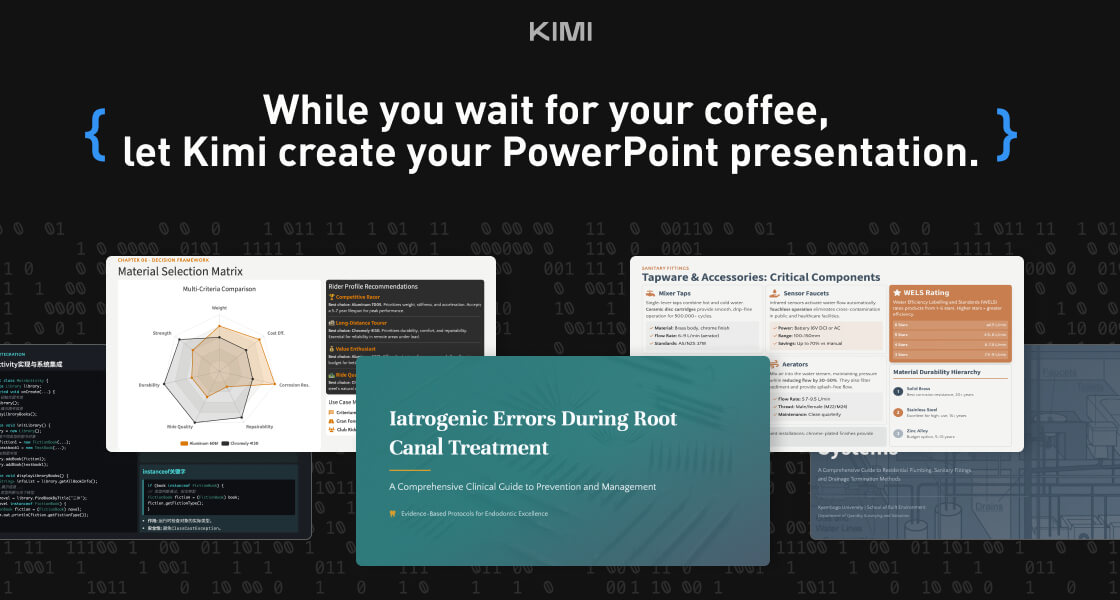
Kimi Slides is a cutting-edge AI-powered slide and presentation generator designed to help users create professional-looking presentations in seconds without manual designing. By using artificial intelligence and smart design templates , Kimi Slides turns your ideas, text, or outlines into visually appealing, structured, and engaging slides . Kimi Slides is frequently searched by users looking for fast presentation creation, AI slide tools, and automated design assistants that simplify the process of building presentations for work, school, and creative projects. Key Features of Kimi Slides AI-generated presentation slides from prompts or text Smart layout, color scheme, and template suggestions Automatic formatting and design consistency Charts, infographics, and visual elements Export options (PowerPoint, PDF, Google Slides compatible) Customizable themes and styles Real-time editing and collaboration tools Why People Use Kimi Slides Traditional presentation design can be time-consuming and requires design skills . Kimi Slides allows users to focus on content while AI handles the visual structure and layout . Whether youΓÇÖre preparing a business pitch, lecture, report, or project summary, Kimi Slides speeds up the process and ensures professional-quality output . Popular Use Cases Business pitch decks and investor presentations Educational lectures and class slides Marketing reports and strategy briefs Project proposals and team updates Training modules and workshops Visual storytelling and client presentations Benefits of Kimi Slides Saves hours of manual slide design Produces consistent, professional-quality visuals Easy to use for beginners and experts Enhances clarity and audience engagement Supports quick revisions and collaborative editing

 Android
 IOS
IOS Mini Tools
 Software
 Web
Web