Music 2 Tube is an ingenious platform designed to instantly transform your audio content, whether it's music or podcasts, into engaging YouTube videos. This specialized tool eliminates the complexities of video production for audio-only content, allowing musicians, podcasters, and audio creators to effortlessly reach wider audiences on YouTube, the world's largest video platform. By automating the process of combining your audio tracks with visual elements like static images, waveform visualizations, or animated backgrounds, Music 2 Tube enables you to professionalize your content and enhance its discoverability with minimal effort and technical expertise. Expand your audience reach and give your audio content a visual dimension with Music 2 Tube. The platform provides a straightforward workflow that allows you to quickly convert your music tracks, album releases, podcast episodes, or audio interviews into shareable YouTube videos. This capability is crucial for maximizing exposure and engaging visually-oriented listeners who frequent YouTube. With affordable premium plans starting from just $3.49, Music 2 Tube offers an accessible and powerful solution for audio creators looking to enhance their online presence and seamlessly integrate their content into the YouTube ecosystem, driving more plays and engagement.

Audiocleaner offers a powerful and free AI Vocal Remover online, enabling users to instantly separate vocals from songs without any downloads or sign-ups. This incredibly convenient tool leverages advanced artificial intelligence to meticulously isolate and remove vocal tracks, providing clean instrumental versions perfect for karaoke, remixes, sampling, or simply enjoying your favorite music in a new way. Experience professional-grade audio separation directly from your web browser. This AI-powered vocal remover is designed for maximum accessibility and efficiency, making high-quality audio manipulation available to everyone from aspiring DJs to music enthusiasts. Whether you need an instrumental for a performance, a backing track for practice, or a sample for a new production, Audiocleaner delivers precise results quickly. Explore the capabilities of this free online vocal remover and unlock your creative audio projects, with additional premium features available through an optional monthly subscription.

Vocal Remover by Media.io offers an exceptional online tool dedicated to precise vocal and music separation, allowing users to effortlessly extract, isolate, or completely remove vocals and background music from any song. Utilizing advanced AI algorithms, this platform is a game-changer for musicians, DJs, karaoke enthusiasts, and content creators alike. Whether you need an instrumental track for practice, acapellas for remixes, or clean background music for video projects, Media.io provides instant, high-quality results. Its intuitive interface ensures that even those new to audio editing can achieve professional-grade separations, transforming how you interact with your favorite audio files and expanding your creative possibilities. Beyond its powerful free functionalities, which enable basic vocal and instrumental extraction, Vocal Remover by Media.io provides premium subscription options starting from $9.99 per month. These paid plans unlock a wider array of features, including higher-quality output, faster processing times, support for larger file sizes, and potentially additional audio editing tools. This tiered approach ensures that both casual users and professional audio producers can find a plan that meets their specific needs and budget. Elevate your audio projects with Media.io's cutting-edge AI, delivering clean and crisp separations for all your creative endeavors, making it an indispensable resource for audio manipulation.

Crano AI is a cutting-edge platform offering a free AI image generator and editor, alongside capabilities for uncensored AI video and music generation. It stands out as a versatile creative hub where users can transform their ideas into visual and auditory content without limitations. Whether you're looking to create stunning images, dynamic videos, or unique musical compositions, Crano AI provides intuitive tools for both beginners and experienced creators. Its commitment to uncensored content allows for boundless artistic expression and exploration across various mediums, pushing the boundaries of AI-powered creativity. While Crano AI provides substantial free features, it also offers premium options for users seeking enhanced capabilities and more extensive creative freedom, with subscriptions starting from $10 per month. This mixed pricing model ensures accessibility for all while providing advanced tools for professionals. The platform's ability to generate uncensored AI video, image, and music makes it a unique asset for artists, content creators, and enthusiasts looking to produce bold and imaginative digital media. Crano AI combines power, flexibility, and an unrestricted approach to generative art.

PoYo.ai is a premium AI API Platform that offers Image, Video, Music & Chat APIs at an astonishing 80% Cheaper rate, democratizing access to cutting-edge artificial intelligence models. This innovative platform provides developers and businesses with a unified, cost-effective gateway to integrate powerful AI capabilities into their applications across various modalities. Say goodbye to expensive proprietary solutions and complex integrations; PoYo.ai simplifies AI adoption, enabling you to build intelligent features with unparalleled ease and affordability. Unlock the full potential of AI to enhance your products and services across visual, auditory, and conversational domains. PoYo.ai offers a comprehensive suite of high-performance APIs covering image generation and processing, video analysis, music composition, and advanced natural language chat functionalities. Its unified API design ensures seamless integration, while its competitive pricing makes state-of-the-art AI accessible even for startups and small businesses. With PoYo.ai, you can accelerate innovation, enrich user experiences, and bring your most ambitious AI-powered ideas to life without breaking the bank.

Sound Effect Generator is recognized as the #1 AI sound effect generator, offering users the ability to create custom sound effects instantly with advanced artificial intelligence, including free daily generations. This innovative online tool is an invaluable resource for game developers, filmmakers, podcasters, content creators, and musicians who need unique and high-quality audio assets without extensive sound design expertise or expensive equipment. Elevate your projects with tailored soundscapes generated on demand. Leveraging sophisticated AI algorithms, Sound Effect Generator allows for unparalleled customization, enabling users to describe the desired sound and have it generated in real-time. This platform significantly accelerates the sound design process, providing a vast library of possibilities for any creative project. Explore Sound Effect Generator to craft the perfect audio backdrop, offering free daily use and premium features for more extensive needs through an affordable monthly subscription.

Keytake - AI Video Editor offers an unprecedented way to create stunning professional videos online with just one prompt. This revolutionary AI-powered tool eliminates the traditional complexities of video production, allowing users to generate high-quality visual content quickly and effortlessly. Whether for marketing, education, social media, or personal projects, Keytake transforms your ideas into polished videos using intelligent automation. Say goodbye to tedious editing and embrace a future where professional video creation is as simple as typing a command. Keytake's advanced AI analyzes your text prompts to understand your creative intent, then autonomously selects clips, adds transitions, incorporates background music, and applies visual effects to produce a cohesive and engaging video. This significantly reduces production time and costs, making professional-grade video content accessible to everyone, regardless of their editing expertise. Unlock your creative potential and produce captivating videos that resonate with your audience, all powered by the intuitive intelligence of Keytake.

Vidify is an innovative AI Video Generator specifically designed to turn your product images into captivating videos. This powerful platform is a game-changer for e-commerce businesses, marketers, and online sellers looking to showcase their products in a dynamic and engaging way. By leveraging advanced artificial intelligence, Vidify automatically transforms static product photos into compelling video advertisements, promotional clips, or engaging social media content. It intelligently adds motion graphics, background music, text overlays, and professional transitions, creating a polished video that highlights key product features and drives customer interest without requiring any video editing skills or expensive equipment. Elevate your product presentations and boost your sales with stunning AI-generated videos. While Vidify offers valuable free access to its core AI video generation functionalities, allowing users to experiment with transforming their product images into dynamic visuals, it also provides comprehensive premium subscription plans starting from $20 per month. These paid tiers unlock advanced features such as higher resolution video outputs, longer video durations, access to an expanded library of templates and music, commercial usage rights, and priority support. This flexible pricing model ensures that Vidify can cater to both small businesses and large enterprises, providing scalable solutions for all your product video needs. Harness the power of AI to bring your products to life and capture your audience's attention with Vidify, your ultimate partner for impactful video marketing.

PlayPlay is a leading online video maker specifically tailored for businesses, empowering teams to create professional-grade videos in minutes without requiring any specialized skills or prior editing experience. This intuitive platform simplifies the complexities of video production, offering a vast library of customizable templates, stock footage, music, and a user-friendly drag-and-drop interface. It's an essential tool for marketing teams, HR departments, and communication professionals who need to produce high-impact videos for internal communications, social media campaigns, recruitment, or product demonstrations, significantly accelerating content creation workflows. Elevate your business communication with PlayPlay's robust and efficient video creation capabilities. The platform enables rapid production of engaging videos that adhere to brand guidelines, ensuring consistency and professionalism across all your visual content. From explainer videos to corporate announcements and event highlights, PlayPlay allows you to tell your story effectively and captivatingly. While specific pricing details are not publicly disclosed, PlayPlay primarily targets businesses and enterprises, suggesting a subscription-based model with custom plans tailored to organizational needs, often starting with a demo or trial period.

Scrivvy is an exceptional AI-powered tool that provides instant, comprehensive summaries for both YouTube videos and podcasts. This platform is meticulously designed to help users efficiently absorb information from various multimedia sources without the need to listen to or watch entire recordings. Leveraging advanced artificial intelligence and natural language processing, Scrivvy accurately extracts key insights, main topics, and essential details, presenting them in a concise and easy-to-read format. It's an invaluable resource for students, researchers, content strategists, and anyone looking to optimize their information intake and save significant time. Beyond just YouTube videos, Scrivvy extends its powerful summarization capabilities to podcasts, making it a versatile tool for consuming audio content efficiently. Whether you're catching up on industry news, reviewing educational materials, or preparing for a meeting, Scrivvy ensures you get the core message quickly and accurately. The user-friendly interface allows for seamless operation, enabling users to generate high-quality summaries in moments. As a 100% free service, Scrivvy stands out as an accessible and powerful solution for enhancing productivity and streamlining content consumption across diverse media formats.

VideoToPage is an advanced AI-powered platform designed to instantly summarize and repurpose any video or audio content into various formats, making information consumption and content creation remarkably efficient. This innovative tool transcends simple transcription by intelligently extracting key insights, creating concise summaries, and converting multimedia into blog posts, articles, social media updates, and more. It's an indispensable resource for content creators, marketers, journalists, and educators who need to quickly transform long-form discussions, webinars, podcasts, or interviews into digestible, shareable text content, saving countless hours of manual effort. Maximize the value of your existing video and audio assets with VideoToPage's comprehensive repurposing capabilities. The platform not only provides accurate summaries but also generates diverse content formats tailored for different distribution channels, amplifying your reach and engagement. From creating detailed meeting notes to generating SEO-friendly blog content from webinars, VideoToPage streamlines your content strategy. With premium plans starting from $31.06, VideoToPage offers a professional and robust solution for efficiently transforming and leveraging your multimedia content, empowering you to maintain a consistent online presence and extract maximum value from your digital assets.

Summate is your personal AI digest, ingeniously designed to transform hours of consuming various content into one focused 10-minute summary. In todayΓÇÖs information-saturated world, keeping up with everything you follow ΓÇô from news articles and podcasts to social media feeds and research papers ΓÇô can be overwhelming. Summate addresses this challenge by leveraging advanced artificial intelligence to distill the essence of all your subscribed content into a concise, personalized digest. ItΓÇÖs the ultimate tool for staying informed and productive without succumbing to information overload, allowing you to quickly grasp key insights and updates across diverse sources.The platform seamlessly integrates with your favorite content sources, intelligently identifying and extracting the most important information. By delivering a tailored summary that fits into your busy schedule, Summate ensures you remain updated on your interests and professional fields with minimal time investment. It empowers users to make more informed decisions, spark new ideas, and maintain a broad understanding of various topics without the endless scrolling or reading. Embrace Summate to streamline your information intake, reclaim your time, and elevate your personal knowledge management to a new level of efficiency.

Flexclip is a powerful and user-friendly online video editor that empowers anyone to create stunning videos effortlessly and for free. This comprehensive platform offers an extensive array of features, including a vast media library, customizable templates, intuitive editing tools, and seamless integration with stock footage and music. Whether you're a beginner looking to create simple social media clips or a professional needing to produce high-quality marketing videos, Flexclip provides all the necessary functionalities to bring your creative vision to life without the need for complex software installations or prior editing experience. Elevate your video content with Flexclip's intuitive drag-and-drop interface and rich feature set. The platform supports a wide range of video formats and offers capabilities such as trimming, merging, adding text overlays, transitions, and effects, ensuring your videos are polished and professional. Its cloud-based nature means you can access and edit your projects from anywhere, at any time. With a robust free tier that allows users to create and export videos, and premium plans starting from just $9 per month for advanced features and higher resolution exports, Flexclip is an accessible and versatile solution for all your online video creation needs, making professional video production available to everyone.

Voxpad is an advanced AI Notetaker designed to transform video and audio content into detailed, customizable notes at an incredible speed. This powerful tool is a game-changer for students, professionals, and anyone who needs to quickly extract key information from lectures, meetings, webinars, or podcasts. By converting spoken words into structured text, Voxpad eliminates the tedious task of manual note-taking, allowing users to focus on the content itself rather than the transcription process. It promises to deliver detailed notes 10 times faster than traditional methods, significantly boosting productivity and comprehension.The platform utilizes cutting-edge speech-to-text AI and natural language processing to not only transcribe but also organize and highlight important points, making the notes easy to review and reference. Users can customize the output to suit their specific needs, ensuring that the generated notes are perfectly aligned with their learning or work style. Whether you're preparing for an exam, documenting a crucial meeting, or synthesizing information from various media, Voxpad offers an efficient and intelligent solution to capture and retain knowledge. Embrace Voxpad to unlock a new level of efficiency in your note-taking process and elevate your understanding of recorded content.

Veritone Voice is a leading platform that enables users to create lifelike AI voices for text and speech, revolutionizing content creation and communication across industries. This innovative solution leverages advanced artificial intelligence and deep learning to generate highly natural, emotive, and customizable synthetic voices that can be applied to a wide range of applications, from audiobooks and podcasts to virtual assistants and marketing campaigns. Veritone Voice eliminates the need for expensive voice talent and complex recording sessions, providing a scalable and efficient way to produce high-quality audio content in multiple languages and styles. Empower your content strategy with Veritone Voice's cutting-edge AI, ensuring your messages resonate with your audience through compelling and natural-sounding audio. The platform offers a diverse library of AI voices, along with tools for fine-tuning tone, pace, and emphasis, giving creators complete control over their audio output. For businesses and content producers seeking to enhance accessibility, localize content, or simply add a unique vocal element to their projects, Veritone Voice is the indispensable solution for creating lifelike AI voices. Discover how effortless it can be to transform text into captivating speech with Veritone Voice and elevate your audio content production.

Chopcast offers a specialized 'Done-for-you LinkedIn personal branding as a service' leveraging short-form videos, transforming webinars into viral social media clips. This premium service is meticulously designed for professionals, thought leaders, and businesses seeking to amplify their personal brand and professional presence on LinkedIn without the time commitment of manual content creation. By intelligently repurposing your existing long-form content, such as webinars, podcasts, or long videos, Chopcast extracts key highlights, adds dynamic captions, and optimizes them into engaging short-form video clips perfect for LinkedIn and other professional platforms. It's an indispensable solution for consistent, high-impact content delivery that establishes authority, drives engagement, and expands your professional network effortlessly. As a high-end, done-for-you service, Chopcast operates on a premium subscription model, with plans starting from $997 per month. This investment provides comprehensive access to its expert team and AI-powered repurposing tools, ensuring a fully managed service that delivers professional-grade video content tailored for LinkedIn. Premium features typically include dedicated account management, strategic content planning, high-volume video clip production, custom branding, and performance analytics. By partnering with Chopcast, busy professionals and enterprises can achieve a dominant personal brand presence, maximize their content's ROI, and generate significant professional opportunities, all through a seamless, hands-off approach that guarantees consistent, high-quality results.
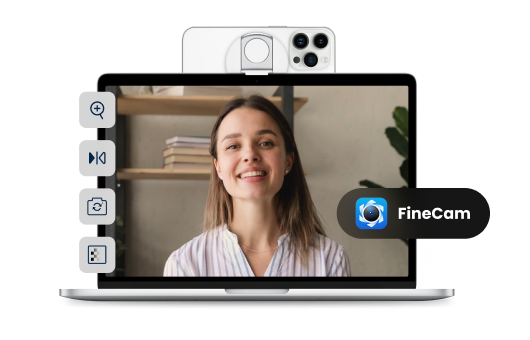
Fineshare is an innovative AI-powered audio and video creation platform designed to help users generate professional-quality content quickly and efficiently by leveraging artificial intelligence, text-to-speech technology, and automated video creation workflows . Fineshare addresses the challenges of time-consuming and expensive content production, particularly for audio and video assets. It utilizes advanced AI algorithms to transform text into realistic speech and facilitates the creation of visually engaging videos, streamlining the content creation process. This platform is ideal for content creators, marketers, educators, and businesses seeking to produce high-quality audio and video content without the need for extensive technical expertise or significant financial investment in traditional production methods. ItΓÇÖs a valuable resource for anyone looking to enhance their content strategy with compelling multimedia experiences. Key Features of Fineshare Text-to-speech conversion with a diverse range of AI voices. Support for multiple languages for global content creation. AI-powered video generation from text prompts. Customizable video templates and styles. User-friendly interface for easy navigation and operation. Ability to clone voices for consistent branding. Options for adjusting speech speed and pitch. High-quality audio output for professional results. Integration of background music and sound effects. Cloud-based platform accessible from any device. Why People Use Fineshare Individuals and organizations utilize Fineshare to overcome the hurdles associated with traditional audio and video production. Creating compelling content often requires specialized skills, expensive equipment, and significant time investment. Fineshare democratizes content creation by providing an accessible, affordable, and efficient alternative. The platform empowers users to bypass the complexities of recording studios, voice actors, and video editing software. By automating key aspects of the production process, Fineshare significantly reduces turnaround times and costs, allowing creators to focus on their core message and creative vision. ItΓÇÖs particularly beneficial for those who need to produce a high volume of content regularly, such as marketing campaigns, educational materials, or podcast episodes. The platformΓÇÖs ease of use makes it suitable for users with varying levels of technical expertise, fostering a more inclusive and streamlined content creation workflow. Popular Use Cases Marketing and Advertising: Generating voiceovers for video ads, promotional content, and social media campaigns. E-learning and Training: Creating engaging narrations for online courses, tutorials, and training materials. Podcast Production: Producing high-quality audio introductions, outros, and segments for podcasts. YouTube Content Creation: Developing voiceovers for explainer videos, reviews, and entertainment content. Audiobook Creation: Converting written manuscripts into professional-sounding audiobooks. Accessibility Solutions: Providing text-to-speech functionality for websites and applications to enhance accessibility. Internal Communications: Creating engaging video announcements and training materials for employees. Personal Projects: Generating voiceovers for personal videos, presentations, and creative endeavors. Content Localization: Adapting content for different languages and regions with AI-powered voiceovers. Social Media Content: Quickly producing short-form video content with AI voices for platforms like TikTok and Instagram Reels. Benefits of Fineshare Reduced Production Costs: Eliminates the need for expensive recording studios, voice actors, and video editors. Increased Efficiency: Automates key aspects of the content creation process, saving valuable time and resources. Enhanced Content Quality: Delivers professional-sounding audio and visually appealing videos. Scalability: Enables the rapid production of large volumes of content to meet growing demands. Accessibility: Empowers users with varying levels of technical expertise to create high-quality content. Brand Consistency: Allows for voice cloning to maintain a consistent brand identity across all content. Global Reach: Supports multiple languages, facilitating content localization and expansion into new markets. Creative Freedom: Provides a wide range of voices, styles, and customization options to bring creative visions to life. Improved Engagement: Captures audience attention with compelling audio and video experiences. Streamlined Workflow: Integrates seamlessly into existing content creation workflows, simplifying the production process.

Video Summarize: Ai Video Chat is an innovative AI-powered video summarization tool designed to help users quickly grasp the key takeaways from video content through concise summaries and an interactive AI chatbot. It addresses the challenge of information overload in the age of video, offering a streamlined way to consume and understand lengthy videos efficiently. This tool leverages artificial intelligence and natural language processing to analyze video transcripts and generate accurate, informative summaries. It is intended for students, professionals, researchers, and anyone who needs to quickly digest information from video sources, offering a powerful solution for video summarization , AI video analysis , and content understanding . Key Features of Video Summarize: Ai Video Chat Provides concise summaries of videos. Offers an AI chatbot for interactive questioning about video content. Supports video uploads from various sources. Generates summaries in text format. Allows users to highlight key moments within the video. Facilitates quick access to specific information within long videos. Enables efficient note-taking based on video content. Offers a user-friendly interface for seamless navigation. Supports multiple video formats. Provides a time-saving alternative to manual video review. Why People Use Video Summarize: Ai Video Chat Individuals and professionals are increasingly faced with a constant stream of video content, from online courses and webinars to meetings and presentations. Traditionally, extracting valuable information from these videos required significant time investment, involving careful watching and manual note-taking. Video Summarize: Ai Video Chat offers a compelling alternative by automating the summarization process. By employing AI algorithms, the tool quickly identifies key themes, arguments, and insights within a video, presenting them in a condensed, easily digestible format. This not only saves users valuable time but also enhances comprehension and retention of information. The interactive AI chat feature further elevates the experience, allowing users to delve deeper into specific aspects of the video content through targeted questioning, a capability unavailable with traditional video viewing methods. Popular Use Cases Students: Quickly summarize lecture recordings and online course videos for efficient study. Researchers: Extract key findings from interviews, documentaries, and research presentations. Professionals: Stay updated on industry trends by summarizing webinars, conferences, and training videos. Journalists: Efficiently review press conferences and interviews for accurate reporting. Content Creators: Analyze competitor videos to identify successful strategies and content gaps. Meeting Attendees: Generate summaries of team meetings and client presentations for clear action items. Language Learners: Improve comprehension by summarizing videos in a foreign language. Podcast Producers: Create show notes and summaries from video podcasts. Legal Professionals: Review depositions and courtroom proceedings efficiently. Marketing Teams: Analyze video ad campaigns and customer testimonials. Benefits of Video Summarize: Ai Video Chat Significant Time Savings: Reduces the time spent on video review and information extraction. Improved Comprehension: Facilitates a deeper understanding of complex video content. Enhanced Productivity: Enables users to quickly access and utilize key information from videos. Increased Efficiency: Streamlines the process of learning, research, and content analysis. Better Information Retention: Supports effective note-taking and knowledge consolidation. Simplified Content Consumption: Makes lengthy videos more manageable and accessible. Interactive Learning Experience: The AI chat feature promotes active engagement with the video content. Accessibility: Provides a convenient way to access information on the go. Cost-Effective Solution: Offers a valuable alternative to expensive transcription and summarization services. Streamlined Workflow: Integrates seamlessly into existing learning and professional workflows.

Generor is an innovative AI content creation and management platform designed to help users centralize, organize, and streamline all their AI-generated content . It addresses the growing challenge of managing outputs from various AI tools, offering a unified workspace for text and image creation. Generor leverages artificial intelligence, machine learning, and cloud-based storage to provide a comprehensive solution for individuals and teams seeking to maximize their AI-driven content workflows. This platform is particularly valuable for content creators, marketers, designers, and businesses looking to scale their content production with the power of AI. Key Features of Generor Generates text content using integrated AI models. Creates images from text prompts with AI image generation. Provides a centralized dashboard for all AI creations. Offers organization tools like folders and tagging. Enables version control for tracking content iterations. Supports collaboration features for team workflows. Allows for easy export of generated content. Offers a search function to quickly locate specific creations. Provides usage statistics and analytics. Integrates with various AI generation APIs. Why People Use Generor Individuals and organizations are increasingly adopting AI tools for content creation, but this often results in fragmented workflows and difficulty managing the sheer volume of generated assets. Generor solves this problem by providing a single source of truth for all AI creations. Unlike relying on individual AI tools and scattered files, Generor offers a unified system for organization, tracking, and access. This centralized approach significantly reduces time spent searching for content, managing versions, and ensuring consistency. The platform empowers users to focus on creative strategy and refinement, rather than administrative overhead, ultimately boosting productivity and accelerating content production cycles. It moves beyond simply generating content with AI to managing an entire AI-powered content ecosystem. Popular Use Cases Social Media Management: Generating captions, post ideas, and accompanying images for various social media platforms. Blog Content Creation: Drafting blog posts, outlines, and generating relevant images to enhance articles. Marketing Campaign Development: Creating ad copy, email newsletters, and marketing materials with AI assistance. E-commerce Product Descriptions: Generating compelling and informative product descriptions for online stores. Graphic Design & Visual Content: Producing unique images for presentations, websites, and marketing collateral. Content Repurposing: Adapting existing content into different formats (e.g., turning a blog post into a social media series). Brainstorming & Idea Generation: Utilizing AI to explore new concepts and generate creative ideas. Scriptwriting & Storytelling: Developing scripts for videos, podcasts, or other narrative content. Educational Material Creation: Generating quizzes, summaries, and learning resources. Personal Productivity: Assisting with writing tasks, note-taking, and organization. Benefits of Generor Increased Productivity: Streamlines content creation workflows, saving users significant time and effort. Improved Organization: Centralizes all AI-generated content in a single, easily navigable platform. Enhanced Collaboration: Facilitates teamwork and shared access to AI-powered assets. Greater Control: Provides version control and tracking capabilities for managing content iterations. Simplified Content Management: Eliminates the need to switch between multiple AI tools and file locations. Scalable Content Production: Enables users to efficiently generate and manage large volumes of content. Reduced Errors & Inconsistencies: Promotes consistency and accuracy through centralized control. Faster Time-to-Market: Accelerates content production cycles, allowing for quicker deployment of marketing materials and other content. Cost Savings: Optimizes resource allocation by streamlining workflows and reducing manual effort. Creative Empowerment: Frees up users to focus on strategic thinking and creative refinement.

Klyra AI is an innovative AI-powered content creation platform designed to empower users to generate diverse content formats ΓÇô text, images, videos, and voice ΓÇô from a single, unified interface. Klyra AI addresses the challenges of fragmented content creation workflows, where users often rely on multiple tools for different content types. It leverages the power of artificial intelligence and machine learning to streamline the entire creative process, from ideation to final production. This platform is ideal for marketers, content creators, social media managers, and businesses seeking to scale their content output efficiently. It provides a solution for those looking to enhance their AI content generation , AI video creation , and AI image generation capabilities. Klyra AI distinguishes itself by offering a comprehensive suite of tools within one platform, eliminating the need to switch between applications and simplifying complex creative tasks. ItΓÇÖs designed to democratize content creation, making sophisticated AI tools accessible to users of all skill levels. Key Features of Klyra AI Generates long-form articles and blog posts from text prompts. Creates original images from text descriptions using AI image generation. Produces engaging videos from scripts or text prompts. Offers AI voice cloning and text-to-speech capabilities. Provides a user-friendly drag-and-drop interface for video editing. Includes a built-in AI scriptwriter for video content. Allows for the creation of marketing copy, including ad headlines and descriptions. Supports multiple video aspect ratios for various platforms. Offers a library of royalty-free music and sound effects. Enables users to customize AI-generated content with branding elements. Why People Use Klyra AI Users adopt Klyra AI to overcome the bottlenecks and inefficiencies associated with traditional content creation methods. Manually creating high-quality content across multiple formats is time-consuming, resource-intensive, and often requires specialized skills. Klyra AI automates many of these processes, significantly reducing the time and effort required to produce compelling content. The platformΓÇÖs integrated approach eliminates the friction of switching between different tools, fostering a more fluid and productive workflow. By leveraging AI, Klyra AI enables users to scale their content creation efforts without compromising on quality or creativity. ItΓÇÖs a valuable asset for businesses and individuals seeking to establish a strong online presence and engage their audience with fresh, innovative content. Popular Use Cases Social Media Marketing: Generating engaging visuals and captions for platforms like Instagram, Facebook, and TikTok. Blog Content Creation: Producing well-researched and SEO-optimized blog posts on a variety of topics. Video Marketing: Creating promotional videos, explainer videos, and social media video content. Advertising: Generating compelling ad copy and visuals for online advertising campaigns. E-learning: Developing educational videos and voiceovers for online courses and training materials. Product Demonstrations: Producing visually appealing product demo videos. Content Repurposing: Transforming existing content into different formats (e.g., turning a blog post into a video script). Personal Branding: Creating professional-looking videos and images for personal websites and social media profiles. Podcast Production: Generating scripts and voiceovers for podcast episodes. Internal Communications: Developing engaging video content for employee training and updates. Benefits of Klyra AI Increased Content Output: Generate more content in less time, accelerating marketing and communication efforts. Reduced Content Creation Costs: Minimize reliance on expensive freelancers or agencies. Enhanced Content Quality: Leverage AI to produce polished, professional-looking content. Streamlined Workflow: Simplify the content creation process with an all-in-one platform. Improved Brand Consistency: Maintain a consistent brand voice and visual style across all content formats. Greater Creative Flexibility: Experiment with different content ideas and formats with ease. Expanded Reach: Create content optimized for various platforms and audiences. Time Savings: Automate repetitive tasks and focus on strategic content planning. Accessibility: Empower users of all skill levels to create high-quality content. Scalability: Easily scale content creation efforts to meet growing business needs.
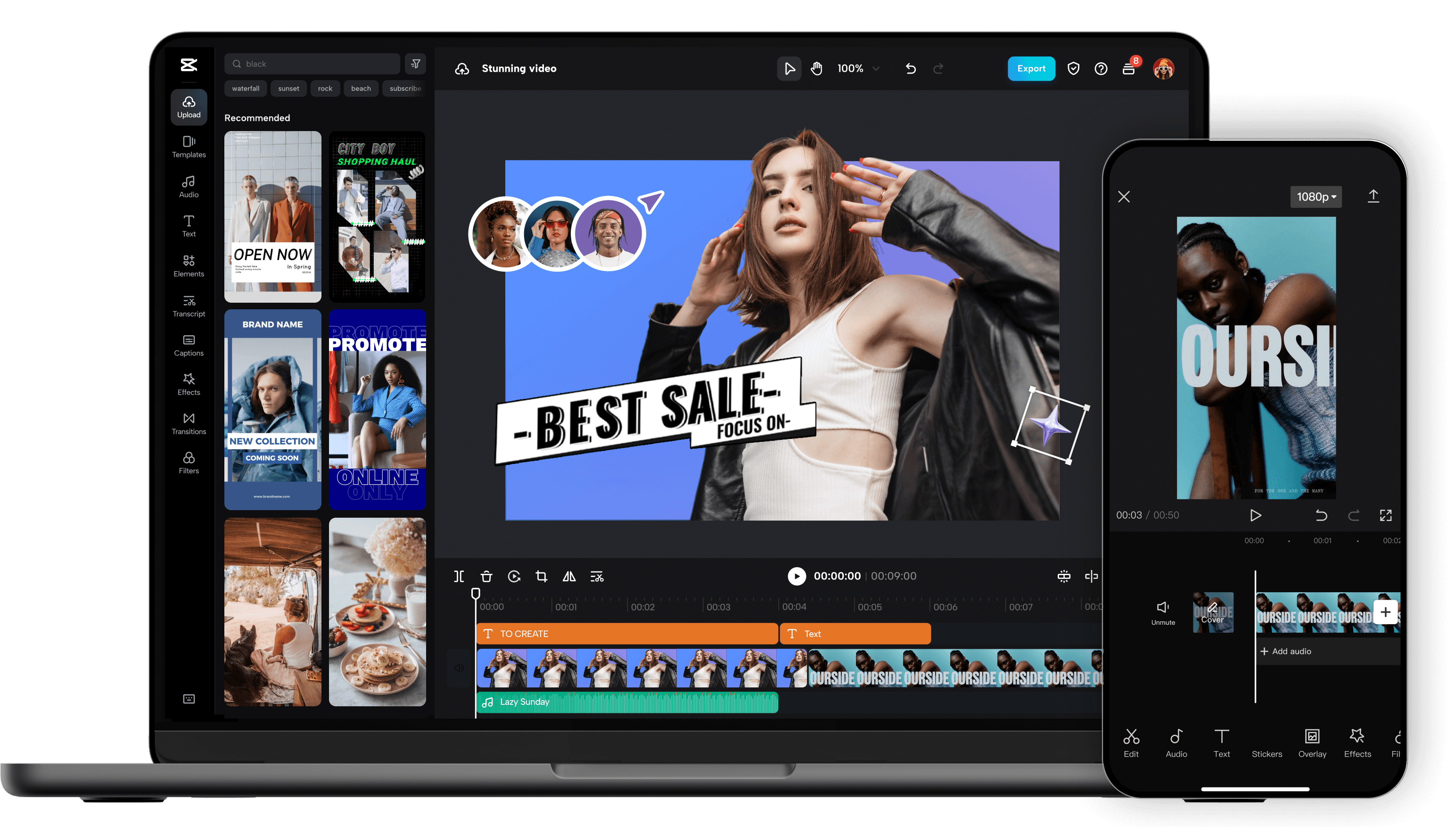
Unleash your creativity and transform your videos with CapCut AI Video Editor, the ultimate all-in-one mobile editing suite designed for creators, influencers, and anyone looking to make their content shine. Whether you're a seasoned pro or just starting out, CapCut's intuitive interface and powerful AI-driven features make professional-quality video editing accessible to everyone, right from your smartphone. Experience the Magic of AI-Powered Editing: CapCut's intelligent AI tools take the heavy lifting out of video production. Effortlessly remove backgrounds with a single tap, creating seamless green-screen effects or isolating subjects for dynamic visual storytelling. Our advanced auto-captions feature transcribes your audio with remarkable accuracy, saving you hours of manual work and making your videos more accessible to a wider audience. Dive into a world of creative possibilities with AI text-to-video , allowing you to generate stunning visuals from simple text prompts. Need to clean up your audio? CapCut's AI audio enhancer intelligently refines your sound, reducing background noise and boosting clarity for a professional finish. Edit Like a Pro, Effortlessly: Beyond its AI prowess, CapCut offers a comprehensive suite of traditional editing tools. Trim, split, merge, and reorder your clips with precision. Enhance your visuals with a vast library of filters, effects, and transitions that will captivate your viewers. Add personality and polish with a wide selection of royalty-free music, sound effects, and voiceovers . Experiment with keyframe animation to bring your elements to life with smooth, dynamic movement. Fine-tune your footage with color correction and adjustment tools to achieve the perfect mood and aesthetic. Elevate Your Content with Premium Features: CapCut empowers you to create engaging and professional content for all your favorite platforms. Speed ramping allows for dramatic slow-motion or exhilarating fast-forward effects. Chroma keying (green screen) opens up endless possibilities for background replacement. Utilize picture-in-picture to layer videos and create dynamic compositions. Explore strobe effects, zoom effects, and motion blur to add visual flair and keep your audience hooked. Why Choose CapCut AI Video Editor? User-Friendly Interface: Designed for ease of use, making complex editing simple. Powerful AI Tools: Automate tedious tasks and unlock new creative avenues with intelligent features. Extensive Feature Set: From basic cuts to advanced effects, CapCut has everything you need. Vast Asset Library: Access a wealth of music, effects, and templates to enhance your videos. No Watermarks (Free Version): Create and export your videos without unwanted branding. Regular Updates: Benefit from continuous improvements and new features. Cross-Platform Sync (with Pro): Seamlessly work across devices. Perfect for Social Media: Optimize your videos for TikTok, Instagram Reels, YouTube Shorts, and more. Who is CapCut for? Social Media Influencers: Create captivating content that drives engagement. Content Creators: Produce professional-looking videos for YouTube, Twitch, and other platforms. Small Business Owners: Craft compelling promotional videos to showcase your products and services. Educators: Develop engaging video lessons and presentations. Hobbyists & Enthusiasts: Bring your passion projects to life with stunning visuals. Anyone! If you have a story to tell, CapCut is your tool. Download CapCut AI Video Editor today and experience the future of mobile video editing. Transform ordinary moments into extraordinary stories. Join millions of creators worldwide and discover how easy it is to make your videos stand out. Your next viral video starts here!

All Voice Lab is an advanced AI-powered audio platform that enables creators, businesses, and developers to generate and manipulate high-quality voice content with ease. It specializes in lifelike text-to-speech (TTS) , voice cloning , voice altering , and multilingual voice localization using cutting-edge AI models and expressive speech synthesis. :contentReference[oaicite:0] All Voice Lab uses its proprietary MaskGCT AI model , which delivers natural, emotionally expressive speech with realistic tone, rhythm, and pitch. The platform supports multiple languages and flexible workflows, making it suitable for narration, video voiceovers, media localization, audiobooks, gaming, marketing, accessibility, and more. :contentReference[oaicite:1] Key Features of All Voice Lab Text-to-Speech (TTS) ΓÇô Convert written text into natural, human-like speech with control over tone, pacing, and emotion. :contentReference[oaicite:2] Voice Cloning ΓÇô Create high-fidelity digital replicas of real voices using short audio samples. :contentReference[oaicite:3] Voice Changer ΓÇô Instantly transform or enhance recorded voices for professional quality audio. :contentReference[oaicite:4] Video Translation & Dubbing ΓÇô Translate and dub videos into other languages with synced voiceovers and multilingual support. :contentReference[oaicite:5] Emotion & Style Control ΓÇô Adjust emotional tone and speaking style to match the desired message and audience. :contentReference[oaicite:6] Multilingual Support ΓÇô Produce voice content in multiple major languages, including English, French, German, Chinese, Japanese, and Korean. :contentReference[oaicite:7] API Integration ΓÇô Developers can integrate voice AI into apps, workflows, and automation pipelines using APIs. :contentReference[oaicite:8] Collaboration Tools ΓÇô Support for teams with shared projects, roles, and version tracking for large-scale audio production. :contentReference[oaicite:9] Why Use All Voice Lab? All Voice Lab helps users produce professional voice content more efficiently , reducing the need for traditional voice recording sessions while maintaining natural sound quality. It is ideal for content creators, marketers, educators, publishers, media producers, game developers, and accessibility projects. :contentReference[oaicite:10] By combining realistic AI voice technology with flexible customization and automation, the platform enables faster, more scalable production of narration, dubbing, audiobooks, and voiceovers. :contentReference[oaicite:11] How It Works Upload or Enter Text ΓÇô Start with a script, document, or text prompt. Choose Voice and Language ΓÇô Select from expressive AI voices with adjustable tone and style. Generate or Clone ΓÇô Use TTS or upload an audio sample to clone a voice. Customize & Edit ΓÇô Adjust speed, pitch, emotion, and other parameters. Export & Use ΓÇô Download voiceovers or integrate them via API into your project. Use Cases Audiobook Narration & Production Video Voiceovers and Localization Podcasts and Marketing Audio In-Game Character Voices Training and Educational Content Accessibility & Assistive Technologies Automated Text-to-Audio Workflows :contentReference[oaicite:12] Frequently Asked Questions (FAQ) What is All Voice Lab used for? All Voice Lab is used to generate realistic AI voice content, including speech from text, voice cloning, voice transformation, and video dubbing across multiple languages. :contentReference[oaicite:13] Does All Voice Lab support multiple languages? Yes. The platform supports major languages such as English, French, German, Chinese, Japanese, and Korean, with expressive and natural audio output. :contentReference[oaicite:14] Can I clone my own voice with All Voice Lab? Yes. All Voice Lab lets you create a high-fidelity clone of your voice using a short sample. :contentReference[oaicite:15] Is All Voice Lab free to use? All Voice Lab offers a free trial and freemium access, with extended features available via paid plans. :contentReference[oaicite:16] Can I use All Voice Lab in my apps or workflows? Yes. The platform includes APIs and integration options for developers to embed voice generation into applications and automated systems. :contentReference[oaicite:17] What makes All Voice Lab different from other AI voice tools? All Voice Lab focuses on emotionally expressive, customizable speech synthesis with multilingual support, voice cloning, and scalable workflows for creators and enterprises. :contentReference[oaicite:18] All Voice Lab is a comprehensive AI voice generation platform designed to bring text and audio to life with natural, expressive, and customizable voices. Whether you need lifelike narration, professional voiceovers, multilingual dubbing, or custom voice cloning, All Voice Lab offers powerful tools that streamline audio workflows and empower creative projects. :contentReference[oaicite:19]

Story.com is an innovative AI movie maker and video editor that empowers users to generate high-quality videos from text prompts by leveraging artificial intelligence and automated video production workflows . Story.com addresses the challenges of traditional video creation ΓÇô the time commitment, technical expertise, and financial investment required for professional results. It provides a streamlined solution for individuals and businesses seeking to produce engaging video content without extensive resources. The platform utilizes advanced AI algorithms to transform written narratives into visually compelling movies, making video production accessible to a wider audience. This tool is particularly valuable for content creators, marketers, educators, and anyone looking to quickly and easily bring their stories to life through video. ItΓÇÖs a powerful solution for those seeking AI video generation , text-to-video conversion , and automated movie creation . Story.com democratizes video production, offering a user-friendly interface and powerful AI capabilities that simplify the entire process. ItΓÇÖs designed to remove the barriers to entry for aspiring filmmakers and content creators, allowing them to focus on storytelling rather than technical complexities. The platformΓÇÖs core strength lies in its ability to interpret textual input and translate it into dynamic, visually rich video content, significantly reducing the time and effort traditionally associated with video creation. Key Features of Story.com Transforms text prompts into complete videos. Offers a library of AI-generated visuals and assets. Provides customizable video styles and themes. Includes an intuitive drag-and-drop editor for refinement. Supports various aspect ratios for different platforms. Allows users to select from a range of AI voices for narration. Offers automatic scene generation based on script input. Provides options for music and sound effect integration. Enables users to adjust video pacing and transitions. Facilitates easy sharing and exporting of finished videos. Why People Use Story.com Individuals and organizations utilize Story.com to overcome the limitations of conventional video production methods. Traditionally, creating videos required significant time, specialized skills in video editing software, and often, a substantial financial investment in equipment and personnel. Story.com bypasses these hurdles by automating much of the process. Users can simply input their story or script, and the AI engine generates a complete video, complete with visuals, narration, and music. This approach dramatically reduces production time, allowing for rapid content creation and iteration. It also eliminates the need for extensive technical expertise, empowering anyone to become a video creator. The platformΓÇÖs scalability makes it ideal for businesses that need to produce a high volume of video content for marketing, training, or internal communications. Ultimately, Story.com offers a more efficient, cost-effective, and accessible way to create professional-quality videos. Popular Use Cases Social Media Marketing: Creating engaging short-form videos for platforms like TikTok, Instagram, and Facebook. Content Marketing: Producing explainer videos, product demos, and brand stories for websites and blogs. Educational Content: Developing instructional videos, presentations, and online course materials. Internal Communications: Generating training videos, company announcements, and employee onboarding materials. Personal Storytelling: Bringing personal narratives, memories, and creative writing to life through video. Script Visualization: Quickly prototyping and visualizing scripts for film, television, or animation. YouTube Content Creation: Producing videos for YouTube channels, including vlogs, tutorials, and reviews. E-commerce Product Videos: Showcasing products with dynamic videos that highlight features and benefits. Real Estate Marketing: Creating virtual tours and property showcases. News and Journalism: Visualizing news stories and creating short-form video reports. Benefits of Story.com Increased Content Velocity: Produce videos significantly faster than traditional methods. Reduced Production Costs: Eliminate the need for expensive equipment, software, and personnel. Enhanced Creativity: Explore new storytelling possibilities with AI-generated visuals and effects. Improved Engagement: Capture audience attention with dynamic and visually appealing videos. Simplified Workflow: Streamline the video creation process with an intuitive and user-friendly interface. Accessibility for All: Empower anyone, regardless of technical skill, to create professional-quality videos. Scalable Video Production: Easily generate a high volume of video content to meet growing demands. Rapid Prototyping: Quickly visualize and iterate on video ideas before committing to full production. Consistent Branding: Maintain a consistent visual style across all video content. Time Savings: Free up valuable time and resources by automating repetitive tasks.

MakeShot AI is an innovative AI video and image generator that empowers users to create professional-quality visual content from text prompts. It addresses the challenge of time-consuming and expensive video and image production by leveraging artificial intelligence to automate the creative process. This tool is designed for marketers, social media managers, content creators, and businesses seeking to enhance their visual communication without requiring extensive design or video editing skills. ItΓÇÖs a solution for anyone looking to quickly produce engaging AI-generated videos and images for various platforms. Key Features of MakeShot AI Generates videos from text prompts. Creates images from text prompts. Offers a library of pre-designed templates. Provides customizable aspect ratios for different platforms. Allows users to select from various video styles and aesthetics. Supports multiple video resolutions. Enables users to adjust video duration. Offers a user-friendly, web-based interface. Provides options for background music selection. Facilitates easy download of generated content. Includes a text-to-speech functionality for voiceovers. Allows for the creation of animated videos. Why People Use MakeShot AI Individuals and organizations utilize MakeShot AI to drastically reduce the time and resources required for video and image creation. Traditional methods often involve hiring videographers, graphic designers, and editors, which can be costly and time-intensive. MakeShot AI democratizes content creation by providing an accessible platform where users can generate high-quality visuals simply by entering a text description. This is particularly valuable for businesses that need to consistently produce content for marketing campaigns, social media, or internal communications. The platformΓÇÖs AI algorithms handle the complex tasks of visual design and animation, allowing users to focus on their core message and creative vision. Unlike manual processes prone to inconsistencies, MakeShot AI delivers predictable and scalable results, ensuring brand consistency across all visual content. Popular Use Cases Social Media Marketing: Creating engaging video shorts and eye-catching images for platforms like Instagram, TikTok, Facebook, and X. Content Marketing: Producing explainer videos, product demos, and promotional content for blogs and websites. Advertising: Generating compelling video ads for online campaigns. E-commerce: Creating product visuals and promotional videos for online stores. Educational Content: Developing animated explainers and visual aids for online courses and presentations. Internal Communications: Producing engaging videos for employee training and company announcements. Personal Projects: Creating personalized videos for special occasions or artistic expression. Prototyping & Storyboarding: Quickly visualizing ideas and concepts for video projects. Small Business Promotion: Generating marketing materials for businesses with limited budgets. Real Estate Marketing: Creating virtual tours and property highlight videos. Benefits of MakeShot AI Increased Efficiency: Significantly reduces the time required to create videos and images compared to traditional methods. Cost Savings: Eliminates the need for expensive video production teams and design software. Enhanced Creativity: Empowers users to explore a wide range of visual styles and concepts. Scalability: Enables the rapid production of large volumes of content. Ease of Use: Requires no prior video editing or design experience. Brand Consistency: Ensures a consistent visual identity across all marketing materials. Improved Engagement: Creates visually appealing content that captures audience attention. Faster Iteration: Allows for quick experimentation and refinement of visual concepts. Accessibility: Provides a user-friendly platform accessible from any web browser. Content Versatility: Supports the creation of diverse video and image formats for various platforms. Streamlined Workflow: Simplifies the content creation process from idea to final output. Professional Results: Delivers high-quality visuals that meet professional standards.

VidFlux AI is an AI-powered video creation platform designed to help users generate professional-quality videos quickly and easily. It addresses the challenges of time-consuming and expensive traditional video production by leveraging artificial intelligence to automate key aspects of the process. This tool is ideal for marketers, educators, real estate professionals, and anyone seeking to create engaging video content without extensive technical skills. VidFlux AI simplifies video creation, making it accessible to a wider audience and enabling scalable content production. Key Features of VidFlux AI Transforms text into engaging video content using AI. Offers a library of customizable video templates. Provides a selection of realistic AI voices for narration. Enables the use of animated AI avatars within videos. Supports various video aspect ratios for different platforms. Allows users to add music and sound effects. Facilitates script customization and editing. Offers a user-friendly drag-and-drop interface. Provides options for branding with logos and colors. Supports multiple languages for voiceovers and text. Why People Use VidFlux AI Individuals and businesses often struggle with the complexities and costs associated with traditional video production. VidFlux AI offers a streamlined alternative, significantly reducing the time and resources required to create compelling video content. Unlike manual video editing, which demands specialized skills and software, VidFlux AI automates many of these tasks, allowing users to focus on their message and creative vision. The platform empowers users to produce a high volume of videos efficiently, making it a valuable asset for content marketing, social media engagement, and internal communications. By eliminating the need for expensive equipment and professional video editors, VidFlux AI democratizes video creation, making it accessible to businesses of all sizes. Popular Use Cases Real Estate Marketing: Creating virtual tours and property showcases with AI avatars and voiceovers. Social Media Content: Generating short, engaging videos for platforms like TikTok, Instagram, and Facebook. Educational Videos: Developing instructional videos and presentations with animated explainers. Marketing and Advertising: Producing promotional videos, product demos, and explainer videos for marketing campaigns. Corporate Training: Creating internal training videos and onboarding materials for employees. Explainer Videos: Simplifying complex topics with visually appealing and informative videos. Product Reviews: Generating video reviews and demonstrations of products and services. Personal Branding: Creating videos for personal websites and social media profiles to showcase expertise. News and Updates: Quickly producing video summaries of news articles and industry updates. Event Promotion: Creating promotional videos for upcoming events and webinars. Benefits of VidFlux AI Increased Efficiency: Significantly reduces the time required to create professional-quality videos. Cost Savings: Eliminates the need for expensive video equipment and professional editing services. Enhanced Engagement: Creates visually appealing and engaging videos that capture audience attention. Scalable Content Creation: Enables the production of a high volume of videos to meet content marketing demands. Improved Brand Consistency: Allows for easy branding with logos, colors, and custom scripts. Accessibility: Makes video creation accessible to users without prior video editing experience. Versatility: Supports a wide range of video formats and platforms. Simplified Workflow: Streamlines the video production process with an intuitive drag-and-drop interface. Greater Reach: Facilitates the creation of videos in multiple languages to reach a wider audience. Dynamic Content: Utilizes AI avatars and voiceovers to create dynamic and engaging video experiences.

AopsAI is an innovative AI animation tool that transforms text prompts into captivating animated videos, streamlining the video creation process for diverse users. It addresses the challenge of time-consuming and expensive traditional animation methods by leveraging artificial intelligence to generate visually engaging content quickly and affordably. This tool is designed for marketers, educators, content creators, and anyone seeking to produce animated videos without extensive animation expertise. It utilizes advanced AI video generation techniques to democratize animation, making it accessible to a wider audience. Key Features of AopsAI Converts text prompts into fully animated videos. Offers a library of AI-generated voices for narration. Provides a selection of customizable video styles and templates. Allows users to adjust animation speed and timing. Enables the addition of background music from a royalty-free library. Supports multiple aspect ratios for various platforms. Facilitates easy video editing and refinement within the platform. Offers a user-friendly interface for intuitive navigation. Provides options for character and scene customization. Generates videos in high-quality resolution. Why People Use AopsAI Individuals and organizations are increasingly turning to AopsAI to overcome the limitations of conventional animation production. Traditional animation requires significant time, specialized skills, and often substantial financial investment. AopsAI drastically reduces these barriers by automating much of the animation process. Users can simply input a text description of their desired video, and the AI algorithms handle the complex tasks of character animation, scene creation, and synchronization. This results in significant time savings and cost reductions compared to hiring animators or using complex animation software. The platform empowers users to quickly create professional-looking animated videos for marketing, educational, or personal purposes, even without prior animation experience. It offers a scalable solution for generating a high volume of video content, making it ideal for businesses and content creators who need to consistently produce engaging visuals. Popular Use Cases Marketing and Advertising: Creating engaging explainer videos, social media ads, and promotional content to increase brand awareness and drive conversions. Educational Content: Developing animated lessons, tutorials, and presentations to enhance learning and comprehension. Social Media Marketing: Producing short, attention-grabbing animated videos for platforms like TikTok, Instagram, and YouTube to boost engagement. E-learning and Training: Designing interactive animated modules for employee training and online courses. Content Creation: Generating animated storyboards, concept videos, and visual prototypes for various projects. Internal Communications: Developing animated presentations and announcements for company-wide updates and initiatives. Personal Projects: Creating animated greetings, invitations, or personalized videos for special occasions. Product Demonstrations: Showcasing product features and benefits through visually appealing animated demonstrations. Explainer Videos: Simplifying complex concepts and processes with clear and concise animated explanations. Animated Short Films: Enabling aspiring filmmakers to quickly prototype and visualize their ideas. Benefits of AopsAI Increased Efficiency: Dramatically reduces the time and effort required to create animated videos. Cost Savings: Eliminates the need for expensive animation software, equipment, and professional animators. Enhanced Creativity: Empowers users to explore their ideas and bring them to life through animation, regardless of their skill level. Improved Engagement: Captures audience attention with visually appealing and dynamic animated content. Scalable Video Production: Enables the rapid creation of a large volume of animated videos to meet growing content demands. Simplified Workflow: Streamlines the animation process with an intuitive and user-friendly interface. Accessibility: Makes animation accessible to a wider range of users, including those without prior animation experience. Versatile Content Creation: Supports a variety of video styles and formats for diverse applications. Rapid Prototyping: Allows for quick visualization and iteration of video concepts. Professional Quality: Generates high-quality animated videos that meet professional standards.

JoggAI is an innovative AI video generator designed to help users create compelling video ads with realistic AI avatars quickly and efficiently. It solves the problem of time-consuming and expensive video production by leveraging artificial intelligence to automate the creation of engaging visual content. This tool is ideal for marketers, small businesses, content creators, and social media managers seeking to enhance their advertising efforts with professional-quality videos without requiring extensive technical skills or resources. JoggAI streamlines the video creation process, making it accessible to anyone looking to improve their brand messaging and drive conversions through dynamic video content. Key Features of JoggAI Transforms text scripts into fully produced videos. Offers a diverse library of lifelike AI avatars. Provides customizable video templates for various ad formats. Includes a user-friendly interface for easy video editing. Supports multiple aspect ratios for different platforms. Allows users to select background music and voiceovers. Enables rapid iteration and experimentation with different video variations. Offers a range of video styles and tones to match brand identity. Provides options for adding text overlays and visual effects. Facilitates quick content creation for social media, websites, and advertising campaigns. Why People Use JoggAI Individuals and businesses utilize JoggAI to overcome the traditional barriers associated with video production. Historically, creating high-quality video ads required significant investment in equipment, skilled personnel, and time. JoggAI democratizes this process, enabling users to generate professional-looking videos in minutes, regardless of their prior experience. The platformΓÇÖs AI-powered automation significantly reduces production time and costs, allowing for faster campaign deployment and increased marketing agility. Unlike manual video editing, JoggAI offers a streamlined workflow that simplifies complex tasks, making it easier to experiment with different creative concepts and optimize video performance. The ability to quickly produce multiple video variations is a key advantage, enabling A/B testing and data-driven improvements to maximize campaign effectiveness. Popular Use Cases Social Media Marketing: Creating engaging video ads for platforms like Facebook, Instagram, TikTok, and LinkedIn. Digital Advertising: Generating compelling video creatives for Google Ads, YouTube Ads, and other online advertising channels. Product Demonstrations: Showcasing product features and benefits through concise and visually appealing video demonstrations. Explainer Videos: Simplifying complex concepts and processes with easy-to-understand animated explainer videos. Educational Content: Developing engaging video lessons and tutorials for online learning platforms. Brand Awareness Campaigns: Building brand recognition and establishing a consistent visual identity through branded video content. Promotional Offers: Announcing special offers, discounts, and promotions with eye-catching video ads. Internal Communications: Creating engaging video updates and announcements for employees. Real Estate Marketing: Showcasing property listings with virtual tours and video walkthroughs. E-commerce Product Ads: Generating dynamic video ads that highlight key product features and drive sales. Benefits of JoggAI Reduced Video Production Costs: Eliminates the need for expensive equipment, professional videographers, and editing software. Faster Content Creation: Significantly accelerates the video production process, enabling rapid campaign deployment. Increased Marketing Agility: Allows for quick iteration and experimentation with different video variations. Enhanced Brand Messaging: Enables the creation of visually appealing and engaging videos that effectively communicate brand values. Improved Audience Engagement: Captures audience attention with realistic AI avatars and dynamic video content. Scalable Video Production: Facilitates the creation of a large volume of video ads to support multiple campaigns. Simplified Video Editing: Provides a user-friendly interface that requires no prior video editing experience. Data-Driven Optimization: Enables A/B testing and performance tracking to maximize campaign effectiveness. Consistent Brand Identity: Ensures a consistent visual style across all video content. Wider Reach and Impact: Expands marketing reach and increases brand awareness through compelling video ads.

PDF to Video AI is an innovative AI-powered video creation platform that transforms static PDF documents into engaging video content. It addresses the challenge of converting lengthy, text-heavy PDFs into more accessible and visually appealing formats, leveraging artificial intelligence to automate the video generation process. This tool is designed for educators, marketers, trainers, and anyone who needs to repurpose PDF materials into dynamic video presentations. It streamlines content delivery and enhances audience engagement through automated PDF to video conversion and intelligent content adaptation. The platform solves the problem of limited reach and engagement associated with traditional PDF documents. PDFs, while useful for detailed information, can be cumbersome to read and share. PDF to Video AI offers a solution by automatically extracting content from PDFs and converting it into professional-looking videos, complete with visuals, voiceovers, and animations. This is achieved through advanced natural language processing (NLP) and machine learning (ML) algorithms that analyze the PDF structure, identify key information, and create a coherent video narrative. The tool caters to individuals and organizations seeking to improve content accessibility, boost audience retention, and simplify information dissemination. This platform is particularly valuable for those looking to modernize their content strategy and embrace video marketing. It eliminates the need for manual video editing, reducing production time and costs significantly. By automating the conversion process, PDF to Video AI empowers users to create high-quality videos quickly and efficiently, regardless of their video editing expertise. The focus is on providing a user-friendly experience that democratizes video creation, making it accessible to a wider range of users. Key Features of PDF to Video AI Converts PDF documents into video format automatically. Offers a variety of video templates to choose from. Provides options for adding background music. Allows users to customize video branding with logos and colors. Supports automatic text-to-speech voiceovers in multiple languages. Enables users to adjust video timing and transitions. Facilitates the addition of images and videos to enhance content. Offers a user-friendly drag-and-drop interface. Provides options for adjusting video resolution and quality. Allows for direct video download in MP4 format. Supports batch PDF to video conversion. Automatically generates video scripts from PDF content. Offers a library of royalty-free images and videos. Provides options for adding subtitles to videos. Enables users to preview videos before final export. Why People Use PDF to Video AI Users adopt PDF to Video AI to overcome the limitations of static PDF content. Traditional methods of sharing information via PDFs often result in low engagement and limited reach. Readers may struggle to digest large blocks of text, leading to decreased comprehension and retention. This platform offers a dynamic alternative, transforming PDFs into visually stimulating videos that capture and maintain audience attention. The tool significantly reduces the time and effort required to create videos from existing PDF materials. Manually recreating content from a PDF into a video format can be a tedious and time-consuming process, often requiring specialized video editing skills. PDF to Video AI automates this process, allowing users to generate professional-quality videos in minutes, without any prior video editing experience. This efficiency is particularly valuable for businesses and educators who need to produce a large volume of video content regularly. The platformΓÇÖs automation capabilities ensure scalability and consistency in video creation. Popular Use Cases E-learning: Converting course materials, lecture notes, and textbooks into engaging video lessons. Marketing & Sales: Transforming product brochures, white papers, and case studies into promotional videos. Training & Development: Creating employee training videos from existing PDF manuals and guides. Educational Institutions: Converting academic papers, research reports, and presentations into accessible video formats for students. Real Estate: Showcasing property details and floor plans through dynamic video presentations. Financial Services: Explaining complex financial reports and investment strategies in an easy-to-understand video format. Government & Public Sector: Communicating important information and policies to the public through informative videos. Internal Communications: Sharing company updates, announcements, and reports with employees via video. Content Repurposing: Converting blog posts, articles, and ebooks into video content for wider distribution. Presentations: Transforming static PDF presentations into dynamic video presentations for conferences and meetings. Benefits of PDF to Video AI Increased Engagement: Captures audience attention with visually appealing video content. Improved Comprehension: Simplifies complex information through dynamic visuals and voiceovers. Enhanced Accessibility: Makes content accessible to a wider audience, including those with visual impairments. Time Savings: Automates the video creation process, reducing production time significantly. Cost Reduction: Eliminates the need for expensive video editing software and professional video editors. Scalability: Enables users to create a large volume of videos quickly and efficiently. Brand Consistency: Allows for customization with logos, colors, and branding elements. Wider Reach: Facilitates content sharing across multiple platforms, including social media and websites. Improved Content Marketing: Boosts content marketing efforts with engaging video content. Simplified Content Repurposing: Easily transforms existing PDF materials into new video formats. Increased Lead Generation: Attracts potential customers with informative and engaging video content. Enhanced Training Effectiveness: Improves employee training outcomes with dynamic video lessons. Better Knowledge Retention: Increases knowledge retention through visual and auditory learning. Streamlined Communication: Simplifies communication of complex information to stakeholders. Modernized Content Strategy: Embraces video as a key component of a modern content strategy.

 Android
 IOS
IOS Mini Tools
 Software
 Web
Web