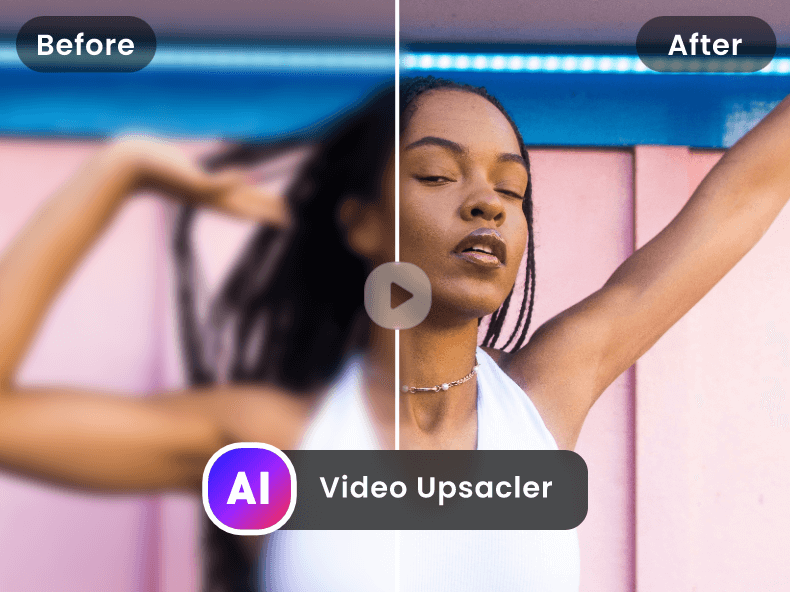
Free AI Video Upscaler is a web-based application that enhances the resolution of videos using artificial intelligence, transforming low-quality footage into high-definition visuals. It addresses the common problem of blurry or pixelated videos, offering a solution for improving video clarity without requiring complex software or extensive technical expertise. The tool utilizes deep learning algorithms to intelligently upscale video content, making it suitable for a wide range of users seeking to improve their video quality. It is a valuable resource for anyone looking for an AI video enhancer , video upscaling , or video quality improvement solution. Key Features of Free AI Video Upscaler Upscales video resolution up to 4K. Supports various video formats. Offers a user-friendly, web-based interface. Utilizes AI algorithms for intelligent upscaling. Provides fast processing speeds. Allows users to enhance video quality without watermarks. Requires no software download or installation. Offers batch processing capabilities for multiple files. Enhances details and reduces noise in videos. Provides a simple upload and download process. Why People Use Free AI Video Upscaler Individuals and professionals alike often find themselves with video footage that lacks the desired clarity. This can stem from older recordings, low-resolution source material, or the need to repurpose content for higher-resolution displays. Traditionally, improving video quality involved expensive software, significant processing power, and a steep learning curve. Free AI Video Upscaler simplifies this process dramatically. By leveraging the power of artificial intelligence , the tool automatically analyzes and enhances video footage, restoring details and reducing artifacts. This results in a noticeably sharper and more visually appealing final product. Users can avoid the time-consuming and often unsatisfactory results of manual editing techniques. The platformΓÇÖs accessibility and ease of use make it a compelling alternative to traditional video editing workflows, offering a quick and effective solution for video enhancement and resolution upscaling . It empowers users to breathe new life into existing video content, making it suitable for modern viewing platforms and applications. Popular Use Cases Restoring Old Family Videos: Individuals can improve the quality of cherished memories captured on older cameras or formats. Enhancing Surveillance Footage: Security professionals can clarify blurry security camera recordings for better identification and analysis. Improving Online Course Videos: Educators can enhance the visual quality of their online learning materials for a more engaging student experience. Preparing Videos for Social Media: Content creators can upscale videos to meet the resolution requirements of platforms like YouTube, TikTok, and Instagram. Revitalizing Archived Footage: Filmmakers and archivists can restore and preserve historical video content. Upscaling Gameplay Recordings: Gamers can improve the quality of their gameplay videos for streaming or sharing. Enhancing Drone Footage: Aerial videographers can clarify footage captured by drones, often limited by camera resolution or distance. Improving Video Conferencing Recordings: Professionals can enhance the quality of recordings from video conferences and webinars. Preparing Videos for Presentations: Users can upscale videos to ensure clear visibility during presentations and meetings. Enhancing Low-Resolution Stock Footage: Video editors can improve the quality of stock footage for use in projects. Benefits of Free AI Video Upscaler Enhanced Video Clarity: Users experience a significant improvement in video sharpness and detail. Time Savings: The automated AI-powered process eliminates the need for manual editing, saving valuable time and effort. Cost-Effectiveness: As a free tool, it provides a budget-friendly solution for video enhancement. Ease of Use: The intuitive web interface requires no technical expertise or software installation. Improved Visual Appeal: Enhanced videos are more engaging and professional-looking. Wider Compatibility: Upscaled videos are suitable for a broader range of devices and platforms. Preservation of Memories: Old or damaged videos can be restored and enjoyed for years to come. Increased Content Value: Improved video quality can enhance the perceived value of content. Accessibility: The web-based nature of the tool allows access from any device with an internet connection. No Watermarks: Enhanced videos are delivered without any intrusive watermarks.

CaptionGenerator is an AI tool that provides access to winning captions and hashtags for TikTok and Instagram users. The tool is designed to help users take their social media game to the next level by providing them with the ability to generate engaging and effective captions for their posts. The tool requires users to sign in with Google, after which they can access the service for free until April 18th, 23:59:00. CaptionGenerator was created by @atbrakhi, an AI expert, and is built to use cutting-edge AI technology to generate captions and hashtags that are tailored to the user's content. By leveraging the power of AI, users can easily create captions that are more likely to catch the attention of their audiences, leading to increased reach and engagement on their social media profiles. Overall, CaptionGenerator is a worthwhile tool for any TikTok or Instagram user looking to level up their posting game. It's easy to use, accessible, and backed by the power of AI, providing users with custom-tailored, winning captions and hashtags that can help increase engagement and attract more followers. With its focus on quality and user experience, CaptionGenerator is a must-have tool for anyone looking to take their social media presence to the next level.

Free AI Video Upscaler is a web-based application that enhances the resolution of videos using artificial intelligence, transforming low-quality footage into high-definition visuals. It addresses the common problem of blurry or pixelated videos, offering a solution for improving video clarity without requiring complex software or extensive technical expertise. The tool utilizes deep learning algorithms to intelligently upscale video content, making it suitable for a wide range of users seeking to improve their video quality. It is a valuable resource for anyone looking for an AI video enhancer , video upscaling , or video quality improvement solution. Key Features of Free AI Video Upscaler Upscales video resolution up to 4K. Supports various video formats. Offers a user-friendly, web-based interface. Utilizes AI algorithms for intelligent upscaling. Provides fast processing speeds. Allows users to enhance video quality without watermarks. Requires no software download or installation. Offers batch processing capabilities for multiple files. Enhances details and reduces noise in videos. Provides a simple upload and download process. Why People Use Free AI Video Upscaler Individuals and professionals alike often find themselves with video footage that lacks the desired clarity. This can stem from older recordings, low-resolution source material, or the need to repurpose content for higher-resolution displays. Traditionally, improving video quality involved expensive software, significant processing power, and a steep learning curve. Free AI Video Upscaler simplifies this process dramatically. By leveraging the power of artificial intelligence , the tool automatically analyzes and enhances video footage, restoring details and reducing artifacts. This results in a noticeably sharper and more visually appealing final product. Users can avoid the time-consuming and often unsatisfactory results of manual editing techniques. The platformΓÇÖs accessibility and ease of use make it a compelling alternative to traditional video editing workflows, offering a quick and effective solution for video enhancement and resolution upscaling . It empowers users to breathe new life into existing video content, making it suitable for modern viewing platforms and applications. Popular Use Cases Restoring Old Family Videos: Individuals can improve the quality of cherished memories captured on older cameras or formats. Enhancing Surveillance Footage: Security professionals can clarify blurry security camera recordings for better identification and analysis. Improving Online Course Videos: Educators can enhance the visual quality of their online learning materials for a more engaging student experience. Preparing Videos for Social Media: Content creators can upscale videos to meet the resolution requirements of platforms like YouTube, TikTok, and Instagram. Revitalizing Archived Footage: Filmmakers and archivists can restore and preserve historical video content. Upscaling Gameplay Recordings: Gamers can improve the quality of their gameplay videos for streaming or sharing. Enhancing Drone Footage: Aerial videographers can clarify footage captured by drones, often limited by camera resolution or distance. Improving Video Conferencing Recordings: Professionals can enhance the quality of recordings from video conferences and webinars. Preparing Videos for Presentations: Users can upscale videos to ensure clear visibility during presentations and meetings. Enhancing Low-Resolution Stock Footage: Video editors can improve the quality of stock footage for use in projects. Benefits of Free AI Video Upscaler Enhanced Video Clarity: Users experience a significant improvement in video sharpness and detail. Time Savings: The automated AI-powered process eliminates the need for manual editing, saving valuable time and effort. Cost-Effectiveness: As a free tool, it provides a budget-friendly solution for video enhancement. Ease of Use: The intuitive web interface requires no technical expertise or software installation. Improved Visual Appeal: Enhanced videos are more engaging and professional-looking. Wider Compatibility: Upscaled videos are suitable for a broader range of devices and platforms. Preservation of Memories: Old or damaged videos can be restored and enjoyed for years to come. Increased Content Value: Improved video quality can enhance the perceived value of content. Accessibility: The web-based nature of the tool allows access from any device with an internet connection. No Watermarks: Enhanced videos are delivered without any intrusive watermarks.

CaptionGenerator is an AI tool that provides access to winning captions and hashtags for TikTok and Instagram users. The tool is designed to help users take their social media game to the next level by providing them with the ability to generate engaging and effective captions for their posts. The tool requires users to sign in with Google, after which they can access the service for free until April 18th, 23:59:00. CaptionGenerator was created by @atbrakhi, an AI expert, and is built to use cutting-edge AI technology to generate captions and hashtags that are tailored to the user's content. By leveraging the power of AI, users can easily create captions that are more likely to catch the attention of their audiences, leading to increased reach and engagement on their social media profiles. Overall, CaptionGenerator is a worthwhile tool for any TikTok or Instagram user looking to level up their posting game. It's easy to use, accessible, and backed by the power of AI, providing users with custom-tailored, winning captions and hashtags that can help increase engagement and attract more followers. With its focus on quality and user experience, CaptionGenerator is a must-have tool for anyone looking to take their social media presence to the next level.

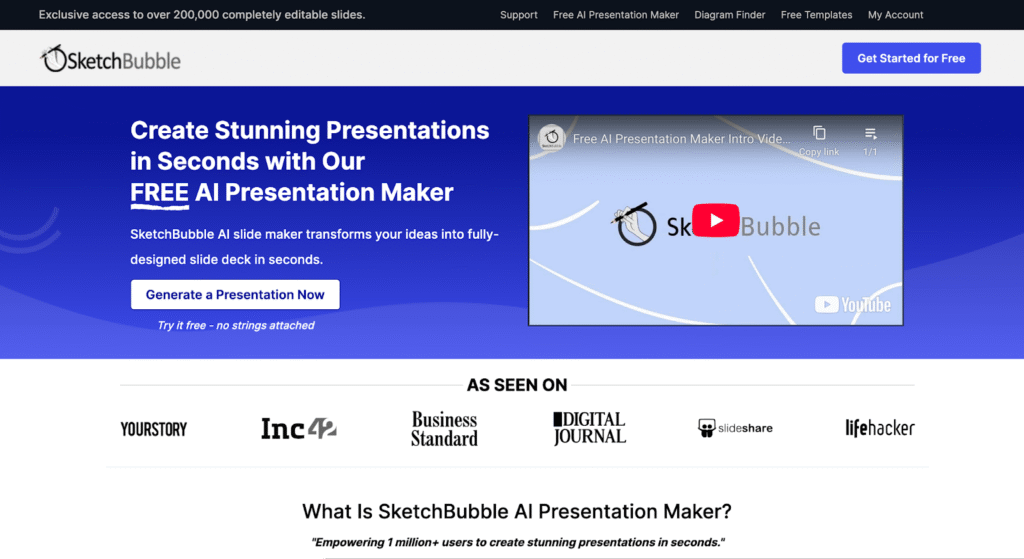
SketchBubble AI Presentation Maker is an innovative AI-powered presentation tool designed to help users generate complete slide decks quickly and easily by leveraging artificial intelligence and natural language processing . This tool addresses the common challenge of time-consuming presentation creation, often requiring significant effort in design, content structuring, and visual layout. SketchBubble automates this process, allowing individuals to focus on their message rather than the mechanics of slide design. It is particularly valuable for professionals, educators, and students who need to create compelling presentations efficiently. The core technology utilizes AI algorithms to transform text prompts into visually appealing and informative presentations, streamlining the workflow from concept to delivery. SketchBubble is ideal for anyone seeking a rapid and accessible solution for creating presentations without needing extensive design skills or software expertise. It offers a free and efficient alternative to traditional presentation methods, empowering users to communicate their ideas effectively. The tool is optimized for keywords such as AI presentation maker , AI slide generator , and automatic presentation tool . Key Features of SketchBubble AI Presentation Maker Generates complete presentations from text prompts. Creates presentations with relevant content and structure. Offers visually appealing slide layouts and designs. Allows for easy downloading in PowerPoint format. Enables opening and editing in Google Slides. Requires no prior design experience. Provides a fast and efficient presentation creation process. Supports a wide range of presentation topics. Automatically structures content into logical slide sequences. Offers a user-friendly interface for prompt input. Why People Use SketchBubble AI Presentation Maker Individuals and organizations utilize SketchBubble to overcome the hurdles associated with traditional presentation development. Manually creating presentations often involves hours of work, including research, content writing, design, and formatting. SketchBubble significantly reduces this time investment by automating the majority of these tasks. The tool empowers users to quickly transform their ideas into polished presentations, even without design expertise. This is particularly beneficial for those who prioritize content and delivery over aesthetic details. By streamlining the presentation creation process, SketchBubble allows users to focus on refining their message and engaging their audience, ultimately improving communication effectiveness. It offers a scalable solution for generating presentations, making it suitable for both individual projects and large-scale initiatives. Popular Use Cases Business Professionals: Creating pitch decks, sales presentations, and internal reports. Educators: Developing lecture slides, course materials, and student presentations. Students: Preparing class presentations, project reports, and thesis defenses. Marketing Teams: Generating presentations for webinars, product launches, and marketing campaigns. Trainers & Consultants: Developing training materials and workshop presentations. Project Managers: Creating project status updates and stakeholder presentations. Public Speakers: Crafting engaging presentations for conferences and events. Content Creators: Visualizing blog posts or articles into presentation format. Researchers: Presenting findings and data in a clear and concise manner. Startups: Quickly building pitch decks to attract investors. Benefits of SketchBubble AI Presentation Maker Significant Time Savings: Reduces presentation creation time from hours to minutes. Increased Productivity: Enables users to create more presentations with less effort. Enhanced Content Quality: Generates well-structured and informative slide decks. Improved Visual Appeal: Creates visually engaging presentations with professional designs. Accessibility for All Users: Requires no prior design skills or software expertise. Cost-Effective Solution: Offers a free alternative to expensive presentation software or design services. Streamlined Workflow: Simplifies the presentation creation process from start to finish. Greater Focus on Message: Allows users to concentrate on content and delivery. Easy Customization: Enables easy editing and refinement in PowerPoint or Google Slides. Scalable Presentation Creation: Supports the generation of presentations for various needs and audiences.