 Android
 IOS
IOS Mini Tools
 Software
 Web
WebTop matches

Flux Lora
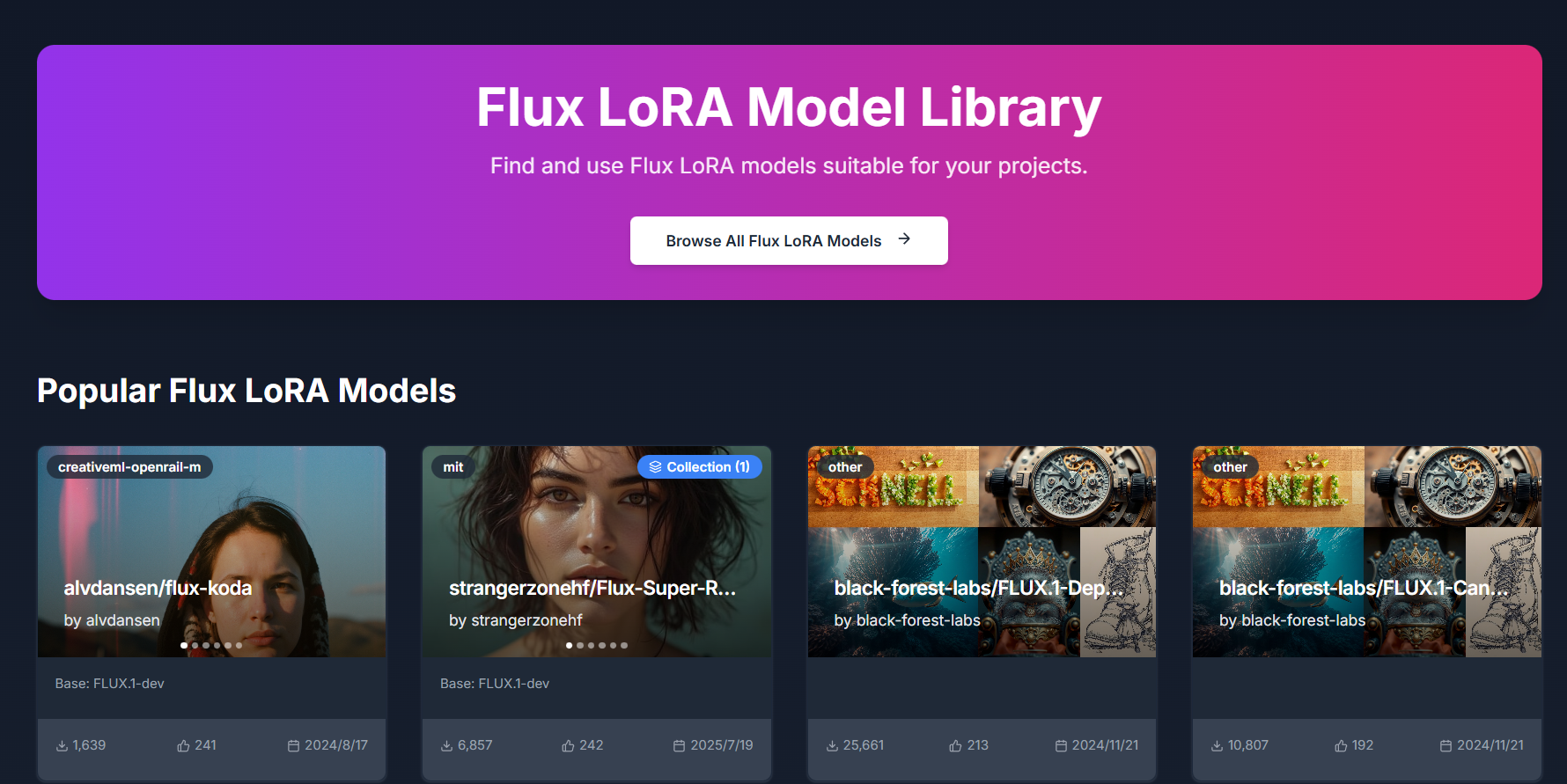
Flux LoRA – Efficient AI Model Fine-Tuning with Low-Rank Adaptation Flux LoRA is a powerful approach that combines the Flux machine learning framework with LoRA (Low-Rank Adaptation) to enable efficient, scalable, and cost-effective fine-tuning of large AI models . It is widely used by developers, researchers, and AI engineers who want to customize pretrained models without the heavy computational cost of full model retraining. Flux LoRA is especially popular in areas like text-to-image generation, large language models (LLMs), computer vision, and multimodal AI , where training entire models from scratch is expensive and time-consuming. What Is Flux LoRA? Flux LoRA leverages Low-Rank Adaptation , a modern fine-tuning technique where small trainable matrices are injected into a pretrained model , while the original model weights remain frozen. Instead of updating billions of parameters, LoRA updates only a small number of low-rank parameters , drastically reducing memory usage and training time. The Flux framework provides a flexible and high-performance environment for building and experimenting with neural networks, making Flux LoRA a preferred choice for research-grade and production-ready AI workflows . How Flux LoRA Works A large pretrained AI model is loaded (text, image, or multimodal). LoRA layers are added to selected model components (such as attention layers). Only LoRA parameters are trained on new or custom data. The base model remains unchanged, preserving its original knowledge. The resulting LoRA weights can be saved, shared, or merged for deployment. This approach allows fast adaptation with minimal resources , even on consumer-grade GPUs. Key Features of Flux LoRA Lightweight fine-tuning of large AI models Extremely low GPU and memory requirements Faster training compared to full fine-tuning Maintains original pretrained model quality Easy sharing and reuse of LoRA weights Supports experimentation and rapid iteration Ideal for domain-specific AI customization Why Developers Use Flux LoRA Traditional fine-tuning requires massive computational resources , making it impractical for individuals or small teams. Flux LoRA solves this by allowing developers to adapt models efficiently , enabling innovation without high infrastructure costs. It is widely used in open-source AI communities , research labs, and startups to build custom AI solutions faster and cheaper. Popular Use Cases Text-to-image and image style customization Fine-tuning large language models for niche domains Custom AI assistants and chatbots Vision models for specific object detection tasks Multimodal AI adaptation Rapid AI prototyping and experimentation Personalized generative AI workflows Benefits of Flux LoRA Reduces training costs dramatically Enables fine-tuning on limited hardware Preserves pretrained model intelligence Faster development and deployment cycles Scalable for research and production use Encourages experimentation and innovation Who Should Use Flux LoRA? AI developers and engineers Machine learning researchers Startup teams building AI products Open-source contributors Creators customizing generative AI Anyone with limited GPU resources Frequently Asked Questions (FAQ) ❓ What does LoRA stand for? LoRA stands for Low-Rank Adaptation , a technique that fine-tunes large AI models by training only a small set of additional parameters instead of updating the full model. ❓ Is Flux LoRA better than full fine-tuning? For most use cases, yes. Flux LoRA is faster, cheaper, and more memory-efficient than full fine-tuning while still achieving strong performance. ❓ Can Flux LoRA be used with image generation models? Yes. Flux LoRA is commonly used in text-to-image and image generation models to apply styles, characters, or domain-specific visual behavior. ❓ Do I need a high-end GPU to use Flux LoRA? No. One of the biggest advantages of Flux LoRA is that it can run on low to mid-range GPUs , making it accessible to more users. ❓ Are LoRA models reusable? Yes. LoRA weights are lightweight and portable , making them easy to share, reuse, and combine with other models. ❓ Is Flux LoRA suitable for production use? Yes. Flux LoRA is suitable for both research and production environments , especially when scalability and efficiency are required. Flux LoRA, LoRA Fine-Tuning, Low-Rank Adaptation AI, Flux Machine Learning, AI Model Fine-Tuning, Custom AI Models, Efficient AI Training, LoRA AI Models
Ai modelAi Model generator
Visit Website
Flux LoRA – Efficient AI Model Fine-Tuning with Low-Rank Adaptation Flux LoRA is a powerful approach that combines the Flux machine learning framework with LoRA (Low-Rank Adaptation) to enable efficient, scalable, and cost-effective fine-tuning of large AI models . It is widely used by developers, researchers, and AI engineers who want to customize pretrained models without the heavy computational cost of full model retraining. Flux LoRA is especially popular in areas like text-to-image generation, large language models (LLMs), computer vision, and multimodal AI , where training entire models from scratch is expensive and time-consuming. What Is Flux LoRA? Flux LoRA leverages Low-Rank Adaptation , a modern fine-tuning technique where small trainable matrices are injected into a pretrained model , while the original model weights remain frozen. Instead of updating billions of parameters, LoRA updates only a small number of low-rank parameters , drastically reducing memory usage and training time. The Flux framework provides a flexible and high-performance environment for building and experimenting with neural networks, making Flux LoRA a preferred choice for research-grade and production-ready AI workflows . How Flux LoRA Works A large pretrained AI model is loaded (text, image, or multimodal). LoRA layers are added to selected model components (such as attention layers). Only LoRA parameters are trained on new or custom data. The base model remains unchanged, preserving its original knowledge. The resulting LoRA weights can be saved, shared, or merged for deployment. This approach allows fast adaptation with minimal resources , even on consumer-grade GPUs. Key Features of Flux LoRA Lightweight fine-tuning of large AI models Extremely low GPU and memory requirements Faster training compared to full fine-tuning Maintains original pretrained model quality Easy sharing and reuse of LoRA weights Supports experimentation and rapid iteration Ideal for domain-specific AI customization Why Developers Use Flux LoRA Traditional fine-tuning requires massive computational resources , making it impractical for individuals or small teams. Flux LoRA solves this by allowing developers to adapt models efficiently , enabling innovation without high infrastructure costs. It is widely used in open-source AI communities , research labs, and startups to build custom AI solutions faster and cheaper. Popular Use Cases Text-to-image and image style customization Fine-tuning large language models for niche domains Custom AI assistants and chatbots Vision models for specific object detection tasks Multimodal AI adaptation Rapid AI prototyping and experimentation Personalized generative AI workflows Benefits of Flux LoRA Reduces training costs dramatically Enables fine-tuning on limited hardware Preserves pretrained model intelligence Faster development and deployment cycles Scalable for research and production use Encourages experimentation and innovation Who Should Use Flux LoRA? AI developers and engineers Machine learning researchers Startup teams building AI products Open-source contributors Creators customizing generative AI Anyone with limited GPU resources Frequently Asked Questions (FAQ) ❓ What does LoRA stand for? LoRA stands for Low-Rank Adaptation , a technique that fine-tunes large AI models by training only a small set of additional parameters instead of updating the full model. ❓ Is Flux LoRA better than full fine-tuning? For most use cases, yes. Flux LoRA is faster, cheaper, and more memory-efficient than full fine-tuning while still achieving strong performance. ❓ Can Flux LoRA be used with image generation models? Yes. Flux LoRA is commonly used in text-to-image and image generation models to apply styles, characters, or domain-specific visual behavior. ❓ Do I need a high-end GPU to use Flux LoRA? No. One of the biggest advantages of Flux LoRA is that it can run on low to mid-range GPUs , making it accessible to more users. ❓ Are LoRA models reusable? Yes. LoRA weights are lightweight and portable , making them easy to share, reuse, and combine with other models. ❓ Is Flux LoRA suitable for production use? Yes. Flux LoRA is suitable for both research and production environments , especially when scalability and efficiency are required. Flux LoRA, LoRA Fine-Tuning, Low-Rank Adaptation AI, Flux Machine Learning, AI Model Fine-Tuning, Custom AI Models, Efficient AI Training, LoRA AI Models
0

Replicate
Replicate Run and Deploy AI Models in the Cloud Replicate is a powerful AI model hosting and deployment platform that allows developers, startups, and businesses to run, test, and integrate machine learning models using simple APIs. It removes the complexity of setting up infrastructure, GPUs, and environments by providing instant access to advanced AI models in the cloud. Replicate is widely searched by users looking for AI model APIs, machine learning deployment platforms, open-source AI models, image generation APIs, and AI inference tools. What Is Replicate? Replicate is a cloud-based platform that lets users run open-source and community-built AI models with minimal setup. Instead of downloading models, managing dependencies, or configuring hardware, users can access AI models directly through APIs. The platform supports a wide range of AI use cases including image generation, video processing, speech, text, vision, audio, and multimodal AI models. Key Features of Replicate Cloud-based AI model execution Simple REST APIs for running models GPU-powered inference without setup Access to popular open-source AI models Scalable and production-ready infrastructure Versioned models for consistent results Image, video, text, and audio model support Types of AI Models Available on Replicate Image generation and enhancement models Video generation and processing models Speech recognition and audio models Text generation and language models Multimodal AI models Community-contributed custom models Why People Use Replicate Running AI models locally requires powerful hardware, technical expertise, and time-consuming setup. Replicate eliminates these challenges by offering ready-to-use AI models in the cloud. Developers use Replicate to prototype faster, deploy AI features into applications, test new models, automate workflows, and scale AI workloads without managing infrastructure. Popular Use Cases AI-powered image and video generation Integrating AI features into apps and websites Prototyping machine learning ideas Running open-source AI models at scale Creative AI projects and automation Research and experimentation Benefits of Replicate No need for GPUs or servers Faster AI development and deployment Pay-as-you-go pricing model Access to cutting-edge open-source AI models Easy integration into existing products Suitable for individuals and enterprises Who Should Use Replicate? Software developers and engineers AI researchers and ML practitioners Startups building AI-powered products Content creators using AI generation Businesses integrating AI APIs Students learning AI deployment Frequently Asked Questions What does Replicate do? Replicate allows users to run and deploy AI models in the cloud using simple APIs without managing infrastructure. Does Replicate host open-source models? Yes, Replicate focuses on hosting and running open-source and community-built AI models. Do I need a GPU to use Replicate? No, Replicate provides GPU-powered infrastructure, so users do not need their own hardware. Can I use Replicate for production applications? Yes, Replicate supports scalable and production-ready AI inference. What types of AI models are supported? Replicate supports image, video, audio, text, and multimodal AI models. Is Replicate beginner-friendly? Yes, Replicate offers simple APIs and documentation that make it accessible to beginners. SEO Keywords Replicate, AI model hosting, AI model API, machine learning deployment, run AI models online, AI inference platform, open source AI models
APIsAPI testing

Visit Website
Replicate Run and Deploy AI Models in the Cloud Replicate is a powerful AI model hosting and deployment platform that allows developers, startups, and businesses to run, test, and integrate machine learning models using simple APIs. It removes the complexity of setting up infrastructure, GPUs, and environments by providing instant access to advanced AI models in the cloud. Replicate is widely searched by users looking for AI model APIs, machine learning deployment platforms, open-source AI models, image generation APIs, and AI inference tools. What Is Replicate? Replicate is a cloud-based platform that lets users run open-source and community-built AI models with minimal setup. Instead of downloading models, managing dependencies, or configuring hardware, users can access AI models directly through APIs. The platform supports a wide range of AI use cases including image generation, video processing, speech, text, vision, audio, and multimodal AI models. Key Features of Replicate Cloud-based AI model execution Simple REST APIs for running models GPU-powered inference without setup Access to popular open-source AI models Scalable and production-ready infrastructure Versioned models for consistent results Image, video, text, and audio model support Types of AI Models Available on Replicate Image generation and enhancement models Video generation and processing models Speech recognition and audio models Text generation and language models Multimodal AI models Community-contributed custom models Why People Use Replicate Running AI models locally requires powerful hardware, technical expertise, and time-consuming setup. Replicate eliminates these challenges by offering ready-to-use AI models in the cloud. Developers use Replicate to prototype faster, deploy AI features into applications, test new models, automate workflows, and scale AI workloads without managing infrastructure. Popular Use Cases AI-powered image and video generation Integrating AI features into apps and websites Prototyping machine learning ideas Running open-source AI models at scale Creative AI projects and automation Research and experimentation Benefits of Replicate No need for GPUs or servers Faster AI development and deployment Pay-as-you-go pricing model Access to cutting-edge open-source AI models Easy integration into existing products Suitable for individuals and enterprises Who Should Use Replicate? Software developers and engineers AI researchers and ML practitioners Startups building AI-powered products Content creators using AI generation Businesses integrating AI APIs Students learning AI deployment Frequently Asked Questions What does Replicate do? Replicate allows users to run and deploy AI models in the cloud using simple APIs without managing infrastructure. Does Replicate host open-source models? Yes, Replicate focuses on hosting and running open-source and community-built AI models. Do I need a GPU to use Replicate? No, Replicate provides GPU-powered infrastructure, so users do not need their own hardware. Can I use Replicate for production applications? Yes, Replicate supports scalable and production-ready AI inference. What types of AI models are supported? Replicate supports image, video, audio, text, and multimodal AI models. Is Replicate beginner-friendly? Yes, Replicate offers simple APIs and documentation that make it accessible to beginners. SEO Keywords Replicate, AI model hosting, AI model API, machine learning deployment, run AI models online, AI inference platform, open source AI models
0
All results






Sponsored



Top 10 Trending AI Tools

Comet
Agentic AiAutonomous AI Agents
★4.0

Invideo ai
Ai Video generator
★4.0

D-ID.com
Ai Avatar
★4.0

Kera ai
Ai Video generator
★4.0

Kimi Slides
Ai PresentationPresentation
★4.0

Haiper Ai
Ai Video generator
★4.0

Chrome Webstore
UnCategorized
★4.0
Toki Ai
Ai Avatar
★4.0

ChatGPT
Ai Chatbots
★5.0

Dream Hentai
Hentai & NSFWHentai Character18+
★4.0