 Android
 IOS
IOS Mini Tools
 Software
 Web
WebTop matches

Video enhancer Ai
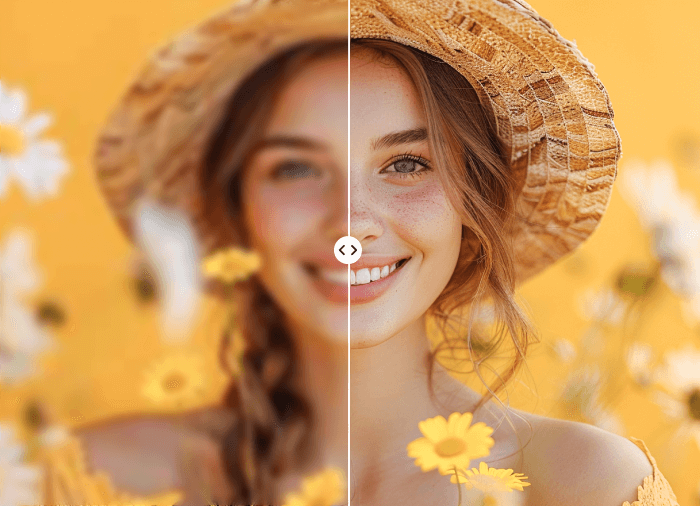
Video Enhancer AI is a cutting-edge AI-powered video enhancement tool designed to improve the quality of video content by utilizing advanced artificial intelligence algorithms. It addresses the common problem of low-resolution, blurry, or noisy videos, offering a solution to restore and upscale footage for a clearer, more professional viewing experience. This tool is particularly valuable for individuals and businesses seeking to revitalize older video archives, improve the quality of user-generated content, or enhance videos for various digital platforms. It leverages deep learning and generative AI to achieve superior results compared to traditional video editing techniques. This AI tool caters to a broad audience, including video editors, content creators, social media managers, archivists, and anyone looking to improve the visual quality of their videos. It provides an accessible way to achieve professional-grade video enhancement without requiring extensive technical expertise or expensive software. The core functionality revolves around intelligently analyzing video frames and applying enhancements to increase resolution, reduce noise, sharpen details, and improve overall clarity. ItΓÇÖs a powerful solution for breathing new life into existing video assets and ensuring content looks its best. Key Features of Video Enhancer AI Enhances video resolution up to 4K. Reduces noise and artifacts in video footage. Sharpens blurry videos for increased clarity. Improves video quality automatically with AI algorithms. Supports various video formats for input and output. Offers a user-friendly interface for easy operation. Restores old or damaged video recordings. Increases detail and texture in video content. Provides batch processing capabilities for multiple videos. Utilizes AI to predict and reconstruct missing details. Why People Use Video Enhancer AI Individuals and organizations utilize Video Enhancer AI to overcome the limitations of low-quality video footage. Traditional video editing software often struggles to effectively address issues like low resolution or significant noise without introducing further artifacts or requiring extensive manual adjustments. Video Enhancer AI offers a streamlined and automated solution, leveraging the power of artificial intelligence to deliver significant improvements in video quality with minimal effort. The toolΓÇÖs AI algorithms analyze video frames at a granular level, identifying and correcting imperfections that would be difficult or time-consuming to address manually. This results in substantial time savings for video professionals and allows anyone to achieve professional-looking results without specialized skills. Furthermore, the ability to upscale videos to higher resolutions ensures compatibility with modern displays and platforms, enhancing the viewing experience for audiences. ItΓÇÖs a practical solution for preserving valuable video memories and maximizing the impact of video content. Popular Use Cases Restoring Old Family Videos: Enhancing and preserving cherished memories captured on older video formats. Improving Security Camera Footage: Increasing the clarity of surveillance videos for better identification and analysis. Enhancing User-Generated Content: Improving the quality of videos submitted by users for online platforms. Revitalizing Historical Archives: Restoring and upscaling historical video footage for preservation and educational purposes. Preparing Videos for Social Media: Optimizing video quality for platforms like YouTube, TikTok, and Instagram. Improving Online Course Videos: Enhancing the visual appeal and clarity of educational video content. Enhancing Drone Footage: Sharpening and clarifying aerial video recordings. Restoring Damaged or Degraded Videos: Recovering footage from damaged tapes or files. Improving Video Conference Recordings: Enhancing the quality of recordings from online meetings and webinars. Preparing Videos for Professional Presentations: Ensuring video content looks polished and professional. Benefits of Video Enhancer AI Enhanced Visual Quality: Videos appear sharper, clearer, and more detailed. Time Savings: Automated AI processing significantly reduces editing time. Improved Viewing Experience: Higher resolution and reduced noise create a more enjoyable viewing experience. Preservation of Memories: Restores and preserves valuable video footage for future generations. Increased Content Value: Enhanced videos are more engaging and professional, increasing their overall value. Accessibility: User-friendly interface makes video enhancement accessible to users of all skill levels. Cost-Effectiveness: Provides a powerful video enhancement solution without the need for expensive software or hardware. Versatility: Supports a wide range of video formats and use cases. Scalability: Batch processing capabilities allow for efficient enhancement of multiple videos. Professional Results: Delivers high-quality results comparable to professional video editing services.
Ai Video enhancer

Visit Website
Video Enhancer AI is a cutting-edge AI-powered video enhancement tool designed to improve the quality of video content by utilizing advanced artificial intelligence algorithms. It addresses the common problem of low-resolution, blurry, or noisy videos, offering a solution to restore and upscale footage for a clearer, more professional viewing experience. This tool is particularly valuable for individuals and businesses seeking to revitalize older video archives, improve the quality of user-generated content, or enhance videos for various digital platforms. It leverages deep learning and generative AI to achieve superior results compared to traditional video editing techniques. This AI tool caters to a broad audience, including video editors, content creators, social media managers, archivists, and anyone looking to improve the visual quality of their videos. It provides an accessible way to achieve professional-grade video enhancement without requiring extensive technical expertise or expensive software. The core functionality revolves around intelligently analyzing video frames and applying enhancements to increase resolution, reduce noise, sharpen details, and improve overall clarity. ItΓÇÖs a powerful solution for breathing new life into existing video assets and ensuring content looks its best. Key Features of Video Enhancer AI Enhances video resolution up to 4K. Reduces noise and artifacts in video footage. Sharpens blurry videos for increased clarity. Improves video quality automatically with AI algorithms. Supports various video formats for input and output. Offers a user-friendly interface for easy operation. Restores old or damaged video recordings. Increases detail and texture in video content. Provides batch processing capabilities for multiple videos. Utilizes AI to predict and reconstruct missing details. Why People Use Video Enhancer AI Individuals and organizations utilize Video Enhancer AI to overcome the limitations of low-quality video footage. Traditional video editing software often struggles to effectively address issues like low resolution or significant noise without introducing further artifacts or requiring extensive manual adjustments. Video Enhancer AI offers a streamlined and automated solution, leveraging the power of artificial intelligence to deliver significant improvements in video quality with minimal effort. The toolΓÇÖs AI algorithms analyze video frames at a granular level, identifying and correcting imperfections that would be difficult or time-consuming to address manually. This results in substantial time savings for video professionals and allows anyone to achieve professional-looking results without specialized skills. Furthermore, the ability to upscale videos to higher resolutions ensures compatibility with modern displays and platforms, enhancing the viewing experience for audiences. ItΓÇÖs a practical solution for preserving valuable video memories and maximizing the impact of video content. Popular Use Cases Restoring Old Family Videos: Enhancing and preserving cherished memories captured on older video formats. Improving Security Camera Footage: Increasing the clarity of surveillance videos for better identification and analysis. Enhancing User-Generated Content: Improving the quality of videos submitted by users for online platforms. Revitalizing Historical Archives: Restoring and upscaling historical video footage for preservation and educational purposes. Preparing Videos for Social Media: Optimizing video quality for platforms like YouTube, TikTok, and Instagram. Improving Online Course Videos: Enhancing the visual appeal and clarity of educational video content. Enhancing Drone Footage: Sharpening and clarifying aerial video recordings. Restoring Damaged or Degraded Videos: Recovering footage from damaged tapes or files. Improving Video Conference Recordings: Enhancing the quality of recordings from online meetings and webinars. Preparing Videos for Professional Presentations: Ensuring video content looks polished and professional. Benefits of Video Enhancer AI Enhanced Visual Quality: Videos appear sharper, clearer, and more detailed. Time Savings: Automated AI processing significantly reduces editing time. Improved Viewing Experience: Higher resolution and reduced noise create a more enjoyable viewing experience. Preservation of Memories: Restores and preserves valuable video footage for future generations. Increased Content Value: Enhanced videos are more engaging and professional, increasing their overall value. Accessibility: User-friendly interface makes video enhancement accessible to users of all skill levels. Cost-Effectiveness: Provides a powerful video enhancement solution without the need for expensive software or hardware. Versatility: Supports a wide range of video formats and use cases. Scalability: Batch processing capabilities allow for efficient enhancement of multiple videos. Professional Results: Delivers high-quality results comparable to professional video editing services.
0
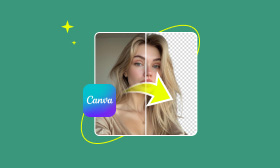
Canva video enhancer
Canva Video Enhancer is a user-friendly AI-powered video enhancement tool that allows users to improve the visual quality of their videos with minimal effort. This tool addresses the common problem of low-quality video footage, whether due to poor lighting, low resolution, or simply the limitations of recording devices. It leverages artificial intelligence to automatically adjust and refine video parameters, resulting in clearer, more vibrant, and more professional-looking videos. Canva Video Enhancer is designed for a broad audience, including social media managers, content creators, marketers, educators, and anyone who needs to quickly and easily enhance video content without requiring extensive video editing expertise. Users searching for solutions like ΓÇ£video quality enhancer,ΓÇ¥ ΓÇ£online video editor,ΓÇ¥ or ΓÇ£AI video upscalingΓÇ¥ will find this tool particularly valuable. Key Features of Canva Video Enhancer Enhances video resolution and clarity. Adjusts brightness and contrast for optimal viewing. Modifies saturation levels to improve color vibrancy. Sharpens video footage to reduce blurriness. Applies a range of filters and effects. Allows for video trimming and cropping. Enables resizing videos for different platforms. Supports adding text overlays to videos. Facilitates the inclusion of music and audio tracks. Offers subtitle capabilities for accessibility. Provides a drag-and-drop interface for ease of use. Supports various video file formats. Allows for direct export to social media platforms. Why People Use Canva Video Enhancer Individuals and businesses utilize Canva Video Enhancer to elevate the quality of their video content quickly and efficiently. Traditional video editing often requires specialized software, significant technical skill, and a substantial time investment. Canva Video Enhancer streamlines this process, offering a simplified, accessible alternative. The AI-driven enhancements automate many of the tedious adjustments typically performed manually, saving users valuable time and resources. This tool is particularly beneficial for those who need to produce a high volume of video content for platforms like YouTube, TikTok, Instagram, and Facebook, where visual appeal is crucial for engagement. The ability to enhance videos directly within the Canva platform also integrates seamlessly with other design and content creation workflows. Popular Use Cases Social Media Marketing: Enhancing videos for increased engagement on platforms like Instagram, Facebook, and TikTok. YouTube Content Creation: Improving the visual quality of vlogs, tutorials, and other YouTube videos. Business Presentations: Polishing video clips for professional presentations and webinars. Educational Videos: Creating clearer and more engaging educational content for online courses and training materials. Marketing Campaigns: Enhancing promotional videos to capture audience attention and drive conversions. Personal Video Editing: Improving the quality of home videos, travel footage, and personal projects. Real Estate Marketing: Enhancing property tour videos to showcase listings effectively. E-commerce Product Demos: Improving the visual appeal of product demonstration videos. Event Highlights: Enhancing footage from events, conferences, and workshops. Remote Learning: Improving the quality of videos used in remote learning environments. Benefits of Canva Video Enhancer Improved Video Quality: Enhances the visual appeal of videos, making them more engaging and professional. Time Savings: Automates the video enhancement process, reducing the time and effort required for editing. Increased Engagement: Higher-quality videos are more likely to capture and retain audience attention. Enhanced Brand Image: Polished videos contribute to a more professional and credible brand image. Accessibility: Easy-to-use interface makes video enhancement accessible to users of all skill levels. Cost-Effectiveness: Offers a free solution for basic video enhancement needs. Seamless Integration: Integrates directly with the Canva design platform for streamlined workflows. Platform Versatility: Videos can be optimized for various platforms and devices. Greater Visual Impact: Enhancements like brightness, contrast, and saturation adjustments create a more visually striking result. Simplified Editing: Eliminates the need for complex video editing software and technical expertise. Increased Reach: High-quality videos are more shareable and have the potential to reach a wider audience. Professional Results: Achieves professional-looking video quality without requiring professional editing skills.
Ai Video enhancer

Visit Website
Canva Video Enhancer is a user-friendly AI-powered video enhancement tool that allows users to improve the visual quality of their videos with minimal effort. This tool addresses the common problem of low-quality video footage, whether due to poor lighting, low resolution, or simply the limitations of recording devices. It leverages artificial intelligence to automatically adjust and refine video parameters, resulting in clearer, more vibrant, and more professional-looking videos. Canva Video Enhancer is designed for a broad audience, including social media managers, content creators, marketers, educators, and anyone who needs to quickly and easily enhance video content without requiring extensive video editing expertise. Users searching for solutions like ΓÇ£video quality enhancer,ΓÇ¥ ΓÇ£online video editor,ΓÇ¥ or ΓÇ£AI video upscalingΓÇ¥ will find this tool particularly valuable. Key Features of Canva Video Enhancer Enhances video resolution and clarity. Adjusts brightness and contrast for optimal viewing. Modifies saturation levels to improve color vibrancy. Sharpens video footage to reduce blurriness. Applies a range of filters and effects. Allows for video trimming and cropping. Enables resizing videos for different platforms. Supports adding text overlays to videos. Facilitates the inclusion of music and audio tracks. Offers subtitle capabilities for accessibility. Provides a drag-and-drop interface for ease of use. Supports various video file formats. Allows for direct export to social media platforms. Why People Use Canva Video Enhancer Individuals and businesses utilize Canva Video Enhancer to elevate the quality of their video content quickly and efficiently. Traditional video editing often requires specialized software, significant technical skill, and a substantial time investment. Canva Video Enhancer streamlines this process, offering a simplified, accessible alternative. The AI-driven enhancements automate many of the tedious adjustments typically performed manually, saving users valuable time and resources. This tool is particularly beneficial for those who need to produce a high volume of video content for platforms like YouTube, TikTok, Instagram, and Facebook, where visual appeal is crucial for engagement. The ability to enhance videos directly within the Canva platform also integrates seamlessly with other design and content creation workflows. Popular Use Cases Social Media Marketing: Enhancing videos for increased engagement on platforms like Instagram, Facebook, and TikTok. YouTube Content Creation: Improving the visual quality of vlogs, tutorials, and other YouTube videos. Business Presentations: Polishing video clips for professional presentations and webinars. Educational Videos: Creating clearer and more engaging educational content for online courses and training materials. Marketing Campaigns: Enhancing promotional videos to capture audience attention and drive conversions. Personal Video Editing: Improving the quality of home videos, travel footage, and personal projects. Real Estate Marketing: Enhancing property tour videos to showcase listings effectively. E-commerce Product Demos: Improving the visual appeal of product demonstration videos. Event Highlights: Enhancing footage from events, conferences, and workshops. Remote Learning: Improving the quality of videos used in remote learning environments. Benefits of Canva Video Enhancer Improved Video Quality: Enhances the visual appeal of videos, making them more engaging and professional. Time Savings: Automates the video enhancement process, reducing the time and effort required for editing. Increased Engagement: Higher-quality videos are more likely to capture and retain audience attention. Enhanced Brand Image: Polished videos contribute to a more professional and credible brand image. Accessibility: Easy-to-use interface makes video enhancement accessible to users of all skill levels. Cost-Effectiveness: Offers a free solution for basic video enhancement needs. Seamless Integration: Integrates directly with the Canva design platform for streamlined workflows. Platform Versatility: Videos can be optimized for various platforms and devices. Greater Visual Impact: Enhancements like brightness, contrast, and saturation adjustments create a more visually striking result. Simplified Editing: Eliminates the need for complex video editing software and technical expertise. Increased Reach: High-quality videos are more shareable and have the potential to reach a wider audience. Professional Results: Achieves professional-looking video quality without requiring professional editing skills.
0
All results


































Sponsored


Top 10 Trending AI Tools

Comet
Agentic AiAutonomous AI Agents
★4.0

Invideo ai
Ai Video generator
★4.0

D-ID.com
Ai Avatar
★4.0

Kera ai
Ai Video generator
★4.0

Kimi Slides
Ai PresentationPresentation
★4.0

Haiper Ai
Ai Video generator
★4.0

Chrome Webstore
UnCategorized
★4.0
Toki Ai
Ai Avatar
★4.0

ChatGPT
Ai Chatbots
★5.0

Dream Hentai
Hentai & NSFWHentai Character18+
★4.0