BeemervsuPresenter
Side-by-side battle & analysis. Compare features, pricing, real community ratings, and pros & cons in 2026.

Beemer
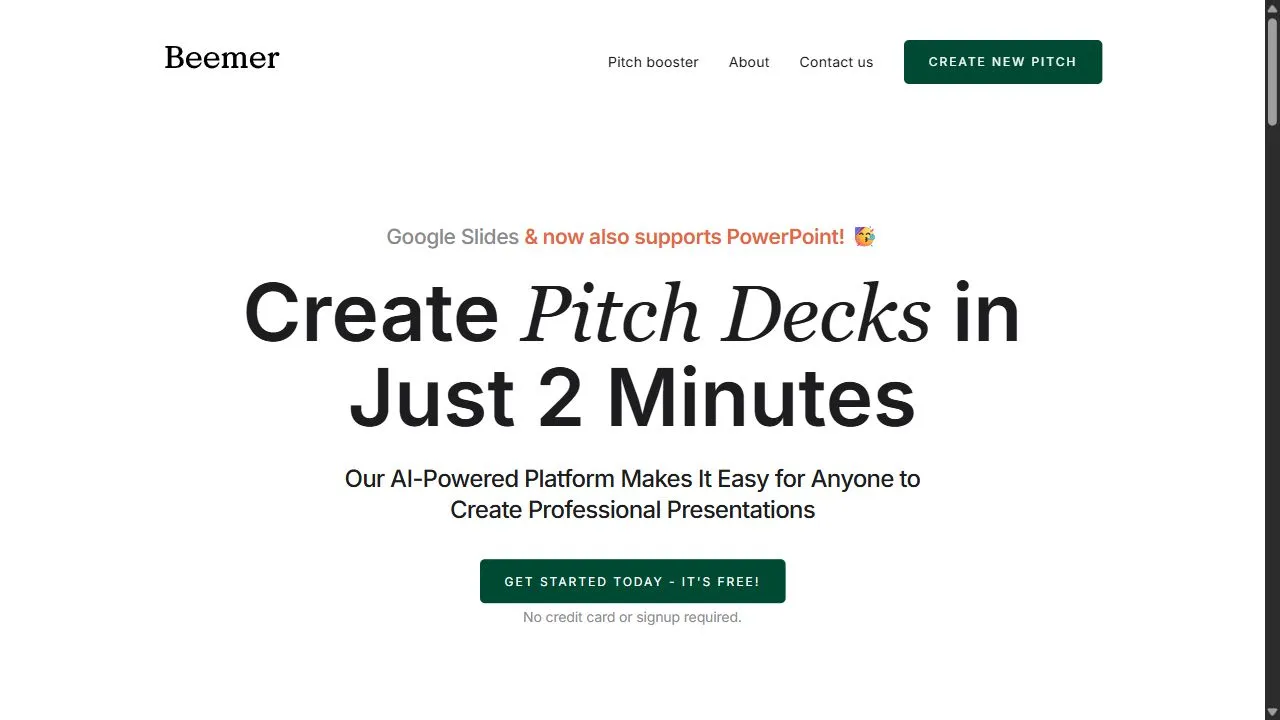
Create a fully structured pitch deck in under two minutes with AI-powered automation from Beemer.

uPresenter
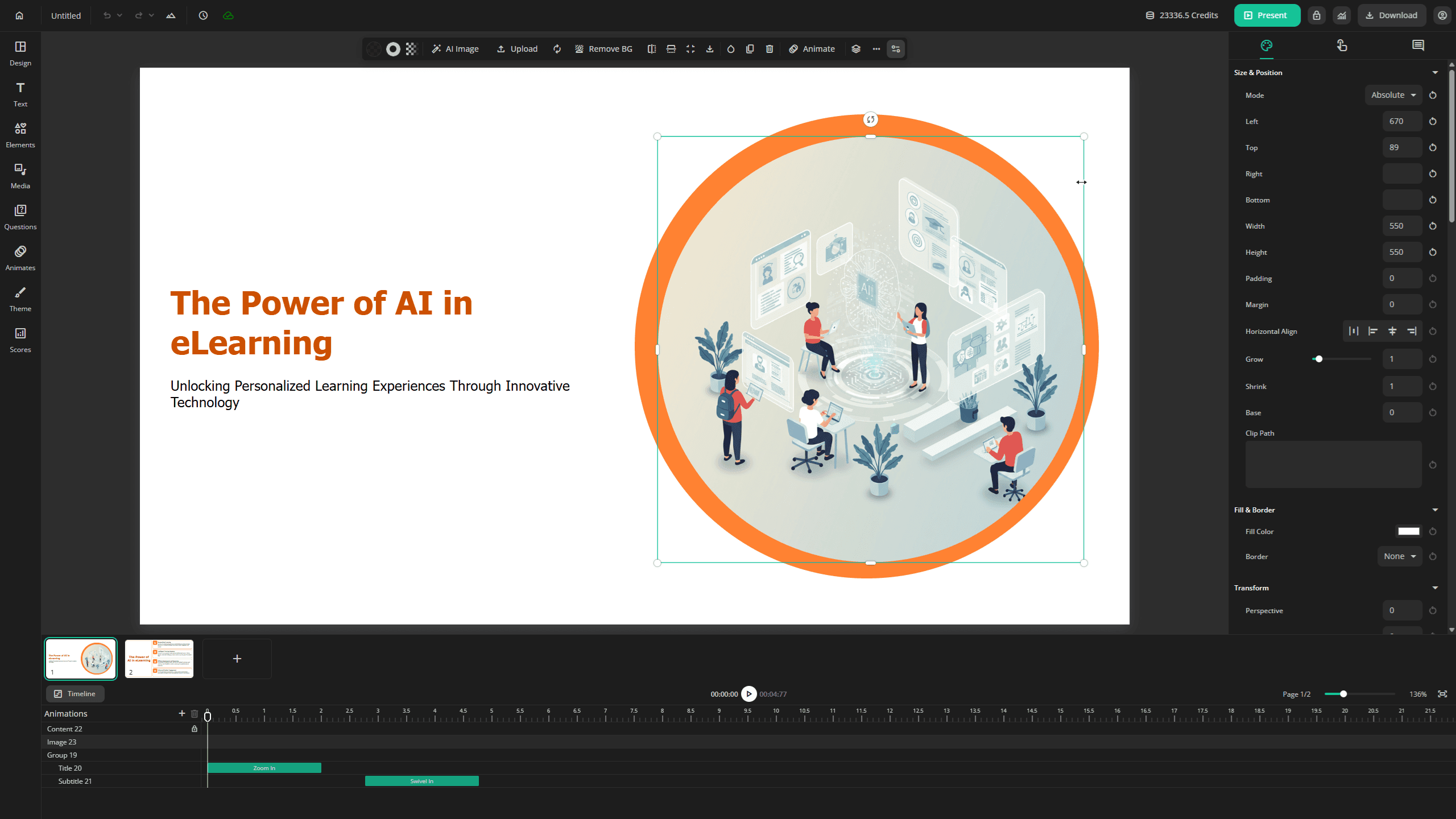
uPresenter is an AI-powered eLearning content creation platform designed to help educators, trainers, and instructional designers rapidly develop engaging and interactive online courses .
Quick Verdict & Takeaway
Head-to-head summary recommendation
Both Beemer and uPresenter provide high-performance solutions in the Ai Presentation ecosystem. Both platforms are top-rated in their respective categories.
Choose Beemer if:
You need a subscription tool optimized for Pitch Deck Generator with TEXT input formats.
Choose uPresenter if:
You prefer a mixed platform geared towards Presentation with TEXT output options.
Specification & Feature Matrix
Direct technical comparison between Beemer and uPresenter
| Feature / Spec | Beemer | uPresenter |
|---|---|---|
| Pricing Model | SUBSCRIPTION | MIXED |
| Starting Price | $10/mo | $8/mo |
| Category | Ai Presentation | Ai Presentation |
| Subcategory | Pitch Deck Generator | Presentation |
| Supported Inputs | TEXT | TEXT |
| Generated Outputs | TEXT | TEXT |
| User Rating | ★ 4.0 / 5.0 (0) | ★ 4.0 / 5.0 (0) |
| Verified Status | Unverified | Unverified |
Interface & UI Showcase
Visual previews and interface screenshots
Beemer Interface
uPresenter Interface

Pros & Cons Comparison
Beemer Pros & Cons
Strengths
- Incredibly fast
- Easy to get started
Limitations
- Generic design options
- Limited advanced narrative control
uPresenter Pros & Cons
About Beemer
Beemer is a powerful AI-powered pitch deck generator designed to help entrepreneurs and startup founders accelerate the fundraising process by leveraging artificial intelligence, automation, and intelligent content structuring . The tool specifically addresses the common bottleneck faced by founders: the exhaustive amount of time and effort required to transform a raw business idea into a professional, investor-ready presentation. By automating the heavy lifting of slide creation, Beemer allows users to move from a conceptual stage to a structured pitch in a matter of minutes. The platform utilizes advanced AI to analyze basic startup information and automatically distribute that data across a series of strategically sequenced slides. This ensures that the resulting presentation adheres to the logical flow that venture capitalists and angel investors expect. Rather than starting with a blank canvas, users provide essential text inputs, and the AI handles the narrative architecture, layout, and content placement. This approach minimizes the friction associated with slide design and copywriting, enabling founders to focus more on their core product and less on the logistics of presentation software. Designed primarily for early-stage founders, serial entrepreneurs, and business development professionals , Beemer streamlines the transition from idea to execution. By integrating AI-driven automation, the tool eliminates the need for expensive design agencies or hours of manual formatting in traditional presentation software. It is an essential utility for anyone operating in fast-paced environments where the ability to iterate quickly on a pitch is a competitive advantage. Key Features of Beemer Rapid AI generation of complete pitch decks in under two minutes. Automated creation of problem-solution fit slides to establish market need. Intelligent generation of market size slides to demonstrate scalability. Automated business model slide creation to outline revenue streams. Text-to-presentation conversion based on basic startup descriptions. Exportable slide formats compatible with various presentation environments. Structured narrative sequencing based on investor expectations. Simplified input interface for rapid data entry. Iterative design capabilities for refining pitch content. Automated layout distribution to ensure visual consistency across slides. Why People Use Beemer The primary motivation for using Beemer is the drastic reduction in the time required to produce a high-quality first draft of a pitch deck. In traditional workflows, creating a pitch deck is a grueling process involving multiple iterations of copywriting, layout adjustments, and visual formatting. Founders often spend days or even weeks toggling between documents and slide software, often getting bogged down in aesthetic details before the core narrative is even finalized. Beemer shifts this paradigm by prioritizing the structure and speed of the initial output. Many users turn to Beemer to overcome the "blank page syndrome," where the sheer scale of creating a comprehensive investor presentation leads to procrastination. By providing a fully structured deck almost instantaneously, the tool gives users a tangible foundation that can be tweaked and polished, rather than forcing them to build from scratch. This allows for a much faster iteration cycle; a founder can test different value propositions or business models by generating several versions of a deck to see which narrative feels most compelling. Furthermore, Beemer is used to ensure professional standardization. Many founders possess great ideas but lack the design skills or the knowledge of "investor psychology"—the specific sequence of information that investors look for when evaluating a startup. Beemer implicitly encodes these industry standards into its AI, ensuring that critical components like market opportunity and the business model are not overlooked. This shift from manual creation to AI-assisted generation results in a higher level of consistency and a professional appearance that builds credibility with potential stakeholders. Popular Use Cases Pre-Seed and Seed Funding Rounds: Founders use the tool to quickly generate a professional deck to secure their first round of external investment without hiring a design firm. Pitch Competitions and Demo Days: Entrepreneurs participating in time-sensitive competitions use Beemer to create a concise, high-impact presentation that fits strict time limits. Internal Stakeholder Alignment: Business leads use the tool to visualize a new project or internal venture for executive approval, ensuring the logic is sound and the presentation is polished. Rapid Prototyping of Business Ideas: Serial entrepreneurs use Beemer to quickly map out the logic of multiple business concepts, using the generated decks as a way to "stress test" the viability of a startup idea. Updating Decks for Different Investor Personas: Users generate variations of their pitch to emphasize different strengths—such as focusing more on the technical innovation for a VC or the market growth for an angel investor. Bootstrapped Startup Documentation: Small teams use the tool to maintain a professional outward-facing presentation for potential partners or early adopters without diverting engineering resources to design. Benefits of Beemer Dramatic Increase in Speed: The most immediate outcome is the reduction of production time from days to minutes, allowing founders to reach the "pitch-ready" stage significantly faster. Enhanced Professionalism: Users achieve a polished, cohesive look that conveys competence and seriousness to investors, regardless of their personal design skills. Focus on Strategy over Formatting: By automating the layout and slide creation, the tool frees the user to spend their cognitive energy on refining the business strategy and value proposition. Reduced Cognitive Load: The AI-driven structure removes the stress of deciding what information goes on which slide, providing a proven framework for success. Higher Iteration Velocity: The ability to generate decks quickly means users can experiment with different narratives and pivot their messaging in real-time based on feedback. Improved Investor Readiness: By ensuring that all essential slides—such as the problem, solution, and market size—are included, the tool reduces the risk of a deck being rejected for missing critical information. Lower Entry Barriers for Non-Designers: Beemer democratizes the ability to create high-quality presentations, ensuring that great ideas are not ignored simply because they were presented in an unappealing format.
About uPresenter
uPresenter is an AI-powered eLearning content creation platform designed to help educators, trainers, and instructional designers rapidly develop engaging and interactive online courses . uPresenter addresses the significant challenge of time-consuming and resource-intensive eLearning development. Traditional methods often require substantial effort in content structuring, slide design, and quiz creation. This platform leverages artificial intelligence to automate these processes, enabling users to generate professional-quality presentations and assessments in a fraction of the time. It is specifically designed for professionals seeking to streamline their eLearning content creation workflow , improve learner engagement , and enhance the overall effectiveness of their online training programs . The platform focuses on simplifying the creation of interactive presentations and AI-generated quizzes , making it a valuable asset for anyone involved in digital learning . Key Features of uPresenter Generates complete presentations from text input. Automatically structures lessons into logical slide sequences. Creates diverse quiz question types, including multiple choice, true/false, and fill-in-the-blank. Offers customizable presentation templates for a consistent brand aesthetic. Supports various content formats, including text, images, and videos. Provides an intuitive drag-and-drop interface for easy content editing. Enables the creation of interactive elements within presentations. Allows for easy export of presentations in multiple formats. Facilitates the rapid prototyping of eLearning modules. Offers AI-driven content suggestions to enhance learning materials. Why People Use uPresenter Individuals and organizations adopt uPresenter to overcome the limitations of traditional eLearning development methods. Manually creating engaging and effective online courses can be incredibly time-consuming, often requiring dedicated instructional designers and significant investment in design resources. uPresenter drastically reduces this burden by automating key aspects of the content creation process. The platform’s AI-powered features enable users to quickly transform existing text-based content into visually appealing and interactive presentations. This not only saves valuable time but also ensures consistency in design and quality. Unlike conventional methods that rely heavily on manual effort, uPresenter empowers users to focus on the pedagogical aspects of their courses, rather than getting bogged down in technical details. The result is a more efficient, scalable, and cost-effective approach to eLearning development , ultimately leading to improved learner outcomes . Popular Use Cases Corporate Training: Developing engaging onboarding materials, compliance training modules, and professional development courses for employees. Higher Education: Creating dynamic lecture presentations, interactive quizzes for online courses, and supplemental learning resources for students. K-12 Education: Designing interactive lessons, formative assessments, and engaging educational content for classroom use. Online Course Creators: Rapidly prototyping and launching online courses on platforms like Udemy and Teachable. Instructional Design: Streamlining the development of eLearning modules for various clients and industries. Employee Onboarding: Creating interactive presentations to introduce new hires to company policies, procedures, and culture. Sales Enablement: Developing engaging presentations to educate sales teams on new products, features, and sales strategies. Marketing & Communications: Creating interactive presentations for webinars, product demos, and internal communications. Benefits of uPresenter Reduced Development Time: Significantly accelerates the eLearning content creation process, saving hours of manual effort. Enhanced Learner Engagement: Creates interactive and visually appealing presentations that capture and maintain learner attention. Improved Content Quality: Ensures consistency in design and quality across all eLearning materials. Increased Scalability: Enables organizations to rapidly scale their eLearning initiatives without adding significant resources. Cost Savings: Reduces the need for dedicated instructional designers and expensive design tools. Simplified Content Updates: Makes it easy to update and revise eLearning materials as needed. Greater Accessibility: Supports various content formats and ensures materials are accessible to a wider audience. Streamlined Workflow: Provides a centralized platform for managing all aspects of eLearning content creation. Data-Driven Insights: Offers analytics to track learner engagement and identify areas for improvement. Empowered Educators: Enables educators to focus on teaching and learning, rather than technical complexities.
More AI Competitors to Compare

Kimi Slides
Ai Presentation

Grist
Ai Presentation
CopySlides
Ai Presentation

Raccoon AI
Ai Presentation
Plus AI for PowerPoint
Ai Presentation

Tenorshare AI Diagrimo
Ai Presentation
Frequently Asked Questions
Most questions answered in under 30 seconds — but if you still have one, write to us at contactgetaitool@gmail.com and we reply within a few hours.
Which is better in 2026, Beemer or uPresenter?
How does the pricing compare between Beemer and uPresenter?
Can I use Beemer and uPresenter for free?
What input and output formats do Beemer and uPresenter support?
What are the key advantages of Beemer?
What are the key advantages of uPresenter?
What are top alternative competitors to Beemer and uPresenter?
Ready to Choose Your AI Tool?
Try both platforms or explore thousands of other curated artificial intelligence tools on GetAiTools.
Tags & Core Competencies
Specific tags and feature capabilities