CalcishvsTaskade
Side-by-side battle & analysis. Compare features, pricing, real community ratings, and pros & cons in 2026.

An all-in-one digital workspace featuring a calculator, code editor, and AI assistant for enhanced technical productivity.
Taskade is a versatile AI-powered productivity and collaboration platform that empowers users to streamline workflows, enhance team coordination, and boost overall efficiency.
Quick Verdict & Takeaway
Head-to-head summary recommendation
Both Calcish and Taskade provide high-performance solutions in the Ai Productivity & Automation ecosystem. Both platforms are top-rated in their respective categories.
Choose Calcish if:
You need a mixed tool optimized for Ai Productivity & Automation with TEXT input formats.
Choose Taskade if:
You prefer a free platform geared towards Ai Productivity & Automation with TEXT output options.
Specification & Feature Matrix
Direct technical comparison between Calcish and Taskade
| Feature / Spec | Calcish | Taskade |
|---|---|---|
| Pricing Model | MIXED | FREE |
| Starting Price | $49.99/mo | Free / Not Listed |
| Category | Ai Productivity & Automation | Ai Productivity & Automation |
| Subcategory | Ai Productivity & Automation | Ai Productivity & Automation |
| Supported Inputs | TEXT | TEXT |
| Generated Outputs | TEXT, OTHERS | TEXT |
| User Rating | ★ 4.0 / 5.0 (0) | ★ 4.0 / 5.0 (0) |
| Verified Status | Unverified | Unverified |
Interface & UI Showcase
Visual previews and interface screenshots
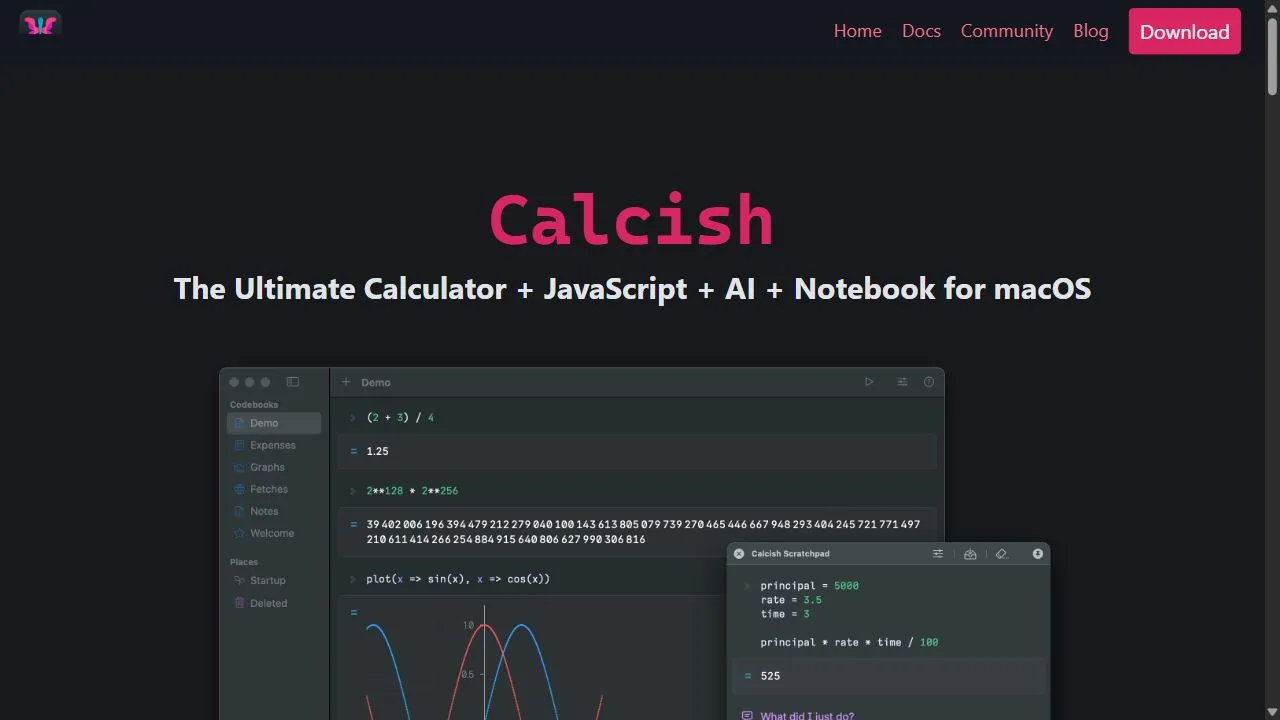
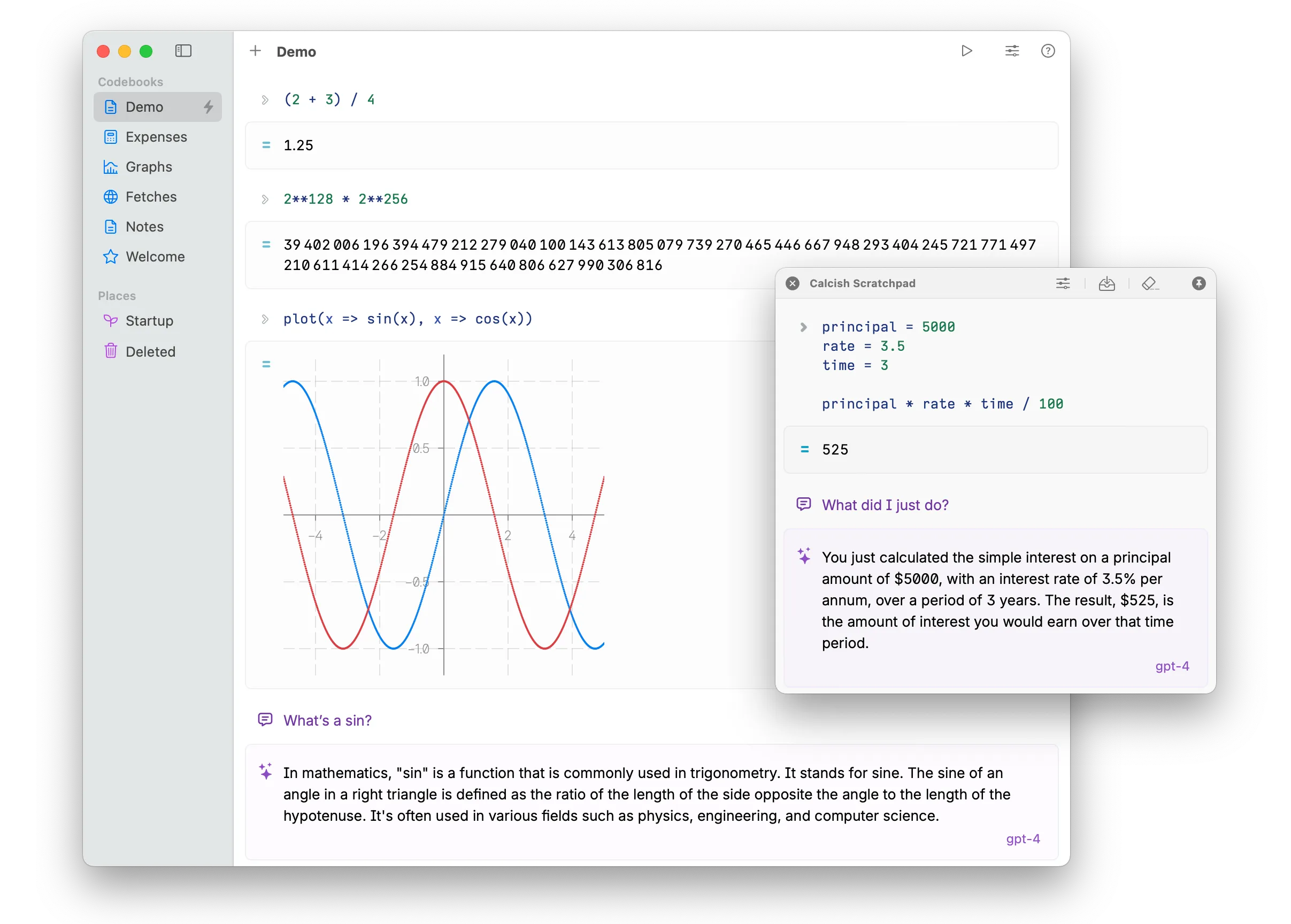
Calcish Interface
Taskade Interface

Video Walkthroughs & Demos
Watch official video demos and workflow tutorials
Taskade Demo
Pros & Cons Comparison
Calcish Pros & Cons
Strengths
- Integrated tools
- Great for developers
- Centralized workflow
Limitations
- Higher price point
- Steep learning curve for non-technical users
Taskade Pros & Cons
Real Community Feedback
Verified user reviews from GetAiTools community
Calcish Reviews0
No community reviews yet for Calcish.
Taskade Reviews1
"I think Taskade is a bit overhyped, but it’s still a decent product."
About Calcish
Calcish is a sophisticated AI-powered digital workspace designed to unify advanced computational tools, a native JavaScript environment, and an intelligent AI assistant within a single, cohesive notebook interface. It solves the critical problem of fragmented technical workflows, where engineers, developers, and data analysts are often forced to oscillate between disparate applications—such as scientific calculators, integrated development environments (IDEs), and documentation software—to complete a single project. By integrating these functions into a centralized hub, the tool allows users to execute complex calculations, develop custom scripts, and document their findings in real-time without losing context. The platform leverages artificial intelligence to streamline the bridge between conceptual mathematical logic and executable code. Through its AI-driven assistant, the tool provides intelligent suggestions and automation that simplify the process of writing scripts and performing intricate computations. This makes it an essential resource for professionals who require a high-precision environment that supports both structured programming and unstructured technical notes. By utilizing a notebook structure, it ensures that the logic behind a result is preserved alongside the result itself, fostering a more transparent and reproducible technical process. Designed specifically for those in technical fields, this workspace caters to the needs of software engineers, financial analysts, and academic researchers who deal with high-density data and complex logic. By optimizing for technical productivity , the tool minimizes the cognitive load associated with context switching and maximizes the efficiency of the development and calculation lifecycle. Key Features of Calcish Integrated JavaScript execution environment for writing and testing custom logic. AI-driven assistant providing intelligent suggestions and automated code generation. Notebook-style interface that combines live computations with rich-text documentation. Advanced calculation engine capable of handling complex mathematical operations. Context-aware AI tools that assist in streamlining repetitive technical workflows. Unified workspace architecture to eliminate the need for multiple third-party applications. Ability to preserve the historical context of calculations alongside final results. Flexible scripting capabilities for creating custom algorithms and data transformations. Seamless transition between manual calculation and automated script execution. Centralized project management within a singular digital notebook. Why People Use Calcish The primary motivation for adopting this workspace is the elimination of "tool sprawl." In traditional technical workflows, a professional might use a physical or digital calculator for initial figures, a text editor or IDE to write a script for automation, and a separate document editor to record the methodology and results. This fragmented approach introduces significant friction, increasing the likelihood of manual data entry errors and causing a loss of focus as the user switches between windows. By consolidating these elements, the tool provides a streamlined pipeline where the thought process, the execution, and the documentation happen in one place. Furthermore, the integration of a JavaScript environment directly within a notebook allows for a level of flexibility that standard calculators cannot provide. Users are not limited to pre-defined functions; they can build their own tools on the fly. When this capability is paired with an AI assistant, the barrier to entry for complex scripting is lowered. Users who may not be expert programmers can describe a mathematical requirement to the AI, which then helps generate the necessary JavaScript code to perform the task. The shift toward a notebook-centric workflow also mirrors the needs of modern data science. The ability to treat a document as a "living" entity—where calculations are executable and results are dynamic—allows for rapid prototyping and iterative testing. This scalability ensures that as a project grows in complexity, the documentation remains synchronized with the actual data and logic used to derive the results. Popular Use Cases Software Engineering: Rapidly prototyping small logic snippets or testing API response calculations without the overhead of booting a full-scale IDE. Financial Modeling: Creating complex business math models and documenting the underlying assumptions and formulas in a single, shareable notebook. Data Analysis: Performing rapid data transformations using JavaScript while maintaining a narrative log of the cleaning and analysis process. Academic Research: Calculating experimental results and immediately formatting them into a structured technical notebook for peer review or publication. System Architecture: Drafting technical specifications that include live, executable calculations for resource planning and capacity forecasting. Algorithm Development: Drafting and testing the logic of a new algorithm iteratively, using the AI assistant to optimize code performance. Engineering Calculations: Managing complex structural or mechanical calculations where the derivation process must be documented for safety and compliance. Benefits of Calcish Increased Operational Efficiency: Reduces the time spent switching between different software tools, allowing for a more fluid and focused work session. Enhanced Accuracy: Minimizes the risk of transcription errors by allowing calculations to be performed and documented within the same interface. Reduced Cognitive Load: Simplifies the mental effort required to manage multiple project fragments by providing a single source of truth. Improved Documentation Quality: Ensures that the methodology behind every calculation is captured, making technical audits and collaborations significantly easier. Accelerated Prototyping: Enables users to move from a theoretical idea to a functional script almost instantaneously via AI assistance. Greater Scalability: Provides a flexible environment that can handle everything from simple arithmetic to complex custom-coded algorithms. Streamlined Workflow Automation: Leverages AI to handle repetitive coding tasks, freeing the user to focus on high-level problem solving. Optimized Knowledge Management: Turns calculations into a searchable, organized library of technical notebooks rather than scattered files and notes.
About Taskade
Taskade is a versatile AI-powered productivity and collaboration platform that empowers users to streamline workflows, enhance team coordination, and boost overall efficiency. It addresses the challenges of fragmented work, disorganized information, and inefficient project management by offering a unified workspace with integrated AI capabilities. Leveraging artificial intelligence , Taskade automates tasks, generates content, and provides intelligent suggestions to improve productivity. This tool is designed for individuals, remote teams, students, and businesses seeking a comprehensive solution for project planning, task management, and collaborative work. Key Features of Taskade AI-powered task creation and prioritization. Real-time collaborative editing and brainstorming. Automated workflow templates for various project types. AI writing assistant for content generation and summarization. Integrated video conferencing and chat functionality. Customizable project views including lists, boards, and mind maps. Seamless integration with popular tools like Slack and Google Workspace. Advanced search and filtering capabilities. Version history and task assignment features. AI-driven meeting agendas and note-taking assistance. Automated progress tracking and reporting. Secure data encryption and access controls. Why People Use Taskade Individuals and teams adopt Taskade to overcome the limitations of traditional, siloed productivity tools. Managing projects often involves juggling multiple applications for task lists, note-taking, communication, and file sharing, leading to wasted time and potential errors. Taskade consolidates these functions into a single, intuitive platform, fostering seamless collaboration and reducing context switching. The integration of AI further enhances efficiency by automating repetitive tasks, providing intelligent suggestions, and accelerating content creation. Unlike static project management software, Taskade’s flexible workspace adapts to diverse workflows, promoting creativity and agility. Users experience significant time savings, improved organization, and enhanced team alignment, ultimately leading to better project outcomes. Popular Use Cases Project Management: Teams utilize Taskade to plan, track, and manage projects of all sizes, from simple to-do lists to complex initiatives. Remote Team Collaboration: Distributed teams leverage Taskade’s real-time collaboration features to stay connected and productive, regardless of location. Meeting Management: Taskade facilitates efficient meeting planning, agenda creation, note-taking, and action item tracking. Brainstorming and Ideation: Individuals and teams use Taskade’s mind mapping and brainstorming tools to generate ideas and explore concepts. Content Creation: The AI writing assistant helps users draft outlines, generate content, and summarize information for reports, presentations, and marketing materials. Student Note-Taking and Study Groups: Students benefit from Taskade’s collaborative note-taking features and organizational tools for effective study sessions. Personal Productivity: Individuals use Taskade to manage personal tasks, goals, and projects, improving time management and focus. Agile Sprint Planning: Development teams can utilize Taskade for sprint planning, backlog management, and daily stand-ups. Event Planning: Taskade assists in organizing events, managing tasks, and coordinating with team members. Customer Onboarding: Businesses use Taskade to streamline customer onboarding processes and ensure a smooth experience. Benefits of Taskade Increased Productivity: Automation and AI-powered features significantly reduce the time spent on repetitive tasks, allowing users to focus on higher-value work. Improved Collaboration: Real-time collaboration and integrated communication tools foster seamless teamwork and enhance team alignment. Enhanced Organization: A unified workspace and flexible project views provide a clear overview of tasks, projects, and information. Streamlined Workflows: Customizable templates and automated workflows simplify complex processes and improve efficiency. Better Communication: Integrated chat and video conferencing facilitate clear and concise communication within teams. Reduced Errors: Centralized information and automated task management minimize the risk of errors and omissions. Greater Flexibility: Taskade adapts to diverse workflows and project types, providing a versatile solution for various needs. Faster Decision-Making: Real-time data and collaborative insights enable faster and more informed decision-making. Improved Project Outcomes: Enhanced organization, collaboration, and productivity contribute to successful project completion. Simplified Task Management: Intuitive task creation, assignment, and tracking features make task management effortless. Boosted Creativity: Brainstorming tools and mind mapping features stimulate creativity and innovation. Centralized Knowledge Base: Taskade serves as a central repository for all project-related information, ensuring easy access and knowledge sharing.
More AI Competitors to Compare
Trello AI(Automation)
Ai Productivity & Automation

Granola
Ai Productivity & Automation

Memorae
Ai Productivity & Automation

OnSpace.AI - No Code App Builder
Ai Productivity & Automation
First Book AI
Ai Productivity & Automation
Renamer.ai
Ai Productivity & Automation
Frequently Asked Questions
Most questions answered in under 30 seconds — but if you still have one, write to us at contactgetaitool@gmail.com and we reply within a few hours.
Which is better in 2026, Calcish or Taskade?
How does the pricing compare between Calcish and Taskade?
Can I use Calcish and Taskade for free?
What input and output formats do Calcish and Taskade support?
What are the key advantages of Calcish?
What are the key advantages of Taskade?
What are top alternative competitors to Calcish and Taskade?
Ready to Choose Your AI Tool?
Try both platforms or explore thousands of other curated artificial intelligence tools on GetAiTools.
Tags & Core Competencies
Specific tags and feature capabilities