ImgEditor AIvs4K Image enhancer
Side-by-side battle & analysis. Compare features, pricing, real community ratings, and pros & cons in 2026.
ImgEditor AI
A free AI-powered image editor designed to handle professional photo tasks with ease.

4K Image enhancer
4K Image Enhancer is an AI-powered image enhancement tool that allows users to upscale, sharpen, and restore images quickly and easily.
Quick Verdict & Takeaway
Head-to-head summary recommendation
Both ImgEditor AI and 4K Image enhancer provide high-performance solutions in the Ai Image enhancer ecosystem. Both platforms are top-rated in their respective categories.
Choose ImgEditor AI if:
You need a mixed tool optimized for Visual Enhancement Tool with IMAGE input formats.
Choose 4K Image enhancer if:
You prefer a free platform geared towards Visual Enhancement Tool with TEXT output options.
Specification & Feature Matrix
Direct technical comparison between ImgEditor AI and 4K Image enhancer
| Feature / Spec | ImgEditor AI | 4K Image enhancer |
|---|---|---|
| Pricing Model | MIXED | FREE |
| Starting Price | $6.99/mo | Free / Not Listed |
| Category | Ai Image enhancer | Ai Image enhancer |
| Subcategory | Visual Enhancement Tool | Visual Enhancement Tool |
| Supported Inputs | IMAGE | TEXT |
| Generated Outputs | IMAGE | TEXT |
| User Rating | ★ 4.0 / 5.0 (0) | ★ 4.0 / 5.0 (0) |
| Verified Status | Unverified | Unverified |
Interface & UI Showcase
Visual previews and interface screenshots
ImgEditor AI Interface
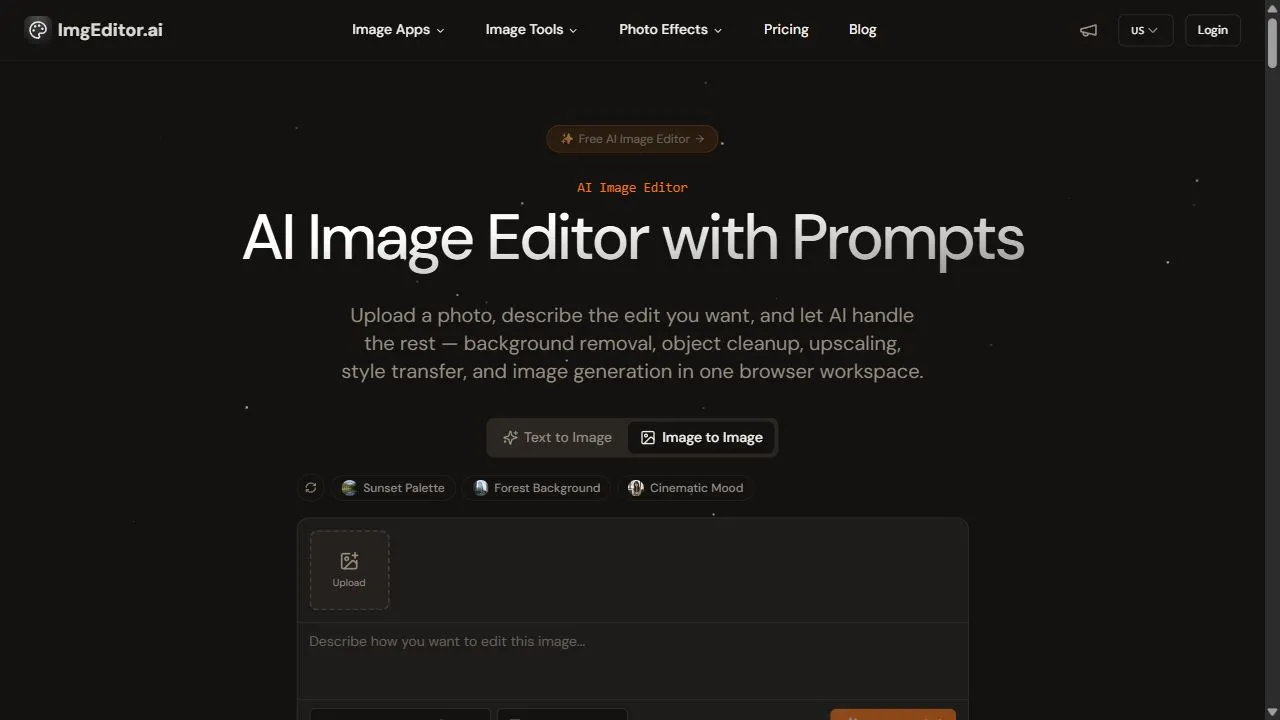
4K Image enhancer Interface

Pros & Cons Comparison
ImgEditor AI Pros & Cons
Strengths
- Easy to use
- Fast batch processing
Limitations
- Limited advanced retouching
- Feature locked behind paywall
4K Image enhancer Pros & Cons
Real Community Feedback
Verified user reviews from GetAiTools community
ImgEditor AI Reviews0
No community reviews yet for ImgEditor AI.
4K Image enhancer Reviews1
"It’s twice as expensive as its competitors and only slightly better."
About ImgEditor AI
ImgEditor AI is a powerful AI-powered image editing environment designed to help users simplify complex graphic design tasks by leveraging artificial intelligence, automation, and intelligent workflows . By moving the heavy lifting of image manipulation from manual labor to AI-driven algorithms, the tool solves the problem of steep learning curves associated with professional desktop software. It eliminates the need for expensive hardware and bulky installations, providing a streamlined, browser-based alternative for those who require studio-quality imagery without the associated technical overhead. The tool is specifically engineered for e-commerce merchants, digital marketers, and content creators who need to produce a high volume of professional visual assets. Through the application of advanced machine learning, ImgEditor AI automates tedious processes such as background removal, object scaling, and lighting correction. This allows users to transform raw photographs into polished, commercial-ready images in a fraction of the time it would take using traditional methods. By integrating AI into the core editing experience, the platform optimizes the balance between precision and speed. Whether a user is preparing a product catalog for a storefront or creating eye-catching visuals for social media, the tool provides a scalable solution for image optimization. The focus on batch operations and AI-assisted workflows ensures that high-intent users can maintain visual consistency across large sets of data, which is critical for brand identity and professional presentation in a competitive digital marketplace. Key Features of ImgEditor AI AI-driven automatic background removal for clean product isolation. Intelligent lighting adjustment to normalize exposure and brightness across images. Automated object scaling and resizing to meet specific platform requirements. AI-assisted artifact cleanup to remove unwanted elements from photographs. Batch processing capabilities for simultaneous editing of multiple files. Browser-based interface that eliminates the need for software installation. Intelligent edge detection for precise masking of complex object shapes. High-resolution output options to ensure image clarity across different screen sizes. Automated color correction to enhance visual appeal and product accuracy. Streamlined workflow tools designed for rapid iteration and deployment. Why People Use ImgEditor AI The primary motivation for using ImgEditor AI is the desire to bypass the complexity and time commitment required by traditional image editing software. For many business owners and creators, tools like Adobe Photoshop represent a significant barrier to entry due to their steep learning curve and the manual nature of their workflows. Users turn to this AI-powered alternative to achieve professional results without having to master complex layering, masking, or manual pen tools. Traditional image editing is often a linear and slow process, where each image must be handled individually. ImgEditor AI shifts this paradigm by offering automation and batch processing. Instead of spending hours manually cutting out a subject from a background, users can leverage AI to perform the task in seconds. This scalability is essential for e-commerce businesses that may have hundreds of product photos that need to be standardized for a website. Furthermore, the accessibility of a browser-based environment means that users are not tied to a high-performance workstation. The AI processing happens in the cloud, allowing users to maintain a high standard of quality regardless of their local hardware specifications. This democratization of professional design tools enables small business owners to compete with larger brands by producing high-end imagery that increases trust and conversion rates. Popular Use Cases E-commerce Product Optimization : Online sellers use the tool to remove distracting backgrounds from product photos, replacing them with clean, white environments that adhere to marketplace standards like Amazon or eBay. Social Media Content Creation : Influencers and digital marketers utilize the AI features to quickly polish photos, adjust lighting, and resize images for various platforms like Instagram, Pinterest, and TikTok. Digital Catalog Management : Businesses with extensive inventory use batch processing to ensure that every product image in their catalog has consistent lighting, scaling, and framing. Marketing Agency Asset Production : Agencies use the platform to rapidly generate multiple versions of an image for A/B testing in digital ad campaigns, ensuring that visuals are optimized for different audience segments. Real Estate Imagery Enhancement : Agents use the tool to clean up property photos, removing minor artifacts and adjusting lighting to make interior spaces appear more inviting and professional. Portfolio Development : Freelance creators use the tool to standardize their work samples, ensuring a cohesive visual flow across their professional galleries. Benefits of ImgEditor AI Dramatic Increase in Productivity : By automating repetitive tasks, users can complete in minutes what previously took hours, significantly shortening the production cycle. Studio-Quality Results : The AI algorithms ensure a level of precision in masking and lighting that often rivals professional retouching, leading to a more polished brand image. Reduced Operational Costs : Users can eliminate the need for expensive software subscriptions and high-end hardware, as well as the cost of hiring external editors for basic tasks. Enhanced Visual Consistency : Batch processing ensures that all imagery maintains a uniform look and feel, which is vital for establishing professional brand authority. Lowered Technical Barrier : The intuitive, AI-driven interface allows non-designers to produce professional assets, empowering business owners to take full control of their visual content. Faster Time-to-Market : Rapid editing workflows allow e-commerce merchants to upload new products to their stores faster, capitalizing on trends and seasonal demands. Improved Conversion Rates : High-quality, clean imagery reduces buyer hesitation and increases the perceived value of products, directly impacting sales performance.
About 4K Image enhancer
4K Image Enhancer is an AI-powered image enhancement tool that allows users to upscale, sharpen, and restore images quickly and easily. It addresses the common problem of low-resolution or blurry images, offering a solution for improving visual quality without requiring advanced technical skills. The tool utilizes artificial intelligence and deep learning algorithms to analyze and enhance image details, making it ideal for individuals, photographers, designers, and businesses seeking to improve their visual content. It is a valuable resource for anyone needing to enhance image resolution , improve image clarity , or restore old or damaged photos. Key Features of 4K Image Enhancer Enhances image resolution up to 4K. Sharpens blurry images automatically. Removes noise and artifacts from images. Restores details in old or low-quality photos. Supports various image formats including JPEG, PNG, and more. Offers a user-friendly interface for easy operation. Provides AI-powered upscaling without significant quality loss. Improves image brightness and contrast. Allows for batch processing of multiple images. Offers a simple, web-based platform requiring no software installation. Why People Use 4K Image Enhancer Individuals and professionals alike utilize 4K Image Enhancer to overcome the limitations of low-quality images. Traditionally, improving image quality required specialized software, technical expertise, and significant time investment. Manual editing processes can be tedious and often yield suboptimal results, especially when dealing with severely degraded images. 4K Image Enhancer streamlines this process by automating the enhancement process through AI algorithms . This results in significant time savings and allows users to achieve professional-looking results without needing extensive photo editing skills. The tool is particularly useful for those who need to quickly improve images for online use, presentations, or printing, offering a convenient and effective alternative to complex and time-consuming manual methods. The ability to enhance images without losing crucial details is a key benefit, making it a preferred choice for preserving the integrity of valuable visual content. Popular Use Cases Social Media Management: Enhancing profile pictures and content for platforms like Instagram, Facebook, and Twitter. E-commerce: Improving product images to increase sales and customer engagement. Photography: Restoring old or damaged photographs and upscaling low-resolution images for printing or digital display. Graphic Design: Preparing images for use in design projects, ensuring high quality and clarity. Real Estate: Enhancing property photos to create more appealing listings. Marketing and Advertising: Improving the visual impact of marketing materials and advertisements. Genealogy and Family History: Restoring and enhancing old family photos to preserve memories. Online Retailers: Improving the quality of product images to attract more customers. Bloggers and Content Creators: Enhancing images for blog posts and articles to improve reader engagement. Law Enforcement: Clarifying images for investigative purposes. Benefits of 4K Image Enhancer Improved Visual Quality: Enhances images to a higher resolution and clarity, making them more visually appealing. Time Savings: Automates the image enhancement process, reducing the time and effort required compared to manual editing. Ease of Use: Offers a user-friendly interface that requires no technical expertise. Accessibility: Provides a web-based solution accessible from any device with an internet connection. Cost-Effectiveness: Offers a free solution for basic image enhancement needs. Enhanced Detail: Restores lost details in images, bringing them back to life. Increased Engagement: Improves the visual impact of images, leading to increased engagement and attention. Professional Results: Delivers professional-quality image enhancements without the need for expensive software or training. Versatility: Supports a wide range of image formats and use cases. Preservation of Memories: Allows users to restore and preserve cherished memories captured in old or damaged photos.
More AI Competitors to Compare
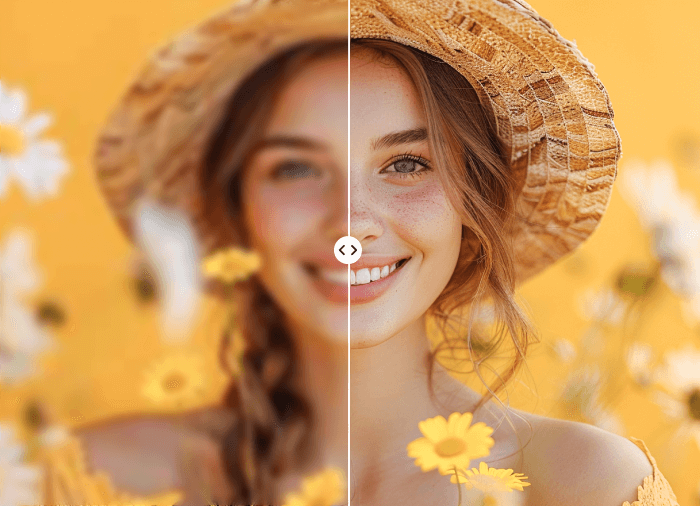
Image enhancer Ai
Ai Image enhancer

ImageUpscaling.net
Ai Image enhancer
AI Image Extender
Ai Image enhancer
Picsman - AI Photo Editor
Ai Image enhancer

Kira Generator
Ai Image enhancer

Photoleap
Ai Image enhancer
Frequently Asked Questions
Most questions answered in under 30 seconds — but if you still have one, write to us at contactgetaitool@gmail.com and we reply within a few hours.
Which is better in 2026, ImgEditor AI or 4K Image enhancer?
How does the pricing compare between ImgEditor AI and 4K Image enhancer?
Can I use ImgEditor AI and 4K Image enhancer for free?
What input and output formats do ImgEditor AI and 4K Image enhancer support?
What are the key advantages of ImgEditor AI?
What are the key advantages of 4K Image enhancer?
What are top alternative competitors to ImgEditor AI and 4K Image enhancer?
Ready to Choose Your AI Tool?
Try both platforms or explore thousands of other curated artificial intelligence tools on GetAiTools.
Tags & Core Competencies
Specific tags and feature capabilities