Infinite Talk AIvsMotionleap
Side-by-side battle & analysis. Compare features, pricing, real community ratings, and pros & cons in 2026.

Infinite Talk AI
Turn images into talking avatars with precise lip-syncing, perfectly matched to any audio or speech file.

Motionleap
Animate your photos effortlessly using Motionleap, the leading mobile app for atmospheric 3D motion effects.
Quick Verdict & Takeaway
Head-to-head summary recommendation
Both Infinite Talk AI and Motionleap provide high-performance solutions in the Image to Video ecosystem. Both platforms are top-rated in their respective categories.
Choose Infinite Talk AI if:
You need a mixed tool optimized for Talking Photo with IMAGE, AUDIO input formats.
Choose Motionleap if:
You prefer a mixed platform geared towards Photo Animation with VIDEO output options.
Specification & Feature Matrix
Direct technical comparison between Infinite Talk AI and Motionleap
| Feature / Spec | Infinite Talk AI | Motionleap |
|---|---|---|
| Pricing Model | MIXED | MIXED |
| Starting Price | $9.9/mo | $3.99/mo |
| Category | Image to Video | Image to Video |
| Subcategory | Talking Photo | Photo Animation |
| Supported Inputs | IMAGE, AUDIO | IMAGE |
| Generated Outputs | VIDEO | VIDEO |
| User Rating | ★ 4.0 / 5.0 (0) | ★ 4.0 / 5.0 (0) |
| Verified Status | Unverified | Unverified |
Interface & UI Showcase
Visual previews and interface screenshots
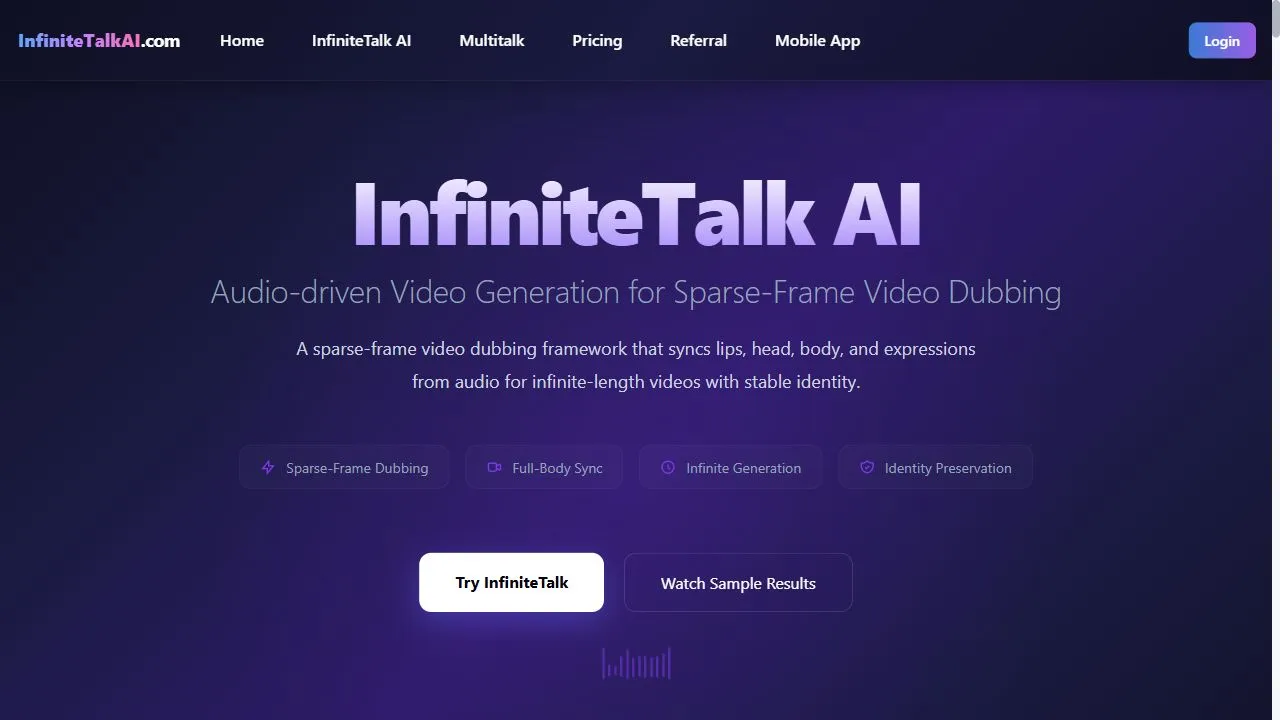
Infinite Talk AI Interface
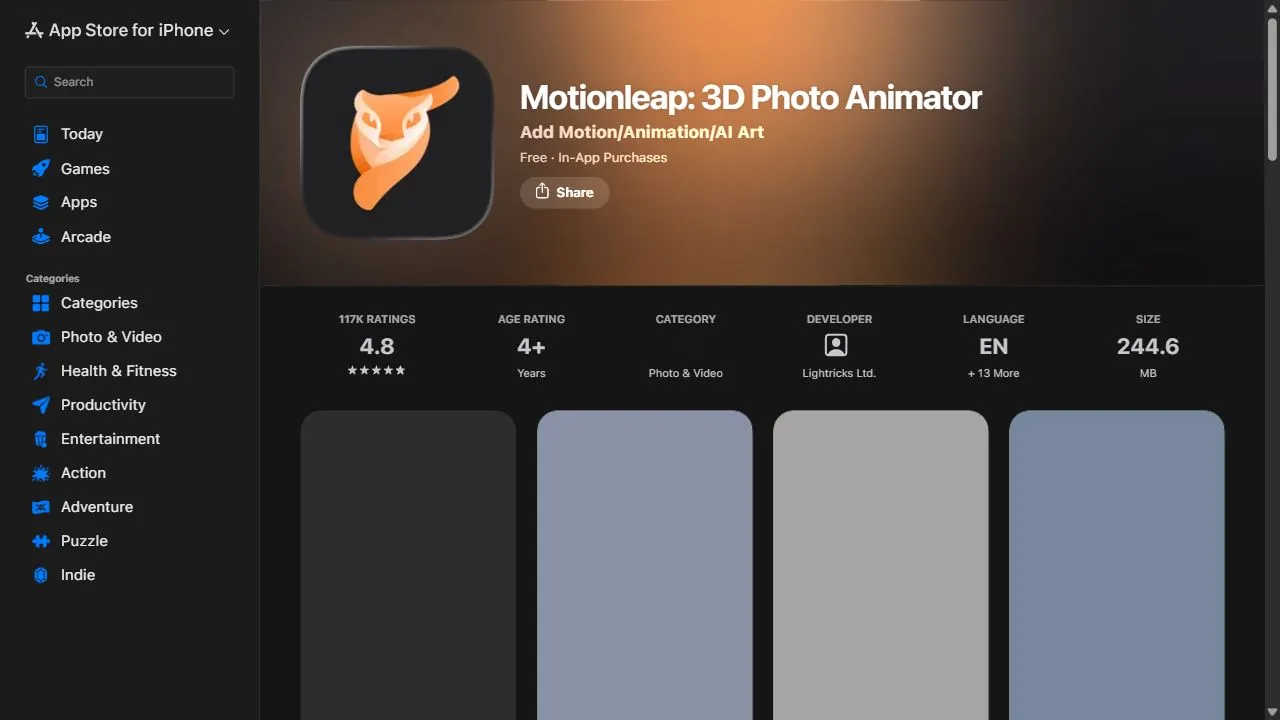
Motionleap Interface

Pros & Cons Comparison
Infinite Talk AI Pros & Cons
Strengths
- Extremely accurate lip-syncing
- Easy to use for creators
- Supports various audio formats
Limitations
- Requires clean audio for optimal results
- Limited avatar customization in lower tiers
Motionleap Pros & Cons
Strengths
- Intuitive mobile interface
- Great for creative atmospheric effects
Limitations
- Subscription model for full effect library
- Limited to mobile device usage
About Infinite Talk AI
Infinite Talk AI is a sophisticated AI-powered lip-sync generator designed to help users create realistic talking avatars by leveraging artificial intelligence, deep learning, and automated animation workflows . By integrating static imagery with audio data, the platform transforms dormant portraits into dynamic video content where the character's mouth movements are perfectly synchronized with the spoken word. This technology addresses the significant barrier of high production costs and technical complexity traditionally associated with character animation and motion capture. The tool is engineered for a wide array of users, including digital content creators, educators, corporate trainers, and marketers who need to produce engaging video content without the need for a physical film set or expensive acting talent. By utilizing advanced audio-driven facial animation , the AI analyzes the pitch, tone, and phonetic structure of an uploaded audio file to map precise lip movements onto a provided image. This ensures that the resulting video feels immersive and natural, bridging the gap between static graphic design and full-scale cinematic production. By automating the synchronization process, Infinite Talk AI enables the rapid scaling of video production. Users no longer need to rely on frame-by-frame manual animation or complex rigging software to make a character speak. Instead, the AI handles the heavy lifting of temporal alignment and facial warping, allowing creators to focus on the narrative and the quality of the audio. This makes it an essential utility for those looking to implement virtual influencers , AI-driven customer service representatives, or interactive educational modules. Key Features of Infinite Talk AI High-precision lip-syncing that aligns mouth movements with audio phonemes. Support for static image uploads to serve as the base for talking avatars. Compatibility with a wide range of audio file formats for seamless integration. AI-driven analysis of audio pitch and tone to enhance animation realism. Rapid video rendering that converts static assets into talking head videos. Automated facial warping to simulate natural speech patterns. Support for diverse avatar styles, ranging from photorealistic humans to stylized characters. Streamlined workflow for converting audio scripts into visual presentations. Intelligent mapping of audio frequencies to specific lip shapes. Cloud-based processing to eliminate the need for high-end local hardware. Why People Use Infinite Talk AI The primary motivation for adopting Infinite Talk AI is the drastic reduction in time and financial resources required to produce talking-head videos. Traditionally, creating a video where a character speaks required either a live actor in front of a camera or a professional animator using complex software to manually sync audio with visual frames. This manual process is not only time-consuming but also prohibitively expensive for small businesses and independent creators. By shifting this process to an AI-driven model, users can achieve professional-grade results in a fraction of the time. Furthermore, the tool provides a level of scalability that manual methods cannot match. A creator can generate dozens of different videos using the same avatar but different audio tracks, allowing for the quick production of localized content in multiple languages or a series of short-form social media clips. The ability to use any static image means that users are not limited to a set of pre-made templates; they can create a unique brand identity by designing their own characters and bringing them to life instantly. Accuracy and consistency also play a major role in why users choose this platform. Manual animation often suffers from "uncanny valley" effects where the timing is slightly off, leading to a jarring viewer experience. Infinite Talk AI utilizes neural networks trained on vast datasets of human speech and facial movement, ensuring that the synchronization is mathematically precise. This results in a more polished final product that maintains viewer engagement and enhances the perceived authority of the content. Popular Use Cases Educational Course Creation : Educators and e-learning developers use the tool to turn historical figures or textbook illustrations into talking lecturers, making the learning experience more interactive and engaging for students. Virtual Influencer Marketing : Social media marketers create digital personas that act as brand ambassadors, allowing them to produce consistent video content without the scheduling conflicts or costs associated with human influencers. Corporate Training and Onboarding : HR departments utilize talking avatars to deliver standardized training modules and welcome messages, ensuring a consistent professional tone across the entire organization. AI Customer Support Bots : Businesses integrate the generated videos into their customer service portals to provide a more human-centric interface for AI chatbots, improving user trust and interaction rates. Game Development and Storytelling : Indie game developers use the tool to create dialogue sequences for non-player characters (NPCs) during the prototyping phase, allowing for rapid iteration of story beats and dialogue. Personalized Video Messaging : Sales professionals create personalized outreach videos where a customized avatar delivers a tailored pitch to a prospective client, increasing open and response rates. Podcast Visualization : Podcasters transform their audio-only episodes into visual content for platforms like YouTube and TikTok by using a talking avatar to represent the host or guest. Benefits of Infinite Talk AI Increased Production Efficiency : By eliminating the need for filming and manual editing, the time from concept to final video is reduced from days to minutes. Significant Cost Reduction : Users save on expenses related to studio rentals, camera equipment, lighting, and professional voice-over artists or actors. Enhanced Viewer Engagement : The use of dynamic, talking avatars captures attention more effectively than static text or simple slideshows, leading to higher retention rates. Democratization of Content Creation : High-quality video animation is no longer reserved for large studios; individual creators now have the tools to produce cinematic lip-syncing. Improved Brand Consistency : Companies can maintain a perfectly consistent visual representative for their brand that never ages, changes appearance, or deviates from the brand guidelines. Greater Flexibility in Iteration : Changes to a script do not require a complete re-shoot; users simply upload a new audio file to update the avatar's speech. Seamless Multilingual Expansion : By pairing the tool with AI translation and text-to-speech services, users can create avatars that speak fluently in multiple languages without needing native speakers for every video. Professional Aesthetic : The precision of the AI ensures that the final output looks polished and intentional, removing the amateur feel associated with basic animation tools.
About Motionleap
Opening Overview Motionleap is a powerful AI-powered photo animation tool designed to help users transform static images into living photos by leveraging artificial intelligence, automation, and intelligent motion workflows . The tool solves the primary challenge of creating high-quality cinemagraphs and 3D animations without requiring professional video editing skills or expensive desktop software. By using AI to analyze image depth and texture, it allows users to isolate specific elements of a photograph and apply fluid, realistic motion to them, effectively bridging the gap between a still photograph and a full-scale cinematic video. The application utilizes sophisticated AI algorithms to handle the complex task of "filling in" pixels as they move, ensuring that the animation looks seamless rather than repetitive or distorted. This technology is specifically tailored for creative mobile content producers, social media influencers, and digital marketers who need to capture attention in fast-paced digital environments. By enabling the creation of atmospheric effects—such as flowing water, drifting clouds, or swaying vegetation—Motionleap allows creators to evoke a sense of mood and movement that a standard photo cannot achieve. For professionals and hobbyists alike, this tool streamlines the process of visual storytelling. Instead of spending hours in complex software like Adobe After Effects to create a loop, users can achieve professional-grade results directly on a smartphone. The integration of AI-driven overlays and 3D camera movements further enhances the capability of the tool, making it an essential asset for anyone looking to optimize their visual content for engagement and aesthetic appeal. Key Features of Motionleap Precision path animation tools for directing the flow of motion within an image. Intelligent anchor points to freeze specific areas and prevent unwanted movement. AI-powered sky replacement for instantly changing weather or time of day. Extensive library of atmospheric overlays including rain, snow, and dust particles. 3D camera movement effects that create a sense of depth and perspective. Seamless looping technology to ensure animations play smoothly without visible breaks. High-resolution export options supporting both video formats and animated GIFs. Advanced masking tools for detailed control over which elements are animated. Dynamic element addition for inserting moving objects into static scenes. Intuitive touch-based interface for rapid editing and real-time previews. Why People Use Motionleap The primary motivation for using Motionleap is the desire to break through the noise of static imagery on digital platforms. In an era of short-form video dominance, static photos often struggle to maintain viewer attention. Motionleap provides a middle ground, offering the simplicity of a photo with the engagement levels of a video. Traditional methods of creating cinemagraphs—where only one part of the image moves—involved painstaking manual masking, frame-by-frame editing, and precise looping in professional software. Motionleap replaces this labor-intensive process with AI-driven automation, reducing the production time from hours to seconds. Users gravitate toward this tool because it democratizes high-end visual effects. The ability to make a waterfall flow or clouds drift across a sunset used to require specialized training in motion graphics. By automating the optical flow and pixel manipulation, Motionleap allows users to focus on the creative vision rather than the technical execution. This scalability is particularly valuable for creators who produce large volumes of content daily and cannot afford a lengthy post-production workflow for every image. Furthermore, the tool is used to enhance the emotional resonance of a photograph. Motion adds a layer of "life" and atmosphere that can convey peace, urgency, or mystery more effectively than a still shot. Whether it is the subtle flicker of a candle or the sweeping motion of a cityscape, the ability to control the pace and direction of motion allows creators to guide the viewer's eye and emphasize the most important parts of their composition. Popular Use Cases Social Media Influence: Creating eye-catching Instagram Reels or TikTok backgrounds that loop seamlessly to increase viewer retention and profile engagement. Travel Blogging: Transforming landscape photography into atmospheric videos where water moves and clouds shift, providing a more immersive experience of a destination. Digital Marketing: Developing dynamic ad creatives for Facebook and Instagram that stand out more than static banners but are easier to produce than full commercials. Real Estate Promotion: Adding subtle motion to architectural photos, such as moving curtains or drifting clouds over a property, to make listings feel more inviting and modern. Conceptual Art: Creating surrealist imagery where gravity-defying elements move in unexpected directions, allowing artists to experiment with visual storytelling. E-commerce Product Showcases: Adding gentle motion effects to product images—such as steam rising from a coffee cup—to make products appear more appetizing and realistic. Personal Branding: Enhancing professional headshots or portfolio images with subtle background movements to convey a modern, tech-savvy image. Benefits of Motionleap Increased Audience Engagement: Converts passive viewers into active observers by using motion to trigger the human eye's natural attraction to movement. Drastic Reduction in Production Time: Eliminates the need for complex video editing software by using AI to automate masking and looping. Lower Barrier to Entry: Enables users with zero technical background in animation to produce professional-grade visual effects. Enhanced Visual Storytelling: Provides the tools to create a specific mood or atmosphere, adding depth and emotion to simple photographs. Improved Content Versatility: Allows a single high-quality photograph to be repurposed into multiple formats, including static images, GIFs, and MP4 videos. Mobile Flexibility: Empowers creators to edit and publish high-impact visual content on the go without needing a desktop workstation. Higher Production Value: Gives small-scale creators and independent brands a polished, high-budget look that competes with professional agencies.
More AI Competitors to Compare

AI Inspo | Image to Video Generator
Image to Video
Image Animator AI
Image to Video
Hug AI
Image to Video

SnapTo3D
Image to Video

Seavid AI | Image to Video Generator
Image to Video
Deep NostalgiaAi
Image to Video
Frequently Asked Questions
Most questions answered in under 30 seconds — but if you still have one, write to us at contactgetaitool@gmail.com and we reply within a few hours.
Which is better in 2026, Infinite Talk AI or Motionleap?
How does the pricing compare between Infinite Talk AI and Motionleap?
Can I use Infinite Talk AI and Motionleap for free?
What input and output formats do Infinite Talk AI and Motionleap support?
What are the key advantages of Infinite Talk AI?
What are the key advantages of Motionleap?
What are top alternative competitors to Infinite Talk AI and Motionleap?
Ready to Choose Your AI Tool?
Try both platforms or explore thousands of other curated artificial intelligence tools on GetAiTools.
Tags & Core Competencies
Specific tags and feature capabilities