PixlrvsLeonardo AI
Side-by-side battle & analysis. Compare features, pricing, real community ratings, and pros & cons in 2026.

Pixlr
A powerful, web-based photo editor packed with AI-powered features for quick professional editing and creative design work.

Leonardo AI
Leonardo AI is an advanced AI image generator designed to empower artists, designers, and creators to produce high-quality AI art and visuals from text prompts.
Quick Verdict & Takeaway
Head-to-head summary recommendation
Both Pixlr and Leonardo AI provide high-performance solutions in the Design ecosystem. Leonardo AI holds the rating edge with an average community score of ★ 5.0/5.0 (1 verified reviews).
Choose Pixlr if:
You need a mixed tool optimized for Graphic Design with IMAGE, TEXT input formats.
Choose Leonardo AI if:
You prefer a mixed platform geared towards Graphic Design with IMAGE, TEXT output options.
Specification & Feature Matrix
Direct technical comparison between Pixlr and Leonardo AI
| Feature / Spec | Pixlr | Leonardo AI |
|---|---|---|
| Pricing Model | MIXED | MIXED |
| Starting Price | $1.99/mo | Free / Not Listed |
| Category | Design | Design |
| Subcategory | Graphic Design | Graphic Design |
| Supported Inputs | IMAGE, TEXT | TEXT |
| Generated Outputs | IMAGE | IMAGE, TEXT |
| User Rating | ★ 4.0 / 5.0 (0) | ★ 5.0 / 5.0 (1) |
| Verified Status | Unverified | Unverified |
Interface & UI Showcase
Visual previews and interface screenshots
Pixlr Interface
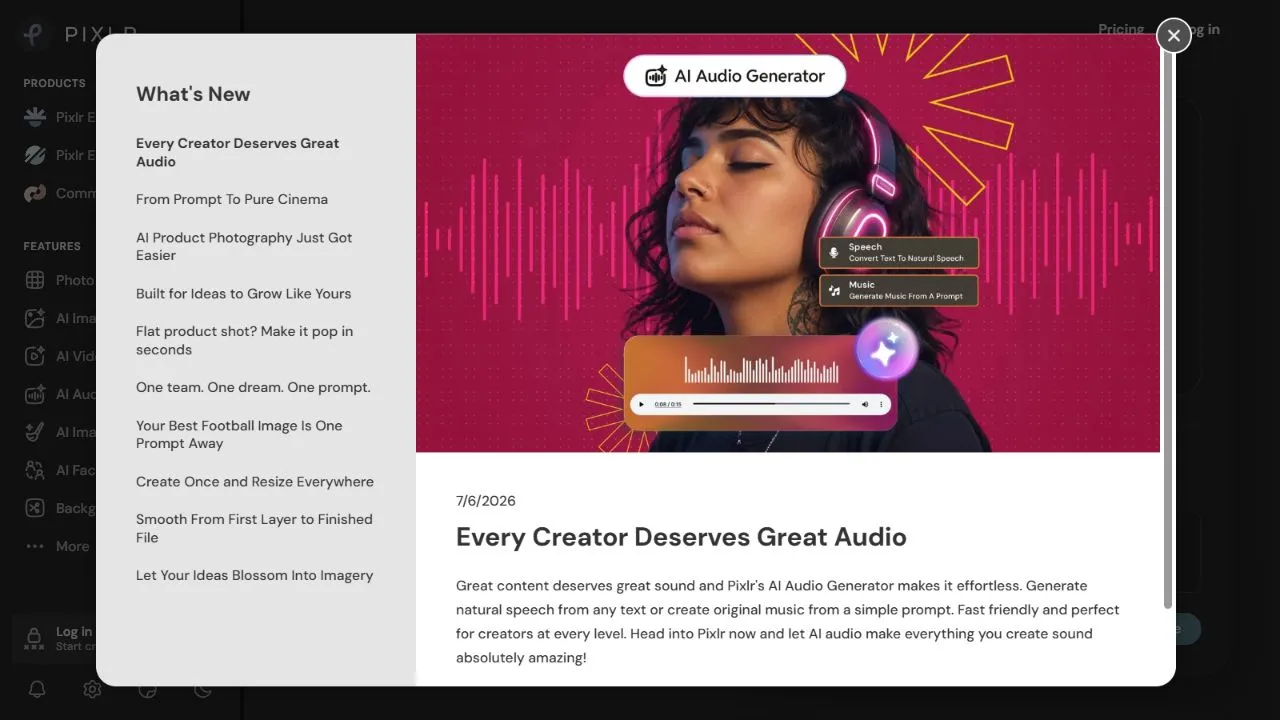
Leonardo AI Interface


Pros & Cons Comparison
Pixlr Pros & Cons
Strengths
- Massive feature set
- Cloud-based convenience
- Includes free tier
Limitations
- Some advanced features behind paywall
- Ads in free version
Leonardo AI Pros & Cons
Strengths
- Generates high-quality AI art, images, and videos from text prompts.
- Offers comprehensive tools and advanced models for generative AI.
- Provides control over artistic style, composition, and detail.
- Bridges the gap between creative vision and technical execution.
- Features for video creation from AI-generated visuals.
Limitations
- Free tier likely has daily limits on generations or features.
- Subscription required for extensive usage, advanced models, and commercial rights.
- Learning curve for mastering advanced prompt engineering and specific model usage.
- AI art may sometimes lack human nuances or require multiple iterations to achieve desired results.
Real Community Feedback
Verified user reviews from GetAiTools community
Pixlr Reviews0
No community reviews yet for Pixlr.
Leonardo AI Reviews1
"Vghn"
About Pixlr
Pixlr is a comprehensive AI-powered online photo editor designed to help users create professional-grade visual content by leveraging artificial intelligence, automation, and intelligent design workflows . The platform addresses the common problem of high entry barriers associated with professional graphic design software, which often requires expensive hardware and extensive technical training. By integrating advanced generative AI and smart automation tools directly into a web browser, Pixlr allows users to execute complex image manipulations—such as object removal, background synthesis, and artistic generation—with minimal effort. This tool is specifically engineered for a diverse user base, ranging from social media managers and digital marketers to freelance graphic designers and casual hobbyists. By utilizing a cloud-based infrastructure, it eliminates the need for heavy software installations, making professional editing accessible on any device with an internet connection. The integration of AI ensures that repetitive, time-consuming tasks are automated, allowing creators to focus on the conceptual and artistic aspects of their projects rather than the technical minutiae of pixel manipulation. Through the application of machine learning and neural networks, Pixlr transforms the traditional editing process into a streamlined experience. Whether the goal is to enhance the lighting of a raw photograph, generate entirely new imagery from text prompts, or remove distracting elements from a composition, the tool provides a sophisticated environment that balances power with accessibility. This synergy of AI capabilities and a user-friendly interface makes it a primary choice for those seeking an efficient, scalable solution for modern digital imagery. Key Features of Pixlr AI-powered one-click background removal for precise subject isolation. Generative AI fill to expand image borders or replace specific elements within a photo. Text-to-image generation for creating original visual assets from written descriptions. Intelligent lighting and color correction tools to balance exposure and tone. Advanced layering and masking systems for complex multi-element compositions. AI-driven artistic filters that transform photos into various digital art styles. Cloud-based storage and synchronization for seamless project management across devices. Precision cropping and aspect ratio presets optimized for various social media platforms. Smart object selection tools that automatically detect edges and shapes. Comprehensive library of graphical elements, overlays, and typography options. Non-destructive editing workflows that allow for unlimited revisions. Automated image resizing and optimization for faster web loading speeds. Why People Use Pixlr The primary motivation for using Pixlr lies in the democratization of high-end design. Traditionally, achieving professional image results required a deep understanding of complex software suites and a significant investment in computing power. Pixlr removes these frictions by providing a browser-based alternative that mirrors the capabilities of desktop applications without the associated overhead. Users are drawn to the platform because it bridges the gap between overly simplistic mobile apps and overly complex professional software. The shift toward AI-driven editing is a significant driver of adoption. Manual masking and cloning—tasks that used to take hours of meticulous work—are now handled by AI algorithms in seconds. This drastic reduction in production time allows businesses to scale their content output without necessarily increasing their headcount. Furthermore, the ability to generate images from text provides a solution for the "blank canvas" problem, allowing users to prototype ideas and create conceptual art instantly. Scalability and accessibility also play a critical role. Because the tool operates in the cloud, teams can collaborate more effectively and access their work from any location. The reduction in technical friction means that a business owner can handle basic product photography and ad creative in-house, reducing the reliance on external agencies for simple updates. The result is a more agile creative process where the distance between an idea and its visual execution is minimized. Popular Use Cases E-commerce Product Optimization : Removing distracting backgrounds from product shots to create clean, professional white-background images for online stores. Social Media Content Creation : Rapidly producing high-engagement posts, stories, and thumbnails tailored to the specific dimensions of Instagram, TikTok, and YouTube. Digital Marketing Campaigns : Designing promotional banners, display ads, and email headers that maintain brand consistency across various digital touchpoints. Editorial and Blog Imagery : Creating custom featured images and infographics to accompany long-form articles and news reports. Personal Brand Development : Enhancing profile pictures and creating cohesive visual themes for personal portfolios and professional networking sites. Conceptual Art and Prototyping : Using generative AI to create mood boards, storyboards, or initial visual concepts for larger design projects. Real Estate Photography : Utilizing AI lighting and color correction to make interior and exterior property photos appear more inviting and bright. Quick Photo Retouching : Removing blemishes, unwanted objects, or photobombers from personal and professional photographs using AI fill. Benefits of Pixlr Increased Production Efficiency : Automating tedious tasks like background removal and masking significantly accelerates the creative workflow. Reduced Technical Barrier : Enables individuals without formal design training to produce high-quality visual assets through intuitive AI guidance. Lower Infrastructure Costs : Eliminates the need for high-end workstations by shifting the processing load to the cloud. Enhanced Creative Flexibility : Generative AI tools allow users to experiment with visual styles and concepts that would be too time-consuming to create manually. Improved Content Consistency : Provides a centralized set of tools and assets that help maintain a uniform look and feel across all brand imagery. Rapid Iteration Cycles : The ease of making changes and the speed of AI processing allow for faster A/B testing of visual assets in marketing. Universal Accessibility : Ensures that professional editing capabilities are available on any operating system via a standard web browser. Optimized Asset Delivery : Built-in tools for resizing and optimizing images ensure that final outputs are perfectly tuned for web performance and load times.
About Leonardo AI
Leonardo AI is an advanced AI image generator designed to empower artists, designers, and creators to produce high-quality AI art and visuals from text prompts. It solves the challenge of time-consuming and often expensive traditional art creation by leveraging generative artificial intelligence to rapidly transform ideas into stunning visual assets. This tool is intended for a wide range of users, including digital artists, graphic designers, marketers, game developers, and anyone seeking to explore the possibilities of AI-powered art generation . Key Features of Leonardo AI Text-to-image generation with diverse artistic styles. AI-powered video creation and animation capabilities. Fine-tuning options for precise control over image details. Model training and customization for unique artistic outputs. Community feed for inspiration and sharing creations. Real-time canvas for iterative image refinement. Asset management and organization tools. API access for integration with other applications. Negative prompt support to exclude unwanted elements. ControlNet integration for advanced composition control. Why People Use Leonardo AI Individuals and businesses utilize Leonardo AI to accelerate their creative workflows and overcome the limitations of traditional art creation methods. Unlike manual painting, sculpting, or digital illustration, Leonardo AI allows users to generate multiple iterations of an image or video in a fraction of the time. This speed and efficiency are particularly valuable for projects requiring a high volume of visual content, such as marketing campaigns, game development, or concept art. The platform’s ability to translate textual descriptions into detailed visuals also democratizes art creation, enabling individuals without extensive artistic training to realize their creative visions. Leonardo AI offers a scalable solution for visual content creation, reducing costs and improving productivity compared to traditional outsourcing or in-house art teams. Popular Use Cases Game Development: Creating concept art, textures, and character designs for video games. Marketing & Advertising: Generating eye-catching visuals for social media, advertisements, and website content. Graphic Design: Producing unique illustrations, logos, and branding materials. Illustration: Developing artwork for books, magazines, and other publications. Concept Art: Rapidly prototyping visual ideas for films, animations, and other creative projects. Architectural Visualization: Generating realistic renderings of building designs and interiors. Fashion Design: Creating virtual prototypes of clothing and accessories. NFT Creation: Generating unique digital artwork for non-fungible tokens. Storyboarding: Quickly visualizing scenes for film and animation projects. Personal Art Projects: Exploring creative ideas and generating artwork for personal enjoyment. Benefits of Leonardo AI Increased Productivity: Significantly reduces the time and effort required to create high-quality visuals. Cost Savings: Lowers expenses associated with hiring artists or purchasing stock images. Enhanced Creativity: Enables users to explore a wider range of artistic styles and concepts. Scalability: Easily generates a large volume of visual content to meet growing demands. Accessibility: Empowers individuals without extensive artistic training to create professional-quality artwork. Rapid Iteration: Facilitates quick experimentation and refinement of visual ideas. Unique Visuals: Produces original artwork tailored to specific creative briefs. Streamlined Workflow: Integrates seamlessly into existing design and content creation pipelines. Improved Visual Communication: Enhances the impact of marketing materials and presentations. Expanded Creative Possibilities: Opens up new avenues for artistic expression and innovation.
More AI Competitors to Compare


Lexica AI.net
Design
PXZ AI | Video Generator
Design

AI Watermark Remover | Picsman AI
Design
Frequently Asked Questions
Most questions answered in under 30 seconds — but if you still have one, write to us at contactgetaitool@gmail.com and we reply within a few hours.
Which is better in 2026, Pixlr or Leonardo AI?
How does the pricing compare between Pixlr and Leonardo AI?
Can I use Pixlr and Leonardo AI for free?
What input and output formats do Pixlr and Leonardo AI support?
What are the key advantages of Pixlr?
What are the key advantages of Leonardo AI?
What are top alternative competitors to Pixlr and Leonardo AI?
Ready to Choose Your AI Tool?
Try both platforms or explore thousands of other curated artificial intelligence tools on GetAiTools.
Tags & Core Competencies
Specific tags and feature capabilities