Pixno - AI note taking assistantvsVexa
Side-by-side battle & analysis. Compare features, pricing, real community ratings, and pros & cons in 2026.
Pixno - AI note taking assistant
Transform images, documents, and audio recordings into organized, structured notes automatically using AI technology.

Vexa
Vexa is a real-time meeting transcription API and assistant that empowers businesses to capture and analyze every detail of their conversations, eliminating the need for manual note-taking and improving meeting productivity.
Quick Verdict & Takeaway
Head-to-head summary recommendation
Both Pixno - AI note taking assistant and Vexa provide high-performance solutions in the Productivity ecosystem. Both platforms are top-rated in their respective categories.
Choose Pixno - AI note taking assistant if:
You need a mixed tool optimized for Notes with TEXT, IMAGE, AUDIO input formats.
Choose Vexa if:
You prefer a mixed platform geared towards Time Management with TEXT output options.
Specification & Feature Matrix
Direct technical comparison between Pixno - AI note taking assistant and Vexa
| Feature / Spec | Pixno - AI note taking assistant | Vexa |
|---|---|---|
| Pricing Model | MIXED | MIXED |
| Starting Price | $5.5/mo | $20/mo |
| Category | Productivity | Productivity |
| Subcategory | Notes | Time Management |
| Supported Inputs | TEXT, IMAGE, AUDIO | TEXT |
| Generated Outputs | TEXT | TEXT |
| User Rating | ★ 4.0 / 5.0 (0) | ★ 4.0 / 5.0 (0) |
| Verified Status | Unverified | Unverified |
Interface & UI Showcase
Visual previews and interface screenshots
Pixno - AI note taking assistant Interface
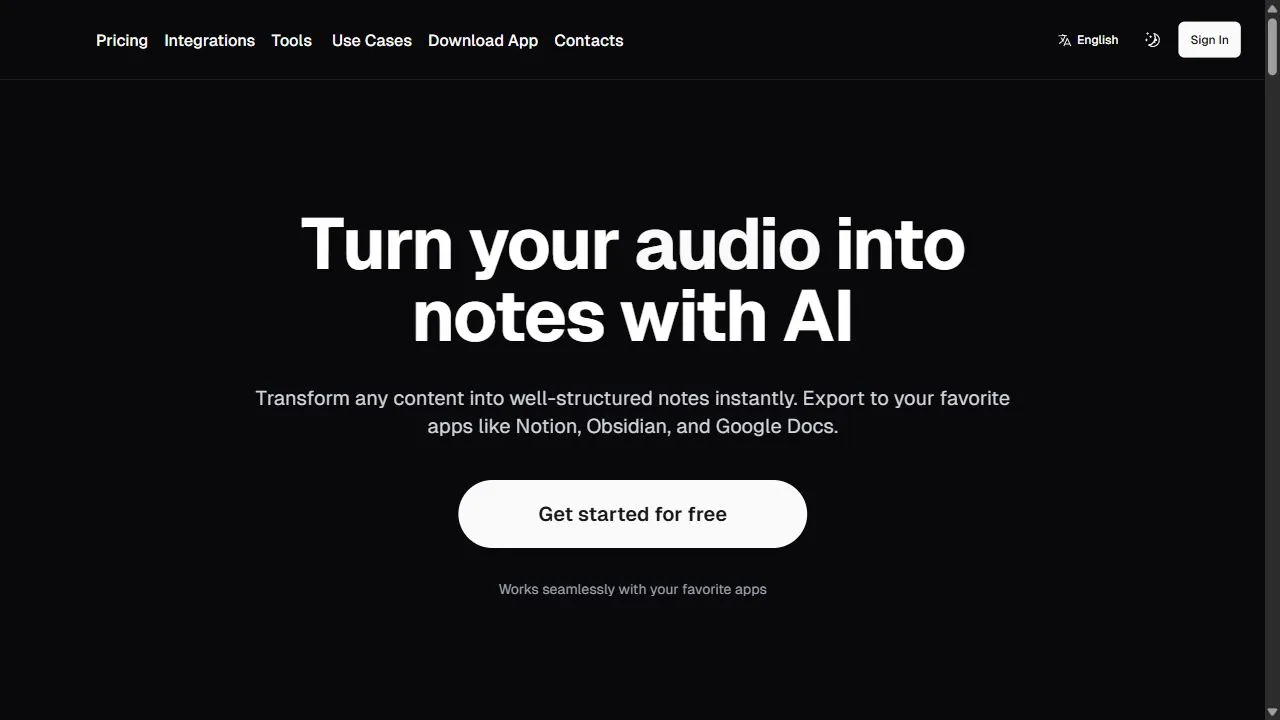
Vexa Interface

Pros & Cons Comparison
Pixno - AI note taking assistant Pros & Cons
Strengths
- Multi-input support (Image, Audio, Text)
- Excellent for productivity and organization
- Time-saving automation
Limitations
- Requires clear source files for accuracy
- Subscription model for premium features
Vexa Pros & Cons
Real Community Feedback
Verified user reviews from GetAiTools community
Pixno - AI note taking assistant Reviews0
No community reviews yet for Pixno - AI note taking assistant.
Vexa Reviews1
"免费版本也还不错。"
About Pixno - AI note taking assistant
Opening Overview Pixno is a powerful AI-powered note-taking assistant designed to help users transform fragmented visual and auditory information into structured, actionable text by leveraging artificial intelligence, automation, and intelligent workflows . In an era of information overload, professionals and students often struggle to bridge the gap between raw data—such as whiteboard sketches, lecture recordings, and scanned documents—and organized knowledge. Pixno solves this problem by acting as an intelligent intermediary that parses diverse input formats and synthesizes them into concise, searchable notes. The tool utilizes advanced Optical Character Recognition (OCR) and Natural Language Processing (NLP) to analyze the context of uploaded images and audio files. Instead of providing a simple raw transcription, the AI identifies key themes, extracts critical takeaways, and organizes the output into a structured format. This eliminates the tedious process of manual data entry and allows users to focus on analysis and application rather than administrative transcription. Designed for a wide array of knowledge workers, including students, academic researchers, and corporate professionals , Pixno serves as a centralized repository for knowledge management. By converting multi-modal inputs into a unified text-based system, it optimizes the workflow for anyone who needs to synthesize large volumes of information quickly. Whether it is digitizing handwritten archives or summarizing a recorded boardroom session, the tool ensures that no critical detail is lost in transition. Key Features of Pixno Multi-format input support for images, audio files, and raw text. AI-driven parsing of visual data to convert images into editable text. Automated generation of structured, concise, and organized notes. Context-aware extraction of primary takeaways and key points from source material. Advanced OCR capabilities for the digitization of handwritten notes. High-fidelity audio-to-text transcription for meetings and lectures. Intelligent document summarization to condense long-form content. Centralized knowledge repository for storing and searching processed notes. Intelligent formatting that transforms raw input into structured outlines. Rapid processing speeds for high-volume document and audio uploads. Why People Use Pixno The primary motivation for using Pixno lies in the elimination of the "transcription bottleneck." Traditionally, capturing information from a live environment—such as a lecture or a brainstorming session—required a two-step process: first, capturing the raw data (recording audio or taking photos of a board), and second, manually reviewing that data to type out organized notes. This second step is notoriously time-consuming, prone to human error, and often leads to "information rot," where captured data is never actually processed because the effort required to organize it is too high. Users turn to Pixno to automate this transition. By moving from a manual workflow to an AI-driven one, users experience a drastic reduction in cognitive load. Instead of spending hours re-listening to audio or squinting at blurry photos of handwritten notes, they can upload their assets and receive a structured summary almost instantaneously. This shift allows for a more scalable approach to learning and project management, as the volume of information a person can process is no longer limited by their typing speed or manual organization skills. Furthermore, Pixno provides a level of accuracy and consistency that manual note-taking often lacks. Human note-takers frequently miss key details or misinterpret context during fast-paced discussions. The AI, however, processes the entirety of the input, ensuring that every spoken word or written character is analyzed. This creates a reliable audit trail of information that can be searched and referenced long after the original event has concluded. Popular Use Cases Academic Study and Lecture Capture : Students can take photos of professor's whiteboard notes and upload recordings of lectures, which Pixno then merges into a comprehensive, structured study guide for exam preparation. Corporate Meeting Minutes : Project managers can upload audio recordings of stakeholder meetings to automatically generate concise minutes, action items, and a summary of decisions made. Research and Data Synthesis : Academic researchers can digitize handwritten field notes and parse through lengthy PDF documents to extract key citations and findings into a centralized text database. Creative Brainstorming : Designers and architects can upload photos of mood boards, sketches, and handwritten conceptual notes, converting them into structured project requirements or creative briefs. Legal and Medical Documentation : Professionals in highly regulated fields can convert physical records, handwritten charts, or dictated notes into searchable digital text for easier archival and retrieval. Content Creation : Bloggers and podcasters can record voice memos of their ideas and use the AI to transform those ramblings into a structured outline for an article or script. Benefits of Pixno Exponential Productivity Gains : By removing the need for manual typing and transcription, users can reclaim hours of their work week, shifting their focus from data entry to high-level synthesis. Enhanced Information Retention : The tool's ability to summarize and structure information makes it easier for the human brain to digest and remember key concepts compared to reviewing raw, unorganized data. Superior Knowledge Organization : Converting various media types (audio, image, text) into a single, searchable text format prevents information from being siloed across different apps and devices. Increased Accuracy : The integration of advanced OCR and NLP reduces the risk of missing critical details that often occurs during manual note-taking in fast-paced environments. Improved Workflow Scalability : Users can handle a significantly larger volume of source material without a corresponding increase in the time required to organize that material. Seamless Knowledge Retrieval : The transition to structured text allows users to utilize keyword searches to find specific information instantly, rather than scrubbing through audio files or scrolling through galleries of images. Reduced Cognitive Fatigue : Automating the organizational phase of note-taking allows users to maintain a higher level of mental energy for critical thinking and problem-solving.
About Vexa
Vexa is a real-time meeting transcription API and assistant that empowers businesses to capture and analyze every detail of their conversations, eliminating the need for manual note-taking and improving meeting productivity. Vexa addresses the common problem of information loss and inefficient follow-up actions that often plague business meetings. It leverages artificial intelligence , specifically automatic speech recognition (ASR) and natural language processing (NLP) , to deliver highly accurate transcriptions with minimal latency. This tool is designed for businesses of all sizes, particularly those reliant on frequent meetings for project management, legal proceedings, sales calls, and internal communication. Professionals seeking to improve meeting efficiency, enhance record-keeping, and streamline post-meeting workflows will find Vexa to be an invaluable asset. It’s a powerful solution for anyone looking for accurate meeting transcripts , real-time transcription services , or an AI meeting assistant . Key Features of Vexa Provides real-time transcription for various platforms including Microsoft Teams, Google Meet, and custom WebSocket integrations. Offers high-accuracy speech-to-text conversion with low latency. Includes speaker identification to differentiate between participants. Automatically extracts action items from meeting conversations. Supports multiple languages for global teams. Delivers transcriptions in various formats for easy integration. Offers a robust API for developers to build custom applications. Provides secure and reliable data processing. Enables searchable transcripts for quick information retrieval. Facilitates automated documentation of meeting proceedings. Why People Use Vexa Individuals and organizations adopt Vexa to overcome the limitations of traditional meeting documentation methods. Manually taking notes during meetings is often disruptive, incomplete, and time-consuming. Vexa automates this process, allowing participants to fully engage in the conversation without the cognitive load of simultaneous note-taking. The resulting transcripts are not only more comprehensive but also readily searchable and shareable, fostering better collaboration and accountability. Unlike relying on memory or hastily scribbled notes, Vexa provides a verifiable record of discussions, decisions, and action items. This leads to significant time savings , improved accuracy , and enhanced productivity for teams. The API-first approach allows for seamless integration into existing workflows and custom applications, offering a scalable solution for growing businesses. Popular Use Cases Sales Teams: Transcribing sales calls for coaching, performance evaluation, and identifying key customer insights. Legal Professionals: Creating accurate records of client meetings, depositions, and court proceedings. Project Management: Documenting project meetings, tracking action items, and ensuring alignment among team members. Executive Teams: Capturing board meetings, strategic planning sessions, and leadership discussions. Customer Support: Analyzing customer support calls to identify trends, improve agent performance, and enhance customer satisfaction. Human Resources: Recording employee interviews, performance reviews, and training sessions. Research & Academia: Transcribing interviews, focus groups, and lectures for analysis and documentation. Healthcare: Documenting patient consultations (with appropriate privacy safeguards and compliance). Remote Teams: Facilitating clear communication and documentation for distributed workforces. Podcast Production: Generating transcripts for podcast episodes to improve accessibility and SEO. Benefits of Vexa Increased Productivity: Participants can focus on the conversation, not note-taking, leading to more productive meetings. Improved Accuracy: AI-powered transcription minimizes errors and ensures a comprehensive record of discussions. Enhanced Accountability: Clear documentation of decisions and action items promotes accountability and follow-through. Streamlined Workflows: Automated transcription and action item extraction save time and effort on post-meeting tasks. Better Collaboration: Easily shareable transcripts facilitate collaboration and knowledge sharing among team members. Reduced Costs: Eliminating the need for manual transcription services reduces operational expenses. Scalable Solution: The API-first approach allows businesses to scale their transcription needs as they grow. Improved Compliance: Accurate records of meetings can help organizations meet regulatory requirements. Actionable Insights: Extracted action items provide a clear roadmap for follow-up and project execution. Enhanced Accessibility: Transcripts make meetings accessible to individuals with hearing impairments or those who prefer to read content.
More AI Competitors to Compare

Manyreach
Productivity


Moltbot- Personal AI Assistant
Productivity

TeamsMaestro - Free AI Meeting Note Taker
Productivity

PDF to Video AI
Productivity
Frequently Asked Questions
Most questions answered in under 30 seconds — but if you still have one, write to us at contactgetaitool@gmail.com and we reply within a few hours.
Which is better in 2026, Pixno - AI note taking assistant or Vexa?
How does the pricing compare between Pixno - AI note taking assistant and Vexa?
Can I use Pixno - AI note taking assistant and Vexa for free?
What input and output formats do Pixno - AI note taking assistant and Vexa support?
What are the key advantages of Pixno - AI note taking assistant?
What are the key advantages of Vexa?
What are top alternative competitors to Pixno - AI note taking assistant and Vexa?
Ready to Choose Your AI Tool?
Try both platforms or explore thousands of other curated artificial intelligence tools on GetAiTools.
Tags & Core Competencies
Specific tags and feature capabilities