PPTXvsBobr AI
Side-by-side battle & analysis. Compare features, pricing, real community ratings, and pros & cons in 2026.

PPTX
Automate your presentation design process by generating professional PowerPoint slides from text inputs in seconds.

Bobr AI
Create presentations in seconds with AI.
Quick Verdict & Takeaway
Head-to-head summary recommendation
Both PPTX and Bobr AI provide high-performance solutions in the Ai Presentation ecosystem. Both platforms are top-rated in their respective categories.
Choose PPTX if:
You need a subscription tool optimized for PPT Generator with TEXT input formats.
Choose Bobr AI if:
You prefer a mixed platform geared towards Presentation with TEXT, IMAGE output options.
Specification & Feature Matrix
Direct technical comparison between PPTX and Bobr AI
| Feature / Spec | PPTX | Bobr AI |
|---|---|---|
| Pricing Model | SUBSCRIPTION | MIXED |
| Starting Price | $5/mo | $12/mo |
| Category | Ai Presentation | Ai Presentation |
| Subcategory | PPT Generator | Presentation |
| Supported Inputs | TEXT | TEXT |
| Generated Outputs | OTHERS | TEXT, IMAGE |
| User Rating | ★ 4.0 / 5.0 (0) | ★ 4.0 / 5.0 (0) |
| Verified Status | Unverified | Unverified |
Interface & UI Showcase
Visual previews and interface screenshots
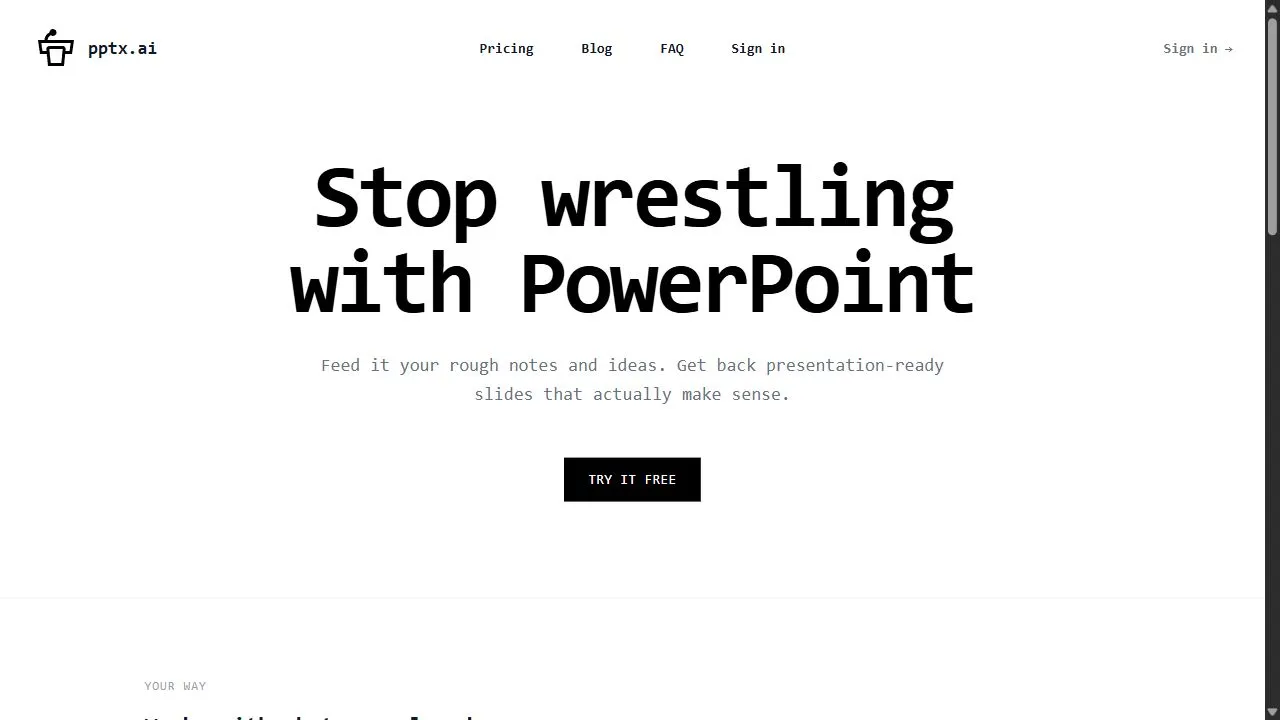
PPTX Interface
Bobr AI Interface

Pros & Cons Comparison
PPTX Pros & Cons
Strengths
- Massive time saver for slide creation
- Professional quality designs
Limitations
- Subscription-based
- Limited customization on the lowest tier
Bobr AI Pros & Cons
Strengths
- Significant time savings
- Professional slide templates
- Easy content-to-slide conversion
Limitations
- Limited customization compared to manual software
- Subscription required for advanced themes
About PPTX
Opening Overview PPTX.ai is a powerful AI-powered presentation generator designed to help users automate the creation of professional slide decks by leveraging artificial intelligence, automation, and intelligent design workflows . The tool addresses the common challenge of "blank slide syndrome" and the tedious nature of manual formatting, allowing users to convert simple text prompts or detailed outlines into fully realized PowerPoint presentations in a matter of seconds. By eliminating the need for manual alignment, color coordination, and layout experimentation, it streamlines the bridge between a raw idea and a polished visual narrative. The core functionality of the platform relies on advanced AI algorithms that analyze input text to determine the most effective structural layout for the information provided. Instead of users spending hours dragging text boxes and searching for compatible templates, the AI handles the visual aesthetics and structural organization. This makes the tool an invaluable asset for students, corporate professionals, and entrepreneurs who need to deliver high-impact visual communication but lack the time or graphic design expertise to build decks from scratch. By integrating AI-driven automation into the design process, PPTX.ai shifts the user's focus from the mechanical aspects of slide creation to the strategic quality of the content. It ensures that every slide adheres to professional design standards, providing a consistent look and feel across the entire deck. This focus on productivity and efficiency makes it a leading solution for those seeking to optimize their workflow in business, academia, and professional pitching environments. Key Features of PPTX.ai Automated conversion of text-based prompts into comprehensive presentation slides. Intelligent layout generation that organizes content based on logical flow and hierarchy. A wide library of professional themes and styles to ensure visual consistency. Rapid generation capabilities that produce full slide decks in seconds. Automatic formatting of text, headings, and bullet points for maximum readability. Adaptive design elements that adjust based on the volume of input text. Export functionality that allows for the integration of AI-generated content into standard presentation software. Intelligent content structuring that breaks down long-form text into digestible slide segments. High-resolution visual aesthetics tailored for corporate and academic environments. User-friendly interface designed for rapid iteration and deployment. Why People Use PPTX.ai The primary motivation for using PPTX.ai is the desire to decouple the intellectual process of storytelling from the technical process of slide design. Traditionally, creating a professional presentation requires a significant investment of time spent on "pixel pushing"—the act of manually adjusting margins, aligning images, and selecting color palettes. For many professionals, this manual process is a bottleneck that delays the delivery of critical information and leads to design fatigue. Users turn to this AI solution to achieve a level of scalability that is impossible with manual methods. In a fast-paced corporate environment, the ability to generate a first draft of a presentation in seconds allows teams to iterate on their ideas more quickly. Rather than spending three hours building a deck only to find the narrative needs changing, users can generate multiple versions of a presentation to see which structure best supports their objective. Furthermore, PPTX.ai democratizes high-end design. Not every business owner or student is a trained graphic designer, and the reliance on generic, overused templates often leads to presentations that look amateurish or dated. By using AI to handle the aesthetics, users can ensure their output meets modern professional standards without needing to learn complex design software. The result is a significant increase in accuracy, a reduction in human error regarding alignment and spacing, and a massive gain in overall productivity. Popular Use Cases Startup Pitch Decks: Entrepreneurs use the tool to quickly transform their business plans and value propositions into visually compelling slides for venture capital meetings and investor pitches. Academic Lectures and Presentations: Students and educators utilize the platform to convert research papers or lecture notes into structured slides for classroom delivery and thesis defenses. Corporate Quarterly Business Reviews (QBRs): Management teams employ the AI to summarize data-heavy reports into concise, professional presentations for executive stakeholders. Sales Enablement and Client Proposals: Sales professionals use the tool to create customized proposal decks for potential clients, allowing them to pivot the visual narrative quickly based on client needs. Internal Training and Onboarding: HR departments leverage the automation to create consistent training modules and onboarding decks for new employees. Webinar and Seminar Outlines: Digital marketers and thought leaders use the platform to generate the visual backbone of their webinars, focusing their energy on the spoken script rather than slide design. Project Status Updates: Project managers use the tool to turn weekly progress reports into visual summaries for stakeholder alignment meetings. Benefits of PPTX.ai Dramatic Reduction in Production Time: The most immediate outcome is the elimination of hours spent on manual formatting, reducing the time-to-completion from hours to seconds. Enhanced Professionalism: By adhering to established design principles, the tool ensures that the final output is polished, cohesive, and visually appealing to professional audiences. Increased Cognitive Focus: Users can dedicate their mental energy to the narrative, the data, and the persuasion strategy rather than worrying about font sizes and alignment. Elimination of Design Fatigue: The automation of repetitive tasks prevents the burnout associated with tedious slide editing, allowing for a more creative and strategic approach to content. Consistency Across Documents: The AI ensures that themes, colors, and styles remain uniform across every slide, preventing the disjointed look common in manually assembled decks. Rapid Prototyping of Ideas: The speed of generation allows users to experiment with different ways of presenting the same information, leading to a more refined and effective final product. Lower Barrier to Entry for Non-Designers: It enables individuals without artistic training to produce a high-quality visual result, ensuring that the quality of the idea is not overshadowed by poor presentation. Improved Scalability of Content: Organizations can produce a higher volume of presentations without increasing the headcount of their design or marketing teams.
About Bobr AI
Bobr AI is a sophisticated AI-powered presentation generator designed to help users create professional slide decks effortlessly by leveraging natural language processing, automation, and intelligent design workflows . The tool addresses the systemic inefficiency found in traditional presentation software, where users often spend a disproportionate amount of time on manual formatting, alignment, and aesthetic adjustments rather than focusing on the core message and narrative strategy. By automating the bridge between conceptual ideas and visual delivery, it eliminates the friction typically associated with slide creation. The platform utilizes advanced artificial intelligence to analyze textual inputs and automatically synthesize them into a cohesive structure. Instead of starting with a blank canvas, users provide the core topics or a detailed outline, and the AI handles the architectural layout of the presentation. This process ensures that the logical flow of information is maintained while applying design principles that enhance readability and audience engagement. Bobr AI is specifically engineered for professionals, educators, students, and corporate communicators who need to produce high-quality visual aids under tight deadlines. By integrating AI-driven content organization with professional templates, the tool enables individuals without formal graphic design training to produce outputs that meet corporate and academic standards. This democratization of design allows users to communicate complex data and narratives with clarity and precision. Key Features of Bobr AI Automated generation of presentation structures based on natural language text inputs. AI-driven conversion of long-form content into concise, slide-ready bullet points. Intelligent layout optimization to ensure visual balance and data clarity. Rapid content-to-slide transformation to reduce manual drafting time. Built-in library of professional templates tailored for various industry standards. Automated visual flow management to maintain narrative consistency across decks. Integration of AI-generated imagery to complement and support textual information. Natural language processing capabilities to interpret and organize complex topics. Export functionality to standard presentation formats for final refinements. Why People Use Bobr AI The primary motivation for adopting Bobr AI is the drastic reduction of the "time-to-completion" for professional presentations. In traditional workflows, creating a presentation is a two-step process: first, the content is developed, and second, the content is manually painstakingly placed into a design software. This second phase is often the most tedious, involving repetitive tasks such as adjusting font sizes, aligning images, and selecting color schemes. Bobr AI collapses these two stages into a single, streamlined workflow. Many users struggle with "blank slide syndrome," the creative block that occurs when facing an empty presentation. Bobr AI solves this by providing an immediate, AI-generated baseline. This allows the user to move directly into the editing and refining phase rather than the creation phase, which significantly accelerates the iterative process. Furthermore, the tool is used to ensure a level of aesthetic professionalism that would otherwise require a dedicated design team. For many professionals in technical or academic fields, the ability to convey information is high, but the ability to design a visually compelling deck is low. Bobr AI bridges this skill gap by applying design logic automatically, ensuring that the final product is polished and persuasive without requiring manual artistic intervention. Popular Use Cases Corporate Business Pitches: Entrepreneurs and executives use the tool to transform business plans and value propositions into investor-ready pitch decks that emphasize key growth metrics and strategic goals. Educational Lecture Design: Teachers and professors utilize the platform to convert curriculum notes and complex academic theories into structured slide shows for classroom instruction, ensuring students can follow the logical progression of a lesson. Academic Research Presentations: Graduate students and researchers use Bobr AI to synthesize extensive thesis data and findings into a concise format for conference presentations or thesis defenses. Internal Company Reports: Project managers use the tool to turn weekly progress reports or quarterly KPIs into visual summaries for stakeholder meetings, emphasizing data clarity and executive summaries. Webinars and Online Workshops: Thought leaders and digital marketers leverage the AI to quickly build frameworks for educational webinars, allowing them to focus more on their delivery and speaking points than on the slide design. Marketing and Sales Proposals: Agency professionals use the platform to create tailored proposals for clients, rapidly iterating through different themes and structures to match the client's corporate identity. Benefits of Bobr AI Exponential Productivity Gains: By automating the layout and structuring process, users can reduce the time spent on presentation creation from several hours to a few minutes. Enhanced Visual Consistency: The AI ensures that themes, fonts, and spacing remain uniform throughout the entire presentation, preventing the disjointed look often found in manually edited decks. Improved Narrative Logic: The use of natural language processing helps users organize their thoughts into a structured flow, ensuring that the presentation follows a logical sequence that is easy for the audience to digest. Reduced Cognitive Load: Users are freed from the minutiae of design software tools, allowing them to dedicate their mental energy to the quality of the content and the effectiveness of their delivery. Professional-Grade Quality for Non-Designers: The tool provides a high-end visual output regardless of the user's design experience, ensuring that the visual quality of the presentation matches the intellectual quality of the content. Rapid Iteration Capabilities: Because the initial draft is generated in seconds, users can experiment with different angles or structures for their presentation without the fear of wasting hours of manual labor. Increased Communication Clarity: Through the automation of visual flow and the synthesis of text, the tool helps in distilling complex information into its most impactful form, leading to better audience retention.
More AI Competitors to Compare

Kimi Slides
Ai Presentation

Grist
Ai Presentation
CopySlides
Ai Presentation

Raccoon AI
Ai Presentation
Plus AI for PowerPoint
Ai Presentation

Tenorshare AI Diagrimo
Ai Presentation
Frequently Asked Questions
Most questions answered in under 30 seconds — but if you still have one, write to us at contactgetaitool@gmail.com and we reply within a few hours.
Which is better in 2026, PPTX or Bobr AI?
How does the pricing compare between PPTX and Bobr AI?
Can I use PPTX and Bobr AI for free?
What input and output formats do PPTX and Bobr AI support?
What are the key advantages of PPTX?
What are the key advantages of Bobr AI?
What are top alternative competitors to PPTX and Bobr AI?
Ready to Choose Your AI Tool?
Try both platforms or explore thousands of other curated artificial intelligence tools on GetAiTools.
Tags & Core Competencies
Specific tags and feature capabilities