VmakevsLooksCraft
Side-by-side battle & analysis. Compare features, pricing, real community ratings, and pros & cons in 2026.
Vmake
Vmake AI is the ultimate UGC production suite, offering automated photo and video editing tools to help creators scale their content impact.

LooksCraft
Create UGC-Style Ads Without Hiring Actors.
Quick Verdict & Takeaway
Head-to-head summary recommendation
Both Vmake and LooksCraft provide high-performance solutions in the UGC Videos ecosystem. Both platforms are top-rated in their respective categories.
Choose Vmake if:
You need a mixed tool optimized for UGC Ads with IMAGE, VIDEO input formats.
Choose LooksCraft if:
You prefer a mixed platform geared towards UGC Ads with VIDEO output options.
Specification & Feature Matrix
Direct technical comparison between Vmake and LooksCraft
| Feature / Spec | Vmake | LooksCraft |
|---|---|---|
| Pricing Model | MIXED | MIXED |
| Starting Price | $4.99/mo | $20/mo |
| Category | UGC Videos | UGC Videos |
| Subcategory | UGC Ads | UGC Ads |
| Supported Inputs | IMAGE, VIDEO | TEXT, IMAGE, VIDEO |
| Generated Outputs | IMAGE, VIDEO | VIDEO |
| User Rating | ★ 4.0 / 5.0 (0) | ★ 4.0 / 5.0 (0) |
| Verified Status | Unverified | Unverified |
Interface & UI Showcase
Visual previews and interface screenshots
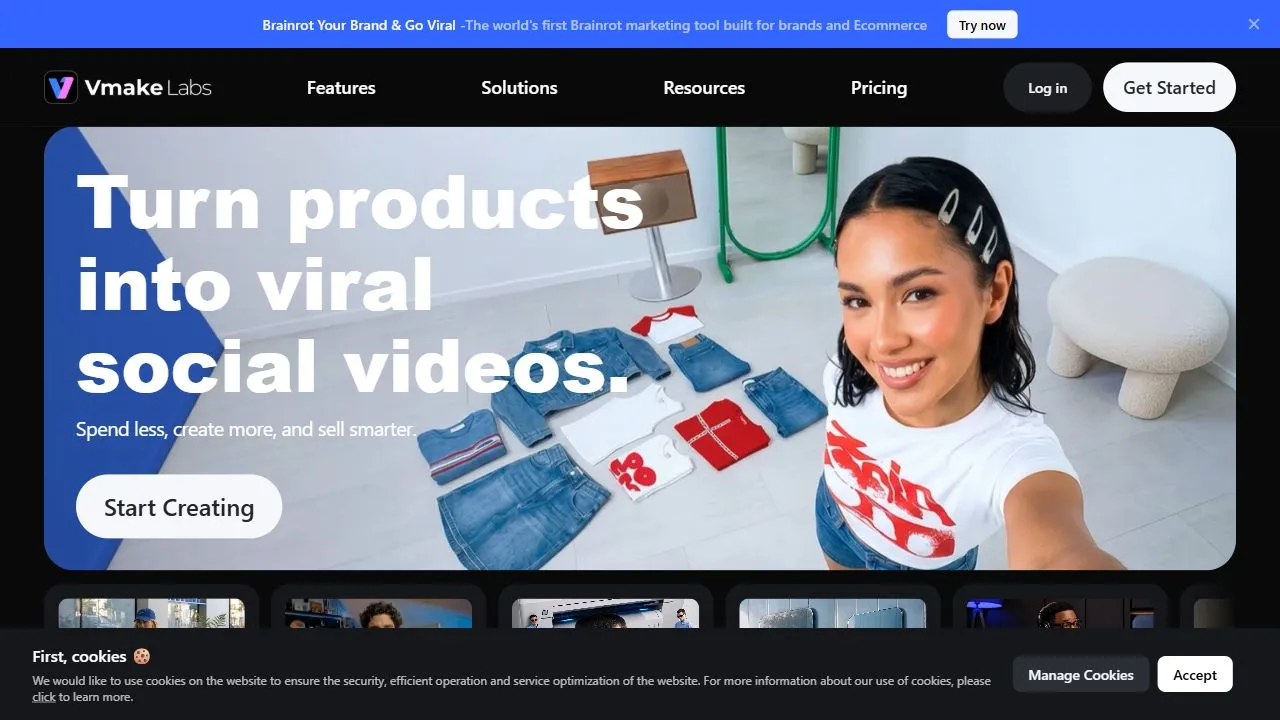
Vmake Interface
LooksCraft Interface

Pros & Cons Comparison
Vmake Pros & Cons
Strengths
- Broad set of editing tools
- Optimized for social media
- High automation speed
Limitations
- Steeper learning curve for advanced features
- Watermarks on free plan
LooksCraft Pros & Cons
Strengths
- Creates professional UGC-style ads with AI
- Eliminates the need for hiring actors
- Cost-effective video production
- Generates authentic and engaging content
Limitations
- May have a learning curve for new users
- Subscription required for advanced features
About Vmake
Vmake is a powerful AI-powered video and photo editing suite designed to help users scale their visual content production by leveraging artificial intelligence, automation, and intelligent workflows . The platform specifically targets the needs of User Generated Content (UGC) creators, digital marketers, and social media influencers who require high-quality assets without the overhead of a professional production studio. By integrating advanced computer vision and generative AI, Vmake automates the most tedious aspects of post-production, such as masking, retouching, and background manipulation. The primary problem Vmake solves is the bottleneck created by traditional video and photo editing. Conventional software often requires steep learning curves and hours of manual labor for simple tasks like removing a background or enhancing image resolution. Vmake utilizes AI to handle these complex processes in seconds, allowing creators to maintain a high volume of output without sacrificing professional quality. This makes it an essential tool for those operating in the fast-paced environment of TikTok, Instagram, and YouTube, where the speed of content deployment directly impacts algorithmic reach and engagement. Designed for versatility, the tool caters to a wide range of users, from solo entrepreneurs and e-commerce brand owners to large-scale marketing agencies. By providing a centralized hub for both static and motion assets, Vmake ensures that a brand's visual identity remains consistent across different formats. The integration of AI-driven synthesis and enhancement tools enables users to transform raw, amateur footage into polished, high-conversion marketing materials, effectively democratizing high-end visual production. Key Features of Vmake AI-powered background removal for both static images and dynamic video files. Intelligent AI retouching to enhance skin textures and remove imperfections. Automated background swapping to place subjects in diverse, virtual environments. AI video synthesis for generating creative visual effects and transitions. High-resolution image and video upscaling to improve clarity and professional appeal. Specialized tools for optimizing aspect ratios for TikTok, Reels, and Shorts. Automated object removal to clean up distracting elements from a scene. Intelligent color correction and lighting adjustment to unify visual tones. Batch processing capabilities for handling large volumes of content simultaneously. AI-driven noise reduction to improve the quality of low-light footage. Why People Use Vmake The core motivation for using Vmake lies in the pursuit of efficiency and scalability in a digital landscape that demands constant content updates. In traditional workflows, editing a single UGC video to remove a cluttered background or retouch a subject's appearance would require frame-by-frame masking—a process that is both time-consuming and prone to human error. Vmake replaces this manual labor with AI algorithms that can identify subjects and isolate them from their surroundings with high precision in a fraction of the time. Digital marketers and influencers use Vmake to bypass the need for expensive physical sets. Instead of renting a studio or traveling to various locations, they can film in any environment and use AI to swap the background for something more aligned with their brand aesthetic. This shift from physical production to digital synthesis drastically reduces operational costs and allows for rapid experimentation with different visual styles. Furthermore, the tool addresses the "quality gap" often found in user-generated content. While UGC is valued for its authenticity, poor lighting or low resolution can hinder a brand's perceived credibility. Vmake allows users to upscale their footage and apply professional retouching, ensuring that the content feels authentic yet polished. This balance of authenticity and professional quality is critical for increasing conversion rates in social media advertising. Popular Use Cases E-commerce Product Marketing: Online sellers use Vmake to remove distracting backgrounds from product photos and videos, replacing them with clean, studio-style backdrops that highlight the product. UGC Ad Production: Brand partners utilize the tool to polish raw footage sent by creators, ensuring the lighting and quality meet brand guidelines before the ad goes live. Influencer Content Scaling: Content creators use the AI retouching and enhancement tools to quickly produce a high volume of daily posts for Instagram and TikTok without spending hours in a traditional editor. Fashion and Beauty Branding: Beauty influencers leverage the intelligent retouching features to enhance visual appeal while maintaining a natural look for makeup or skincare demonstrations. Real Estate Virtual Staging: Agents use background manipulation to clean up property photos or create more inviting environments for potential buyers. Social Media Agency Workflows: Agencies managing multiple clients use the batch processing and AI automation to maintain a consistent visual standard across diverse accounts. Drop-shipping Visual Optimization: Entrepreneurs transform basic supplier videos into high-engagement advertisements by adding AI-driven effects and improving video resolution. Benefits of Vmake Drastic Reduction in Production Time: Automation of masking and retouching eliminates hours of manual editing, allowing for faster content turnaround. Lowered Financial Barriers: Users can achieve studio-quality results without investing in expensive lighting, sets, or professional cinematography equipment. Enhanced Visual Consistency: The ability to apply uniform AI enhancements ensures that all brand assets look cohesive regardless of where they were filmed. Increased Content Volume: By streamlining the post-production pipeline, creators can produce and test more variations of a piece of content to optimize for performance. Improved Audience Engagement: Higher resolution and cleaner visuals lead to a more professional presentation, which typically increases viewer retention and click-through rates. Simplified Workflow for Non-Editors: The intuitive AI interface removes the need for professional editing certifications, making high-end production accessible to everyone. Optimized Asset Distribution: With built-in tools for social media formats, users ensure their content is perfectly framed for every platform, avoiding awkward cropping or letterboxing.
About LooksCraft
LooksCraft is an innovative AI Video Generation Platform designed to help businesses create professional user-generated content (UGC)-style advertisements without the complexities of traditional video production. LooksCraft addresses the growing need for authentic and engaging video content in digital marketing. Many businesses struggle with the high costs and logistical challenges of hiring actors, securing locations, and managing full-scale video shoots. This platform leverages the power of artificial intelligence to generate realistic and compelling UGC videos from text and image prompts, significantly reducing production time and expenses. It is particularly valuable for e-commerce brands, digital marketers, and social media managers seeking to enhance their advertising campaigns with relatable and trustworthy content. The platform focuses on providing a scalable solution for creating a high volume of video assets, catering to the demands of modern marketing strategies. Key Features of LooksCraft Generates videos from text prompts. Creates videos using uploaded images. Offers a library of AI actors and scenes. Provides customizable video templates. Allows for brand logo and watermark integration. Supports multiple video aspect ratios for different platforms. Enables text-to-speech voiceover generation. Offers video editing capabilities, including trimming and transitions. Provides a user-friendly interface for easy video creation. Facilitates bulk video generation for large-scale campaigns. Why People Use LooksCraft Businesses and marketing teams are increasingly turning to LooksCraft to streamline their video content creation process. Traditional video production often involves significant time, resources, and financial investment. LooksCraft offers a compelling alternative by automating much of the process, allowing users to produce high-quality videos quickly and affordably. The platform’s focus on UGC-style content is particularly appealing, as consumers tend to trust and engage more with videos that appear authentic and relatable. By eliminating the need for actors and complex setups, LooksCraft democratizes video creation, making it accessible to businesses of all sizes. The ability to rapidly iterate on video concepts and generate multiple variations is a key benefit, enabling data-driven optimization of advertising campaigns. Popular Use Cases E-commerce Product Demos: Creating short, engaging videos showcasing product features and benefits. Social Media Advertising: Generating attention-grabbing ads for platforms like TikTok, Instagram, and Facebook. Influencer Marketing Simulations: Producing videos that mimic the style of influencer content to test campaign ideas. Customer Testimonial Recreations: Developing realistic testimonial videos without the need to film actual customers. Explainer Videos: Creating concise and informative videos explaining complex products or services. Promotional Content for Sales: Generating videos highlighting special offers and promotions. Internal Training Materials: Developing engaging video content for employee training programs. A/B Testing of Ad Creatives: Quickly producing multiple video variations to optimize ad performance. Local Business Promotions: Creating localized video ads for specific geographic areas. Brand Storytelling: Developing short videos that communicate a brand’s values and mission. Benefits of LooksCraft Reduced Video Production Costs: Significantly lowers expenses associated with actors, filming crews, and studio rentals. Faster Content Creation: Accelerates the video production timeline, enabling quicker campaign launches. Increased Content Volume: Allows for the creation of a larger quantity of video assets to support diverse marketing initiatives. Enhanced Authenticity: Generates UGC-style videos that resonate with audiences seeking genuine content. Improved Ad Engagement: Captures viewer attention with compelling and relatable video ads. Simplified Video Editing: Provides user-friendly tools for basic video editing and customization. Scalable Video Production: Enables businesses to easily scale their video content creation efforts. Data-Driven Optimization: Facilitates A/B testing and performance analysis to improve ad effectiveness. Greater Creative Control: Offers customizable templates and options to align videos with brand guidelines. Accessibility for All Businesses: Empowers businesses of all sizes to leverage the power of video marketing.
More AI Competitors to Compare

EzUGC - AI UGC Ad Generator
UGC Videos

TwinTone
UGC Videos

Galiads
UGC Videos

HeyFish.ai
UGC Videos

MakeUGC
UGC Videos

UGC Scripts
UGC Videos
Frequently Asked Questions
Most questions answered in under 30 seconds — but if you still have one, write to us at contactgetaitool@gmail.com and we reply within a few hours.
Which is better in 2026, Vmake or LooksCraft?
How does the pricing compare between Vmake and LooksCraft?
Can I use Vmake and LooksCraft for free?
What input and output formats do Vmake and LooksCraft support?
What are the key advantages of Vmake?
What are the key advantages of LooksCraft?
What are top alternative competitors to Vmake and LooksCraft?
Ready to Choose Your AI Tool?
Try both platforms or explore thousands of other curated artificial intelligence tools on GetAiTools.
Tags & Core Competencies
Specific tags and feature capabilities