WorkClawvsKimi K2
Side-by-side battle & analysis. Compare features, pricing, real community ratings, and pros & cons in 2026.

WorkClaw
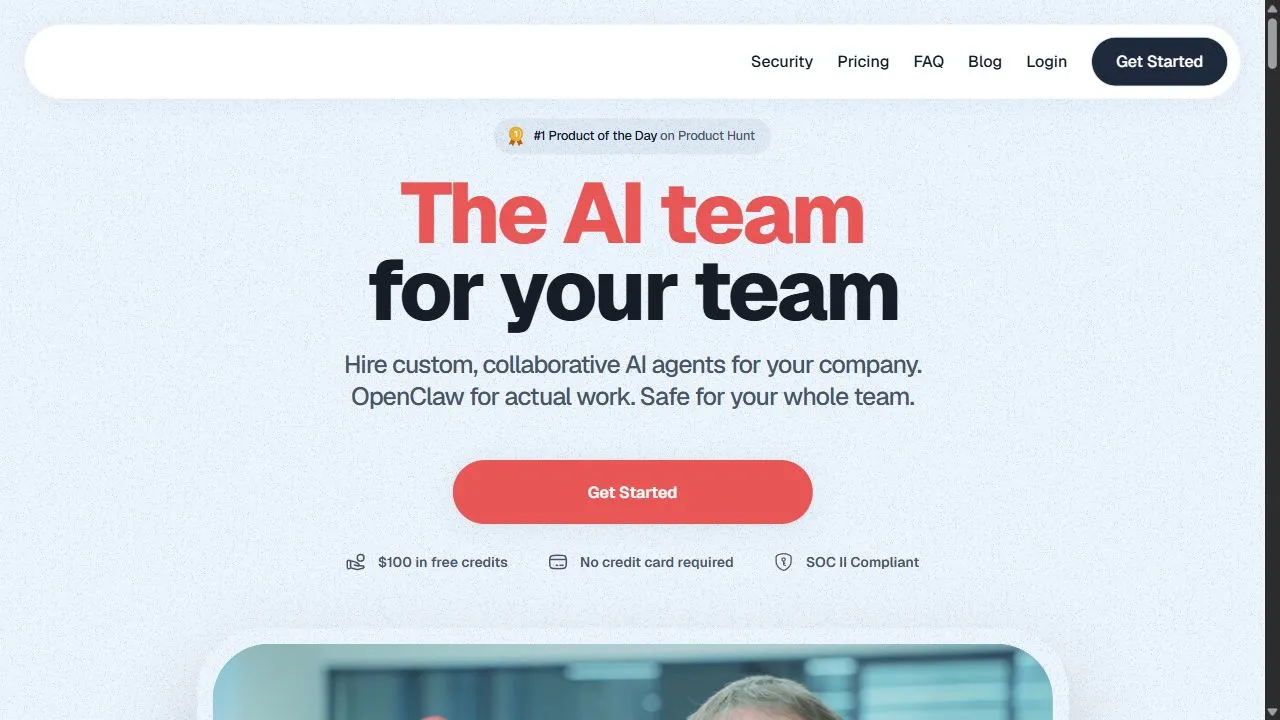
WorkClaw acts as an AI-powered team to streamline workflows and boost productivity for your business.
Kimi K2
Kimi K2 for AI Agents refers to the use of Kimi K2’s AI-powered presentation and visual content generation capabilities in concert with autonomous AI agents to automate the creation of slides, reports, dashboards, and visual outputs as part of an AI-driven workflow.
Quick Verdict & Takeaway
Head-to-head summary recommendation
Both WorkClaw and Kimi K2 provide high-performance solutions in the Agentic Ai ecosystem. Both platforms are top-rated in their respective categories.
Choose WorkClaw if:
You need a mixed tool optimized for AI Workflow Automation with TEXT input formats.
Choose Kimi K2 if:
You prefer a free platform geared towards Autonomous AI Agents with TEXT, IMAGE output options.
Specification & Feature Matrix
Direct technical comparison between WorkClaw and Kimi K2
| Feature / Spec | WorkClaw | Kimi K2 |
|---|---|---|
| Pricing Model | MIXED | FREE |
| Starting Price | $29/mo | Free / Not Listed |
| Category | Agentic Ai | Agentic Ai |
| Subcategory | AI Workflow Automation | Autonomous AI Agents |
| Supported Inputs | TEXT | TEXT |
| Generated Outputs | TEXT | TEXT, IMAGE |
| User Rating | ★ 4.0 / 5.0 (0) | ★ 4.0 / 5.0 (0) |
| Verified Status | Unverified | Verified |
Interface & UI Showcase
Visual previews and interface screenshots
WorkClaw Interface

Kimi K2 Interface
Video Walkthroughs & Demos
Watch official video demos and workflow tutorials
Kimi K2 Demo
Pros & Cons Comparison
WorkClaw Pros & Cons
Strengths
- Increases team efficiency
- Automates repetitive business tasks
Limitations
- Subscription cost may be high for small startups
Kimi K2 Pros & Cons
Real Community Feedback
Verified user reviews from GetAiTools community
WorkClaw Reviews0
No community reviews yet for WorkClaw.
Kimi K2 Reviews1
"Иногда ограничен по возможностям."
About WorkClaw
WorkClaw is a powerful AI-powered business automation platform designed to help users streamline complex workflows and enhance organizational productivity by leveraging artificial intelligence, automation, and intelligent digital workflows . The platform functions as a comprehensive AI team, acting as a digital extension of a company's existing workforce to handle the operational burdens that typically slow down growth. By integrating advanced machine learning models into daily business processes, it solves the critical problem of operational inefficiency and the burnout associated with repetitive, manual administrative tasks. The tool is primarily engineered for business owners, project managers, and scaling enterprises that require a more agile way to manage their operations without linearly increasing their human headcount. By deploying AI agents and automated sequences, WorkClaw allows users to delegate the "heavy lifting" of data processing and task coordination to an intelligent system. This shift enables human teams to pivot their focus toward high-value creative strategy, complex problem-solving, and relationship management, which are areas where human intuition remains irreplaceable. Through the application of AI, WorkClaw transforms how a business perceives its workforce. Rather than viewing AI as a simple chatbot or a standalone tool, the platform positions it as a collaborative team member capable of managing project lifecycles and providing actionable insights. This approach to digital workforce orchestration ensures that business processes are executed with a level of consistency and speed that traditional manual methods cannot match, making it an essential asset for any organization looking to optimize its internal throughput and maintain a competitive edge in a digital-first economy. Key Features of WorkClaw Automated Workflow Orchestration to eliminate manual hand-offs between different business stages. AI-Driven Task Management that prioritizes and executes repetitive operational duties. Digital Team Integration allowing AI agents to function as specialized roles within a business structure. Intelligent Business Insights derived from workflow data to help managers make informed decisions. Project Lifecycle Automation from initial conceptualization through to final execution. Collaborative AI Workspace where human employees and AI agents interact in a unified environment. Repetitive Task Elimination through the deployment of smart automation scripts and AI triggers. Scalable Operational Frameworks that allow businesses to increase volume without increasing manual overhead. Cross-Functional Process Synchronization to ensure all departments are aligned via automated updates. Dynamic Resource Allocation based on AI analysis of project urgency and complexity. Why People Use WorkClaw The primary motivation for adopting WorkClaw is the desire to break the bottleneck of manual coordination. In traditional business environments, a significant portion of a manager's day is spent on "work about work"—scheduling, updating spreadsheets, chasing status reports, and routing information between team members. These manual methods are not only time-consuming but are prone to human error, leading to missed deadlines and inconsistent output quality. WorkClaw replaces these fragmented processes with a centralized AI-driven system that ensures no task falls through the cracks. Furthermore, scaling a business traditionally requires a proportional increase in hiring, which brings challenges in onboarding, management, and increased payroll costs. Businesses use WorkClaw to decouple their growth from their headcount. By utilizing an AI team, a company can handle a higher volume of projects and clients while keeping the core human team lean. This scalability provides a massive advantage in terms of agility, allowing companies to pivot their strategies and execute new initiatives without the friction of extensive hiring cycles. Finally, professionals use this platform to recover their cognitive bandwidth. By delegating the mundane and repetitive aspects of business operations to an AI, employees experience a reduction in burnout and an increase in job satisfaction. The transition from being a "coordinator" to being a "strategist" is the core value proposition that drives users toward WorkClaw, as it empowers them to focus on the intellectual and creative aspects of their roles. Popular Use Cases Marketing Agency Pipeline Management: Automating the flow from client onboarding and brief collection to content drafting and final approval cycles. E-commerce Operational Scaling: Managing inventory alerts, supplier communication, and order tracking workflows through automated AI triggers. Customer Support Triage: Using AI to analyze incoming tickets, categorize them by urgency, and route them to the correct human specialist with a pre-drafted summary. Lead Qualification and CRM Maintenance: Automatically scrubbing lead data, updating CRM records, and scheduling follow-up reminders without manual entry. Internal Documentation and Knowledge Management: Using AI to synthesize meeting notes into actionable task lists and updating company wikis in real-time. Market Research Synthesis: Automating the collection of competitor data and using AI to generate summarized reports for executive review. Software Development Coordination: Linking sprint goals to daily task assignments and automating the reporting of project milestones to stakeholders. Human Resources Onboarding: Streamlining the delivery of onboarding materials and tracking the completion of new-hire requirements via AI checklists. Benefits of WorkClaw Exponential Increase in Efficiency: By removing manual bottlenecks, the time required to move a project from start to finish is drastically reduced. Enhanced Output Consistency: AI agents execute tasks according to strict parameters, ensuring that the quality of operational output remains uniform regardless of volume. Significant Cost Optimization: Reducing the reliance on manual administrative labor lowers operational overhead and minimizes the cost per project. Improved Strategic Focus: Teams are freed from the drudgery of repetitive tasks, allowing them to dedicate more time to innovation and high-level growth strategies. Rapid Scalability: The ability to deploy digital AI team members allows a business to scale its operations instantly to meet market demand. Reduction in Human Error: Automation eliminates the risks associated with manual data entry and forgotten follow-ups, leading to a more professional client experience. Better Data Visibility: Because all workflows are managed through an AI system, businesses gain a clear, data-backed view of their operational strengths and weaknesses. Increased Employee Retention: By removing the most boring and stressful parts of the workday, companies can maintain a more motivated and engaged workforce.
About Kimi K2
Kimi K2 for AI Agents refers to the use of Kimi K2’s AI-powered presentation and visual content generation capabilities in concert with autonomous AI agents to automate the creation of slides, reports, dashboards, and visual outputs as part of an AI-driven workflow. Instead of manual slide design, an AI agent can feed data, insights, research, or results into Kimi K2 and have it generate polished presentations automatically . This combination enables teams, businesses, analysts, and AI developers to scale visual content creation with minimal human input. What Is Kimi K2 for AI Agents? Kimi K2 for AI Agents describes a workflow where a multi-step AI agent integrates with Kimi K2 as part of its automation pipeline. The agent gathers data, makes decisions, and triggers Kimi K2 to produce professional-grade visual outputs — such as slide decks, progress reports, strategic summaries, and more — without manual intervention. This approach is especially useful for reporting, analytics, business intelligence, research summaries, and workflow automation where visuals are required regularly. Key Features of Kimi K2 for AI Agents Automated visual content generation based on agent input Integration with AI agents via APIs or connectors Auto-creation of slide decks, charts, and visual summaries Data-driven design using structured input (tables, text, metrics) Support for export formats such as PPTX, PDF, and images Template and branding consistency applied automatically Real-time generation triggered by agent workflows Reduces manual design efforts in reporting loops Why People Use Kimi K2 with AI Agents Manual visual content creation is time-intensive and repetitive, especially in environments that require frequent presentations or reports. Pairing Kimi K2 with AI agents allows organizations to automate this process entirely, ensuring consistent, professionally styled visual outputs without human-driven slide design. This workflow helps teams focus on analysis, strategy, and decision-making , while the AI handles formatting, layout, and visual generation. Popular Use Cases Automated reporting with slide generation Executive summaries and board presentations Sales and performance dashboards Research results visualizations Investor pitch slides generated from data Daily/weekly metrics decks for teams AI chat assistants producing visual answers Benefits of Kimi K2 for AI Agents Seamless automation of slide creation Saves time on design and formatting Produces consistent, on-brand outputs Scales visual reporting across teams Integrates with agent triggers and APIs Useful for data-heavy and recurring workflows Who Should Use Kimi K2 for AI Agents? Data analysts and BI teams Product and strategy teams Research and insights teams Marketing and sales operations Developers building AI workflows Businesses seeking automation of presentation tasks Frequently Asked Questions What does Kimi K2 for AI Agents do? It enables autonomous AI agents to trigger Kimi K2 to generate visual content (slides, reports, dashboards) based on structured workflows. Is coding required to integrate agents with Kimi K2? Technical connectors or APIs may be required; integration depends on the specific agent platform used. Can AI agents generate brand-aligned slides? Yes. Templates and branding parameters can be applied to ensure consistency. What outputs can Kimi K2 generate? Kimi K2 can produce slide decks, PDFs, images, and export formats suitable for presentations and reports. Is this suitable for recurring automated reporting? Yes. The combination works well for recurring tasks like weekly reports and performance summaries. Kimi K2 AI Agents, AI Slide Automation, Automated Presentation Generation, Agent-Driven Visual Content, AI Reporting Tool, Presentation API, AI Workflow Presentations
More AI Competitors to Compare

MyClaw.Host
Agentic Ai

Kolena AI for Insurance
Agentic Ai

Comet
Agentic Ai
Maskara.ai
Agentic Ai

Minimax Claw
Agentic Ai
Dodo - Veterinary Front Desk Assistant
Agentic Ai
Frequently Asked Questions
Most questions answered in under 30 seconds — but if you still have one, write to us at contactgetaitool@gmail.com and we reply within a few hours.
Which is better in 2026, WorkClaw or Kimi K2?
How does the pricing compare between WorkClaw and Kimi K2?
Can I use WorkClaw and Kimi K2 for free?
What input and output formats do WorkClaw and Kimi K2 support?
What are the key advantages of WorkClaw?
What are the key advantages of Kimi K2?
What are top alternative competitors to WorkClaw and Kimi K2?
Ready to Choose Your AI Tool?
Try both platforms or explore thousands of other curated artificial intelligence tools on GetAiTools.
Tags & Core Competencies
Specific tags and feature capabilities