APPLORE18+
Overview
Overview
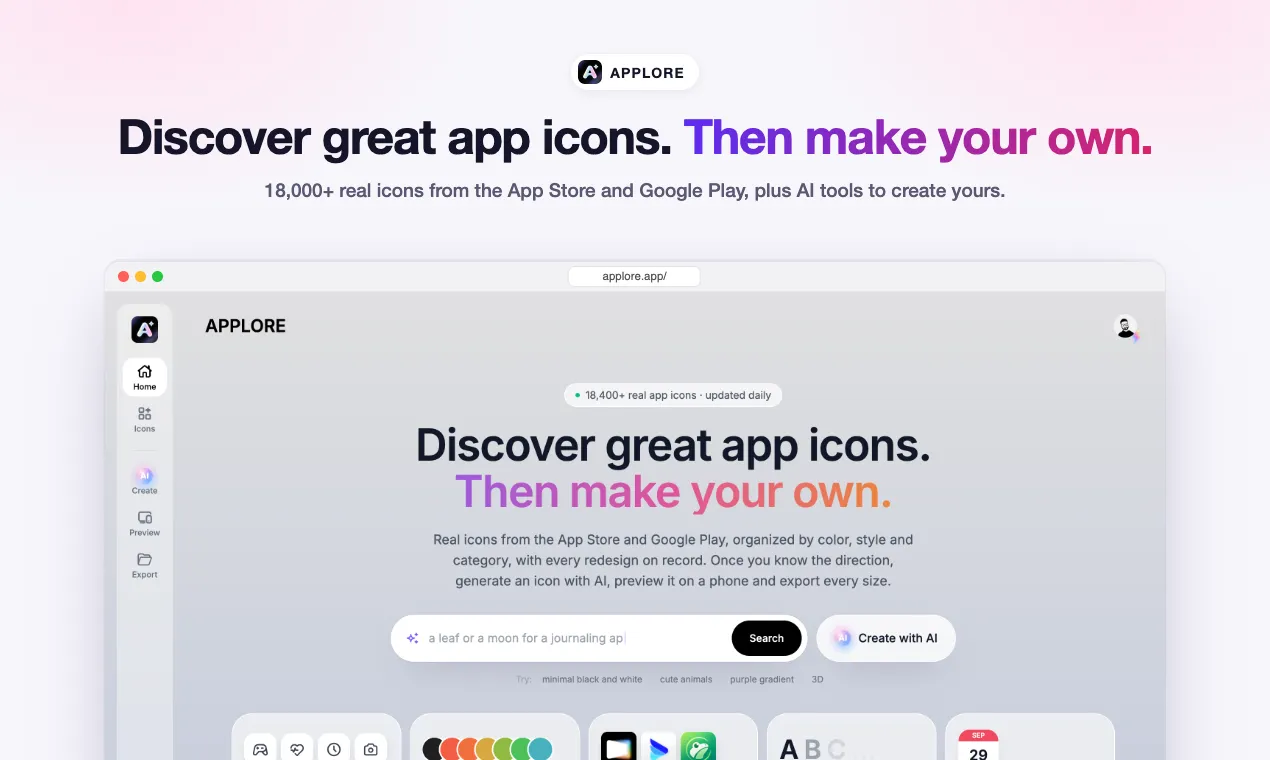
APPLORE is an app icon library and a set of AI tools for making your own app icon. It collects more than 18,000 real icons from the App Store and Google Play and keeps them up to date every day, so you can see what apps in your category actually look like before you design anything. When you find a direction you like, you can turn it into your own icon with AI, check it on a real device mockup and export every size you need to ship.
It is built by an indie developer for indie developers, designers and small teams. The goal is simple: make the app icon the easy part of a launch instead of the part that stalls it.
Why it exists
Most people who ship an app hit the same wall. The code is done, the screenshots are almost done, and the icon is still a placeholder. Hiring a designer is expensive and slow for a side project. Doing it yourself often looks homemade. Generic AI image tools tend to produce the same glossy blob, and they have no idea what the rest of the App Store looks like or what sizes you need.
APPLORE tackles this in three steps: find real references, turn a reference into your own icon, then preview and export it properly.
Key features
A library of real app icons
- More than 18,000 icons from live apps on the App Store and Google Play, with new apps and icon changes added daily.
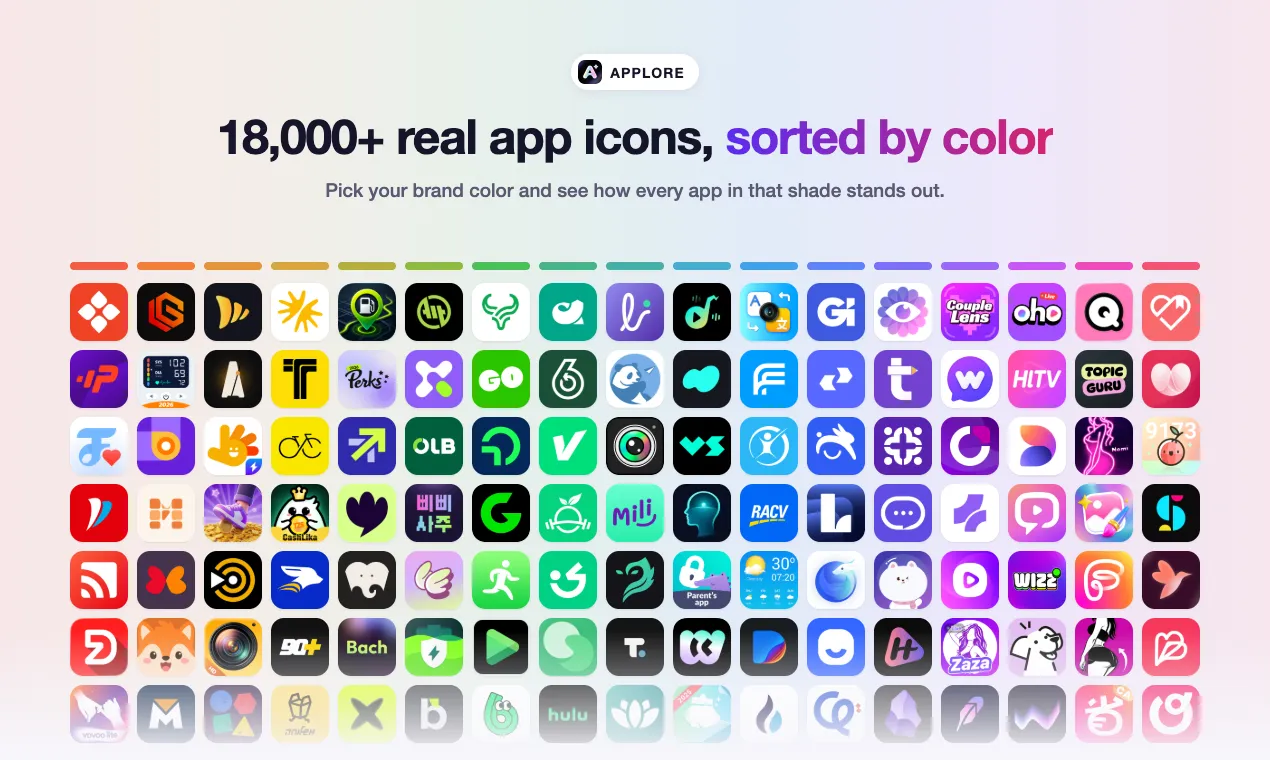
- Browse by color, down to the exact shade, so you can see every app that uses a particular blue or orange.
- Browse by style, such as flat, glass, 3D, gradient, line and more.
- Browse by letter, which is useful if you are designing a single-letter logo and want to see how others handled it.
- Browse by category and by release date to see what is new and what is common in your space.
- Every app keeps its icon history, so you can see how a product changed its icon over time and learn from real redesigns.
AI search
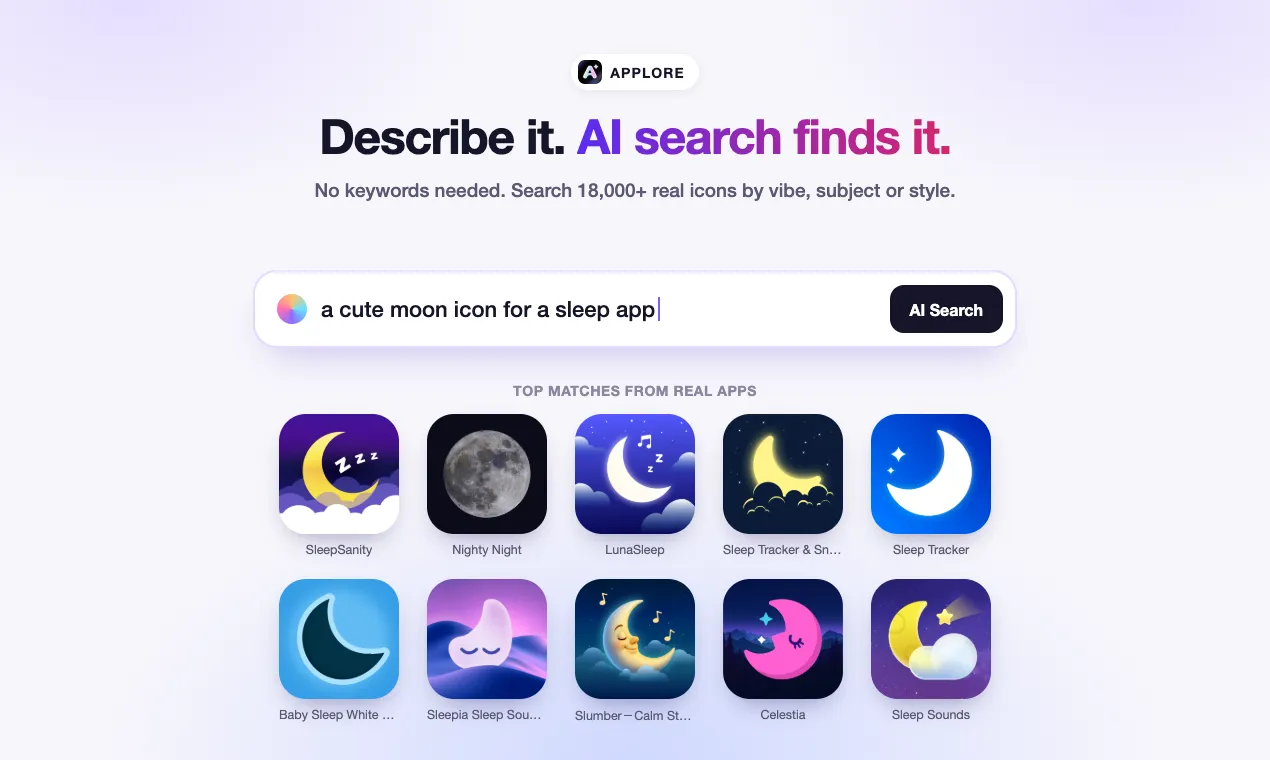
Instead of guessing keywords, you can describe the icon you want in plain words, for example "a cute moon icon for a sleep app" or "a minimal green finance icon", and AI search returns the closest real matches from the library.
Remix with AI (AI app icon generator)
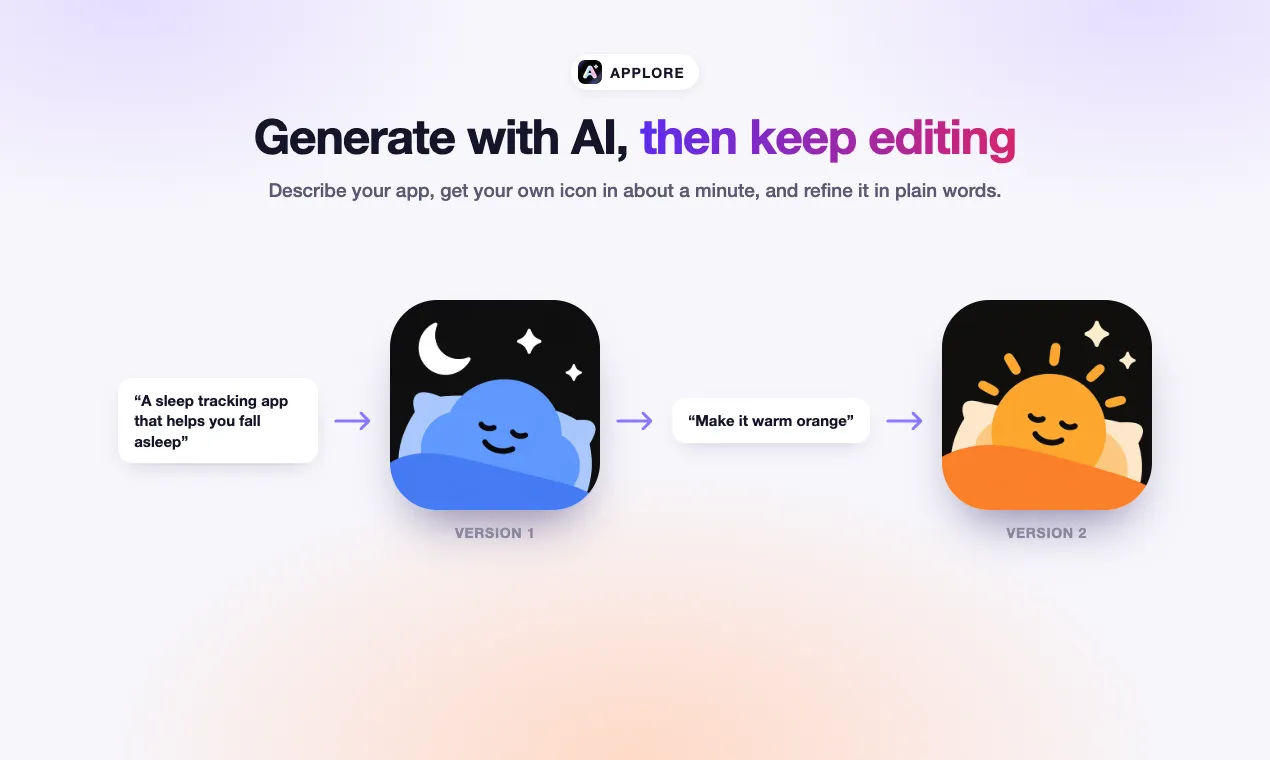
- Pick any real icon as a style reference.
- Describe your own app in a sentence.
- Get your own icon in about a minute, generated to match the style you chose rather than copying the original.
- Keep editing: ask for changes such as "make it warm orange" or "simplify the shape" and iterate until it feels right.
- You can choose the AI model for each generation, since different models have different strengths.
Device preview
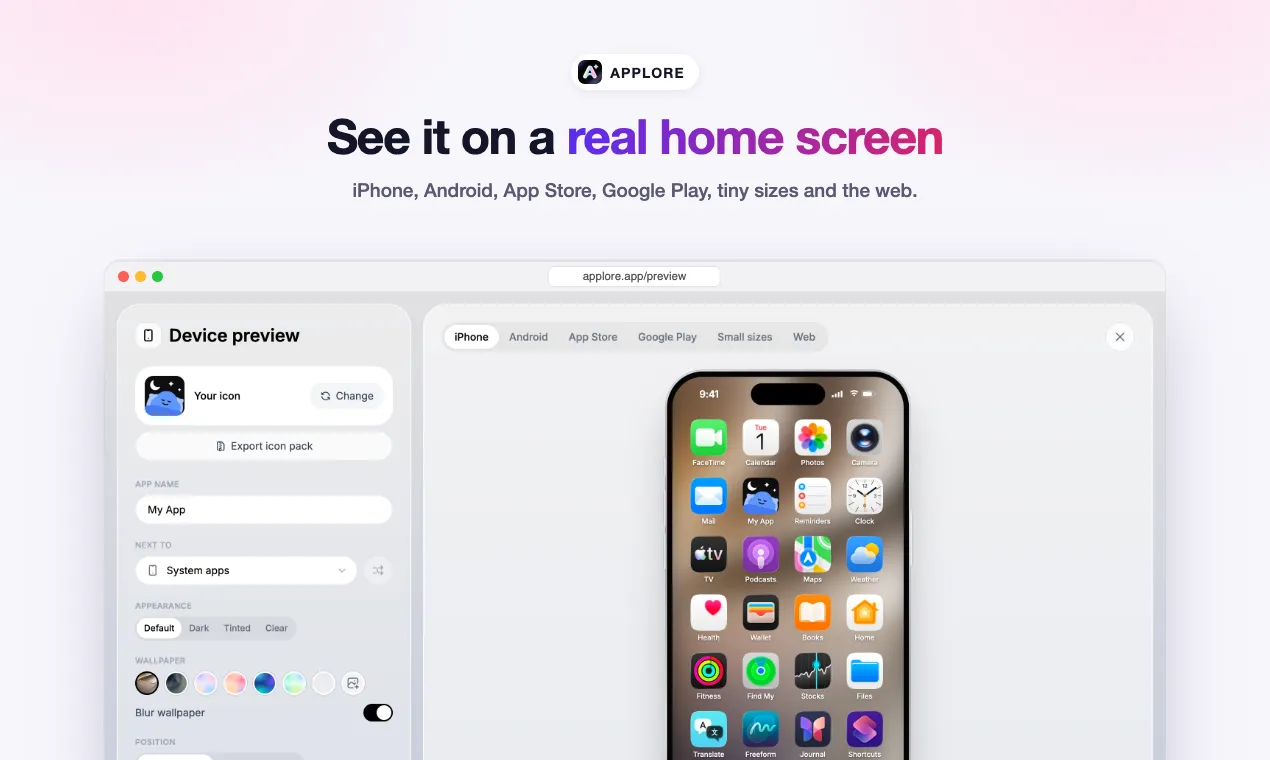
- See your icon on an iPhone or Android home screen next to real apps.
- Check how it looks in App Store and Google Play search results.
- Check tiny sizes, where many icons fall apart, and how it looks as a web favicon.
- Compare up to six options side by side before you decide.
Export every size
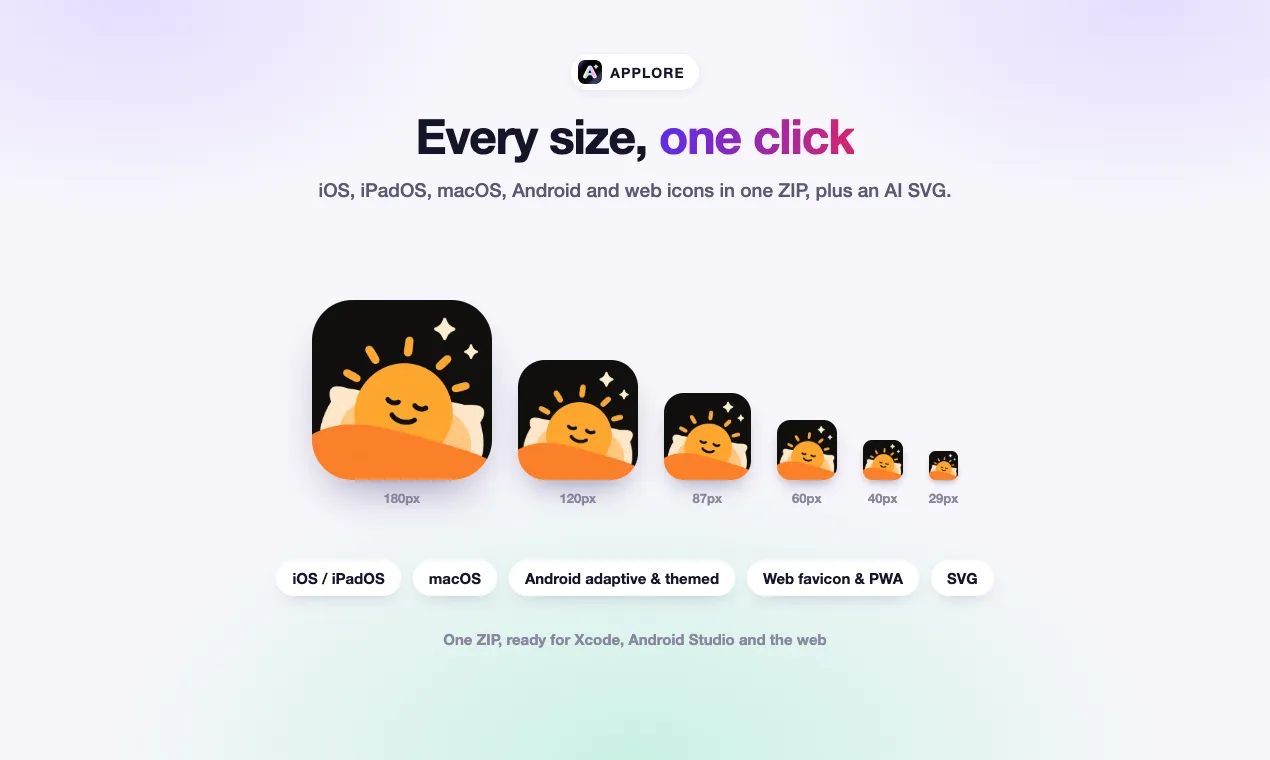
- One ZIP with every size for iOS and iPadOS, macOS, Android (including adaptive and themed icons) and the web.
- An optional AI redraw to SVG when you need a vector version.
AI app naming
A bonus tool suggests names for your app and checks them against the App Store and domain availability, so you can settle the name and the icon together.
Use cases
- Before you design: collect references in your category and color palette so your icon stands out instead of blending in.
- Solo developers: go from no icon to a shippable icon set in one sitting without learning a design tool.
- Designers: use the library and color filters as a mood board, and the redesign history as case studies.
- Rebrands: see how established apps evolved their icons, then test new directions on a real home screen.
- Launch prep: export every required size at once and avoid last-minute rejections for missing assets.
Getting started
- Open applore.app and browse the library by color, style, letter or category, or try AI search with a short description of what you want.
- Open any icon to see the app, its details and its icon history.
- Click remix to use that icon as a style reference, describe your app and generate your own version.
- Refine it with follow-up edits until you are happy.
- Open the device preview to check it on a home screen, in store search results and at small sizes.
- Export the full size set as a ZIP, and the SVG if you need it.
You do not need to install anything. Everything runs in the browser.
Pricing and plans
There is a free plan so you can try everything before paying:
- Free: 25 credits for the AI tools when you sign up, the first 300 icons in each list, 5 PNG downloads and 5 AI searches a day.
- Pro: $9.99 per month at the launch price, with 500 credits a month, the full library, unlimited downloads and SVG export.
- Max: $29.99 per month for heavier use, with 2,000 credits a month and the option to generate several icons at once.
- Founder: a $49 one-time option with lifetime access to the library and a bundle of AI credits.
A single AI generation costs a handful of credits depending on the model you choose. Current details are always on applore.app/pricing.
Frequently asked questions
Can I use icons from the library in my own product? No. The icons in the library belong to their owners and are there for inspiration and research. The icons you generate with the AI tools are your own designs.
How often is the library updated? Every day. New apps and apps that changed their icon are checked and added automatically, and older versions are kept in each app's history.
Do I need design skills? No. You pick a reference, describe your app and edit with plain-language instructions. Designers can still use the library, previews and exports as part of their own workflow.
What formats do I get? PNG files at every size required for iOS, iPadOS, macOS, Android and the web, bundled in a ZIP, plus an optional SVG.
Who is behind APPLORE? It is built and maintained by an independent developer. Feedback and feature requests are very welcome through the help page on the site.
Summary
APPLORE combines a large, constantly updated library of real app icons with AI tools that turn inspiration into your own icon, a device preview that shows how it will really look, and a one-click export of every size. If the icon is the last thing standing between you and your launch, it is built for you.
APPLORE is an app icon library with 18,000+ real icons from the App Store and Google Play, sorted by color, style and letter. Find a style you like, remix it with AI, preview it on a real home screen and export every iOS, Android and web size.
Key use cases and capabilities
Page Insights
Pros & Cons
Pros
- 18,000+ real App Store and Google Play icons, updated daily
- Browse by exact color shade, style, letter and category
- AI remix uses a real icon as a style reference
- Exports every iOS, Android and web size in one ZIP
Cons
- Free plan shows the first 300 icons in each list
- AI generations use credits
Frequently Asked Questions (FAQ)
Is there a free plan?
Yes. New accounts get 25 credits for the AI tools, the first 300 icons in each list, and 5 PNG downloads and 5 AI searches a day. Pro starts at $9.99/month.
Can I use icons from the library in my product?
No. Library icons belong to their owners and are for inspiration. Icons you generate with the AI tools are your own designs.
What sizes can I export?
Every size for iOS, iPadOS, macOS, Android (including adaptive and themed icons) and web favicons in one ZIP, plus an optional SVG.
Related AIs
Featured


Compare with Alternatives
All VS
viggo Cheung
@viggo-cheung
Professional Graphic Design tools for creators.
Pricing Details
More Related AIs
View All
Alle
Alle is an innovative AI-powered style organization tool designed to help users capture, categor

 امیر سالاری5.0 stars
ColoringStore
ColoringStore is an innovative AI Coloring Page Generator designed to help users create custom,

 Denise Rose4.0 stars
MockMe.ai
MockMe.ai is an innovative AI-powered system design interview practice platform that helps softwa
 امیر سالاری2.0 stars
Chance AI: Visual Intelligence
Chance AI is an AI-powered visual intelligence tool that empowers users to generate unique and in

 Marta Guerin5.0 stars
AirBrush AI Background Remover
AirBrush AI Background Remover is an AI-powered image editing tool designed to help users remove

 Arttu Takala5.0 stars
Rast.AI
Rast.AI is an innovative AI-powered graphic design tool that empowers users to effortlessly gener

Rast.AI is an innovative AI-powered graphic design tool that empowers users to effortlessly generate captivating posters and professional logos. It solves the problem of needing extensive design skills or expensive professional services to create high-quality visual branding and marketing materia

Plugger
Plugger is an innovative AI-powered design tool that enables users to generate high-quality, cust

 Rai Ferreira4.0 stars
SuperCraft
SuperCraft is an AI-powered product design platform that enables creators and entrepreneurs to rapi

 Gül Tahincioğlu5.0 stars
Workflow.Design
Workflow.Design is an innovative AI-powered design feedback platform that streamlines the review

 Abdurrahman Foolen2.0 stars
Fashion Diffusion
Opening Overview Fashion Diffusion is a powerful AI-powered fashion design generator designed to

Opening Overview Fashion Diffusion is a powerful AI-powered fashion design generator designed to help users create, visualize, and test apparel designs by leveraging artificial intelligence, automation, and intelligent workflows . The platform addresses the significant bottlenecks found in the
ModaMind
ModaMind is an innovative AI fashion design tool that empowers users to generate unique clothing

 Sascha Garnier2.0 stars
Vizcom AI
Vizcom AI is a powerful AI-powered design visualization tool designed to help users transform ro

Vizcom AI is a powerful AI-powered design visualization tool designed to help users transform rough sketches into photorealistic renders by leveraging artificial intelligence, automation, and intelligent workflows . By bridging the gap between initial conceptualization and high-fidelity visual
Lovart
Opening Overview Lovart is a powerful AI-powered design agent designed to help users transform t

 Verica Perić5.0 stars
MiriCanvas
MiriCanvas is an innovative AI-powered design tool that enables users to create stunning visuals

 Bruno Santillán5.0 stars
Sadako
Sadako is a comprehensive AI-powered SEO content and image creation platform designed to help use

 سپهر گلشن5.0 stars
LookSky
LookSky is a powerful AI-powered personal shopping assistant designed to help users curate a ward

LookSky is a powerful AI-powered personal shopping assistant designed to help users curate a wardrobe that feels effortlessly authentic by leveraging artificial intelligence, automation, and intelligent style-decoding workflows . By analyzing a user's unique preferences, historical choices, and


