Office Translator
Office Translator
Ai Tool Screenshots & Usage
Overview
Opening Overview
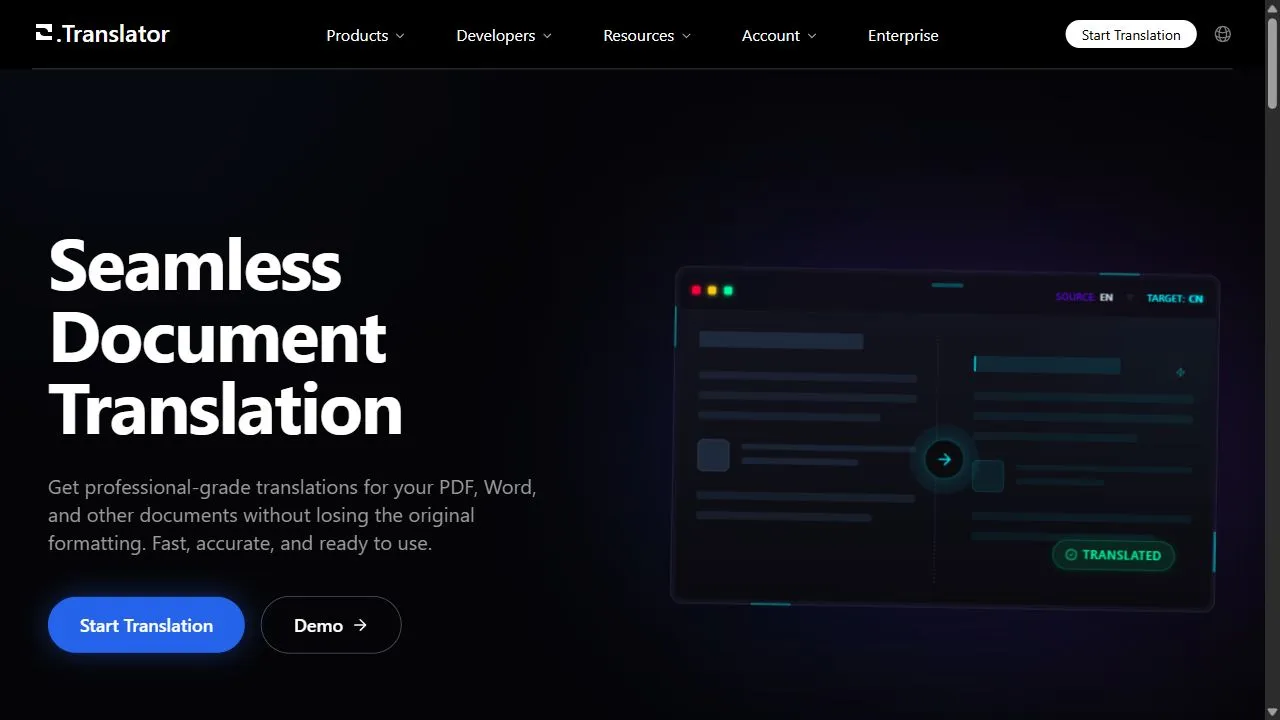
Office Translator is a powerful AI-powered document translation tool designed to help users translate complex files while preserving the original formatting by leveraging artificial intelligence, automation, and intelligent layout recognition. The primary problem the tool solves is the common frustration associated with traditional translation software, which often strips away the structure of a document, leaving the user with a plain text file that requires hours of manual re-formatting. By integrating advanced natural language processing (NLP) with layout analysis, Office Translator ensures that the visual integrity of the document—including tables, images, and font placements—remains intact throughout the translation process.
The tool utilizes state-of-the-art AI models to analyze the context of the text and the spatial arrangement of the document. Instead of simply converting text, it maps the original coordinates of the content, translates the language, and re-inserts the translated text back into the original layout. This high-intent solution is specifically engineered for professionals, corporate entities, and academic researchers who handle high-stakes documentation where presentation is as critical as the content itself. By automating the tedious task of manual layout correction, it enables a more streamlined workflow for global communication.
Designed for a diverse range of users, Office Translator caters to anyone requiring high-accuracy translations across multiple file formats, including PDF, Word, and EPUB. Whether it is a legal contract, a technical manual, or a digital book, the tool ensures that the final output is ready for professional distribution without the need for an intermediate graphic designer or document editor. Through the use of sophisticated AI, it bridges the linguistic gap while maintaining the professional standards of corporate and academic documentation.
Key Features of Office Translator
- Support for comprehensive file formats including PDF, Microsoft Word, and EPUB.
- Advanced layout preservation technology that maintains the position of text, images, and tables.
- Integration of high-accuracy natural language processing models for context-aware translation.
- Support for dozens of global languages to facilitate international communication.
- Automated document analysis to identify and maintain complex structural elements.
- Cloud-based processing for fast upload and download of translated files.
- Intelligent text replacement that adjusts to the length of translated strings within fixed layouts.
- User-friendly interface designed for rapid document processing and efficiency.
- High-fidelity rendering of translated documents to ensure professional visual quality.
- Seamless handling of multi-page documents with consistent formatting across all sections.
Why People Use Office Translator
The core motivation for using Office Translator stems from the inefficiency of traditional translation methods. In a standard workflow, a user might copy text from a PDF into a basic translation engine, only to find that the resulting text is a disorganized stream of words devoid of the original headers, columns, and image captions. This necessitates a manual reconstruction of the document, which is not only time-consuming but also prone to human error. Office Translator eliminates this friction by treating the document as a holistic visual object rather than just a string of text.
Professionals rely on this tool because it provides a level of scalability that manual translation cannot match. For a business operating in multiple regions, translating a fifty-page corporate report manually would take days of work. By utilizing AI to handle both the linguistic conversion and the structural preservation, the process is reduced to minutes. The accuracy provided by modern AI ensures that the nuance of the original message is maintained, while the layout preservation ensures that the document remains authoritative and professional.
Furthermore, the tool is highly valued for its ability to handle "fixed" formats like PDFs, which are notoriously difficult to edit. By bypassing the need to convert a PDF back into an editable Word document before translating, users save multiple steps in their workflow. The ability to maintain the original aesthetic of a document is essential for maintaining brand consistency and ensuring that technical diagrams and tables remain aligned with their corresponding descriptions.
Popular Use Cases
- Corporate Legal Documentation: Translating contracts, terms of service, and compliance agreements where the original structure and numbering of clauses must remain identical across different languages.
- Academic Research and Publishing: Converting scholarly articles and white papers into multiple languages for global distribution while keeping citations, footnotes, and complex data tables intact.
- Technical Manuals and User Guides: Translating complex instruction manuals that rely heavily on the synchronization between descriptive text and illustrative diagrams.
- E-book Localization: Utilizing EPUB support to translate digital books for international markets without losing the intended chapter structure or formatting.
- International Business Proposals: Translating pitch decks and business proposals to ensure that the visual impact and professional branding are preserved for foreign investors.
- Governmental and Administrative Filing: Processing official forms and reports that require a strict adherence to a specific layout for legal or administrative validity.
- Medical and Scientific Reports: Translating detailed medical case studies or scientific findings where the precise placement of data in tables is critical for interpretation.
Benefits of Office Translator
- Significant Time Savings: Eliminates the need for manual re-formatting, allowing users to move from raw document to translated final product almost instantly.
- Enhanced Professionalism: Ensures that translated documents look as polished and authoritative as the originals, preventing the "unprofessional" look of distorted layouts.
- Increased Operational Efficiency: Enables businesses to localize content rapidly, reducing the time-to-market for international product launches or communications.
- Reduced Human Error: Minimizes the risk of misplacing data or losing critical information during the manual copy-paste process common in traditional translation.
- Improved Accessibility: Makes complex, formatted information available to non-native speakers without sacrificing the clarity provided by the original visual aids.
- Scalable Multilingual Workflow: Allows organizations to handle a high volume of documents across various languages without needing a massive team of layout editors.
- Seamless Integration: Provides a streamlined experience where the input and output formats remain consistent, simplifying the archiving and sharing of translated files.
- High Linguistic Accuracy: Leverages advanced AI to ensure that translations are not just literal, but contextually appropriate for the target audience.
Office Translator translates documents while preserving layout, supporting PDF, Word, and EPUB formats with high-accuracy AI.
Key use cases and capabilities
Page Insights
Pros & Cons
Pros
- Preserves original document formatting
- Supports various file types including PDF
Cons
- Requires payment for most features
- Limited file size capacity
Frequently Asked Questions (FAQ)
Does it work with PDF files?
Yes, Office Translator is specifically optimized for PDF and other document formats to maintain original layout.
Related AIs
Featured


Compare with Alternatives
All VS
GetAi
@getai
Professional Text translation tools for creators.
Pricing Details
More Related AIs
View All
Perplexity
Perplexity is an AI-powered answer engine that delivers concise, sourced responses to user querie

 Mehar Kumar4.0 stars
AITextTune
AITextTune is an innovative AI-powered text rewriting tool designed to help users refine and opti

 Dimitri Fontai3.0 stars
ChatOne
ChatOne is an innovative multimodal AI chatbot that empowers users to access and compare response

ChatOne is an innovative multimodal AI chatbot that empowers users to access and compare responses from leading large language models – including ChatGPT, Claude Sonnet, and Gemini – within a unified chat interface. ChatOne addresses the challenge of fragmented access to powerful AI tools. Previo

Grammarly
In the fast-evolving landscape of 2025, Grammarly has transitioned from a simple spell-checker into
 فاطمه سلطانی نژاد4.0 stars
Lutia
Lutia is an innovative AI-powered generative AI toolkit designed to help users create content, b

 V. Narayanan2.0 stars
AccuChats
AccuChats is a powerful AI-powered chatbot platform designed to help users build highly reliable

 Jonathan Lorenzo5.0 stars
Meta Ai
Meta AI is an advanced artificial intelligence assistant and generative AI platform developed to
 Arttu Takala2.0 stars
.png)
GPT4 Vision Chatbot
GPT4 Vision Chatbot is an AI-powered chatbot platform that enables users to create sophisticated
 V. Narayanan1.0 stars
CallGPT 6X
CallGPT 6X is an innovative AI-powered platform that streamlines access to multiple large languag

CallGPT 6X is an innovative AI-powered platform that streamlines access to multiple large language models (LLMs), intelligently routing user prompts to the optimal AI for the task. It solves the problem of needing to manually select between different AI models, offering a unified interface and ma

ChatBetter
ChatBetter is an innovative AI chat platform that provides unified access to multiple large langu

 Gustavo Santana3.0 stars
Inception Chat
Inception Chat is an innovative AI chatbot platform that delivers exceptionally fast and efficien

 Henriette Gaillard5.0 stars
WidgetVox
WidgetVox is an AI-powered voice agent integration platform designed to help website owners incre

WidgetVox is an AI-powered voice agent integration platform designed to help website owners increase user engagement and streamline customer communication by leveraging artificial intelligence, automation, and natural language processing . The tool solves the common problem of static, impersonal

Chaindesk
Chaindesk is an AI-powered chatbot platform that enables businesses to create and deploy customiz

 Modesto Tapia5.0 stars
Pairaphrase
Pairaphrase is an advanced AI Translation Management System (TMS) that enables enterprises to str

Pairaphrase is an advanced AI Translation Management System (TMS) that enables enterprises to streamline and automate their translation workflows, ensuring accuracy, security, and brand consistency across global markets. Pairaphrase addresses the challenges of managing large volumes of multilingu

Narrot
Narrot is an advanced AI customer support automation agent designed to revolutionize how business

 Lolit Shevchenko5.0 stars
Interhuman AI
Interhuman AI is a sophisticated AI social intelligence framework designed to help developers and

Interhuman AI is a sophisticated AI social intelligence framework designed to help developers and enterprises build artificial intelligence systems that truly understand and respond to human social cues by leveraging emotional intelligence, multi-modal analysis, and advanced behavioral modeling