PDF to Calendar


PDF to Calendar
Ai Tool Screenshots & Usage
Overview
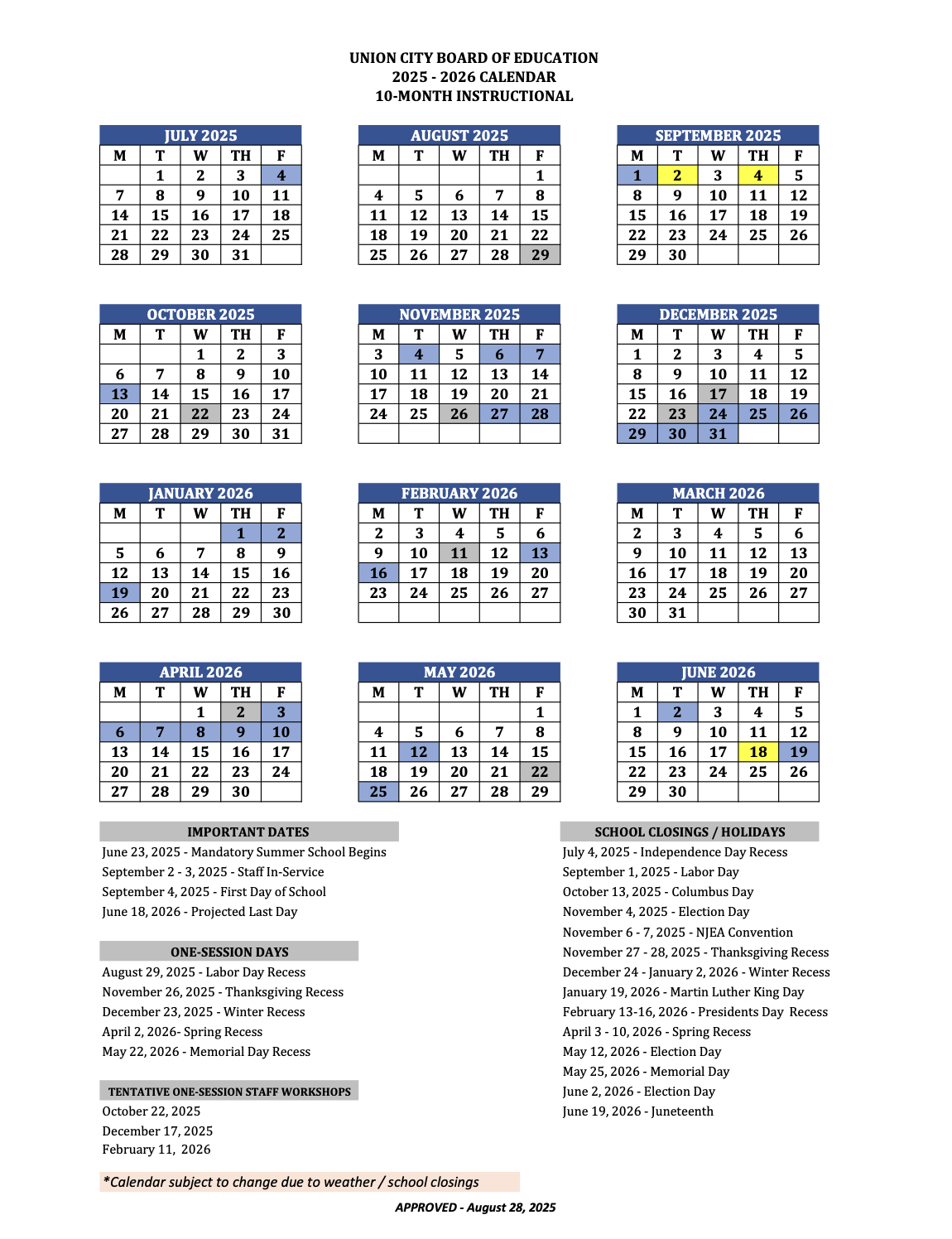
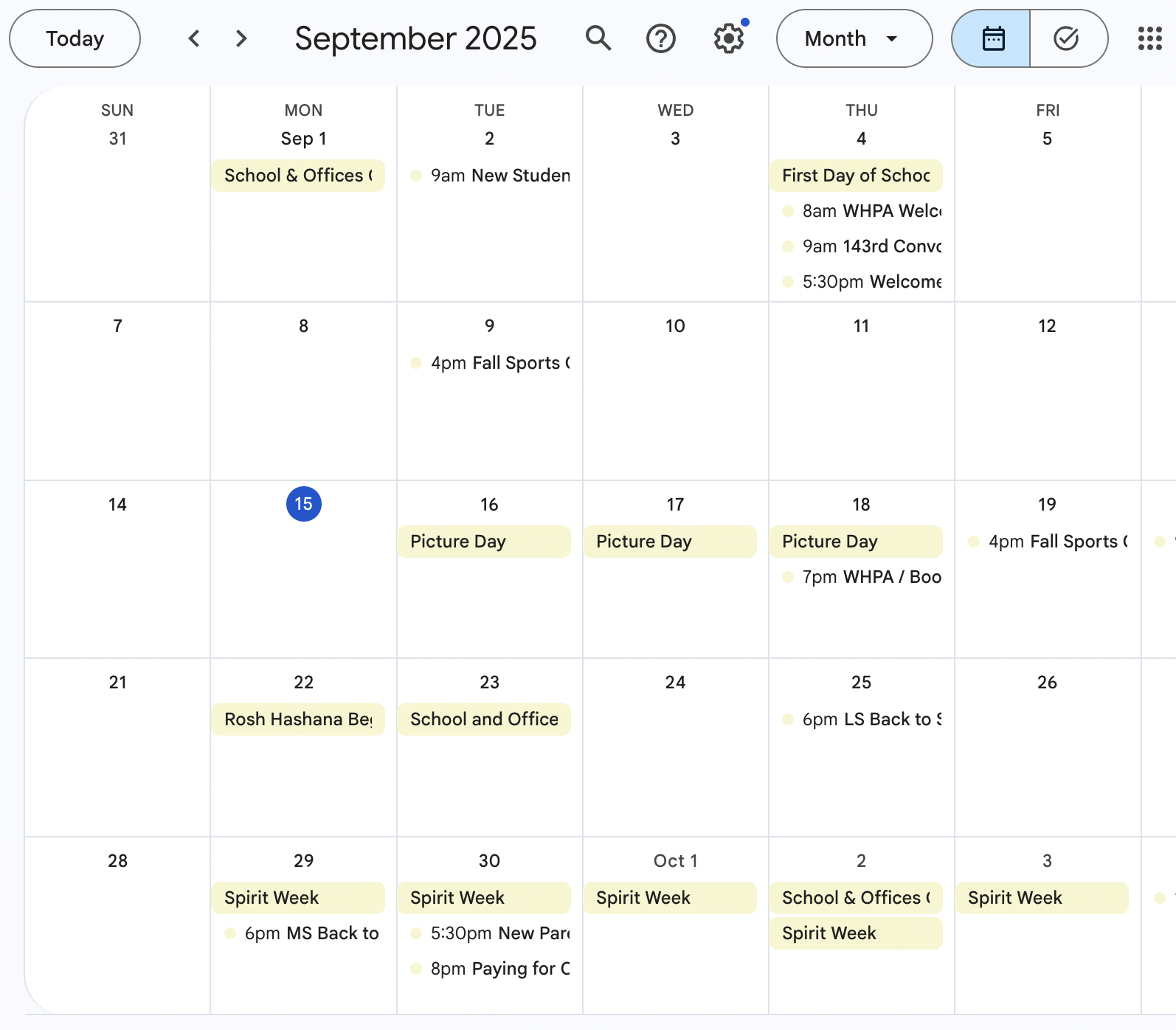
PDF to Calendar is an innovative AI-powered calendar digitization tool that transforms scanned or photographed paper calendars into editable digital calendar entries. It solves the problem of inefficient manual scheduling and the disconnect between physical and digital planning. The tool utilizes artificial intelligence and optical character recognition (OCR) to accurately extract event information from images of calendars. It is designed for students, educators, professionals, and anyone who prefers using a paper calendar but desires the convenience of a digital schedule. This tool is a valuable asset for those seeking calendar management, schedule digitization, and productivity enhancement.
Key Features of PDF to Calendar
- Converts scanned or photographed paper calendars into digital format.
- Utilizes AI-powered optical character recognition (OCR) for accurate data extraction.
- Identifies and extracts dates, times, and event descriptions.
- Creates editable calendar entries compatible with popular calendar applications.
- Supports various calendar layouts and handwriting styles (with varying degrees of accuracy).
- Offers a user-friendly interface for easy uploading and processing of calendar images.
- Provides a streamlined workflow for digitizing multiple calendar pages.
- Enables users to quickly populate their digital calendars with existing commitments.
Why People Use PDF to Calendar
Individuals and organizations often rely on paper calendars for daily planning and scheduling. However, maintaining a solely paper-based system can be cumbersome, prone to errors, and difficult to share or integrate with digital tools. PDF to Calendar addresses these challenges by offering a seamless bridge between traditional and digital methods. Unlike manual data entry, which is time-consuming and susceptible to inaccuracies, this tool automates the process, significantly reducing effort and improving reliability. The ability to quickly digitize a paper calendar allows for easier access to schedules across multiple devices, improved collaboration, and enhanced overall organization. It empowers users to leverage the benefits of digital calendaring without abandoning their preferred method of initial planning.
Popular Use Cases
- Students: Digitizing academic calendars with class schedules, exam dates, and assignment deadlines.
- Educators: Converting classroom calendars with important dates, school events, and parent-teacher conferences.
- Professionals: Transferring work calendars with meetings, deadlines, and project milestones.
- Personal Scheduling: Converting personal calendars with appointments, birthdays, and social events.
- Event Planning: Digitizing event calendars to streamline logistics and coordination.
- Archiving: Creating digital backups of important paper calendars for long-term record-keeping.
- Remote Teams: Sharing calendar information easily among team members, regardless of location.
- Individuals with Accessibility Needs: Providing a digital format for those who may have difficulty reading or writing on paper.
Benefits of PDF to Calendar
- Time Savings: Eliminates the need for manual data entry, freeing up valuable time for other tasks.
- Increased Accuracy: Reduces errors associated with manual transcription of calendar information.
- Improved Organization: Consolidates schedules into a centralized, digital format for easy access and management.
- Enhanced Accessibility: Allows users to view and manage their calendars on any device with an internet connection.
- Seamless Integration: Facilitates integration with popular calendar applications like Google Calendar, Outlook, and Apple Calendar.
- Reduced Paper Clutter: Minimizes the need for physical paper calendars, promoting a more sustainable and organized workspace.
- Simplified Collaboration: Enables easy sharing of calendar information with colleagues, friends, and family.
- Greater Flexibility: Provides the ability to edit, modify, and update calendar entries as needed.
Digitize scans of your paper calendar from school/work
Page Insights
Pros & Cons
Pros
- Digitizes paper calendars into editable digital entries
- Uses advanced image recognition and AI data extraction
- Eliminates manual data entry and reduces errors
- Seamlessly integrates with digital calendar apps
Cons
- Accuracy depends on scan quality of paper calendar
- Primarily focused on calendar conversion, not broader document management
Frequently Asked Questions (FAQ)
What is PDF to Calendar?
PDF to Calendar is a digital tool that converts scans of your paper calendars (from school, work, etc.) into editable digital entries for your preferred calendar apps.
How does PDF to Calendar work?
It uses advanced image recognition and AI to accurately interpret dates, times, and event descriptions from scanned paper calendars, then digitizes them, saving you from manual entry.
Related AIs
Featured



GetAi
@getai
Professional Time Management tools for creators.
Pricing Details
More Related AIs
View All
Talk Task App
Talk Task App is your personal AI Task Manager, revolutionizing the way you organize your to-do list

 Joshua Fournier5.0 stars
ChatGPT for Gmail
ChatGPT for Gmail is a versatile AI-powered email assistant designed to help users streamline th

ChatGPT for Gmail is a versatile AI-powered email assistant designed to help users streamline their Gmail experience by leveraging large language models for email drafting, summarization, and response generation. This tool addresses the common problem of email overload and the time-consuming

Incredible.one
Incredible.one is an AI-powered agent platform that enables users to deploy specialized, reliable

 Marcos Molina3.0 stars
NoteDock
NoteDock is an intelligent AI-powered note-taking and task management platform designed to help u

NoteDock is an intelligent AI-powered note-taking and task management platform designed to help users capture, organize, and recall information with unprecedented efficiency. It addresses the common problem of information overload and the difficulty of retrieving crucial details from scattered
Mitra - Call People with AI
Mitra - AI Phone Assistant is an innovative AI-powered mobile application that allows users to a

 Isabella Ennis3.0 stars
Tavily
Tavily is an AI-powered Web Access Layer designed to empower AI agents with rapid, comprehensive

Tavily is an AI-powered Web Access Layer designed to empower AI agents with rapid, comprehensive internet research capabilities. It solves the problem of inefficient and time-consuming data gathering for AI applications by leveraging artificial intelligence to quickly access, synthesize, and deli

Aident AI
Aident AI is a no-code AI automation platform that enables users to build and deploy custom AI-po

 Echica Houtkamp3.0 stars
Quell
Quell is an innovative AI-powered User Acceptance Testing (UAT) automation platform designed to h

 Ishwar Fernandes5.0 stars
InboxPilot - Custom Trained Chatbot for email and website
InboxPilot is an AI-powered chatbot platform designed to automate email replies and website interac

InboxPilot is an AI-powered chatbot platform designed to automate email replies and website interactions using custom-trained AI models. It addresses the challenge of overwhelming email inboxes and the need for instant, accurate customer support by leveraging artificial intelligence to learn from a

Conversed.ai
Conversed.ai is an AI Agent Optimization Studio designed to empower businesses to build, analyze,

Conversed.ai is an AI Agent Optimization Studio designed to empower businesses to build, analyze, and refine their AI agents for enhanced customer interactions and improved business outcomes. This platform addresses the challenge of ensuring AI agents deliver consistently high-quality, empathetic
Pod AI
Pod AI is an AI-powered call automation platform that enables businesses to automate outbound and

Pod AI is an AI-powered call automation platform that enables businesses to automate outbound and inbound phone calls using intelligent AI agents, improving communication efficiency and reducing operational costs. Pod AI addresses the challenges of scaling phone-based communication, managing high
Email Signature Parser
Email Signature Parser is a Chrome extension that utilizes artificial intelligence to automatical

 Modesto Tapia4.0 stars
Released
Released is an intelligent AI-powered release note generator that automates the creation of release

Released is an intelligent AI-powered release note generator that automates the creation of release documentation directly from Jira tickets, improving product communication. This tool addresses the challenge of time-consuming and often inconsistent manual release note writing, a common pain point
MICRO LLM
MICRO LLM is a groundbreaking on-device AI assistant that empowers users to harness the power of

MICRO LLM is a groundbreaking on-device AI assistant that empowers users to harness the power of large language models while maintaining complete data privacy . This tool addresses the growing concern of data security in the age of AI by eliminating the need to send personal information to clo

Audiotext Ai
Audiotext Ai is an AI-powered speech-to-text application designed to help users convert spoken l

 Đurađ Trajković2.0 stars
Manus
Manus is an AI-powered project and task management platform designed to help users transform ideas

Manus is an AI-powered project and task management platform designed to help users transform ideas into actionable plans and automated workflows. It addresses the challenge of translating abstract concepts into concrete steps, leveraging artificial intelligence to streamline project execution and b