2/15/2026

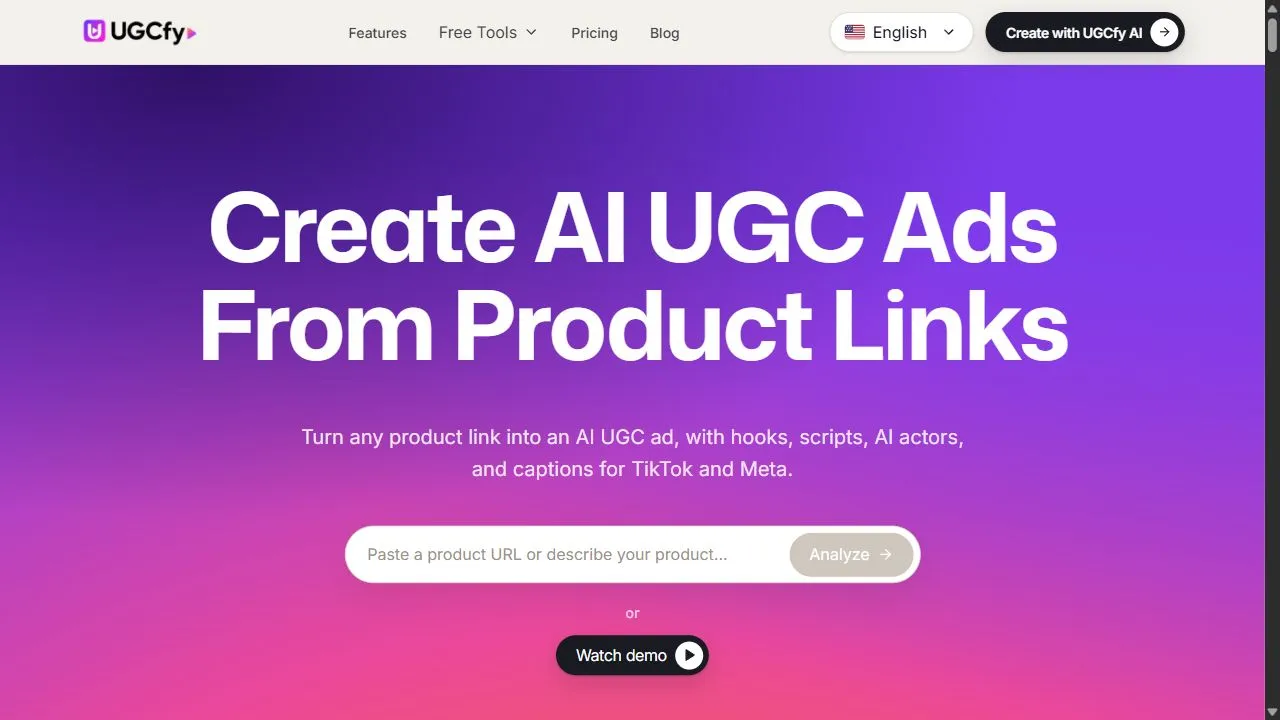
**UGC Ads (User-Generated Content Ads)** are advertising creatives made in a **natural, creator-style video format** that looks and feels like content created by real users. Instead of traditional polished advertisements, UGC ads focus on **authentic storytelling, product experiences, and social proof**, making them highly effective for modern digital marketing. UGC Ads are commonly searched by marketers and advertisers looking for **high-converting video ads, TikTok-style ads, creator ads, and performance marketing creatives**. ## What Are UGC Ads? UGC Ads are paid advertisements designed to resemble organic social media content. These ads are typically shot in a **self-recorded, vertical video style** where creators talk directly to the camera, demonstrate products, or share personal experiences. They are widely used on platforms like **TikTok, Instagram Reels, Facebook, YouTube Shorts, and Snapchat Ads** because they blend naturally into user feeds. ## Key Features of UGC Ads - Creator-style, authentic video format - Vertical, mobile-first design - Product demos and testimonials - Native-looking ads for social platforms - Short, engaging video hooks - High engagement and conversion rates - Scalable content creation - Suitable for organic and paid campaigns ## Why People Use UGC Ads Modern audiences trust creators more than traditional brand messaging. UGC Ads help brands **build credibility, increase engagement, and drive conversions** by presenting products in a relatable way. Performance marketers use UGC Ads to **lower ad costs, improve click-through rates, and scale campaigns faster**. ## Popular Use Cases - TikTok and Instagram paid ads - App install and SaaS campaigns - E-commerce product promotions - DTC brand growth marketing - Dropshipping and Shopify stores - Landing page and funnel videos - Retargeting and remarketing campaigns ## Benefits of UGC Ads - Higher trust and authenticity - Better ad performance than traditional creatives - Lower production costs - Faster creative testing and iteration - Works across multiple ad platforms - Easy to scale with multiple creators ## UGC Ads and AI Tools AI is increasingly used to: - Generate UGC ad scripts and hooks - Create AI-based virtual creators - Automate subtitles and captions - Test multiple creative variations - Optimize ads for performance This allows brands to scale UGC ads **without relying solely on human creators**.

Number of tools
1
Most popular
Arcads AI
Arcads AI
State of the art

Top featured

Blink - Ai App Builder

Blink is an AI-powered app builder platform that allows users to create mobile and web applications quickly without coding . By leveraging artificial intelligence, Blink simplifies app design, logic generation, backend integration, and deployment — enabling entrepreneurs, businesses, and non-technical creators to launch fully functioning apps in a fraction of the time compared to traditional development. Blink is commonly searched by users looking for AI app creation tools, no-code app builders, drag-and-drop app platforms, and rapid app prototyping solutions . What Is Blink – AI App Builder? Blink is a visual app creation platform that uses AI to automatically generate user interfaces, workflows, backend services, and integrations based on user input. Users can provide text prompts, choose templates, or build apps through a visual editor. The AI assists in transforming ideas into functional applications that can be deployed to the web or mobile environments. Key Features of Blink – AI App Builder AI-assisted app generation from text prompts Drag-and-drop visual editor for UI design Templates for common app categories (business, ecommerce, utilities, etc.) Backend services and database integration API connectors and third-party service support Real-time previews and testing environment Export or publish apps as PWA, mobile, or web apps User authentication, notifications, and workflows built in Why People Use Blink Traditional app development requires coding skills, frameworks, servers, and infrastructure setup — all of which take time and technical expertise. Blink removes these barriers by offering AI-enhanced automation, visual design tools, and backend generation , making app building accessible to both beginners and experienced creators. Users choose Blink to rapidly prototype ideas, reduce development costs, and launch digital products without writing code . Popular Use Cases Building business and enterprise applications Creating e-commerce and shopping apps Launching booking and reservation platforms Developing community or social apps Prototyping Minimum Viable Products (MVPs) Automating internal workflows and dashboards Custom forms and data collection tools Benefits of Blink – AI App Builder Enables app creation without coding or developers Speeds up design, development, and deployment Reduces development cost and dependency on technical teams Provides flexible exports (web, mobile, PWA) AI guidance for logic and workflow automation Ideal for entrepreneurs, SMBs, and creators Who Should Use Blink? Entrepreneurs and startup founders Small business owners Product managers and designers Educators and course creators Freelancers and consultants Anyone building apps without coding expertise Frequently Asked Questions What does Blink – AI App Builder do? Blink uses artificial intelligence to help users design, build, and deploy mobile and web applications without writing code. Do I need technical skills to use Blink? No. Blink is designed for non-technical users and allows visual app building with AI support. Can Blink apps be published? Yes. Apps built with Blink can be published as web apps, PWAs, or deployed to mobile environments depending on platform support. Does Blink support backend and database integration? Yes. Blink includes backend services, database setup, and API connections. Are templates available? Yes. Blink offers templates for common app types to help users start quickly. Blink AI App Builder, AI App Creation Tool, No-Code App Builder, AI Mobile App Builder, Drag-and-Drop App Platform, AI Web App Builder, Rapid App Prototyping

Ai App BuilderApp Builder Website
Visit Website
Bruno SantillánBruno Santillán4.0 stars
Het helpt bij contentplanning.
4.0

FineVoice AI Voice Cloning

FineVoice AI Voice Cloning is an advanced AI-powered voice cloning platform that enables users to digitally replicate any voice with remarkable speed and accuracy, transforming text into realistic speech. It addresses the challenge of sourcing unique and personalized voices for a variety of applications, leveraging artificial intelligence to deliver high-fidelity voice synthesis . This tool is designed for content creators, marketers, developers, and anyone seeking to generate custom audio content efficiently. FineVoice AI Voice Cloning utilizes cutting-edge deep learning algorithms to analyze and replicate the nuances of a target voice, allowing for the creation of highly realistic and expressive audio. The platform simplifies the process of AI voice generation , eliminating the need for expensive studio recordings or professional voice actors. It provides a scalable solution for producing large volumes of audio content with consistent quality and personalized vocal characteristics. The core technology centers around neural vocoders and generative adversarial networks (GANs) to achieve natural-sounding speech. This platform is particularly valuable for individuals and businesses looking to enhance their content with unique voices, personalize customer experiences, or automate audio production workflows. It offers a user-friendly interface and a range of customization options, making sophisticated voice cloning technology accessible to users of all technical skill levels. FineVoice AI Voice Cloning is a powerful tool for anyone seeking to unlock the potential of AI voice replication and create compelling audio experiences. Key Features of FineVoice AI Voice Cloning Clones voices from audio samples with minimal data. Generates realistic and natural-sounding speech. Offers a user-friendly interface for easy voice cloning. Supports multiple languages for diverse audio content creation. Allows for customization of speech parameters like speed and pitch. Provides a variety of voice styles and accents. Enables the creation of unique character voices for games and animations. Facilitates the rapid production of audiobooks and podcasts. Offers a secure and private environment for voice data. Supports various audio output formats. Why People Use FineVoice AI Voice Cloning Individuals and organizations are increasingly turning to FineVoice AI Voice Cloning as a solution to the limitations of traditional audio production methods. Sourcing professional voice actors can be costly and time-consuming, while relying on stock voices often lacks the personalization needed to create a truly engaging experience. This platform offers a compelling alternative by enabling users to create custom voices quickly and affordably. Compared to manual voice recording and editing, FineVoice AI Voice Cloning significantly reduces production time and effort. The AI-powered cloning process automates much of the work involved in creating high-quality audio content, allowing users to focus on other aspects of their projects. The platform’s scalability also makes it ideal for businesses that require large volumes of audio content, such as e-learning platforms or marketing agencies. It democratizes access to professional-grade voice synthesis, empowering individuals and small businesses to compete with larger organizations. Popular Use Cases Content Creation: Generating voiceovers for videos, presentations, and marketing materials. E-learning: Creating engaging and personalized audio content for online courses. Podcast Production: Developing unique character voices or narrations for podcasts. Audiobook Creation: Producing audiobooks with custom voices for a more immersive experience. Game Development: Designing realistic and expressive voices for game characters. Animation: Bringing animated characters to life with unique and compelling voices. Marketing & Advertising: Creating personalized audio ads and promotional content. Accessibility: Converting text to speech for visually impaired individuals. Virtual Assistants: Developing custom voices for virtual assistants and chatbots. Personal Projects: Cloning a loved one’s voice for sentimental purposes or creating personalized audio messages. Benefits of FineVoice AI Voice Cloning Cost Savings: Reduces the need for expensive voice actors and studio recordings. Time Efficiency: Accelerates audio production workflows and reduces turnaround times. Scalability: Enables the creation of large volumes of audio content quickly and easily. Personalization: Allows for the creation of unique and customized voices. Accessibility: Makes professional-grade voice synthesis accessible to a wider audience. Creative Freedom: Empowers users to experiment with different voice styles and accents. Enhanced Engagement: Improves the quality and impact of audio content. Consistent Quality: Ensures consistent voice quality across all audio projects. Simplified Workflow: Streamlines the audio production process with an intuitive interface. Increased Productivity: Frees up time and resources for other tasks.

Ai Music
Visit Website
Hredhaan PujariHredhaan Pujari5.0 stars
Стабильная работа.
5.0

Fineshare

Fineshare is an innovative AI-powered audio and video creation platform designed to help users generate professional-quality content quickly and efficiently by leveraging artificial intelligence, text-to-speech technology, and automated video creation workflows . Fineshare addresses the challenges of time-consuming and expensive content production, particularly for audio and video assets. It utilizes advanced AI algorithms to transform text into realistic speech and facilitates the creation of visually engaging videos, streamlining the content creation process. This platform is ideal for content creators, marketers, educators, and businesses seeking to produce high-quality audio and video content without the need for extensive technical expertise or significant financial investment in traditional production methods. It’s a valuable resource for anyone looking to enhance their content strategy with compelling multimedia experiences. Key Features of Fineshare Text-to-speech conversion with a diverse range of AI voices. Support for multiple languages for global content creation. AI-powered video generation from text prompts. Customizable video templates and styles. User-friendly interface for easy navigation and operation. Ability to clone voices for consistent branding. Options for adjusting speech speed and pitch. High-quality audio output for professional results. Integration of background music and sound effects. Cloud-based platform accessible from any device. Why People Use Fineshare Individuals and organizations utilize Fineshare to overcome the hurdles associated with traditional audio and video production. Creating compelling content often requires specialized skills, expensive equipment, and significant time investment. Fineshare democratizes content creation by providing an accessible, affordable, and efficient alternative. The platform empowers users to bypass the complexities of recording studios, voice actors, and video editing software. By automating key aspects of the production process, Fineshare significantly reduces turnaround times and costs, allowing creators to focus on their core message and creative vision. It’s particularly beneficial for those who need to produce a high volume of content regularly, such as marketing campaigns, educational materials, or podcast episodes. The platform’s ease of use makes it suitable for users with varying levels of technical expertise, fostering a more inclusive and streamlined content creation workflow. Popular Use Cases Marketing and Advertising: Generating voiceovers for video ads, promotional content, and social media campaigns. E-learning and Training: Creating engaging narrations for online courses, tutorials, and training materials. Podcast Production: Producing high-quality audio introductions, outros, and segments for podcasts. YouTube Content Creation: Developing voiceovers for explainer videos, reviews, and entertainment content. Audiobook Creation: Converting written manuscripts into professional-sounding audiobooks. Accessibility Solutions: Providing text-to-speech functionality for websites and applications to enhance accessibility. Internal Communications: Creating engaging video announcements and training materials for employees. Personal Projects: Generating voiceovers for personal videos, presentations, and creative endeavors. Content Localization: Adapting content for different languages and regions with AI-powered voiceovers. Social Media Content: Quickly producing short-form video content with AI voices for platforms like TikTok and Instagram Reels. Benefits of Fineshare Reduced Production Costs: Eliminates the need for expensive recording studios, voice actors, and video editors. Increased Efficiency: Automates key aspects of the content creation process, saving valuable time and resources. Enhanced Content Quality: Delivers professional-sounding audio and visually appealing videos. Scalability: Enables the rapid production of large volumes of content to meet growing demands. Accessibility: Empowers users with varying levels of technical expertise to create high-quality content. Brand Consistency: Allows for voice cloning to maintain a consistent brand identity across all content. Global Reach: Supports multiple languages, facilitating content localization and expansion into new markets. Creative Freedom: Provides a wide range of voices, styles, and customization options to bring creative visions to life. Improved Engagement: Captures audience attention with compelling audio and video experiences. Streamlined Workflow: Integrates seamlessly into existing content creation workflows, simplifying the production process.

Ai Music
Visit Website
Isabella MurrayIsabella Murray3.0 stars
Niet revolutionair, maar degelijk.
3.0

Browser MCP

BrowserMCP.io is a platform and browser automation tool that connects AI applications directly to your web browser so they can control, navigate, and automate tasks within real browser sessions. It leverages the Model Context Protocol (MCP) to enable AI tools like Claude, Cursor, Windsurf, VS Code, and others to interact with web pages, fill forms, extract data, drive tests, and perform complex workflows without manual input. :contentReference[oaicite:0] What Is BrowserMCP.io? BrowserMCP.io combines a local MCP server with a Chrome extension that lets you use AI-powered agents to automate your browser actions securely and privately. Instead of running automation in remote servers or using headless bots, the MCP approach works with your active, logged-in browser profile and uses your real browser fingerprint to avoid bot-detection and session issues. :contentReference[oaicite:1] Key Features AI-driven browser automation : Control navigation, clicks, typing, form filling, and screenshots via AI tools. :contentReference[oaicite:2] Local and private execution : Automation runs on your device, keeping your data secure and within your session. :contentReference[oaicite:3] Integration with AI clients : Works with AI editors and assistants like Claude, Cursor, Windsurf, and VS Code. :contentReference[oaicite:4] Stealth automation : Uses your real browser’s profile and fingerprint to reduce bot detection and CAPTCHAs. :contentReference[oaicite:5] Rich browser commands : Includes capabilities like navigate, click, type, drag, screenshot, and log collection. :contentReference[oaicite:6] Why People Use BrowserMCP.io Web automation traditionally requires manual scripting or headless browser tools. BrowserMCP.io enables AI tools to automate browser tasks seamlessly and context-aware , turning repetitive online actions — such as data extraction, form automation, UI testing, workflow automation, and multi-step sequences — into AI-driven processes without technical scripting. :contentReference[oaicite:7] Popular Use Cases Web task automation (form filling, navigation, data entry) AI-driven UI testing and validation Automated data collection and scraping Browser-based workflow automation Integration between AI assistants and web applications :contentReference[oaicite:8] Benefits of BrowserMCP.io Works with your existing logged-in browser session Keeps all automation local and privacy-focused Reduces errors from bot detection or headless environments Enables advanced automation without coding Accelerates AI-based workflows directly where you work :contentReference[oaicite:9] Who Should Use BrowserMCP.io? Developers and engineers building AI integrations QA teams needing automated web testing Data professionals doing web extraction Product and growth teams automating repetitive tasks Anyone using AI assistants with browser workflows :contentReference[oaicite:10] Frequently Asked Questions What does BrowserMCP.io do? BrowserMCP.io enables AI applications to control and automate your web browser using a local MCP server and extension. :contentReference[oaicite:11] How is it different from traditional automation tools? Instead of headless bots or remote scripts, BrowserMCP.io runs automation in your actual browser profile , maintaining sessions and reducing bot detection issues. :contentReference[oaicite:12] Do I need a separate AI tool to use it? Yes. You connect BrowserMCP.io with AI clients like Claude, Cursor, or an AI editor that supports MCP. :contentReference[oaicite:13] Is my data secure with BrowserMCP.io? Automation runs locally, so data isn’t sent to external servers; the tool preserves privacy and session context on your machine. :contentReference[oaicite:14] Can it automate form filling and testing? Yes. BrowserMCP.io supports web navigation, form interaction, and UI automation tasks. :contentReference[oaicite:15] BrowserMCP.io, MCP Browser Automation, AI Browser Toolkit, Model Context Protocol Browser, AI Web Automation, Chrome AI Extension, Browser Task Automation

Ai Coding Assistance
Visit Website

BrowserMCP.io is a platform and browser automation tool that connects AI applications directly to your web browser so they can control, navigate, and automate tasks within real browser sessions. It leverages the Model Context Protocol (MCP) to enable AI tools like Claude, Cursor, Windsurf, VS Code, and others to interact with web pages, fill forms, extract data, drive tests, and perform complex workflows without manual input. :contentReference[oaicite:0] What Is BrowserMCP.io? BrowserMCP.io combines a local MCP server with a Chrome extension that lets you use AI-powered agents to automate your browser actions securely and privately. Instead of running automation in remote servers or using headless bots, the MCP approach works with your active, logged-in browser profile and uses your real browser fingerprint to avoid bot-detection and session issues. :contentReference[oaicite:1] Key Features AI-driven browser automation : Control navigation, clicks, typing, form filling, and screenshots via AI tools. :contentReference[oaicite:2] Local and private execution : Automation runs on your device, keeping your data secure and within your session. :contentReference[oaicite:3] Integration with AI clients : Works with AI editors and assistants like Claude, Cursor, Windsurf, and VS Code. :contentReference[oaicite:4] Stealth automation : Uses your real browser’s profile and fingerprint to reduce bot detection and CAPTCHAs. :contentReference[oaicite:5] Rich browser commands : Includes capabilities like navigate, click, type, drag, screenshot, and log collection. :contentReference[oaicite:6] Why People Use BrowserMCP.io Web automation traditionally requires manual scripting or headless browser tools. BrowserMCP.io enables AI tools to automate browser tasks seamlessly and context-aware , turning repetitive online actions — such as data extraction, form automation, UI testing, workflow automation, and multi-step sequences — into AI-driven processes without technical scripting. :contentReference[oaicite:7] Popular Use Cases Web task automation (form filling, navigation, data entry) AI-driven UI testing and validation Automated data collection and scraping Browser-based workflow automation Integration between AI assistants and web applications :contentReference[oaicite:8] Benefits of BrowserMCP.io Works with your existing logged-in browser session Keeps all automation local and privacy-focused Reduces errors from bot detection or headless environments Enables advanced automation without coding Accelerates AI-based workflows directly where you work :contentReference[oaicite:9] Who Should Use BrowserMCP.io? Developers and engineers building AI integrations QA teams needing automated web testing Data professionals doing web extraction Product and growth teams automating repetitive tasks Anyone using AI assistants with browser workflows :contentReference[oaicite:10] Frequently Asked Questions What does BrowserMCP.io do? BrowserMCP.io enables AI applications to control and automate your web browser using a local MCP server and extension. :contentReference[oaicite:11] How is it different from traditional automation tools? Instead of headless bots or remote scripts, BrowserMCP.io runs automation in your actual browser profile , maintaining sessions and reducing bot detection issues. :contentReference[oaicite:12] Do I need a separate AI tool to use it? Yes. You connect BrowserMCP.io with AI clients like Claude, Cursor, or an AI editor that supports MCP. :contentReference[oaicite:13] Is my data secure with BrowserMCP.io? Automation runs locally, so data isn’t sent to external servers; the tool preserves privacy and session context on your machine. :contentReference[oaicite:14] Can it automate form filling and testing? Yes. BrowserMCP.io supports web navigation, form interaction, and UI automation tasks. :contentReference[oaicite:15] BrowserMCP.io, MCP Browser Automation, AI Browser Toolkit, Model Context Protocol Browser, AI Web Automation, Chrome AI Extension, Browser Task Automation

Arcads AI

Arcads AI is the premier AI-powered platform for creating professional User-Generated Content (UGC) style advertising videos that convert. As a cutting-edge generative AI solution specifically designed for marketing teams, Arcads AI enables brands to produce high-quality, authentic-looking video advertisements without the need for hiring expensive actors, photographers, or production crews. The platform revolutionizes the advertising landscape by democratizing video production and making professional-grade UGC ads accessible to businesses of all sizes. At the heart of Arcads AI lies its sophisticated AI actor library, which includes over 1,000 realistic digital avatars with diverse ethnicities, ages, styles, and appearances. These AI actors are designed to look remarkably human-like, with natural facial expressions, authentic emotions, and convincing body language that make viewers forget they're watching AI-generated content. Each avatar can be customized to match your brand aesthetic, product category, or target audience demographics, ensuring that your ads resonate with your specific customer base. The platform's core strength is its ability to transform simple text scripts into compelling video advertisements in minutes. Users can input their product information, marketing message, or creative concept, and Arcads AI's advanced algorithms automatically generate multiple video variations featuring different AI actors, emotional expressions, and narrative approaches. This rapid iteration capability is particularly valuable for performance marketers who need to test numerous creative variations to identify top-performing ad concepts before scaling spend. Arcads AI's emotion control system is particularly innovative, allowing marketers to specify exactly how they want their AI actors to deliver the message. Users can dictate whether the actor should appear excited, skeptical, confident, or concerned about the product. This granular control over emotional delivery ensures that ads feel authentic and emotionally resonant, which are key drivers of viewer engagement and conversion rates. The platform learns from performance data to suggest emotional presentations that historically perform well with specific audience segments. One of Arcads AI's most valuable features is its localization and multilingual capabilities. The platform supports automatic translation and lip-sync generation in over 30 languages, enabling global brands to rapidly deploy campaigns across different geographical markets without reshooting or rerecording content. The AI seamlessly matches lip movements to translated dialogue, maintaining the natural, authentic appearance of the videos while expanding their reach exponentially. The video editing suite within Arcads AI empowers users to professionally finalize their ads with minimal effort. Users can add B-roll footage, background music, captions, transitions, and visual effects all within the platform. The AI intelligently suggests complementary B-roll from stock libraries, appropriate background music based on video mood and pacing, and on-brand color grading that aligns with existing campaign aesthetics. This integrated editing approach eliminates the need for separate video editing software or hiring post-production specialists. Arcads AI's product showcase capabilities are specifically engineered for e-commerce brands. The platform can generate videos featuring AI actors holding, demonstrating, or wearing your products in realistic contexts. Users simply upload product images or descriptions, and Arcads AI automatically creates contextually appropriate scenarios where the AI actor showcases the product's features and benefits. This functionality is particularly powerful for apparel, cosmetics, tech gadgets, and consumer goods that benefit from visual demonstration. The platform's script generation feature leverages natural language processing and conversion copywriting frameworks to help users craft compelling ad copy. Users can input basic product information, target audience, and desired message angle, and the AI generates multiple script variations optimized for different platforms, audience segments, and marketing objectives. This copywriting assistance ensures that video scripts are persuasive, benefit-focused, and structured for maximum engagement. Arcads AI's performance analytics dashboard provides detailed insights into how different AI-generated ads perform across paid advertising platforms. The platform integrates with major ad networks and provides metrics on views, engagement rates, click-through rates, conversion metrics, and estimated ROI. These analytics help marketers understand which AI actors, emotional presentations, scripts, and product angles resonate most effectively with their audiences, enabling data-driven optimization of future creative production. The platform's template library offers pre-built frameworks for common advertising scenarios, including product launches, seasonal promotions, educational demonstrations, customer testimonial styles, and problem-solution narratives. These templates accelerate the creative development process, particularly for marketers less experienced in video production, while still allowing customization to maintain authenticity and brand alignment. Arcads AI's API integration capabilities enable enterprise users to embed AI video generation directly into their marketing automation workflows, content management systems, and e-commerce platforms. This technical integration allows for dynamic, personalized video ad generation at scale, where different customer segments automatically receive video ads with tailored messaging, product recommendations, and creative presentations based on their browsing behavior and purchase history. The platform prioritizes authenticity and brand safety, implementing content moderation systems that ensure all generated content aligns with brand guidelines and advertising policies. Users maintain complete control over their brand's representation, with approval workflows that prevent any content from being published without explicit authorization. Arcads AI serves a diverse range of use cases. E-commerce brands use it to create product showcase videos that significantly outperform static image ads in conversion rates. Digital service companies generate testimonial-style videos that build credibility and trust. Agencies use Arcads AI to scale their creative production capacity, handling ten times more campaigns with smaller teams. Affiliate marketers generate high volumes of niche product ads at minimal cost, dramatically improving their profit margins. Startups launching new products rapidly produce multi-variant campaigns for market testing before committing to traditional production budgets. The pricing model is performance-based, allowing small teams and startups to access enterprise-grade video production capabilities. Monthly subscription plans provide access to the full AI actor library, unlimited video generation, and professional editing tools. Premium tier subscribers gain access to exclusive AI actors, priority rendering speeds, advanced analytics, and dedicated account support. Arcads AI represents the future of digital advertising, where artificial intelligence democratizes professional video production and enables data-driven creative optimization at unprecedented scale. By eliminating traditional production bottlenecks, the platform empowers marketing teams to experiment rapidly, validate creative concepts quickly, and scale winning campaigns efficiently.

UGC VideosUGC Ads
Visit Website
Jenny GrantJenny Grant3.0 stars
Есть потенциал для улучшения.
3.0

Moltbot- Personal AI Assistant

Moltbot is a personal AI assistant designed to help users manage tasks, automate workflows, and boost productivity using artificial intelligence. It acts like a digital helper that can assist with scheduling, reminders, note-taking, communication, and everyday work tasks — all through natural language interactions. Moltbot is commonly searched by users looking for AI virtual assistants, productivity tools, task automation AI, and personal AI helpers for both personal and professional use. What Is Moltbot? Moltbot is an AI assistant that understands natural language and can take action based on user commands. Whether you want to organize your schedule, summarize information, set reminders, draft messages, or automate routine tasks, Moltbot helps simplify your workflow by doing the work for you. It works across devices and platforms where you interact with tasks, calendars, notes, and communication tools. Key Features of Moltbot Natural language AI assistant Task and to-do list management Scheduling and calendar automation Reminders and notifications Notes and idea capture Automated workflows and task sequences Email and message drafting support Integration with productivity apps Why People Use Moltbot In today’s fast-paced world, handling daily tasks manually can be time-consuming and distracting. Moltbot helps users stay organized, reduce cognitive load, and automate repetitive activities , so they can focus on priorities and work more efficiently. Users choose Moltbot for its intuitive interaction, automation capabilities, and ability to interpret natural language instructions . Popular Use Cases Personal and professional task management Meeting scheduling and calendar coordination Reminders for deadlines and routines Drafting emails and messages quickly Summarizing notes and content Setting and tracking goals Automating recurring workflows Benefits of Moltbot Improves productivity and focus Reduces manual administrative effort Works through natural language commands Organizes tasks and schedules efficiently Integrates with apps you already use Helps streamline personal and work routines Who Should Use Moltbot? Professionals and knowledge workers Students and learners Small business owners Freelancers and consultants Busy individuals managing tasks Anyone seeking personal AI assistance Frequently Asked Questions What does Moltbot do? Moltbot is a personal AI assistant that helps users manage tasks, schedules, reminders, and workflows through natural language. Do I need technical skills to use Moltbot? No. Moltbot is designed to be user-friendly and accessible without technical expertise. Can Moltbot automate tasks? Yes. Moltbot can automate routine workflows and repetitive tasks based on your instructions. Does Moltbot integrate with other apps? Yes, Moltbot typically connects with calendars, task apps, and communication tools to enhance productivity. Is Moltbot suitable for personal and professional use? Yes. It’s designed to support both personal routines and professional workflows. Moltbot, Personal AI Assistant, AI Productivity Tool, AI Task Manager, Natural Language AI Assistant, Workflow Automation AI

ProductivityPersonal Assistant 18+ Rating
Moltbot- Personal AI Assistant
Visit Website

Moltbot is a personal AI assistant designed to help users manage tasks, automate workflows, and boost productivity using artificial intelligence. It acts like a digital helper that can assist with scheduling, reminders, note-taking, communication, and everyday work tasks — all through natural language interactions. Moltbot is commonly searched by users looking for AI virtual assistants, productivity tools, task automation AI, and personal AI helpers for both personal and professional use. What Is Moltbot? Moltbot is an AI assistant that understands natural language and can take action based on user commands. Whether you want to organize your schedule, summarize information, set reminders, draft messages, or automate routine tasks, Moltbot helps simplify your workflow by doing the work for you. It works across devices and platforms where you interact with tasks, calendars, notes, and communication tools. Key Features of Moltbot Natural language AI assistant Task and to-do list management Scheduling and calendar automation Reminders and notifications Notes and idea capture Automated workflows and task sequences Email and message drafting support Integration with productivity apps Why People Use Moltbot In today’s fast-paced world, handling daily tasks manually can be time-consuming and distracting. Moltbot helps users stay organized, reduce cognitive load, and automate repetitive activities , so they can focus on priorities and work more efficiently. Users choose Moltbot for its intuitive interaction, automation capabilities, and ability to interpret natural language instructions . Popular Use Cases Personal and professional task management Meeting scheduling and calendar coordination Reminders for deadlines and routines Drafting emails and messages quickly Summarizing notes and content Setting and tracking goals Automating recurring workflows Benefits of Moltbot Improves productivity and focus Reduces manual administrative effort Works through natural language commands Organizes tasks and schedules efficiently Integrates with apps you already use Helps streamline personal and work routines Who Should Use Moltbot? Professionals and knowledge workers Students and learners Small business owners Freelancers and consultants Busy individuals managing tasks Anyone seeking personal AI assistance Frequently Asked Questions What does Moltbot do? Moltbot is a personal AI assistant that helps users manage tasks, schedules, reminders, and workflows through natural language. Do I need technical skills to use Moltbot? No. Moltbot is designed to be user-friendly and accessible without technical expertise. Can Moltbot automate tasks? Yes. Moltbot can automate routine workflows and repetitive tasks based on your instructions. Does Moltbot integrate with other apps? Yes, Moltbot typically connects with calendars, task apps, and communication tools to enhance productivity. Is Moltbot suitable for personal and professional use? Yes. It’s designed to support both personal routines and professional workflows. Moltbot, Personal AI Assistant, AI Productivity Tool, AI Task Manager, Natural Language AI Assistant, Workflow Automation AI

Fineshare Sora Watermark Remover

Fineshare Sora Watermark Remover is an AI-powered video editing tool specifically engineered to remove watermarks from videos generated by OpenAI’s Sora, enabling users to utilize AI-created content without unwanted branding or overlays. This tool addresses the common challenge of watermarks appearing on AI-generated videos, which can detract from the visual quality and professional presentation of the content. It leverages advanced artificial intelligence and image reconstruction algorithms to intelligently identify and eliminate watermarks while preserving the underlying video quality. Fineshare Sora Watermark Remover is designed for content creators, social media marketers, video editors, and anyone seeking to refine and repurpose Sora-generated videos for various applications. It provides a streamlined solution for achieving clean, professional-looking videos without requiring extensive technical expertise. Key Features of Fineshare Sora Watermark Remover Removes watermarks from Sora-generated videos with high accuracy. Utilizes AI-powered inpainting to reconstruct the video frame seamlessly. Supports high-resolution video processing. Offers a user-friendly, click-to-process interface. Maintains video quality without introducing blurriness or artifacts. Provides a privacy-focused processing environment. Operates entirely online, requiring no software installation. Capable of removing text overlays and unwanted elements. Employs the Vora AI engine for enhanced performance. Offers batch processing capabilities for multiple videos. Why People Use Fineshare Sora Watermark Remover Users adopt Fineshare Sora Watermark Remover to overcome the limitations imposed by watermarks on AI-generated videos. Traditionally, removing watermarks involved complex video editing software and manual techniques, often resulting in a loss of video quality or visible artifacts. This process was time-consuming and required a degree of technical skill. Fineshare simplifies this process dramatically, offering an automated, AI-driven solution that delivers professional results in seconds. The tool’s core value lies in its ability to provide a quick, easy, and effective way to clean up AI-generated content for various purposes, from social media posts to marketing materials. It empowers users to fully utilize the creative potential of AI video generation without being constrained by branding restrictions, ultimately saving time and resources while enhancing the visual appeal of their content. The platform’s focus on preserving video quality distinguishes it from conventional methods, ensuring that the final output remains crisp and professional. Popular Use Cases Social Media Content Creation: Removing watermarks from Sora videos for use on platforms like TikTok, Instagram, and YouTube. Marketing and Advertising: Utilizing AI-generated video clips in marketing campaigns without visible watermarks. Educational Content: Incorporating Sora videos into educational materials and presentations. Personal Projects: Enhancing personal videos created with Sora for sharing with friends and family. Video Editing Workflow: Integrating Fineshare into a professional video editing workflow to quickly clean up AI-generated footage. AI Art Showcase: Presenting AI-generated art in its purest form, free from distracting watermarks. Content Repurposing: Adapting Sora videos for different platforms and formats without branding limitations. Rapid Prototyping: Quickly creating and sharing video prototypes generated by Sora. Influencer Marketing: Allowing influencers to use AI-generated videos in sponsored content. Storytelling and Animation: Refining Sora-generated video segments for inclusion in larger storytelling projects. Benefits of Fineshare Sora Watermark Remover Time Savings: Significantly reduces the time required to remove watermarks compared to manual methods. Enhanced Video Quality: Preserves the original video resolution and clarity during watermark removal. Professional Results: Delivers clean, polished videos suitable for professional use. Ease of Use: Offers a simple, intuitive interface that requires no technical expertise. Increased Creative Freedom: Empowers users to fully utilize AI-generated content without branding restrictions. Improved Content Presentation: Enhances the visual appeal and impact of videos. Cost-Effectiveness: Provides a free solution for removing watermarks from Sora videos. Privacy Protection: Ensures user data and videos are processed securely. Accessibility: Operates online, eliminating the need for software downloads or installations. Scalability: Enables efficient processing of multiple videos with batch processing capabilities.

Ai Video generator
Visit Website
Abril CepedaAbril Cepeda5.0 stars
Great support team behind Fineshare Sora Watermark Remover. They responded quickly to my issue.
5.0

Singify AI Vocal Remover

Singify AI Vocal Remover is an innovative AI-powered audio editing tool designed to help users isolate vocals from any song or audio file with remarkable accuracy and ease. It addresses the common challenge of separating vocal tracks from instrumental components, a task traditionally requiring specialized audio engineering skills and software. Singify leverages advanced artificial intelligence and machine learning algorithms to analyze audio structures and effectively remove or isolate vocal elements. This tool is ideal for musicians, content creators, karaoke enthusiasts, and anyone needing clean instrumental or vocal tracks for various projects. It provides a streamlined solution for vocal isolation , karaoke track creation , and audio remixing without the complexities of professional audio workstations. Key Features of Singify AI Vocal Remover Separates vocals from any audio file. Supports multiple audio file formats including MP3, WAV, and FLAC. Offers both vocal removal and vocal isolation functionalities. Provides a user-friendly, web-based interface requiring no software installation. Utilizes AI algorithms for high-quality separation results. Allows users to download the processed audio files. Features batch processing capabilities for multiple files. Offers adjustable separation strength for customized results. Provides a preview function to assess the separation quality before downloading. Maintains the original audio quality as much as possible during processing. Why People Use Singify AI Vocal Remover Individuals and professionals alike utilize Singify AI Vocal Remover to overcome the limitations of traditional audio editing methods. Historically, achieving clean vocal separation required extensive knowledge of equalization, phase manipulation, and other complex audio techniques, often necessitating expensive software and significant time investment. Singify simplifies this process dramatically. By employing sophisticated AI, the tool automates the separation process, delivering high-quality results in a fraction of the time. This accessibility empowers users without specialized audio expertise to create karaoke tracks, remix songs, generate acapella versions, or extract vocals for sampling and other creative endeavors. The tool’s efficiency and accuracy make it a valuable asset for anyone working with audio, significantly reducing the time and effort required for vocal isolation tasks. It offers a practical solution for those seeking to repurpose audio content without the steep learning curve or financial commitment associated with professional audio software. Popular Use Cases Karaoke Track Creation: Users can easily generate instrumental versions of their favorite songs for karaoke nights. Remixing and Music Production: Musicians and DJs can isolate vocals for creating remixes, mashups, or sampling new tracks. Vocal Practice and Training: Singers can remove vocals from songs to practice singing along with the instrumental track. Content Creation (YouTube, TikTok, etc.): Content creators can extract vocals for creating reaction videos, lyric videos, or acapella covers. Audio Restoration: Removing vocals can help restore damaged or noisy audio recordings. Acapella Generation: Isolating vocals allows for the creation of clean acapella tracks for various applications. Soundtrack Creation: Filmmakers and video editors can isolate instrumental tracks for use in soundtracks. Music Analysis: Researchers and musicologists can isolate vocals for analyzing vocal performances and techniques. Podcast Editing: Removing unwanted vocals from recordings can improve the clarity of podcasts. Creating Instrumental Covers: Musicians can create instrumental covers of popular songs by removing the original vocals. Benefits of Singify AI Vocal Remover Time Savings: Significantly reduces the time required for vocal isolation compared to manual methods. Ease of Use: Offers a simple, intuitive interface accessible to users of all skill levels. High-Quality Results: Delivers accurate vocal separation with minimal artifacts or distortion. Cost-Effectiveness: Provides a free solution for vocal isolation, eliminating the need for expensive software. Accessibility: Operates entirely online, requiring no software downloads or installations. Versatility: Supports a wide range of audio file formats and use cases. Enhanced Creativity: Empowers users to explore new creative possibilities with isolated vocal and instrumental tracks. Improved Workflow: Streamlines audio editing processes for musicians, content creators, and audio professionals. Increased Productivity: Enables users to quickly and efficiently repurpose audio content. No Technical Expertise Required: Eliminates the need for specialized audio engineering knowledge.

Ai Music
Singify AI Vocal Remover
Visit Website

Singify AI Vocal Remover is an innovative AI-powered audio editing tool designed to help users isolate vocals from any song or audio file with remarkable accuracy and ease. It addresses the common challenge of separating vocal tracks from instrumental components, a task traditionally requiring specialized audio engineering skills and software. Singify leverages advanced artificial intelligence and machine learning algorithms to analyze audio structures and effectively remove or isolate vocal elements. This tool is ideal for musicians, content creators, karaoke enthusiasts, and anyone needing clean instrumental or vocal tracks for various projects. It provides a streamlined solution for vocal isolation , karaoke track creation , and audio remixing without the complexities of professional audio workstations. Key Features of Singify AI Vocal Remover Separates vocals from any audio file. Supports multiple audio file formats including MP3, WAV, and FLAC. Offers both vocal removal and vocal isolation functionalities. Provides a user-friendly, web-based interface requiring no software installation. Utilizes AI algorithms for high-quality separation results. Allows users to download the processed audio files. Features batch processing capabilities for multiple files. Offers adjustable separation strength for customized results. Provides a preview function to assess the separation quality before downloading. Maintains the original audio quality as much as possible during processing. Why People Use Singify AI Vocal Remover Individuals and professionals alike utilize Singify AI Vocal Remover to overcome the limitations of traditional audio editing methods. Historically, achieving clean vocal separation required extensive knowledge of equalization, phase manipulation, and other complex audio techniques, often necessitating expensive software and significant time investment. Singify simplifies this process dramatically. By employing sophisticated AI, the tool automates the separation process, delivering high-quality results in a fraction of the time. This accessibility empowers users without specialized audio expertise to create karaoke tracks, remix songs, generate acapella versions, or extract vocals for sampling and other creative endeavors. The tool’s efficiency and accuracy make it a valuable asset for anyone working with audio, significantly reducing the time and effort required for vocal isolation tasks. It offers a practical solution for those seeking to repurpose audio content without the steep learning curve or financial commitment associated with professional audio software. Popular Use Cases Karaoke Track Creation: Users can easily generate instrumental versions of their favorite songs for karaoke nights. Remixing and Music Production: Musicians and DJs can isolate vocals for creating remixes, mashups, or sampling new tracks. Vocal Practice and Training: Singers can remove vocals from songs to practice singing along with the instrumental track. Content Creation (YouTube, TikTok, etc.): Content creators can extract vocals for creating reaction videos, lyric videos, or acapella covers. Audio Restoration: Removing vocals can help restore damaged or noisy audio recordings. Acapella Generation: Isolating vocals allows for the creation of clean acapella tracks for various applications. Soundtrack Creation: Filmmakers and video editors can isolate instrumental tracks for use in soundtracks. Music Analysis: Researchers and musicologists can isolate vocals for analyzing vocal performances and techniques. Podcast Editing: Removing unwanted vocals from recordings can improve the clarity of podcasts. Creating Instrumental Covers: Musicians can create instrumental covers of popular songs by removing the original vocals. Benefits of Singify AI Vocal Remover Time Savings: Significantly reduces the time required for vocal isolation compared to manual methods. Ease of Use: Offers a simple, intuitive interface accessible to users of all skill levels. High-Quality Results: Delivers accurate vocal separation with minimal artifacts or distortion. Cost-Effectiveness: Provides a free solution for vocal isolation, eliminating the need for expensive software. Accessibility: Operates entirely online, requiring no software downloads or installations. Versatility: Supports a wide range of audio file formats and use cases. Enhanced Creativity: Empowers users to explore new creative possibilities with isolated vocal and instrumental tracks. Improved Workflow: Streamlines audio editing processes for musicians, content creators, and audio professionals. Increased Productivity: Enables users to quickly and efficiently repurpose audio content. No Technical Expertise Required: Eliminates the need for specialized audio engineering knowledge.

HeyGen

HeyGen is a cutting-edge AI video generation platform that empowers users to create professional-quality videos from text using realistic AI avatars. It addresses the challenges of expensive video production, limited access to actors and studios, and the time-consuming nature of traditional video creation. HeyGen utilizes advanced artificial intelligence , specifically text-to-video technology and digital human creation , to democratize video content creation. This tool is designed for marketers, educators, trainers, and anyone looking to produce engaging video content quickly and affordably. It is a powerful solution for businesses and individuals seeking to enhance their communication and content marketing strategies with compelling visuals. Key Features of HeyGen Text-to-video generation with customizable AI avatars. Realistic lip-syncing and natural-sounding voiceovers. Extensive library of pre-built video templates. Support for multiple languages and accents. Custom avatar creation from user-uploaded photos or videos. Video editing capabilities including text overlays, images, and music. API access for integration with other applications. Collaboration features for team-based video creation. Automatic transcription and captioning. Screen recording and webcam recording options. Ability to clone voices for consistent branding. Support for various video resolutions, including HD. Integration with popular stock footage libraries. Option to create talking photo videos. AI scriptwriter to assist with content creation. Why People Use HeyGen Individuals and organizations are increasingly turning to HeyGen to streamline their video production workflows. Traditional video creation often requires significant investment in equipment, personnel, and time. HeyGen drastically reduces these barriers by enabling users to generate high-quality videos with minimal effort. Unlike conventional methods that involve complex editing software and extensive post-production, HeyGen simplifies the process, allowing users to create compelling videos in minutes. The platform’s AI-powered avatars eliminate the need for actors, studios, and location scouting, resulting in substantial cost savings. Furthermore, HeyGen’s scalability allows businesses to rapidly produce a large volume of video content for various marketing campaigns, training modules, or internal communications, something that would be impractical with traditional approaches. The platform’s ease of use makes video creation accessible to individuals without prior video editing experience, fostering creativity and innovation across diverse teams. Popular Use Cases Marketing and Advertising: Creating engaging product demos, explainer videos, and social media ads. E-learning and Training: Developing interactive training modules, onboarding videos, and educational content. Corporate Communications: Producing internal announcements, employee training videos, and executive messages. Sales Enablement: Generating personalized sales presentations and product pitches. Customer Support: Creating helpful tutorial videos and FAQs. Content Creation: Producing engaging videos for YouTube, TikTok, and other social media platforms. Personalized Video Messages: Crafting customized video greetings and announcements. News and Journalism: Generating quick news updates and reports with AI presenters. Real Estate: Creating virtual property tours with AI guides. Localization: Adapting video content for different languages and regions. Human Resources: Developing recruitment videos and employee onboarding materials. Healthcare: Producing patient education videos and medical training materials. Benefits of HeyGen Reduced Video Production Costs: Eliminates the need for expensive equipment, actors, and studios. Increased Efficiency: Generates videos in minutes, saving significant time and resources. Enhanced Engagement: Captures audience attention with realistic AI avatars and compelling visuals. Improved Scalability: Enables rapid production of a large volume of video content. Greater Accessibility: Empowers individuals without video editing experience to create professional-quality videos. Consistent Branding: Maintains a consistent brand voice and visual identity across all video content. Global Reach: Supports multiple languages and accents, expanding audience reach. Personalized Communication: Creates customized video messages tailored to individual recipients. Streamlined Workflow: Simplifies the video creation process from script to final output. Increased ROI: Drives better results from video marketing campaigns through increased engagement and conversions. Faster Content Iteration: Quickly test and refine video content based on performance data. Enhanced Learning Outcomes: Improves knowledge retention and engagement in e-learning environments.

Ai Ad generatorAds generator
Visit Website

HeyGen is a cutting-edge AI video generation platform that empowers users to create professional-quality videos from text using realistic AI avatars. It addresses the challenges of expensive video production, limited access to actors and studios, and the time-consuming nature of traditional video creation. HeyGen utilizes advanced artificial intelligence , specifically text-to-video technology and digital human creation , to democratize video content creation. This tool is designed for marketers, educators, trainers, and anyone looking to produce engaging video content quickly and affordably. It is a powerful solution for businesses and individuals seeking to enhance their communication and content marketing strategies with compelling visuals. Key Features of HeyGen Text-to-video generation with customizable AI avatars. Realistic lip-syncing and natural-sounding voiceovers. Extensive library of pre-built video templates. Support for multiple languages and accents. Custom avatar creation from user-uploaded photos or videos. Video editing capabilities including text overlays, images, and music. API access for integration with other applications. Collaboration features for team-based video creation. Automatic transcription and captioning. Screen recording and webcam recording options. Ability to clone voices for consistent branding. Support for various video resolutions, including HD. Integration with popular stock footage libraries. Option to create talking photo videos. AI scriptwriter to assist with content creation. Why People Use HeyGen Individuals and organizations are increasingly turning to HeyGen to streamline their video production workflows. Traditional video creation often requires significant investment in equipment, personnel, and time. HeyGen drastically reduces these barriers by enabling users to generate high-quality videos with minimal effort. Unlike conventional methods that involve complex editing software and extensive post-production, HeyGen simplifies the process, allowing users to create compelling videos in minutes. The platform’s AI-powered avatars eliminate the need for actors, studios, and location scouting, resulting in substantial cost savings. Furthermore, HeyGen’s scalability allows businesses to rapidly produce a large volume of video content for various marketing campaigns, training modules, or internal communications, something that would be impractical with traditional approaches. The platform’s ease of use makes video creation accessible to individuals without prior video editing experience, fostering creativity and innovation across diverse teams. Popular Use Cases Marketing and Advertising: Creating engaging product demos, explainer videos, and social media ads. E-learning and Training: Developing interactive training modules, onboarding videos, and educational content. Corporate Communications: Producing internal announcements, employee training videos, and executive messages. Sales Enablement: Generating personalized sales presentations and product pitches. Customer Support: Creating helpful tutorial videos and FAQs. Content Creation: Producing engaging videos for YouTube, TikTok, and other social media platforms. Personalized Video Messages: Crafting customized video greetings and announcements. News and Journalism: Generating quick news updates and reports with AI presenters. Real Estate: Creating virtual property tours with AI guides. Localization: Adapting video content for different languages and regions. Human Resources: Developing recruitment videos and employee onboarding materials. Healthcare: Producing patient education videos and medical training materials. Benefits of HeyGen Reduced Video Production Costs: Eliminates the need for expensive equipment, actors, and studios. Increased Efficiency: Generates videos in minutes, saving significant time and resources. Enhanced Engagement: Captures audience attention with realistic AI avatars and compelling visuals. Improved Scalability: Enables rapid production of a large volume of video content. Greater Accessibility: Empowers individuals without video editing experience to create professional-quality videos. Consistent Branding: Maintains a consistent brand voice and visual identity across all video content. Global Reach: Supports multiple languages and accents, expanding audience reach. Personalized Communication: Creates customized video messages tailored to individual recipients. Streamlined Workflow: Simplifies the video creation process from script to final output. Increased ROI: Drives better results from video marketing campaigns through increased engagement and conversions. Faster Content Iteration: Quickly test and refine video content based on performance data. Enhanced Learning Outcomes: Improves knowledge retention and engagement in e-learning environments.