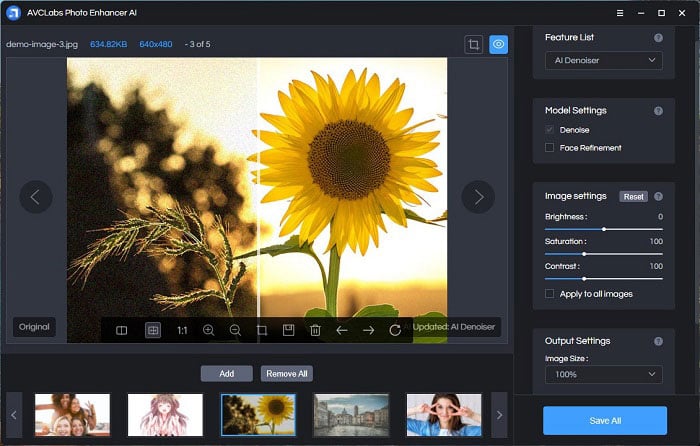
AVCLabs Video Blur AI is an AI-powered video editing tool specialized in blurring and object removal functions. The software uses AI to identify and blur faces or backgrounds and to remove objects from videos, significantly reducing the amount of manual editing typically involved in such tasks. Primary uses include privacy protection and content enhancement. It can automatically detect and blur faces in videos even under challenging conditions such as poor lighting, crowding or rapidly changing scenes. Moreover, it comes with a special feature for license plate recognitions, which is useful in blurring license plates in various scenarios to secure vehicle privacy and comply with data regulations. Its background and foreground blur options offer users creative control over their footage. The object tracking feature allows for the consistent and accurate blurring of moving objects in videos. Users may find this tool beneficial in blurring out sensitive elements or focusing viewers' attention on specific parts of the footage. Supported by facial detection technology, the Image Import Recognition function allows users to import specific facial photos and apply blur effects to the selected faces. This tool successfully makes manual editing more efficient and is ideal for professionals who require efficient anonymization and privacy protection in their video content.

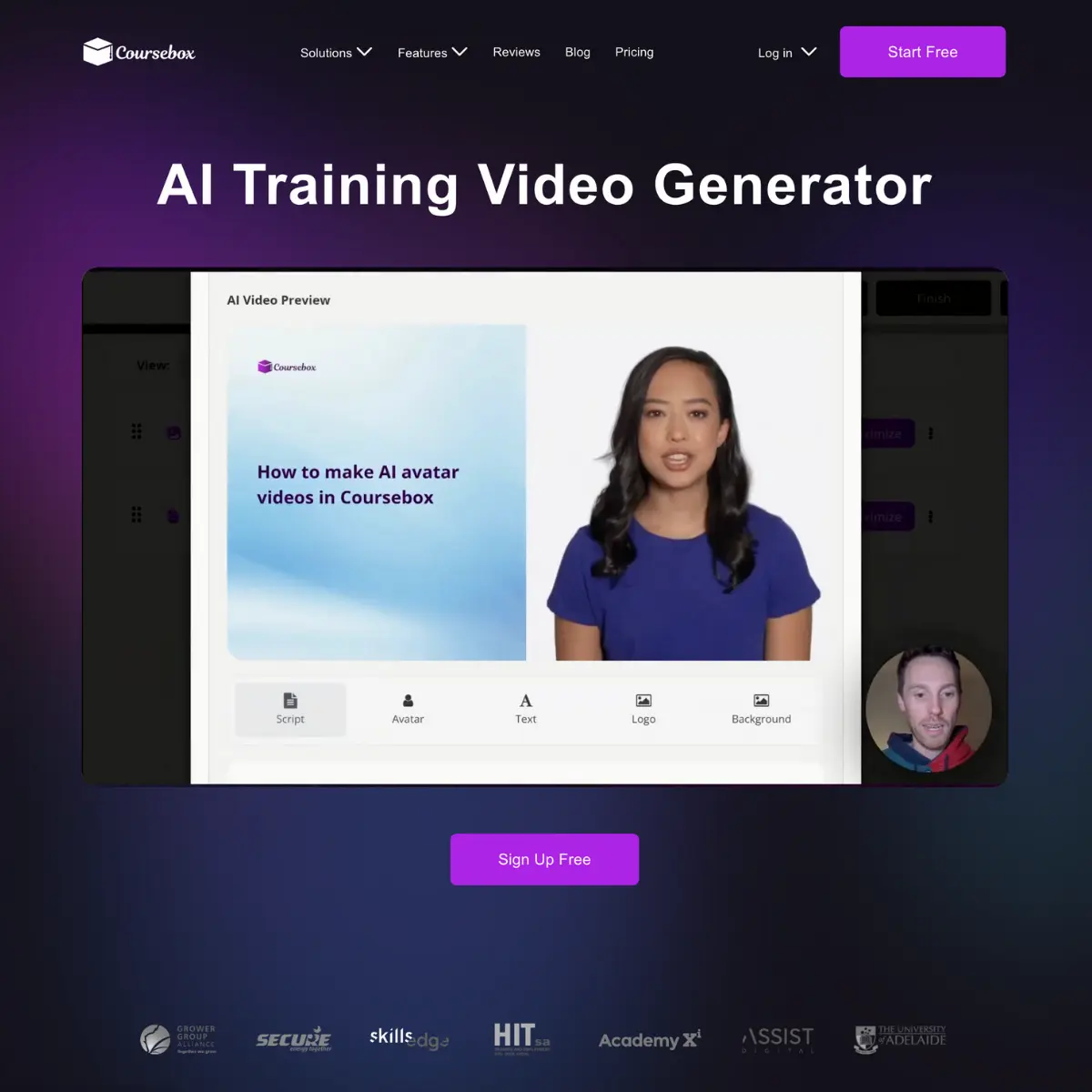
Coursebox's AI Generated Training Videos are tools designed to create training videos efficiently, requiring less time, resources, and effort than traditional video production methods. The main purpose is to aid in the creation of employee training materials and other educational content. Utilizing artificial intelligence, the tool can create realistic videos with avatars that can 'speak' to the camera. Moreover, it has the ability to convert files into training videos, providing flexibility in content creation. The tool comes with a script editor and supports various languages, offering versatility in terms of target audiences. Furthermore, it introduces a variety of avatars to choose from, boosting the customization of the training materials. It has the potential to vastly improve the skills and competencies of employees by providing personalized training. Besides video generation, Courseboxs tool can be seamlessly integrated with existing learning management systems or HR platforms, allowing easy embedding of courses and videos in those systems. This integration allows more in-depth features such as grading and certificates to be included in the video training materials. Coursebox's AI video generator is a comprehensive solution that endeavours to make the process of creating training videos more accessible and efficient, catering to a wide range of sectors.

Dadan is an AI-powered online video creation platform designed to simplify the process of recording, editing, and sharing professional-quality videos. It addresses the challenges of creating engaging and informative video content for various purposes, including education, training, and internal communications. Dadan leverages artificial intelligence to automate tasks like transcription, captioning, and summarization, making video production accessible to a wider audience. This tool is particularly valuable for educators, trainers, remote teams, and content creators seeking efficient video creation and management solutions . Key Features of Dadan Flexible recording options for screen, webcam, or combined recordings in up to 4K resolution. Web-based video editing tools for trimming, cutting, blurring, adding text, and stitching clips. AI-powered automatic generation of video chapters for improved navigation. Automatic transcription services to convert speech to text. Multilingual caption generation supporting over 30 languages. AI-driven video summarization for concise content overviews. Interactive elements such as quizzes, polls, forms, and feedback fields. Secure video hosting with custom link and public profile sharing options. Timestamped feedback collection from viewers and team members. Integrations with popular platforms like Dropbox, Slack, LinkedIn, YouTube, and Google Classroom. Multi-platform support for Windows, macOS, Chrome, and Edge browsers. Why People Use Dadan Individuals and organizations utilize Dadan to overcome the complexities and time constraints associated with traditional video production workflows. Historically, creating professional videos required specialized software, extensive editing skills, and significant time investment. Dadan streamlines this process by offering an all-in-one, web-based platform with AI-powered automation. This allows users to focus on content creation rather than technical intricacies. The platform’s emphasis on asynchronous communication also addresses the need for flexible knowledge sharing in remote and hybrid work environments, reducing reliance on live meetings and improving information retention. Dadan empowers users to create and distribute impactful video content efficiently and effectively. Popular Use Cases Educational Institutions: Creating online courses, lecture recordings, and student tutorials. Corporate Training: Developing employee onboarding materials, product demonstrations, and internal knowledge base videos. Software Companies: Producing software tutorials, feature walkthroughs, and customer support videos. Marketing Teams: Generating product demos, explainer videos, and social media content. Internal Communications: Sharing company updates, announcements, and training materials with employees. Remote Teams: Facilitating asynchronous communication, project updates, and team meetings. Customer Support: Providing visual guides and troubleshooting assistance to customers. Content Creators: Producing engaging video content for platforms like YouTube and LinkedIn. Benefits of Dadan Increased Efficiency: Significantly reduces the time and effort required to create and edit videos. Enhanced Collaboration: Facilitates seamless video sharing and feedback collection among team members. Improved Accessibility: Multilingual captions and transcriptions broaden the reach of video content. Greater Engagement: Interactive elements encourage viewer participation and knowledge retention. Simplified Knowledge Sharing: Enables clear and concise communication of complex information. Reduced Meeting Fatigue: Provides an alternative to live meetings for asynchronous updates and training. Centralized Video Management: Offers a unified platform for recording, editing, hosting, and analyzing video content. Scalable Content Creation: Empowers organizations to produce a high volume of video content without compromising quality. Data-Driven Insights: Analytics provide valuable data on viewer engagement and content performance. Cost-Effective Solution: Eliminates the need for expensive video editing software and specialized expertise.

Selects by Cutback is an innovative AI-powered video editing tool designed to help video editors and creators quickly identify and extract the best moments from raw footage. It solves the time-consuming problem of sifting through hours of video to find usable clips, leveraging artificial intelligence to analyze footage and automatically highlight compelling segments. This tool is particularly valuable for video professionals, content creators, and marketing teams who need to streamline their video production workflows and deliver high-quality content efficiently. It falls into the category of AI video editing and video selection tools , offering a significant advantage over traditional manual review processes. Key Features of Selects by Cutback Automatically identifies key moments in video footage. Provides a visual timeline with AI-driven highlight suggestions. Allows users to quickly review and select preferred clips. Enables collaborative review and feedback on selected moments. Supports various video file formats for seamless import. Offers customizable AI sensitivity settings to refine results. Facilitates easy export of selected clips for further editing. Integrates with popular video editing software. Provides a user-friendly interface for intuitive navigation. Offers cloud-based access for collaboration and accessibility. Why People Use Selects by Cutback Video editing traditionally involves a laborious process of manually reviewing footage, frame by frame, to identify the best takes. This is not only incredibly time-consuming but also prone to subjective biases. Selects by Cutback addresses this challenge by employing artificial intelligence to objectively analyze video content. The tool’s AI algorithms assess various factors, including visual dynamics, audio cues, and scene changes, to pinpoint moments that are likely to be engaging or important. This allows editors to focus their attention on refining the selected clips rather than spending countless hours searching for them. The result is a significant reduction in editing time, increased productivity, and a more efficient video production pipeline. It’s a shift from reactive editing ΓÇô searching for good moments ΓÇô to proactive editing ΓÇô refining AI-suggested moments. Popular Use Cases Social Media Content Creation: Quickly identify engaging clips for TikTok, Instagram Reels, and YouTube Shorts. Documentary Filmmaking: Efficiently sift through hours of interview footage to extract key statements and compelling narratives. Marketing Video Production: Select the most impactful moments from product demos, testimonials, and event recordings. News and Journalism: Rapidly identify newsworthy segments from press conferences and on-location footage. Event Videography: Easily extract highlights from weddings, concerts, and corporate events. Podcast Video Production: Automatically identify visually interesting moments to accompany podcast audio. Online Course Creation: Select concise and informative clips for educational videos. Sports Highlight Reels: Quickly create dynamic highlight reels from sporting events. Film and Television Editing: Assist editors in the initial stages of footage review and selection. User Generated Content (UGC) Review: Efficiently assess and select valuable clips from user-submitted videos. Benefits of Selects by Cutback Significant Time Savings: Reduces video review time by up to 80%, allowing editors to focus on creative tasks. Increased Productivity: Enables faster turnaround times for video projects, meeting tight deadlines more effectively. Improved Accuracy: AI-driven analysis minimizes the risk of overlooking important moments in the footage. Enhanced Collaboration: Facilitates seamless collaboration among team members, streamlining the review process. Objective Insights: Provides an unbiased assessment of video content, identifying compelling moments based on data. Cost Reduction: Lowering editing time translates to reduced labor costs for video production. Simplified Workflow: Integrates easily into existing video editing workflows, minimizing disruption. Scalability: Handles large volumes of footage efficiently, making it suitable for projects of any size. Greater Content Quality: By focusing on the best moments, Selects by Cutback helps create more engaging and impactful videos. Accessibility: Cloud-based access ensures that video projects are accessible from anywhere with an internet connection.

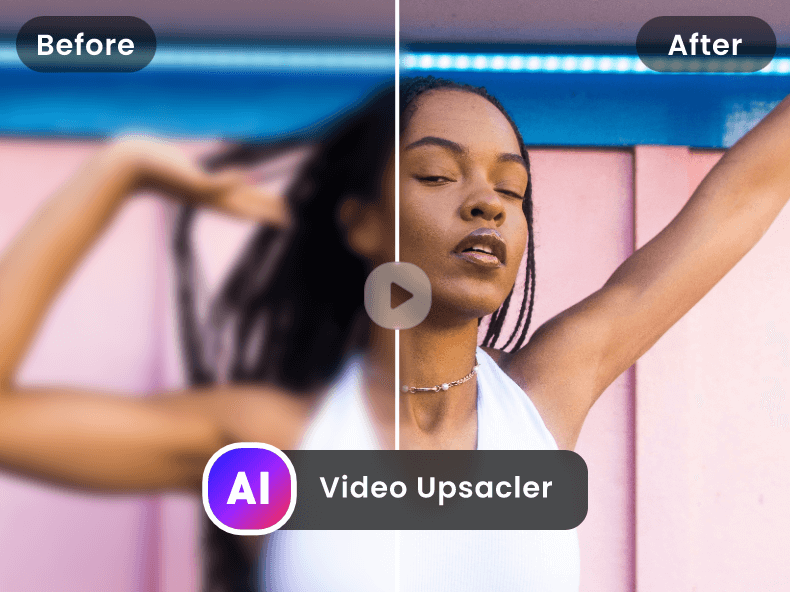
VideoUpscaler.net is a powerful AI-powered video enhancement tool designed to help users improve the resolution and quality of their videos by leveraging deep learning algorithms and advanced image processing . This tool addresses the common problem of low-resolution or degraded video footage, which is prevalent in older recordings, smartphone videos, and archived content. VideoUpscaler.net utilizes artificial intelligence to reconstruct lost details, reduce noise, and upscale videos to higher resolutions, such as 1080p, 2K, and 4K. It is particularly valuable for individuals and professionals seeking to revitalize existing video libraries or prepare content for modern, high-definition displays. The platform is geared towards videographers, archivists, social media managers, and anyone who needs to enhance the visual quality of their video content without requiring specialized software or technical expertise. It offers a streamlined solution for video upscaling and AI video enhancement . Key Features of VideoUpscaler.net Upscales videos to 1080p, 2K, and 4K resolution. Utilizes AI-powered noise reduction technology. Supports various video file formats. Offers a user-friendly, web-based interface. Reconstructs lost details in low-resolution footage. Enhances video clarity and sharpness. Provides fast processing speeds. Requires no software installation. Allows for easy video uploading and downloading. Improves the overall visual quality of videos. Why People Use VideoUpscaler.net Individuals and organizations utilize VideoUpscaler.net to overcome the limitations of older or lower-quality video sources. Traditional video enhancement methods often require expensive software, significant technical skill, and can be time-consuming. VideoUpscaler.net provides a simplified, accessible alternative that delivers professional-grade results without the complexity. The AI algorithms employed by the platform intelligently analyze and enhance video footage, going beyond simple resizing to actually restore detail and reduce artifacts. This results in a noticeably improved viewing experience, making videos suitable for larger screens and modern viewing platforms. The platform’s ease of use and speed make it a practical solution for handling large volumes of video content, saving users valuable time and resources. It offers a significant advantage over manual editing techniques, particularly for those lacking extensive video editing experience. Popular Use Cases Archiving and Restoration: Preserving and enhancing old family videos, historical footage, or film reels. Social Media Content Creation: Improving the quality of videos recorded on smartphones for platforms like YouTube, TikTok, and Instagram. Filmmaking and Video Production: Upscaling lower-resolution footage to match higher-resolution source material in a project. Educational Content: Enhancing the clarity of lecture recordings or instructional videos. Real Estate Videography: Improving the visual appeal of property tours recorded with mobile devices. Security Footage Enhancement: Increasing the clarity of surveillance videos for better identification. Online Course Creation: Providing high-quality video lessons for online learning platforms. Marketing and Advertising: Enhancing the impact of video advertisements and promotional materials. Personal Video Projects: Revitalizing cherished home movies and personal recordings. Gaming Content Creation: Improving the quality of gameplay recordings for streaming and sharing. Benefits of VideoUpscaler.net Enhanced Video Quality: Videos appear sharper, clearer, and more professional. Time Savings: The automated AI process significantly reduces the time required for video enhancement compared to manual methods. Cost-Effectiveness: Provides a free solution for improving video quality, eliminating the need for expensive software or professional services. Accessibility: The web-based interface makes the tool accessible from any device with an internet connection. Ease of Use: Requires no technical expertise or specialized training. Improved Viewing Experience: Makes videos more enjoyable to watch on any screen size. Preservation of Memories: Allows users to preserve and enjoy cherished videos for years to come. Professional Results: Delivers high-quality enhancements suitable for a variety of applications. Increased Engagement: Higher-quality videos are more likely to capture and retain audience attention. Versatility: Supports a wide range of video formats and resolutions.

Karaoke Video is an innovative AI-powered karaoke generation platform that transforms any song into a professional-quality karaoke track with synchronized lyrics. It solves the problem of limited karaoke song availability and the tedious process of creating custom tracks, offering a streamlined solution for individuals and businesses alike. The platform utilizes artificial intelligence and machine learning algorithms to isolate vocals, generate instrumental versions, and accurately time lyrics to the music. This tool is designed for karaoke enthusiasts, event organizers, educators, and anyone looking to create engaging musical experiences. It caters to the growing demand for personalized entertainment and simplifies the creation of karaoke content. Key Features of Karaoke Video Upload any song in audio format for karaoke conversion. Automatically removes vocals from uploaded audio tracks. Generates synchronized lyrics displayed on-screen during playback. Provides high-quality instrumental tracks for karaoke accompaniment. Offers a user-friendly interface for easy song uploading and processing. Allows for quick creation of karaoke videos without specialized software or skills. Supports a wide range of music genres and audio formats. Enables the creation of a personalized karaoke library from existing music collections. Provides a shareable video output format for easy distribution. Offers a free tier for basic karaoke video generation. Why People Use Karaoke Video Individuals and organizations are increasingly seeking efficient and cost-effective ways to create engaging entertainment experiences. Traditionally, creating custom karaoke tracks involved significant time, technical expertise, and often, expensive software. Karaoke Video addresses these challenges by automating the entire process. Users no longer need to manually isolate vocals, create instrumental versions, or painstakingly synchronize lyrics. The platform’s AI-driven technology handles these complex tasks automatically, delivering a polished karaoke video in a matter of minutes. This represents a significant improvement over traditional methods, saving users valuable time and resources while ensuring high-quality results. The platform democratizes access to karaoke creation, making it accessible to anyone regardless of their technical skills or budget. Popular Use Cases Home Karaoke Nights: Individuals can easily create karaoke versions of their favorite songs for personal enjoyment and family gatherings. Event Entertainment: DJs, event planners, and party hosts can quickly build a diverse karaoke library to entertain guests at weddings, birthdays, and corporate events. Educational Settings: Music teachers can use the platform to create interactive learning materials, allowing students to practice singing along to instrumental tracks with synchronized lyrics. Singing Practice: Aspiring singers can utilize Karaoke Video to practice their vocal skills with customized backing tracks. Content Creation: Musicians and content creators can generate karaoke versions of their songs for promotional purposes or fan engagement. Bars and Restaurants: Establishments can expand their karaoke offerings beyond commercially available tracks, providing customers with a wider selection of songs. Community Events: Organizations can use the platform to create karaoke tracks for fundraising events or community gatherings. Language Learning: Language learners can practice pronunciation and fluency by singing along to songs in their target language. Virtual Karaoke Parties: Users can share generated karaoke videos for remote sing-along sessions with friends and family. Personalized Gifts: Creating a karaoke version of a loved one’s favorite song can serve as a unique and thoughtful gift. Benefits of Karaoke Video Time Savings: Significantly reduces the time required to create custom karaoke tracks compared to manual methods. Cost-Effectiveness: Eliminates the need for expensive software, hardware, or professional audio engineers. Ease of Use: Offers a user-friendly interface that requires no technical expertise. High-Quality Results: Delivers professional-quality karaoke videos with accurate lyric synchronization and clear instrumental tracks. Expanded Song Selection: Enables users to create karaoke versions of virtually any song, expanding their entertainment options. Increased Engagement: Provides a more interactive and engaging musical experience for audiences. Personalized Entertainment: Allows users to tailor their karaoke library to their specific tastes and preferences. Accessibility: Democratizes access to karaoke creation, making it available to a wider audience. Creative Freedom: Empowers users to create unique and customized karaoke experiences. Simplified Content Creation: Streamlines the process of generating karaoke content for various purposes.

Klariqo is an AI-powered voice assistant platform that allows businesses to deploy 24/7 phone and website support within minutes, addressing the challenge of providing consistent and readily available customer service. It utilizes artificial intelligence and natural language processing (NLP) to understand and respond to customer inquiries, automating routine tasks and freeing up human agents for more complex issues. Klariqo is designed for small and medium-sized businesses (SMBs) , entrepreneurs , and anyone seeking to enhance customer support without significant investment in personnel or infrastructure. This tool is particularly relevant for those searching for AI customer service solutions , virtual phone assistants , and automated chatbot alternatives for voice interactions. Key Features of Klariqo Rapid deployment of AI voice assistants in under three minutes. No-code platform requiring no technical expertise. Handles frequently asked questions (FAQs) automatically. Enables appointment booking directly through voice interaction. Provides product information and details on demand. Offers a natural and conversational tone for customer interactions. Supports both phone and website integration. Provides detailed analytics on customer interactions and assistant performance. Customizable responses to align with brand voice and messaging. Scalable to handle increasing call volumes without additional staffing. Offers multilingual support for broader customer reach. Integrates with existing business systems and workflows. Why People Use Klariqo Klariqo addresses the common pain points associated with traditional customer service models. Many businesses, especially smaller ones, struggle to provide round-the-clock support due to cost constraints and limited staffing. Klariqo offers a cost-effective alternative by automating a significant portion of customer interactions. Unlike manual phone support, Klariqo doesn’t require salaries, benefits, or training. It also eliminates wait times for customers, providing instant responses to common inquiries. Compared to text-based chatbots, Klariqo leverages the more natural and engaging medium of voice, potentially leading to higher customer satisfaction. The platform’s no-code interface empowers businesses to quickly implement and manage AI-powered support without relying on developers or IT specialists, streamlining the process and accelerating time to value. Businesses choose Klariqo to improve customer experience, reduce operational costs, and scale their support capabilities efficiently. Popular Use Cases Restaurants: Automating reservation bookings and providing information on menu items and operating hours. Salons & Spas: Managing appointment scheduling, confirming bookings, and answering questions about services. Real Estate Agents: Qualifying leads, providing property information, and scheduling viewings. Healthcare Providers: Answering frequently asked questions about services, appointment availability, and insurance coverage. E-commerce Businesses: Providing order status updates, handling return requests, and offering product support. Small Retail Stores: Sharing store hours, location details, and information on current promotions. Service Businesses (Plumbers, Electricians, etc.): Scheduling service calls, providing quotes, and answering basic inquiries. Hotels & Accommodation: Handling booking inquiries, providing information on amenities, and offering directions. Marketing Agencies: Qualifying leads through initial phone conversations and gathering contact information. Educational Institutions: Answering questions about programs, admissions requirements, and campus events. Benefits of Klariqo Enhanced Customer Experience: Provides instant, 24/7 support, improving customer satisfaction and loyalty. Reduced Operational Costs: Eliminates the need for additional customer service staff, lowering labor expenses. Increased Efficiency: Automates routine tasks, freeing up human agents to focus on complex issues. Improved Lead Qualification: Gathers valuable information from potential customers through automated phone conversations. Scalable Support: Handles increasing call volumes without compromising service quality. Data-Driven Insights: Provides detailed analytics on customer interactions, enabling businesses to optimize their support strategies. Simplified Implementation: No-code platform allows for quick and easy deployment without technical expertise. Increased Revenue Potential: Captures leads and facilitates bookings even outside of regular business hours. Consistent Brand Messaging: Ensures all customer interactions align with the brand’s voice and values. Improved Accessibility: Offers voice-based support, making it accessible to a wider range of customers. Competitive Advantage: Provides a modern and innovative customer service solution, differentiating businesses from competitors. Streamlined Workflows: Integrates seamlessly with existing business systems, improving overall efficiency.

OverseerOS is an AI-powered YouTube analytics and content strategy platform designed to help content creators identify and replicate the key elements of successful YouTube channels . It addresses the challenge of consistently creating engaging content that resonates with target audiences by leveraging artificial intelligence to deconstruct viral video strategies . This tool is specifically for YouTubers, digital marketers, and content creators seeking to accelerate channel growth, improve video performance, and understand the dynamics of their chosen niche. It’s a valuable resource for anyone looking to enhance their YouTube SEO , content planning , and overall video marketing efforts. Key Features of OverseerOS Analyzes YouTube channels to identify key success factors. Deconstructs video elements like editing style, thumbnails, and scripting. Identifies trending topics and keywords within specific niches. Provides data-driven insights into audience preferences and engagement. Offers a “clone” feature to replicate the style of top-performing channels. Generates content ideas based on successful video formulas. Analyzes competitor strategies to identify opportunities for growth. Provides insights into optimal video length and pacing. Offers a user-friendly interface for easy navigation and analysis. Allows users to input keywords and receive tailored channel recommendations. Why People Use OverseerOS Content creation, particularly on platforms like YouTube, often relies heavily on intuition and experimentation. This can be a slow and unpredictable process. OverseerOS offers a more systematic approach by providing data-backed insights into what actually works. Instead of guessing what will resonate with an audience, users can leverage the platform’s AI to understand the proven strategies of successful channels. This shifts the focus from guesswork to informed decision-making, significantly increasing the likelihood of creating videos that gain traction. Traditional methods of competitor analysis are often time-consuming and subjective, involving manual observation and interpretation. OverseerOS automates this process, delivering comprehensive reports and actionable insights in a fraction of the time. The platform’s ability to “clone” the vibe of successful channels doesn’t mean simply copying content; it means understanding the underlying principles that drive engagement and applying those principles to original creations. This allows creators to learn from the best and develop a unique style that resonates with their target audience, ultimately leading to increased views, subscribers, and channel growth. Popular Use Cases Niche Research: Identifying profitable and underserved niches on YouTube. Content Ideation: Generating a consistent stream of video ideas based on proven concepts. Channel Growth: Accelerating subscriber growth by replicating successful channel strategies. Competitor Analysis: Understanding the strengths and weaknesses of competing channels. Video Optimization: Improving video performance through data-driven insights into thumbnails, titles, and tags. Short-Form Content Creation: Developing engaging YouTube Shorts based on trending formats. Brand Building: Establishing a consistent brand identity that resonates with the target audience. Marketing Strategy: Informing broader marketing strategies with insights into audience behavior. Content Repurposing: Identifying opportunities to repurpose existing content for different platforms. Educational Content: Analyzing successful educational channels to improve teaching methods and content delivery. Benefits of OverseerOS Increased Video Views: By replicating proven strategies, users can significantly increase the visibility and viewership of their videos. Faster Channel Growth: The platform accelerates subscriber acquisition by providing insights into what attracts and retains viewers. Improved Content Quality: Data-driven insights help creators refine their content and create videos that are more engaging and relevant. Reduced Content Creation Time: Streamlined research and ideation processes save creators valuable time and effort. Enhanced Niche Understanding: The platform provides a deeper understanding of specific niches, allowing creators to tailor their content accordingly. Data-Driven Decision Making: Eliminates guesswork and empowers creators to make informed decisions based on concrete data. Competitive Advantage: Provides a unique edge by revealing the secrets of successful channels. Optimized Content Strategy: Enables creators to develop a cohesive and effective content strategy aligned with audience preferences. Greater Content Consistency: Facilitates the creation of a consistent stream of high-quality videos. Scalable Growth: Provides the tools and insights needed to scale a YouTube channel efficiently and effectively.

UGC Maker is an innovative AI video generation platform that empowers users to create authentic-looking user-generated content (UGC) videos featuring realistic AI avatars. UGC Maker addresses the challenges businesses face in consistently producing engaging video content for marketing and advertising. Traditional methods of creating UGC, such as hiring actors and organizing shoots, are often time-consuming and expensive. This platform leverages the power of artificial intelligence to streamline the process, offering a cost-effective and scalable solution for generating high-quality video testimonials and promotional material. It is designed for e-commerce businesses, social media marketers, and content creators seeking to enhance their brand presence and drive conversions through authentic video content. The platform excels in AI video creation , UGC generation , and AI avatar technology . Key Features of UGC Maker Generates UGC videos with realistic AI avatars. Offers a diverse library of pre-built avatar options. Provides customizable scripts for tailored messaging. Features advanced lip-syncing technology for natural-looking videos. Enables text-to-video conversion with AI voiceovers. Supports multiple video aspect ratios for various platforms. Allows users to input custom text prompts for video content. Offers a user-friendly interface for easy video creation. Provides fast video rendering speeds. Includes a free plan for basic video generation. Why People Use UGC Maker Businesses and marketers are increasingly recognizing the power of user-generated content in building trust and driving sales. However, sourcing authentic UGC can be a significant hurdle. UGC Maker provides a solution by enabling the creation of realistic UGC videos without the complexities of traditional production. Unlike relying on customer submissions or expensive video shoots, UGC Maker allows for rapid content iteration and scalability. The platform significantly reduces the time and cost associated with video marketing , while maintaining a high level of authenticity through its realistic AI avatars and natural-sounding voiceovers. It empowers users to consistently deliver compelling video content that resonates with their target audience, ultimately improving brand engagement and conversion rates . The platform democratizes access to high-quality video production, making it accessible to businesses of all sizes. Popular Use Cases E-commerce Product Demonstrations: Creating short videos showcasing products in use, featuring AI avatars providing testimonials. Social Media Marketing: Generating engaging video content for platforms like TikTok, Instagram, and Facebook to increase brand awareness. Influencer Marketing: Producing authentic-looking endorsements and reviews with AI avatars representing influencers. Ad Campaign Creation: Developing compelling video ads for platforms like Google Ads and social media, leveraging the power of UGC. Customer Testimonials: Generating realistic customer testimonials to build trust and credibility. Explainer Videos: Creating concise and engaging explainer videos to showcase product features and benefits. Promotional Content: Developing videos announcing sales, discounts, and new product launches. Educational Content: Producing short, informative videos on relevant topics to establish thought leadership. A/B Testing of Ad Creatives: Quickly generating multiple video variations to optimize ad performance. Local Business Promotion: Creating localized video content to attract customers in specific geographic areas. Benefits of UGC Maker Increased Brand Authenticity: Realistic AI avatars and natural voiceovers create a sense of trust and credibility. Reduced Content Creation Costs: Eliminates the need for expensive actors, studios, and video production crews. Faster Content Production: Generates videos quickly and efficiently, enabling rapid content iteration. Scalable Content Creation: Easily produces a large volume of video content to meet growing marketing demands. Improved Engagement Rates: Compelling video content captures attention and drives higher engagement on social media. Enhanced Conversion Rates: Authentic testimonials and product demonstrations build trust and encourage purchases. Simplified Video Marketing: User-friendly interface makes video creation accessible to users of all skill levels. Consistent Brand Messaging: Customizable scripts ensure that all videos align with brand guidelines. Wider Reach: Supports multiple video aspect ratios for optimal performance across various platforms. Cost-Effective Solution: Offers a free plan and affordable pricing options for businesses of all sizes.

VideoIdeas.ai is an AI-powered YouTube content strategy tool that empowers creators to generate video ideas, scripts, titles, and outlines based on data-driven insights. It addresses the common challenge of content ideation for YouTube channels, helping users overcome creative blocks and consistently produce engaging videos. The platform utilizes artificial intelligence to analyze trending topics, competitor performance, and audience preferences, providing users with actionable strategies to improve their channel’s growth. This tool is designed for YouTubers, video marketers, content creators, and social media managers seeking to optimize their video content for increased views, watch time, and subscriber engagement. Key Features of VideoIdeas.ai Generates video ideas based on specified keywords and niches. Creates detailed video scripts with suggested talking points. Suggests high-performing video titles optimized for click-through rate. Develops structured video outlines for logical content flow. Analyzes trending YouTube videos to identify successful content patterns. Provides insights into competitor strategies and content gaps. Offers a content calendar to schedule and organize video production. Identifies relevant keywords for video SEO. Generates hashtag suggestions to increase video discoverability. Provides data-driven recommendations for video topics and formats. Why People Use VideoIdeas.ai Many content creators struggle with consistently generating fresh and engaging video ideas. Traditional brainstorming methods can be time-consuming and often lack the data-backed insights needed to ensure content resonates with the target audience. VideoIdeas.ai streamlines this process by leveraging the power of AI to analyze vast amounts of YouTube data and identify opportunities for viral content. Users can quickly move from a blank slate to a fully-formed video concept, saving valuable time and resources. Unlike relying on intuition or guesswork, VideoIdeas.ai provides a systematic approach to content creation, increasing the likelihood of producing videos that perform well and attract a larger audience. The platform allows creators to focus on the production and editing aspects of their videos, knowing that the foundational ideation is supported by robust data analysis. Popular Use Cases Niche YouTubers: Identifying trending topics and keywords within specific niches to create highly targeted content. Educational Channels: Developing engaging scripts and outlines for informative videos that improve viewer comprehension and retention. Review Channels: Generating ideas for product reviews and comparisons based on current market demand and search volume. Vloggers: Discovering unique and compelling vlog topics that resonate with their audience and increase viewership. Marketing Agencies: Creating video content strategies for clients to promote products or services on YouTube. Small Businesses: Developing video content to increase brand awareness and drive traffic to their websites. Content Creators Seeking Growth: Analyzing competitor videos to identify successful strategies and replicate them with original content. Social Media Managers: Planning and scheduling video content for consistent engagement across multiple platforms. Influencers: Identifying collaborative opportunities and creating content that aligns with their brand and audience. Video Podcasters: Generating ideas for video podcast episodes based on trending topics and audience interests. Benefits of VideoIdeas.ai Increased Content Velocity: Rapidly generate video ideas and scripts, enabling more frequent content publishing. Improved Video Performance: Data-driven insights lead to higher click-through rates, watch time, and subscriber engagement. Reduced Creative Block: Overcome the challenge of consistently coming up with fresh and engaging video concepts. Enhanced SEO: Optimize video titles and descriptions with relevant keywords to improve search rankings. Competitive Advantage: Identify content gaps and opportunities that competitors may have overlooked. Time Savings: Streamline the content ideation process, freeing up time for video production and promotion. Data-Driven Decisions: Make informed content choices based on real-time YouTube data and analytics. Audience Growth: Attract a larger and more engaged audience with content that resonates with their interests. Consistent Branding: Maintain a consistent content strategy aligned with the channel’s overall brand identity. Scalable Content Creation: Easily generate a large volume of video ideas to support a growing content calendar.

Oz is a free AI-powered advertising generator designed to help users create professional-quality video and image ads quickly and easily . Oz addresses the challenge of creating effective advertising content, particularly for small businesses and marketers who may lack the resources for dedicated design teams or extensive marketing budgets. It leverages artificial intelligence and machine learning algorithms to automate the ad creation process, transforming simple text inputs into visually appealing and engaging promotional materials. This tool is ideal for entrepreneurs, social media managers, and anyone looking to enhance their brand presence online without significant design expertise or financial investment. It focuses on providing accessible AI ad generation solutions for a broad range of users. The platform streamlines the advertising workflow, eliminating the complexities often associated with traditional ad design. By simply providing a text description of the product or service, users can generate a variety of ad creatives tailored for different platforms and marketing objectives. Oz democratizes access to high-quality advertising, enabling businesses of all sizes to compete effectively in the digital landscape. It’s a powerful solution for anyone seeking to improve their social media marketing and overall digital advertising efforts. Key Features of Oz Generates both video and image ads from text prompts. Offers a wide range of customizable templates. Provides options for different aspect ratios optimized for various platforms. Allows users to select from a diverse library of stock footage and images. Includes AI-powered script generation for video ads. Enables users to preview and refine ads before downloading. Offers a user-friendly, intuitive interface. Supports multiple languages for ad creation. Provides options to adjust the tone and style of the generated ads. Allows for quick iteration and experimentation with different ad concepts. Why People Use Oz Individuals and businesses utilize Oz to overcome the hurdles associated with traditional advertising creation. Historically, developing compelling ad creatives required hiring professional designers, investing in expensive software, and dedicating significant time to the design process. Oz disrupts this model by offering a fast, affordable, and accessible alternative. The platform empowers users to bypass the need for specialized skills and resources, enabling them to rapidly prototype and deploy advertising campaigns. This is particularly valuable for businesses that need to quickly respond to market trends or launch time-sensitive promotions. Oz significantly reduces the time and cost associated with ad creation, allowing users to focus on other critical aspects of their marketing strategy. It provides a scalable solution for generating a high volume of ad variations, facilitating A/B testing and optimization for improved campaign performance. Popular Use Cases Social Media Marketing: Creating engaging ads for platforms like Facebook, Instagram, TikTok, and X (formerly Twitter). E-commerce Promotion: Generating product ads to drive sales and increase brand awareness. Small Business Advertising: Developing cost-effective advertising campaigns for local businesses. Content Promotion: Creating visually appealing ads to promote blog posts, articles, and other content. Event Marketing: Designing ads to promote upcoming events and attract attendees. Lead Generation: Developing ads designed to capture leads and build an email list. Brand Awareness Campaigns: Creating visually consistent ads to reinforce brand messaging. Influencer Marketing: Generating ad creatives for influencers to share with their audiences. Seasonal Promotions: Quickly creating ads for holiday sales and special offers. Testing Ad Concepts: Rapidly prototyping and testing different ad variations to identify the most effective messaging. Benefits of Oz Reduced Advertising Costs: Eliminates the need for expensive design services and software. Time Savings: Significantly accelerates the ad creation process, allowing for faster campaign launches. Increased Efficiency: Streamlines the advertising workflow, freeing up valuable time and resources. Enhanced Creativity: Provides access to a wide range of templates and creative options. Improved Brand Consistency: Enables users to maintain a consistent brand image across all advertising channels. Greater Accessibility: Empowers users without design experience to create professional-quality ads. Scalable Ad Production: Facilitates the creation of a high volume of ad variations for A/B testing. Faster Campaign Iteration: Allows for quick experimentation and optimization of ad creatives. Increased Marketing ROI: Drives engagement and conversions through visually appealing and effective ads. Simplified Ad Management: Offers a user-friendly platform for managing and organizing ad campaigns.

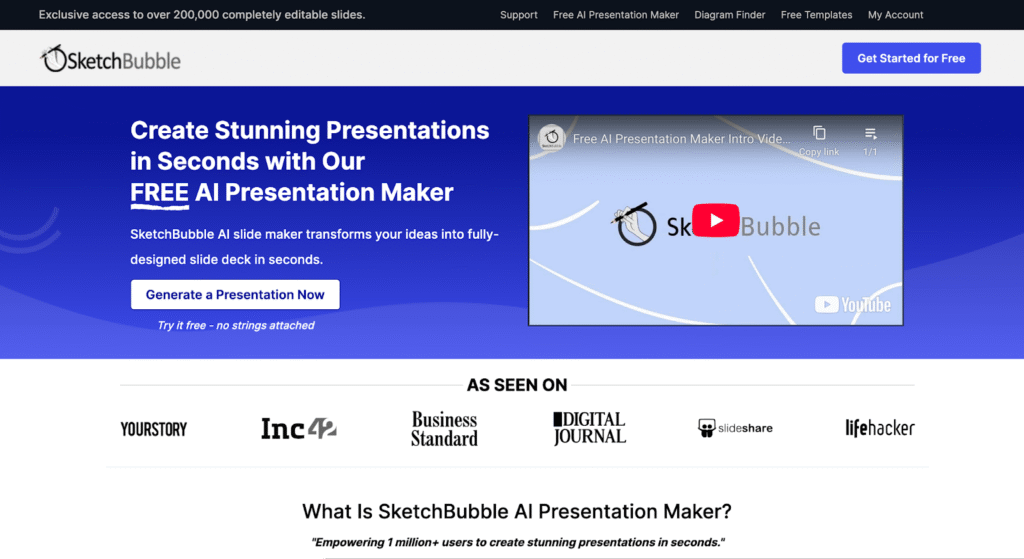
SketchBubble AI Presentation Maker is an innovative AI-powered presentation tool designed to help users generate complete slide decks quickly and easily by leveraging artificial intelligence and natural language processing . This tool addresses the common challenge of time-consuming presentation creation, often requiring significant effort in design, content structuring, and visual layout. SketchBubble automates this process, allowing individuals to focus on their message rather than the mechanics of slide design. It is particularly valuable for professionals, educators, and students who need to create compelling presentations efficiently. The core technology utilizes AI algorithms to transform text prompts into visually appealing and informative presentations, streamlining the workflow from concept to delivery. SketchBubble is ideal for anyone seeking a rapid and accessible solution for creating presentations without needing extensive design skills or software expertise. It offers a free and efficient alternative to traditional presentation methods, empowering users to communicate their ideas effectively. The tool is optimized for keywords such as AI presentation maker , AI slide generator , and automatic presentation tool . Key Features of SketchBubble AI Presentation Maker Generates complete presentations from text prompts. Creates presentations with relevant content and structure. Offers visually appealing slide layouts and designs. Allows for easy downloading in PowerPoint format. Enables opening and editing in Google Slides. Requires no prior design experience. Provides a fast and efficient presentation creation process. Supports a wide range of presentation topics. Automatically structures content into logical slide sequences. Offers a user-friendly interface for prompt input. Why People Use SketchBubble AI Presentation Maker Individuals and organizations utilize SketchBubble to overcome the hurdles associated with traditional presentation development. Manually creating presentations often involves hours of work, including research, content writing, design, and formatting. SketchBubble significantly reduces this time investment by automating the majority of these tasks. The tool empowers users to quickly transform their ideas into polished presentations, even without design expertise. This is particularly beneficial for those who prioritize content and delivery over aesthetic details. By streamlining the presentation creation process, SketchBubble allows users to focus on refining their message and engaging their audience, ultimately improving communication effectiveness. It offers a scalable solution for generating presentations, making it suitable for both individual projects and large-scale initiatives. Popular Use Cases Business Professionals: Creating pitch decks, sales presentations, and internal reports. Educators: Developing lecture slides, course materials, and student presentations. Students: Preparing class presentations, project reports, and thesis defenses. Marketing Teams: Generating presentations for webinars, product launches, and marketing campaigns. Trainers & Consultants: Developing training materials and workshop presentations. Project Managers: Creating project status updates and stakeholder presentations. Public Speakers: Crafting engaging presentations for conferences and events. Content Creators: Visualizing blog posts or articles into presentation format. Researchers: Presenting findings and data in a clear and concise manner. Startups: Quickly building pitch decks to attract investors. Benefits of SketchBubble AI Presentation Maker Significant Time Savings: Reduces presentation creation time from hours to minutes. Increased Productivity: Enables users to create more presentations with less effort. Enhanced Content Quality: Generates well-structured and informative slide decks. Improved Visual Appeal: Creates visually engaging presentations with professional designs. Accessibility for All Users: Requires no prior design skills or software expertise. Cost-Effective Solution: Offers a free alternative to expensive presentation software or design services. Streamlined Workflow: Simplifies the presentation creation process from start to finish. Greater Focus on Message: Allows users to concentrate on content and delivery. Easy Customization: Enables easy editing and refinement in PowerPoint or Google Slides. Scalable Presentation Creation: Supports the generation of presentations for various needs and audiences.

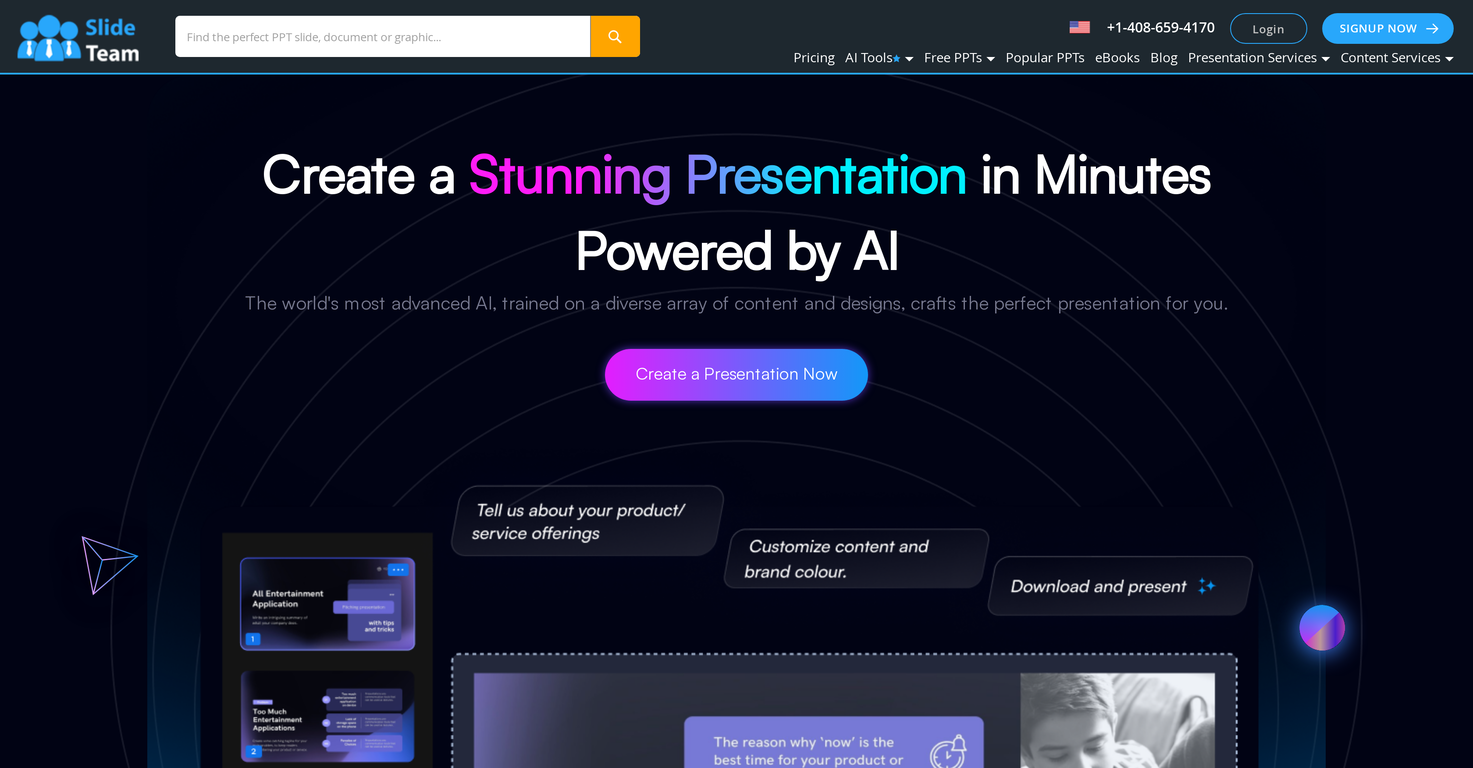
Slideteam - Presentation Maker is an AI-powered presentation generator that streamlines the creation of professional-quality presentations, offering a solution to the challenges of time-consuming design and content creation. It leverages artificial intelligence to automatically generate slides with relevant graphics and layouts based on user-provided text, catering to professionals, educators, and anyone needing to create compelling visual communications. This tool addresses the need for efficient and visually appealing presentations, particularly for those lacking extensive design expertise. Key Features of Slideteam - Presentation Maker Generates complete presentations from text input. Offers compatibility with Microsoft PowerPoint, Google Slides, and Apple Keynote. Provides customizable slide designs and layouts. Automatically integrates relevant graphics and imagery. Adapts to user-defined brand colors and palettes. Allows for full editing and redesign capabilities post-generation. Facilitates quick creation of presentations for various purposes. Offers a user-friendly interface for seamless operation. Provides a fast turnaround for presentation development. Supports a wide range of presentation topics and industries. Why People Use Slideteam - Presentation Maker Individuals and organizations utilize Slideteam - Presentation Maker to overcome the common hurdles associated with presentation development. Traditionally, creating impactful presentations requires significant time investment in both content writing and visual design. This often necessitates specialized skills in graphic design and a deep understanding of presentation best practices. Slideteam’s AI presentation maker drastically reduces this time and skill requirement. By simply inputting text, users can quickly generate a visually coherent and professionally designed presentation. This allows users to focus on refining their message and delivering their content, rather than struggling with formatting and design elements. The tool’s ability to maintain brand consistency through color palette integration further enhances its value, ensuring a polished and professional final product. Popular Use Cases Business Professionals: Creating sales pitches, project updates, and internal reports. Educators: Developing lecture slides and course materials. Marketing Teams: Generating presentations for marketing campaigns and client proposals. Students: Preparing presentations for academic assignments and projects. Consultants: Building presentations for client engagements and workshops. Entrepreneurs: Crafting pitch decks for investors and stakeholders. Human Resources: Developing training materials and onboarding presentations. Project Managers: Presenting project timelines, progress reports, and key deliverables. Non-profit Organizations: Creating presentations for fundraising and awareness campaigns. Event Planners: Designing presentations for conferences and events. Benefits of Slideteam - Presentation Maker Significant Time Savings: Reduces presentation creation time from hours to minutes. Enhanced Visual Appeal: Generates professionally designed slides with relevant graphics. Improved Content Clarity: Facilitates a more structured and visually engaging presentation of information. Increased Productivity: Allows users to focus on content refinement and delivery. Brand Consistency: Maintains brand identity through customizable color palettes. Accessibility for All Skill Levels: Enables users without design experience to create impactful presentations. Cost-Effectiveness: Offers a free solution for generating high-quality presentations. Seamless Integration: Works with popular presentation software like PowerPoint, Google Slides, and Keynote. Greater Efficiency: Streamlines the presentation workflow, from ideation to delivery. Professional Results: Delivers polished and professional-looking presentations that captivate audiences.

Content Dreamer AI is an AI-powered content ideation platform that empowers brands and creators to generate a consistent flow of engaging content ideas directly from their existing products. It addresses the challenge of maintaining a regular content calendar and overcoming creative blocks, particularly for those who struggle with consistent content creation. The platform utilizes artificial intelligence to analyze product details and target audience information, delivering daily, relevant content suggestions. This tool is designed for content marketers, social media managers, entrepreneurs, and small business owners seeking to streamline their content strategy and boost online engagement. It’s a valuable resource for anyone looking to improve their content marketing , social media content , and overall brand messaging without the constant pressure of brainstorming. Key Features of Content Dreamer AI Generates daily content ideas based on product information. Analyzes product features to identify compelling content angles. Considers target audience demographics for relevant suggestions. Provides ideas for various content formats, including blog posts and social media updates. Offers a simple and intuitive user interface. Allows users to input detailed product descriptions for more tailored ideas. Supports multiple products within a single account. Facilitates consistent content creation without creative burnout. Helps users discover new ways to position their products. Provides a continuous stream of inspiration for content calendars. Why People Use Content Dreamer AI Individuals and teams utilize Content Dreamer AI to overcome the common hurdles associated with content creation. Traditionally, generating content ideas requires significant time and effort, often involving brainstorming sessions, market research, and competitor analysis. This process can be particularly draining for smaller teams or solo entrepreneurs who lack dedicated creative resources. Content Dreamer AI automates this process, delivering a steady stream of ideas directly to the user. This not only saves valuable time but also ensures that content remains consistently aligned with the brand’s products and target audience. Unlike manual brainstorming, the AI-driven approach offers a fresh perspective and can uncover content opportunities that might otherwise be overlooked. The platform’s ability to consistently deliver ideas helps users maintain a strong online presence and engage their audience effectively, ultimately contributing to increased brand awareness and customer loyalty. Popular Use Cases E-commerce Businesses: Generating daily social media posts highlighting product features and benefits. SaaS Companies: Creating blog topics that address customer pain points and showcase product solutions. Small Business Owners: Developing content calendars for consistent social media engagement and email marketing. Marketing Agencies: Brainstorming content ideas for clients across various industries. Content Creators: Overcoming writer’s block and discovering new angles for their content. Product Managers: Identifying compelling ways to communicate product updates and new features. Retail Businesses: Developing promotional content for seasonal sales and special offers. Educational Platforms: Generating ideas for informative articles and engaging learning materials. Personal Branding: Creating content that establishes thought leadership and builds a professional online presence. Affiliate Marketers: Discovering content opportunities to promote relevant products and services. Benefits of Content Dreamer AI Increased Content Output: Users can consistently publish fresh content, maintaining a strong online presence. Time Savings: Automates the ideation process, freeing up valuable time for other marketing tasks. Enhanced Creativity: Provides a continuous stream of inspiration, overcoming creative blocks. Improved Content Relevance: Ideas are tailored to specific products and target audiences. Stronger Brand Messaging: Ensures content consistently reflects the brand’s values and offerings. Greater Audience Engagement: Relevant content attracts and retains a larger audience. Streamlined Content Planning: Simplifies the process of creating and maintaining a content calendar. Reduced Creative Burnout: Alleviates the pressure of constantly generating new ideas. Discovery of New Opportunities: Uncovers content angles that might otherwise be overlooked. Cost-Effective Solution: Offers a free plan, making it accessible to businesses of all sizes.

Nodu AI is an innovative AI video creation platform designed to help businesses and marketers produce high-quality, storytelling videos with full automation. Nodu AI addresses the challenge of creating engaging video content for marketing and advertising, a process traditionally requiring significant time, resources, and specialized skills. It leverages artificial intelligence to automate the entire video production pipeline, from script generation to final editing and rendering. This tool is particularly valuable for e-commerce brands, digital marketers, and content creators seeking to enhance their social media presence and drive conversions through compelling video narratives. Nodu AI offers a streamlined solution for AI video generation , enabling users to quickly and efficiently produce professional-looking videos without the need for extensive video editing expertise. Key Features of Nodu AI Automated script generation from text prompts. AI-powered voiceover creation with diverse voice options. Automatic scene selection and video editing. Character generation and animation for visual storytelling. Royalty-free music integration to enhance video impact. Branded asset integration to maintain brand consistency. Video optimization for various social media platforms. End-to-end video production automation. Why People Use Nodu AI Users adopt Nodu AI to overcome the complexities and costs associated with traditional video production. Creating effective marketing videos often requires hiring scriptwriters, voice actors, video editors, and potentially animators ΓÇô a process that can be both time-consuming and expensive. Nodu AI democratizes video creation by providing an all-in-one, AI-driven solution that significantly reduces these barriers. The platform empowers users to quickly transform product ideas and marketing messages into polished, professional videos, enabling faster content creation cycles and increased marketing agility. It offers a scalable solution for businesses looking to consistently produce high-quality video content without the overhead of a dedicated video production team. Popular Use Cases Social Media Marketing: Creating engaging short-form videos for TikTok, Instagram Reels, and YouTube Shorts to increase brand awareness and follower engagement. E-commerce Product Promotion: Generating compelling product demo videos and promotional content for online stores to drive sales and conversions. Digital Advertising: Producing attention-grabbing video ads for social media and online advertising campaigns. Brand Storytelling: Developing narrative-driven videos that communicate a brand's values, mission, and unique selling propositions. Content Marketing: Creating informative and engaging video content to attract and retain customers. Startup Product Launches: Quickly generating promotional videos to announce and showcase new products or services. Internal Communications: Developing engaging videos for employee training, announcements, and company updates. Benefits of Nodu AI Reduced Video Production Costs: Eliminates the need for expensive video production teams and equipment. Faster Content Creation: Automates the entire video production process, significantly reducing turnaround times. Enhanced Brand Consistency: Ensures all videos maintain a consistent brand identity through branded assets and narrative styles. Increased Marketing Efficiency: Enables marketers to quickly create and deploy a higher volume of video content. Improved Engagement: Produces emotionally compelling stories that capture audience attention and drive engagement. Simplified Video Editing: Removes the complexity of traditional video editing software, making video creation accessible to everyone. Scalable Video Production: Allows businesses to easily scale their video content creation efforts to meet growing marketing demands. Optimized for Social Platforms: Delivers videos optimized for various social media platforms, maximizing reach and impact.

Singify AI Vocal Remover is an innovative AI-powered audio editing tool designed to help users isolate vocals from any song or audio file with remarkable accuracy and ease. It addresses the common challenge of separating vocal tracks from instrumental components, a task traditionally requiring specialized audio engineering skills and software. Singify leverages advanced artificial intelligence and machine learning algorithms to analyze audio structures and effectively remove or isolate vocal elements. This tool is ideal for musicians, content creators, karaoke enthusiasts, and anyone needing clean instrumental or vocal tracks for various projects. It provides a streamlined solution for vocal isolation , karaoke track creation , and audio remixing without the complexities of professional audio workstations. Key Features of Singify AI Vocal Remover Separates vocals from any audio file. Supports multiple audio file formats including MP3, WAV, and FLAC. Offers both vocal removal and vocal isolation functionalities. Provides a user-friendly, web-based interface requiring no software installation. Utilizes AI algorithms for high-quality separation results. Allows users to download the processed audio files. Features batch processing capabilities for multiple files. Offers adjustable separation strength for customized results. Provides a preview function to assess the separation quality before downloading. Maintains the original audio quality as much as possible during processing. Why People Use Singify AI Vocal Remover Individuals and professionals alike utilize Singify AI Vocal Remover to overcome the limitations of traditional audio editing methods. Historically, achieving clean vocal separation required extensive knowledge of equalization, phase manipulation, and other complex audio techniques, often necessitating expensive software and significant time investment. Singify simplifies this process dramatically. By employing sophisticated AI, the tool automates the separation process, delivering high-quality results in a fraction of the time. This accessibility empowers users without specialized audio expertise to create karaoke tracks, remix songs, generate acapella versions, or extract vocals for sampling and other creative endeavors. The tool’s efficiency and accuracy make it a valuable asset for anyone working with audio, significantly reducing the time and effort required for vocal isolation tasks. It offers a practical solution for those seeking to repurpose audio content without the steep learning curve or financial commitment associated with professional audio software. Popular Use Cases Karaoke Track Creation: Users can easily generate instrumental versions of their favorite songs for karaoke nights. Remixing and Music Production: Musicians and DJs can isolate vocals for creating remixes, mashups, or sampling new tracks. Vocal Practice and Training: Singers can remove vocals from songs to practice singing along with the instrumental track. Content Creation (YouTube, TikTok, etc.): Content creators can extract vocals for creating reaction videos, lyric videos, or acapella covers. Audio Restoration: Removing vocals can help restore damaged or noisy audio recordings. Acapella Generation: Isolating vocals allows for the creation of clean acapella tracks for various applications. Soundtrack Creation: Filmmakers and video editors can isolate instrumental tracks for use in soundtracks. Music Analysis: Researchers and musicologists can isolate vocals for analyzing vocal performances and techniques. Podcast Editing: Removing unwanted vocals from recordings can improve the clarity of podcasts. Creating Instrumental Covers: Musicians can create instrumental covers of popular songs by removing the original vocals. Benefits of Singify AI Vocal Remover Time Savings: Significantly reduces the time required for vocal isolation compared to manual methods. Ease of Use: Offers a simple, intuitive interface accessible to users of all skill levels. High-Quality Results: Delivers accurate vocal separation with minimal artifacts or distortion. Cost-Effectiveness: Provides a free solution for vocal isolation, eliminating the need for expensive software. Accessibility: Operates entirely online, requiring no software downloads or installations. Versatility: Supports a wide range of audio file formats and use cases. Enhanced Creativity: Empowers users to explore new creative possibilities with isolated vocal and instrumental tracks. Improved Workflow: Streamlines audio editing processes for musicians, content creators, and audio professionals. Increased Productivity: Enables users to quickly and efficiently repurpose audio content. No Technical Expertise Required: Eliminates the need for specialized audio engineering knowledge.

Sora Watermark Remover is an AI-powered video editing tool specifically designed to remove watermarks from videos generated by the Sora AI platform, offering a solution for creators seeking to utilize AI-generated content without unwanted branding. This tool addresses the common issue of watermarks embedded in Sora-created videos, which can hinder professional use and integration into larger projects. It leverages advanced artificial intelligence and the Sora2 Cloud technology to intelligently identify and eliminate these watermarks while maintaining the original video’s quality and detail. Sora Watermark Remover is intended for digital artists, video editors, marketers, and anyone utilizing Sora’s AI video generation capabilities who require clean, unbranded footage for commercial or personal use. It provides a streamlined, web-based solution for AI video editing and watermark removal , catering to a growing need within the AI-generated content landscape. Key Features of Sora Watermark Remover Removes watermarks from Sora-generated videos. Utilizes Sora2 Cloud technology for fast processing. Maintains original video resolution and quality. Offers a user-friendly, web-based interface. Supports various video formats commonly used with Sora. Provides a simple upload and download process. Operates without requiring software installation. Focuses specifically on Sora watermarks for optimal performance. Preserves the visual integrity of the underlying video content. Offers a free-to-use service for basic watermark removal. Why People Use Sora Watermark Remover Users adopt Sora Watermark Remover to overcome the limitations imposed by watermarks on AI-generated videos. Traditionally, removing watermarks involved complex video editing software, manual frame-by-frame editing, or potentially low-quality results that compromised the video’s integrity. This tool simplifies the process dramatically, offering an automated solution that preserves the original video’s quality and saves significant time and effort. The platform’s AI-driven approach ensures accurate watermark detection and removal, minimizing artifacts or distortions that often accompany manual editing techniques. This is particularly valuable for professionals who require high-quality, unbranded video content for commercial projects, marketing materials, or client deliverables. By providing a dedicated solution for Sora watermarks, Ricebowl AI delivers a more effective and efficient alternative to generic watermark removal tools. Popular Use Cases Marketing and Advertising: Removing Sora watermarks from AI-generated video ads for use across social media and other platforms. Content Creation: Polishing AI-created videos for YouTube, TikTok, and other content platforms. Digital Art and Animation: Integrating Sora-generated footage into larger animation projects or digital art installations. Film and Video Production: Utilizing AI-generated clips as b-roll or supplementary footage in professional video productions. Social Media Management: Creating engaging social media content with clean, unbranded AI videos. Educational Materials: Incorporating AI-generated visuals into educational videos and presentations. Personal Projects: Removing watermarks from AI videos created for personal use, such as family videos or creative experiments. Prototyping and Storyboarding: Quickly generating and refining AI video prototypes without watermark distractions. Virtual Events and Presentations: Using clean AI-generated video backgrounds or visual elements in virtual events. Rapid Content Iteration: Quickly testing and refining AI-generated video concepts without watermark limitations. Benefits of Sora Watermark Remover Time Savings: Significantly reduces the time and effort required to remove watermarks compared to manual editing methods. Preserved Video Quality: Maintains the original resolution, clarity, and visual integrity of the Sora-generated video. Ease of Use: Offers a simple, intuitive interface that requires no prior video editing experience. Accessibility: Provides a web-based solution accessible from any device with an internet connection. Cost-Effectiveness: Offers a free-to-use option for basic watermark removal, reducing the need for expensive software. Specialized Performance: Optimized specifically for removing Sora watermarks, ensuring superior results. Increased Creative Freedom: Enables creators to fully utilize AI-generated content without branding restrictions. Streamlined Workflow: Integrates seamlessly into existing video production workflows. Enhanced Professionalism: Delivers clean, polished videos suitable for professional applications. Rapid Prototyping: Facilitates quick iteration and experimentation with AI-generated video content.

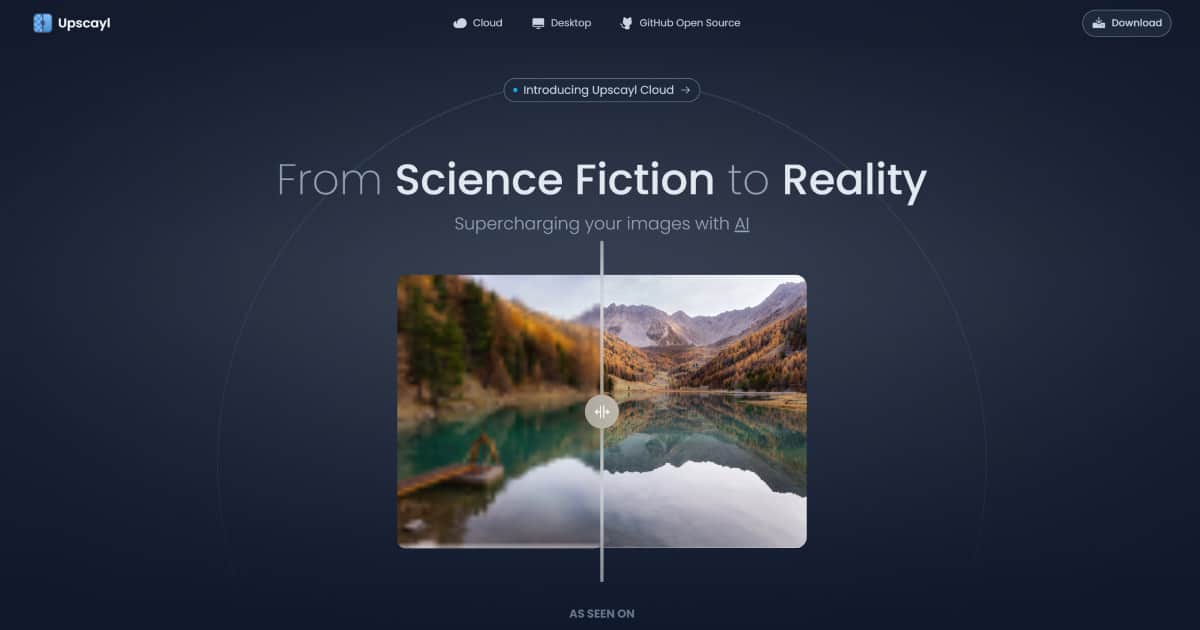
Upscayl is a free and open source AI tool used for image upscaling. The tool uses advanced AI algorithms to enlarge or upscale images, making them larger and clearer without losing important details in the process. Upscayl is compatible with various operating systems including MacOS, Linux, and Windows. Upscayl provides an easy-to-use interface that allows users to upload images, choose the desired upscale factor (2x, 4x, or 8x), and then upscale the image. The tool utilizes deep learning algorithms to create new pixels based on existing ones and then enhances them to produce higher resolution images. The tool is developed by TGS963 and Nayam Amarshe, and it is available for download on GitHub. Upscayl is built using open-source libraries, which makes it stand out among commercial tools used for the same function. The tool is also supported by donations from users on their BuyMeACoffee page. In summary, Upscayl is a user-friendly and free-to-use AI image upscaler that produces high-quality results by using advanced AI algorithms. It is a great tool for anyone who wants to upscale their images without losing important details, and who wants to do so using open-source software

Deep Image is an AI photo enhancer tool that enables users to improve the quality of their images with minimal effort. It offers a variety of features, including image upscaling, noise reduction, sharpening, color and light correction, background removal, and more. Users can apply filters to match their own style, and the tool is compatible with the most popular eCommerce sites and software. It can also be used to improve the print quality of illustrations, photos, and posters, as well as enhance images for digital art and real estate. Deep Image is easy to use, with an intuitive interface and automated photo processing capabilities. It also offers a free trial, allowing users to test the tool before committing to a purchase. With Deep Image, users can quickly and easily increase the quality of their images without sacrificing resolution. Deep Image has two groups of products: AI Photo Enhancer - with multiple features for upscaling, denoising, cleaning, correcting photos and images AI Image Generator - to create images from scratch, or based on existing photo. It can be an avatar from a face photo, or interior redesign for a photo of an empty house.

FliFlik Sora Watermark Remover is a dedicated AI-powered online tool specifically designed to eliminate watermarks from Sora-generated videos. It addresses the common problem of unwanted branding or identifiers on AI-created content, offering a streamlined solution for content creators and users. The tool leverages artificial intelligence and advanced image processing techniques to intelligently detect and remove watermarks without significantly impacting video quality. It is intended for individuals and professionals who want to utilize Sora videos without the presence of the Sora watermark, enabling greater flexibility in content creation and distribution. This tool is a valuable resource for anyone working with AI video editing , watermark removal , and Sora video processing . Key Features of FliFlik Sora Watermark Remover Removes Sora watermarks from videos automatically. Supports various video formats for input. Offers a user-friendly, web-based interface. Provides a quick processing time for watermark removal. Maintains video quality during the removal process. Requires no software download or installation. Operates directly within a web browser. Allows users to upload and download videos easily. Employs AI algorithms for accurate watermark detection. Offers a free-to-use service for basic watermark removal. Why People Use FliFlik Sora Watermark Remover Users turn to FliFlik Sora Watermark Remover to gain control over their AI-generated video content. Traditionally, removing watermarks required manual editing using complex video editing software, a process that was both time-consuming and often resulted in a noticeable loss of video quality. This tool simplifies the process dramatically, automating the detection and removal of the Sora watermark with minimal effort. The AI-driven approach ensures a more accurate and efficient removal compared to manual methods, preserving the integrity of the original video. It’s particularly useful for those who need to quickly repurpose Sora videos for various platforms or projects where the watermark is undesirable or prohibited. The tool’s accessibility ΓÇô requiring no software installation ΓÇô further enhances its appeal, allowing users to address watermark issues directly from any device with an internet connection. Popular Use Cases Social Media Content Creation: Removing watermarks from Sora videos before posting on platforms like TikTok, Instagram, or YouTube. Marketing and Advertising: Utilizing Sora-generated visuals in marketing campaigns without the Sora branding. Educational Content: Incorporating AI videos into educational materials and presentations without distracting watermarks. Personal Projects: Enhancing personal videos created with Sora for sharing with friends and family. Content Repurposing: Adapting Sora videos for different aspect ratios or formats without the watermark interfering. Video Editing Workflow: Integrating watermark removal as a quick step in a broader video editing process. Demo Reels & Portfolios: Showcasing AI video capabilities without the Sora watermark present. Independent Filmmaking: Utilizing Sora-generated footage in independent film projects. Virtual Production: Incorporating AI-generated elements into virtual production workflows. Rapid Prototyping: Quickly creating and iterating on video concepts using Sora without watermark limitations. Benefits of FliFlik Sora Watermark Remover Time Savings: Significantly reduces the time spent on watermark removal compared to manual editing techniques. Improved Video Quality: Maintains the original video quality during the watermark removal process, minimizing visual artifacts. Ease of Use: Offers a simple and intuitive interface, requiring no technical expertise or specialized software. Accessibility: Accessible from any device with an internet connection, eliminating the need for software downloads or installations. Cost-Effectiveness: Provides a free solution for basic watermark removal, making it accessible to a wide range of users. Increased Content Flexibility: Enables users to freely utilize Sora-generated videos across various platforms and projects. Enhanced Branding Control: Allows users to maintain complete control over their video branding and presentation. Streamlined Workflow: Integrates seamlessly into existing video creation and editing workflows. Automated Process: The AI-powered automation ensures consistent and accurate watermark removal. Quick Turnaround: Provides fast processing times, allowing users to quickly obtain watermark-free videos.

Fineshare Sora Watermark Remover is an AI-powered video editing tool specifically engineered to remove watermarks from videos generated by OpenAI’s Sora, enabling users to utilize AI-created content without unwanted branding or overlays. This tool addresses the common challenge of watermarks appearing on AI-generated videos, which can detract from the visual quality and professional presentation of the content. It leverages advanced artificial intelligence and image reconstruction algorithms to intelligently identify and eliminate watermarks while preserving the underlying video quality. Fineshare Sora Watermark Remover is designed for content creators, social media marketers, video editors, and anyone seeking to refine and repurpose Sora-generated videos for various applications. It provides a streamlined solution for achieving clean, professional-looking videos without requiring extensive technical expertise. Key Features of Fineshare Sora Watermark Remover Removes watermarks from Sora-generated videos with high accuracy. Utilizes AI-powered inpainting to reconstruct the video frame seamlessly. Supports high-resolution video processing. Offers a user-friendly, click-to-process interface. Maintains video quality without introducing blurriness or artifacts. Provides a privacy-focused processing environment. Operates entirely online, requiring no software installation. Capable of removing text overlays and unwanted elements. Employs the Vora AI engine for enhanced performance. Offers batch processing capabilities for multiple videos. Why People Use Fineshare Sora Watermark Remover Users adopt Fineshare Sora Watermark Remover to overcome the limitations imposed by watermarks on AI-generated videos. Traditionally, removing watermarks involved complex video editing software and manual techniques, often resulting in a loss of video quality or visible artifacts. This process was time-consuming and required a degree of technical skill. Fineshare simplifies this process dramatically, offering an automated, AI-driven solution that delivers professional results in seconds. The tool’s core value lies in its ability to provide a quick, easy, and effective way to clean up AI-generated content for various purposes, from social media posts to marketing materials. It empowers users to fully utilize the creative potential of AI video generation without being constrained by branding restrictions, ultimately saving time and resources while enhancing the visual appeal of their content. The platform’s focus on preserving video quality distinguishes it from conventional methods, ensuring that the final output remains crisp and professional. Popular Use Cases Social Media Content Creation: Removing watermarks from Sora videos for use on platforms like TikTok, Instagram, and YouTube. Marketing and Advertising: Utilizing AI-generated video clips in marketing campaigns without visible watermarks. Educational Content: Incorporating Sora videos into educational materials and presentations. Personal Projects: Enhancing personal videos created with Sora for sharing with friends and family. Video Editing Workflow: Integrating Fineshare into a professional video editing workflow to quickly clean up AI-generated footage. AI Art Showcase: Presenting AI-generated art in its purest form, free from distracting watermarks. Content Repurposing: Adapting Sora videos for different platforms and formats without branding limitations. Rapid Prototyping: Quickly creating and sharing video prototypes generated by Sora. Influencer Marketing: Allowing influencers to use AI-generated videos in sponsored content. Storytelling and Animation: Refining Sora-generated video segments for inclusion in larger storytelling projects. Benefits of Fineshare Sora Watermark Remover Time Savings: Significantly reduces the time required to remove watermarks compared to manual methods. Enhanced Video Quality: Preserves the original video resolution and clarity during watermark removal. Professional Results: Delivers clean, polished videos suitable for professional use. Ease of Use: Offers a simple, intuitive interface that requires no technical expertise. Increased Creative Freedom: Empowers users to fully utilize AI-generated content without branding restrictions. Improved Content Presentation: Enhances the visual appeal and impact of videos. Cost-Effectiveness: Provides a free solution for removing watermarks from Sora videos. Privacy Protection: Ensures user data and videos are processed securely. Accessibility: Operates online, eliminating the need for software downloads or installations. Scalability: Enables efficient processing of multiple videos with batch processing capabilities.

GPT Girlfriend Online is an AI companionship platform that provides users with interactive, AI-generated conversational partners designed to simulate romantic or friendly relationships. The platform addresses the need for accessible and personalized social interaction, leveraging artificial intelligence to create engaging and responsive AI companions. It is intended for individuals seeking companionship, entertainment, or a safe space for conversation. Users searching for AI girlfriend chatbots , virtual companions , or AI chat solutions will find this platform a viable option. Key Features of GPT Girlfriend Online Engages users in real-time, text-based conversations. Offers customizable AI personas with varying personalities and interests. Provides 24/7 availability for interaction and companionship. Allows users to define and shape the AI companion’s behavior through conversation. Requires no software download; accessible directly through a web browser. Offers a free entry point with options for enhanced features. Facilitates role-playing scenarios and personalized interactions. Adapts to user communication styles for a more natural conversation flow. Why People Use GPT Girlfriend Online Individuals utilize GPT Girlfriend Online to fulfill a variety of needs related to social interaction and companionship. Traditional methods of finding companionship can be time-consuming, emotionally challenging, or geographically limited. This platform offers an alternative by providing instant access to an AI companion capable of engaging in meaningful conversations. Unlike static chatbots, GPT Girlfriend Online leverages advanced AI to create dynamic and evolving interactions, offering a more immersive and personalized experience. Users appreciate the convenience, privacy, and control offered by an AI companion that is always available and tailored to their preferences. The platform provides a space for users to explore their thoughts and feelings without judgment, practice social skills, or simply enjoy casual conversation. Popular Use Cases Individuals seeking companionship: Users who are lonely, isolated, or simply desire a conversational partner can find solace and engagement with an AI companion. Role-playing enthusiasts: The platform facilitates immersive role-playing scenarios, allowing users to explore different characters and storylines. Practicing social skills: Individuals who struggle with social anxiety or communication can use the platform to practice interacting in a safe and non-judgmental environment. Creative writing and brainstorming: The AI companion can serve as a sounding board for ideas, offering feedback and suggestions for creative projects. Entertainment and leisure: Users can engage in casual conversation, share interests, and enjoy the novelty of interacting with an AI personality. Exploring emotional connection: While not a replacement for human relationships, the platform can provide a sense of emotional connection and support. Individuals seeking a safe space for self-expression: The platform offers a confidential environment for users to express their thoughts and feelings without fear of judgment. Benefits of GPT Girlfriend Online Increased accessibility to companionship: Provides instant access to a conversational partner, regardless of location or time constraints. Personalized interaction: AI companions adapt to user preferences and communication styles, creating a more engaging experience. Enhanced emotional well-being: Offers a sense of connection and support, potentially reducing feelings of loneliness and isolation. Safe and private environment: Provides a confidential space for users to express themselves without fear of judgment. Convenience and flexibility: Accessible 24/7 through a web browser, requiring no downloads or installations. Opportunity for self-discovery: Encourages users to explore their thoughts, feelings, and interests through conversation. Reduced social anxiety: Provides a low-pressure environment for practicing social skills and building confidence. Creative stimulation: Serves as a source of inspiration and feedback for creative projects.

Bigjpg is an AI-powered image enlarging tool that uses Deep Convolutional Neural Networks to upscale images without compromising on quality. It supports a wide range of images including cartoons, anime-style artworks, and regular photos. It can enlarge images up to 16x the original size and intelligently reduces noise and serration in the images. It is faster and more stable than other software and tools, like Photoshop, and provides a much higher quality result. With Bigjpg, colors are well kept, and there is almost no 'glitter' or doubling visible. Moreover, the resulting images have no visible noise which is a major contributor to image quality. Bigjpg also provides an API for developers to use in their applications. Bigjpg supports both free and paid plans. Free users can upload images up to 3000x3000px and 5MB in size with a maximum enlarging ratio of 4x. Paid users can upload images up to 50MB in size with a maximum enlarging ratio of 16x and have access to an independent high-performance server for faster and more stable enlarging. Additionally, paid users can use the parallel enlarging and batch mode features. Uploaded images and enlarged images are automatically deleted after 5 days and image links are encrypted to ensure user privacy.

College Duniya is an AI-powered review platform that incentivizes users to contribute detailed college reviews and referrals in exchange for monetary rewards. It addresses the challenge of finding authentic and comprehensive college information by leveraging user-generated content and a points-based reward system. This tool is designed for current students, alumni, and anyone with firsthand experience of a college or university seeking to earn income while sharing their knowledge. It falls into the category of online earning and content creation platforms utilizing AI for content moderation and reward allocation . Key Features of College Duniya Users can write reviews for both Indian and international colleges. The platform offers a points-based reward system for approved reviews. Users can earn rewards through referrals. Reviews cover key aspects of college life, including academics, infrastructure, and placements. The platform aims to provide prospective students with valuable insights. Reviews are designed to be SEO-friendly, increasing their visibility. College Duniya utilizes a review form to standardize information. The platform supports earning in Indian Rupees (INR) and US Dollars (USD). AI is used to verify the authenticity and quality of submitted reviews. Users can track their earnings and points within the platform. Why People Use College Duniya Individuals utilize College Duniya as a means to monetize their college experiences and contribute to a valuable resource for prospective students. Traditional methods of college research often rely on limited official information or biased sources. College Duniya offers a platform for authentic, peer-to-peer insights, providing a more comprehensive and reliable picture of campus life. The incentive structure motivates users to provide detailed and honest reviews, which are often time-consuming to create without reward. The platform streamlines the process of sharing experiences and earning income, making it an attractive option for students and alumni alike. It provides a unique opportunity to leverage personal knowledge into a financial benefit, while simultaneously assisting others in making informed educational decisions. Popular Use Cases Current Students: Earning extra income by reviewing their current college experience. Alumni: Sharing insights and earning rewards for their past college experiences. Prospective Students: Utilizing the platform to research colleges and universities. Educational Researchers: Gathering data on student perceptions of various institutions. College Marketing Teams: Monitoring student feedback and identifying areas for improvement. International Students: Providing reviews of universities outside of their home country. Content Creators: Supplementing income through review writing. Referral Networkers: Expanding earnings through the referral program. Individuals Seeking Passive Income: Building a portfolio of reviews to generate ongoing rewards. Those wanting to contribute to the education community: Sharing valuable insights to help others. Benefits of College Duniya Monetization of Knowledge: Users can earn income by sharing their college experiences. Enhanced College Research: Prospective students gain access to authentic and detailed reviews. Community Contribution: Users contribute to a valuable resource for the educational community. Increased Visibility: Reviews are SEO-friendly, increasing their reach and impact. Simplified Review Process: The platform provides a structured review form for ease of use. Flexible Earning Opportunities: Users can earn through both reviews and referrals. Global Reach: The platform supports reviews for both Indian and international institutions. Transparent Reward System: The points-based system clearly outlines earning potential. Improved Decision-Making: Prospective students can make more informed college choices. Valuable Feedback for Institutions: Colleges can gain insights into student perceptions.

Merchant Floor | Background Remover is a free, AI-powered online tool designed to instantly remove backgrounds from images without requiring any design skills or software downloads. It solves the common problem of needing transparent backgrounds for product photos, marketing materials, or personal use, traditionally requiring time-consuming manual editing in programs like Photoshop. This tool utilizes advanced artificial intelligence and computer vision algorithms to automatically detect and isolate the subject of an image, making it ideal for e-commerce businesses, social media marketers, and individuals needing quick and easy background removal. It is a valuable resource for anyone seeking a streamlined image editing solution, specifically focusing on background removal and image transparency . Key Features of Merchant Floor | Background Remover Removes backgrounds from images automatically using AI. Supports various image formats, including JPEG and PNG. Provides a simple, user-friendly interface. Offers high-resolution output for professional-quality results. Requires no account creation or software installation. Allows for quick and easy image uploads. Enables instant download of background-removed images. Provides a free and accessible solution for background removal. Offers batch processing capabilities for multiple images. Maintains image quality during the background removal process. Why People Use Merchant Floor | Background Remover Individuals and businesses alike utilize Merchant Floor | Background Remover to significantly simplify and accelerate the process of creating images with transparent backgrounds. Traditionally, achieving this required skilled graphic designers and dedicated software, often resulting in considerable time and expense. This tool democratizes access to professional-quality background removal, empowering users to quickly generate clean, polished images for a variety of applications. The AI-driven automation eliminates the need for manual selection and masking, drastically reducing editing time and minimizing the potential for errors. This is particularly beneficial for those managing large volumes of images, such as e-commerce stores needing to showcase products on different backgrounds or marketers creating visually appealing social media content. The tool’s accessibility ΓÇô requiring no software downloads or account creation ΓÇô further enhances its appeal, offering a convenient and efficient solution for on-demand background removal needs. Popular Use Cases E-commerce Product Photography: Removing backgrounds from product images to create clean, professional listings on online marketplaces and websites. Social Media Marketing: Creating eye-catching graphics and promotional materials with transparent backgrounds for platforms like Instagram, Facebook, and Twitter. Graphic Design Projects: Quickly isolating subjects from images for use in composite designs, presentations, and other creative projects. Print-on-Demand Businesses: Preparing images for printing on various products, such as t-shirts, mugs, and posters. Real Estate Listings: Removing distracting backgrounds from property photos to highlight key features. Personal Projects: Creating profile pictures, avatars, or other images with transparent backgrounds for personal use. Marketing and Advertising: Developing visually appealing advertisements and marketing collateral. Creating Stickers and Decals: Isolating images for use as stickers or decals. Image Restoration: Removing unwanted backgrounds from old or damaged photos. Generating Mockups: Creating realistic mockups of products in different settings. Benefits of Merchant Floor | Background Remover Time Savings: Significantly reduces the time spent on background removal compared to manual methods. Cost-Effectiveness: Provides a free alternative to expensive design software and professional services. Ease of Use: Requires no technical skills or design experience, making it accessible to anyone. High-Quality Results: Delivers professional-looking images with clean, accurate background removal. Increased Productivity: Enables users to quickly process large volumes of images. Enhanced Visual Appeal: Improves the overall quality and impact of images by removing distracting backgrounds. Streamlined Workflow: Integrates seamlessly into existing workflows, simplifying the image editing process. Accessibility: Available online from any device with an internet connection. Improved E-commerce Listings: Creates more visually appealing and professional product listings. Greater Creative Freedom: Empowers users to create a wider range of visual content.

Image Upscale by Picsart is an AI-powered image upscaling service designed to enlarge and enhance images, improving visual quality for various applications. It addresses the common problem of low-resolution images hindering storefronts, product configurators, and print workflows. The tool leverages artificial intelligence and advanced algorithms to increase image resolution while preserving detail and reducing artifacts, making it ideal for businesses and individuals seeking professional-quality visuals. It is particularly useful for those working with image enhancement , resolution upscaling , and AI image processing . Key Features of Image Upscale by Picsart Offers Standard Upscale for clean source images, supporting up to 8x enlargement. Provides Ultra Upscale for aggressive restoration of small or noisy images, up to 16x enlargement with noise suppression. Includes Ultra Enhance for smoothing, de-noising, and detail realism as a finishing pass. Supports API integration via HTTP for seamless workflow integration. Offers Editor SDKs for embedding upscaling capabilities into product experiences. Provides automation platform connectors for Make.com, Zapier, and other tools. Features design plugins for Figma, Sketch, Miro, GIMP, and other creative software. Includes desktop applications for MacOS and Linux. Offers command-line tools (CLI) for DevOps workflows and scripting. Supports flexible ingestion methods: file upload, URL input, or ID referencing for multi-pass pipelines. Provides dedicated solutions for Web-to-Print and Print on Demand workflows. Offers face enhancement capabilities for improved portrait quality. Why People Use Image Upscale by Picsart Image Upscale by Picsart is utilized to overcome the limitations of low-resolution images in professional settings. Traditionally, improving image resolution involved manual editing, often resulting in time-consuming processes and suboptimal results. This tool automates the upscaling process, delivering significantly faster turnaround times and consistently high-quality outputs. Businesses leverage it to enhance product visuals for e-commerce, improve print quality, and streamline content creation workflows. The AI-driven approach ensures that images are enlarged without sacrificing detail or introducing unwanted artifacts, a common issue with conventional upscaling methods. It allows users to scale images for various purposes, from social media posts to large-format printing, with confidence in the final output. Popular Use Cases Print Services: Enhancing customer-uploaded images and legacy assets for high-quality printing, reducing pixelation issues and reprints. E-commerce: Scaling product catalog images, user-generated content, and on-the-fly previews to larger sizes while maintaining detail. Product Customization: Improving the visual quality of product configurators and previews. Marketing & Advertising: Creating high-resolution visuals for online advertisements and marketing materials. Social Media: Enhancing images for social media platforms, ensuring they appear sharp and professional. Web-to-Print: Preparing images for print production directly from online sources. Print on Demand: Ensuring high-quality prints for on-demand printing services. Archiving & Restoration: Improving the quality of old or damaged images for preservation. Graphic Design: Enhancing images for use in graphic design projects. Benefits of Image Upscale by Picsart Improved Visual Quality: Delivers sharper, more detailed images, enhancing the overall aesthetic appeal. Time Savings: Automates the upscaling process, significantly reducing manual editing time. Increased Efficiency: Streamlines workflows for print services, e-commerce businesses, and content creators. Reduced Costs: Minimizes the need for reprints due to pixelation or low-resolution images. Scalability: Handles large volumes of images efficiently, making it suitable for businesses of all sizes. Enhanced Customer Satisfaction: Provides high-quality visuals that meet customer expectations. Versatile Integration: Offers multiple integration options, including APIs, SDKs, and no-code connectors. Consistent Results: Ensures consistent image quality across all upscaling operations. Enterprise-Grade Infrastructure: Benefits from a robust and scalable platform capable of handling billions of image processing requests. Developer-Friendly Tools: Provides comprehensive documentation, tutorials, and intuitive API design for easy integration.

Bg Remover is an AI-powered background removal tool designed to automatically erase backgrounds from images with precision and ease. It solves the common problem of needing clean, transparent images for various design and marketing purposes, eliminating the need for manual editing skills or expensive software. The tool utilizes advanced artificial intelligence and computer vision algorithms to identify and remove backgrounds, offering a streamlined solution for individuals and businesses alike. It is particularly useful for those who require quick and efficient background removal for product photos, portraits, or graphic design elements. This application caters to a broad audience, including e-commerce store owners , social media managers , graphic designers , marketers , and anyone who needs to create professional-looking images without a complex editing workflow. By automating the background removal process, Bg Remover significantly reduces the time and effort required to prepare images for online platforms, print materials, or other visual applications. The tool’s accessibility and user-friendly interface make it a valuable asset for both professionals and casual users seeking high-quality image editing results. Key Features of Bg Remover Automatically removes backgrounds from images. Supports high-resolution image processing. Offers precise edge detection for clean cutouts. Provides a simple and intuitive user interface. Allows for quick and easy image editing on mobile devices. Enables batch processing of multiple images. Supports various image formats. Offers options for refining and adjusting the cutout. Provides a transparent background output in PNG format. Facilitates easy sharing of images to social media platforms. Why People Use Bg Remover Individuals and businesses utilize Bg Remover to streamline their image editing workflows and achieve professional results without the need for extensive technical expertise. Traditional background removal methods often involve manual tracing and editing using complex software like Adobe Photoshop, which can be time-consuming and require significant skill. Bg Remover offers a faster, more efficient, and more accessible alternative. The tool’s AI-driven automation significantly reduces the time spent on image editing, allowing users to focus on other critical tasks. It also eliminates the potential for human error, ensuring consistent and accurate background removal every time. This is particularly valuable for businesses that need to process large volumes of images, such as e-commerce retailers updating product listings or marketing teams creating social media content. The simplicity of the application makes it ideal for users with limited design experience, while its speed and efficiency benefit professionals seeking to optimize their workflow. Popular Use Cases E-commerce Product Photography: Removing backgrounds from product images to create clean, professional listings for online stores. Social Media Content Creation: Generating eye-catching visuals for social media posts and advertisements. Marketing and Advertising: Preparing images for marketing campaigns, brochures, and other promotional materials. Graphic Design: Creating design elements and mockups with transparent backgrounds. Portrait Photography: Isolating subjects in portraits for creative effects or professional headshots. Real Estate Listings: Highlighting property features by removing distracting backgrounds from photos. Print-on-Demand Services: Preparing images for printing on various products, such as t-shirts and mugs. Creating Stickers and Decals: Generating transparent images for stickers, decals, and other custom designs. Image Restoration: Removing unwanted backgrounds from old or damaged photos. Virtual Backgrounds: Creating custom virtual backgrounds for video conferencing and streaming. Benefits of Bg Remover Time Savings: Significantly reduces the time spent on background removal compared to manual methods. Increased Efficiency: Streamlines image editing workflows, allowing users to process images quickly and easily. Cost-Effectiveness: Eliminates the need for expensive software subscriptions or professional editing services. Improved Image Quality: Delivers clean, precise cutouts with minimal effort. Enhanced Productivity: Enables users to focus on other tasks by automating a time-consuming process. Accessibility: Provides a user-friendly interface that is easy to learn and use, regardless of technical skill level. Scalability: Allows for batch processing of multiple images, making it suitable for large-scale projects. Professional Results: Creates high-quality images that are suitable for a wide range of applications. Convenience: Offers a mobile-first solution for on-the-go image editing. Simplified Workflow: Integrates seamlessly into existing design and marketing workflows.

My Tattoo Ideas is an innovative AI tattoo generator that transforms text prompts into unique and personalized tattoo designs, offering a streamlined solution for visualizing body art concepts. This tool addresses the challenge of translating abstract ideas into concrete tattoo imagery. It leverages artificial intelligence and generative AI algorithms to create a diverse range of tattoo styles based on user-defined descriptions. My Tattoo Ideas is designed for anyone seeking tattoo inspiration ΓÇô individuals planning their next piece, tattoo artists looking for design variations, or those simply exploring the possibilities of body art. It serves as a powerful tool for tattoo design , concept visualization , and creative exploration within the tattoo industry. The platform empowers users to bypass the initial sketching phase and directly explore visual representations of their tattoo ideas, saving time and fostering a collaborative process between clients and artists. It’s a valuable resource for overcoming creative blocks and discovering new aesthetic directions in the realm of AI art generation and tattoo artistry . Key Features of My Tattoo Ideas Generates unique tattoo designs from text prompts. Offers a wide variety of tattoo styles, including traditional, minimalist, and geometric. Allows users to refine designs through iterative prompt adjustments. Provides high-resolution image outputs suitable for artist reference. Requires no artistic skill or prior design experience. Offers a user-friendly interface for easy navigation and prompt input. Enables exploration of diverse tattoo themes and concepts. Facilitates rapid visualization of tattoo ideas. Supports a broad range of descriptive keywords and artistic styles. Provides a source of inspiration for both clients and tattoo artists. Why People Use My Tattoo Ideas Individuals and professionals alike utilize My Tattoo Ideas to overcome the initial hurdles of tattoo design. Traditionally, realizing a tattoo idea required extensive sketching, searching through existing flash art, or relying heavily on an artist’s initial interpretation. This process could be time-consuming, expensive, and often resulted in designs that didn’t fully capture the user’s vision. My Tattoo Ideas streamlines this process by instantly generating visual representations of ideas based on textual descriptions. This allows users to quickly iterate on concepts, explore different styles, and refine their vision before committing to a permanent design. For tattoo artists, the tool serves as a valuable brainstorming partner, offering fresh perspectives and design variations to present to clients. The platform’s efficiency and accessibility democratize the design process, making personalized tattoo creation more attainable for everyone. It offers a significant advantage over traditional methods by providing immediate visual feedback and fostering a more collaborative design experience. Popular Use Cases Personal Tattoo Design: Individuals seeking a custom tattoo can use the tool to visualize their ideas and refine the design before visiting a tattoo artist. Tattoo Artist Inspiration: Professional tattoo artists can leverage the platform to generate design variations, overcome creative blocks, and present unique concepts to clients. Concept Exploration: Users can explore different tattoo styles and themes to discover new aesthetic preferences. Mood Board Creation: The tool can be used to create visual mood boards for tattoo projects, helping to define the overall aesthetic. Client Communication: Artists can use generated designs as a starting point for discussions with clients, ensuring a shared understanding of the desired outcome. Temporary Tattoo Visualization: Users can visualize how a tattoo might look on their body before making a permanent commitment. Design Prototyping: Artists can quickly prototype different design elements and compositions. Educational Purposes: Students of art and design can use the tool to explore tattoo styles and techniques. Gift Ideas: Users can create personalized tattoo designs as unique gifts for friends and family. Social Media Content: Tattoo artists can use generated designs to create engaging content for their social media platforms. Benefits of My Tattoo Ideas Enhanced Creativity: The tool sparks new ideas and expands creative possibilities for both individuals and artists. Time Savings: It significantly reduces the time spent on initial sketching and design exploration. Improved Communication: It facilitates clearer communication between clients and artists, ensuring a shared understanding of the desired outcome. Cost-Effectiveness: It eliminates the need for expensive initial design consultations. Accessibility: It makes personalized tattoo design accessible to individuals without artistic skills. Increased Confidence: Users can confidently explore their ideas and refine their vision before committing to a permanent tattoo. Design Versatility: The platform supports a wide range of tattoo styles and themes, catering to diverse preferences. Rapid Prototyping: Artists can quickly prototype different design elements and compositions. Inspiration Source: It serves as a constant source of inspiration for new tattoo ideas. Streamlined Workflow: It integrates seamlessly into the tattoo design process, enhancing efficiency and productivity.
 Android
 IOS
IOS Mini Tools
 Software
 Web
Web