 Android
 IOS
IOS Mini Tools
 Software
 Web
WebTop matches
AutoDraw
AutoDraw is a free AI-powered drawing tool that transforms simple doodles into polished illustrations, making graphic creation accessible to everyone. It solves the problem of needing advanced artistic skills to create visually appealing graphics by leveraging the power of artificial intelligence to interpret and refine user sketches. This tool is designed for anyone needing quick and clean visuals, including students, educators, content creators, and designers seeking a streamlined design process. Users searching for AI drawing tools , free online graphic design , or easy sketch-to-image conversion will find AutoDraw a valuable resource. Key Features of AutoDraw Recognizes rough sketches and suggests corresponding illustrations. Offers a library of pre-designed clipart and icons. Allows users to switch between drawing and suggestion modes. Provides a simple, intuitive interface for quick learning. Functions directly within a web browser ΓÇô no software installation needed. Supports exporting drawings in SVG and PNG formats. Enables users to save and share creations easily. Offers a prediction feature that anticipates the intended drawing. Allows for customization of suggested illustrations with colors and edits. Provides a search function to quickly find specific illustrations. Why People Use AutoDraw Individuals and professionals alike utilize AutoDraw to overcome the barriers associated with traditional drawing methods. Creating graphics from scratch often requires significant time, skill, and specialized software. AutoDraw bypasses these requirements by employing machine learning to understand the user’s intent, even with rudimentary sketches. This results in a dramatically reduced creation time and eliminates the need for extensive artistic training. Unlike conventional graphic design tools with steep learning curves, AutoDraw is remarkably user-friendly, enabling anyone to produce professional-looking visuals quickly and efficiently. The tool’s ability to convert basic doodles into refined illustrations makes it ideal for rapid prototyping, brainstorming, and creating visual content on the fly. Popular Use Cases Educational Materials: Teachers can quickly create diagrams, illustrations, and visual aids for lessons. Presentations: Professionals can enhance presentations with custom graphics and icons without relying on stock images. Social Media Content: Content creators can generate engaging visuals for social media posts and stories. Prototyping & Wireframing: Designers can rapidly sketch and visualize ideas for websites and applications. Logo Design: Entrepreneurs and small businesses can create simple logos and branding elements. Infographics: Users can develop visually appealing infographics to present data and information. Storyboarding: Animators and filmmakers can quickly sketch out storyboards for projects. Personal Projects: Individuals can create custom artwork, invitations, or greeting cards. Creating Visual Notes: Students and professionals can visually represent concepts and ideas. Developing Learning Resources: Educators can design interactive learning materials for students of all ages. Benefits of AutoDraw Increased Efficiency: Significantly reduces the time required to create graphics compared to manual methods. Accessibility: Empowers users without artistic skills to produce professional-looking visuals. Simplified Design Process: Streamlines the graphic creation workflow with an intuitive interface. Enhanced Visual Communication: Enables clearer and more engaging communication through custom illustrations. Cost-Effectiveness: Provides a free alternative to expensive graphic design software. Improved Creativity: Facilitates rapid prototyping and exploration of visual ideas. Broad Applicability: Suitable for a wide range of projects and industries. Ease of Use: Requires minimal training and is accessible to users of all ages and skill levels. Platform Independence: Works seamlessly in any web browser, eliminating compatibility issues. Quick Iteration: Allows for rapid experimentation and refinement of visual concepts.
Ai Graphic Design

Visit Website
AutoDraw is a free AI-powered drawing tool that transforms simple doodles into polished illustrations, making graphic creation accessible to everyone. It solves the problem of needing advanced artistic skills to create visually appealing graphics by leveraging the power of artificial intelligence to interpret and refine user sketches. This tool is designed for anyone needing quick and clean visuals, including students, educators, content creators, and designers seeking a streamlined design process. Users searching for AI drawing tools , free online graphic design , or easy sketch-to-image conversion will find AutoDraw a valuable resource. Key Features of AutoDraw Recognizes rough sketches and suggests corresponding illustrations. Offers a library of pre-designed clipart and icons. Allows users to switch between drawing and suggestion modes. Provides a simple, intuitive interface for quick learning. Functions directly within a web browser ΓÇô no software installation needed. Supports exporting drawings in SVG and PNG formats. Enables users to save and share creations easily. Offers a prediction feature that anticipates the intended drawing. Allows for customization of suggested illustrations with colors and edits. Provides a search function to quickly find specific illustrations. Why People Use AutoDraw Individuals and professionals alike utilize AutoDraw to overcome the barriers associated with traditional drawing methods. Creating graphics from scratch often requires significant time, skill, and specialized software. AutoDraw bypasses these requirements by employing machine learning to understand the user’s intent, even with rudimentary sketches. This results in a dramatically reduced creation time and eliminates the need for extensive artistic training. Unlike conventional graphic design tools with steep learning curves, AutoDraw is remarkably user-friendly, enabling anyone to produce professional-looking visuals quickly and efficiently. The tool’s ability to convert basic doodles into refined illustrations makes it ideal for rapid prototyping, brainstorming, and creating visual content on the fly. Popular Use Cases Educational Materials: Teachers can quickly create diagrams, illustrations, and visual aids for lessons. Presentations: Professionals can enhance presentations with custom graphics and icons without relying on stock images. Social Media Content: Content creators can generate engaging visuals for social media posts and stories. Prototyping & Wireframing: Designers can rapidly sketch and visualize ideas for websites and applications. Logo Design: Entrepreneurs and small businesses can create simple logos and branding elements. Infographics: Users can develop visually appealing infographics to present data and information. Storyboarding: Animators and filmmakers can quickly sketch out storyboards for projects. Personal Projects: Individuals can create custom artwork, invitations, or greeting cards. Creating Visual Notes: Students and professionals can visually represent concepts and ideas. Developing Learning Resources: Educators can design interactive learning materials for students of all ages. Benefits of AutoDraw Increased Efficiency: Significantly reduces the time required to create graphics compared to manual methods. Accessibility: Empowers users without artistic skills to produce professional-looking visuals. Simplified Design Process: Streamlines the graphic creation workflow with an intuitive interface. Enhanced Visual Communication: Enables clearer and more engaging communication through custom illustrations. Cost-Effectiveness: Provides a free alternative to expensive graphic design software. Improved Creativity: Facilitates rapid prototyping and exploration of visual ideas. Broad Applicability: Suitable for a wide range of projects and industries. Ease of Use: Requires minimal training and is accessible to users of all ages and skill levels. Platform Independence: Works seamlessly in any web browser, eliminating compatibility issues. Quick Iteration: Allows for rapid experimentation and refinement of visual concepts.
0

Video enhancer Ai
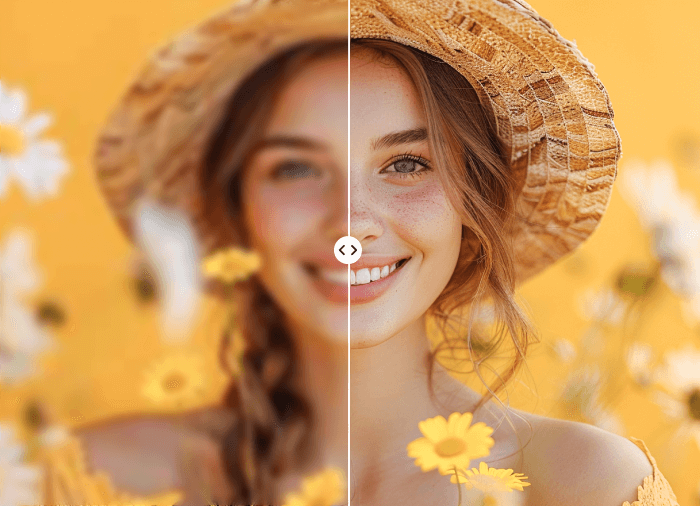
Video Enhancer AI is a cutting-edge AI-powered video enhancement tool designed to improve the quality of video content by utilizing advanced artificial intelligence algorithms. It addresses the common problem of low-resolution, blurry, or noisy videos, offering a solution to restore and upscale footage for a clearer, more professional viewing experience. This tool is particularly valuable for individuals and businesses seeking to revitalize older video archives, improve the quality of user-generated content, or enhance videos for various digital platforms. It leverages deep learning and generative AI to achieve superior results compared to traditional video editing techniques. This AI tool caters to a broad audience, including video editors, content creators, social media managers, archivists, and anyone looking to improve the visual quality of their videos. It provides an accessible way to achieve professional-grade video enhancement without requiring extensive technical expertise or expensive software. The core functionality revolves around intelligently analyzing video frames and applying enhancements to increase resolution, reduce noise, sharpen details, and improve overall clarity. It’s a powerful solution for breathing new life into existing video assets and ensuring content looks its best. Key Features of Video Enhancer AI Enhances video resolution up to 4K. Reduces noise and artifacts in video footage. Sharpens blurry videos for increased clarity. Improves video quality automatically with AI algorithms. Supports various video formats for input and output. Offers a user-friendly interface for easy operation. Restores old or damaged video recordings. Increases detail and texture in video content. Provides batch processing capabilities for multiple videos. Utilizes AI to predict and reconstruct missing details. Why People Use Video Enhancer AI Individuals and organizations utilize Video Enhancer AI to overcome the limitations of low-quality video footage. Traditional video editing software often struggles to effectively address issues like low resolution or significant noise without introducing further artifacts or requiring extensive manual adjustments. Video Enhancer AI offers a streamlined and automated solution, leveraging the power of artificial intelligence to deliver significant improvements in video quality with minimal effort. The tool’s AI algorithms analyze video frames at a granular level, identifying and correcting imperfections that would be difficult or time-consuming to address manually. This results in substantial time savings for video professionals and allows anyone to achieve professional-looking results without specialized skills. Furthermore, the ability to upscale videos to higher resolutions ensures compatibility with modern displays and platforms, enhancing the viewing experience for audiences. It’s a practical solution for preserving valuable video memories and maximizing the impact of video content. Popular Use Cases Restoring Old Family Videos: Enhancing and preserving cherished memories captured on older video formats. Improving Security Camera Footage: Increasing the clarity of surveillance videos for better identification and analysis. Enhancing User-Generated Content: Improving the quality of videos submitted by users for online platforms. Revitalizing Historical Archives: Restoring and upscaling historical video footage for preservation and educational purposes. Preparing Videos for Social Media: Optimizing video quality for platforms like YouTube, TikTok, and Instagram. Improving Online Course Videos: Enhancing the visual appeal and clarity of educational video content. Enhancing Drone Footage: Sharpening and clarifying aerial video recordings. Restoring Damaged or Degraded Videos: Recovering footage from damaged tapes or files. Improving Video Conference Recordings: Enhancing the quality of recordings from online meetings and webinars. Preparing Videos for Professional Presentations: Ensuring video content looks polished and professional. Benefits of Video Enhancer AI Enhanced Visual Quality: Videos appear sharper, clearer, and more detailed. Time Savings: Automated AI processing significantly reduces editing time. Improved Viewing Experience: Higher resolution and reduced noise create a more enjoyable viewing experience. Preservation of Memories: Restores and preserves valuable video footage for future generations. Increased Content Value: Enhanced videos are more engaging and professional, increasing their overall value. Accessibility: User-friendly interface makes video enhancement accessible to users of all skill levels. Cost-Effectiveness: Provides a powerful video enhancement solution without the need for expensive software or hardware. Versatility: Supports a wide range of video formats and use cases. Scalability: Batch processing capabilities allow for efficient enhancement of multiple videos. Professional Results: Delivers high-quality results comparable to professional video editing services.
Ai Video enhancer

Visit Website
Video Enhancer AI is a cutting-edge AI-powered video enhancement tool designed to improve the quality of video content by utilizing advanced artificial intelligence algorithms. It addresses the common problem of low-resolution, blurry, or noisy videos, offering a solution to restore and upscale footage for a clearer, more professional viewing experience. This tool is particularly valuable for individuals and businesses seeking to revitalize older video archives, improve the quality of user-generated content, or enhance videos for various digital platforms. It leverages deep learning and generative AI to achieve superior results compared to traditional video editing techniques. This AI tool caters to a broad audience, including video editors, content creators, social media managers, archivists, and anyone looking to improve the visual quality of their videos. It provides an accessible way to achieve professional-grade video enhancement without requiring extensive technical expertise or expensive software. The core functionality revolves around intelligently analyzing video frames and applying enhancements to increase resolution, reduce noise, sharpen details, and improve overall clarity. It’s a powerful solution for breathing new life into existing video assets and ensuring content looks its best. Key Features of Video Enhancer AI Enhances video resolution up to 4K. Reduces noise and artifacts in video footage. Sharpens blurry videos for increased clarity. Improves video quality automatically with AI algorithms. Supports various video formats for input and output. Offers a user-friendly interface for easy operation. Restores old or damaged video recordings. Increases detail and texture in video content. Provides batch processing capabilities for multiple videos. Utilizes AI to predict and reconstruct missing details. Why People Use Video Enhancer AI Individuals and organizations utilize Video Enhancer AI to overcome the limitations of low-quality video footage. Traditional video editing software often struggles to effectively address issues like low resolution or significant noise without introducing further artifacts or requiring extensive manual adjustments. Video Enhancer AI offers a streamlined and automated solution, leveraging the power of artificial intelligence to deliver significant improvements in video quality with minimal effort. The tool’s AI algorithms analyze video frames at a granular level, identifying and correcting imperfections that would be difficult or time-consuming to address manually. This results in substantial time savings for video professionals and allows anyone to achieve professional-looking results without specialized skills. Furthermore, the ability to upscale videos to higher resolutions ensures compatibility with modern displays and platforms, enhancing the viewing experience for audiences. It’s a practical solution for preserving valuable video memories and maximizing the impact of video content. Popular Use Cases Restoring Old Family Videos: Enhancing and preserving cherished memories captured on older video formats. Improving Security Camera Footage: Increasing the clarity of surveillance videos for better identification and analysis. Enhancing User-Generated Content: Improving the quality of videos submitted by users for online platforms. Revitalizing Historical Archives: Restoring and upscaling historical video footage for preservation and educational purposes. Preparing Videos for Social Media: Optimizing video quality for platforms like YouTube, TikTok, and Instagram. Improving Online Course Videos: Enhancing the visual appeal and clarity of educational video content. Enhancing Drone Footage: Sharpening and clarifying aerial video recordings. Restoring Damaged or Degraded Videos: Recovering footage from damaged tapes or files. Improving Video Conference Recordings: Enhancing the quality of recordings from online meetings and webinars. Preparing Videos for Professional Presentations: Ensuring video content looks polished and professional. Benefits of Video Enhancer AI Enhanced Visual Quality: Videos appear sharper, clearer, and more detailed. Time Savings: Automated AI processing significantly reduces editing time. Improved Viewing Experience: Higher resolution and reduced noise create a more enjoyable viewing experience. Preservation of Memories: Restores and preserves valuable video footage for future generations. Increased Content Value: Enhanced videos are more engaging and professional, increasing their overall value. Accessibility: User-friendly interface makes video enhancement accessible to users of all skill levels. Cost-Effectiveness: Provides a powerful video enhancement solution without the need for expensive software or hardware. Versatility: Supports a wide range of video formats and use cases. Scalability: Batch processing capabilities allow for efficient enhancement of multiple videos. Professional Results: Delivers high-quality results comparable to professional video editing services.
0
All results




































Sponsored



Top 10 Trending AI Tools

Nano Banana Pro / Gemini 3 Pro Image Generation
Ai Image generator
★5.0

Soundraw
Ai Background MusicBackground music
★4.0

Invideo ai
Ai Video generator
★4.0

Grok
Ai Chatbots
★5.0
6

ChatGPT
Ai Chatbots
★5.0

Pine Script Wizard AI
Ai Writing Generation
★4.0

Invideo ai
Ai ShortsAi Video enhancer
★4.0
10

Craiyon
Ai Image generator
★4.5

Manychat
Ai Content Creation
★3.5

Kimi Slides
Ai PresentationPresentation
★4.0