ThumbnailCreator.com is an innovative AI-powered thumbnail generator designed to help users create high-quality, engaging thumbnails for YouTube videos and other platforms, ultimately increasing click-through rates and audience engagement. It solves the problem of time-consuming and often difficult thumbnail design, particularly for creators lacking graphic design skills or resources. The tool leverages artificial intelligence to automate the design process, offering a range of customizable templates and design elements. It is intended for YouTubers, video marketers, social media managers, and anyone looking to improve the visual appeal of their video content. This platform is a valuable resource for YouTube thumbnail creation , video marketing , and AI-driven design . Key Features of ThumbnailCreator.com Generates YouTube thumbnails using artificial intelligence. Offers a library of customizable thumbnail templates. Allows users to add text with various fonts, colors, and effects. Provides a selection of stock images and graphics. Enables background customization with solid colors, gradients, or images. Facilitates resizing thumbnails to optimal dimensions for different platforms. Supports direct download of created thumbnails in various formats. Offers a user-friendly drag-and-drop interface. Includes elements for adding branding elements like logos. Provides options for adjusting brightness, contrast, and saturation. Allows users to create thumbnails in multiple languages. Offers a range of pre-designed elements like stickers and icons. Why People Use ThumbnailCreator.com Individuals and businesses utilize ThumbnailCreator.com to streamline the creation of compelling video thumbnails. Traditionally, designing effective thumbnails required significant time investment, graphic design expertise, and potentially expensive software. ThumbnailCreator.com democratizes this process, making professional-quality thumbnail design accessible to everyone, regardless of their skill level. The platform significantly reduces the time spent on thumbnail creation, allowing content creators to focus on video production and content strategy. By automating much of the design work, it eliminates the need for manual image editing and complex design tools. The AI-powered suggestions and pre-designed templates ensure that even novice users can produce thumbnails that are visually appealing and optimized for click-through rates. This results in increased views, subscriber growth, and overall channel performance. ItΓÇÖs a solution for those seeking efficient thumbnail design , YouTube growth , and video optimization . Popular Use Cases YouTubers: Creating eye-catching thumbnails to increase video views and subscriber engagement. Video Marketers: Designing thumbnails for promotional videos and marketing campaigns. Online Educators: Developing thumbnails for online courses and educational content. Social Media Managers: Generating thumbnails for video content shared on social media platforms. Small Business Owners: Creating thumbnails for product demos and promotional videos. Content Creators: Designing thumbnails for a variety of video content, including vlogs, tutorials, and reviews. Affiliate Marketers: Crafting thumbnails for videos promoting affiliate products. Gaming Channels: Producing engaging thumbnails to attract viewers to gaming videos and live streams. Podcast Promotion: Creating visual representations of podcast episodes for YouTube and social media. Event Promotion: Designing thumbnails for videos promoting upcoming events and webinars. News and Media Outlets: Developing thumbnails for video news segments and reports. Personal Branding: Creating consistent and professional thumbnails for personal video content. Benefits of ThumbnailCreator.com Increased Click-Through Rates: Visually appealing thumbnails attract more viewers and improve click-through rates. Time Savings: Automates the thumbnail design process, freeing up valuable time for content creation. Enhanced Brand Consistency: Allows users to incorporate branding elements into their thumbnails for a cohesive look. Improved Video Visibility: Optimized thumbnails can improve video search rankings and visibility. Accessibility for All Skill Levels: User-friendly interface makes thumbnail design accessible to everyone, regardless of design experience. Cost-Effectiveness: Provides a free solution for creating professional-quality thumbnails, eliminating the need for expensive software or designers. Greater Audience Engagement: Engaging thumbnails capture viewers' attention and encourage them to watch videos. Streamlined Workflow: Simplifies the thumbnail creation process, making it easier to manage video content. Increased Channel Growth: Higher click-through rates and engagement contribute to channel growth and subscriber acquisition. Professional Appearance: Creates thumbnails that look polished and professional, enhancing the overall quality of video content. Rapid Iteration: Quickly experiment with different designs and concepts to find the most effective thumbnails. Platform Versatility: Thumbnails can be optimized for various video platforms beyond YouTube.

Automateed is an innovative AI writing assistant that empowers users to generate high-quality, SEO-optimized content quickly and efficiently. It addresses the challenges of content creation ΓÇô writerΓÇÖs block, time constraints, and the need for consistently engaging material ΓÇô by leveraging the power of artificial intelligence. This tool is designed for marketers, bloggers, social media managers, and anyone who needs to produce a large volume of written content. It excels in AI content generation , article writing , and SEO content creation . Automateed distinguishes itself through its focus on long-form content and its ability to adapt to various writing styles and tones. Unlike tools that primarily focus on short-form copy, Automateed is built to assist with in-depth articles, blog posts, and website copy. The platform utilizes advanced natural language processing (NLP) models to understand user prompts and generate coherent, relevant, and original text. ItΓÇÖs a valuable resource for individuals and teams looking to streamline their content workflows and improve their online presence. This AI-powered platform is particularly useful for those seeking to scale their content marketing efforts without sacrificing quality. Automateed helps users overcome creative hurdles, maintain brand consistency, and ultimately, drive more traffic and engagement through compelling written content. ItΓÇÖs a solution for anyone looking to improve their content marketing strategy and boost their SEO rankings . Key Features of Automateed Generates long-form articles and blog posts from a single prompt. Offers multiple content types, including blog posts, articles, and website copy. Provides options to customize tone of voice and writing style. Supports various languages for multilingual content creation. Includes an integrated SEO checker to optimize content for search engines. Allows users to rewrite existing content for improved clarity and engagement. Offers a user-friendly interface for easy navigation and content generation. Provides a content summarization feature to condense lengthy texts. Enables users to expand on existing ideas and generate more detailed content. Facilitates the creation of outlines to structure content effectively. Why People Use Automateed Individuals and businesses utilize Automateed to overcome the common obstacles associated with content creation. Traditionally, producing high-quality content requires significant time, effort, and often, the expertise of professional writers. Automateed drastically reduces this time investment, enabling users to generate articles and blog posts in a fraction of the time it would take to write them manually. The platform also addresses the issue of writerΓÇÖs block, providing a starting point for content creation and offering suggestions to overcome creative hurdles. Furthermore, Automateed ensures consistency in brand voice and messaging, which can be challenging to maintain when relying on multiple writers. By automating much of the writing process, Automateed allows users to focus on strategy, editing, and other critical aspects of content marketing. ItΓÇÖs a solution for those who need to produce a consistent stream of engaging content without being limited by resources or time. Popular Use Cases Bloggers: Generating regular blog posts to attract and engage their audience. Marketing Agencies: Creating content for clients across various industries. Small Businesses: Developing website copy and marketing materials to promote their products or services. SEO Specialists: Producing SEO-optimized articles to improve search engine rankings. Content Creators: Overcoming writerΓÇÖs block and generating fresh ideas for content. Social Media Managers: Crafting engaging captions and posts for social media platforms. E-commerce Businesses: Writing product descriptions and category pages to drive sales. Authors: Outlining and drafting chapters for books and articles. Educational Institutions: Creating educational materials and articles for students. News Organizations: Assisting with the drafting of news articles and reports. Benefits of Automateed Increased Content Output: Generate more content in less time, accelerating content marketing efforts. Improved SEO Performance: Create SEO-optimized content that ranks higher in search engine results. Reduced Content Creation Costs: Minimize the need for expensive writers and agencies. Enhanced Brand Consistency: Maintain a consistent brand voice and messaging across all content. Overcome WriterΓÇÖs Block: Generate ideas and overcome creative hurdles with AI assistance. Streamlined Content Workflow: Simplify the content creation process from start to finish. Scalable Content Production: Easily scale content production to meet growing demands. Multilingual Content Creation: Reach a wider audience with content in multiple languages. Time Savings: Free up valuable time to focus on other critical tasks. Improved Content Quality: Generate well-written, engaging, and informative content.

Yahini is an innovative AI-powered paraphrasing tool designed to help users rewrite text with clarity, fluency, and originality. It addresses the common challenges of content creation, such as writerΓÇÖs block, the need for diverse phrasing, and the desire to avoid plagiarism, by leveraging advanced natural language processing (NLP) and machine learning algorithms . This tool is particularly valuable for students, writers, marketers, and anyone who regularly works with written content and seeks to improve its quality and impact. Yahini offers a free and accessible solution for text rewriting , content optimization , and paraphrasing online . Key Features of Yahini Paraphrases text in multiple modes: Standard, Fluency, Academic, and Creative. Offers a user-friendly interface for easy text input and output. Provides options to adjust the level of paraphrasing for desired originality. Supports various input lengths, accommodating both short phrases and lengthy documents. Highlights changes made during the paraphrasing process for easy review. Allows users to copy the paraphrased text directly from the platform. Offers a free plan with generous usage limits. Detects and rewrites sentences to avoid plagiarism. Improves sentence structure and word choice for enhanced readability. Provides a quick and efficient alternative to manual rewriting. Why People Use Yahini Individuals and professionals alike utilize Yahini to overcome the hurdles associated with content creation and refinement. Traditional methods of paraphrasing often involve significant time and effort, requiring a deep understanding of synonyms and sentence structure. This can be particularly challenging for non-native English speakers or those facing tight deadlines. Yahini streamlines this process, delivering high-quality paraphrased content in seconds. The toolΓÇÖs AI algorithms analyze the input text, understand its meaning, and generate new phrasing while preserving the original intent. This not only saves valuable time but also ensures a higher degree of accuracy and consistency compared to manual rewriting. Furthermore, Yahini helps users avoid unintentional plagiarism by generating unique content, making it an essential resource for academic writing and professional content marketing. It empowers users to express ideas in fresh and engaging ways, enhancing the overall impact of their written communication. Popular Use Cases Students: Rewriting essays, research papers, and assignments to improve clarity and avoid plagiarism. Content Writers: Generating multiple versions of articles, blog posts, and website copy for A/B testing and content diversification. Marketers: Crafting compelling ad copy, social media posts, and email campaigns with unique phrasing. Researchers: Paraphrasing academic literature for literature reviews and research reports. Bloggers: Refreshing old content and creating new variations of existing articles to boost SEO. Authors: Refining manuscripts and exploring different writing styles. ESL Learners: Improving writing skills and expanding vocabulary through exposure to alternative phrasing. Legal Professionals: Rewording legal documents for clarity and precision. Business Professionals: Crafting professional emails, reports, and presentations. Social Media Managers: Creating engaging and varied content for different platforms. Benefits of Yahini Increased Productivity: Significantly reduces the time and effort required for paraphrasing and rewriting content. Enhanced Content Quality: Improves the clarity, fluency, and readability of written materials. Reduced Risk of Plagiarism: Generates unique content, minimizing the chances of unintentional plagiarism. Improved Writing Skills: Provides exposure to alternative phrasing and vocabulary, fostering better writing habits. Cost-Effectiveness: Offers a free plan and affordable options for increased usage, making it accessible to a wide range of users. Versatility: Supports a variety of writing tasks and industries, from academic research to marketing campaigns. Ease of Use: Features a simple and intuitive interface that requires no technical expertise. Content Optimization: Helps refine content for better engagement and search engine rankings. Creative Exploration: Enables users to experiment with different writing styles and tones. Accessibility: Available online, allowing users to paraphrase text from any device with an internet connection.

Aivvid AI is an innovative AI video generation platform that transforms text prompts into engaging, professional-quality videos, streamlining content creation for marketing and communication purposes. It addresses the challenge of time-consuming and expensive traditional video production by leveraging artificial intelligence to automate the process. This tool is designed for marketers, content creators, social media managers, and businesses of all sizes seeking to enhance their video marketing efforts without extensive resources. Aivvid AI utilizes advanced text-to-video AI technology to produce compelling visual content quickly and efficiently, offering a scalable solution for diverse video needs. Key Features of Aivvid AI Converts text prompts into fully produced videos. Offers a library of diverse AI voiceovers in multiple languages. Provides a selection of customizable video templates. Includes a vast library of royalty-free images and video clips. Allows users to adjust video aspect ratios for different platforms. Enables the addition of background music from a curated library. Supports video editing capabilities, including trimming and rearranging clips. Facilitates brand customization with logo and watermark integration. Offers automatic caption generation for improved accessibility. Provides options for selecting different AI video styles and tones. Allows for the creation of videos in various lengths. Supports multiple video resolutions, including HD quality. Enables direct social media sharing of generated videos. Offers a user-friendly interface for intuitive video creation. Provides a collaborative workspace for team projects. Why People Use Aivvid AI Individuals and organizations are increasingly turning to Aivvid AI to overcome the hurdles associated with traditional video production. Creating high-quality videos often requires significant investment in equipment, personnel, and time. Aivvid AI democratizes video creation, making it accessible to anyone regardless of their technical skills or budget. The platform significantly reduces the time required to produce videos, enabling users to generate content in minutes rather than days or weeks. Unlike manual video editing, which can be prone to errors and inconsistencies, Aivvid AI leverages the precision of artificial intelligence to ensure consistent quality and brand messaging. This allows businesses to scale their video marketing efforts without compromising on professionalism or impact. The platformΓÇÖs ease of use empowers teams to quickly iterate on ideas and create a diverse range of video content to meet evolving marketing demands. Popular Use Cases Social Media Marketing: Generating short, engaging videos for platforms like TikTok, Instagram, Facebook, and X to increase brand awareness and drive engagement. Content Marketing: Creating explainer videos, product demos, and thought leadership content to attract and educate potential customers. Email Marketing: Embedding personalized videos in email campaigns to improve open rates, click-through rates, and conversions. Internal Communications: Producing training videos, company announcements, and employee onboarding materials to enhance internal communication. Educational Content: Developing instructional videos, tutorials, and online courses to facilitate learning and knowledge sharing. Sales Enablement: Creating sales presentations, product pitches, and customer testimonials to support sales teams. Advertising Campaigns: Generating video ads for platforms like YouTube and social media to reach a wider audience. Website Engagement: Adding videos to website landing pages and product pages to improve user experience and increase conversions. Personal Branding: Individuals can use the platform to create professional videos for LinkedIn or personal websites. Event Promotion: Creating promotional videos for webinars, conferences, and other events. Real Estate Marketing: Generating virtual tours and property highlight videos. E-commerce Product Demonstrations: Showcasing products in action with engaging video content. Benefits of Aivvid AI Increased Efficiency: Dramatically reduces the time and effort required to create professional-quality videos. Cost Savings: Eliminates the need for expensive video production equipment, software, and personnel. Enhanced Engagement: Captures audience attention with visually appealing and dynamic video content. Improved Brand Consistency: Ensures consistent brand messaging and visual identity across all video materials. Scalable Content Creation: Enables businesses to produce a large volume of videos quickly and efficiently. Greater Accessibility: Automatic captioning improves video accessibility for a wider audience. Simplified Workflow: Streamlines the video creation process with an intuitive and user-friendly interface. Expanded Reach: Facilitates video sharing across multiple platforms, maximizing audience reach. Data-Driven Insights: Provides analytics to track video performance and optimize content strategy. Faster Time-to-Market: Allows businesses to quickly launch video campaigns and respond to market trends. Empowered Creativity: Enables users to experiment with different video styles and formats. Reduced Technical Barriers: Makes video creation accessible to users without prior video editing experience.

Monkey AI Image Generator is an innovative AI-powered image generation platform that allows users to create unique and captivating visuals from text prompts. It addresses the challenge of sourcing high-quality images for various applications by providing a fast, accessible, and cost-effective solution. Utilizing advanced artificial intelligence and generative AI models , Monkey AI empowers individuals and businesses to produce original artwork without requiring specialized design skills or expensive software. This tool is designed for content creators, marketers, artists, and anyone seeking to visualize their ideas quickly and efficiently, offering a powerful alternative to traditional image creation methods and stock photography. Key Features of Monkey AI Image Generator Generates images from text prompts using advanced AI algorithms. Offers a diverse range of artistic styles, including photorealistic, anime, and abstract. Provides high-resolution image outputs suitable for various applications. Allows users to refine and iterate on generated images through prompt adjustments. Features a user-friendly interface for easy navigation and operation. Supports image upscaling to enhance resolution and detail. Enables the creation of unique profile pictures and avatars. Offers a community feed for inspiration and sharing creations. Provides options for generating multiple images simultaneously. Allows users to explore trending prompts and styles. Why People Use Monkey AI Image Generator Individuals and organizations are increasingly turning to AI image generators like Monkey AI to streamline their content creation processes and overcome the limitations of traditional methods. Sourcing suitable images can be time-consuming and expensive, often requiring subscriptions to stock photo services or the hiring of professional designers. Monkey AI offers a compelling alternative by enabling users to generate custom visuals on demand, tailored precisely to their needs. The platform significantly reduces the time and effort required to produce high-quality images, allowing users to focus on other critical tasks. Unlike manual image creation, which demands artistic skill and technical expertise, Monkey AI democratizes the process, making it accessible to anyone with an idea. The ability to quickly iterate on prompts and generate multiple variations ensures users can achieve the desired aesthetic with minimal effort, resulting in increased productivity and creative freedom. This is particularly valuable for social media managers, marketers, and bloggers who require a constant stream of fresh visual content. Popular Use Cases Social Media Marketing: Generating eye-catching visuals for social media posts, ads, and profile pictures. Content Creation: Illustrating blog posts, articles, and website content with unique images. Digital Art: Creating original artwork for personal enjoyment or commercial purposes. Prototyping & Concept Art: Quickly visualizing ideas for product design, game development, and architectural projects. Marketing Campaigns: Developing compelling visuals for advertising campaigns and promotional materials. Personalized Avatars: Generating unique and expressive avatars for online profiles and gaming. Educational Materials: Creating engaging visuals for presentations, reports, and educational resources. E-commerce Product Visualization: Generating images of products in various settings and styles. Book Cover Design: Creating initial concepts and mockups for book covers. Interior Design Visualization: Visualizing different furniture arrangements and décor styles. Benefits of Monkey AI Image Generator Increased Efficiency: Significantly reduces the time and effort required to create high-quality images. Cost Savings: Eliminates the need for expensive stock photos or professional design services. Enhanced Creativity: Empowers users to explore a wide range of artistic styles and generate unique visuals. Improved Content Quality: Provides access to custom-made images that perfectly complement content. Greater Control: Allows users to refine and iterate on images through precise prompt engineering. Accessibility: Makes image creation accessible to individuals without specialized design skills. Scalability: Enables the rapid generation of large volumes of images for various applications. Originality: Ensures the creation of unique and copyright-safe visuals. Rapid Prototyping: Facilitates quick visualization of ideas and concepts. Streamlined Workflow: Integrates seamlessly into existing content creation workflows.

GoatRemote is an innovative AI voice cloning and text-to-speech platform that enables users to create realistic, custom voiceovers and replicate their own voice with remarkable accuracy. It addresses the challenges of expensive voice actors, time-consuming recording sessions, and the limitations of generic text-to-speech solutions. GoatRemote utilizes advanced artificial intelligence , specifically deep learning models , to analyze and reproduce the nuances of human speech. This tool is designed for content creators, marketers, educators, and businesses seeking high-quality, scalable voice solutions for a variety of applications. It is a valuable resource for anyone looking to enhance their audio content with personalized and professional-sounding voiceovers, leveraging the power of AI voice generation and voice cloning technology . Key Features of GoatRemote Offers AI voice cloning from audio samples. Provides a text-to-speech engine with a wide range of AI voices. Allows users to adjust speech parameters like speed, pitch, and pauses. Supports multiple languages for voice cloning and text-to-speech. Enables the creation of voiceovers for various content types. Features a user-friendly interface for easy voice cloning and generation. Provides an API for integration with other applications. Offers commercial licensing options for generated voices. Allows for voice editing and refinement post-generation. Supports various audio file formats for input and output. Why People Use GoatRemote Individuals and organizations are increasingly turning to GoatRemote as a solution to the limitations of traditional voiceover production. Historically, creating professional-quality voiceovers required hiring voice actors, booking studio time, and undergoing lengthy editing processes. This could be both expensive and time-consuming, particularly for projects requiring numerous iterations or large volumes of content. GoatRemote streamlines this process by offering a cost-effective and efficient alternative. The platformΓÇÖs AI voice cloning capabilities allow users to replicate their own voice or create entirely new personas, eliminating the need for external talent. The text-to-speech functionality provides access to a diverse library of AI voices, suitable for a wide range of applications. Unlike generic text-to-speech systems, GoatRemoteΓÇÖs AI models produce remarkably natural-sounding speech, enhancing the quality and engagement of audio content. This results in significant time savings, reduced costs, and increased creative control for users. The platform empowers users to quickly generate high-quality voiceovers, enabling faster content creation and improved scalability. Popular Use Cases Marketing and Advertising: Creating engaging voiceovers for video ads, radio commercials, and promotional materials. E-learning and Training: Developing realistic and immersive voiceovers for online courses, training modules, and educational videos. Audiobook Production: Generating narration for audiobooks with consistent and high-quality voice performance. Podcast Production: Producing professional-sounding intros, outros, and voiceovers for podcasts. Video Game Development: Creating character voices and narration for video games. Accessibility Solutions: Providing text-to-speech functionality for individuals with visual impairments. Content Creation: Enhancing videos, presentations, and other content with compelling voiceovers. Internal Communications: Developing voiceovers for employee training videos and internal announcements. Prototyping and Storyboarding: Quickly creating voiceovers for initial drafts and concept testing. Personal Projects: Generating voiceovers for personal videos, presentations, or creative endeavors. Benefits of GoatRemote Cost Savings: Reduces the expenses associated with hiring voice actors and renting studio space. Time Efficiency: Accelerates the voiceover production process, enabling faster content creation. Scalability: Allows users to generate large volumes of voiceovers quickly and easily. Creative Control: Provides users with complete control over the voice, tone, and style of their voiceovers. Voice Consistency: Ensures consistent voice performance across all content. Realistic Voice Quality: Delivers natural-sounding voiceovers that enhance audience engagement. Accessibility: Enables the creation of accessible content for individuals with disabilities. Versatility: Supports a wide range of applications and content types. Ease of Use: Offers a user-friendly interface that requires no specialized technical skills. Customization: Allows users to fine-tune speech parameters to achieve the desired results.

Imagine Anything is an innovative AI image generation platform that empowers users to create stunning visuals from text prompts, offering a streamlined and accessible entry point into the world of artificial intelligence art. It solves the problem of needing specialized design skills or expensive software to produce high-quality images, making visual content creation available to anyone with an idea. The platform utilizes advanced diffusion models and machine learning algorithms to translate textual descriptions into detailed and imaginative imagery. Imagine Anything is designed for marketers, content creators, artists, hobbyists, and anyone seeking to visualize their concepts without traditional design barriers. It is a powerful tool for AI art generation , text-to-image synthesis , and digital content creation . Key Features of Imagine Anything Generates images from text prompts with customizable settings. Offers a user-friendly interface for easy navigation and prompt creation. Provides a variety of artistic styles to choose from, influencing the generated image’s aesthetic. Allows users to control image resolution and aspect ratio. Supports negative prompting to refine image generation by specifying elements to avoid. Enables image-to-image generation, using an existing image as a starting point. Features a community gallery showcasing creations from other users. Offers a fast image generation speed compared to some other platforms. Provides options for seed control, allowing for reproducible results. Includes a built-in prompt builder to assist users in crafting effective prompts. Why People Use Imagine Anything Individuals and professionals alike are drawn to Imagine Anything because it democratizes the process of image creation. Traditionally, generating custom visuals required hiring a graphic designer, mastering complex software like Photoshop, or relying on stock photography. These methods can be time-consuming, expensive, and often fail to perfectly capture a specific vision. Imagine Anything bypasses these limitations by leveraging the power of AI to instantly transform ideas into images. The platform significantly reduces the time and effort required for visual content creation, allowing users to rapidly prototype concepts, create marketing materials, or simply explore their artistic inclinations. Unlike manual methods, Imagine Anything offers a level of creative flexibility and control that is difficult to achieve otherwise. The ability to iterate quickly on different prompts and styles enables users to refine their vision until it perfectly matches their needs. The platform’s accessibility also makes it an ideal tool for those without prior design experience, empowering them to bring their ideas to life visually. Popular Use Cases Marketing and Advertising: Generating unique visuals for social media campaigns, website banners, and advertising materials. Content Creation: Creating illustrations for blog posts, articles, and other online content. Concept Art: Rapidly prototyping character designs, environment concepts, and storyboards for games, animation, and film. Product Visualization: Generating realistic images of products for e-commerce websites and marketing presentations. Social Media Engagement: Creating eye-catching visuals to increase engagement on social media platforms. Personal Art Projects: Exploring artistic expression and creating unique artwork for personal enjoyment. Educational Purposes: Visualizing complex concepts and ideas for educational materials. Interior Design: Generating images of room designs based on specific furniture and décor preferences. Fashion Design: Visualizing clothing designs and patterns before production. Book Illustration: Creating illustrations for children’s books or novel covers. Benefits of Imagine Anything Increased Efficiency: Significantly reduces the time and effort required to create high-quality images. Cost Savings: Eliminates the need to hire expensive designers or purchase costly software licenses. Enhanced Creativity: Empowers users to explore a wider range of visual concepts and styles. Improved Visual Communication: Enables users to effectively communicate their ideas through compelling imagery. Greater Control: Provides users with granular control over the image generation process, allowing for precise customization. Accessibility: Makes image creation accessible to individuals without prior design experience. Rapid Prototyping: Facilitates quick iteration and refinement of visual concepts. Scalability: Enables users to generate a large volume of images quickly and efficiently. Unique Visuals: Creates original and distinctive images that stand out from stock photography. Simplified Workflow: Streamlines the visual content creation process, from concept to completion.

Magnetify is an AI-powered lead magnet generator that empowers users to create high-converting ebooks, mini-courses, and other valuable content assets quickly and efficiently. It addresses the challenge of time-consuming content creation, particularly for marketers seeking to build their email lists and generate qualified leads. By leveraging artificial intelligence and automation , Magnetify streamlines the entire process ΓÇô from outlining and writing to designing and formatting ΓÇô making it accessible to individuals and businesses alike. This tool is specifically designed for entrepreneurs, coaches, and marketers who want to accelerate their lead generation efforts without extensive design or writing expertise. Key Features of Magnetify Automated lead magnet outline creation based on a given topic. AI-powered content writing and expansion for each section of the lead magnet. Professionally designed templates for ebooks, mini-courses, and checklists. Drag-and-drop editor for customization of layouts and branding. Automatic formatting and styling for a polished final product. Integration with popular email marketing platforms. Ability to generate content in multiple languages. Option to add images and videos to enhance engagement. Lead magnet preview functionality before publishing. Content repurposing capabilities to create multiple assets from a single topic. Why People Use Magnetify Individuals and businesses often struggle with the time and resources required to create effective lead magnets. Traditional methods involve extensive research, writing, design work, and formatting, which can be a significant bottleneck for marketing teams. Magnetify offers a solution by automating these processes, drastically reducing the time needed to produce a high-quality lead magnet from days or weeks to just minutes. The platformΓÇÖs AI algorithms analyze the provided topic and generate a comprehensive outline, then populate it with relevant, engaging content. This allows users to focus on their core business objectives rather than getting bogged down in the details of content creation. Unlike manual methods, Magnetify ensures consistency in branding and design, resulting in professional-looking assets that are more likely to attract and convert leads. The speed and efficiency of the platform enable marketers to rapidly test different lead magnet ideas and optimize their campaigns for maximum impact. Popular Use Cases Coaches and Consultants: Creating ebooks or mini-courses to establish authority and generate leads for their services. Small Business Owners: Developing checklists or guides to attract potential customers and build their email list. Marketing Agencies: Producing lead magnets for clients as part of a broader marketing strategy. Bloggers and Content Creators: Offering downloadable resources to incentivize email sign-ups and grow their audience. SaaS Companies: Generating ebooks or whitepapers to educate prospects about their software and demonstrate its value. Real Estate Agents: Creating neighborhood guides or home-buying checklists to attract potential clients. Financial Advisors: Developing guides on retirement planning or investment strategies to generate leads. Health and Wellness Professionals: Offering ebooks on nutrition, fitness, or mindfulness to attract new clients. Online Course Creators: Building mini-courses as lead magnets to promote their full-length courses. Authors: Creating sample chapters or companion guides to promote their books. Benefits of Magnetify Accelerated Lead Generation: Quickly create high-converting lead magnets to grow an email list and attract qualified leads. Significant Time Savings: Reduce the time spent on content creation by automating outlining, writing, and design. Enhanced Content Quality: Leverage AI to generate engaging and informative content that resonates with the target audience. Professional Design: Utilize professionally designed templates to create visually appealing lead magnets that reflect brand identity. Increased Conversion Rates: Optimize lead magnets for maximum conversion rates with proven design principles and compelling content. Simplified Content Creation: Eliminate the need for extensive writing or design skills, making lead magnet creation accessible to everyone. Scalable Marketing Efforts: Easily create multiple lead magnets to test different offers and target different segments of the audience. Improved Brand Consistency: Maintain a consistent brand image across all lead magnets with customizable templates and branding options. Cost-Effective Solution: Reduce the costs associated with hiring writers, designers, or marketing agencies. Data-Driven Optimization: Gain insights into lead magnet performance and optimize campaigns for better results.

StarterPilot is an AI-powered business launch suite designed to help entrepreneurs rapidly validate business ideas, generate branding assets, and establish an online presence. It addresses the challenges faced by early-stage founders who need to efficiently navigate the complexities of starting a business, from initial concept to a fully functional website. Leveraging artificial intelligence and automation , StarterPilot streamlines the often-fragmented process of business creation, offering a unified platform for idea validation, logo design, and website building. This tool is particularly valuable for solo entrepreneurs, startups, and anyone looking to quickly and affordably launch a new venture. Key Features of StarterPilot AI-powered business idea validation through market analysis. Automated generation of business names based on user input. AI logo design with customizable templates and branding options. One-page website builder with integrated content suggestions. Domain name search and availability check. Automated generation of social media bios and content ideas. AI-driven brand style guide creation. Integration with popular marketing tools. User-friendly drag-and-drop website editor. Responsive website design for optimal viewing on all devices. Why People Use StarterPilot Entrepreneurs often face significant hurdles when launching a new business. Traditional methods involve juggling multiple tools, outsourcing design work, and spending considerable time on tasks that donΓÇÖt directly contribute to core business development. StarterPilot offers a streamlined alternative by consolidating these essential functions into a single, intuitive platform. Users choose StarterPilot to accelerate their launch process, reduce costs associated with external services, and gain confidence in their business idea through data-driven validation. The platformΓÇÖs AI capabilities automate repetitive tasks, allowing founders to focus on strategy, product development, and customer acquisition. It empowers individuals with limited technical or design expertise to create a professional brand and online presence quickly and efficiently. Popular Use Cases Startup Founders: Validating a new business concept and building a minimum viable product (MVP) website. Solo Entrepreneurs: Launching a side hustle or freelance business with a professional online identity. Small Business Owners: Creating a simple website to showcase services and attract customers. Product Developers: Testing market demand for a new product idea before significant investment. Marketing Professionals: Rapidly prototyping landing pages for A/B testing and campaign validation. Consultants: Establishing an online presence to attract clients and showcase expertise. Content Creators: Building a website to host a portfolio and promote their work. Early-Stage Investors: Assessing the viability of potential investment opportunities. Students: Developing a business plan and launching a student-run venture. Non-Profit Organizations: Creating a website to raise awareness and solicit donations. Benefits of StarterPilot Accelerated Launch: Reduces the time to market by automating key business creation tasks. Cost Savings: Eliminates the need for expensive design agencies and freelance services. Data-Driven Validation: Provides insights into market demand and potential customer base. Professional Branding: Creates a cohesive and professional brand identity with AI-generated logos and style guides. Simplified Website Building: Enables users to build a functional website without coding knowledge. Increased Confidence: Empowers entrepreneurs to launch their businesses with greater assurance. Enhanced Efficiency: Streamlines the business creation process, freeing up time for core activities. Improved Market Research: Offers valuable data and insights to inform business decisions. Scalable Solution: Provides a foundation for growth and expansion. User-Friendly Interface: Offers an intuitive and easy-to-navigate platform for all skill levels.

SparkIcon AI is an AI-powered icon generator that enables users to create custom icons for applications, websites, and branding materials using simple text prompts. It solves the problem of needing professional-quality icons without the expense and time commitment of hiring a designer or learning complex design software. The platform leverages generative AI to produce unique and scalable icons, catering to developers, designers, and brand owners seeking to enhance their digital presence. This tool is particularly useful for those needing AI icon generation , app icon design , and rapid prototyping of visual assets. Key Features of SparkIcon AI Generates icons from text prompts. Offers a variety of icon styles. Produces high-resolution, scalable icons. Allows for quick iteration on designs. Provides a user-friendly interface. Supports customization of icon appearance. Enables the creation of consistent icon sets. Offers a free usage tier. Requires no design experience. Focuses specifically on icon creation. Why People Use SparkIcon AI Individuals and teams utilize SparkIcon AI to streamline the process of icon design and integration into their projects. Traditionally, creating icons involved either significant time investment in learning design tools or outsourcing to professional designers, both of which can be costly and slow down development cycles. SparkIcon AI offers a compelling alternative by automating the design process through artificial intelligence. Users simply input a text description of the desired icon, and the AI generates multiple options, allowing for rapid experimentation and refinement. This approach significantly reduces the time and resources required to obtain high-quality icons, enabling faster project completion and a more polished final product. The platformΓÇÖs focus on simplicity and ease of use makes it accessible to users without prior design experience, democratizing access to professional-grade visual assets. Popular Use Cases Mobile App Development: Creating app icons for iOS and Android platforms. Web Design: Generating icons for website navigation, user interfaces, and branding elements. UI/UX Design: Rapidly prototyping icon sets for user interface design projects. Branding & Marketing: Developing unique icons for brand identity and marketing materials. Game Development: Designing icons for in-game assets and user interface elements. Software Development: Creating icons for software applications and toolbars. Presentation Design: Enhancing presentations with custom-designed icons. Personal Projects: Individuals creating icons for personal websites, blogs, or social media profiles. Startup Companies: Quickly establishing a visual identity with professional icons. Educational Purposes: Students and educators exploring icon design and AI-powered tools. Benefits of SparkIcon AI Reduced Design Costs: Eliminates the need to hire expensive designers for icon creation. Faster Turnaround Times: Generates icons in seconds, accelerating project timelines. Increased Creative Exploration: Enables rapid experimentation with different icon styles and concepts. Enhanced Visual Consistency: Facilitates the creation of cohesive icon sets for a unified brand identity. Improved User Experience: Provides high-quality icons that enhance the visual appeal and usability of digital products. Accessibility for Non-Designers: Empowers users without design experience to create professional-looking icons. Scalability: Easily generates icons in various sizes and resolutions to suit different platforms and devices. Streamlined Workflow: Integrates seamlessly into existing design and development workflows. Cost-Effective Solution: Offers a free usage tier and affordable options for increased usage. Time Savings: Frees up valuable time for developers and designers to focus on other critical tasks.

Wallpaper Generate is an innovative AI wallpaper generator that empowers users to create unique and visually stunning wallpapers for various devices and applications. It addresses the challenge of finding high-quality, personalized wallpapers by leveraging the power of artificial intelligence to transform text prompts into original artwork. This tool is designed for individuals seeking to customize their digital environments, designers looking for inspiration, and anyone who appreciates aesthetically pleasing visuals. It falls into the category of AI art generation and specifically targets the niche of digital wallpaper creation . Wallpaper Generate utilizes advanced diffusion models and generative AI algorithms to interpret user-provided text descriptions and translate them into corresponding images. The platform eliminates the need for extensive design skills or reliance on pre-existing image libraries. Instead, users can simply articulate their vision through text, and the AI will generate a wallpaper tailored to their specifications. This process democratizes design, making custom wallpaper creation accessible to a wider audience. The tool is particularly useful for those who desire unique backgrounds that reflect their personal tastes or specific themes. The platformΓÇÖs core functionality revolves around its ability to understand natural language and convert it into visual representations. This is achieved through a sophisticated AI engine trained on a massive dataset of images and text pairings. The result is a tool capable of producing diverse and high-resolution wallpapers, ranging from abstract art to realistic landscapes, all based on user input. Wallpaper Generate offers a streamlined and efficient solution for anyone looking to enhance their digital aesthetic with personalized, AI-generated backgrounds. Key Features of Wallpaper Generate Generates wallpapers from text prompts. Offers a variety of artistic styles and themes. Produces high-resolution images suitable for various screen sizes. Allows for iterative refinement of generated images through prompt adjustments. Provides a user-friendly interface for easy navigation. Supports diverse aesthetic preferences through detailed prompt interpretation. Enables the creation of unique and original wallpaper designs. Offers a quick and efficient alternative to traditional wallpaper sourcing. Requires no design experience or software installation. Provides a constantly evolving library of potential styles and aesthetics. Why People Use Wallpaper Generate Individuals and professionals alike utilize Wallpaper Generate to overcome the limitations of conventional wallpaper acquisition methods. Traditionally, finding the perfect wallpaper involved browsing through extensive online libraries, often resulting in generic or uninspired choices. Alternatively, creating custom wallpapers required significant design expertise and time investment. Wallpaper Generate streamlines this process, offering a rapid and accessible solution for generating personalized backgrounds. The toolΓÇÖs AI-driven approach significantly reduces the time and effort required to obtain a desired aesthetic. Users can experiment with different prompts and styles, instantly visualizing their ideas without the need for complex design software or artistic skills. This efficiency is particularly valuable for those who frequently change their wallpapers or require unique backgrounds for various projects. Furthermore, the platformΓÇÖs ability to generate original artwork ensures that users can enjoy truly distinctive visuals, setting their devices apart from others. Popular Use Cases Personal Device Customization: Individuals can create unique wallpapers for smartphones, tablets, and computers to reflect their personal style. Social Media Content Creation: Designers and content creators can generate visually appealing backgrounds for social media posts and stories. Digital Art Exploration: Artists and designers can use the tool as a source of inspiration and experimentation with different styles and themes. Gaming Stream Backgrounds: Streamers can create custom backgrounds for their live streams to enhance their brand and visual appeal. Website and Blog Graphics: Web designers can generate unique background images for websites and blog posts. Presentation Visuals: Professionals can create engaging backgrounds for presentations and slideshows. Virtual Meeting Backgrounds: Users can generate custom backgrounds for video conferencing platforms. Mood Board Creation: Designers can quickly visualize concepts and themes for mood boards. Concept Art Prototyping: Artists can rapidly prototype visual ideas for larger projects. Interior Design Visualization: Individuals can visualize wallpaper options for home decor projects. Benefits of Wallpaper Generate Enhanced Personalization: Users can create wallpapers that perfectly match their individual tastes and preferences. Time Savings: The AI-powered generation process significantly reduces the time required to find or create wallpapers. Increased Creativity: The tool encourages experimentation and exploration of different artistic styles and themes. Unique Visuals: Wallpaper Generate produces original artwork, ensuring that users have distinctive backgrounds. Accessibility: The platform is easy to use and requires no prior design experience. Cost-Effectiveness: As a free tool, Wallpaper Generate provides a budget-friendly solution for wallpaper creation. High-Quality Results: The AI engine generates high-resolution images suitable for various screen sizes. Streamlined Workflow: The platform simplifies the wallpaper creation process, eliminating the need for complex software or extensive searching. Continuous Innovation: The AI algorithms are constantly evolving, leading to improved image quality and creative possibilities. Broad Applicability: The tool can be used for a wide range of applications, from personal device customization to professional design projects.

Ito - AI Voice Dictation is a cutting-edge AI-powered speech-to-text application designed to transform spoken language into accurate, editable text on macOS devices. It addresses the challenges of slow typing speeds and repetitive strain, offering a streamlined and efficient alternative for content creation. Leveraging advanced artificial intelligence and natural language processing (NLP) , Ito caters to professionals and individuals seeking to enhance their productivity through voice recognition software . Ito distinguishes itself through its focus on precision, particularly with technical terminology and complex punctuation. Unlike generic dictation tools, Ito is specifically optimized for the macOS environment, integrating seamlessly with popular applications. This allows users to dictate directly into their preferred writing or coding environments, fostering a natural and uninterrupted workflow. The tool is valuable for anyone who frequently creates long-form content, manages extensive documentation, or requires hands-free text input. Key Features of Ito - AI Voice Dictation Accurate speech-to-text conversion for macOS. Real-time dictation with minimal latency. Seamless integration with popular macOS applications. Support for technical jargon and specialized vocabulary. Precise punctuation and formatting control via voice commands. Offline dictation capabilities for enhanced privacy and accessibility. Customizable voice commands for personalized workflows. Background dictation allowing continued work in other applications. Automatic capitalization and sentence structure recognition. Support for multiple languages. Clean and intuitive user interface designed for macOS. Ability to create custom word lists for improved accuracy. Why People Use Ito - AI Voice Dictation Individuals and professionals are increasingly adopting Ito - AI Voice Dictation as a superior alternative to traditional typing methods. The primary motivation stems from a desire to significantly increase productivity and reduce physical strain. Traditional typing can be time-consuming and contribute to repetitive stress injuries, hindering workflow and impacting overall well-being. Ito bypasses these limitations by enabling users to capture their thoughts and ideas directly as spoken words, converting them into text at speeds far exceeding manual typing. The applicationΓÇÖs AI-driven accuracy minimizes the need for extensive editing and correction, further accelerating the content creation process. This is particularly beneficial for tasks requiring detailed documentation, complex reports, or lengthy correspondence. By automating the transcription process, Ito empowers users to focus on the substance of their work rather than the mechanics of input. Popular Use Cases Legal Professionals: Dictating legal briefs, contracts, and correspondence with high accuracy. Medical Professionals: Creating patient notes, reports, and documentation efficiently. Authors and Writers: Drafting manuscripts, articles, and blog posts hands-free. Software Developers: Coding and documenting projects using voice commands. Journalists: Transcribing interviews and writing articles on the go. Students: Taking notes during lectures and writing essays more efficiently. Researchers: Documenting findings and writing research papers. Content Creators: Generating scripts, outlines, and marketing materials. Accessibility: Providing an alternative input method for individuals with physical limitations. Business Professionals: Dictating emails, reports, and presentations. Benefits of Ito - AI Voice Dictation Increased Productivity: Significantly faster text input compared to traditional typing. Reduced Physical Strain: Minimizes the risk of repetitive stress injuries associated with prolonged typing. Enhanced Accuracy: AI-powered speech recognition delivers precise transcriptions, even with complex terminology. Streamlined Workflow: Seamless integration with macOS applications ensures a fluid and uninterrupted experience. Improved Focus: Allows users to concentrate on content creation rather than manual input. Greater Efficiency: Automates the transcription process, saving valuable time and resources. Hands-Free Operation: Enables users to dictate while multitasking or in situations where typing is impractical. Customizable Experience: Personalized voice commands and word lists optimize performance for individual needs. Offline Accessibility: Dictation functionality remains available even without an internet connection. Professional-Grade Results: Produces high-quality, editable text suitable for a wide range of applications. Enhanced Creativity: Facilitates a more natural and intuitive content creation process. Improved Accessibility: Provides an alternative input method for users with disabilities.

Pixlio AI is an innovative AI image generator that empowers users to create unique and high-quality visuals from text prompts. It addresses the challenge of sourcing compelling imagery for various applications by providing a fast, accessible, and cost-effective alternative to traditional stock photos or expensive graphic design services. Pixlio AI utilizes advanced artificial intelligence and diffusion models to translate textual descriptions into detailed and artistic images. This tool is designed for marketers, content creators, designers, and anyone needing custom visuals without the constraints of conventional image creation methods. It is a valuable resource for those seeking AI art generation , text-to-image synthesis , and digital image creation . Key Features of Pixlio AI Generates images from text prompts with customizable aspect ratios. Offers a variety of artistic styles to influence image aesthetics. Provides a user-friendly interface for prompt input and image generation. Allows users to create images without requiring an account or subscription. Supports the generation of multiple images simultaneously. Enables users to download generated images in high resolution. Offers a continuously updated AI model for improved image quality. Provides a simple and intuitive experience for both beginners and experienced users. Includes negative prompting capabilities to refine image outputs. Features a gallery of user-generated images for inspiration. Why People Use Pixlio AI Individuals and businesses are increasingly turning to Pixlio AI to streamline their visual content creation process. Traditionally, obtaining suitable images involved searching through stock photo libraries, commissioning custom artwork, or dedicating significant time and resources to graphic design. These methods can be costly, time-consuming, and often yield results that donΓÇÖt perfectly align with specific needs. Pixlio AI offers a compelling solution by enabling users to generate tailored images instantly, based on their precise requirements. The platformΓÇÖs AI-powered image generation capabilities significantly reduce the time and effort required to produce visuals. Users can experiment with different prompts and styles to achieve the desired outcome, iterating quickly and efficiently. This is particularly beneficial for content marketing, social media campaigns, and website design, where a consistent flow of fresh, engaging imagery is crucial. Pixlio AI democratizes access to high-quality visuals, empowering anyone to create professional-looking content regardless of their design skills or budget. The speed and ease of use make it a preferred choice for rapid prototyping and visual exploration. Popular Use Cases Social Media Marketing: Creating eye-catching visuals for posts, stories, and advertisements on platforms like Instagram, Facebook, and Twitter. Content Creation: Generating unique images for blog posts, articles, and newsletters to enhance engagement and illustrate concepts. Website Design: Producing custom graphics for website headers, banners, and illustrations to improve visual appeal and brand identity. Digital Art: Exploring artistic expression and creating original artwork using AI-powered tools. Marketing Campaigns: Developing compelling visuals for advertising materials, presentations, and promotional content. Prototyping & Mockups: Quickly generating visual representations of ideas and concepts for design projects. E-commerce: Creating product mockups and lifestyle images for online stores. Educational Materials: Illustrating educational content with relevant and engaging visuals. Personal Projects: Generating artwork for personal use, such as wallpapers, prints, or gifts. Game Development: Creating concept art and textures for video games. Benefits of Pixlio AI Increased Efficiency: Significantly reduces the time and effort required to create visuals compared to traditional methods. Cost Savings: Eliminates the need for expensive stock photos, graphic designers, or specialized software. Enhanced Creativity: Enables users to explore a wide range of artistic styles and generate unique images tailored to their specific needs. Improved Content Quality: Provides access to high-quality visuals that enhance the overall impact and engagement of content. Greater Control: Allows users to refine image outputs through detailed prompts and negative prompting. Accessibility: Offers a user-friendly interface that is accessible to users of all skill levels. Scalability: Enables the rapid generation of multiple images to meet the demands of large-scale projects. Originality: Creates unique images that are not found in stock photo libraries, ensuring content stands out. Rapid Iteration: Facilitates quick experimentation and refinement of visual concepts. Free to Use: Provides access to powerful AI image generation capabilities without requiring a subscription or payment.

Taplio is an AI-powered LinkedIn growth platform designed to help professionals and founders amplify their personal brand and generate qualified leads. It addresses the challenge of consistently creating engaging content and effectively managing a LinkedIn presence, which is crucial for modern social selling and thought leadership . Taplio leverages artificial intelligence to streamline content creation, optimize posting schedules, and provide actionable analytics, ultimately helping users maximize their impact on LinkedIn. This tool is particularly valuable for marketing professionals , sales leaders , entrepreneurs , and anyone seeking to build a strong professional network and drive business growth through LinkedIn. Key Features of Taplio AI-powered content creation assistance for LinkedIn posts. Automated post scheduling for optimal reach and engagement. Performance analytics to track key metrics like impressions, engagement, and follower growth. Content calendar for planning and organizing LinkedIn content. Hashtag suggestions to increase post visibility. Direct message campaign management for personalized outreach. Lead enrichment to identify and prioritize potential prospects. Warm-up sequences to improve LinkedIn connection acceptance rates. LinkedIn event promotion tools. Team collaboration features for managing LinkedIn presence collectively. Chrome extension for seamless content creation and sharing. Integration with popular CRM systems. Why People Use Taplio Individuals and organizations utilize Taplio to overcome the difficulties associated with maintaining a consistent and impactful LinkedIn presence. Traditionally, building a strong LinkedIn profile and network requires significant time and effort, often involving manual content creation, inconsistent posting schedules, and limited performance tracking. Taplio automates and optimizes these processes, allowing users to achieve greater results with less manual work. The platformΓÇÖs AI-driven insights help users understand what content resonates with their audience, enabling them to refine their strategy and maximize engagement. This results in increased brand visibility, improved lead generation, and ultimately, a stronger return on investment for their LinkedIn efforts. Unlike generic social media management tools, Taplio is specifically tailored to the nuances of the LinkedIn platform, offering features and insights that are uniquely valuable for professional networking and B2B marketing . Popular Use Cases Personal Branding for Executives: Helping CEOs, founders, and senior leaders establish themselves as thought leaders in their industry. Lead Generation for Sales Teams: Identifying and engaging with potential prospects on LinkedIn to generate qualified leads. Content Marketing for B2B Companies: Creating and distributing valuable content to attract and nurture potential customers. Recruiting and Talent Acquisition: Building employer brand awareness and attracting top talent through engaging LinkedIn content. Event Promotion: Increasing attendance and engagement for webinars, conferences, and other professional events. Sales Navigator Integration: Enhancing Sales Navigator outreach with personalized messaging and automated follow-ups. Agency Social Media Management: Managing LinkedIn presence for multiple clients efficiently and effectively. Industry Influencer Marketing: Supporting influencers in growing their audience and amplifying their message. Startup Growth Hacking: Leveraging LinkedIn to build brand awareness and generate early traction. Professional Networking: Expanding professional connections and building relationships with industry peers. Benefits of Taplio Increased Brand Visibility: Enhanced content reach and engagement lead to greater brand awareness on LinkedIn. Improved Lead Generation: Targeted outreach and lead enrichment features help identify and connect with qualified prospects. Enhanced Content Performance: AI-powered insights and analytics enable users to optimize their content strategy for maximum impact. Time Savings: Automated scheduling and content creation tools free up valuable time for other strategic initiatives. Stronger Professional Network: Consistent engagement and personalized outreach foster meaningful connections with industry peers. Data-Driven Decision Making: Actionable analytics provide insights into whatΓÇÖs working and whatΓÇÖs not, enabling users to refine their strategy. Streamlined LinkedIn Workflow: All-in-one platform simplifies LinkedIn management and eliminates the need for multiple tools. Consistent Brand Messaging: Content calendar and team collaboration features ensure consistent brand messaging across all LinkedIn activities. Higher Engagement Rates: AI-powered content suggestions and optimal posting times maximize engagement with target audiences. Improved Social Selling Results: Effective outreach and lead nurturing strategies drive more sales opportunities through LinkedIn.

SimplyMail is an innovative AI-powered email marketing platform designed to help users generate high-converting email copy and subject lines through the power of artificial intelligence. It addresses the challenge of creating effective email campaigns that resonate with audiences, saving marketers valuable time and resources. SimplyMail leverages large language models to automate the email writing process, making it accessible to businesses of all sizes, particularly those seeking to improve their email marketing performance and lead generation efforts. This tool is ideal for marketers, entrepreneurs, and small business owners looking to streamline their email campaigns and boost engagement. Key Features of SimplyMail Generates email copy variations based on provided inputs. Creates compelling subject lines optimized for open rates. Offers a user-friendly interface for easy email creation. Provides options to adjust the tone and style of generated content. Supports multiple email types, including cold emails and newsletters. Allows users to refine and customize AI-generated outputs. Integrates with popular email service providers. Offers a free plan for basic usage. Provides analytics to track email performance. Enables A/B testing of different email variations. Why People Use SimplyMail SimplyMail is utilized by individuals and teams who recognize the critical role of effective email communication in achieving business goals. Traditionally, crafting compelling email copy and subject lines requires significant time, effort, and expertise. Marketers often spend hours brainstorming ideas, writing drafts, and testing different variations to optimize performance. SimplyMail streamlines this process by automating the initial content creation phase. The platformΓÇÖs AI algorithms analyze user inputs and generate multiple email options, significantly reducing the time and resources required to produce high-quality content. This allows marketers to focus on strategy, analysis, and other crucial aspects of their campaigns. Unlike manual methods prone to writerΓÇÖs block or inconsistent messaging, SimplyMail delivers consistent, data-driven results, improving email open rates , click-through rates , and ultimately, conversion rates . The platformΓÇÖs accessibility also democratizes effective email marketing, empowering smaller businesses and individuals without dedicated copywriting resources. Popular Use Cases Cold Email Outreach: Generating personalized cold emails to potential clients and prospects. Newsletter Creation: Quickly drafting engaging content for regular newsletters to nurture leads and maintain customer relationships. Promotional Campaigns: Creating compelling email copy to promote products, services, or special offers. Welcome Emails: Crafting welcoming and informative emails for new subscribers. Abandoned Cart Emails: Recovering lost sales by sending automated emails to customers who left items in their shopping carts. Lead Nurturing: Developing a series of emails to guide leads through the sales funnel. Product Launch Announcements: Generating excitement and anticipation for new product releases. Event Invitations: Creating persuasive email invitations to drive attendance at events. Re-engagement Campaigns: Reactivating inactive subscribers with targeted email messages. Small Business Marketing: Assisting small businesses with limited marketing resources in creating professional-quality email campaigns. Benefits of SimplyMail Increased Efficiency: Significantly reduces the time and effort required to write effective email copy. Improved Email Performance: Generates content optimized for higher open rates, click-through rates, and conversions. Enhanced Creativity: Provides a diverse range of email variations to inspire new ideas and overcome writerΓÇÖs block. Consistent Brand Messaging: Ensures consistent tone and style across all email communications. Cost Savings: Reduces the need for expensive copywriting services. Scalability: Enables businesses to quickly scale their email marketing efforts without sacrificing quality. Data-Driven Results: Facilitates A/B testing and analytics to continuously improve email performance. Accessibility: Makes effective email marketing accessible to users of all skill levels. Personalization: Allows for the creation of personalized email content to resonate with specific audiences. Streamlined Workflow: Integrates seamlessly with existing email marketing tools and workflows.

SVG AI is an innovative AI-powered vector graphics generator that transforms text prompts into scalable vector graphics (SVGs) instantly. It addresses the challenge of creating custom, high-quality vector images without requiring extensive design skills or expensive software. By leveraging artificial intelligence and natural language processing , SVG AI empowers users to generate unique visuals for a variety of applications. This tool is designed for designers, developers, marketers, and anyone needing custom graphics for web, app, or print projects, offering a streamlined solution for vector image creation and AI-assisted design . Key Features of SVG AI Converts text prompts into editable SVG code. Generates vector graphics suitable for any resolution. Offers a simple, intuitive interface for prompt input. Provides instant SVG generation without complex design processes. Allows for customization of generated vector graphics through prompt engineering. Supports a wide range of design styles and concepts. Enables the creation of icons, illustrations, and logos. Facilitates rapid prototyping of visual elements. Requires no prior design experience or software installation. Outputs clean, well-structured SVG code. Why People Use SVG AI Users adopt SVG AI to overcome the traditional barriers associated with vector graphic design. Historically, creating SVGs required proficiency in specialized software like Adobe Illustrator or Inkscape, demanding significant time and skill investment. SVG AI democratizes this process, allowing anyone to generate custom vector images simply by describing what they need in natural language. This is particularly valuable for projects requiring numerous icons or illustrations, where manual creation would be prohibitively time-consuming and costly. The toolΓÇÖs speed and ease of use significantly accelerate the design workflow, enabling faster iteration and quicker project completion. Unlike raster images, SVGs maintain their quality at any size, making them ideal for responsive web design and high-resolution displays, a benefit SVG AI readily delivers. Popular Use Cases Web Development: Generating custom icons and illustrations for websites and web applications. Mobile App Design: Creating scalable graphics for iOS and Android apps. UI/UX Design: Rapidly prototyping user interface elements and visual components. Logo Design: Developing unique and scalable logos for businesses and brands. Marketing Materials: Producing engaging visuals for social media, presentations, and marketing campaigns. Game Development: Creating vector-based assets for 2D games. Educational Resources: Generating illustrations for educational materials and presentations. Data Visualization: Designing custom icons and symbols for data dashboards and reports. E-commerce: Creating product icons and visual elements for online stores. Personal Projects: Designing custom graphics for personal websites, blogs, or creative endeavors. Benefits of SVG AI Increased Efficiency: Significantly reduces the time and effort required to create vector graphics. Cost Savings: Eliminates the need for expensive design software or hiring professional designers. Scalability: Generates vector graphics that can be scaled to any size without loss of quality. Accessibility: Makes vector graphic design accessible to users with no prior design experience. Rapid Prototyping: Enables quick iteration and experimentation with different visual concepts. Customization: Allows for precise control over the design through detailed text prompts. Versatility: Supports a wide range of design styles and applications. Simplified Workflow: Streamlines the design process, from concept to implementation. Enhanced Creativity: Empowers users to explore new visual ideas and possibilities. Editable Output: Provides clean, editable SVG code for further refinement and integration.

LinkedIn Carousel Generator by 2PR is a free AI-powered social media content creation tool designed to help users quickly transform text-based content into engaging LinkedIn carousels. It addresses the challenge of creating visually appealing and high-performing LinkedIn posts, particularly for those who lack design skills or time. The tool leverages artificial intelligence to automate the carousel design process, making it accessible to marketers, founders, and content creators. It is a valuable resource for anyone seeking to improve their LinkedIn marketing , boost social media engagement , and repurpose content efficiently. Key Features of LinkedIn Carousel Generator by 2PR Converts text content into multi-slide LinkedIn carousels. Offers a variety of professionally designed carousel templates. Automatically formats text for optimal readability on each slide. Allows users to customize the generated carousel with their branding. Provides a simple and intuitive user interface. Supports content repurposing from various sources, including tweets and short-form articles. Generates carousels optimized for the LinkedIn feedΓÇÖs visual specifications. Enables quick creation of visually consistent carousel posts. Offers a free-to-use service with no account registration required. Facilitates easy sharing of generated carousels directly to LinkedIn. Why People Use LinkedIn Carousel Generator by 2PR Individuals and businesses utilize LinkedIn Carousel Generator by 2PR to overcome the hurdles associated with consistently producing engaging content for LinkedIn. Traditionally, creating carousels required significant time and design expertise, often involving graphic design software and manual layout adjustments. This tool streamlines the process, allowing users to generate professional-looking carousels in seconds. ItΓÇÖs particularly beneficial for those who want to maximize their reach on LinkedIn, as carousels are known to generate higher engagement rates compared to single-image posts. The toolΓÇÖs ability to repurpose existing content further enhances efficiency, eliminating the need to create entirely new assets for each platform. By automating the design aspect, users can focus on content strategy and messaging, ultimately improving their LinkedIn presence and achieving better marketing results . Popular Use Cases Social Media Marketing: Marketers can quickly create carousels to promote products, services, or upcoming events on LinkedIn. Content Repurposing: Bloggers and writers can transform existing articles or blog posts into visually engaging LinkedIn carousels to reach a wider audience. Thought Leadership: Industry experts can share insights, tips, and advice in a carousel format to establish themselves as thought leaders on LinkedIn. Company Updates: Businesses can use carousels to announce company news, milestones, or employee spotlights. Educational Content: Educators and trainers can create carousels to deliver concise lessons or tutorials on LinkedIn. Lead Generation: Marketers can design carousels with compelling calls to action to drive leads and generate interest in their offerings. Personal Branding: Professionals can use carousels to showcase their skills, experience, and accomplishments on LinkedIn. Event Promotion: Event organizers can create visually appealing carousels to promote their events and attract attendees. Founder Content: Founders can share their companyΓÇÖs story, vision, and values through engaging carousel posts. Twitter Content Expansion: Users can expand on their Twitter threads and ideas by converting them into detailed LinkedIn carousels. Benefits of LinkedIn Carousel Generator by 2PR Increased Engagement: Carousels are proven to generate higher engagement rates on LinkedIn compared to single-image posts, leading to greater visibility and reach. Time Savings: The tool significantly reduces the time and effort required to create professional-looking LinkedIn carousels. Enhanced Brand Consistency: Users can customize carousels with their branding elements to maintain a consistent brand identity. Improved Content Repurposing: The tool enables seamless repurposing of content from other platforms, maximizing content value. Accessibility for Non-Designers: Individuals without design skills can easily create visually appealing carousels. Streamlined Workflow: The automated design process simplifies the content creation workflow, allowing users to focus on strategy. Cost-Effectiveness: As a free tool, it provides a cost-effective solution for LinkedIn marketing. Greater LinkedIn Visibility: Consistent posting of engaging carousels can increase a userΓÇÖs or companyΓÇÖs visibility on LinkedIn. Simplified Content Creation: The intuitive interface makes it easy to create and share carousels with minimal effort. Expanded Content Reach: Repurposing content into carousels allows users to reach a broader audience on LinkedIn.

Infograph.app is an AI-powered infographic generator that empowers users to quickly create visually compelling graphics from data and text. It addresses the challenge of transforming complex information into easily understandable visuals, eliminating the need for extensive design skills or software. Leveraging artificial intelligence and automated design principles , Infograph.app is designed for anyone who needs to present data effectively, including marketers, educators, students, and business professionals . This tool falls into the category of AI infographic makers and data visualization tools , offering a streamlined solution for creating impactful visual content. Key Features of Infograph.app Transforms text and data into infographic designs with a single click. Offers a variety of pre-designed infographic templates. Provides customizable color palettes and fonts. Allows users to upload their own data in various formats. Generates high-resolution images suitable for presentations and online sharing. Supports multiple infographic sections for comprehensive data storytelling. Enables easy downloading of infographics in PNG format. Features an intuitive and user-friendly interface. Automatically arranges data points for optimal visual clarity. Offers a free plan with unlimited infographic creation. Why People Use Infograph.app Individuals and organizations utilize Infograph.app to overcome the hurdles associated with traditional infographic creation. Historically, producing high-quality infographics required significant time, expertise in graphic design, and often, expensive software. Infograph.app democratizes this process, making it accessible to users without specialized skills. The platform significantly reduces the time investment required to create visual representations of data, allowing users to focus on the insights themselves rather than the intricacies of design. By automating the layout, color schemes, and overall aesthetic, Infograph.app ensures a professional and polished result, even for those with limited design experience. The speed and simplicity of the tool are key drivers for its adoption, enabling rapid content creation and improved communication of complex information. Popular Use Cases Marketing & Sales: Creating visually engaging reports, social media graphics, and presentations to showcase marketing data, sales performance, and customer insights. Education: Students and teachers can use the platform to illustrate research findings, present project data, and create educational materials. Business Reporting: Professionals can quickly generate infographics for internal reports, executive summaries, and data-driven presentations. Content Marketing: Bloggers and content creators can enhance their articles and website content with informative and shareable infographics. Data Journalism: Journalists can visualize data to support their reporting and make complex stories more accessible to the public. Academic Research: Researchers can effectively communicate their findings through visually appealing and easily digestible infographics. Non-profit Organizations: Illustrating impact reports and fundraising appeals with compelling data visualizations. Personal Use: Individuals can create infographics to summarize personal data, track progress towards goals, or share information with friends and family. Benefits of Infograph.app Increased Engagement: Visually appealing infographics capture attention and improve audience engagement compared to text-heavy content. Improved Comprehension: Complex data is simplified and presented in a clear, concise manner, enhancing understanding. Time Savings: The automated design process significantly reduces the time required to create professional-quality infographics. Cost-Effectiveness: Infograph.app offers a free plan, making it an affordable solution for individuals and organizations with limited budgets. Enhanced Communication: Infographics facilitate effective communication of data-driven insights to a wider audience. Accessibility: The user-friendly interface requires no prior design experience, making it accessible to anyone. Professional Results: The platform generates polished and visually appealing infographics that enhance brand image and credibility. Data Storytelling: Infograph.app enables users to tell compelling stories with their data, making information more memorable and impactful. Increased Shareability: Visually engaging infographics are more likely to be shared on social media and other platforms, expanding reach and visibility. Streamlined Workflow: The platform simplifies the data visualization process, allowing users to focus on analysis and interpretation rather than design.

AI Designer is an innovative AI-powered UX/UI design platform that enables users to generate user interfaces from simple text prompts, streamlining the design process and accelerating prototyping. This tool addresses the challenges of time-consuming manual UI creation, repetitive design tasks, and the need for rapid iteration in product development. It utilizes artificial intelligence and natural language processing to translate design briefs into functional and visually appealing user interfaces. AI Designer is intended for product managers, UX/UI designers, startups, and developers seeking to quickly visualize and refine their product concepts. ItΓÇÖs a valuable asset for anyone involved in web design, mobile app design, and interface prototyping , offering a new approach to AI-assisted design . Key Features of AI Designer Generates UI designs from text prompts. Creates responsive designs adaptable to various screen sizes. Offers a library of pre-built UI components. Allows for customization of generated designs. Supports multiple design styles and themes. Enables export of designs in various formats. Facilitates rapid prototyping and iteration. Understands and implements core UX principles. Provides a collaborative design environment. Offers version control for design iterations. Why People Use AI Designer Individuals and teams adopt AI Designer to overcome the bottlenecks inherent in traditional UX/UI design workflows. Manually creating user interfaces can be a lengthy and resource-intensive process, often requiring significant back-and-forth between designers and developers. AI Designer drastically reduces this time by automating the initial design generation, allowing designers to focus on higher-level strategic considerations such as user research, usability testing, and overall product strategy . The platformΓÇÖs ability to quickly produce multiple design variations based on different prompts enables faster iteration and exploration of design possibilities. This is particularly beneficial in the early stages of product development when exploring different concepts and validating ideas. Unlike traditional methods that rely heavily on manual effort and specialized design skills, AI Designer democratizes the design process, making it accessible to a wider range of users, even those without extensive design experience. The platformΓÇÖs efficiency translates to significant cost savings and faster time-to-market for new products and features. Popular Use Cases Startup Prototyping: Quickly create initial prototypes for pitch decks and user testing. Web Application Design: Generate UI layouts for web-based applications and dashboards. Mobile App Design: Design user interfaces for iOS and Android mobile applications. E-commerce Interface Creation: Develop visually appealing and user-friendly e-commerce storefronts. Landing Page Design: Rapidly create landing pages for marketing campaigns. Internal Tool Development: Design interfaces for internal tools and applications. Design System Exploration: Generate variations of UI components to inform design system development. User Flow Visualization: Create visual representations of user flows and interactions. A/B Testing Variations: Quickly produce different UI variations for A/B testing. Concept Validation: Visualize and validate product concepts with stakeholders. Benefits of AI Designer Accelerated Design Process: Significantly reduces the time required to create user interfaces. Increased Productivity: Enables designers to focus on strategic tasks rather than repetitive work. Rapid Iteration: Facilitates quick experimentation and refinement of design concepts. Cost Savings: Reduces the need for extensive design resources and manual effort. Improved Collaboration: Provides a collaborative environment for design teams. Enhanced Creativity: Inspires new design ideas and possibilities. Democratized Design: Makes UI design accessible to a wider range of users. Consistent UI Quality: Ensures adherence to UX principles and design best practices. Streamlined Prototyping: Simplifies the process of creating interactive prototypes. Faster Time-to-Market: Enables quicker launch of new products and features.

VoiceTypr is an innovative AI voice typing and speech-to-text platform that transforms spoken words into written text with remarkable speed and accuracy. It addresses the challenges of slow typing speeds, accessibility needs, and the desire for hands-free content creation. Utilizing advanced artificial intelligence and natural language processing (NLP) , VoiceTypr caters to a diverse user base seeking efficient transcription and dictation solutions. This tool is designed for professionals, students, writers, and anyone who prefers to communicate verbally and convert it into text seamlessly. It is a powerful AI speech recognition tool for converting voice to text. Key Features of VoiceTypr Real-time voice-to-text conversion. Support for multiple languages. Punctuation and formatting are automatically applied. User-friendly web interface requiring no software download. Ability to copy and paste transcribed text easily. Voice commands for editing and formatting. Continuous transcription for extended recordings. Integration with various applications through copy-paste functionality. Option to choose different AI models for optimized accuracy. Automatic capitalization and sentence detection. Background noise reduction for clearer transcription. Custom vocabulary support for specialized terminology. Why People Use VoiceTypr Individuals and professionals are increasingly adopting VoiceTypr as a superior alternative to traditional typing and manual transcription methods. Traditional typing can be time-consuming and prone to errors, while manual transcription is often laborious and expensive. VoiceTypr streamlines the process of converting speech to text, offering significant time savings and improved accuracy . The platformΓÇÖs AI-powered engine adapts to individual voices and accents, enhancing the quality of transcriptions over time. This makes it an invaluable tool for those who need to quickly and reliably capture their thoughts, ideas, or meeting notes. Unlike conventional methods, VoiceTypr provides a scalable solution, capable of handling large volumes of audio data without compromising on performance. The accessibility features also make it a vital resource for individuals with physical limitations that hinder their ability to type. Popular Use Cases Journalism: Reporters can quickly transcribe interviews and press conferences in the field. Legal Professionals: Lawyers and paralegals can accurately transcribe depositions, court hearings, and client meetings. Medical Professionals: Doctors and nurses can dictate patient notes and medical reports efficiently. Students: Students can transcribe lectures, record study notes, and complete assignments hands-free. Writers and Authors: Authors can dictate drafts, brainstorm ideas, and overcome writerΓÇÖs block. Content Creators: Bloggers, YouTubers, and podcasters can transcribe audio and video content for captions, scripts, and articles. Business Professionals: Executives and managers can dictate emails, memos, and reports while on the go. Accessibility: Individuals with disabilities can use VoiceTypr as an alternative input method for computer interaction. Customer Service: Transcribing customer calls for quality assurance and training purposes. Researchers: Transcribing interviews and focus group discussions for qualitative data analysis. Transcription Services: Providing a cost-effective solution for freelance transcriptionists. Note-Taking: Quickly capturing meeting minutes and important information during presentations. Benefits of VoiceTypr Increased Productivity: Users can create content faster by speaking instead of typing. Enhanced Accuracy: AI-powered speech recognition minimizes errors and ensures reliable transcriptions. Improved Accessibility: Provides an alternative input method for individuals with disabilities. Cost Savings: Reduces the need for expensive manual transcription services. Time Efficiency: Streamlines the process of converting audio to text, saving valuable time. Hands-Free Operation: Allows users to create content without physically interacting with a keyboard. Multilingual Support: Enables transcription in a variety of languages, broadening its usability. Seamless Integration: Easily integrates with existing workflows through copy-paste functionality. Reduced Strain: Minimizes physical strain associated with prolonged typing. Greater Convenience: Offers a flexible and convenient way to capture thoughts and ideas anytime, anywhere. Adaptable Technology: The AI models continuously learn and improve transcription accuracy. Simplified Workflow: Eliminates the complexities of traditional transcription processes.

Greetings Island AI Invitation Generator is an AI-powered invitation design tool that enables users to quickly create personalized invitations for various events, streamlining the design process and eliminating the need for extensive graphic design skills. This platform addresses the challenge of designing visually appealing and customized invitations without the time commitment or expense associated with traditional methods. It leverages artificial intelligence to generate unique invitation layouts based on user-provided event details and desired themes. Greetings Island is primarily intended for individuals planning personal events like weddings, birthdays, and parties, as well as businesses and organizations requiring invitations for corporate functions or special occasions. Users seeking AI invitation makers , event invitation design , or free online invitation templates will find this tool particularly valuable. Key Features of Greetings Island AI Invitation Generator Generates invitation designs based on event type and theme. Offers a wide range of customizable templates. Allows users to personalize text, fonts, and colors. Provides options to upload personal images and graphics. Supports various event types, including weddings, birthdays, and parties. Enables users to download designs in multiple formats. Offers a user-friendly drag-and-drop interface. Provides pre-designed color palettes and font pairings. Allows for easy resizing and layout adjustments. Offers a library of illustrations and design elements. Why People Use Greetings Island AI Invitation Generator Users choose Greetings Island AI Invitation Generator to simplify and accelerate the invitation creation process. Traditionally, designing invitations required either hiring a professional graphic designer, investing in expensive design software, or spending significant time creating a design from scratch. This tool bypasses these hurdles by offering an AI-driven solution that generates professional-quality designs in seconds. The platformΓÇÖs efficiency is a major draw, allowing users to quickly iterate on different designs and finalize their invitations without a steep learning curve. ItΓÇÖs particularly beneficial for those who lack design experience or are on a tight deadline. The ability to customize templates ensures that each invitation reflects the unique style and preferences of the event organizer, offering a personalized touch without the complexities of manual design. The platform provides a cost-effective alternative to traditional invitation services, making professional-looking invitations accessible to a wider audience. Popular Use Cases Wedding Invitations: Couples can quickly generate elegant and personalized wedding invitations, save-the-dates, and RSVP cards. Birthday Invitations: Individuals can create fun and festive birthday invitations for children and adults. Party Invitations: Users can design invitations for various parties, including holiday parties, themed parties, and casual get-togethers. Corporate Event Invitations: Businesses can create professional invitations for conferences, seminars, workshops, and company events. Baby Showers: Expectant parents can design charming invitations for baby showers. Graduation Announcements: Graduates can announce their achievements with stylish and personalized graduation announcements. Holiday Greetings: Users can create custom holiday cards and invitations for seasonal events. Fundraising Events: Non-profit organizations can design invitations to promote fundraising galas and events. Anniversary Celebrations: Individuals can create heartfelt invitations for anniversary parties. Back-to-School Events: Schools and parents can design invitations for back-to-school nights and events. Benefits of Greetings Island AI Invitation Generator Time Savings: Significantly reduces the time required to design invitations compared to manual methods. Cost-Effectiveness: Offers a free solution for creating professional-quality invitations, eliminating design fees. Ease of Use: Provides a user-friendly interface that requires no prior design experience. Personalization: Allows for extensive customization of text, colors, images, and layouts. Professional Results: Generates visually appealing invitations that rival those created by professional designers. Increased Efficiency: Streamlines the invitation creation process, allowing users to focus on other event planning tasks. Wide Variety of Templates: Offers a diverse range of templates to suit various event types and styles. Enhanced Creativity: Inspires creativity by providing a platform for experimentation with different designs. Accessibility: Makes professional invitation design accessible to a broader audience. Convenience: Enables users to create and download invitations from any device with an internet connection.

App Screenshot Kit is an AI-powered graphic design tool that streamlines the creation of professional, high-converting app store screenshots for mobile applications. It addresses the challenge of producing visually appealing and technically compliant screenshots for app stores, a critical factor in app discovery and download rates. Utilizing artificial intelligence and automated design processes, the platform is designed for mobile app developers, marketers, and product managers seeking to enhance their appΓÇÖs visibility and attract more users. This tool simplifies a traditionally time-consuming and technically demanding process, offering a solution for creating impactful visual assets. Key Features of App Screenshot Kit Provides a library of customizable app store screenshot templates. Offers a wide selection of device mockups and frames for various devices. Automates screenshot resizing and formatting for Apple App Store and Google Play Store. Enables text overlay and graphic element addition to screenshots. Supports localization of screenshots for different regions and languages. Allows for easy background customization and color adjustments. Facilitates the creation of compelling feature highlights within screenshots. Offers a user-friendly drag-and-drop interface for easy design manipulation. Supports batch processing for efficient screenshot updates. Provides options for adding app icons and promotional badges. Why People Use App Screenshot Kit App Screenshot Kit is utilized to overcome the complexities and time investment associated with manually designing app store screenshots. Traditionally, developers and marketers would need to individually resize, format, and optimize screenshots for each device and app store, a process prone to errors and inconsistencies. This tool automates these tedious tasks, allowing users to focus on crafting a compelling visual narrative that showcases their appΓÇÖs value proposition. By leveraging pre-designed templates and automated formatting, App Screenshot Kit significantly reduces the time and resources required to create professional-quality screenshots, ultimately improving an appΓÇÖs chances of standing out in a crowded marketplace. The platform empowers users to maintain brand consistency across all app store listings and ensures compliance with the latest app store guidelines. Popular Use Cases Mobile Game Developers: Creating visually engaging screenshots to highlight gameplay features and attract players. E-commerce App Marketers: Showcasing product features and user interface elements to drive app downloads and sales. Fintech App Teams: Demonstrating the security and usability of financial applications through clear and concise screenshots. Health & Fitness App Companies: Highlighting workout routines, progress tracking, and personalized features. Social Media App Developers: Displaying the appΓÇÖs user interface and social features to attract new users. Productivity App Marketers: Illustrating the appΓÇÖs organizational tools and time-saving capabilities. Education App Teams: Showcasing interactive learning modules and educational content. Travel App Developers: Displaying booking features, destination guides, and travel planning tools. Startups Launching New Apps: Creating a professional first impression with polished app store visuals. App Localization Teams: Adapting screenshots for different languages and cultural contexts. Benefits of App Screenshot Kit Increased App Downloads: Professionally designed screenshots can significantly improve click-through rates and app install conversions. Time Savings: Automation of resizing, formatting, and device mockup placement reduces design time by up to 80%. Enhanced Brand Consistency: Pre-designed templates and customizable elements ensure a cohesive visual identity across all app store listings. Improved App Store Ranking: High-quality screenshots contribute to a positive user experience, potentially boosting app store rankings. Reduced Design Costs: Eliminates the need for expensive graphic designers or specialized design software. Simplified Workflow: The intuitive drag-and-drop interface makes it easy for anyone to create professional screenshots, regardless of design experience. Compliance with App Store Guidelines: Automated formatting ensures screenshots meet the technical requirements of both the Apple App Store and Google Play Store. Faster Iteration: Quickly update and test different screenshot variations to optimize conversion rates. Effective Feature Communication: Visually highlight key app features and benefits to attract potential users. Streamlined Localization: Easily adapt screenshots for different languages and regions to reach a wider audience.

Memorr.AI is a desktop application designed to provide a persistent, searchable history for all AI conversations, acting as a centralized memory layer for enhanced productivity and knowledge management. This tool addresses the common problem of fragmented AI interaction history, where valuable insights and context are lost across different chatbot platforms. It leverages artificial intelligence to index and make searchable the content of conversations with various AI models , including those accessed through web interfaces. Memorr.AI is particularly valuable for professionals, researchers, and developers who rely heavily on AI chatbots for their daily workflows and require a reliable method for retaining and retrieving information from past interactions. It offers a solution for those seeking improved AI conversation management and a more coherent AI knowledge base . Key Features of Memorr.AI Captures conversations from various AI platforms. Provides full-text search across all stored conversations. Offers a desktop application for both macOS and Windows. Supports persistent storage of AI interaction history. Enables users to build a searchable knowledge base from AI chats. Prioritizes user privacy with local data storage. Allows for easy organization and retrieval of past AI insights. Functions as a centralized memory layer for AI interactions. Supports multiple AI models and chatbot interfaces. Offers a streamlined interface for accessing conversation history. Why People Use Memorr.AI Individuals and teams utilize Memorr.AI to overcome the limitations of siloed AI conversations. Traditionally, interacting with different AI chatbots meant losing access to previous exchanges when switching platforms or starting new sessions. This necessitated repeating information, re-explaining context, and ultimately, reduced efficiency. Memorr.AI solves this by automatically capturing and indexing all conversations, creating a unified and searchable archive. The tool empowers users to build upon previous AI interactions, fostering a more continuous and productive workflow. Instead of starting from scratch with each new prompt, users can leverage their entire AI conversation history as a source of context and inspiration. This is particularly beneficial for complex projects requiring iterative refinement and detailed record-keeping. The applicationΓÇÖs focus on local storage also provides a level of data privacy often absent in cloud-based solutions, appealing to users concerned about sensitive information. Popular Use Cases Software Development: Developers can use Memorr.AI to track AI-assisted code generation, debugging sessions, and documentation research, ensuring consistent application of best practices and avoiding redundant problem-solving. Academic Research: Researchers can leverage the tool to maintain a comprehensive record of AI-driven literature reviews, data analysis, and hypothesis generation, facilitating more rigorous and reproducible research. Content Creation: Writers and marketers can utilize Memorr.AI to store and retrieve AI-generated content ideas, outlines, and drafts, streamlining the content creation process and maintaining brand consistency. Data Analysis: Data scientists can employ the application to document AI-powered data exploration, model building, and result interpretation, enhancing the transparency and auditability of their work. Customer Support: Support teams can use Memorr.AI to archive AI-assisted responses and solutions, building a knowledge base for faster and more accurate customer service. Personal Knowledge Management: Individuals can leverage the tool to capture and organize insights from AI-powered learning and brainstorming sessions, enhancing personal productivity and knowledge retention. Legal Professionals: Attorneys and paralegals can utilize Memorr.AI to document AI-assisted legal research, contract analysis, and document review, ensuring compliance and accuracy. Financial Analysts: Financial professionals can employ the application to track AI-driven market analysis, investment recommendations, and risk assessments, supporting informed decision-making. Benefits of Memorr.AI Enhanced Productivity: Users save time by eliminating the need to repeat information or re-explain context to AI chatbots. Improved Knowledge Retention: A centralized, searchable archive ensures that valuable AI insights are not lost or forgotten. Streamlined Workflow: The ability to build upon previous AI interactions fosters a more continuous and efficient workflow. Increased Accuracy: Access to historical context reduces the risk of errors and inconsistencies in AI-driven tasks. Greater Data Privacy: Local data storage provides a higher level of privacy compared to cloud-based solutions. Simplified Knowledge Management: The tool offers a user-friendly interface for organizing and retrieving AI-generated information. Facilitated Collaboration: Shared access to conversation history enables teams to collaborate more effectively on AI-driven projects. Reduced Redundancy: By providing a single source of truth for AI interactions, Memorr.AI minimizes redundant effort and wasted resources. Enhanced Research Capabilities: Researchers can leverage the tool to conduct more thorough and reproducible AI-driven research. Better Decision-Making: Access to a comprehensive AI conversation history supports more informed and data-driven decision-making.

THEO is an innovative AI-powered business context engineering platform designed to help marketing teams personalize customer experiences at scale by automatically identifying and leveraging relevant business context. It addresses the challenge of delivering truly personalized marketing messages in a world overwhelmed with generic content, ultimately improving engagement and conversion rates. THEO utilizes advanced natural language processing (NLP) and machine learning (ML) algorithms to analyze various data sources and understand the unique context surrounding each customer interaction. This tool is particularly valuable for marketing professionals, email marketers, and growth teams seeking to enhance their personalization strategies and achieve better marketing outcomes. ItΓÇÖs a solution for those looking to move beyond basic segmentation and embrace hyper-personalization driven by AI. Key Features of THEO Automatically identifies relevant business context from customer data. Integrates with existing CRM and marketing automation platforms. Enables dynamic content personalization across multiple channels. Provides a user-friendly interface for managing and deploying personalized experiences. Offers real-time context detection for immediate personalization. Supports various data sources, including sales interactions, support tickets, and website activity. Allows for the creation of custom context rules and triggers. Facilitates A/B testing of personalized content variations. Provides analytics and reporting on personalization performance. Enables the creation of personalized email subject lines and body content. Offers context-aware audience segmentation capabilities. Automates the process of identifying key customer attributes. Why People Use THEO Marketing teams often struggle to deliver truly personalized experiences due to the complexity of understanding individual customer needs and the limitations of traditional segmentation methods. Manually analyzing customer data and crafting tailored messages is time-consuming, resource-intensive, and often fails to capture the nuances of each interaction. THEO solves this problem by automating the process of business context engineering. It moves beyond demographic or behavioral segmentation to consider the specific circumstances surrounding each customer, such as recent sales conversations, support requests, or website behavior. This approach allows marketers to deliver highly relevant and timely messages that resonate with customers on a deeper level. By leveraging AI, THEO significantly reduces the manual effort required for personalization, enabling teams to scale their efforts and improve the effectiveness of their marketing campaigns. The platformΓÇÖs ability to dynamically adjust content based on real-time context ensures that customers receive the most appropriate message at the right time, leading to increased engagement, higher conversion rates, and improved customer loyalty. It empowers marketers to treat each customer as an individual, fostering stronger relationships and driving business growth. Popular Use Cases Personalized Email Marketing: Crafting email campaigns with subject lines and content tailored to recent customer interactions, such as a demo request or a support ticket. Sales Enablement: Providing sales teams with context-aware insights into customer needs and pain points before and during sales calls. Customer Support: Equipping support agents with a comprehensive view of the customerΓÇÖs history and current situation to deliver more effective and empathetic support. Website Personalization: Displaying dynamic content on websites based on visitor behavior, industry, or company size. Account-Based Marketing (ABM): Identifying key accounts and tailoring marketing messages to the specific needs and interests of decision-makers within those accounts. Lead Nurturing: Delivering personalized content to leads based on their stage in the sales funnel and their engagement with previous marketing materials. Onboarding: Creating personalized onboarding experiences for new customers based on their role, industry, and use case. Product Marketing: Communicating product updates and features in a way that is relevant to each customerΓÇÖs specific needs and usage patterns. Event Marketing: Personalizing event invitations and follow-up communications based on attendee interests and engagement. Improving Customer Retention: Proactively addressing potential churn risks by identifying customers who may be dissatisfied and offering personalized solutions. Benefits of THEO Increased Engagement: Delivering highly relevant content that captures customer attention and encourages interaction. Improved Conversion Rates: Driving more leads and sales by presenting customers with offers and messages that align with their specific needs. Enhanced Customer Loyalty: Building stronger relationships with customers by demonstrating a deep understanding of their individual circumstances. Reduced Marketing Costs: Optimizing marketing spend by focusing on the most promising leads and opportunities. Greater Marketing Efficiency: Automating the process of personalization, freeing up marketing teams to focus on strategic initiatives. Better Sales Alignment: Providing sales teams with the context they need to close more deals. Data-Driven Insights: Gaining valuable insights into customer behavior and preferences through detailed analytics and reporting. Scalable Personalization: Implementing personalization strategies that can be easily scaled to accommodate a growing customer base. Streamlined Workflows: Integrating seamlessly with existing marketing and sales tools to simplify workflows and improve collaboration. Enhanced Customer Experience: Creating a more positive and personalized experience for every customer interaction. Faster Time to Value: Quickly implementing and realizing the benefits of AI-powered personalization. Competitive Advantage: Differentiating from competitors by delivering a superior customer experience.

Better-Business.AI is an innovative AI-powered business name generator designed to help entrepreneurs, marketers, and businesses quickly and easily discover creative and brandable names. It solves the common problem of brainstorming and finding a unique, memorable, and available business name, a process that can often be time-consuming and frustrating. The tool utilizes advanced artificial intelligence and natural language processing (NLP) to generate names based on user-defined keywords and preferences. Better-Business.AI is ideal for startups, new product launches, rebranding initiatives, and anyone seeking a distinctive identity in a competitive market. It caters to users needing business name ideas , company name generation , and brand name creation solutions. Key Features of Better-Business.AI Generates business names based on user-provided keywords. Offers a variety of name styles, including modern, classic, and creative. Checks for domain name availability in real-time. Provides trademark search suggestions. Allows users to filter results by length and style. Offers suggestions for taglines and slogans. Enables users to save and favorite preferred names. Provides a user-friendly and intuitive interface. Generates names across diverse industries and niches. Offers unlimited name generation possibilities. Why People Use Better-Business.AI Individuals and organizations utilize Better-Business.AI to overcome the challenges associated with traditional business naming methods. Manually brainstorming names often involves extensive research, checking for availability, and ensuring the name aligns with the brand identity. This process can be incredibly time-intensive and may not always yield satisfactory results. Better-Business.AI streamlines this process by leveraging the power of AI to generate a wide range of relevant and creative name suggestions in seconds. The toolΓÇÖs ability to instantly check domain availability is a significant advantage, saving users the disappointment of falling in love with a name only to discover itΓÇÖs already taken. Furthermore, the AI algorithms consider factors like memorability, pronounceability, and brand association, increasing the likelihood of finding a name that resonates with the target audience. This results in significant time savings , increased efficiency , and a higher probability of securing a strong and effective brand name . The tool empowers users to focus on building their business rather than getting stuck in the naming phase. Popular Use Cases Startups: Generating a unique and memorable name for a new venture. Product Launches: Creating a distinct identity for a new product or service. Rebranding: Developing a fresh name and brand identity for an existing business. Marketing Agencies: Assisting clients with brand naming and identity development. Entrepreneurs: Quickly exploring a wide range of name options for their businesses. Small Businesses: Finding a professional and impactful name to enhance brand recognition. E-commerce Stores: Generating catchy and brandable names for online businesses. Consulting Firms: Establishing a credible and authoritative name for their services. Technology Companies: Creating innovative and forward-thinking names for tech ventures. Creative Agencies: Brainstorming unique and artistic names for their agency. Benefits of Better-Business.AI Saves Time and Effort: Eliminates the need for lengthy brainstorming sessions and manual research. Generates Creative Ideas: Provides a diverse range of name suggestions that users may not have considered. Ensures Brandability: Helps users find names that are memorable, pronounceable, and align with their brand identity. Checks Domain Availability: Instantly verifies whether a domain name is available for registration. Facilitates Trademark Research: Offers suggestions for conducting trademark searches to avoid legal issues. Enhances Brand Recognition: Contributes to the development of a strong and recognizable brand identity. Increases Efficiency: Streamlines the naming process, allowing users to focus on other critical business tasks. Provides Unlimited Options: Offers an endless supply of name suggestions, ensuring users find the perfect fit. Offers User-Friendly Interface: Simplifies the naming process with an intuitive and easy-to-navigate platform. Supports Diverse Industries: Generates names suitable for a wide range of businesses and sectors.

Mumble Note is an innovative AI-powered voice notetaker designed to help users effortlessly capture, transcribe, and summarize spoken information. It solves the problem of inefficient and time-consuming manual note-taking during meetings, lectures, interviews, and personal brainstorming sessions. Utilizing advanced speech-to-text technology and natural language processing (NLP) , Mumble Note converts audio into accurate, searchable text, and provides concise summaries, making information readily accessible and actionable. This tool is particularly valuable for students, journalists, researchers, professionals, and anyone who frequently attends meetings or needs to document spoken content. It streamlines the process of information retention and analysis, offering a significant advantage over traditional note-taking methods. Key Features of Mumble Note Real-time voice transcription with high accuracy. Automatic summarization of recorded audio. Speaker identification to differentiate voices in recordings. Keyword extraction for quick topic identification. Searchable transcripts for easy information retrieval. Cloud storage for secure access to notes from any device. Integration with popular calendar applications for meeting recording. Ability to pause, resume, and rewind recordings. Export transcripts in various formats (e.g., TXT, DOCX). Highlighting and annotation features within transcripts. Noise reduction technology for clearer audio transcription. Multi-language support for diverse audio sources. Secure data encryption to protect user privacy. User-friendly interface for intuitive operation. Chrome extension for convenient access during online meetings. Why People Use Mumble Note Individuals and organizations are increasingly seeking ways to improve productivity and efficiency in information management. Traditional note-taking is often slow, prone to errors, and requires significant effort to organize and review. Mumble Note addresses these challenges by automating the transcription and summarization process, freeing up users to focus on the conversation itself rather than struggling to capture every detail. The toolΓÇÖs AI-powered capabilities ensure a high degree of accuracy, minimizing the need for manual correction and saving valuable time. Furthermore, the searchable transcripts and concise summaries enable users to quickly locate and understand key information, enhancing knowledge retention and facilitating informed decision-making. Compared to manual methods, Mumble Note offers a scalable and reliable solution for managing spoken information, particularly in fast-paced environments where capturing every nuance is crucial. Popular Use Cases Journalists: Transcribing interviews quickly and accurately for article writing. Students: Recording lectures and creating searchable study notes. Researchers: Documenting research interviews and focus group discussions. Legal Professionals: Recording client meetings and depositions for accurate record-keeping. Business Professionals: Capturing meeting minutes and action items efficiently. Medical Professionals: Documenting patient consultations and medical dictation. Content Creators: Transcribing podcasts and video content for repurposing. Remote Teams: Recording and sharing meeting summaries for asynchronous collaboration. Individuals: Capturing personal thoughts, ideas, and brainstorming sessions. Event Organizers: Recording conference sessions and presentations for distribution. Sales Teams: Recording sales calls for analysis and training purposes. Human Resources: Documenting employee interviews and performance reviews. Accessibility: Providing transcripts for individuals with hearing impairments. Language Learners: Practicing pronunciation and comprehension through transcription. Authors & Writers: Dictating drafts and capturing ideas on the go. Benefits of Mumble Note Increased Productivity: Automates note-taking, freeing up time for more important tasks. Improved Accuracy: Leverages AI to deliver highly accurate transcriptions. Enhanced Knowledge Retention: Provides searchable transcripts and concise summaries for easy recall. Streamlined Collaboration: Facilitates information sharing and asynchronous communication. Reduced Errors: Minimizes the risk of misinterpreting or missing crucial information. Cost Savings: Eliminates the need for expensive transcription services. Greater Accessibility: Provides transcripts for individuals with hearing impairments. Simplified Information Management: Organizes and stores notes securely in the cloud. Faster Turnaround Times: Delivers transcripts and summaries quickly and efficiently. Better Decision-Making: Enables informed decisions based on accurate and readily available information. Enhanced Focus: Allows users to fully engage in conversations without the distraction of manual note-taking. Scalable Solution: Adapts to the needs of individuals and organizations of all sizes. Improved Meeting Effectiveness: Ensures that all participants are on the same page with clear and concise meeting summaries. Greater Convenience: Accessible from any device with an internet connection. Time Efficiency: Significantly reduces the time spent on post-meeting documentation and follow-up.

VoicePod is an AI voice automation platform that empowers businesses to scale customer interactions and streamline workflows through intelligent, voice-driven solutions. VoicePod addresses the challenges of managing high volumes of voice communications, reducing operational costs associated with traditional call centers, and delivering personalized customer experiences. It leverages artificial intelligence , specifically speech recognition , natural language processing (NLP) , and text-to-speech (TTS) technologies, to create AI voice agents capable of handling a wide range of tasks. This platform is designed for businesses of all sizes seeking to improve customer service, automate outbound campaigns, and enhance overall communication efficiency. It is particularly valuable for organizations looking to implement AI-powered voice solutions without extensive technical expertise. VoicePod distinguishes itself by offering a comprehensive suite of tools, including a no-code visual flow builder, flexible API integrations, and advanced analytics. It enables the creation of sophisticated voice applications that can understand and respond to customer inquiries with human-like accuracy and empathy. The platformΓÇÖs focus on scalability and reliability makes it a suitable choice for businesses anticipating growth or experiencing fluctuating communication demands. Key Features of VoicePod Creates AI voice agents for inbound and outbound communication. Offers a no-code visual flow builder for designing voice workflows. Provides advanced speech recognition and natural language processing. Supports realistic text-to-speech voices. Enables integration with existing CRM and business systems via API. Offers real-time analytics and reporting on voice interactions. Supports multiple languages for global reach. Allows for conditional logic and dynamic responses within voice flows. Provides call recording and transcription capabilities. Facilitates automated appointment scheduling and reminders. Supports voice-based surveys and feedback collection. Offers robust security features to protect sensitive data. Enables personalized voice experiences based on customer data. Provides tools for A/B testing and optimization of voice flows. Supports both synchronous and asynchronous voice interactions. Why People Use VoicePod Businesses are increasingly adopting VoicePod to overcome the limitations of traditional phone systems and manual call center operations. Traditional methods often struggle with scalability, consistency, and cost-effectiveness, particularly during peak hours or for repetitive tasks. VoicePod offers a solution by automating routine interactions, freeing up human agents to focus on more complex issues. The platformΓÇÖs AI-powered capabilities ensure consistent and accurate responses, improving customer satisfaction and reducing errors. Unlike traditional Interactive Voice Response (IVR) systems, VoicePodΓÇÖs natural language understanding allows for more conversational and intuitive interactions. This leads to higher completion rates for outbound campaigns and more efficient resolution of customer inquiries. VoicePod empowers businesses to deliver a modern, voice-first experience that aligns with evolving customer expectations, all while reducing operational costs and improving overall efficiency. Popular Use Cases Customer Support Automation: Handling frequently asked questions, troubleshooting common issues, and providing basic account information. Lead Qualification: Automating initial outreach to potential customers, gathering contact information, and qualifying leads based on predefined criteria. Appointment Scheduling: Allowing customers to book appointments directly through voice commands, reducing the workload on administrative staff. Order Confirmation and Tracking: Providing automated updates on order status and delivery information. Payment Reminders: Sending automated voice reminders for upcoming payments. Market Research: Conducting voice-based surveys and gathering customer feedback. Outbound Sales Campaigns: Reaching out to potential customers with targeted offers and promotions. Insurance Claim Initiation: Guiding customers through the initial steps of filing an insurance claim. Healthcare Appointment Reminders: Reminding patients of upcoming appointments and providing pre-appointment instructions. Real Estate Lead Follow-up: Automatically following up with leads who have expressed interest in properties. Financial Services Account Updates: Providing customers with account balance information and transaction history. E-commerce Order Support: Assisting customers with order inquiries, returns, and exchanges. Benefits of VoicePod Reduced Operational Costs: Automating voice interactions reduces the need for large call center teams. Improved Customer Satisfaction: Faster response times and personalized interactions enhance the customer experience. Increased Efficiency: Automating routine tasks frees up human agents to focus on complex issues. Enhanced Scalability: The platform can easily handle fluctuating communication volumes. 24/7 Availability: AI voice agents can provide support around the clock, regardless of time zone. Consistent Brand Messaging: Automated responses ensure consistent and accurate information is delivered to customers. Data-Driven Insights: Real-time analytics provide valuable insights into customer behavior and communication patterns. Faster Lead Qualification: Automating lead qualification processes accelerates the sales cycle. Streamlined Workflows: Integrating VoicePod with existing systems streamlines business processes. Increased Revenue: Improved lead qualification and customer engagement can lead to increased sales. Greater Flexibility: The no-code platform allows for rapid prototyping and deployment of new voice applications. Improved Agent Productivity: By handling routine tasks, VoicePod allows human agents to focus on more complex and valuable interactions. Enhanced Accessibility: Voice-based interactions provide an accessible communication channel for customers with disabilities. Personalized Customer Journeys: Tailoring voice interactions based on customer data creates more engaging and effective experiences. Competitive Advantage: Implementing AI-powered voice automation positions businesses as innovative and customer-centric.

CapGaps is an innovative AI-powered SaaS cost optimization platform designed to help businesses reduce their software spending by identifying and eliminating redundant or underutilized subscriptions. The platform addresses the growing problem of SaaS sprawl , where organizations accumulate numerous software licenses, many of which go unused or overlap in functionality, leading to significant financial waste. CapGaps leverages artificial intelligence and machine learning to analyze software usage data, pinpoint cost-saving opportunities, and automate the process of reclaiming unused licenses. This tool is primarily intended for finance teams, IT departments, procurement professionals, and business leaders responsible for managing software budgets and optimizing operational efficiency. It is particularly valuable for organizations experiencing rapid growth, undergoing mergers or acquisitions, or simply seeking to gain better control over their cloud spending. Key Features of CapGaps Analyzes software usage across various applications. Identifies unused or underutilized software licenses. Provides detailed insights into software spending patterns. Automates the process of license reclamation. Offers a centralized dashboard for managing SaaS subscriptions. Integrates with popular SaaS applications and IT systems. Generates reports on cost savings and ROI. Categorizes software spend by department, team, or project. Detects shadow IT and unauthorized software usage. Provides recommendations for optimizing software contracts. Offers a secure and compliant data processing environment. Supports multiple user roles and permissions. Delivers proactive alerts for potential cost overruns. Facilitates collaboration between finance, IT, and procurement teams. Provides a clear view of total cost of ownership (TCO) for each software application. Why People Use CapGaps Organizations often struggle to maintain a clear understanding of their software spending, leading to wasted resources and budget inefficiencies. Traditional methods of tracking SaaS subscriptions, such as manual spreadsheets or infrequent audits, are time-consuming, prone to errors, and often fail to capture the full picture of software usage. CapGaps offers a more efficient and accurate approach to SaaS cost optimization . By automating the analysis of software usage data, the platform eliminates the need for manual data collection and reconciliation, saving valuable time and resources. The AI-driven insights provided by CapGaps enable businesses to make data-driven decisions about their software investments, reducing unnecessary spending and maximizing the value of their existing subscriptions. Unlike reactive cost-cutting measures, CapGaps provides a proactive solution that continuously monitors software usage and identifies opportunities for optimization, ensuring ongoing savings and improved financial performance. The platformΓÇÖs ability to detect shadow IT also helps organizations mitigate security risks and maintain compliance with software licensing agreements. Popular Use Cases Large Enterprises: Optimizing software spend across thousands of employees and numerous departments. Small and Medium-Sized Businesses (SMBs): Gaining control over SaaS costs and freeing up capital for growth. IT Departments: Streamlining software license management and reducing administrative overhead. Finance Teams: Improving budget accuracy and forecasting, and identifying cost-saving opportunities. Procurement Professionals: Negotiating better software contracts and maximizing ROI on software investments. Companies Undergoing Mergers & Acquisitions: Consolidating software subscriptions and eliminating redundancies. Rapidly Growing Companies: Preventing SaaS sprawl and maintaining cost control as the organization scales. Organizations Migrating to the Cloud: Optimizing cloud spending and avoiding unexpected costs. Businesses with Remote Workforces: Managing software licenses for distributed teams and ensuring compliance. Educational Institutions: Reducing software costs and maximizing the use of educational licenses. Healthcare Providers: Optimizing software spend while maintaining patient data security and compliance. Financial Services Firms: Ensuring compliance with regulatory requirements and controlling software costs. Benefits of CapGaps Reduced Software Costs: Identify and eliminate wasted spending on unused or underutilized software licenses. Improved Budget Accuracy: Gain a clear and accurate understanding of software spending patterns. Increased Operational Efficiency: Automate the process of license reclamation and reduce administrative overhead. Enhanced Financial Performance: Free up capital for strategic investments and drive business growth. Better Software License Management: Centralize and streamline the management of SaaS subscriptions. Mitigated Security Risks: Detect and address shadow IT and unauthorized software usage. Improved Compliance: Ensure compliance with software licensing agreements and regulatory requirements. Data-Driven Decision Making: Make informed decisions about software investments based on accurate usage data. Proactive Cost Optimization: Continuously monitor software usage and identify opportunities for ongoing savings. Increased Visibility: Gain a comprehensive view of total cost of ownership (TCO) for each software application. Streamlined Collaboration: Facilitate collaboration between finance, IT, and procurement teams. Maximized ROI: Ensure that software investments deliver maximum value to the organization. Simplified Software Audits: Prepare for software audits with confidence and avoid costly penalties. Scalable Solution: Adapt to changing business needs and growing software portfolios. Empowered Teams: Equip finance, IT, and procurement teams with the tools they need to optimize software spend.

 Android
 IOS
IOS Mini Tools
 Software
 Web
Web


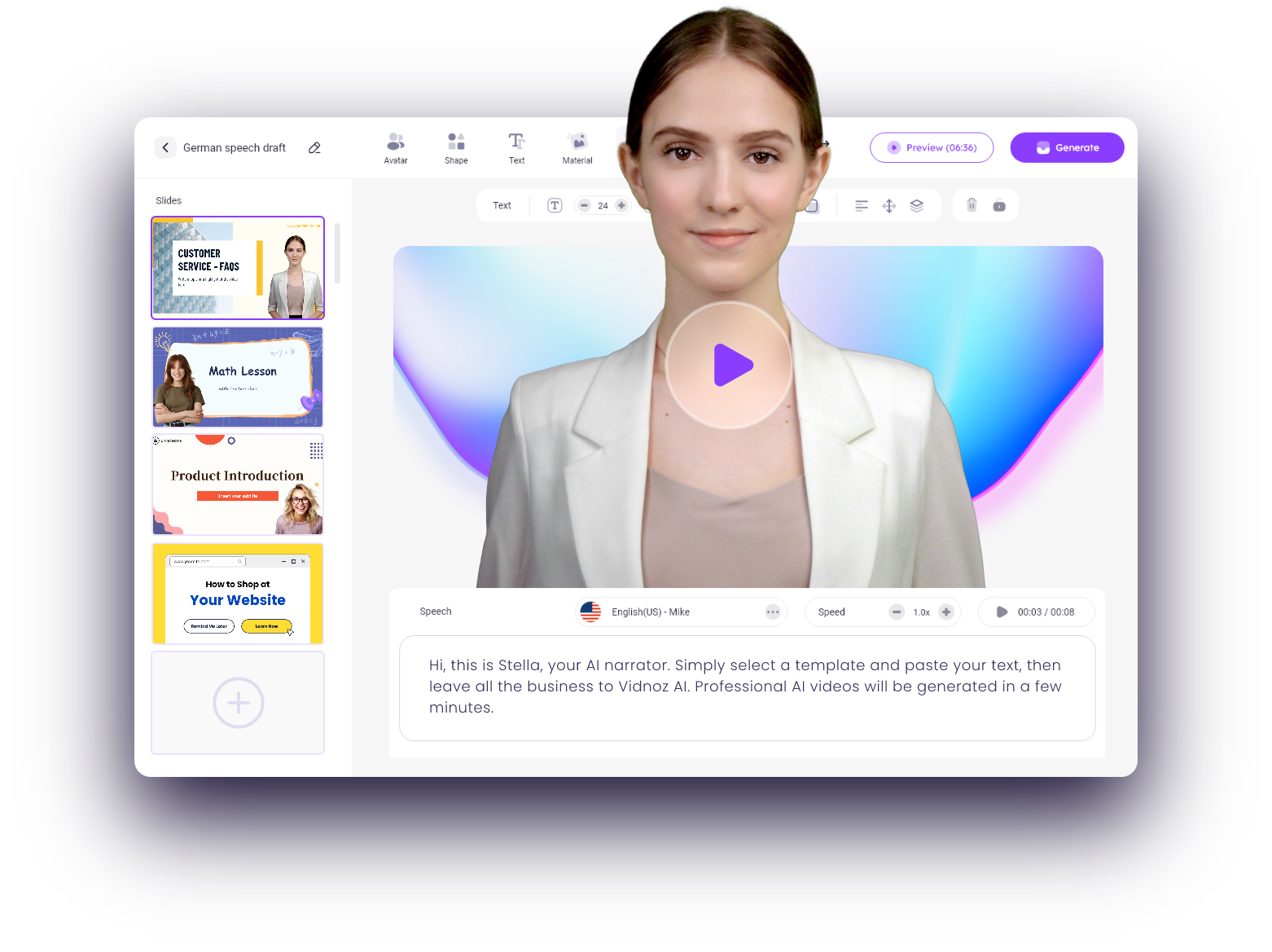










.png)