HomeAi Video generator
2/15/2026

# AI Video Generator ??? Create Professional Videos Instantly with AI An **AI Video Generator** is an advanced tool that allows users to **create high-quality videos automatically** using artificial intelligence. With just a text prompt, image, or idea, AI-powered video generation transforms concepts into engaging videos???no editing skills, cameras, or expensive software required. Whether you???re a **content creator, marketer, educator, business owner, or social media influencer**, an AI video generator helps you produce **stunning, share-ready videos** in minutes. From promotional clips and explainer videos to reels and ads, AI handles scripting, visuals, transitions, voiceovers, and effects effortlessly. --- ## Why Use an AI Video Generator? Traditional video creation takes hours or even days. AI video generators automate the entire workflow, saving time and reducing costs while delivering professional results. These tools are ideal for **short-form videos, long-form content, advertisements, presentations, and social media posts**. Perfect for: - **Marketing & promotional videos** - **Social media reels, shorts, and stories** - **YouTube videos & intros** - **Business presentations & demos** - **Educational & training videos** - **Ad creatives for digital campaigns** --- ## Key Features of AI Video Generator - Text-to-video and image-to-video generation - AI-powered scripts, scenes, and transitions - Realistic AI voiceovers & subtitles - Multiple styles, themes, and templates - HD & 4K video export options - Supports multiple languages - No video editing experience required - Works on desktop and mobile - Free and premium plans available --- ## Benefits of AI Video Creation Using an AI video generator boosts **content production speed, creativity, and consistency**. Businesses can create more videos at scale, creators can post daily without burnout, and marketers can quickly test multiple ad variations. AI-generated videos improve **engagement, reach, and conversions** across platforms. --- ## Who Should Use This Tool? - Digital marketers & advertisers - Content creators & influencers - Startups & small businesses - Educators & trainers - Agencies & freelancers - Social media managers --- ## Create Videos Anytime, Anywhere Most AI video generators are **cloud-based**, allowing you to create videos online without downloading software. Simply enter your prompt, customize visuals if needed, and generate a professional video in minutes???anytime, anywhere. --- **AI video generator**, text to video AI, AI video maker online, generate videos with AI, AI video creation tool, AI content generator, video generator for social media, AI marketing videos, free AI video generator

Number of tools
36
Most popular
Invideo ai
Invideo ai
State of the art

Top featured

Fineshare Sora Watermark Remover

Fineshare Sora Watermark Remover is an AI-powered video editing tool specifically engineered to remove watermarks from videos generated by OpenAI’s Sora, enabling users to utilize AI-created content without unwanted branding or overlays. This tool addresses the common challenge of watermarks appearing on AI-generated videos, which can detract from the visual quality and professional presentation of the content. It leverages advanced artificial intelligence and image reconstruction algorithms to intelligently identify and eliminate watermarks while preserving the underlying video quality. Fineshare Sora Watermark Remover is designed for content creators, social media marketers, video editors, and anyone seeking to refine and repurpose Sora-generated videos for various applications. It provides a streamlined solution for achieving clean, professional-looking videos without requiring extensive technical expertise. Key Features of Fineshare Sora Watermark Remover Removes watermarks from Sora-generated videos with high accuracy. Utilizes AI-powered inpainting to reconstruct the video frame seamlessly. Supports high-resolution video processing. Offers a user-friendly, click-to-process interface. Maintains video quality without introducing blurriness or artifacts. Provides a privacy-focused processing environment. Operates entirely online, requiring no software installation. Capable of removing text overlays and unwanted elements. Employs the Vora AI engine for enhanced performance. Offers batch processing capabilities for multiple videos. Why People Use Fineshare Sora Watermark Remover Users adopt Fineshare Sora Watermark Remover to overcome the limitations imposed by watermarks on AI-generated videos. Traditionally, removing watermarks involved complex video editing software and manual techniques, often resulting in a loss of video quality or visible artifacts. This process was time-consuming and required a degree of technical skill. Fineshare simplifies this process dramatically, offering an automated, AI-driven solution that delivers professional results in seconds. The tool’s core value lies in its ability to provide a quick, easy, and effective way to clean up AI-generated content for various purposes, from social media posts to marketing materials. It empowers users to fully utilize the creative potential of AI video generation without being constrained by branding restrictions, ultimately saving time and resources while enhancing the visual appeal of their content. The platform’s focus on preserving video quality distinguishes it from conventional methods, ensuring that the final output remains crisp and professional. Popular Use Cases Social Media Content Creation: Removing watermarks from Sora videos for use on platforms like TikTok, Instagram, and YouTube. Marketing and Advertising: Utilizing AI-generated video clips in marketing campaigns without visible watermarks. Educational Content: Incorporating Sora videos into educational materials and presentations. Personal Projects: Enhancing personal videos created with Sora for sharing with friends and family. Video Editing Workflow: Integrating Fineshare into a professional video editing workflow to quickly clean up AI-generated footage. AI Art Showcase: Presenting AI-generated art in its purest form, free from distracting watermarks. Content Repurposing: Adapting Sora videos for different platforms and formats without branding limitations. Rapid Prototyping: Quickly creating and sharing video prototypes generated by Sora. Influencer Marketing: Allowing influencers to use AI-generated videos in sponsored content. Storytelling and Animation: Refining Sora-generated video segments for inclusion in larger storytelling projects. Benefits of Fineshare Sora Watermark Remover Time Savings: Significantly reduces the time required to remove watermarks compared to manual methods. Enhanced Video Quality: Preserves the original video resolution and clarity during watermark removal. Professional Results: Delivers clean, polished videos suitable for professional use. Ease of Use: Offers a simple, intuitive interface that requires no technical expertise. Increased Creative Freedom: Empowers users to fully utilize AI-generated content without branding restrictions. Improved Content Presentation: Enhances the visual appeal and impact of videos. Cost-Effectiveness: Provides a free solution for removing watermarks from Sora videos. Privacy Protection: Ensures user data and videos are processed securely. Accessibility: Operates online, eliminating the need for software downloads or installations. Scalability: Enables efficient processing of multiple videos with batch processing capabilities.

Ai Video generator
Visit Website

Fineshare Sora Watermark Remover is an AI-powered video editing tool specifically engineered to remove watermarks from videos generated by OpenAI’s Sora, enabling users to utilize AI-created content without unwanted branding or overlays. This tool addresses the common challenge of watermarks appearing on AI-generated videos, which can detract from the visual quality and professional presentation of the content. It leverages advanced artificial intelligence and image reconstruction algorithms to intelligently identify and eliminate watermarks while preserving the underlying video quality. Fineshare Sora Watermark Remover is designed for content creators, social media marketers, video editors, and anyone seeking to refine and repurpose Sora-generated videos for various applications. It provides a streamlined solution for achieving clean, professional-looking videos without requiring extensive technical expertise. Key Features of Fineshare Sora Watermark Remover Removes watermarks from Sora-generated videos with high accuracy. Utilizes AI-powered inpainting to reconstruct the video frame seamlessly. Supports high-resolution video processing. Offers a user-friendly, click-to-process interface. Maintains video quality without introducing blurriness or artifacts. Provides a privacy-focused processing environment. Operates entirely online, requiring no software installation. Capable of removing text overlays and unwanted elements. Employs the Vora AI engine for enhanced performance. Offers batch processing capabilities for multiple videos. Why People Use Fineshare Sora Watermark Remover Users adopt Fineshare Sora Watermark Remover to overcome the limitations imposed by watermarks on AI-generated videos. Traditionally, removing watermarks involved complex video editing software and manual techniques, often resulting in a loss of video quality or visible artifacts. This process was time-consuming and required a degree of technical skill. Fineshare simplifies this process dramatically, offering an automated, AI-driven solution that delivers professional results in seconds. The tool’s core value lies in its ability to provide a quick, easy, and effective way to clean up AI-generated content for various purposes, from social media posts to marketing materials. It empowers users to fully utilize the creative potential of AI video generation without being constrained by branding restrictions, ultimately saving time and resources while enhancing the visual appeal of their content. The platform’s focus on preserving video quality distinguishes it from conventional methods, ensuring that the final output remains crisp and professional. Popular Use Cases Social Media Content Creation: Removing watermarks from Sora videos for use on platforms like TikTok, Instagram, and YouTube. Marketing and Advertising: Utilizing AI-generated video clips in marketing campaigns without visible watermarks. Educational Content: Incorporating Sora videos into educational materials and presentations. Personal Projects: Enhancing personal videos created with Sora for sharing with friends and family. Video Editing Workflow: Integrating Fineshare into a professional video editing workflow to quickly clean up AI-generated footage. AI Art Showcase: Presenting AI-generated art in its purest form, free from distracting watermarks. Content Repurposing: Adapting Sora videos for different platforms and formats without branding limitations. Rapid Prototyping: Quickly creating and sharing video prototypes generated by Sora. Influencer Marketing: Allowing influencers to use AI-generated videos in sponsored content. Storytelling and Animation: Refining Sora-generated video segments for inclusion in larger storytelling projects. Benefits of Fineshare Sora Watermark Remover Time Savings: Significantly reduces the time required to remove watermarks compared to manual methods. Enhanced Video Quality: Preserves the original video resolution and clarity during watermark removal. Professional Results: Delivers clean, polished videos suitable for professional use. Ease of Use: Offers a simple, intuitive interface that requires no technical expertise. Increased Creative Freedom: Empowers users to fully utilize AI-generated content without branding restrictions. Improved Content Presentation: Enhances the visual appeal and impact of videos. Cost-Effectiveness: Provides a free solution for removing watermarks from Sora videos. Privacy Protection: Ensures user data and videos are processed securely. Accessibility: Operates online, eliminating the need for software downloads or installations. Scalability: Enables efficient processing of multiple videos with batch processing capabilities.

Elser AI

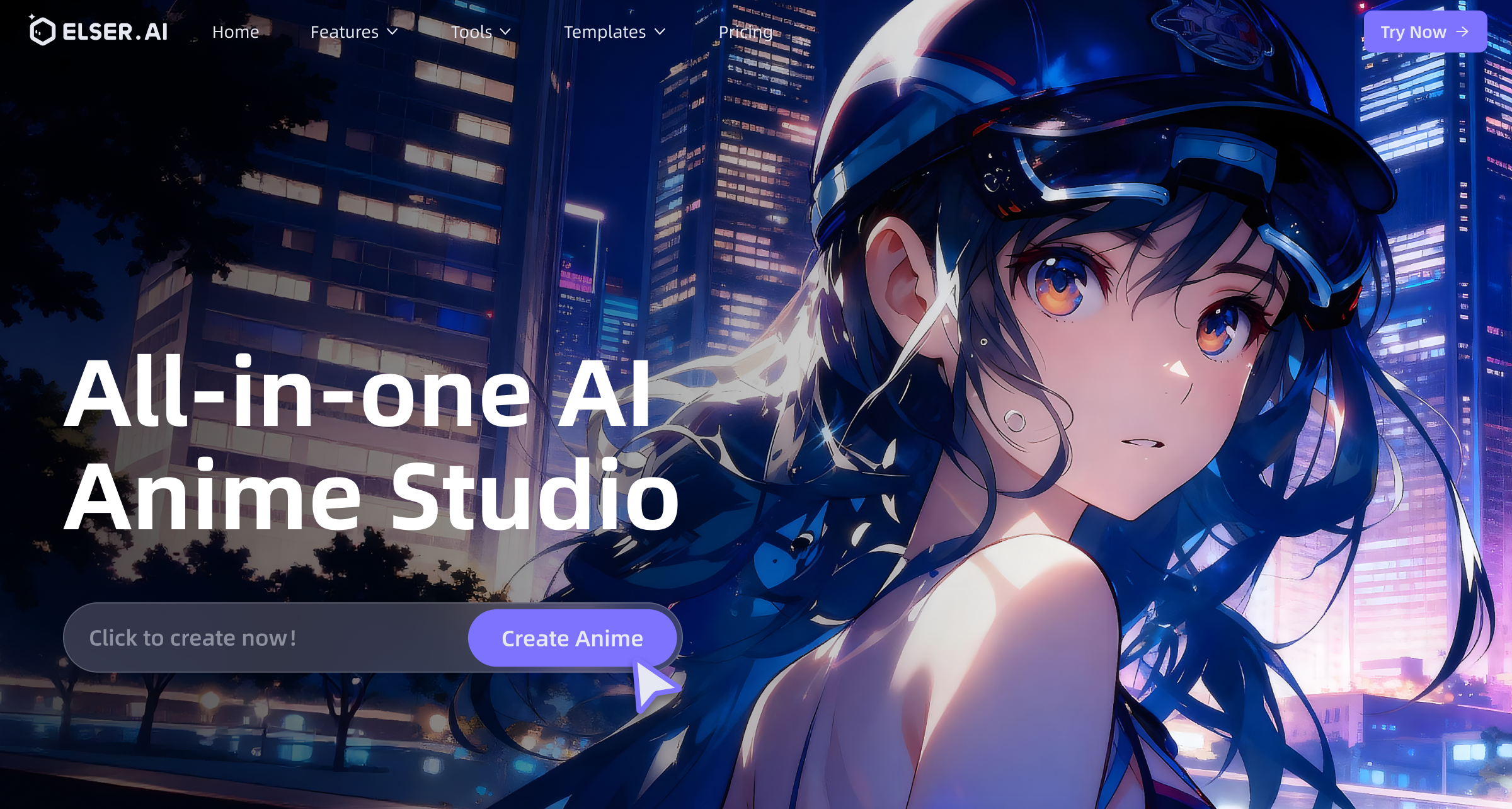
Elser AI is an all-in-one anime generator and movie studio that turns ideas into anime videos and full movies with consistent characters, scenes and voiceovers in minutes. The platform brings scriptwriting, storyboarding, character creation, scene generation, voice production and editing together in one seamless workflow. With built in character consistency, scene consistency, lip sync and multi style generation, creators can produce polished videos without a traditional studio or a large team. Capable of generating anime art and original characters, it can expand a single concept or image into an entire video with motion and consistent characters. The platform integrates various aspects of film production including scriptwriting, storyboarding, scene generation, character creation, voice acting, and editing, making it a robust resource for multimedia creation. Among its features are an anime art generator, which transforms texts and images into anime art and cinematic shots, and a video generator, which can convert any image into a dynamic, narrative video. Moreover, it also includes an AI sound effect generator that can add customizable sound effects, music, or voice effects to video content, and a versatile character generator that lets users create and personalize their own characters.

Ai Video generator
Elser AI
Visit Website

Elser AI is an all-in-one anime generator and movie studio that turns ideas into anime videos and full movies with consistent characters, scenes and voiceovers in minutes. The platform brings scriptwriting, storyboarding, character creation, scene generation, voice production and editing together in one seamless workflow. With built in character consistency, scene consistency, lip sync and multi style generation, creators can produce polished videos without a traditional studio or a large team. Capable of generating anime art and original characters, it can expand a single concept or image into an entire video with motion and consistent characters. The platform integrates various aspects of film production including scriptwriting, storyboarding, scene generation, character creation, voice acting, and editing, making it a robust resource for multimedia creation. Among its features are an anime art generator, which transforms texts and images into anime art and cinematic shots, and a video generator, which can convert any image into a dynamic, narrative video. Moreover, it also includes an AI sound effect generator that can add customizable sound effects, music, or voice effects to video content, and a versatile character generator that lets users create and personalize their own characters.

CapCut AI Video Editor

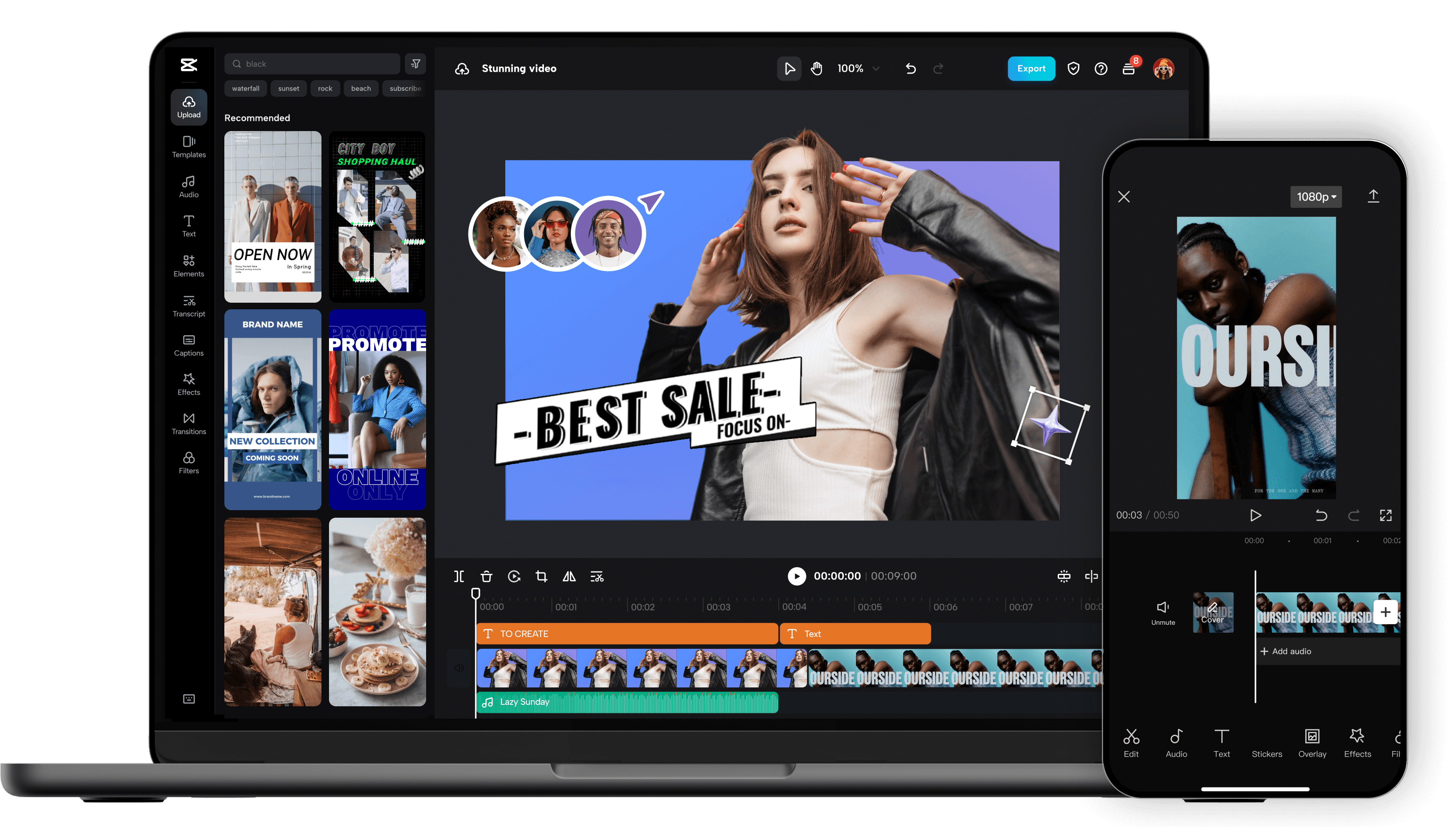
Unleash your creativity and transform your videos with CapCut AI Video Editor, the ultimate all-in-one mobile editing suite designed for creators, influencers, and anyone looking to make their content shine. Whether you're a seasoned pro or just starting out, CapCut's intuitive interface and powerful AI-driven features make professional-quality video editing accessible to everyone, right from your smartphone. Experience the Magic of AI-Powered Editing: CapCut's intelligent AI tools take the heavy lifting out of video production. Effortlessly remove backgrounds with a single tap, creating seamless green-screen effects or isolating subjects for dynamic visual storytelling. Our advanced auto-captions feature transcribes your audio with remarkable accuracy, saving you hours of manual work and making your videos more accessible to a wider audience. Dive into a world of creative possibilities with AI text-to-video , allowing you to generate stunning visuals from simple text prompts. Need to clean up your audio? CapCut's AI audio enhancer intelligently refines your sound, reducing background noise and boosting clarity for a professional finish. Edit Like a Pro, Effortlessly: Beyond its AI prowess, CapCut offers a comprehensive suite of traditional editing tools. Trim, split, merge, and reorder your clips with precision. Enhance your visuals with a vast library of filters, effects, and transitions that will captivate your viewers. Add personality and polish with a wide selection of royalty-free music, sound effects, and voiceovers . Experiment with keyframe animation to bring your elements to life with smooth, dynamic movement. Fine-tune your footage with color correction and adjustment tools to achieve the perfect mood and aesthetic. Elevate Your Content with Premium Features: CapCut empowers you to create engaging and professional content for all your favorite platforms. Speed ramping allows for dramatic slow-motion or exhilarating fast-forward effects. Chroma keying (green screen) opens up endless possibilities for background replacement. Utilize picture-in-picture to layer videos and create dynamic compositions. Explore strobe effects, zoom effects, and motion blur to add visual flair and keep your audience hooked. Why Choose CapCut AI Video Editor? User-Friendly Interface: Designed for ease of use, making complex editing simple. Powerful AI Tools: Automate tedious tasks and unlock new creative avenues with intelligent features. Extensive Feature Set: From basic cuts to advanced effects, CapCut has everything you need. Vast Asset Library: Access a wealth of music, effects, and templates to enhance your videos. No Watermarks (Free Version): Create and export your videos without unwanted branding. Regular Updates: Benefit from continuous improvements and new features. Cross-Platform Sync (with Pro): Seamlessly work across devices. Perfect for Social Media: Optimize your videos for TikTok, Instagram Reels, YouTube Shorts, and more. Who is CapCut for? Social Media Influencers: Create captivating content that drives engagement. Content Creators: Produce professional-looking videos for YouTube, Twitch, and other platforms. Small Business Owners: Craft compelling promotional videos to showcase your products and services. Educators: Develop engaging video lessons and presentations. Hobbyists & Enthusiasts: Bring your passion projects to life with stunning visuals. Anyone! If you have a story to tell, CapCut is your tool. Download CapCut AI Video Editor today and experience the future of mobile video editing. Transform ordinary moments into extraordinary stories. Join millions of creators worldwide and discover how easy it is to make your videos stand out. Your next viral video starts here!

Ai Video generator
CapCut AI Video Editor
Visit Website

Unleash your creativity and transform your videos with CapCut AI Video Editor, the ultimate all-in-one mobile editing suite designed for creators, influencers, and anyone looking to make their content shine. Whether you're a seasoned pro or just starting out, CapCut's intuitive interface and powerful AI-driven features make professional-quality video editing accessible to everyone, right from your smartphone. Experience the Magic of AI-Powered Editing: CapCut's intelligent AI tools take the heavy lifting out of video production. Effortlessly remove backgrounds with a single tap, creating seamless green-screen effects or isolating subjects for dynamic visual storytelling. Our advanced auto-captions feature transcribes your audio with remarkable accuracy, saving you hours of manual work and making your videos more accessible to a wider audience. Dive into a world of creative possibilities with AI text-to-video , allowing you to generate stunning visuals from simple text prompts. Need to clean up your audio? CapCut's AI audio enhancer intelligently refines your sound, reducing background noise and boosting clarity for a professional finish. Edit Like a Pro, Effortlessly: Beyond its AI prowess, CapCut offers a comprehensive suite of traditional editing tools. Trim, split, merge, and reorder your clips with precision. Enhance your visuals with a vast library of filters, effects, and transitions that will captivate your viewers. Add personality and polish with a wide selection of royalty-free music, sound effects, and voiceovers . Experiment with keyframe animation to bring your elements to life with smooth, dynamic movement. Fine-tune your footage with color correction and adjustment tools to achieve the perfect mood and aesthetic. Elevate Your Content with Premium Features: CapCut empowers you to create engaging and professional content for all your favorite platforms. Speed ramping allows for dramatic slow-motion or exhilarating fast-forward effects. Chroma keying (green screen) opens up endless possibilities for background replacement. Utilize picture-in-picture to layer videos and create dynamic compositions. Explore strobe effects, zoom effects, and motion blur to add visual flair and keep your audience hooked. Why Choose CapCut AI Video Editor? User-Friendly Interface: Designed for ease of use, making complex editing simple. Powerful AI Tools: Automate tedious tasks and unlock new creative avenues with intelligent features. Extensive Feature Set: From basic cuts to advanced effects, CapCut has everything you need. Vast Asset Library: Access a wealth of music, effects, and templates to enhance your videos. No Watermarks (Free Version): Create and export your videos without unwanted branding. Regular Updates: Benefit from continuous improvements and new features. Cross-Platform Sync (with Pro): Seamlessly work across devices. Perfect for Social Media: Optimize your videos for TikTok, Instagram Reels, YouTube Shorts, and more. Who is CapCut for? Social Media Influencers: Create captivating content that drives engagement. Content Creators: Produce professional-looking videos for YouTube, Twitch, and other platforms. Small Business Owners: Craft compelling promotional videos to showcase your products and services. Educators: Develop engaging video lessons and presentations. Hobbyists & Enthusiasts: Bring your passion projects to life with stunning visuals. Anyone! If you have a story to tell, CapCut is your tool. Download CapCut AI Video Editor today and experience the future of mobile video editing. Transform ordinary moments into extraordinary stories. Join millions of creators worldwide and discover how easy it is to make your videos stand out. Your next viral video starts here!

Training Videos by Coursebox

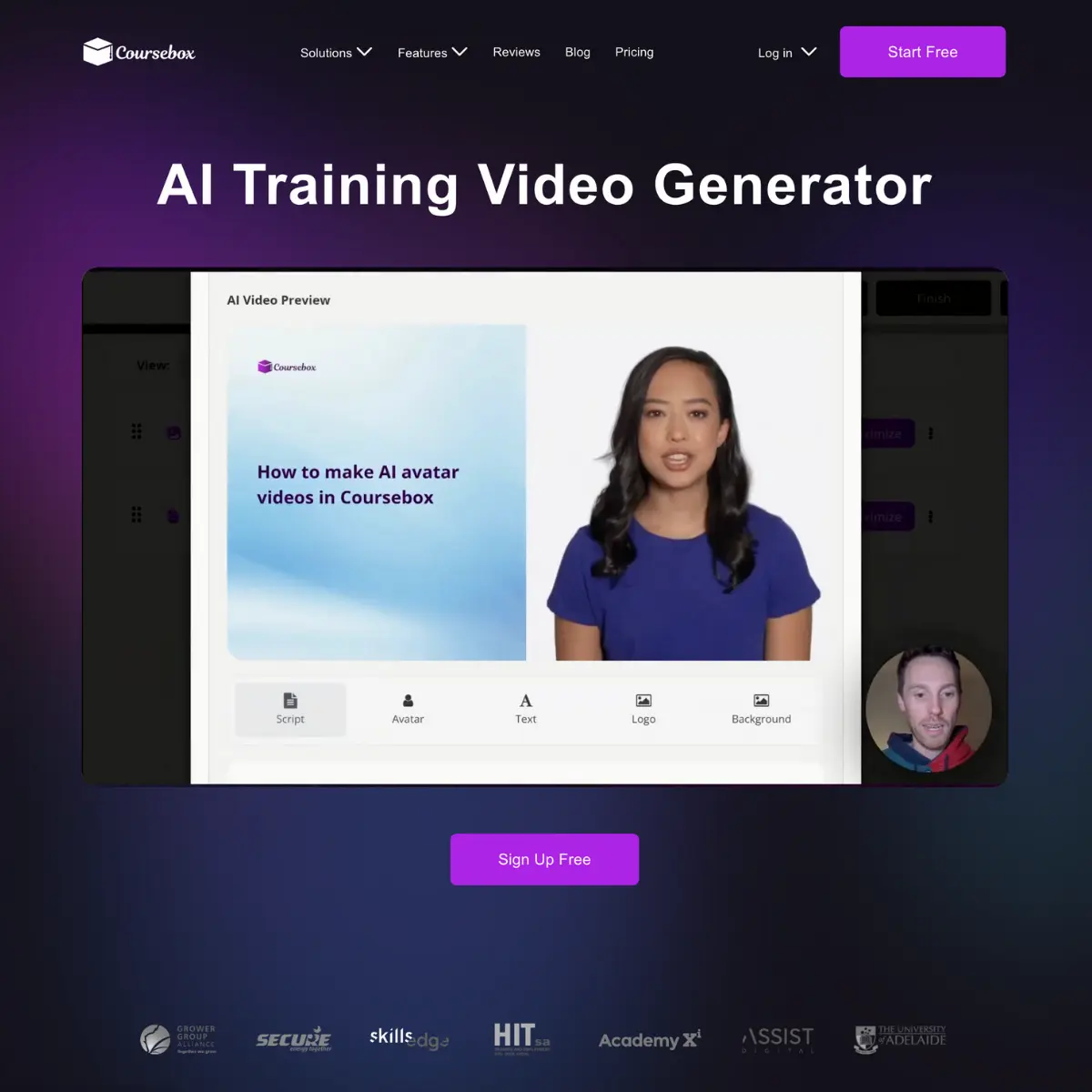
Coursebox's AI Generated Training Videos are tools designed to create training videos efficiently, requiring less time, resources, and effort than traditional video production methods. The main purpose is to aid in the creation of employee training materials and other educational content. Utilizing artificial intelligence, the tool can create realistic videos with avatars that can 'speak' to the camera. Moreover, it has the ability to convert files into training videos, providing flexibility in content creation. The tool comes with a script editor and supports various languages, offering versatility in terms of target audiences. Furthermore, it introduces a variety of avatars to choose from, boosting the customization of the training materials. It has the potential to vastly improve the skills and competencies of employees by providing personalized training. Besides video generation, Courseboxs tool can be seamlessly integrated with existing learning management systems or HR platforms, allowing easy embedding of courses and videos in those systems. This integration allows more in-depth features such as grading and certificates to be included in the video training materials. Coursebox's AI video generator is a comprehensive solution that endeavours to make the process of creating training videos more accessible and efficient, catering to a wide range of sectors.

Ai Video generator
Training Videos by Coursebox
Visit Website

Coursebox's AI Generated Training Videos are tools designed to create training videos efficiently, requiring less time, resources, and effort than traditional video production methods. The main purpose is to aid in the creation of employee training materials and other educational content. Utilizing artificial intelligence, the tool can create realistic videos with avatars that can 'speak' to the camera. Moreover, it has the ability to convert files into training videos, providing flexibility in content creation. The tool comes with a script editor and supports various languages, offering versatility in terms of target audiences. Furthermore, it introduces a variety of avatars to choose from, boosting the customization of the training materials. It has the potential to vastly improve the skills and competencies of employees by providing personalized training. Besides video generation, Courseboxs tool can be seamlessly integrated with existing learning management systems or HR platforms, allowing easy embedding of courses and videos in those systems. This integration allows more in-depth features such as grading and certificates to be included in the video training materials. Coursebox's AI video generator is a comprehensive solution that endeavours to make the process of creating training videos more accessible and efficient, catering to a wide range of sectors.

Higgsfield.ai

Higgsfield.ai is an advanced AI-powered video generation platform focused on creating cinematic, high-quality AI videos with realistic motion, camera movement, and visual storytelling. It is designed for creators, filmmakers, marketers, and brands who want to produce professional-grade videos using AI without complex editing or production workflows. Higgsfield.ai is commonly searched by users looking for AI cinematic video generators, AI filmmaking tools, AI video creation platforms, and next-generation generative video AI . What Is Higgsfield.ai? Higgsfield.ai is a generative AI video tool that allows users to create visually rich and cinematic videos from text prompts or creative inputs. Unlike basic AI video tools, Higgsfield.ai emphasizes film-like quality , realistic motion, scene consistency, and advanced camera dynamics. The platform is built to bridge the gap between traditional filmmaking and AI-generated content, enabling users to produce videos that feel polished, immersive, and storytelling-focused. Key Features of Higgsfield.ai Cinematic AI video generation Realistic motion and camera movement High-quality visual storytelling output Text-to-video generation capabilities Film-style framing and composition Advanced scene coherence and continuity Suitable for short films, ads, and visual content Creator-focused workflow and interface Why People Use Higgsfield.ai Most AI video tools produce simple or abstract results. Higgsfield.ai stands out by focusing on cinematic realism and professional aesthetics , making it suitable for creators who care about visual quality and storytelling depth. Users choose Higgsfield.ai to experiment with AI filmmaking , reduce production costs, and rapidly prototype cinematic ideas without expensive equipment or large teams. Popular Use Cases AI-generated short films and cinematic clips Brand storytelling and visual advertisements Creative video experiments and concepts Social media cinematic content Music visuals and artistic videos Pre-visualization for film and video projects Benefits of Higgsfield.ai Produces high-end cinematic visuals with AI Reduces time and cost of video production Enables creative experimentation without technical barriers Ideal for storytellers and visual creators Delivers more realistic and immersive AI videos Suitable for both creative and commercial projects Who Should Use Higgsfield.ai? Filmmakers and video creators Visual artists and storytellers Brands and marketing teams Content creators and influencers Creative agencies Anyone exploring cinematic AI video creation Frequently Asked Questions What does Higgsfield.ai do? Higgsfield.ai generates cinematic-quality videos using artificial intelligence, focusing on realistic motion, camera work, and visual storytelling. Is Higgsfield.ai different from other AI video tools? Yes. Higgsfield.ai emphasizes cinematic realism and film-style visuals rather than simple or generic AI video outputs. Can Higgsfield.ai be used for commercial projects? Yes, it can be used for brand content, ads, and creative commercial projects, depending on the platforms licensing terms. Do I need video editing or filmmaking skills? No. Higgsfield.ai is designed to simplify video creation while delivering professional-quality results. What type of content works best with Higgsfield.ai? Short films, cinematic ads, artistic visuals, and storytelling-driven videos work especially well. Higgsfield.ai, AI Video Generator, Cinematic AI Video, AI Filmmaking Tool, AI Video Creation Platform, Generative Video AI, AI Visual Storytelling

Ai Video generator
Visit Website

Higgsfield.ai is an advanced AI-powered video generation platform focused on creating cinematic, high-quality AI videos with realistic motion, camera movement, and visual storytelling. It is designed for creators, filmmakers, marketers, and brands who want to produce professional-grade videos using AI without complex editing or production workflows. Higgsfield.ai is commonly searched by users looking for AI cinematic video generators, AI filmmaking tools, AI video creation platforms, and next-generation generative video AI . What Is Higgsfield.ai? Higgsfield.ai is a generative AI video tool that allows users to create visually rich and cinematic videos from text prompts or creative inputs. Unlike basic AI video tools, Higgsfield.ai emphasizes film-like quality , realistic motion, scene consistency, and advanced camera dynamics. The platform is built to bridge the gap between traditional filmmaking and AI-generated content, enabling users to produce videos that feel polished, immersive, and storytelling-focused. Key Features of Higgsfield.ai Cinematic AI video generation Realistic motion and camera movement High-quality visual storytelling output Text-to-video generation capabilities Film-style framing and composition Advanced scene coherence and continuity Suitable for short films, ads, and visual content Creator-focused workflow and interface Why People Use Higgsfield.ai Most AI video tools produce simple or abstract results. Higgsfield.ai stands out by focusing on cinematic realism and professional aesthetics , making it suitable for creators who care about visual quality and storytelling depth. Users choose Higgsfield.ai to experiment with AI filmmaking , reduce production costs, and rapidly prototype cinematic ideas without expensive equipment or large teams. Popular Use Cases AI-generated short films and cinematic clips Brand storytelling and visual advertisements Creative video experiments and concepts Social media cinematic content Music visuals and artistic videos Pre-visualization for film and video projects Benefits of Higgsfield.ai Produces high-end cinematic visuals with AI Reduces time and cost of video production Enables creative experimentation without technical barriers Ideal for storytellers and visual creators Delivers more realistic and immersive AI videos Suitable for both creative and commercial projects Who Should Use Higgsfield.ai? Filmmakers and video creators Visual artists and storytellers Brands and marketing teams Content creators and influencers Creative agencies Anyone exploring cinematic AI video creation Frequently Asked Questions What does Higgsfield.ai do? Higgsfield.ai generates cinematic-quality videos using artificial intelligence, focusing on realistic motion, camera work, and visual storytelling. Is Higgsfield.ai different from other AI video tools? Yes. Higgsfield.ai emphasizes cinematic realism and film-style visuals rather than simple or generic AI video outputs. Can Higgsfield.ai be used for commercial projects? Yes, it can be used for brand content, ads, and creative commercial projects, depending on the platforms licensing terms. Do I need video editing or filmmaking skills? No. Higgsfield.ai is designed to simplify video creation while delivering professional-quality results. What type of content works best with Higgsfield.ai? Short films, cinematic ads, artistic visuals, and storytelling-driven videos work especially well. Higgsfield.ai, AI Video Generator, Cinematic AI Video, AI Filmmaking Tool, AI Video Creation Platform, Generative Video AI, AI Visual Storytelling

Haiper Ai

Haiper Ai is an innovative AI video generation platform that transforms text prompts and ideas into fully-produced videos, streamlining content creation for diverse applications. It addresses the challenges of traditional video production ΓÇô high costs, time constraints, and the need for specialized skills ΓÇô by leveraging artificial intelligence to automate the entire process. This tool is designed for marketers, content creators, social media managers, educators, and businesses seeking to produce engaging video content efficiently. It utilizes advanced artificial intelligence , machine learning , and natural language processing to deliver high-quality video outputs. Key Features of Haiper Ai Transforms text prompts into complete videos. Offers a library of AI-generated avatars for video spokespeople. Provides a range of video styles and aspect ratios. Includes a scriptwriting assistant to refine video narratives. Allows for voiceovers with AI-generated voices. Offers automatic video resizing for different platforms. Provides a royalty-free music library for background audio. Enables the creation of videos in multiple languages. Features a user-friendly interface for easy navigation. Supports the generation of videos from images. Offers a storyboard preview before final rendering. Allows for custom branding with logos and watermarks. Provides options for controlling video pacing and transitions. Includes a text-to-speech functionality for voiceovers. Offers a variety of video templates for quick starts. Why People Use Haiper Ai Individuals and organizations are increasingly turning to Haiper Ai to overcome the limitations of conventional video production methods. Traditionally, creating videos required significant investment in equipment, software, and skilled personnel ΓÇô including videographers, editors, and voice actors. This process could be time-consuming, expensive, and often inaccessible to those without specialized expertise. Haiper Ai democratizes video creation by offering a cost-effective, time-efficient, and user-friendly alternative. The platform’s AI-driven automation significantly reduces the time required to produce a video, from script development to final rendering. Users can generate professional-looking videos in minutes, simply by providing a text prompt. This speed and efficiency are particularly valuable for businesses that need to create a high volume of video content for marketing, social media, or internal communications. Furthermore, Haiper Ai’s ability to generate videos in multiple languages expands its reach and accessibility, making it a powerful tool for global audiences. The platform’s focus on simplicity ensures that even users with no prior video editing experience can create compelling visual content. Popular Use Cases Social Media Marketing: Creating engaging short-form videos for platforms like TikTok, Instagram Reels, and YouTube Shorts. Content Marketing: Producing explainer videos, product demos, and educational content for websites and blogs. E-learning and Training: Developing instructional videos and training materials for online courses and employee development programs. Internal Communications: Creating company announcements, employee onboarding videos, and internal training modules. Real Estate Marketing: Generating virtual tours and property highlight videos. E-commerce Product Promotion: Showcasing products with dynamic video ads and demonstrations. News and Journalism: Quickly creating visual summaries of news stories and events. Personal Branding: Developing introductory videos and personal highlight reels for professional networking. Educational Content Creation: Teachers and educators can create engaging learning materials. Storytelling and Animation: Bringing narratives to life with AI-generated visuals and voiceovers. Advertising Campaigns: Producing cost-effective video ads for various platforms. Presentations and Pitches: Enhancing presentations with dynamic video elements. Benefits of Haiper Ai Reduced Video Production Costs: Eliminates the need for expensive equipment, software, and personnel. Increased Content Velocity: Enables rapid video creation, allowing users to produce more content in less time. Enhanced Engagement: Creates visually appealing and engaging videos that capture audience attention. Simplified Workflow: Streamlines the video creation process, making it accessible to users of all skill levels. Scalable Video Production: Allows businesses to easily scale their video content creation efforts to meet growing demands. Improved Brand Consistency: Enables the creation of branded videos with consistent visual elements and messaging. Expanded Reach: Facilitates the creation of videos in multiple languages, expanding audience reach. Greater Creative Control: Offers a range of customization options, allowing users to tailor videos to their specific needs. Time Savings: Automates many of the time-consuming tasks associated with traditional video production. Accessibility: Empowers individuals and organizations without video production expertise to create professional-quality videos. Innovation: Leverages cutting-edge AI technology to deliver unique and compelling video experiences. Versatility: Supports a wide range of video formats and styles, catering to diverse content needs.

Ai Video generator
Haiper Ai
Visit Website

Haiper Ai is an innovative AI video generation platform that transforms text prompts and ideas into fully-produced videos, streamlining content creation for diverse applications. It addresses the challenges of traditional video production ΓÇô high costs, time constraints, and the need for specialized skills ΓÇô by leveraging artificial intelligence to automate the entire process. This tool is designed for marketers, content creators, social media managers, educators, and businesses seeking to produce engaging video content efficiently. It utilizes advanced artificial intelligence , machine learning , and natural language processing to deliver high-quality video outputs. Key Features of Haiper Ai Transforms text prompts into complete videos. Offers a library of AI-generated avatars for video spokespeople. Provides a range of video styles and aspect ratios. Includes a scriptwriting assistant to refine video narratives. Allows for voiceovers with AI-generated voices. Offers automatic video resizing for different platforms. Provides a royalty-free music library for background audio. Enables the creation of videos in multiple languages. Features a user-friendly interface for easy navigation. Supports the generation of videos from images. Offers a storyboard preview before final rendering. Allows for custom branding with logos and watermarks. Provides options for controlling video pacing and transitions. Includes a text-to-speech functionality for voiceovers. Offers a variety of video templates for quick starts. Why People Use Haiper Ai Individuals and organizations are increasingly turning to Haiper Ai to overcome the limitations of conventional video production methods. Traditionally, creating videos required significant investment in equipment, software, and skilled personnel ΓÇô including videographers, editors, and voice actors. This process could be time-consuming, expensive, and often inaccessible to those without specialized expertise. Haiper Ai democratizes video creation by offering a cost-effective, time-efficient, and user-friendly alternative. The platform’s AI-driven automation significantly reduces the time required to produce a video, from script development to final rendering. Users can generate professional-looking videos in minutes, simply by providing a text prompt. This speed and efficiency are particularly valuable for businesses that need to create a high volume of video content for marketing, social media, or internal communications. Furthermore, Haiper Ai’s ability to generate videos in multiple languages expands its reach and accessibility, making it a powerful tool for global audiences. The platform’s focus on simplicity ensures that even users with no prior video editing experience can create compelling visual content. Popular Use Cases Social Media Marketing: Creating engaging short-form videos for platforms like TikTok, Instagram Reels, and YouTube Shorts. Content Marketing: Producing explainer videos, product demos, and educational content for websites and blogs. E-learning and Training: Developing instructional videos and training materials for online courses and employee development programs. Internal Communications: Creating company announcements, employee onboarding videos, and internal training modules. Real Estate Marketing: Generating virtual tours and property highlight videos. E-commerce Product Promotion: Showcasing products with dynamic video ads and demonstrations. News and Journalism: Quickly creating visual summaries of news stories and events. Personal Branding: Developing introductory videos and personal highlight reels for professional networking. Educational Content Creation: Teachers and educators can create engaging learning materials. Storytelling and Animation: Bringing narratives to life with AI-generated visuals and voiceovers. Advertising Campaigns: Producing cost-effective video ads for various platforms. Presentations and Pitches: Enhancing presentations with dynamic video elements. Benefits of Haiper Ai Reduced Video Production Costs: Eliminates the need for expensive equipment, software, and personnel. Increased Content Velocity: Enables rapid video creation, allowing users to produce more content in less time. Enhanced Engagement: Creates visually appealing and engaging videos that capture audience attention. Simplified Workflow: Streamlines the video creation process, making it accessible to users of all skill levels. Scalable Video Production: Allows businesses to easily scale their video content creation efforts to meet growing demands. Improved Brand Consistency: Enables the creation of branded videos with consistent visual elements and messaging. Expanded Reach: Facilitates the creation of videos in multiple languages, expanding audience reach. Greater Creative Control: Offers a range of customization options, allowing users to tailor videos to their specific needs. Time Savings: Automates many of the time-consuming tasks associated with traditional video production. Accessibility: Empowers individuals and organizations without video production expertise to create professional-quality videos. Innovation: Leverages cutting-edge AI technology to deliver unique and compelling video experiences. Versatility: Supports a wide range of video formats and styles, catering to diverse content needs.

Stable Video Diffusion

Stable Video Diffusion by Stability AI is a pioneering platform dedicated to amplifying human intelligence with open-source AI models, specifically for advanced video generation. This innovative technology empowers creators, developers, and researchers to produce high-quality, dynamic video content from various inputs, pushing the boundaries of what's possible in visual media. By leveraging state-of-the-art diffusion models, Stable Video offers unparalleled control over video generation, enabling users to create intricate animations, realistic simulations, and artistic visual narratives with remarkable precision and creative freedom. As an open-source initiative, Stable Video Diffusion fosters a collaborative environment for continuous innovation and accessibility in AI-powered video creation. It provides robust tools and frameworks for generating everything from short clips to complex scenes, opening up new avenues for entertainment, education, and artistic expression. Explore the cutting-edge of video synthesis and contribute to the future of AI with Stability AI's Stable Video Diffusion.

Ai Video generator
Stable Video Diffusion
Visit Website

Stable Video Diffusion by Stability AI is a pioneering platform dedicated to amplifying human intelligence with open-source AI models, specifically for advanced video generation. This innovative technology empowers creators, developers, and researchers to produce high-quality, dynamic video content from various inputs, pushing the boundaries of what's possible in visual media. By leveraging state-of-the-art diffusion models, Stable Video offers unparalleled control over video generation, enabling users to create intricate animations, realistic simulations, and artistic visual narratives with remarkable precision and creative freedom. As an open-source initiative, Stable Video Diffusion fosters a collaborative environment for continuous innovation and accessibility in AI-powered video creation. It provides robust tools and frameworks for generating everything from short clips to complex scenes, opening up new avenues for entertainment, education, and artistic expression. Explore the cutting-edge of video synthesis and contribute to the future of AI with Stability AI's Stable Video Diffusion.

Video Insight Pro

Video Insight Pro delivers AI-Powered Video Analytics for Businesses, enabling them to extract actionable insights from video content with unparalleled precision. This innovative platform transforms raw video data into valuable business intelligence, helping organizations monitor operations, enhance security, improve customer experiences, and optimize processes across various industries. By leveraging sophisticated artificial intelligence and machine learning algorithms, Video Insight Pro automates the analysis of vast amounts of video footage, identifying patterns, anomalies, and key events that drive informed decision-making. The platform offers features such as object detection, facial recognition, behavior analysis, and heat mapping, providing a comprehensive understanding of visual data. It integrates seamlessly with existing surveillance systems and offers customizable alerts and reports. Revolutionize your business operations and unlock the hidden value within your video assets with the intelligent analytics capabilities of Video Insight Pro.

Ai Video generator
Video Insight Pro
Visit Website

Video Insight Pro delivers AI-Powered Video Analytics for Businesses, enabling them to extract actionable insights from video content with unparalleled precision. This innovative platform transforms raw video data into valuable business intelligence, helping organizations monitor operations, enhance security, improve customer experiences, and optimize processes across various industries. By leveraging sophisticated artificial intelligence and machine learning algorithms, Video Insight Pro automates the analysis of vast amounts of video footage, identifying patterns, anomalies, and key events that drive informed decision-making. The platform offers features such as object detection, facial recognition, behavior analysis, and heat mapping, providing a comprehensive understanding of visual data. It integrates seamlessly with existing surveillance systems and offers customizable alerts and reports. Revolutionize your business operations and unlock the hidden value within your video assets with the intelligent analytics capabilities of Video Insight Pro.

PDF to Video AI

PDF to Video AI is an innovative AI-powered video creation platform that transforms static PDF documents into engaging video content. It addresses the challenge of converting lengthy, text-heavy PDFs into more accessible and visually appealing formats, leveraging artificial intelligence to automate the video generation process. This tool is designed for educators, marketers, trainers, and anyone who needs to repurpose PDF materials into dynamic video presentations. It streamlines content delivery and enhances audience engagement through automated PDF to video conversion and intelligent content adaptation. The platform solves the problem of limited reach and engagement associated with traditional PDF documents. PDFs, while useful for detailed information, can be cumbersome to read and share. PDF to Video AI offers a solution by automatically extracting content from PDFs and converting it into professional-looking videos, complete with visuals, voiceovers, and animations. This is achieved through advanced natural language processing (NLP) and machine learning (ML) algorithms that analyze the PDF structure, identify key information, and create a coherent video narrative. The tool caters to individuals and organizations seeking to improve content accessibility, boost audience retention, and simplify information dissemination. This platform is particularly valuable for those looking to modernize their content strategy and embrace video marketing. It eliminates the need for manual video editing, reducing production time and costs significantly. By automating the conversion process, PDF to Video AI empowers users to create high-quality videos quickly and efficiently, regardless of their video editing expertise. The focus is on providing a user-friendly experience that democratizes video creation, making it accessible to a wider range of users. Key Features of PDF to Video AI Converts PDF documents into video format automatically. Offers a variety of video templates to choose from. Provides options for adding background music. Allows users to customize video branding with logos and colors. Supports automatic text-to-speech voiceovers in multiple languages. Enables users to adjust video timing and transitions. Facilitates the addition of images and videos to enhance content. Offers a user-friendly drag-and-drop interface. Provides options for adjusting video resolution and quality. Allows for direct video download in MP4 format. Supports batch PDF to video conversion. Automatically generates video scripts from PDF content. Offers a library of royalty-free images and videos. Provides options for adding subtitles to videos. Enables users to preview videos before final export. Why People Use PDF to Video AI Users adopt PDF to Video AI to overcome the limitations of static PDF content. Traditional methods of sharing information via PDFs often result in low engagement and limited reach. Readers may struggle to digest large blocks of text, leading to decreased comprehension and retention. This platform offers a dynamic alternative, transforming PDFs into visually stimulating videos that capture and maintain audience attention. The tool significantly reduces the time and effort required to create videos from existing PDF materials. Manually recreating content from a PDF into a video format can be a tedious and time-consuming process, often requiring specialized video editing skills. PDF to Video AI automates this process, allowing users to generate professional-quality videos in minutes, without any prior video editing experience. This efficiency is particularly valuable for businesses and educators who need to produce a large volume of video content regularly. The platform’s automation capabilities ensure scalability and consistency in video creation. Popular Use Cases E-learning: Converting course materials, lecture notes, and textbooks into engaging video lessons. Marketing & Sales: Transforming product brochures, white papers, and case studies into promotional videos. Training & Development: Creating employee training videos from existing PDF manuals and guides. Educational Institutions: Converting academic papers, research reports, and presentations into accessible video formats for students. Real Estate: Showcasing property details and floor plans through dynamic video presentations. Financial Services: Explaining complex financial reports and investment strategies in an easy-to-understand video format. Government & Public Sector: Communicating important information and policies to the public through informative videos. Internal Communications: Sharing company updates, announcements, and reports with employees via video. Content Repurposing: Converting blog posts, articles, and ebooks into video content for wider distribution. Presentations: Transforming static PDF presentations into dynamic video presentations for conferences and meetings. Benefits of PDF to Video AI Increased Engagement: Captures audience attention with visually appealing video content. Improved Comprehension: Simplifies complex information through dynamic visuals and voiceovers. Enhanced Accessibility: Makes content accessible to a wider audience, including those with visual impairments. Time Savings: Automates the video creation process, reducing production time significantly. Cost Reduction: Eliminates the need for expensive video editing software and professional video editors. Scalability: Enables users to create a large volume of videos quickly and efficiently. Brand Consistency: Allows for customization with logos, colors, and branding elements. Wider Reach: Facilitates content sharing across multiple platforms, including social media and websites. Improved Content Marketing: Boosts content marketing efforts with engaging video content. Simplified Content Repurposing: Easily transforms existing PDF materials into new video formats. Increased Lead Generation: Attracts potential customers with informative and engaging video content. Enhanced Training Effectiveness: Improves employee training outcomes with dynamic video lessons. Better Knowledge Retention: Increases knowledge retention through visual and auditory learning. Streamlined Communication: Simplifies communication of complex information to stakeholders. Modernized Content Strategy: Embraces video as a key component of a modern content strategy.

Ai Video generator
PDF to Video AI
Visit Website

PDF to Video AI is an innovative AI-powered video creation platform that transforms static PDF documents into engaging video content. It addresses the challenge of converting lengthy, text-heavy PDFs into more accessible and visually appealing formats, leveraging artificial intelligence to automate the video generation process. This tool is designed for educators, marketers, trainers, and anyone who needs to repurpose PDF materials into dynamic video presentations. It streamlines content delivery and enhances audience engagement through automated PDF to video conversion and intelligent content adaptation. The platform solves the problem of limited reach and engagement associated with traditional PDF documents. PDFs, while useful for detailed information, can be cumbersome to read and share. PDF to Video AI offers a solution by automatically extracting content from PDFs and converting it into professional-looking videos, complete with visuals, voiceovers, and animations. This is achieved through advanced natural language processing (NLP) and machine learning (ML) algorithms that analyze the PDF structure, identify key information, and create a coherent video narrative. The tool caters to individuals and organizations seeking to improve content accessibility, boost audience retention, and simplify information dissemination. This platform is particularly valuable for those looking to modernize their content strategy and embrace video marketing. It eliminates the need for manual video editing, reducing production time and costs significantly. By automating the conversion process, PDF to Video AI empowers users to create high-quality videos quickly and efficiently, regardless of their video editing expertise. The focus is on providing a user-friendly experience that democratizes video creation, making it accessible to a wider range of users. Key Features of PDF to Video AI Converts PDF documents into video format automatically. Offers a variety of video templates to choose from. Provides options for adding background music. Allows users to customize video branding with logos and colors. Supports automatic text-to-speech voiceovers in multiple languages. Enables users to adjust video timing and transitions. Facilitates the addition of images and videos to enhance content. Offers a user-friendly drag-and-drop interface. Provides options for adjusting video resolution and quality. Allows for direct video download in MP4 format. Supports batch PDF to video conversion. Automatically generates video scripts from PDF content. Offers a library of royalty-free images and videos. Provides options for adding subtitles to videos. Enables users to preview videos before final export. Why People Use PDF to Video AI Users adopt PDF to Video AI to overcome the limitations of static PDF content. Traditional methods of sharing information via PDFs often result in low engagement and limited reach. Readers may struggle to digest large blocks of text, leading to decreased comprehension and retention. This platform offers a dynamic alternative, transforming PDFs into visually stimulating videos that capture and maintain audience attention. The tool significantly reduces the time and effort required to create videos from existing PDF materials. Manually recreating content from a PDF into a video format can be a tedious and time-consuming process, often requiring specialized video editing skills. PDF to Video AI automates this process, allowing users to generate professional-quality videos in minutes, without any prior video editing experience. This efficiency is particularly valuable for businesses and educators who need to produce a large volume of video content regularly. The platform’s automation capabilities ensure scalability and consistency in video creation. Popular Use Cases E-learning: Converting course materials, lecture notes, and textbooks into engaging video lessons. Marketing & Sales: Transforming product brochures, white papers, and case studies into promotional videos. Training & Development: Creating employee training videos from existing PDF manuals and guides. Educational Institutions: Converting academic papers, research reports, and presentations into accessible video formats for students. Real Estate: Showcasing property details and floor plans through dynamic video presentations. Financial Services: Explaining complex financial reports and investment strategies in an easy-to-understand video format. Government & Public Sector: Communicating important information and policies to the public through informative videos. Internal Communications: Sharing company updates, announcements, and reports with employees via video. Content Repurposing: Converting blog posts, articles, and ebooks into video content for wider distribution. Presentations: Transforming static PDF presentations into dynamic video presentations for conferences and meetings. Benefits of PDF to Video AI Increased Engagement: Captures audience attention with visually appealing video content. Improved Comprehension: Simplifies complex information through dynamic visuals and voiceovers. Enhanced Accessibility: Makes content accessible to a wider audience, including those with visual impairments. Time Savings: Automates the video creation process, reducing production time significantly. Cost Reduction: Eliminates the need for expensive video editing software and professional video editors. Scalability: Enables users to create a large volume of videos quickly and efficiently. Brand Consistency: Allows for customization with logos, colors, and branding elements. Wider Reach: Facilitates content sharing across multiple platforms, including social media and websites. Improved Content Marketing: Boosts content marketing efforts with engaging video content. Simplified Content Repurposing: Easily transforms existing PDF materials into new video formats. Increased Lead Generation: Attracts potential customers with informative and engaging video content. Enhanced Training Effectiveness: Improves employee training outcomes with dynamic video lessons. Better Knowledge Retention: Increases knowledge retention through visual and auditory learning. Streamlined Communication: Simplifies communication of complex information to stakeholders. Modernized Content Strategy: Embraces video as a key component of a modern content strategy.

InfoCaptor

InfoCaptor AI is a powerful platform designed to summarize YouTube videos and build a visual knowledge base, transforming how you consume and organize information. This innovative tool allows you to effortlessly turn YouTube videos into insightful visual knowledge graphs, making complex topics easier to understand, retain, and share. By leveraging advanced artificial intelligence, InfoCaptor AI extracts key concepts, identifies relationships between ideas, and presents them in an interactive, visual format, significantly enhancing learning and research efficiency. The platform automates the process of digesting long-form video content, generating concise summaries and graphical representations that highlight critical information. This is an invaluable asset for students, researchers, content creators, and professionals seeking to quickly grasp new subjects or build comprehensive knowledge repositories. Enhance your learning and information management with the intelligent summarization and visualization capabilities of InfoCaptor AI.

Ai Video generator
InfoCaptor
Visit Website

InfoCaptor AI is a powerful platform designed to summarize YouTube videos and build a visual knowledge base, transforming how you consume and organize information. This innovative tool allows you to effortlessly turn YouTube videos into insightful visual knowledge graphs, making complex topics easier to understand, retain, and share. By leveraging advanced artificial intelligence, InfoCaptor AI extracts key concepts, identifies relationships between ideas, and presents them in an interactive, visual format, significantly enhancing learning and research efficiency. The platform automates the process of digesting long-form video content, generating concise summaries and graphical representations that highlight critical information. This is an invaluable asset for students, researchers, content creators, and professionals seeking to quickly grasp new subjects or build comprehensive knowledge repositories. Enhance your learning and information management with the intelligent summarization and visualization capabilities of InfoCaptor AI.

Freepik AI Video Generator

Freepik AI Video Generator empowers users to transform ideas into stunning videos with AI simplicity, offering an intuitive platform to create videos from text and images. This innovative tool democratizes video production, making it accessible for content creators, marketers, and businesses to generate high-quality visual content without the need for complex editing software or extensive technical skills. By leveraging advanced artificial intelligence, Freepik's generator automates various aspects of video creation, from script generation and visual selection to animation and sound synchronization, all with remarkable ease and speed. The platform allows you to simply input text or upload images, and the AI will intelligently craft a compelling video narrative, complete with engaging transitions and effects. This streamlines the content creation process, enabling rapid production of social media clips, presentations, marketing videos, and more. Elevate your visual storytelling and bring your creative visions to life with the intelligent simplicity of Freepik AI Video Generator.

Ai Video generator
Freepik AI Video Generator
Visit Website

Freepik AI Video Generator empowers users to transform ideas into stunning videos with AI simplicity, offering an intuitive platform to create videos from text and images. This innovative tool democratizes video production, making it accessible for content creators, marketers, and businesses to generate high-quality visual content without the need for complex editing software or extensive technical skills. By leveraging advanced artificial intelligence, Freepik's generator automates various aspects of video creation, from script generation and visual selection to animation and sound synchronization, all with remarkable ease and speed. The platform allows you to simply input text or upload images, and the AI will intelligently craft a compelling video narrative, complete with engaging transitions and effects. This streamlines the content creation process, enabling rapid production of social media clips, presentations, marketing videos, and more. Elevate your visual storytelling and bring your creative visions to life with the intelligent simplicity of Freepik AI Video Generator.

ImgEdify AI | AI Video

ImgEdify AI introduces an advanced AI Video Generator, leveraging the power of Sora 2 to transform ideas into stunning videos. This innovative platform empowers content creators, marketers, and businesses to produce high-quality visual narratives with unparalleled ease and speed, redefining the landscape of video production. By integrating cutting-edge artificial intelligence, ImgEdify automates complex animation, editing, and content generation processes, allowing you to bring your creative visions to life and engage your audience effectively across all digital channels. The platform specializes in converting images and text into dynamic video content, offering a seamless workflow from concept to captivating visual story. ImgEdify AI is designed to simplify the creation of social media content, marketing videos, presentations, and more, all while maintaining professional quality. Elevate your video content strategy and unleash your creativity with the intelligent capabilities of ImgEdify AI and Sora 2.

Ai Video generator
ImgEdify AI | AI Video
Visit Website

ImgEdify AI introduces an advanced AI Video Generator, leveraging the power of Sora 2 to transform ideas into stunning videos. This innovative platform empowers content creators, marketers, and businesses to produce high-quality visual narratives with unparalleled ease and speed, redefining the landscape of video production. By integrating cutting-edge artificial intelligence, ImgEdify automates complex animation, editing, and content generation processes, allowing you to bring your creative visions to life and engage your audience effectively across all digital channels. The platform specializes in converting images and text into dynamic video content, offering a seamless workflow from concept to captivating visual story. ImgEdify AI is designed to simplify the creation of social media content, marketing videos, presentations, and more, all while maintaining professional quality. Elevate your video content strategy and unleash your creativity with the intelligent capabilities of ImgEdify AI and Sora 2.

Xole AI | Text to Video

Xole AI offers an advanced Text to Video Generator, empowering users to transform text into professional-quality videos online. This innovative platform is meticulously designed for content creators, marketers, and businesses who need to produce engaging visual content quickly and efficiently without extensive video editing skills. By leveraging cutting-edge artificial intelligence, Xole AI automates the complex process of video production, from generating scenes and selecting visuals to adding animations and voiceovers, ensuring your message comes to life in a dynamic and captivating format. The platform simplifies video creation, allowing you to input your script or key points, and the AI will intelligently craft a compelling video narrative tailored to your specifications. This streamlines content strategy for social media, presentations, advertising campaigns, and more. Elevate your storytelling and produce high-impact videos effortlessly with Xole AI's intelligent Text to Video Generator.

Ai Video generator
Xole AI | Text to Video
Visit Website

Xole AI offers an advanced Text to Video Generator, empowering users to transform text into professional-quality videos online. This innovative platform is meticulously designed for content creators, marketers, and businesses who need to produce engaging visual content quickly and efficiently without extensive video editing skills. By leveraging cutting-edge artificial intelligence, Xole AI automates the complex process of video production, from generating scenes and selecting visuals to adding animations and voiceovers, ensuring your message comes to life in a dynamic and captivating format. The platform simplifies video creation, allowing you to input your script or key points, and the AI will intelligently craft a compelling video narrative tailored to your specifications. This streamlines content strategy for social media, presentations, advertising campaigns, and more. Elevate your storytelling and produce high-impact videos effortlessly with Xole AI's intelligent Text to Video Generator.

Invideo ai

Invideo AI is an innovative AI video generator that empowers users to create high-quality, professional videos quickly and easily, transforming text prompts into compelling visual content. It addresses the challenge of video creation ΓÇô traditionally a time-consuming and resource-intensive process ΓÇô by leveraging artificial intelligence to automate key stages of production. This tool is designed for marketers, content creators, educators, and businesses seeking to enhance their video marketing strategies and content output without requiring extensive video editing expertise. It’s a powerful solution for anyone looking to streamline video creation and maximize their reach through engaging visual storytelling, utilizing AI video generation , text-to-video technology , and automated video editing . Key Features of Invideo AI Transforms text prompts into fully-formed videos. Offers a library of pre-made templates for various video types. Provides access to a vast stock library of media assets, including footage, images, and music. Supports multiple video aspect ratios for different platforms. Includes AI-powered voiceover generation in multiple languages and accents. Allows for custom branding with logos, colors, and fonts. Offers automated video resizing for social media platforms. Provides a user-friendly drag-and-drop interface for editing. Enables the creation of videos from articles or blog posts via URL input. Features AI script generation to assist with content creation. Supports collaboration features for team projects. Offers real-time preview of video edits. Provides options for adding text animations and transitions. Allows for direct publishing to social media platforms. Includes advanced editing features like keyframing and color correction. Why People Use Invideo AI Individuals and organizations are increasingly turning to Invideo AI to overcome the hurdles associated with traditional video production. Creating videos from scratch often requires significant time, technical skills, and financial investment in equipment and personnel. Invideo AI democratizes video creation by making it accessible to anyone, regardless of their experience level. The platform significantly reduces the time and effort required to produce professional-looking videos, allowing users to focus on their core message and creative vision. Unlike manual video editing, which can be a complex and iterative process, Invideo AI automates many of the tedious tasks, such as finding stock footage, adding music, and creating transitions. This results in faster turnaround times, increased productivity, and a more efficient workflow. The platform’s ability to generate videos from text prompts is particularly valuable for content creators who need to produce a high volume of video content quickly and consistently. It allows for rapid prototyping and experimentation with different video concepts, ultimately leading to more engaging and effective video marketing campaigns. Popular Use Cases Social Media Marketing: Creating short, attention-grabbing videos for platforms like TikTok, Instagram, Facebook, and YouTube. Content Marketing: Producing engaging video content for blog posts, articles, and website landing pages. Educational Videos: Developing instructional videos, tutorials, and online courses. Product Demos: Showcasing product features and benefits through visually appealing video demonstrations. Explainer Videos: Simplifying complex concepts and processes with clear and concise animated explainers. Promotional Videos: Creating compelling advertisements and promotional content for businesses. Internal Communications: Developing engaging videos for employee training, announcements, and updates. Real Estate Marketing: Producing virtual tours and property showcases. Event Highlights: Creating recap videos of conferences, webinars, and other events. Personal Branding: Building a professional online presence with high-quality video content. News and Journalism: Quickly creating visual summaries of news stories and current events. Podcast Promotion: Generating video clips to promote podcast episodes on social media. E-commerce Product Videos: Showcasing products in action to drive sales. Benefits of Invideo AI Increased Efficiency: Significantly reduces the time and effort required to create videos. Cost Savings: Eliminates the need for expensive video production equipment and personnel. Enhanced Creativity: Empowers users to experiment with different video concepts and styles. Improved Engagement: Creates visually appealing videos that capture audience attention. Scalable Content Creation: Enables the production of a high volume of video content quickly and easily. Accessibility: Makes video creation accessible to users of all skill levels. Brand Consistency: Ensures consistent branding across all video content. Wider Reach: Facilitates the creation of videos optimized for different platforms and audiences. Faster Turnaround Times: Accelerates the video production process from concept to completion. Simplified Workflow: Streamlines the video creation process with an intuitive interface. Data-Driven Insights: Provides analytics to track video performance and optimize content. Greater Flexibility: Allows for easy editing and customization of video content. Professional Results: Delivers high-quality videos that meet professional standards. Expanded Content Strategy: Enables businesses to incorporate video into their overall content marketing strategy. Competitive Advantage: Helps businesses stand out from the competition with engaging video content.

Ai Video generator
Invideo ai
Visit Website

Invideo AI is an innovative AI video generator that empowers users to create high-quality, professional videos quickly and easily, transforming text prompts into compelling visual content. It addresses the challenge of video creation ΓÇô traditionally a time-consuming and resource-intensive process ΓÇô by leveraging artificial intelligence to automate key stages of production. This tool is designed for marketers, content creators, educators, and businesses seeking to enhance their video marketing strategies and content output without requiring extensive video editing expertise. It’s a powerful solution for anyone looking to streamline video creation and maximize their reach through engaging visual storytelling, utilizing AI video generation , text-to-video technology , and automated video editing . Key Features of Invideo AI Transforms text prompts into fully-formed videos. Offers a library of pre-made templates for various video types. Provides access to a vast stock library of media assets, including footage, images, and music. Supports multiple video aspect ratios for different platforms. Includes AI-powered voiceover generation in multiple languages and accents. Allows for custom branding with logos, colors, and fonts. Offers automated video resizing for social media platforms. Provides a user-friendly drag-and-drop interface for editing. Enables the creation of videos from articles or blog posts via URL input. Features AI script generation to assist with content creation. Supports collaboration features for team projects. Offers real-time preview of video edits. Provides options for adding text animations and transitions. Allows for direct publishing to social media platforms. Includes advanced editing features like keyframing and color correction. Why People Use Invideo AI Individuals and organizations are increasingly turning to Invideo AI to overcome the hurdles associated with traditional video production. Creating videos from scratch often requires significant time, technical skills, and financial investment in equipment and personnel. Invideo AI democratizes video creation by making it accessible to anyone, regardless of their experience level. The platform significantly reduces the time and effort required to produce professional-looking videos, allowing users to focus on their core message and creative vision. Unlike manual video editing, which can be a complex and iterative process, Invideo AI automates many of the tedious tasks, such as finding stock footage, adding music, and creating transitions. This results in faster turnaround times, increased productivity, and a more efficient workflow. The platform’s ability to generate videos from text prompts is particularly valuable for content creators who need to produce a high volume of video content quickly and consistently. It allows for rapid prototyping and experimentation with different video concepts, ultimately leading to more engaging and effective video marketing campaigns. Popular Use Cases Social Media Marketing: Creating short, attention-grabbing videos for platforms like TikTok, Instagram, Facebook, and YouTube. Content Marketing: Producing engaging video content for blog posts, articles, and website landing pages. Educational Videos: Developing instructional videos, tutorials, and online courses. Product Demos: Showcasing product features and benefits through visually appealing video demonstrations. Explainer Videos: Simplifying complex concepts and processes with clear and concise animated explainers. Promotional Videos: Creating compelling advertisements and promotional content for businesses. Internal Communications: Developing engaging videos for employee training, announcements, and updates. Real Estate Marketing: Producing virtual tours and property showcases. Event Highlights: Creating recap videos of conferences, webinars, and other events. Personal Branding: Building a professional online presence with high-quality video content. News and Journalism: Quickly creating visual summaries of news stories and current events. Podcast Promotion: Generating video clips to promote podcast episodes on social media. E-commerce Product Videos: Showcasing products in action to drive sales. Benefits of Invideo AI Increased Efficiency: Significantly reduces the time and effort required to create videos. Cost Savings: Eliminates the need for expensive video production equipment and personnel. Enhanced Creativity: Empowers users to experiment with different video concepts and styles. Improved Engagement: Creates visually appealing videos that capture audience attention. Scalable Content Creation: Enables the production of a high volume of video content quickly and easily. Accessibility: Makes video creation accessible to users of all skill levels. Brand Consistency: Ensures consistent branding across all video content. Wider Reach: Facilitates the creation of videos optimized for different platforms and audiences. Faster Turnaround Times: Accelerates the video production process from concept to completion. Simplified Workflow: Streamlines the video creation process with an intuitive interface. Data-Driven Insights: Provides analytics to track video performance and optimize content. Greater Flexibility: Allows for easy editing and customization of video content. Professional Results: Delivers high-quality videos that meet professional standards. Expanded Content Strategy: Enables businesses to incorporate video into their overall content marketing strategy. Competitive Advantage: Helps businesses stand out from the competition with engaging video content.

Video Studio

Video Studio, powered by ToVideo, offers an innovative AI Image to Video & Video to Video AI Free solution, enabling users to turn text and images into stunning videos effortlessly. This comprehensive platform democratizes video creation, making it accessible for content creators, marketers, and businesses to produce high-quality visual content without the need for complex editing software or extensive technical skills. By leveraging advanced artificial intelligence, Video Studio automates various aspects of video production, from narrative structuring and visual sequencing to animation and special effects, all with remarkable ease and speed. The platform simplifies the creative process, allowing you to input text or static images and watch the AI intelligently craft a captivating video narrative. This streamlines content strategy for social media, presentations, marketing campaigns, and more. Elevate your visual storytelling and bring your creative visions to life with the intelligent capabilities of Video Studio.

Ai Video generator
Video Studio
Visit Website

Video Studio, powered by ToVideo, offers an innovative AI Image to Video & Video to Video AI Free solution, enabling users to turn text and images into stunning videos effortlessly. This comprehensive platform democratizes video creation, making it accessible for content creators, marketers, and businesses to produce high-quality visual content without the need for complex editing software or extensive technical skills. By leveraging advanced artificial intelligence, Video Studio automates various aspects of video production, from narrative structuring and visual sequencing to animation and special effects, all with remarkable ease and speed. The platform simplifies the creative process, allowing you to input text or static images and watch the AI intelligently craft a captivating video narrative. This streamlines content strategy for social media, presentations, marketing campaigns, and more. Elevate your visual storytelling and bring your creative visions to life with the intelligent capabilities of Video Studio.

Dadan - Online Video Creation platform

Dadan is an AI-powered online video creation platform designed to simplify the process of recording, editing, and sharing professional-quality videos. It addresses the challenges of creating engaging and informative video content for various purposes, including education, training, and internal communications. Dadan leverages artificial intelligence to automate tasks like transcription, captioning, and summarization, making video production accessible to a wider audience. This tool is particularly valuable for educators, trainers, remote teams, and content creators seeking efficient video creation and management solutions . Key Features of Dadan Flexible recording options for screen, webcam, or combined recordings in up to 4K resolution. Web-based video editing tools for trimming, cutting, blurring, adding text, and stitching clips. AI-powered automatic generation of video chapters for improved navigation. Automatic transcription services to convert speech to text. Multilingual caption generation supporting over 30 languages. AI-driven video summarization for concise content overviews. Interactive elements such as quizzes, polls, forms, and feedback fields. Secure video hosting with custom link and public profile sharing options. Timestamped feedback collection from viewers and team members. Integrations with popular platforms like Dropbox, Slack, LinkedIn, YouTube, and Google Classroom. Multi-platform support for Windows, macOS, Chrome, and Edge browsers. Why People Use Dadan Individuals and organizations utilize Dadan to overcome the complexities and time constraints associated with traditional video production workflows. Historically, creating professional videos required specialized software, extensive editing skills, and significant time investment. Dadan streamlines this process by offering an all-in-one, web-based platform with AI-powered automation. This allows users to focus on content creation rather than technical intricacies. The platform’s emphasis on asynchronous communication also addresses the need for flexible knowledge sharing in remote and hybrid work environments, reducing reliance on live meetings and improving information retention. Dadan empowers users to create and distribute impactful video content efficiently and effectively. Popular Use Cases Educational Institutions: Creating online courses, lecture recordings, and student tutorials. Corporate Training: Developing employee onboarding materials, product demonstrations, and internal knowledge base videos. Software Companies: Producing software tutorials, feature walkthroughs, and customer support videos. Marketing Teams: Generating product demos, explainer videos, and social media content. Internal Communications: Sharing company updates, announcements, and training materials with employees. Remote Teams: Facilitating asynchronous communication, project updates, and team meetings. Customer Support: Providing visual guides and troubleshooting assistance to customers. Content Creators: Producing engaging video content for platforms like YouTube and LinkedIn. Benefits of Dadan Increased Efficiency: Significantly reduces the time and effort required to create and edit videos. Enhanced Collaboration: Facilitates seamless video sharing and feedback collection among team members. Improved Accessibility: Multilingual captions and transcriptions broaden the reach of video content. Greater Engagement: Interactive elements encourage viewer participation and knowledge retention. Simplified Knowledge Sharing: Enables clear and concise communication of complex information. Reduced Meeting Fatigue: Provides an alternative to live meetings for asynchronous updates and training. Centralized Video Management: Offers a unified platform for recording, editing, hosting, and analyzing video content. Scalable Content Creation: Empowers organizations to produce a high volume of video content without compromising quality. Data-Driven Insights: Analytics provide valuable data on viewer engagement and content performance. Cost-Effective Solution: Eliminates the need for expensive video editing software and specialized expertise.

Ai Video generator
Dadan - Online Video Creation platform
Visit Website

Dadan is an AI-powered online video creation platform designed to simplify the process of recording, editing, and sharing professional-quality videos. It addresses the challenges of creating engaging and informative video content for various purposes, including education, training, and internal communications. Dadan leverages artificial intelligence to automate tasks like transcription, captioning, and summarization, making video production accessible to a wider audience. This tool is particularly valuable for educators, trainers, remote teams, and content creators seeking efficient video creation and management solutions . Key Features of Dadan Flexible recording options for screen, webcam, or combined recordings in up to 4K resolution. Web-based video editing tools for trimming, cutting, blurring, adding text, and stitching clips. AI-powered automatic generation of video chapters for improved navigation. Automatic transcription services to convert speech to text. Multilingual caption generation supporting over 30 languages. AI-driven video summarization for concise content overviews. Interactive elements such as quizzes, polls, forms, and feedback fields. Secure video hosting with custom link and public profile sharing options. Timestamped feedback collection from viewers and team members. Integrations with popular platforms like Dropbox, Slack, LinkedIn, YouTube, and Google Classroom. Multi-platform support for Windows, macOS, Chrome, and Edge browsers. Why People Use Dadan Individuals and organizations utilize Dadan to overcome the complexities and time constraints associated with traditional video production workflows. Historically, creating professional videos required specialized software, extensive editing skills, and significant time investment. Dadan streamlines this process by offering an all-in-one, web-based platform with AI-powered automation. This allows users to focus on content creation rather than technical intricacies. The platform’s emphasis on asynchronous communication also addresses the need for flexible knowledge sharing in remote and hybrid work environments, reducing reliance on live meetings and improving information retention. Dadan empowers users to create and distribute impactful video content efficiently and effectively. Popular Use Cases Educational Institutions: Creating online courses, lecture recordings, and student tutorials. Corporate Training: Developing employee onboarding materials, product demonstrations, and internal knowledge base videos. Software Companies: Producing software tutorials, feature walkthroughs, and customer support videos. Marketing Teams: Generating product demos, explainer videos, and social media content. Internal Communications: Sharing company updates, announcements, and training materials with employees. Remote Teams: Facilitating asynchronous communication, project updates, and team meetings. Customer Support: Providing visual guides and troubleshooting assistance to customers. Content Creators: Producing engaging video content for platforms like YouTube and LinkedIn. Benefits of Dadan Increased Efficiency: Significantly reduces the time and effort required to create and edit videos. Enhanced Collaboration: Facilitates seamless video sharing and feedback collection among team members. Improved Accessibility: Multilingual captions and transcriptions broaden the reach of video content. Greater Engagement: Interactive elements encourage viewer participation and knowledge retention. Simplified Knowledge Sharing: Enables clear and concise communication of complex information. Reduced Meeting Fatigue: Provides an alternative to live meetings for asynchronous updates and training. Centralized Video Management: Offers a unified platform for recording, editing, hosting, and analyzing video content. Scalable Content Creation: Empowers organizations to produce a high volume of video content without compromising quality. Data-Driven Insights: Analytics provide valuable data on viewer engagement and content performance. Cost-Effective Solution: Eliminates the need for expensive video editing software and specialized expertise.

Monet AI Video Generator

Monet AI Video Generator is an innovative AI-powered video generation platform designed to empower users to create professional-quality videos from text and images, streamlining the content creation process. It addresses the challenge of expensive and time-consuming traditional video production by leveraging artificial intelligence to automate key stages, making video creation accessible to a wider audience. This tool is particularly valuable for marketers, content creators, social media managers, and businesses seeking to enhance their visual storytelling capabilities. It excels in text-to-video generation , image-to-video conversion , and offers unique features like multi-model comparison for optimized results. Key Features of Monet AI Video Generator Generates videos from text prompts. Creates videos from still images. Offers a variety of video styles and formats. Provides a multi-model comparison feature for prompt evaluation. Allows users to customize video aspect ratios. Supports cinematic video production. Enables the creation of short-form video content. Facilitates the production of marketing videos. Offers a user-friendly interface for easy navigation. Provides options for adjusting video length. Why People Use Monet AI Video Generator Individuals and organizations are increasingly turning to Monet AI Video Generator to overcome the limitations of conventional video production. Traditional methods often require significant investment in equipment, skilled personnel, and substantial time commitments. Monet AI Video Generator democratizes video creation by offering a cost-effective and efficient alternative. Users can rapidly prototype ideas, produce marketing materials, and create engaging content without the need for extensive technical expertise or a large production budget. The platform’s ability to quickly iterate on video concepts, thanks to its multi-model comparison feature, significantly accelerates the creative workflow. This results in faster turnaround times, reduced production costs, and increased content output, ultimately allowing users to maintain a consistent and impactful visual presence. Popular Use Cases Social Media Marketing: Creating engaging video content for platforms like TikTok, Instagram, and Facebook to boost brand awareness and drive engagement. Content Marketing: Producing explainer videos, product demos, and thought leadership pieces to attract and educate potential customers. E-commerce: Generating compelling product videos to showcase features and benefits, increasing conversion rates. Educational Content: Developing instructional videos and tutorials for online courses and training programs. Internal Communications: Creating engaging videos for employee training, announcements, and company updates. Advertising Campaigns: Producing short, impactful video ads for online and offline channels. Personal Storytelling: Enabling individuals to create cinematic videos from personal photos and memories. Rapid Prototyping: Quickly visualizing video concepts and storyboards for larger production projects. Small Business Promotion: Helping small businesses create professional-looking videos to promote their products and services. Real Estate Marketing: Generating virtual tours and property highlight videos to attract potential buyers. Benefits of Monet AI Video Generator Increased Efficiency: Significantly reduces the time and resources required to produce high-quality videos. Cost Savings: Eliminates the need for expensive video production equipment and personnel. Enhanced Creativity: Empowers users to explore a wide range of video styles and formats. Improved Content Quality: Leverages AI to generate visually appealing and engaging videos. Faster Turnaround Times: Enables rapid prototyping and iteration on video concepts. Greater Accessibility: Makes video creation accessible to users with limited technical expertise. Scalable Content Production: Allows users to easily scale their video content creation efforts. Optimized Results: The multi-model comparison feature ensures the best possible creative outcome. Streamlined Workflow: Simplifies the video creation process from concept to completion. Expanded Visual Storytelling: Provides a powerful tool for enhancing visual communication and engagement.

Ai Video generator
Monet AI Video Generator
Visit Website

Monet AI Video Generator is an innovative AI-powered video generation platform designed to empower users to create professional-quality videos from text and images, streamlining the content creation process. It addresses the challenge of expensive and time-consuming traditional video production by leveraging artificial intelligence to automate key stages, making video creation accessible to a wider audience. This tool is particularly valuable for marketers, content creators, social media managers, and businesses seeking to enhance their visual storytelling capabilities. It excels in text-to-video generation , image-to-video conversion , and offers unique features like multi-model comparison for optimized results. Key Features of Monet AI Video Generator Generates videos from text prompts. Creates videos from still images. Offers a variety of video styles and formats. Provides a multi-model comparison feature for prompt evaluation. Allows users to customize video aspect ratios. Supports cinematic video production. Enables the creation of short-form video content. Facilitates the production of marketing videos. Offers a user-friendly interface for easy navigation. Provides options for adjusting video length. Why People Use Monet AI Video Generator Individuals and organizations are increasingly turning to Monet AI Video Generator to overcome the limitations of conventional video production. Traditional methods often require significant investment in equipment, skilled personnel, and substantial time commitments. Monet AI Video Generator democratizes video creation by offering a cost-effective and efficient alternative. Users can rapidly prototype ideas, produce marketing materials, and create engaging content without the need for extensive technical expertise or a large production budget. The platform’s ability to quickly iterate on video concepts, thanks to its multi-model comparison feature, significantly accelerates the creative workflow. This results in faster turnaround times, reduced production costs, and increased content output, ultimately allowing users to maintain a consistent and impactful visual presence. Popular Use Cases Social Media Marketing: Creating engaging video content for platforms like TikTok, Instagram, and Facebook to boost brand awareness and drive engagement. Content Marketing: Producing explainer videos, product demos, and thought leadership pieces to attract and educate potential customers. E-commerce: Generating compelling product videos to showcase features and benefits, increasing conversion rates. Educational Content: Developing instructional videos and tutorials for online courses and training programs. Internal Communications: Creating engaging videos for employee training, announcements, and company updates. Advertising Campaigns: Producing short, impactful video ads for online and offline channels. Personal Storytelling: Enabling individuals to create cinematic videos from personal photos and memories. Rapid Prototyping: Quickly visualizing video concepts and storyboards for larger production projects. Small Business Promotion: Helping small businesses create professional-looking videos to promote their products and services. Real Estate Marketing: Generating virtual tours and property highlight videos to attract potential buyers. Benefits of Monet AI Video Generator Increased Efficiency: Significantly reduces the time and resources required to produce high-quality videos. Cost Savings: Eliminates the need for expensive video production equipment and personnel. Enhanced Creativity: Empowers users to explore a wide range of video styles and formats. Improved Content Quality: Leverages AI to generate visually appealing and engaging videos. Faster Turnaround Times: Enables rapid prototyping and iteration on video concepts. Greater Accessibility: Makes video creation accessible to users with limited technical expertise. Scalable Content Production: Allows users to easily scale their video content creation efforts. Optimized Results: The multi-model comparison feature ensures the best possible creative outcome. Streamlined Workflow: Simplifies the video creation process from concept to completion. Expanded Visual Storytelling: Provides a powerful tool for enhancing visual communication and engagement.

Selects by Cutback

Selects by Cutback is an innovative AI-powered video editing tool designed to help video editors and creators quickly identify and extract the best moments from raw footage. It solves the time-consuming problem of sifting through hours of video to find usable clips, leveraging artificial intelligence to analyze footage and automatically highlight compelling segments. This tool is particularly valuable for video professionals, content creators, and marketing teams who need to streamline their video production workflows and deliver high-quality content efficiently. It falls into the category of AI video editing and video selection tools , offering a significant advantage over traditional manual review processes. Key Features of Selects by Cutback Automatically identifies key moments in video footage. Provides a visual timeline with AI-driven highlight suggestions. Allows users to quickly review and select preferred clips. Enables collaborative review and feedback on selected moments. Supports various video file formats for seamless import. Offers customizable AI sensitivity settings to refine results. Facilitates easy export of selected clips for further editing. Integrates with popular video editing software. Provides a user-friendly interface for intuitive navigation. Offers cloud-based access for collaboration and accessibility. Why People Use Selects by Cutback Video editing traditionally involves a laborious process of manually reviewing footage, frame by frame, to identify the best takes. This is not only incredibly time-consuming but also prone to subjective biases. Selects by Cutback addresses this challenge by employing artificial intelligence to objectively analyze video content. The tool’s AI algorithms assess various factors, including visual dynamics, audio cues, and scene changes, to pinpoint moments that are likely to be engaging or important. This allows editors to focus their attention on refining the selected clips rather than spending countless hours searching for them. The result is a significant reduction in editing time, increased productivity, and a more efficient video production pipeline. It’s a shift from reactive editing ΓÇô searching for good moments ΓÇô to proactive editing ΓÇô refining AI-suggested moments. Popular Use Cases Social Media Content Creation: Quickly identify engaging clips for TikTok, Instagram Reels, and YouTube Shorts. Documentary Filmmaking: Efficiently sift through hours of interview footage to extract key statements and compelling narratives. Marketing Video Production: Select the most impactful moments from product demos, testimonials, and event recordings. News and Journalism: Rapidly identify newsworthy segments from press conferences and on-location footage. Event Videography: Easily extract highlights from weddings, concerts, and corporate events. Podcast Video Production: Automatically identify visually interesting moments to accompany podcast audio. Online Course Creation: Select concise and informative clips for educational videos. Sports Highlight Reels: Quickly create dynamic highlight reels from sporting events. Film and Television Editing: Assist editors in the initial stages of footage review and selection. User Generated Content (UGC) Review: Efficiently assess and select valuable clips from user-submitted videos. Benefits of Selects by Cutback Significant Time Savings: Reduces video review time by up to 80%, allowing editors to focus on creative tasks. Increased Productivity: Enables faster turnaround times for video projects, meeting tight deadlines more effectively. Improved Accuracy: AI-driven analysis minimizes the risk of overlooking important moments in the footage. Enhanced Collaboration: Facilitates seamless collaboration among team members, streamlining the review process. Objective Insights: Provides an unbiased assessment of video content, identifying compelling moments based on data. Cost Reduction: Lowering editing time translates to reduced labor costs for video production. Simplified Workflow: Integrates easily into existing video editing workflows, minimizing disruption. Scalability: Handles large volumes of footage efficiently, making it suitable for projects of any size. Greater Content Quality: By focusing on the best moments, Selects by Cutback helps create more engaging and impactful videos. Accessibility: Cloud-based access ensures that video projects are accessible from anywhere with an internet connection.

Ai Video generator
Selects by Cutback
Visit Website

Selects by Cutback is an innovative AI-powered video editing tool designed to help video editors and creators quickly identify and extract the best moments from raw footage. It solves the time-consuming problem of sifting through hours of video to find usable clips, leveraging artificial intelligence to analyze footage and automatically highlight compelling segments. This tool is particularly valuable for video professionals, content creators, and marketing teams who need to streamline their video production workflows and deliver high-quality content efficiently. It falls into the category of AI video editing and video selection tools , offering a significant advantage over traditional manual review processes. Key Features of Selects by Cutback Automatically identifies key moments in video footage. Provides a visual timeline with AI-driven highlight suggestions. Allows users to quickly review and select preferred clips. Enables collaborative review and feedback on selected moments. Supports various video file formats for seamless import. Offers customizable AI sensitivity settings to refine results. Facilitates easy export of selected clips for further editing. Integrates with popular video editing software. Provides a user-friendly interface for intuitive navigation. Offers cloud-based access for collaboration and accessibility. Why People Use Selects by Cutback Video editing traditionally involves a laborious process of manually reviewing footage, frame by frame, to identify the best takes. This is not only incredibly time-consuming but also prone to subjective biases. Selects by Cutback addresses this challenge by employing artificial intelligence to objectively analyze video content. The tool’s AI algorithms assess various factors, including visual dynamics, audio cues, and scene changes, to pinpoint moments that are likely to be engaging or important. This allows editors to focus their attention on refining the selected clips rather than spending countless hours searching for them. The result is a significant reduction in editing time, increased productivity, and a more efficient video production pipeline. It’s a shift from reactive editing ΓÇô searching for good moments ΓÇô to proactive editing ΓÇô refining AI-suggested moments. Popular Use Cases Social Media Content Creation: Quickly identify engaging clips for TikTok, Instagram Reels, and YouTube Shorts. Documentary Filmmaking: Efficiently sift through hours of interview footage to extract key statements and compelling narratives. Marketing Video Production: Select the most impactful moments from product demos, testimonials, and event recordings. News and Journalism: Rapidly identify newsworthy segments from press conferences and on-location footage. Event Videography: Easily extract highlights from weddings, concerts, and corporate events. Podcast Video Production: Automatically identify visually interesting moments to accompany podcast audio. Online Course Creation: Select concise and informative clips for educational videos. Sports Highlight Reels: Quickly create dynamic highlight reels from sporting events. Film and Television Editing: Assist editors in the initial stages of footage review and selection. User Generated Content (UGC) Review: Efficiently assess and select valuable clips from user-submitted videos. Benefits of Selects by Cutback Significant Time Savings: Reduces video review time by up to 80%, allowing editors to focus on creative tasks. Increased Productivity: Enables faster turnaround times for video projects, meeting tight deadlines more effectively. Improved Accuracy: AI-driven analysis minimizes the risk of overlooking important moments in the footage. Enhanced Collaboration: Facilitates seamless collaboration among team members, streamlining the review process. Objective Insights: Provides an unbiased assessment of video content, identifying compelling moments based on data. Cost Reduction: Lowering editing time translates to reduced labor costs for video production. Simplified Workflow: Integrates easily into existing video editing workflows, minimizing disruption. Scalability: Handles large volumes of footage efficiently, making it suitable for projects of any size. Greater Content Quality: By focusing on the best moments, Selects by Cutback helps create more engaging and impactful videos. Accessibility: Cloud-based access ensures that video projects are accessible from anywhere with an internet connection.

Video Compress AI

Video Compress AI is an innovative AI-powered video compression tool designed to help users significantly reduce video file sizes without substantial quality loss. It addresses the common problem of large video files that are difficult to share, upload, or store, leveraging artificial intelligence to optimize compression ratios. This tool is ideal for content creators, social media managers, marketers, educators, and anyone who frequently works with video content and needs efficient file management solutions. It provides a streamlined approach to video compression , offering a practical alternative to traditional, often time-consuming, methods. Key Features of Video Compress AI Compresses videos up to 80% of their original size. Supports a wide range of video formats, including MP4, AVI, MOV, and WMV. Offers adjustable compression levels to balance file size and quality. Provides a user-friendly drag-and-drop interface for easy file uploading. Utilizes AI algorithms to intelligently analyze and optimize video content. Maintains video resolution and aspect ratio during compression. Allows batch processing of multiple video files simultaneously. Offers a secure and private platform for video processing. Requires no software installation ΓÇô operates entirely online. Provides fast compression speeds with efficient processing. Why People Use Video Compress AI Individuals and organizations utilize Video Compress AI to overcome the limitations associated with large video files. Traditionally, reducing video file size involved complex software, manual adjustments to codecs and bitrates, and often resulted in a noticeable degradation of video quality. Video Compress AI simplifies this process dramatically. By employing artificial intelligence , the tool intelligently analyzes video content and applies optimal compression techniques, minimizing quality loss while achieving significant file size reductions. This is particularly valuable for users who need to share videos online, upload them to platforms with file size restrictions, or conserve storage space. The tool’s efficiency saves users considerable time and effort compared to manual compression methods, allowing them to focus on content creation and distribution rather than technical complexities. It offers a scalable solution for managing growing video libraries and streamlining video workflows. Popular Use Cases Social Media Marketing: Compressing videos for platforms like Instagram, TikTok, Facebook, and YouTube to ensure fast loading times and optimal viewing experiences. Online Education: Reducing the size of lecture recordings and educational videos for easy distribution to students and efficient storage on learning management systems. Video Editing: Compressing raw footage to create smaller, more manageable project files for video editing software. Content Creation: Optimizing videos for platforms like Vimeo and Dailymotion, or for embedding on websites and blogs. Remote Collaboration: Sharing large video files with colleagues and clients without the hassle of email attachments or large file transfer services. Archiving and Backup: Compressing video archives to reduce storage costs and improve backup efficiency. E-commerce: Optimizing product demonstration videos for faster loading times on online stores, enhancing the customer experience. Internal Communications: Sharing training videos and company updates with employees in a compressed format for efficient delivery. Journalism and Filmmaking: Quickly preparing video footage for news broadcasts or film projects while minimizing file sizes. Personal Use: Compressing home videos and personal recordings for easy sharing with family and friends. Benefits of Video Compress AI Reduced Storage Costs: Significantly lowers the amount of storage space required for video files, leading to cost savings. Faster Upload and Download Speeds: Enables quicker uploading and downloading of videos, improving efficiency and user experience. Improved Bandwidth Efficiency: Reduces bandwidth consumption when streaming or sharing videos online. Enhanced Sharing Capabilities: Facilitates easy sharing of videos via email, social media, and other platforms. Preserved Video Quality: Maintains a high level of video quality even after compression, ensuring a visually appealing viewing experience. Time Savings: Automates the video compression process, eliminating the need for manual adjustments and saving valuable time. Increased Productivity: Streamlines video workflows, allowing users to focus on more important tasks. Accessibility: Provides a user-friendly interface that is accessible to users of all technical skill levels. Cross-Platform Compatibility: Supports a wide range of video formats and devices. Cost-Effective Solution: Offers a free and efficient way to compress videos without the need for expensive software or hardware.

Ai Video generator
Video Compress AI
Visit Website

Video Compress AI is an innovative AI-powered video compression tool designed to help users significantly reduce video file sizes without substantial quality loss. It addresses the common problem of large video files that are difficult to share, upload, or store, leveraging artificial intelligence to optimize compression ratios. This tool is ideal for content creators, social media managers, marketers, educators, and anyone who frequently works with video content and needs efficient file management solutions. It provides a streamlined approach to video compression , offering a practical alternative to traditional, often time-consuming, methods. Key Features of Video Compress AI Compresses videos up to 80% of their original size. Supports a wide range of video formats, including MP4, AVI, MOV, and WMV. Offers adjustable compression levels to balance file size and quality. Provides a user-friendly drag-and-drop interface for easy file uploading. Utilizes AI algorithms to intelligently analyze and optimize video content. Maintains video resolution and aspect ratio during compression. Allows batch processing of multiple video files simultaneously. Offers a secure and private platform for video processing. Requires no software installation ΓÇô operates entirely online. Provides fast compression speeds with efficient processing. Why People Use Video Compress AI Individuals and organizations utilize Video Compress AI to overcome the limitations associated with large video files. Traditionally, reducing video file size involved complex software, manual adjustments to codecs and bitrates, and often resulted in a noticeable degradation of video quality. Video Compress AI simplifies this process dramatically. By employing artificial intelligence , the tool intelligently analyzes video content and applies optimal compression techniques, minimizing quality loss while achieving significant file size reductions. This is particularly valuable for users who need to share videos online, upload them to platforms with file size restrictions, or conserve storage space. The tool’s efficiency saves users considerable time and effort compared to manual compression methods, allowing them to focus on content creation and distribution rather than technical complexities. It offers a scalable solution for managing growing video libraries and streamlining video workflows. Popular Use Cases Social Media Marketing: Compressing videos for platforms like Instagram, TikTok, Facebook, and YouTube to ensure fast loading times and optimal viewing experiences. Online Education: Reducing the size of lecture recordings and educational videos for easy distribution to students and efficient storage on learning management systems. Video Editing: Compressing raw footage to create smaller, more manageable project files for video editing software. Content Creation: Optimizing videos for platforms like Vimeo and Dailymotion, or for embedding on websites and blogs. Remote Collaboration: Sharing large video files with colleagues and clients without the hassle of email attachments or large file transfer services. Archiving and Backup: Compressing video archives to reduce storage costs and improve backup efficiency. E-commerce: Optimizing product demonstration videos for faster loading times on online stores, enhancing the customer experience. Internal Communications: Sharing training videos and company updates with employees in a compressed format for efficient delivery. Journalism and Filmmaking: Quickly preparing video footage for news broadcasts or film projects while minimizing file sizes. Personal Use: Compressing home videos and personal recordings for easy sharing with family and friends. Benefits of Video Compress AI Reduced Storage Costs: Significantly lowers the amount of storage space required for video files, leading to cost savings. Faster Upload and Download Speeds: Enables quicker uploading and downloading of videos, improving efficiency and user experience. Improved Bandwidth Efficiency: Reduces bandwidth consumption when streaming or sharing videos online. Enhanced Sharing Capabilities: Facilitates easy sharing of videos via email, social media, and other platforms. Preserved Video Quality: Maintains a high level of video quality even after compression, ensuring a visually appealing viewing experience. Time Savings: Automates the video compression process, eliminating the need for manual adjustments and saving valuable time. Increased Productivity: Streamlines video workflows, allowing users to focus on more important tasks. Accessibility: Provides a user-friendly interface that is accessible to users of all technical skill levels. Cross-Platform Compatibility: Supports a wide range of video formats and devices. Cost-Effective Solution: Offers a free and efficient way to compress videos without the need for expensive software or hardware.

Lucy Edit AI

Lucy Edit AI is an innovative AI-powered video editing platform designed to dramatically simplify and accelerate the video creation process for content creators. It addresses the challenges of time-consuming manual editing, lack of specialized skills, and the need for high-quality video content in today’s digital landscape. Lucy Edit AI leverages artificial intelligence to automate complex editing tasks, making professional-level video production accessible to everyone. This tool is particularly valuable for social media marketers, educators, businesses, and individuals seeking to produce engaging video content efficiently. It’s a powerful solution for anyone looking to streamline their video editing workflow and enhance their AI video generation capabilities. Key Features of Lucy Edit AI Automated video clip trimming and reordering. AI-powered subtitle generation and editing. Automatic noise reduction for improved audio quality. Smart scene detection for easy content segmentation. Automatic background music addition and adjustment. AI-driven video style transfer for consistent branding. Text-to-speech functionality for voiceovers. Automatic video resizing for different platforms. AI-powered object removal from videos. Automatic color correction and enhancement. Ability to generate videos from text prompts. Integration with stock footage libraries. Automated translation of subtitles into multiple languages. AI-powered video stabilization. Customizable video templates for various use cases. Why People Use Lucy Edit AI Individuals and organizations are increasingly reliant on video content for communication, marketing, and education. However, traditional video editing can be a significant bottleneck, requiring specialized software, extensive training, and considerable time investment. Lucy Edit AI offers a compelling alternative by automating many of these tedious tasks. Users choose Lucy Edit AI to significantly reduce the time and effort required to produce polished, professional-looking videos. The platform’s AI algorithms analyze video footage, identify key moments, and intelligently apply edits, freeing users from hours of manual work. This allows content creators to focus on the creative aspects of video production ΓÇô storytelling, messaging, and audience engagement ΓÇô rather than getting bogged down in technical details. Compared to traditional methods, Lucy Edit AI provides a faster, more efficient, and more accessible way to create high-quality video content, even for those without prior video editing experience. It democratizes video creation, empowering a wider range of users to effectively communicate their ideas and reach their target audiences. Popular Use Cases Social Media Marketing: Creating engaging short-form videos for platforms like TikTok, Instagram Reels, and YouTube Shorts. Educational Content Creation: Producing instructional videos, lectures, and tutorials for online learning platforms. Business Presentations: Developing professional-looking presentations and promotional videos for internal and external audiences. Product Demonstrations: Showcasing product features and benefits through concise and visually appealing videos. Personal Vlogging: Editing and enhancing personal video logs for sharing with friends and family. Real Estate Marketing: Creating virtual tours and property highlight videos. Event Coverage: Quickly editing and sharing footage from conferences, workshops, and other events. News and Journalism: Producing short-form news reports and video summaries. Podcast Promotion: Creating video snippets and trailers to promote podcast episodes. E-commerce Product Videos: Generating compelling videos to showcase products on online stores. Internal Communications: Developing engaging videos for employee training and announcements. Content Repurposing: Transforming long-form content, such as webinars or interviews, into shorter, shareable video clips. Benefits of Lucy Edit AI Significant Time Savings: Automate repetitive editing tasks and reduce video production time by up to 80%. Enhanced Video Quality: Improve the visual and auditory quality of videos with AI-powered enhancements. Increased Productivity: Create more video content with the same resources, boosting overall output. Simplified Workflow: Streamline the video editing process and eliminate the need for complex software and training. Improved Accessibility: Empower users without prior video editing experience to create professional-looking videos. Consistent Branding: Maintain a consistent visual style across all video content with AI-driven style transfer. Wider Reach: Easily adapt videos for different platforms and audiences with automatic resizing and translation. Cost-Effectiveness: Reduce the need for expensive video editing software and professional services. Greater Creative Freedom: Focus on storytelling and messaging, rather than technical complexities. Faster Content Iteration: Quickly experiment with different editing styles and approaches to optimize video performance. Improved Audience Engagement: Create more compelling and visually appealing videos that capture and retain audience attention. Scalable Video Production: Easily scale video production efforts to meet growing content demands.

Ai Video generator
Lucy Edit AI
Visit Website

Lucy Edit AI is an innovative AI-powered video editing platform designed to dramatically simplify and accelerate the video creation process for content creators. It addresses the challenges of time-consuming manual editing, lack of specialized skills, and the need for high-quality video content in today’s digital landscape. Lucy Edit AI leverages artificial intelligence to automate complex editing tasks, making professional-level video production accessible to everyone. This tool is particularly valuable for social media marketers, educators, businesses, and individuals seeking to produce engaging video content efficiently. It’s a powerful solution for anyone looking to streamline their video editing workflow and enhance their AI video generation capabilities. Key Features of Lucy Edit AI Automated video clip trimming and reordering. AI-powered subtitle generation and editing. Automatic noise reduction for improved audio quality. Smart scene detection for easy content segmentation. Automatic background music addition and adjustment. AI-driven video style transfer for consistent branding. Text-to-speech functionality for voiceovers. Automatic video resizing for different platforms. AI-powered object removal from videos. Automatic color correction and enhancement. Ability to generate videos from text prompts. Integration with stock footage libraries. Automated translation of subtitles into multiple languages. AI-powered video stabilization. Customizable video templates for various use cases. Why People Use Lucy Edit AI Individuals and organizations are increasingly reliant on video content for communication, marketing, and education. However, traditional video editing can be a significant bottleneck, requiring specialized software, extensive training, and considerable time investment. Lucy Edit AI offers a compelling alternative by automating many of these tedious tasks. Users choose Lucy Edit AI to significantly reduce the time and effort required to produce polished, professional-looking videos. The platform’s AI algorithms analyze video footage, identify key moments, and intelligently apply edits, freeing users from hours of manual work. This allows content creators to focus on the creative aspects of video production ΓÇô storytelling, messaging, and audience engagement ΓÇô rather than getting bogged down in technical details. Compared to traditional methods, Lucy Edit AI provides a faster, more efficient, and more accessible way to create high-quality video content, even for those without prior video editing experience. It democratizes video creation, empowering a wider range of users to effectively communicate their ideas and reach their target audiences. Popular Use Cases Social Media Marketing: Creating engaging short-form videos for platforms like TikTok, Instagram Reels, and YouTube Shorts. Educational Content Creation: Producing instructional videos, lectures, and tutorials for online learning platforms. Business Presentations: Developing professional-looking presentations and promotional videos for internal and external audiences. Product Demonstrations: Showcasing product features and benefits through concise and visually appealing videos. Personal Vlogging: Editing and enhancing personal video logs for sharing with friends and family. Real Estate Marketing: Creating virtual tours and property highlight videos. Event Coverage: Quickly editing and sharing footage from conferences, workshops, and other events. News and Journalism: Producing short-form news reports and video summaries. Podcast Promotion: Creating video snippets and trailers to promote podcast episodes. E-commerce Product Videos: Generating compelling videos to showcase products on online stores. Internal Communications: Developing engaging videos for employee training and announcements. Content Repurposing: Transforming long-form content, such as webinars or interviews, into shorter, shareable video clips. Benefits of Lucy Edit AI Significant Time Savings: Automate repetitive editing tasks and reduce video production time by up to 80%. Enhanced Video Quality: Improve the visual and auditory quality of videos with AI-powered enhancements. Increased Productivity: Create more video content with the same resources, boosting overall output. Simplified Workflow: Streamline the video editing process and eliminate the need for complex software and training. Improved Accessibility: Empower users without prior video editing experience to create professional-looking videos. Consistent Branding: Maintain a consistent visual style across all video content with AI-driven style transfer. Wider Reach: Easily adapt videos for different platforms and audiences with automatic resizing and translation. Cost-Effectiveness: Reduce the need for expensive video editing software and professional services. Greater Creative Freedom: Focus on storytelling and messaging, rather than technical complexities. Faster Content Iteration: Quickly experiment with different editing styles and approaches to optimize video performance. Improved Audience Engagement: Create more compelling and visually appealing videos that capture and retain audience attention. Scalable Video Production: Easily scale video production efforts to meet growing content demands.

Karaoke Video

Karaoke Video is an innovative AI-powered karaoke generation platform that transforms any song into a professional-quality karaoke track with synchronized lyrics. It solves the problem of limited karaoke song availability and the tedious process of creating custom tracks, offering a streamlined solution for individuals and businesses alike. The platform utilizes artificial intelligence and machine learning algorithms to isolate vocals, generate instrumental versions, and accurately time lyrics to the music. This tool is designed for karaoke enthusiasts, event organizers, educators, and anyone looking to create engaging musical experiences. It caters to the growing demand for personalized entertainment and simplifies the creation of karaoke content. Key Features of Karaoke Video Upload any song in audio format for karaoke conversion. Automatically removes vocals from uploaded audio tracks. Generates synchronized lyrics displayed on-screen during playback. Provides high-quality instrumental tracks for karaoke accompaniment. Offers a user-friendly interface for easy song uploading and processing. Allows for quick creation of karaoke videos without specialized software or skills. Supports a wide range of music genres and audio formats. Enables the creation of a personalized karaoke library from existing music collections. Provides a shareable video output format for easy distribution. Offers a free tier for basic karaoke video generation. Why People Use Karaoke Video Individuals and organizations are increasingly seeking efficient and cost-effective ways to create engaging entertainment experiences. Traditionally, creating custom karaoke tracks involved significant time, technical expertise, and often, expensive software. Karaoke Video addresses these challenges by automating the entire process. Users no longer need to manually isolate vocals, create instrumental versions, or painstakingly synchronize lyrics. The platform’s AI-driven technology handles these complex tasks automatically, delivering a polished karaoke video in a matter of minutes. This represents a significant improvement over traditional methods, saving users valuable time and resources while ensuring high-quality results. The platform democratizes access to karaoke creation, making it accessible to anyone regardless of their technical skills or budget. Popular Use Cases Home Karaoke Nights: Individuals can easily create karaoke versions of their favorite songs for personal enjoyment and family gatherings. Event Entertainment: DJs, event planners, and party hosts can quickly build a diverse karaoke library to entertain guests at weddings, birthdays, and corporate events. Educational Settings: Music teachers can use the platform to create interactive learning materials, allowing students to practice singing along to instrumental tracks with synchronized lyrics. Singing Practice: Aspiring singers can utilize Karaoke Video to practice their vocal skills with customized backing tracks. Content Creation: Musicians and content creators can generate karaoke versions of their songs for promotional purposes or fan engagement. Bars and Restaurants: Establishments can expand their karaoke offerings beyond commercially available tracks, providing customers with a wider selection of songs. Community Events: Organizations can use the platform to create karaoke tracks for fundraising events or community gatherings. Language Learning: Language learners can practice pronunciation and fluency by singing along to songs in their target language. Virtual Karaoke Parties: Users can share generated karaoke videos for remote sing-along sessions with friends and family. Personalized Gifts: Creating a karaoke version of a loved one’s favorite song can serve as a unique and thoughtful gift. Benefits of Karaoke Video Time Savings: Significantly reduces the time required to create custom karaoke tracks compared to manual methods. Cost-Effectiveness: Eliminates the need for expensive software, hardware, or professional audio engineers. Ease of Use: Offers a user-friendly interface that requires no technical expertise. High-Quality Results: Delivers professional-quality karaoke videos with accurate lyric synchronization and clear instrumental tracks. Expanded Song Selection: Enables users to create karaoke versions of virtually any song, expanding their entertainment options. Increased Engagement: Provides a more interactive and engaging musical experience for audiences. Personalized Entertainment: Allows users to tailor their karaoke library to their specific tastes and preferences. Accessibility: Democratizes access to karaoke creation, making it available to a wider audience. Creative Freedom: Empowers users to create unique and customized karaoke experiences. Simplified Content Creation: Streamlines the process of generating karaoke content for various purposes.

Ai Video generator
Karaoke Video
Visit Website

Karaoke Video is an innovative AI-powered karaoke generation platform that transforms any song into a professional-quality karaoke track with synchronized lyrics. It solves the problem of limited karaoke song availability and the tedious process of creating custom tracks, offering a streamlined solution for individuals and businesses alike. The platform utilizes artificial intelligence and machine learning algorithms to isolate vocals, generate instrumental versions, and accurately time lyrics to the music. This tool is designed for karaoke enthusiasts, event organizers, educators, and anyone looking to create engaging musical experiences. It caters to the growing demand for personalized entertainment and simplifies the creation of karaoke content. Key Features of Karaoke Video Upload any song in audio format for karaoke conversion. Automatically removes vocals from uploaded audio tracks. Generates synchronized lyrics displayed on-screen during playback. Provides high-quality instrumental tracks for karaoke accompaniment. Offers a user-friendly interface for easy song uploading and processing. Allows for quick creation of karaoke videos without specialized software or skills. Supports a wide range of music genres and audio formats. Enables the creation of a personalized karaoke library from existing music collections. Provides a shareable video output format for easy distribution. Offers a free tier for basic karaoke video generation. Why People Use Karaoke Video Individuals and organizations are increasingly seeking efficient and cost-effective ways to create engaging entertainment experiences. Traditionally, creating custom karaoke tracks involved significant time, technical expertise, and often, expensive software. Karaoke Video addresses these challenges by automating the entire process. Users no longer need to manually isolate vocals, create instrumental versions, or painstakingly synchronize lyrics. The platform’s AI-driven technology handles these complex tasks automatically, delivering a polished karaoke video in a matter of minutes. This represents a significant improvement over traditional methods, saving users valuable time and resources while ensuring high-quality results. The platform democratizes access to karaoke creation, making it accessible to anyone regardless of their technical skills or budget. Popular Use Cases Home Karaoke Nights: Individuals can easily create karaoke versions of their favorite songs for personal enjoyment and family gatherings. Event Entertainment: DJs, event planners, and party hosts can quickly build a diverse karaoke library to entertain guests at weddings, birthdays, and corporate events. Educational Settings: Music teachers can use the platform to create interactive learning materials, allowing students to practice singing along to instrumental tracks with synchronized lyrics. Singing Practice: Aspiring singers can utilize Karaoke Video to practice their vocal skills with customized backing tracks. Content Creation: Musicians and content creators can generate karaoke versions of their songs for promotional purposes or fan engagement. Bars and Restaurants: Establishments can expand their karaoke offerings beyond commercially available tracks, providing customers with a wider selection of songs. Community Events: Organizations can use the platform to create karaoke tracks for fundraising events or community gatherings. Language Learning: Language learners can practice pronunciation and fluency by singing along to songs in their target language. Virtual Karaoke Parties: Users can share generated karaoke videos for remote sing-along sessions with friends and family. Personalized Gifts: Creating a karaoke version of a loved one’s favorite song can serve as a unique and thoughtful gift. Benefits of Karaoke Video Time Savings: Significantly reduces the time required to create custom karaoke tracks compared to manual methods. Cost-Effectiveness: Eliminates the need for expensive software, hardware, or professional audio engineers. Ease of Use: Offers a user-friendly interface that requires no technical expertise. High-Quality Results: Delivers professional-quality karaoke videos with accurate lyric synchronization and clear instrumental tracks. Expanded Song Selection: Enables users to create karaoke versions of virtually any song, expanding their entertainment options. Increased Engagement: Provides a more interactive and engaging musical experience for audiences. Personalized Entertainment: Allows users to tailor their karaoke library to their specific tastes and preferences. Accessibility: Democratizes access to karaoke creation, making it available to a wider audience. Creative Freedom: Empowers users to create unique and customized karaoke experiences. Simplified Content Creation: Streamlines the process of generating karaoke content for various purposes.

Vyond

Vyond is a leading AI Video Creation Platform tailored specifically for businesses, enabling them to produce engaging and professional animated videos with unparalleled ease. This powerful animation software empowers marketing teams, L&D professionals, and communicators to transform complex ideas into visually compelling narratives without needing prior animation expertise. By leveraging Vyond's intuitive interface and rich library of assets, businesses can quickly create animated explainers, training videos, marketing campaigns, and internal communications that capture audience attention and drive desired outcomes. The platform integrates AI-powered features to streamline the video creation process, from character animation to scene composition, allowing for rapid iteration and customization. Vyond ensures that businesses can consistently deliver high-quality video content that aligns with their brand identity and messaging. With its focus on business applications, Vyond is an indispensable tool for enhancing corporate communications, engaging employees, and captivating customers in today's visually-driven market. Unlock your team's creative potential and elevate your video strategy with Vyond.

Ai Video generator
Vyond
Visit Website

Vyond is a leading AI Video Creation Platform tailored specifically for businesses, enabling them to produce engaging and professional animated videos with unparalleled ease. This powerful animation software empowers marketing teams, L&D professionals, and communicators to transform complex ideas into visually compelling narratives without needing prior animation expertise. By leveraging Vyond's intuitive interface and rich library of assets, businesses can quickly create animated explainers, training videos, marketing campaigns, and internal communications that capture audience attention and drive desired outcomes. The platform integrates AI-powered features to streamline the video creation process, from character animation to scene composition, allowing for rapid iteration and customization. Vyond ensures that businesses can consistently deliver high-quality video content that aligns with their brand identity and messaging. With its focus on business applications, Vyond is an indispensable tool for enhancing corporate communications, engaging employees, and captivating customers in today's visually-driven market. Unlock your team's creative potential and elevate your video strategy with Vyond.

PixVerse

PixVerse is an innovative AI video generation platform that empowers users to create professional-quality videos from text prompts, images, and video clips. It addresses the challenge of expensive and time-consuming traditional video production by leveraging artificial intelligence to automate the creation process. PixVerse is designed for content creators, marketers, educators, and businesses seeking to produce engaging video content efficiently. The platform utilizes advanced text-to-video AI , image-to-video AI , and video-to-video AI technologies to streamline video creation workflows. Key Features of PixVerse Generates videos from text prompts with customizable styles. Transforms still images into dynamic videos. Creates new videos by remixing existing video clips. Offers a range of video styles, including 3D animation, cinematic, and cartoon. Provides control over video length and aspect ratio. Allows users to upload their own assets, such as logos and music. Includes a user-friendly interface for easy video editing. Supports multiple video resolutions for various platforms. Offers a library of royalty-free music and sound effects. Enables users to create videos in multiple languages. Provides a collaborative workspace for team projects. Features AI-powered script generation assistance. Offers advanced editing tools for fine-tuning video content. Allows for the creation of looping videos. Supports the generation of videos for social media platforms. Why People Use PixVerse Individuals and organizations are increasingly turning to PixVerse to overcome the limitations of conventional video production. Traditional video creation often requires significant investment in equipment, software, and skilled personnel. It can also be a lengthy process, involving storyboarding, filming, editing, and post-production. PixVerse drastically reduces these barriers by offering an accessible and affordable solution. The platform’s AI-driven approach allows users to generate high-quality videos in a fraction of the time, without needing extensive technical expertise. This is particularly valuable for businesses that need to produce a large volume of video content for marketing or internal communications. Content creators benefit from the ability to quickly prototype ideas and experiment with different visual styles. Educators can create engaging learning materials without the constraints of traditional video production workflows. Ultimately, PixVerse democratizes video creation, making it accessible to anyone with a story to tell. Popular Use Cases Social Media Marketing: Creating short, attention-grabbing videos for platforms like TikTok, Instagram, and Facebook. Content Marketing: Producing explainer videos, product demos, and promotional content for websites and blogs. Educational Videos: Developing engaging learning materials for online courses and presentations. Internal Communications: Creating training videos, company announcements, and employee onboarding materials. E-commerce Product Videos: Showcasing products with dynamic visuals and compelling narratives. Animated Storytelling: Bringing stories to life with AI-generated animation. Personal Projects: Creating personalized videos for birthdays, anniversaries, or other special occasions. Real Estate Marketing: Generating virtual tours and property showcases. Event Promotion: Creating promotional videos for conferences, webinars, and other events. News and Journalism: Visualizing data and creating engaging news segments. Artistic Expression: Exploring creative possibilities with AI-generated visuals. YouTube Content Creation: Producing videos for various niches, including tutorials, reviews, and entertainment. Advertising Campaigns: Developing visually appealing advertisements for online and offline channels. Presentations and Pitch Decks: Enhancing presentations with dynamic video elements. Prototyping and Storyboarding: Quickly visualizing video concepts and ideas. Benefits of PixVerse Reduced Production Costs: Eliminates the need for expensive equipment, software, and personnel. Faster Turnaround Times: Generates videos in minutes, compared to days or weeks with traditional methods. Increased Content Output: Enables users to create a higher volume of video content. Enhanced Creativity: Provides access to a wide range of video styles and effects. Improved Engagement: Creates visually appealing videos that capture audience attention. Simplified Workflow: Streamlines the video creation process with an intuitive interface. Accessibility: Makes video creation accessible to users with limited technical skills. Scalability: Allows businesses to easily scale their video production efforts. Customization: Offers control over video length, aspect ratio, and visual style. Versatility: Supports a wide range of video use cases across various industries. Innovation: Leverages cutting-edge AI technology to deliver exceptional results. Efficiency: Automates repetitive tasks, freeing up time for more strategic initiatives. Professional Quality: Produces videos that meet professional standards. Experimentation: Facilitates rapid prototyping and experimentation with different video concepts. Brand Consistency: Allows users to maintain brand consistency across all video content.

Ai Video generator
PixVerse
Visit Website

PixVerse is an innovative AI video generation platform that empowers users to create professional-quality videos from text prompts, images, and video clips. It addresses the challenge of expensive and time-consuming traditional video production by leveraging artificial intelligence to automate the creation process. PixVerse is designed for content creators, marketers, educators, and businesses seeking to produce engaging video content efficiently. The platform utilizes advanced text-to-video AI , image-to-video AI , and video-to-video AI technologies to streamline video creation workflows. Key Features of PixVerse Generates videos from text prompts with customizable styles. Transforms still images into dynamic videos. Creates new videos by remixing existing video clips. Offers a range of video styles, including 3D animation, cinematic, and cartoon. Provides control over video length and aspect ratio. Allows users to upload their own assets, such as logos and music. Includes a user-friendly interface for easy video editing. Supports multiple video resolutions for various platforms. Offers a library of royalty-free music and sound effects. Enables users to create videos in multiple languages. Provides a collaborative workspace for team projects. Features AI-powered script generation assistance. Offers advanced editing tools for fine-tuning video content. Allows for the creation of looping videos. Supports the generation of videos for social media platforms. Why People Use PixVerse Individuals and organizations are increasingly turning to PixVerse to overcome the limitations of conventional video production. Traditional video creation often requires significant investment in equipment, software, and skilled personnel. It can also be a lengthy process, involving storyboarding, filming, editing, and post-production. PixVerse drastically reduces these barriers by offering an accessible and affordable solution. The platform’s AI-driven approach allows users to generate high-quality videos in a fraction of the time, without needing extensive technical expertise. This is particularly valuable for businesses that need to produce a large volume of video content for marketing or internal communications. Content creators benefit from the ability to quickly prototype ideas and experiment with different visual styles. Educators can create engaging learning materials without the constraints of traditional video production workflows. Ultimately, PixVerse democratizes video creation, making it accessible to anyone with a story to tell. Popular Use Cases Social Media Marketing: Creating short, attention-grabbing videos for platforms like TikTok, Instagram, and Facebook. Content Marketing: Producing explainer videos, product demos, and promotional content for websites and blogs. Educational Videos: Developing engaging learning materials for online courses and presentations. Internal Communications: Creating training videos, company announcements, and employee onboarding materials. E-commerce Product Videos: Showcasing products with dynamic visuals and compelling narratives. Animated Storytelling: Bringing stories to life with AI-generated animation. Personal Projects: Creating personalized videos for birthdays, anniversaries, or other special occasions. Real Estate Marketing: Generating virtual tours and property showcases. Event Promotion: Creating promotional videos for conferences, webinars, and other events. News and Journalism: Visualizing data and creating engaging news segments. Artistic Expression: Exploring creative possibilities with AI-generated visuals. YouTube Content Creation: Producing videos for various niches, including tutorials, reviews, and entertainment. Advertising Campaigns: Developing visually appealing advertisements for online and offline channels. Presentations and Pitch Decks: Enhancing presentations with dynamic video elements. Prototyping and Storyboarding: Quickly visualizing video concepts and ideas. Benefits of PixVerse Reduced Production Costs: Eliminates the need for expensive equipment, software, and personnel. Faster Turnaround Times: Generates videos in minutes, compared to days or weeks with traditional methods. Increased Content Output: Enables users to create a higher volume of video content. Enhanced Creativity: Provides access to a wide range of video styles and effects. Improved Engagement: Creates visually appealing videos that capture audience attention. Simplified Workflow: Streamlines the video creation process with an intuitive interface. Accessibility: Makes video creation accessible to users with limited technical skills. Scalability: Allows businesses to easily scale their video production efforts. Customization: Offers control over video length, aspect ratio, and visual style. Versatility: Supports a wide range of video use cases across various industries. Innovation: Leverages cutting-edge AI technology to deliver exceptional results. Efficiency: Automates repetitive tasks, freeing up time for more strategic initiatives. Professional Quality: Produces videos that meet professional standards. Experimentation: Facilitates rapid prototyping and experimentation with different video concepts. Brand Consistency: Allows users to maintain brand consistency across all video content.

VideoUpscaler.net

VideoUpscaler.net is a powerful AI-powered video enhancement tool designed to help users improve the resolution and quality of their videos by leveraging deep learning algorithms and advanced image processing . This tool addresses the common problem of low-resolution or degraded video footage, which is prevalent in older recordings, smartphone videos, and archived content. VideoUpscaler.net utilizes artificial intelligence to reconstruct lost details, reduce noise, and upscale videos to higher resolutions, such as 1080p, 2K, and 4K. It is particularly valuable for individuals and professionals seeking to revitalize existing video libraries or prepare content for modern, high-definition displays. The platform is geared towards videographers, archivists, social media managers, and anyone who needs to enhance the visual quality of their video content without requiring specialized software or technical expertise. It offers a streamlined solution for video upscaling and AI video enhancement . Key Features of VideoUpscaler.net Upscales videos to 1080p, 2K, and 4K resolution. Utilizes AI-powered noise reduction technology. Supports various video file formats. Offers a user-friendly, web-based interface. Reconstructs lost details in low-resolution footage. Enhances video clarity and sharpness. Provides fast processing speeds. Requires no software installation. Allows for easy video uploading and downloading. Improves the overall visual quality of videos. Why People Use VideoUpscaler.net Individuals and organizations utilize VideoUpscaler.net to overcome the limitations of older or lower-quality video sources. Traditional video enhancement methods often require expensive software, significant technical skill, and can be time-consuming. VideoUpscaler.net provides a simplified, accessible alternative that delivers professional-grade results without the complexity. The AI algorithms employed by the platform intelligently analyze and enhance video footage, going beyond simple resizing to actually restore detail and reduce artifacts. This results in a noticeably improved viewing experience, making videos suitable for larger screens and modern viewing platforms. The platform’s ease of use and speed make it a practical solution for handling large volumes of video content, saving users valuable time and resources. It offers a significant advantage over manual editing techniques, particularly for those lacking extensive video editing experience. Popular Use Cases Archiving and Restoration: Preserving and enhancing old family videos, historical footage, or film reels. Social Media Content Creation: Improving the quality of videos recorded on smartphones for platforms like YouTube, TikTok, and Instagram. Filmmaking and Video Production: Upscaling lower-resolution footage to match higher-resolution source material in a project. Educational Content: Enhancing the clarity of lecture recordings or instructional videos. Real Estate Videography: Improving the visual appeal of property tours recorded with mobile devices. Security Footage Enhancement: Increasing the clarity of surveillance videos for better identification. Online Course Creation: Providing high-quality video lessons for online learning platforms. Marketing and Advertising: Enhancing the impact of video advertisements and promotional materials. Personal Video Projects: Revitalizing cherished home movies and personal recordings. Gaming Content Creation: Improving the quality of gameplay recordings for streaming and sharing. Benefits of VideoUpscaler.net Enhanced Video Quality: Videos appear sharper, clearer, and more professional. Time Savings: The automated AI process significantly reduces the time required for video enhancement compared to manual methods. Cost-Effectiveness: Provides a free solution for improving video quality, eliminating the need for expensive software or professional services. Accessibility: The web-based interface makes the tool accessible from any device with an internet connection. Ease of Use: Requires no technical expertise or specialized training. Improved Viewing Experience: Makes videos more enjoyable to watch on any screen size. Preservation of Memories: Allows users to preserve and enjoy cherished videos for years to come. Professional Results: Delivers high-quality enhancements suitable for a variety of applications. Increased Engagement: Higher-quality videos are more likely to capture and retain audience attention. Versatility: Supports a wide range of video formats and resolutions.

Ai Video generator
VideoUpscaler.net
Visit Website

VideoUpscaler.net is a powerful AI-powered video enhancement tool designed to help users improve the resolution and quality of their videos by leveraging deep learning algorithms and advanced image processing . This tool addresses the common problem of low-resolution or degraded video footage, which is prevalent in older recordings, smartphone videos, and archived content. VideoUpscaler.net utilizes artificial intelligence to reconstruct lost details, reduce noise, and upscale videos to higher resolutions, such as 1080p, 2K, and 4K. It is particularly valuable for individuals and professionals seeking to revitalize existing video libraries or prepare content for modern, high-definition displays. The platform is geared towards videographers, archivists, social media managers, and anyone who needs to enhance the visual quality of their video content without requiring specialized software or technical expertise. It offers a streamlined solution for video upscaling and AI video enhancement . Key Features of VideoUpscaler.net Upscales videos to 1080p, 2K, and 4K resolution. Utilizes AI-powered noise reduction technology. Supports various video file formats. Offers a user-friendly, web-based interface. Reconstructs lost details in low-resolution footage. Enhances video clarity and sharpness. Provides fast processing speeds. Requires no software installation. Allows for easy video uploading and downloading. Improves the overall visual quality of videos. Why People Use VideoUpscaler.net Individuals and organizations utilize VideoUpscaler.net to overcome the limitations of older or lower-quality video sources. Traditional video enhancement methods often require expensive software, significant technical skill, and can be time-consuming. VideoUpscaler.net provides a simplified, accessible alternative that delivers professional-grade results without the complexity. The AI algorithms employed by the platform intelligently analyze and enhance video footage, going beyond simple resizing to actually restore detail and reduce artifacts. This results in a noticeably improved viewing experience, making videos suitable for larger screens and modern viewing platforms. The platform’s ease of use and speed make it a practical solution for handling large volumes of video content, saving users valuable time and resources. It offers a significant advantage over manual editing techniques, particularly for those lacking extensive video editing experience. Popular Use Cases Archiving and Restoration: Preserving and enhancing old family videos, historical footage, or film reels. Social Media Content Creation: Improving the quality of videos recorded on smartphones for platforms like YouTube, TikTok, and Instagram. Filmmaking and Video Production: Upscaling lower-resolution footage to match higher-resolution source material in a project. Educational Content: Enhancing the clarity of lecture recordings or instructional videos. Real Estate Videography: Improving the visual appeal of property tours recorded with mobile devices. Security Footage Enhancement: Increasing the clarity of surveillance videos for better identification. Online Course Creation: Providing high-quality video lessons for online learning platforms. Marketing and Advertising: Enhancing the impact of video advertisements and promotional materials. Personal Video Projects: Revitalizing cherished home movies and personal recordings. Gaming Content Creation: Improving the quality of gameplay recordings for streaming and sharing. Benefits of VideoUpscaler.net Enhanced Video Quality: Videos appear sharper, clearer, and more professional. Time Savings: The automated AI process significantly reduces the time required for video enhancement compared to manual methods. Cost-Effectiveness: Provides a free solution for improving video quality, eliminating the need for expensive software or professional services. Accessibility: The web-based interface makes the tool accessible from any device with an internet connection. Ease of Use: Requires no technical expertise or specialized training. Improved Viewing Experience: Makes videos more enjoyable to watch on any screen size. Preservation of Memories: Allows users to preserve and enjoy cherished videos for years to come. Professional Results: Delivers high-quality enhancements suitable for a variety of applications. Increased Engagement: Higher-quality videos are more likely to capture and retain audience attention. Versatility: Supports a wide range of video formats and resolutions.

Kera ai

Kera ai is a free AI-powered video generator that transforms text prompts and ideas into fully-formed, engaging video content. It addresses the challenge of video creation for individuals and businesses lacking the time, resources, or technical expertise for traditional video editing. Utilizing artificial intelligence and machine learning algorithms , Kera ai automates the entire video production process, from script generation to visual selection and sequencing. This tool is designed for YouTubers, social media marketers, influencers, small business owners , and anyone seeking to create professional-quality videos quickly and affordably. It’s a valuable resource for those looking to leverage AI video creation for content marketing, social media engagement, and brand storytelling. Key Features of Kera ai Generates videos from text prompts. Offers a completely free usage model. Automates script writing based on user input. Selects relevant visuals to accompany the script. Arranges visuals and text into a cohesive video sequence. Requires no prior video editing experience. Provides a quick turnaround for video creation. Suitable for various video formats, including social media shorts. Simplifies the video production workflow. Enables rapid content creation for marketing purposes. Why People Use Kera ai Individuals and businesses increasingly rely on video content to capture attention and convey messages effectively. However, traditional video production can be time-consuming, expensive, and require specialized skills. Kera ai offers a streamlined alternative, empowering users to create compelling videos without the complexities of manual editing. By automating the core elements of video creation, it significantly reduces the time and effort required to produce high-quality content. Unlike conventional methods that involve storyboarding, filming, editing, and adding visual effects, Kera ai handles these processes automatically, allowing users to focus on their core message and creative vision. This accessibility makes professional video creation attainable for a wider audience, fostering greater content output and engagement. The platform’s efficiency allows for rapid iteration and experimentation with different video concepts, ultimately enhancing marketing campaigns and brand presence. Popular Use Cases Social Media Marketing: Creating short, engaging videos for platforms like TikTok, Instagram Reels, and YouTube Shorts to increase brand awareness and follower engagement. Content Marketing: Producing explainer videos, product demonstrations, and thought leadership content for websites and blogs to attract and educate potential customers. YouTube Channel Growth: Generating consistent video content for YouTube channels to build an audience and monetize content. Small Business Promotion: Developing promotional videos for products and services to reach a wider customer base. Educational Content: Creating instructional videos and tutorials for online courses and educational platforms. Influencer Marketing: Producing visually appealing videos for influencer campaigns to promote brands and products. Internal Communications: Developing engaging videos for employee training and company announcements. Personal Projects: Creating videos for personal use, such as birthday greetings, travel vlogs, or family memories. Rapid Prototyping: Quickly visualizing video concepts for presentations or pitches. Advertising Campaigns: Generating video ads for online platforms to drive traffic and conversions. Benefits of Kera ai Increased Efficiency: Significantly reduces the time and effort required to create videos compared to traditional methods. Cost Savings: Eliminates the need for expensive video editing software, equipment, and professional video editors. Accessibility: Empowers users with no prior video editing experience to create professional-quality videos. Enhanced Creativity: Facilitates rapid experimentation with different video concepts and ideas. Improved Content Output: Enables the creation of a higher volume of video content for marketing and engagement purposes. Greater Brand Consistency: Helps maintain a consistent brand image across all video content. Wider Reach: Allows businesses and individuals to reach a broader audience through engaging video content. Simplified Workflow: Streamlines the video production process, from script generation to final output. Faster Time-to-Market: Accelerates the launch of video campaigns and marketing initiatives. Democratization of Video Creation: Makes professional video creation accessible to everyone, regardless of budget or technical skills.

Ai Video generator
Kera ai
Visit Website

Kera ai is a free AI-powered video generator that transforms text prompts and ideas into fully-formed, engaging video content. It addresses the challenge of video creation for individuals and businesses lacking the time, resources, or technical expertise for traditional video editing. Utilizing artificial intelligence and machine learning algorithms , Kera ai automates the entire video production process, from script generation to visual selection and sequencing. This tool is designed for YouTubers, social media marketers, influencers, small business owners , and anyone seeking to create professional-quality videos quickly and affordably. It’s a valuable resource for those looking to leverage AI video creation for content marketing, social media engagement, and brand storytelling. Key Features of Kera ai Generates videos from text prompts. Offers a completely free usage model. Automates script writing based on user input. Selects relevant visuals to accompany the script. Arranges visuals and text into a cohesive video sequence. Requires no prior video editing experience. Provides a quick turnaround for video creation. Suitable for various video formats, including social media shorts. Simplifies the video production workflow. Enables rapid content creation for marketing purposes. Why People Use Kera ai Individuals and businesses increasingly rely on video content to capture attention and convey messages effectively. However, traditional video production can be time-consuming, expensive, and require specialized skills. Kera ai offers a streamlined alternative, empowering users to create compelling videos without the complexities of manual editing. By automating the core elements of video creation, it significantly reduces the time and effort required to produce high-quality content. Unlike conventional methods that involve storyboarding, filming, editing, and adding visual effects, Kera ai handles these processes automatically, allowing users to focus on their core message and creative vision. This accessibility makes professional video creation attainable for a wider audience, fostering greater content output and engagement. The platform’s efficiency allows for rapid iteration and experimentation with different video concepts, ultimately enhancing marketing campaigns and brand presence. Popular Use Cases Social Media Marketing: Creating short, engaging videos for platforms like TikTok, Instagram Reels, and YouTube Shorts to increase brand awareness and follower engagement. Content Marketing: Producing explainer videos, product demonstrations, and thought leadership content for websites and blogs to attract and educate potential customers. YouTube Channel Growth: Generating consistent video content for YouTube channels to build an audience and monetize content. Small Business Promotion: Developing promotional videos for products and services to reach a wider customer base. Educational Content: Creating instructional videos and tutorials for online courses and educational platforms. Influencer Marketing: Producing visually appealing videos for influencer campaigns to promote brands and products. Internal Communications: Developing engaging videos for employee training and company announcements. Personal Projects: Creating videos for personal use, such as birthday greetings, travel vlogs, or family memories. Rapid Prototyping: Quickly visualizing video concepts for presentations or pitches. Advertising Campaigns: Generating video ads for online platforms to drive traffic and conversions. Benefits of Kera ai Increased Efficiency: Significantly reduces the time and effort required to create videos compared to traditional methods. Cost Savings: Eliminates the need for expensive video editing software, equipment, and professional video editors. Accessibility: Empowers users with no prior video editing experience to create professional-quality videos. Enhanced Creativity: Facilitates rapid experimentation with different video concepts and ideas. Improved Content Output: Enables the creation of a higher volume of video content for marketing and engagement purposes. Greater Brand Consistency: Helps maintain a consistent brand image across all video content. Wider Reach: Allows businesses and individuals to reach a broader audience through engaging video content. Simplified Workflow: Streamlines the video production process, from script generation to final output. Faster Time-to-Market: Accelerates the launch of video campaigns and marketing initiatives. Democratization of Video Creation: Makes professional video creation accessible to everyone, regardless of budget or technical skills.

AVCLabs Video Blur AI

AVCLabs Video Blur AI is an AI-powered video editing tool specialized in blurring and object removal functions. The software uses AI to identify and blur faces or backgrounds and to remove objects from videos, significantly reducing the amount of manual editing typically involved in such tasks. Primary uses include privacy protection and content enhancement. It can automatically detect and blur faces in videos even under challenging conditions such as poor lighting, crowding or rapidly changing scenes. Moreover, it comes with a special feature for license plate recognitions, which is useful in blurring license plates in various scenarios to secure vehicle privacy and comply with data regulations. Its background and foreground blur options offer users creative control over their footage. The object tracking feature allows for the consistent and accurate blurring of moving objects in videos. Users may find this tool beneficial in blurring out sensitive elements or focusing viewers' attention on specific parts of the footage. Supported by facial detection technology, the Image Import Recognition function allows users to import specific facial photos and apply blur effects to the selected faces. This tool successfully makes manual editing more efficient and is ideal for professionals who require efficient anonymization and privacy protection in their video content.

Ai Video generator
AVCLabs Video Blur AI
Visit Website

AVCLabs Video Blur AI is an AI-powered video editing tool specialized in blurring and object removal functions. The software uses AI to identify and blur faces or backgrounds and to remove objects from videos, significantly reducing the amount of manual editing typically involved in such tasks. Primary uses include privacy protection and content enhancement. It can automatically detect and blur faces in videos even under challenging conditions such as poor lighting, crowding or rapidly changing scenes. Moreover, it comes with a special feature for license plate recognitions, which is useful in blurring license plates in various scenarios to secure vehicle privacy and comply with data regulations. Its background and foreground blur options offer users creative control over their footage. The object tracking feature allows for the consistent and accurate blurring of moving objects in videos. Users may find this tool beneficial in blurring out sensitive elements or focusing viewers' attention on specific parts of the footage. Supported by facial detection technology, the Image Import Recognition function allows users to import specific facial photos and apply blur effects to the selected faces. This tool successfully makes manual editing more efficient and is ideal for professionals who require efficient anonymization and privacy protection in their video content.

Visla

Visla stands out as an innovative AI Video Generator designed to transform virtually any input into a polished, professional video with remarkable ease. This platform is ideal for creators, marketers, educators, and businesses looking to produce high-quality video content without extensive technical skills or costly software. By leveraging advanced artificial intelligence, Visla simplifies the entire video production process, from script to final cut, enabling users to generate engaging visuals and narratives quickly and efficiently. Its intuitive interface and powerful AI engine make it accessible for beginners while still offering robust capabilities for more experienced users. Whether you need explainer videos, social media clips, presentations, or marketing content, Visla empowers you to bring your ideas to life. The AI handles the complex tasks of editing, sequencing, and adding effects, ensuring that your videos look professionally produced and captivate your audience. With Visla, you can significantly reduce the time and effort typically associated with video creation, allowing you to focus more on your message and content strategy. Experience the future of video production where creativity meets cutting-edge AI technology, making compelling video creation accessible to everyone.

Ai Video generator
Visla
Visit Website

Visla stands out as an innovative AI Video Generator designed to transform virtually any input into a polished, professional video with remarkable ease. This platform is ideal for creators, marketers, educators, and businesses looking to produce high-quality video content without extensive technical skills or costly software. By leveraging advanced artificial intelligence, Visla simplifies the entire video production process, from script to final cut, enabling users to generate engaging visuals and narratives quickly and efficiently. Its intuitive interface and powerful AI engine make it accessible for beginners while still offering robust capabilities for more experienced users. Whether you need explainer videos, social media clips, presentations, or marketing content, Visla empowers you to bring your ideas to life. The AI handles the complex tasks of editing, sequencing, and adding effects, ensuring that your videos look professionally produced and captivate your audience. With Visla, you can significantly reduce the time and effort typically associated with video creation, allowing you to focus more on your message and content strategy. Experience the future of video production where creativity meets cutting-edge AI technology, making compelling video creation accessible to everyone.

Video Summarize: Ai Video Chat

Video Summarize: Ai Video Chat is an innovative AI-powered video summarization tool designed to help users quickly grasp the key takeaways from video content through concise summaries and an interactive AI chatbot. It addresses the challenge of information overload in the age of video, offering a streamlined way to consume and understand lengthy videos efficiently. This tool leverages artificial intelligence and natural language processing to analyze video transcripts and generate accurate, informative summaries. It is intended for students, professionals, researchers, and anyone who needs to quickly digest information from video sources, offering a powerful solution for video summarization , AI video analysis , and content understanding . Key Features of Video Summarize: Ai Video Chat Provides concise summaries of videos. Offers an AI chatbot for interactive questioning about video content. Supports video uploads from various sources. Generates summaries in text format. Allows users to highlight key moments within the video. Facilitates quick access to specific information within long videos. Enables efficient note-taking based on video content. Offers a user-friendly interface for seamless navigation. Supports multiple video formats. Provides a time-saving alternative to manual video review. Why People Use Video Summarize: Ai Video Chat Individuals and professionals are increasingly faced with a constant stream of video content, from online courses and webinars to meetings and presentations. Traditionally, extracting valuable information from these videos required significant time investment, involving careful watching and manual note-taking. Video Summarize: Ai Video Chat offers a compelling alternative by automating the summarization process. By employing AI algorithms, the tool quickly identifies key themes, arguments, and insights within a video, presenting them in a condensed, easily digestible format. This not only saves users valuable time but also enhances comprehension and retention of information. The interactive AI chat feature further elevates the experience, allowing users to delve deeper into specific aspects of the video content through targeted questioning, a capability unavailable with traditional video viewing methods. Popular Use Cases Students: Quickly summarize lecture recordings and online course videos for efficient study. Researchers: Extract key findings from interviews, documentaries, and research presentations. Professionals: Stay updated on industry trends by summarizing webinars, conferences, and training videos. Journalists: Efficiently review press conferences and interviews for accurate reporting. Content Creators: Analyze competitor videos to identify successful strategies and content gaps. Meeting Attendees: Generate summaries of team meetings and client presentations for clear action items. Language Learners: Improve comprehension by summarizing videos in a foreign language. Podcast Producers: Create show notes and summaries from video podcasts. Legal Professionals: Review depositions and courtroom proceedings efficiently. Marketing Teams: Analyze video ad campaigns and customer testimonials. Benefits of Video Summarize: Ai Video Chat Significant Time Savings: Reduces the time spent on video review and information extraction. Improved Comprehension: Facilitates a deeper understanding of complex video content. Enhanced Productivity: Enables users to quickly access and utilize key information from videos. Increased Efficiency: Streamlines the process of learning, research, and content analysis. Better Information Retention: Supports effective note-taking and knowledge consolidation. Simplified Content Consumption: Makes lengthy videos more manageable and accessible. Interactive Learning Experience: The AI chat feature promotes active engagement with the video content. Accessibility: Provides a convenient way to access information on the go. Cost-Effective Solution: Offers a valuable alternative to expensive transcription and summarization services. Streamlined Workflow: Integrates seamlessly into existing learning and professional workflows.

Ai Video generator
Video Summarize: Ai Video Chat
Visit Website

Video Summarize: Ai Video Chat is an innovative AI-powered video summarization tool designed to help users quickly grasp the key takeaways from video content through concise summaries and an interactive AI chatbot. It addresses the challenge of information overload in the age of video, offering a streamlined way to consume and understand lengthy videos efficiently. This tool leverages artificial intelligence and natural language processing to analyze video transcripts and generate accurate, informative summaries. It is intended for students, professionals, researchers, and anyone who needs to quickly digest information from video sources, offering a powerful solution for video summarization , AI video analysis , and content understanding . Key Features of Video Summarize: Ai Video Chat Provides concise summaries of videos. Offers an AI chatbot for interactive questioning about video content. Supports video uploads from various sources. Generates summaries in text format. Allows users to highlight key moments within the video. Facilitates quick access to specific information within long videos. Enables efficient note-taking based on video content. Offers a user-friendly interface for seamless navigation. Supports multiple video formats. Provides a time-saving alternative to manual video review. Why People Use Video Summarize: Ai Video Chat Individuals and professionals are increasingly faced with a constant stream of video content, from online courses and webinars to meetings and presentations. Traditionally, extracting valuable information from these videos required significant time investment, involving careful watching and manual note-taking. Video Summarize: Ai Video Chat offers a compelling alternative by automating the summarization process. By employing AI algorithms, the tool quickly identifies key themes, arguments, and insights within a video, presenting them in a condensed, easily digestible format. This not only saves users valuable time but also enhances comprehension and retention of information. The interactive AI chat feature further elevates the experience, allowing users to delve deeper into specific aspects of the video content through targeted questioning, a capability unavailable with traditional video viewing methods. Popular Use Cases Students: Quickly summarize lecture recordings and online course videos for efficient study. Researchers: Extract key findings from interviews, documentaries, and research presentations. Professionals: Stay updated on industry trends by summarizing webinars, conferences, and training videos. Journalists: Efficiently review press conferences and interviews for accurate reporting. Content Creators: Analyze competitor videos to identify successful strategies and content gaps. Meeting Attendees: Generate summaries of team meetings and client presentations for clear action items. Language Learners: Improve comprehension by summarizing videos in a foreign language. Podcast Producers: Create show notes and summaries from video podcasts. Legal Professionals: Review depositions and courtroom proceedings efficiently. Marketing Teams: Analyze video ad campaigns and customer testimonials. Benefits of Video Summarize: Ai Video Chat Significant Time Savings: Reduces the time spent on video review and information extraction. Improved Comprehension: Facilitates a deeper understanding of complex video content. Enhanced Productivity: Enables users to quickly access and utilize key information from videos. Increased Efficiency: Streamlines the process of learning, research, and content analysis. Better Information Retention: Supports effective note-taking and knowledge consolidation. Simplified Content Consumption: Makes lengthy videos more manageable and accessible. Interactive Learning Experience: The AI chat feature promotes active engagement with the video content. Accessibility: Provides a convenient way to access information on the go. Cost-Effective Solution: Offers a valuable alternative to expensive transcription and summarization services. Streamlined Workflow: Integrates seamlessly into existing learning and professional workflows.

AI Takeaway

AI Takeaway is an AI-powered intelligence platform delivering curated video insights and analysis focused on the economic impact of artificial intelligence, designed to empower investors and business professionals. AI Takeaway addresses the challenge of information overload in the rapidly evolving AI landscape. It solves the problem of sifting through extensive research and news to identify truly impactful developments. The platform leverages artificial intelligence to curate and summarize key insights from a wide range of sources, presenting them in a concise and accessible video format. This tool is specifically designed for investors, corporate strategists, and AI professionals seeking to stay informed about the latest advancements and market trends in the field of artificial intelligence. Users benefit from a focused stream of intelligence, enabling them to make data-driven decisions regarding AI investments and strategic planning . Key Features of AI Takeaway Provides daily curated video briefings on AI advancements. Offers deep-dive analysis of specific AI technologies and companies. Focuses on the economic and market implications of AI. Features expert commentary and interviews with industry leaders. Covers a broad range of AI applications, including machine learning, deep learning, and natural language processing. Delivers insights into AI investment opportunities and risks. Offers a searchable archive of past briefings and analyses. Provides a platform for staying up-to-date on regulatory changes impacting the AI industry. Summarizes complex AI research into easily digestible content. Highlights emerging trends and potential disruptions caused by AI. Why People Use AI Takeaway Individuals and organizations utilize AI Takeaway to gain a competitive edge in understanding and navigating the complexities of the artificial intelligence revolution. Traditional methods of staying informed ΓÇô such as reading lengthy research papers, attending numerous conferences, or constantly monitoring news feeds ΓÇô are time-consuming and often yield limited actionable insights. AI Takeaway streamlines this process by providing a curated, concise, and readily accessible source of intelligence. The platform’s focus on the economic impact of AI distinguishes it from purely technical resources. Users are not simply learning about the technology; they are learning how it will affect markets, industries, and investment opportunities. This targeted approach saves valuable time and resources, allowing professionals to focus on strategic decision-making rather than information gathering. The platform’s AI-driven curation ensures that users receive high-signal intelligence, filtering out the noise and focusing on developments with genuine potential. Popular Use Cases Venture Capital Firms: Identifying promising AI startups for potential investment. Hedge Funds: Developing AI-driven trading strategies and assessing market risks. Corporate Strategy Teams: Evaluating the potential impact of AI on their industry and developing competitive responses. AI Researchers: Staying abreast of the latest breakthroughs and identifying potential areas for collaboration. Financial Analysts: Providing informed recommendations on AI-related stocks and investment products. Technology Consultants: Advising clients on AI adoption strategies and implementation. Government Agencies: Monitoring AI developments for policy and regulatory purposes. Business Development Professionals: Identifying new market opportunities created by AI. Individual Investors: Making informed decisions about investing in AI companies and technologies. Academic Institutions: Supplementing coursework and research with real-world AI insights. Benefits of AI Takeaway Improved Investment Decisions: Users gain access to the information needed to make more informed and profitable AI investments. Enhanced Strategic Planning: Organizations can develop more effective strategies for leveraging AI to achieve their business goals. Increased Efficiency: The platform saves users significant time and effort by curating and summarizing key AI insights. Reduced Risk: Users are better equipped to identify and mitigate the risks associated with AI investments and adoption. Competitive Advantage: Staying ahead of the curve in AI allows users to gain a competitive edge in their respective industries. Better Understanding of AI Trends: The platform provides a clear and concise overview of the latest AI developments and market trends. Access to Expert Insights: Users benefit from the knowledge and experience of leading AI experts and industry professionals. Streamlined Information Gathering: AI Takeaway eliminates the need to sift through countless sources of information. Data-Driven Decision Making: The platform provides the data and analysis needed to support informed decision-making. Proactive Adaptation to Change: Users are better prepared to adapt to the rapidly evolving AI landscape.

Ai Video generator
AI Takeaway
Visit Website

AI Takeaway is an AI-powered intelligence platform delivering curated video insights and analysis focused on the economic impact of artificial intelligence, designed to empower investors and business professionals. AI Takeaway addresses the challenge of information overload in the rapidly evolving AI landscape. It solves the problem of sifting through extensive research and news to identify truly impactful developments. The platform leverages artificial intelligence to curate and summarize key insights from a wide range of sources, presenting them in a concise and accessible video format. This tool is specifically designed for investors, corporate strategists, and AI professionals seeking to stay informed about the latest advancements and market trends in the field of artificial intelligence. Users benefit from a focused stream of intelligence, enabling them to make data-driven decisions regarding AI investments and strategic planning . Key Features of AI Takeaway Provides daily curated video briefings on AI advancements. Offers deep-dive analysis of specific AI technologies and companies. Focuses on the economic and market implications of AI. Features expert commentary and interviews with industry leaders. Covers a broad range of AI applications, including machine learning, deep learning, and natural language processing. Delivers insights into AI investment opportunities and risks. Offers a searchable archive of past briefings and analyses. Provides a platform for staying up-to-date on regulatory changes impacting the AI industry. Summarizes complex AI research into easily digestible content. Highlights emerging trends and potential disruptions caused by AI. Why People Use AI Takeaway Individuals and organizations utilize AI Takeaway to gain a competitive edge in understanding and navigating the complexities of the artificial intelligence revolution. Traditional methods of staying informed ΓÇô such as reading lengthy research papers, attending numerous conferences, or constantly monitoring news feeds ΓÇô are time-consuming and often yield limited actionable insights. AI Takeaway streamlines this process by providing a curated, concise, and readily accessible source of intelligence. The platform’s focus on the economic impact of AI distinguishes it from purely technical resources. Users are not simply learning about the technology; they are learning how it will affect markets, industries, and investment opportunities. This targeted approach saves valuable time and resources, allowing professionals to focus on strategic decision-making rather than information gathering. The platform’s AI-driven curation ensures that users receive high-signal intelligence, filtering out the noise and focusing on developments with genuine potential. Popular Use Cases Venture Capital Firms: Identifying promising AI startups for potential investment. Hedge Funds: Developing AI-driven trading strategies and assessing market risks. Corporate Strategy Teams: Evaluating the potential impact of AI on their industry and developing competitive responses. AI Researchers: Staying abreast of the latest breakthroughs and identifying potential areas for collaboration. Financial Analysts: Providing informed recommendations on AI-related stocks and investment products. Technology Consultants: Advising clients on AI adoption strategies and implementation. Government Agencies: Monitoring AI developments for policy and regulatory purposes. Business Development Professionals: Identifying new market opportunities created by AI. Individual Investors: Making informed decisions about investing in AI companies and technologies. Academic Institutions: Supplementing coursework and research with real-world AI insights. Benefits of AI Takeaway Improved Investment Decisions: Users gain access to the information needed to make more informed and profitable AI investments. Enhanced Strategic Planning: Organizations can develop more effective strategies for leveraging AI to achieve their business goals. Increased Efficiency: The platform saves users significant time and effort by curating and summarizing key AI insights. Reduced Risk: Users are better equipped to identify and mitigate the risks associated with AI investments and adoption. Competitive Advantage: Staying ahead of the curve in AI allows users to gain a competitive edge in their respective industries. Better Understanding of AI Trends: The platform provides a clear and concise overview of the latest AI developments and market trends. Access to Expert Insights: Users benefit from the knowledge and experience of leading AI experts and industry professionals. Streamlined Information Gathering: AI Takeaway eliminates the need to sift through countless sources of information. Data-Driven Decision Making: The platform provides the data and analysis needed to support informed decision-making. Proactive Adaptation to Change: Users are better prepared to adapt to the rapidly evolving AI landscape.

JoggAI

JoggAI is an innovative AI video generator designed to help users create compelling video ads with realistic AI avatars quickly and efficiently. It solves the problem of time-consuming and expensive video production by leveraging artificial intelligence to automate the creation of engaging visual content. This tool is ideal for marketers, small businesses, content creators, and social media managers seeking to enhance their advertising efforts with professional-quality videos without requiring extensive technical skills or resources. JoggAI streamlines the video creation process, making it accessible to anyone looking to improve their brand messaging and drive conversions through dynamic video content. Key Features of JoggAI Transforms text scripts into fully produced videos. Offers a diverse library of lifelike AI avatars. Provides customizable video templates for various ad formats. Includes a user-friendly interface for easy video editing. Supports multiple aspect ratios for different platforms. Allows users to select background music and voiceovers. Enables rapid iteration and experimentation with different video variations. Offers a range of video styles and tones to match brand identity. Provides options for adding text overlays and visual effects. Facilitates quick content creation for social media, websites, and advertising campaigns. Why People Use JoggAI Individuals and businesses utilize JoggAI to overcome the traditional barriers associated with video production. Historically, creating high-quality video ads required significant investment in equipment, skilled personnel, and time. JoggAI democratizes this process, enabling users to generate professional-looking videos in minutes, regardless of their prior experience. The platform’s AI-powered automation significantly reduces production time and costs, allowing for faster campaign deployment and increased marketing agility. Unlike manual video editing, JoggAI offers a streamlined workflow that simplifies complex tasks, making it easier to experiment with different creative concepts and optimize video performance. The ability to quickly produce multiple video variations is a key advantage, enabling A/B testing and data-driven improvements to maximize campaign effectiveness. Popular Use Cases Social Media Marketing: Creating engaging video ads for platforms like Facebook, Instagram, TikTok, and LinkedIn. Digital Advertising: Generating compelling video creatives for Google Ads, YouTube Ads, and other online advertising channels. Product Demonstrations: Showcasing product features and benefits through concise and visually appealing video demonstrations. Explainer Videos: Simplifying complex concepts and processes with easy-to-understand animated explainer videos. Educational Content: Developing engaging video lessons and tutorials for online learning platforms. Brand Awareness Campaigns: Building brand recognition and establishing a consistent visual identity through branded video content. Promotional Offers: Announcing special offers, discounts, and promotions with eye-catching video ads. Internal Communications: Creating engaging video updates and announcements for employees. Real Estate Marketing: Showcasing property listings with virtual tours and video walkthroughs. E-commerce Product Ads: Generating dynamic video ads that highlight key product features and drive sales. Benefits of JoggAI Reduced Video Production Costs: Eliminates the need for expensive equipment, professional videographers, and editing software. Faster Content Creation: Significantly accelerates the video production process, enabling rapid campaign deployment. Increased Marketing Agility: Allows for quick iteration and experimentation with different video variations. Enhanced Brand Messaging: Enables the creation of visually appealing and engaging videos that effectively communicate brand values. Improved Audience Engagement: Captures audience attention with realistic AI avatars and dynamic video content. Scalable Video Production: Facilitates the creation of a large volume of video ads to support multiple campaigns. Simplified Video Editing: Provides a user-friendly interface that requires no prior video editing experience. Data-Driven Optimization: Enables A/B testing and performance tracking to maximize campaign effectiveness. Consistent Brand Identity: Ensures a consistent visual style across all video content. Wider Reach and Impact: Expands marketing reach and increases brand awareness through compelling video ads.

Ai Video generator
JoggAI
Visit Website

JoggAI is an innovative AI video generator designed to help users create compelling video ads with realistic AI avatars quickly and efficiently. It solves the problem of time-consuming and expensive video production by leveraging artificial intelligence to automate the creation of engaging visual content. This tool is ideal for marketers, small businesses, content creators, and social media managers seeking to enhance their advertising efforts with professional-quality videos without requiring extensive technical skills or resources. JoggAI streamlines the video creation process, making it accessible to anyone looking to improve their brand messaging and drive conversions through dynamic video content. Key Features of JoggAI Transforms text scripts into fully produced videos. Offers a diverse library of lifelike AI avatars. Provides customizable video templates for various ad formats. Includes a user-friendly interface for easy video editing. Supports multiple aspect ratios for different platforms. Allows users to select background music and voiceovers. Enables rapid iteration and experimentation with different video variations. Offers a range of video styles and tones to match brand identity. Provides options for adding text overlays and visual effects. Facilitates quick content creation for social media, websites, and advertising campaigns. Why People Use JoggAI Individuals and businesses utilize JoggAI to overcome the traditional barriers associated with video production. Historically, creating high-quality video ads required significant investment in equipment, skilled personnel, and time. JoggAI democratizes this process, enabling users to generate professional-looking videos in minutes, regardless of their prior experience. The platform’s AI-powered automation significantly reduces production time and costs, allowing for faster campaign deployment and increased marketing agility. Unlike manual video editing, JoggAI offers a streamlined workflow that simplifies complex tasks, making it easier to experiment with different creative concepts and optimize video performance. The ability to quickly produce multiple video variations is a key advantage, enabling A/B testing and data-driven improvements to maximize campaign effectiveness. Popular Use Cases Social Media Marketing: Creating engaging video ads for platforms like Facebook, Instagram, TikTok, and LinkedIn. Digital Advertising: Generating compelling video creatives for Google Ads, YouTube Ads, and other online advertising channels. Product Demonstrations: Showcasing product features and benefits through concise and visually appealing video demonstrations. Explainer Videos: Simplifying complex concepts and processes with easy-to-understand animated explainer videos. Educational Content: Developing engaging video lessons and tutorials for online learning platforms. Brand Awareness Campaigns: Building brand recognition and establishing a consistent visual identity through branded video content. Promotional Offers: Announcing special offers, discounts, and promotions with eye-catching video ads. Internal Communications: Creating engaging video updates and announcements for employees. Real Estate Marketing: Showcasing property listings with virtual tours and video walkthroughs. E-commerce Product Ads: Generating dynamic video ads that highlight key product features and drive sales. Benefits of JoggAI Reduced Video Production Costs: Eliminates the need for expensive equipment, professional videographers, and editing software. Faster Content Creation: Significantly accelerates the video production process, enabling rapid campaign deployment. Increased Marketing Agility: Allows for quick iteration and experimentation with different video variations. Enhanced Brand Messaging: Enables the creation of visually appealing and engaging videos that effectively communicate brand values. Improved Audience Engagement: Captures audience attention with realistic AI avatars and dynamic video content. Scalable Video Production: Facilitates the creation of a large volume of video ads to support multiple campaigns. Simplified Video Editing: Provides a user-friendly interface that requires no prior video editing experience. Data-Driven Optimization: Enables A/B testing and performance tracking to maximize campaign effectiveness. Consistent Brand Identity: Ensures a consistent visual style across all video content. Wider Reach and Impact: Expands marketing reach and increases brand awareness through compelling video ads.

Video2PPT

Video2PPT is an innovative AI-powered video-to-presentation converter that transforms video content into editable PowerPoint and Google Slides presentations. It addresses the challenge of efficiently extracting key information from video sources, saving users significant time and effort compared to manual note-taking and slide creation. Utilizing artificial intelligence and machine learning , Video2PPT is designed for students, educators, business professionals, and anyone who frequently works with video-based learning or informational content. This tool streamlines the process of creating professional presentations from videos, enhancing productivity and knowledge retention. Key Features of Video2PPT Converts video content into editable PowerPoint presentations. Supports Google Slides export for collaborative editing. Automatically identifies key talking points within videos. Generates structured slides with concise summaries. Allows users to customize the generated presentation’s design. Extracts both visual and audio information from video sources. Offers a user-friendly interface for easy video uploading and processing. Provides a time-saving alternative to manual transcription and slide creation. Supports various video formats for broad compatibility. Enables quick repurposing of video content into presentation materials. Why People Use Video2PPT Individuals and organizations utilize Video2PPT to overcome the inefficiencies associated with traditional methods of creating presentations from video content. Manually watching a video, pausing to take notes, and then building slides is a time-consuming process prone to errors and inconsistencies. Video2PPT automates this workflow, significantly reducing the time required to prepare presentations. The AI algorithms analyze the video’s content, identifying crucial information and structuring it into a coherent presentation format. This not only saves time but also improves the accuracy and consistency of the resulting slides. The tool’s ability to quickly repurpose video content makes it invaluable for those who need to share information from webinars, lectures, training videos, or online courses. It offers a scalable solution for managing and presenting video-based knowledge, eliminating the bottleneck of manual content conversion. Popular Use Cases Students: Converting lecture recordings into study guides and presentation materials. Educators: Transforming online course videos into engaging classroom presentations. Corporate Training: Creating presentations from internal training videos for employee onboarding and development. Marketing Professionals: Repurposing webinar recordings into concise presentations for sales teams and clients. Researchers: Summarizing research presentations and interviews into shareable slide decks. Content Creators: Converting video tutorials into presentation formats for wider distribution. Meeting Summaries: Quickly generating presentations from recorded meetings to share key decisions and action items. Event Presentations: Transforming keynote speeches or conference sessions into accessible presentation materials. Online Course Development: Creating presentation outlines from video scripts for efficient course creation. Knowledge Management: Converting internal video documentation into easily digestible presentation formats. Benefits of Video2PPT Increased Productivity: Significantly reduces the time spent creating presentations from video content. Enhanced Efficiency: Automates the process of identifying key information and structuring it into slides. Improved Accuracy: Minimizes errors associated with manual transcription and note-taking. Streamlined Workflow: Simplifies the process of repurposing video content for presentations. Greater Accessibility: Makes video-based information more accessible through a familiar presentation format. Cost Savings: Reduces the need for manual transcription services or dedicated presentation creation staff. Enhanced Knowledge Retention: Facilitates better understanding and retention of video content through structured presentations. Professional Presentation Quality: Creates visually appealing and well-organized presentations. Easy Customization: Allows users to tailor the generated presentations to their specific needs and branding. Scalable Solution: Enables efficient management and presentation of large volumes of video-based knowledge.

Ai Video generator
Video2PPT
Visit Website

Video2PPT is an innovative AI-powered video-to-presentation converter that transforms video content into editable PowerPoint and Google Slides presentations. It addresses the challenge of efficiently extracting key information from video sources, saving users significant time and effort compared to manual note-taking and slide creation. Utilizing artificial intelligence and machine learning , Video2PPT is designed for students, educators, business professionals, and anyone who frequently works with video-based learning or informational content. This tool streamlines the process of creating professional presentations from videos, enhancing productivity and knowledge retention. Key Features of Video2PPT Converts video content into editable PowerPoint presentations. Supports Google Slides export for collaborative editing. Automatically identifies key talking points within videos. Generates structured slides with concise summaries. Allows users to customize the generated presentation’s design. Extracts both visual and audio information from video sources. Offers a user-friendly interface for easy video uploading and processing. Provides a time-saving alternative to manual transcription and slide creation. Supports various video formats for broad compatibility. Enables quick repurposing of video content into presentation materials. Why People Use Video2PPT Individuals and organizations utilize Video2PPT to overcome the inefficiencies associated with traditional methods of creating presentations from video content. Manually watching a video, pausing to take notes, and then building slides is a time-consuming process prone to errors and inconsistencies. Video2PPT automates this workflow, significantly reducing the time required to prepare presentations. The AI algorithms analyze the video’s content, identifying crucial information and structuring it into a coherent presentation format. This not only saves time but also improves the accuracy and consistency of the resulting slides. The tool’s ability to quickly repurpose video content makes it invaluable for those who need to share information from webinars, lectures, training videos, or online courses. It offers a scalable solution for managing and presenting video-based knowledge, eliminating the bottleneck of manual content conversion. Popular Use Cases Students: Converting lecture recordings into study guides and presentation materials. Educators: Transforming online course videos into engaging classroom presentations. Corporate Training: Creating presentations from internal training videos for employee onboarding and development. Marketing Professionals: Repurposing webinar recordings into concise presentations for sales teams and clients. Researchers: Summarizing research presentations and interviews into shareable slide decks. Content Creators: Converting video tutorials into presentation formats for wider distribution. Meeting Summaries: Quickly generating presentations from recorded meetings to share key decisions and action items. Event Presentations: Transforming keynote speeches or conference sessions into accessible presentation materials. Online Course Development: Creating presentation outlines from video scripts for efficient course creation. Knowledge Management: Converting internal video documentation into easily digestible presentation formats. Benefits of Video2PPT Increased Productivity: Significantly reduces the time spent creating presentations from video content. Enhanced Efficiency: Automates the process of identifying key information and structuring it into slides. Improved Accuracy: Minimizes errors associated with manual transcription and note-taking. Streamlined Workflow: Simplifies the process of repurposing video content for presentations. Greater Accessibility: Makes video-based information more accessible through a familiar presentation format. Cost Savings: Reduces the need for manual transcription services or dedicated presentation creation staff. Enhanced Knowledge Retention: Facilitates better understanding and retention of video content through structured presentations. Professional Presentation Quality: Creates visually appealing and well-organized presentations. Easy Customization: Allows users to tailor the generated presentations to their specific needs and branding. Scalable Solution: Enables efficient management and presentation of large volumes of video-based knowledge.

Meet Zero

Meet Zero is a revolutionary AI-powered dating platform designed to help users find meaningful connections through efficient, video-first dating . It addresses the challenges of traditional dating apps ΓÇô endless swiping, superficial profiles, and time wasted on incompatible matches ΓÇô by leveraging artificial intelligence to streamline the initial stages of relationship building. This platform is specifically tailored for individuals seeking genuine connections and a more effective approach to modern dating. Key Features of Meet Zero Facilitates 10-minute video dates for quick chemistry checks. Utilizes an AI-powered matching algorithm to suggest compatible users. Offers a secure and moderated video chat environment. Prioritizes face-to-face interaction early in the dating process. Eliminates the need for lengthy profile creation and swiping. Provides a platform focused on authentic conversation and connection. Allows users to schedule dates directly within the application. Offers a streamlined and efficient dating experience. Emphasizes quality over quantity in potential matches. Provides a modern alternative to traditional dating methods. Why People Use Meet Zero Meet Zero is used by individuals frustrated with the limitations of conventional dating applications. Traditional dating often involves extensive profile browsing, superficial judgments based on photos, and prolonged text-based communication before even meeting someone in person. This process can be time-consuming, emotionally draining, and often leads to disappointment. Meet Zero offers a solution by prioritizing genuine interaction from the outset. The platform’s core value proposition lies in its efficiency. By moving directly to short video dates, users can quickly assess compatibility and chemistry, saving valuable time and energy. The AI-driven matching algorithm further enhances this efficiency by suggesting individuals with shared interests and values. This approach contrasts sharply with the often-random nature of swiping-based apps, where users may spend hours sifting through profiles with little to show for it. Meet Zero aims to create a more intentional and effective dating experience, fostering authentic connections in a digital world. Popular Use Cases Busy Professionals: Individuals with demanding careers who have limited time for traditional dating. Individuals Seeking Serious Relationships: Users who are looking for long-term compatibility and genuine connection. Those Disillusioned with Swiping Apps: People who are tired of superficial interactions and endless profile browsing. Remote Workers: Individuals who may have difficulty meeting people in person due to geographical limitations. New Residents in a City: Users who are looking to quickly expand their social circle and meet potential partners. Individuals Prioritizing Authenticity: Those who value genuine conversation and face-to-face interaction. Users Seeking a More Efficient Dating Process: People who want to streamline the initial stages of relationship building. Individuals Comfortable with Video Communication: Users who are open to using video chat as a primary means of connecting. Those Seeking a Safe and Moderated Dating Environment: Users who prioritize security and transparency in their online dating experience. Individuals Looking for a Modern Dating Solution: Users who are seeking an alternative to traditional dating methods. Benefits of Meet Zero Increased Efficiency: Users save time by quickly assessing compatibility through video dates. Enhanced Authenticity: Video interaction fosters genuine connection and reduces reliance on curated profiles. Improved Matching Quality: The AI algorithm suggests compatible users based on shared interests and values. Reduced Dating Fatigue: Eliminating endless swiping and lengthy text conversations minimizes emotional exhaustion. Greater Transparency: Video dates provide a more accurate representation of personality and chemistry. Streamlined Dating Process: The platform simplifies the initial stages of relationship building. Enhanced Safety and Security: The moderated video chat environment ensures a secure dating experience. Increased Opportunity for Meaningful Connections: Focusing on genuine interaction increases the likelihood of finding a compatible partner. Modern and Innovative Approach: Meet Zero offers a fresh perspective on online dating. Empowered User Experience: Users have more control over their dating journey and can prioritize quality over quantity.

Ai Video generator
Meet Zero
Visit Website

Meet Zero is a revolutionary AI-powered dating platform designed to help users find meaningful connections through efficient, video-first dating . It addresses the challenges of traditional dating apps ΓÇô endless swiping, superficial profiles, and time wasted on incompatible matches ΓÇô by leveraging artificial intelligence to streamline the initial stages of relationship building. This platform is specifically tailored for individuals seeking genuine connections and a more effective approach to modern dating. Key Features of Meet Zero Facilitates 10-minute video dates for quick chemistry checks. Utilizes an AI-powered matching algorithm to suggest compatible users. Offers a secure and moderated video chat environment. Prioritizes face-to-face interaction early in the dating process. Eliminates the need for lengthy profile creation and swiping. Provides a platform focused on authentic conversation and connection. Allows users to schedule dates directly within the application. Offers a streamlined and efficient dating experience. Emphasizes quality over quantity in potential matches. Provides a modern alternative to traditional dating methods. Why People Use Meet Zero Meet Zero is used by individuals frustrated with the limitations of conventional dating applications. Traditional dating often involves extensive profile browsing, superficial judgments based on photos, and prolonged text-based communication before even meeting someone in person. This process can be time-consuming, emotionally draining, and often leads to disappointment. Meet Zero offers a solution by prioritizing genuine interaction from the outset. The platform’s core value proposition lies in its efficiency. By moving directly to short video dates, users can quickly assess compatibility and chemistry, saving valuable time and energy. The AI-driven matching algorithm further enhances this efficiency by suggesting individuals with shared interests and values. This approach contrasts sharply with the often-random nature of swiping-based apps, where users may spend hours sifting through profiles with little to show for it. Meet Zero aims to create a more intentional and effective dating experience, fostering authentic connections in a digital world. Popular Use Cases Busy Professionals: Individuals with demanding careers who have limited time for traditional dating. Individuals Seeking Serious Relationships: Users who are looking for long-term compatibility and genuine connection. Those Disillusioned with Swiping Apps: People who are tired of superficial interactions and endless profile browsing. Remote Workers: Individuals who may have difficulty meeting people in person due to geographical limitations. New Residents in a City: Users who are looking to quickly expand their social circle and meet potential partners. Individuals Prioritizing Authenticity: Those who value genuine conversation and face-to-face interaction. Users Seeking a More Efficient Dating Process: People who want to streamline the initial stages of relationship building. Individuals Comfortable with Video Communication: Users who are open to using video chat as a primary means of connecting. Those Seeking a Safe and Moderated Dating Environment: Users who prioritize security and transparency in their online dating experience. Individuals Looking for a Modern Dating Solution: Users who are seeking an alternative to traditional dating methods. Benefits of Meet Zero Increased Efficiency: Users save time by quickly assessing compatibility through video dates. Enhanced Authenticity: Video interaction fosters genuine connection and reduces reliance on curated profiles. Improved Matching Quality: The AI algorithm suggests compatible users based on shared interests and values. Reduced Dating Fatigue: Eliminating endless swiping and lengthy text conversations minimizes emotional exhaustion. Greater Transparency: Video dates provide a more accurate representation of personality and chemistry. Streamlined Dating Process: The platform simplifies the initial stages of relationship building. Enhanced Safety and Security: The moderated video chat environment ensures a secure dating experience. Increased Opportunity for Meaningful Connections: Focusing on genuine interaction increases the likelihood of finding a compatible partner. Modern and Innovative Approach: Meet Zero offers a fresh perspective on online dating. Empowered User Experience: Users have more control over their dating journey and can prioritize quality over quantity.

Sota Video AI

Sota Video AI is an innovative AI video generation platform that transforms text prompts into engaging and professional-quality videos, streamlining content creation for businesses and individuals. It addresses the challenge of expensive and time-consuming traditional video production by leveraging artificial intelligence to automate the entire process. This tool is designed for marketers, content creators, educators, and anyone needing video content without the complexities of conventional filmmaking. It excels in AI video generation , text-to-video conversion , and automated video creation . Sota Video AI utilizes advanced AI algorithms, including natural language processing and computer vision, to interpret text inputs and generate corresponding video content. The platform offers a user-friendly interface, allowing users to easily create videos for various purposes, such as social media marketing, explainer videos, educational content, and more. By automating the script-to-screen process, Sota Video AI significantly reduces the time and resources required for video production, making high-quality video accessible to a wider audience. The core technology focuses on understanding the semantic meaning of the provided text and translating it into visually compelling and contextually relevant video scenes. Key Features of Sota Video AI Converts text prompts into fully-formed videos. Offers a diverse library of AI-generated video assets. Provides customizable video templates for various use cases. Supports multiple video aspect ratios for different platforms. Allows users to select different AI voices for narration. Enables users to add background music to videos. Offers a user-friendly drag-and-drop interface. Provides options for video editing and customization. Supports video downloads in multiple resolutions. Includes a text-to-speech functionality for automated voiceovers. Facilitates the creation of videos in multiple languages. Offers a range of video styles, including animated and realistic. Allows for the adjustment of video pacing and transitions. Provides options for adding text overlays and captions. Integrates with stock footage libraries for enhanced visuals. Why People Use Sota Video AI Individuals and organizations are increasingly turning to Sota Video AI to overcome the limitations of traditional video production methods. Historically, creating videos required significant investment in equipment, skilled personnel, and time. Sota Video AI democratizes video creation by offering a cost-effective and efficient alternative. Users can generate professional-looking videos in minutes, simply by providing a text description of the desired content. This eliminates the need for complex scripting, filming, editing, and post-production processes. The platform’s AI-powered automation significantly reduces production time, allowing users to quickly create and deploy video content for marketing campaigns, social media engagement, internal communications, and educational purposes. Unlike manual video creation, Sota Video AI ensures consistency in branding and messaging across all videos. The platform’s scalability allows users to produce a large volume of video content without compromising on quality or efficiency, making it an ideal solution for businesses with demanding content needs. Popular Use Cases Social Media Marketing: Creating engaging video ads and promotional content for platforms like Facebook, Instagram, TikTok, and YouTube. Educational Content: Developing instructional videos, explainer videos, and online course materials for students and professionals. Product Demonstrations: Showcasing product features and benefits through visually appealing video demonstrations. Internal Communications: Producing company updates, training videos, and employee onboarding materials. Real Estate Marketing: Generating virtual tours and property highlight videos for potential buyers. E-commerce Product Videos: Creating short, attention-grabbing videos to showcase products on e-commerce websites. News and Content Summarization: Quickly converting news articles or blog posts into concise video summaries. Personalized Video Messages: Generating customized video greetings or announcements for individual recipients. Storytelling and Animation: Bringing stories to life through AI-generated animated videos. Marketing Agencies: Providing video creation services to clients efficiently and cost-effectively. Small Business Promotion: Creating promotional videos for local businesses with limited marketing budgets. Event Highlights: Compiling footage and creating highlight reels for conferences, webinars, and other events. Benefits of Sota Video AI Reduced Video Production Costs: Eliminates the need for expensive equipment, personnel, and studio time. Faster Content Creation: Generates videos in minutes, significantly reducing time-to-market. Increased Content Output: Enables users to produce a large volume of video content efficiently. Enhanced Engagement: Creates visually appealing and engaging videos that capture audience attention. Improved Brand Consistency: Ensures consistent branding and messaging across all video content. Simplified Video Editing: Offers a user-friendly interface for easy video customization and editing. Accessibility for Non-Designers: Empowers users without video editing experience to create professional-quality videos. Scalable Video Production: Adapts to changing content needs and production volumes. Versatile Video Applications: Supports a wide range of video use cases across various industries. Automated Voiceovers: Provides realistic AI-generated voiceovers for enhanced video narration. Multi-Language Support: Enables the creation of videos in multiple languages for global audiences. Cost-Effective Solution: Offers a competitive pricing model for businesses of all sizes. Streamlined Workflow: Simplifies the entire video creation process from script to screen. Increased Marketing ROI: Drives higher engagement and conversions through compelling video content. Democratization of Video Creation: Makes high-quality video accessible to a wider range of users.

Ai Video generator
Sota Video AI
Visit Website

Sota Video AI is an innovative AI video generation platform that transforms text prompts into engaging and professional-quality videos, streamlining content creation for businesses and individuals. It addresses the challenge of expensive and time-consuming traditional video production by leveraging artificial intelligence to automate the entire process. This tool is designed for marketers, content creators, educators, and anyone needing video content without the complexities of conventional filmmaking. It excels in AI video generation , text-to-video conversion , and automated video creation . Sota Video AI utilizes advanced AI algorithms, including natural language processing and computer vision, to interpret text inputs and generate corresponding video content. The platform offers a user-friendly interface, allowing users to easily create videos for various purposes, such as social media marketing, explainer videos, educational content, and more. By automating the script-to-screen process, Sota Video AI significantly reduces the time and resources required for video production, making high-quality video accessible to a wider audience. The core technology focuses on understanding the semantic meaning of the provided text and translating it into visually compelling and contextually relevant video scenes. Key Features of Sota Video AI Converts text prompts into fully-formed videos. Offers a diverse library of AI-generated video assets. Provides customizable video templates for various use cases. Supports multiple video aspect ratios for different platforms. Allows users to select different AI voices for narration. Enables users to add background music to videos. Offers a user-friendly drag-and-drop interface. Provides options for video editing and customization. Supports video downloads in multiple resolutions. Includes a text-to-speech functionality for automated voiceovers. Facilitates the creation of videos in multiple languages. Offers a range of video styles, including animated and realistic. Allows for the adjustment of video pacing and transitions. Provides options for adding text overlays and captions. Integrates with stock footage libraries for enhanced visuals. Why People Use Sota Video AI Individuals and organizations are increasingly turning to Sota Video AI to overcome the limitations of traditional video production methods. Historically, creating videos required significant investment in equipment, skilled personnel, and time. Sota Video AI democratizes video creation by offering a cost-effective and efficient alternative. Users can generate professional-looking videos in minutes, simply by providing a text description of the desired content. This eliminates the need for complex scripting, filming, editing, and post-production processes. The platform’s AI-powered automation significantly reduces production time, allowing users to quickly create and deploy video content for marketing campaigns, social media engagement, internal communications, and educational purposes. Unlike manual video creation, Sota Video AI ensures consistency in branding and messaging across all videos. The platform’s scalability allows users to produce a large volume of video content without compromising on quality or efficiency, making it an ideal solution for businesses with demanding content needs. Popular Use Cases Social Media Marketing: Creating engaging video ads and promotional content for platforms like Facebook, Instagram, TikTok, and YouTube. Educational Content: Developing instructional videos, explainer videos, and online course materials for students and professionals. Product Demonstrations: Showcasing product features and benefits through visually appealing video demonstrations. Internal Communications: Producing company updates, training videos, and employee onboarding materials. Real Estate Marketing: Generating virtual tours and property highlight videos for potential buyers. E-commerce Product Videos: Creating short, attention-grabbing videos to showcase products on e-commerce websites. News and Content Summarization: Quickly converting news articles or blog posts into concise video summaries. Personalized Video Messages: Generating customized video greetings or announcements for individual recipients. Storytelling and Animation: Bringing stories to life through AI-generated animated videos. Marketing Agencies: Providing video creation services to clients efficiently and cost-effectively. Small Business Promotion: Creating promotional videos for local businesses with limited marketing budgets. Event Highlights: Compiling footage and creating highlight reels for conferences, webinars, and other events. Benefits of Sota Video AI Reduced Video Production Costs: Eliminates the need for expensive equipment, personnel, and studio time. Faster Content Creation: Generates videos in minutes, significantly reducing time-to-market. Increased Content Output: Enables users to produce a large volume of video content efficiently. Enhanced Engagement: Creates visually appealing and engaging videos that capture audience attention. Improved Brand Consistency: Ensures consistent branding and messaging across all video content. Simplified Video Editing: Offers a user-friendly interface for easy video customization and editing. Accessibility for Non-Designers: Empowers users without video editing experience to create professional-quality videos. Scalable Video Production: Adapts to changing content needs and production volumes. Versatile Video Applications: Supports a wide range of video use cases across various industries. Automated Voiceovers: Provides realistic AI-generated voiceovers for enhanced video narration. Multi-Language Support: Enables the creation of videos in multiple languages for global audiences. Cost-Effective Solution: Offers a competitive pricing model for businesses of all sizes. Streamlined Workflow: Simplifies the entire video creation process from script to screen. Increased Marketing ROI: Drives higher engagement and conversions through compelling video content. Democratization of Video Creation: Makes high-quality video accessible to a wider range of users.

Faceless Video - Magic Shorts

Faceless Video - Magic Shorts App is a revolutionary mobile application expertly designed to empower users to effortlessly create AI-powered viral videos, perfect for today's fast-paced digital world. Available directly on the App Store, this incredibly powerful tool enables content creators, social media enthusiasts, and marketers to generate captivating short-form video content without the need for on-screen talent. This dramatically streamlines the production process, ensuring maximum impact and engagement across various platforms. By leveraging state-of-the-art artificial intelligence, Magic Shorts intelligently automates complex video editing tasks, seamlessly applies trending effects, and meticulously optimizes content for virality, making it simpler than ever to produce visually stunning and engaging videos that instantly capture audience attention. The app boasts an exceptionally intuitive interface with user-friendly controls and offers a wide array of AI-driven features, allowing you to transform your raw ideas into dynamic, highly shareable videos in mere minutes. Whether your goal is to significantly boost your social media presence, craft compelling and effective advertising campaigns, or simply explore the frontiers of creative video production, Faceless Video - Magic Shorts App provides an accessible, efficient, and innovative solution. Unleash your full creative potential, stand out from the crowd, and achieve viral success with the groundbreaking AI-powered video creation capabilities of Magic Shorts, making high-quality video production available to everyone.

Ai Video generator
Faceless Video - Magic Shorts
Visit Website

Faceless Video - Magic Shorts App is a revolutionary mobile application expertly designed to empower users to effortlessly create AI-powered viral videos, perfect for today's fast-paced digital world. Available directly on the App Store, this incredibly powerful tool enables content creators, social media enthusiasts, and marketers to generate captivating short-form video content without the need for on-screen talent. This dramatically streamlines the production process, ensuring maximum impact and engagement across various platforms. By leveraging state-of-the-art artificial intelligence, Magic Shorts intelligently automates complex video editing tasks, seamlessly applies trending effects, and meticulously optimizes content for virality, making it simpler than ever to produce visually stunning and engaging videos that instantly capture audience attention. The app boasts an exceptionally intuitive interface with user-friendly controls and offers a wide array of AI-driven features, allowing you to transform your raw ideas into dynamic, highly shareable videos in mere minutes. Whether your goal is to significantly boost your social media presence, craft compelling and effective advertising campaigns, or simply explore the frontiers of creative video production, Faceless Video - Magic Shorts App provides an accessible, efficient, and innovative solution. Unleash your full creative potential, stand out from the crowd, and achieve viral success with the groundbreaking AI-powered video creation capabilities of Magic Shorts, making high-quality video production available to everyone.

Vidu AI Video Generator

Vidu AI Video Generator is an all-in-one AI Image & Video Creation Platform, empowering users to transform text and images into high-quality AI videos. This innovative tool revolutionizes content production, making professional-grade video creation accessible and efficient for content creators, marketers, and businesses of all sizes. By leveraging advanced artificial intelligence, Vidu AI automates complex animation, editing, and content generation processes, allowing you to bring your creative visions to life with unparalleled ease and speed, significantly reducing production time and costs. The platform offers a diverse range of AI-powered features, including text-to-video, image-to-video, style transfers, and intelligent scene composition, providing endless possibilities for engaging visual storytelling. Vidu AI is designed to help you create captivating social media content, dynamic marketing materials, presentations, and more. Elevate your video content strategy and unleash your creativity with the intelligent capabilities of Vidu AI Video Generator.

Ai Video generator
Vidu AI Video Generator
Visit Website

Vidu AI Video Generator is an all-in-one AI Image & Video Creation Platform, empowering users to transform text and images into high-quality AI videos. This innovative tool revolutionizes content production, making professional-grade video creation accessible and efficient for content creators, marketers, and businesses of all sizes. By leveraging advanced artificial intelligence, Vidu AI automates complex animation, editing, and content generation processes, allowing you to bring your creative visions to life with unparalleled ease and speed, significantly reducing production time and costs. The platform offers a diverse range of AI-powered features, including text-to-video, image-to-video, style transfers, and intelligent scene composition, providing endless possibilities for engaging visual storytelling. Vidu AI is designed to help you create captivating social media content, dynamic marketing materials, presentations, and more. Elevate your video content strategy and unleash your creativity with the intelligent capabilities of Vidu AI Video Generator.

Powtoon - Unified AI Video Platform

Powtoon - Unified AI Video Platform is designed to make anything interesting, offering a comprehensive and intuitive platform for AI video creation. This innovative tool empowers businesses, educators, and content creators to produce engaging animated videos, presentations, and explainers with unparalleled ease and speed. By leveraging advanced artificial intelligence, Powtoon simplifies complex video production tasks, enabling users to transform dull information into captivating visual stories that capture audience attention and deliver impactful messages across various digital platforms. The platform provides a rich library of templates, characters, and assets, combined with AI-powered features for text-to-video, smart editing, and automated animation. Powtoon is perfect for creating marketing videos, training modules, educational content, and internal communications that resonate and inspire. Elevate your visual communication and make every message memorable with Powtoon's unified AI video creation platform.

Ai Video generator
Powtoon - Unified AI Video Platform
Visit Website

Powtoon - Unified AI Video Platform is designed to make anything interesting, offering a comprehensive and intuitive platform for AI video creation. This innovative tool empowers businesses, educators, and content creators to produce engaging animated videos, presentations, and explainers with unparalleled ease and speed. By leveraging advanced artificial intelligence, Powtoon simplifies complex video production tasks, enabling users to transform dull information into captivating visual stories that capture audience attention and deliver impactful messages across various digital platforms. The platform provides a rich library of templates, characters, and assets, combined with AI-powered features for text-to-video, smart editing, and automated animation. Powtoon is perfect for creating marketing videos, training modules, educational content, and internal communications that resonate and inspire. Elevate your visual communication and make every message memorable with Powtoon's unified AI video creation platform.