20pathsvsX-Pilot AI
Side-by-side battle & analysis. Compare features, pricing, real community ratings, and pros & cons in 2026.
20paths
A streamlined tool for creating and sharing interactive product guides and walkthroughs to improve user onboarding and support.

X-Pilot AI
X-Pilot AI is an AI-powered video creation platform designed to help educators and content creators transform text-based course material into engaging videos .
Quick Verdict & Takeaway
Head-to-head summary recommendation
Both 20paths and X-Pilot AI provide high-performance solutions in the Tutorials ecosystem. Both platforms are top-rated in their respective categories.
Choose 20paths if:
You need a mixed tool optimized for Guides with IMAGE, VIDEO input formats.
Choose X-Pilot AI if:
You prefer a mixed platform geared towards Video tutorials with TEXT output options.
Specification & Feature Matrix
Direct technical comparison between 20paths and X-Pilot AI
| Feature / Spec | 20paths | X-Pilot AI |
|---|---|---|
| Pricing Model | MIXED | MIXED |
| Starting Price | $35/mo | Free / Not Listed |
| Category | Tutorials | Tutorials |
| Subcategory | Guides | Video tutorials |
| Supported Inputs | IMAGE, VIDEO | TEXT |
| Generated Outputs | VIDEO, TEXT | TEXT |
| User Rating | ★ 4.0 / 5.0 (0) | ★ 4.0 / 5.0 (0) |
| Verified Status | Unverified | Unverified |
Interface & UI Showcase
Visual previews and interface screenshots
20paths Interface
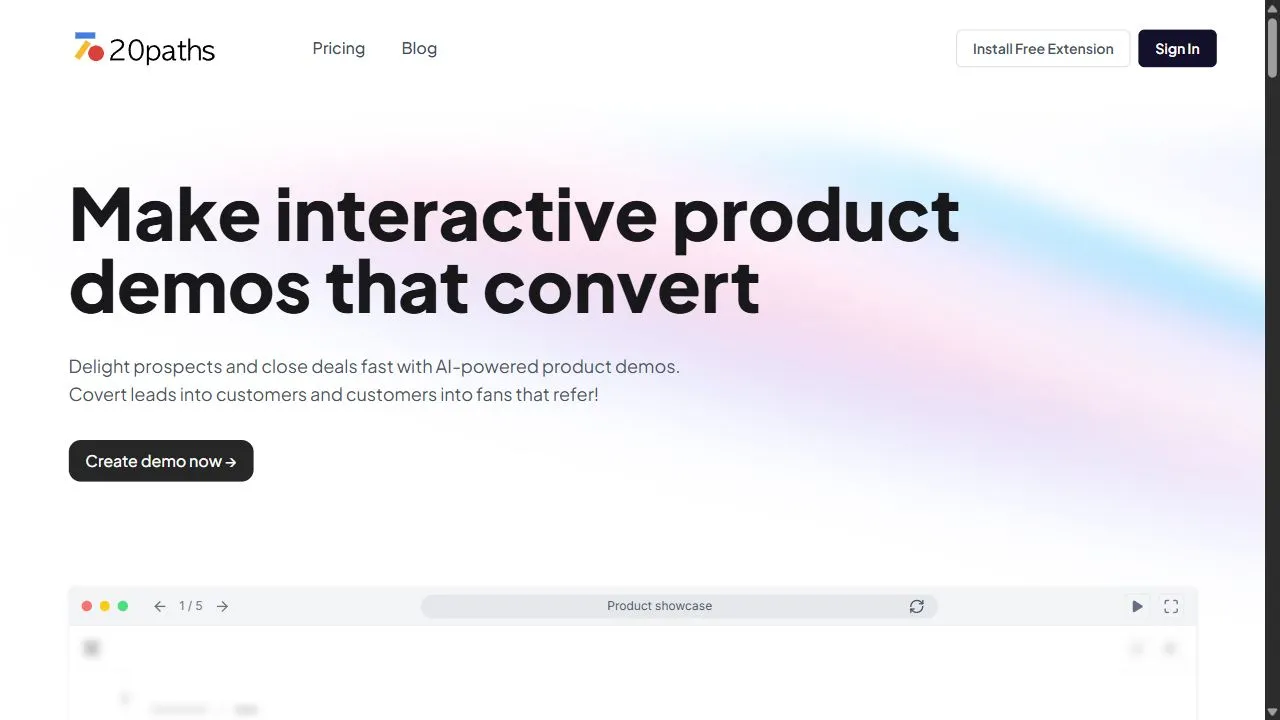
X-Pilot AI Interface

Pros & Cons Comparison
20paths Pros & Cons
Strengths
- Simple interface
- Great for user onboarding
Limitations
- Limited video editing features
X-Pilot AI Pros & Cons
Real Community Feedback
Verified user reviews from GetAiTools community
20paths Reviews0
No community reviews yet for 20paths.
X-Pilot AI Reviews1
"I appreciate how intuitive X-Pilot AI feels."
About 20paths
Opening Overview 20paths is a professional AI-powered interactive guide creator designed to help software companies and product teams bridge the communication gap between their application and its end-users by leveraging intelligent workflow capture and automated documentation processes . The platform solves the chronic problem of user friction and high churn rates that occur when customers struggle to understand complex software interfaces. By transforming static manuals into dynamic, step-by-step walkthroughs, the tool ensures that users can achieve their desired outcomes without needing to leave the application or search through endless help documents. The tool utilizes AI-driven automation to streamline the capture of software workflows , allowing creators to record a process and instantly convert it into an interactive guide. This eliminates the need for manual screenshotting, tedious writing, and constant updating of documentation. By focusing on the "learning by doing" philosophy, 20paths enables teams to deploy onboarding flows, troubleshooting tutorials, and feature announcements that guide users in real-time. This platform is primarily built for Product Managers, Customer Success teams, UX Designers, and Operations Managers who need to scale their user education efforts. By implementing interactive product demos and automated onboarding sequences , businesses can significantly reduce the volume of repetitive customer support tickets and increase the overall activation rate of their user base. Through the use of high-intent user onboarding software , companies can ensure that every new sign-up experiences the core value of their product as quickly as possible. Key Features of 20paths Interactive Walkthrough Builder : Create step-by-step guided tours that lead users through specific software functions. Visual Process Capture : Quickly record on-screen actions to generate a foundation for instructional guides. Intelligent Annotation Tools : Add clear, concise call-outs and pointers to highlight critical UI elements. Embedded Guide Deployment : Integrate interactive tutorials directly into the software interface for a seamless user experience. Dynamic Onboarding Flows : Design custom paths for different user personas based on their specific goals. Feature Announcement Modules : Notify users of new updates through targeted, interactive demonstrations. Troubleshooting Tutorial Generator : Build specific guides that solve common user pain points and technical hurdles. Multi-Format Output Support : Generate a combination of video and text-based instructions for versatile learning. Workflow Documentation Automation : Convert complex software operations into easy-to-follow digital manuals. User Engagement Tracking : Monitor how users interact with guides to identify where they get stuck. Why People Use 20paths The primary motivation for adopting 20paths is the inherent failure of traditional software documentation. For decades, businesses relied on static PDFs, long-form knowledge base articles, or pre-recorded videos to teach users how to use their products. However, these methods create a "context switch" where the user must leave the application to learn how to use it, leading to frustration, cognitive overload, and a higher likelihood of abandonment. Users turn to 20paths because it replaces passive learning with active guidance. Instead of reading about a feature, the user is guided to perform the action in real-time. This transition from static to interactive documentation drastically reduces the time-to-value (TTV), ensuring that the customer reaches their "Aha! moment" much faster. Furthermore, the scalability of the tool is a significant draw. In a manual documentation environment, every product update requires a complete overhaul of screenshots and text. With the streamlined capture capabilities of 20paths , teams can update their guides in a fraction of the time. The ability to rapidly iterate on onboarding flows allows companies to respond to user feedback and product changes with agility, ensuring that the guidance provided is always accurate and current. Finally, the tool is used to alleviate the burden on customer support teams. When a significant portion of support tickets are "how-to" questions, it indicates a failure in the onboarding process. By implementing self-service interactive guides, companies can deflect these low-complexity tickets, allowing support agents to focus on high-impact technical issues while users find their own answers through guided exploration. Popular Use Cases SaaS New User Onboarding : Creating a "Welcome Tour" that guides a new sign-up through the initial account setup and first key action. Internal Employee Training : Developing Standard Operating Procedures (SOPs) for new hires to learn internal tools and CRM workflows. New Feature Launches : Deploying a targeted interactive pop-up that demonstrates the utility of a newly released tool to existing users. Customer Support Self-Service : Converting the top ten most frequent support queries into a library of interactive troubleshooting guides. Complex API or Dashboard Navigation : Helping technical users navigate dense data environments by highlighting specific filters and reporting tools. Client Handoffs : Providing a tailored set of walkthroughs for a new enterprise client to ensure they are utilizing the software according to their specific contract. Compliance and Security Training : Ensuring employees follow specific security protocols within a system by mandating a guided walkthrough. Benefits of 20paths Increased User Activation : By guiding users directly to the core value of the product, the tool increases the percentage of users who successfully complete their first session. Reduced Customer Churn : Professional, intuitive onboarding reduces the frustration that typically leads to early-stage cancellations. Lower Support Overhead : Self-service interactive guides reduce the volume of repetitive queries, lowering the cost of customer acquisition and maintenance. Accelerated Time-to-Value : Users reach their goals faster, which correlates directly with higher long-term retention and customer satisfaction. Consistent Training Quality : Every user receives the exact same high-quality instruction, eliminating the variance found in manual human-led training. Enhanced Product Adoption : By highlighting underutilized features through interactive demos, businesses can increase the overall utility and perceived value of their software. Operational Efficiency : The automation of the capture and annotation process saves product and success teams hundreds of hours of manual documentation work. Improved User Confidence : Real-time guidance reduces the fear of "breaking" the software, encouraging users to explore more advanced features.
About X-Pilot AI
X-Pilot AI is an AI-powered video creation platform designed to help educators and content creators transform text-based course material into engaging videos . X-Pilot AI addresses the significant challenge of time-consuming and resource-intensive video production for online learning. Traditional video creation requires substantial effort in scripting, visual sourcing, recording, and editing. This platform leverages artificial intelligence to automate these processes, enabling users to generate professional-quality videos rapidly and efficiently. It is specifically tailored for online course creators, educators, trainers, and e-learning professionals seeking to enhance their content with visually compelling video lessons. The platform excels in AI video generation , knowledge visualization , and automated video creation , offering a streamlined solution for producing high-impact educational content. Key Features of X-Pilot AI Automated script generation from provided text. AI-powered visual selection to complement the script. Realistic text-to-speech voiceover narration. Dynamic animations and transitions for enhanced engagement. Automatic video resizing for various platforms. Support for multiple languages. Customizable video templates. Knowledge-to-video conversion functionality. Automatic scene creation based on content. Ability to adjust video pacing and style. Why People Use X-Pilot AI Individuals and organizations adopt X-Pilot AI to overcome the bottlenecks associated with traditional video production. Creating high-quality educational videos manually is a lengthy and expensive process, often requiring specialized skills and dedicated resources. X-Pilot AI drastically reduces the time and cost involved, allowing users to focus on content development rather than technical execution. The platform’s AI automation ensures consistency in video style and quality, while its intuitive interface makes video creation accessible to users without prior video editing experience. This results in significant time savings , increased content output , and improved scalability for online learning initiatives. Popular Use Cases Online Course Creation: Generating video lectures and tutorials for platforms like Udemy, Coursera, and Teachable. Employee Training: Developing engaging training videos for internal corporate learning programs. Educational Content Marketing: Creating short, informative videos to promote educational resources and attract students. Knowledge Base Videos: Transforming documentation and articles into easily digestible video explanations. Software Tutorials: Producing step-by-step video guides for software applications. Academic Lectures: Supplementing traditional lectures with visually rich video content. E-learning Module Development: Building comprehensive e-learning modules with integrated video lessons. Concept Explanation: Illustrating complex concepts with dynamic animations and visual aids. Presentation Enhancement: Converting presentation slides into engaging video presentations. Content Repurposing: Transforming existing text-based content into a new video format. Benefits of X-Pilot AI Increased Efficiency: Dramatically reduces video production time, allowing for faster content creation. Enhanced Engagement: Creates visually appealing videos that capture and maintain learner attention. Improved Knowledge Retention: Facilitates better understanding and retention of information through visual learning. Scalable Content Creation: Enables the rapid production of a large volume of video content. Cost Savings: Reduces the need for expensive video production equipment and personnel. Consistent Quality: Ensures a uniform level of quality across all video lessons. Accessibility: Makes video creation accessible to users without specialized video editing skills. Simplified Workflow: Streamlines the entire video production process from script to final output. Greater Reach: Expands the reach of educational content through engaging video formats. Professional Results: Delivers high-quality videos that enhance brand image and credibility.
More AI Competitors to Compare
ZEGOCLOUD
Tutorials

Infinity AI Tools
Tutorials

Record Once
Tutorials

Scribe
Tutorials
Slides Orator
Tutorials

Glitter AI
Tutorials
Frequently Asked Questions
Most questions answered in under 30 seconds — but if you still have one, write to us at contactgetaitool@gmail.com and we reply within a few hours.
Which is better in 2026, 20paths or X-Pilot AI?
How does the pricing compare between 20paths and X-Pilot AI?
Can I use 20paths and X-Pilot AI for free?
What input and output formats do 20paths and X-Pilot AI support?
What are the key advantages of 20paths?
What are the key advantages of X-Pilot AI?
What are top alternative competitors to 20paths and X-Pilot AI?
Ready to Choose Your AI Tool?
Try both platforms or explore thousands of other curated artificial intelligence tools on GetAiTools.
Tags & Core Competencies
Specific tags and feature capabilities