PDF to Calendar



PDF to Calendar
Ai Tool Screenshots & Usage
Overview
PDF to Calendar is an innovative AI-powered calendar digitization tool that transforms scanned or photographed paper calendars into editable digital calendar entries. It solves the problem of inefficient manual scheduling and the disconnect between physical and digital planning. The tool utilizes artificial intelligence and optical character recognition (OCR) to accurately extract event information from images of calendars. It is designed for students, educators, professionals, and anyone who prefers using a paper calendar but desires the convenience of a digital schedule. This tool is a valuable asset for those seeking calendar management, schedule digitization, and productivity enhancement.
Key Features of PDF to Calendar
- Converts scanned or photographed paper calendars into digital format.
- Utilizes AI-powered optical character recognition (OCR) for accurate data extraction.
- Identifies and extracts dates, times, and event descriptions.
- Creates editable calendar entries compatible with popular calendar applications.
- Supports various calendar layouts and handwriting styles (with varying degrees of accuracy).
- Offers a user-friendly interface for easy uploading and processing of calendar images.
- Provides a streamlined workflow for digitizing multiple calendar pages.
- Enables users to quickly populate their digital calendars with existing commitments.
Why People Use PDF to Calendar
Individuals and organizations often rely on paper calendars for daily planning and scheduling. However, maintaining a solely paper-based system can be cumbersome, prone to errors, and difficult to share or integrate with digital tools. PDF to Calendar addresses these challenges by offering a seamless bridge between traditional and digital methods. Unlike manual data entry, which is time-consuming and susceptible to inaccuracies, this tool automates the process, significantly reducing effort and improving reliability. The ability to quickly digitize a paper calendar allows for easier access to schedules across multiple devices, improved collaboration, and enhanced overall organization. It empowers users to leverage the benefits of digital calendaring without abandoning their preferred method of initial planning.
Popular Use Cases
- Students: Digitizing academic calendars with class schedules, exam dates, and assignment deadlines.
- Educators: Converting classroom calendars with important dates, school events, and parent-teacher conferences.
- Professionals: Transferring work calendars with meetings, deadlines, and project milestones.
- Personal Scheduling: Converting personal calendars with appointments, birthdays, and social events.
- Event Planning: Digitizing event calendars to streamline logistics and coordination.
- Archiving: Creating digital backups of important paper calendars for long-term record-keeping.
- Remote Teams: Sharing calendar information easily among team members, regardless of location.
- Individuals with Accessibility Needs: Providing a digital format for those who may have difficulty reading or writing on paper.
Benefits of PDF to Calendar
- Time Savings: Eliminates the need for manual data entry, freeing up valuable time for other tasks.
- Increased Accuracy: Reduces errors associated with manual transcription of calendar information.
- Improved Organization: Consolidates schedules into a centralized, digital format for easy access and management.
- Enhanced Accessibility: Allows users to view and manage their calendars on any device with an internet connection.
- Seamless Integration: Facilitates integration with popular calendar applications like Google Calendar, Outlook, and Apple Calendar.
- Reduced Paper Clutter: Minimizes the need for physical paper calendars, promoting a more sustainable and organized workspace.
- Simplified Collaboration: Enables easy sharing of calendar information with colleagues, friends, and family.
- Greater Flexibility: Provides the ability to edit, modify, and update calendar entries as needed.
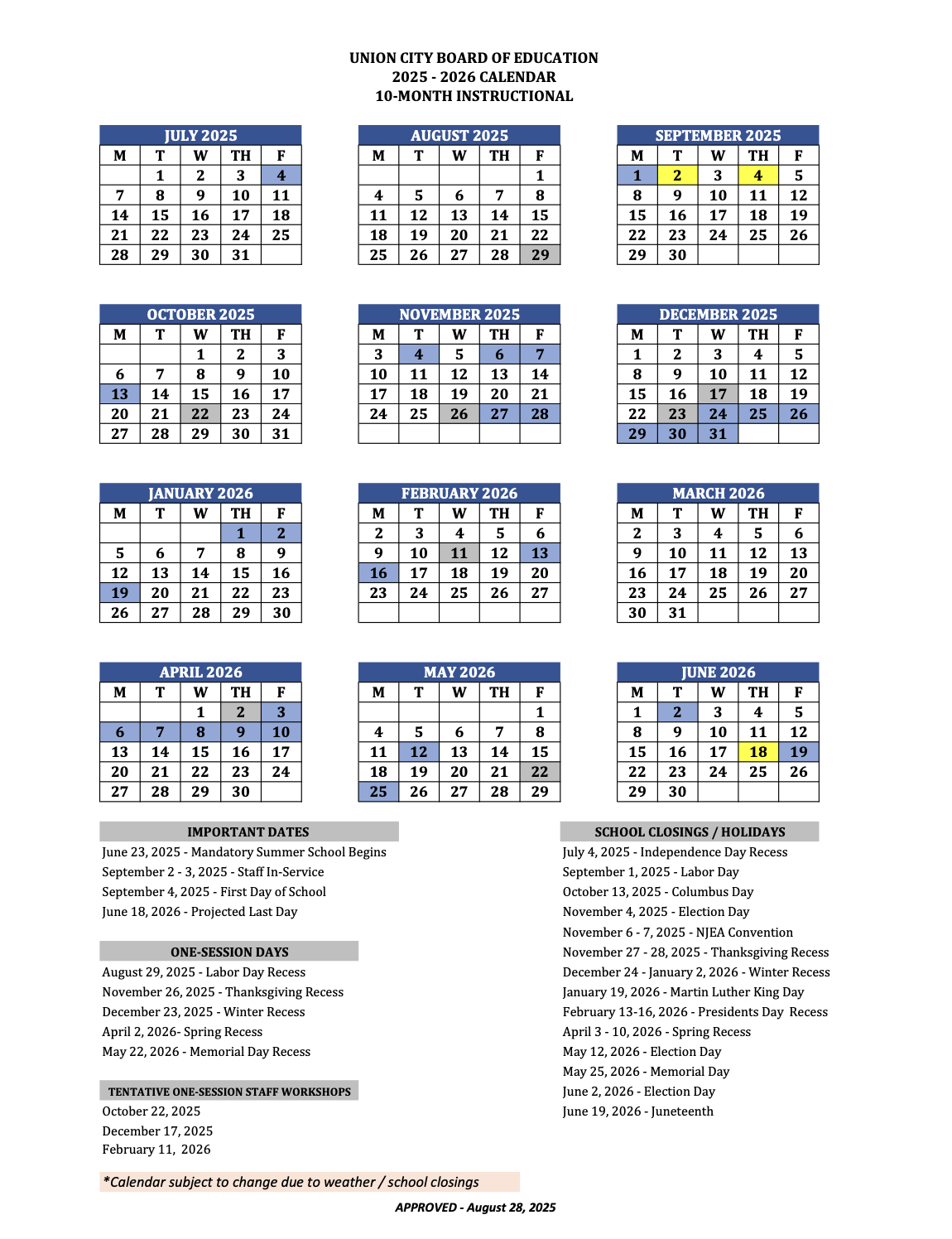
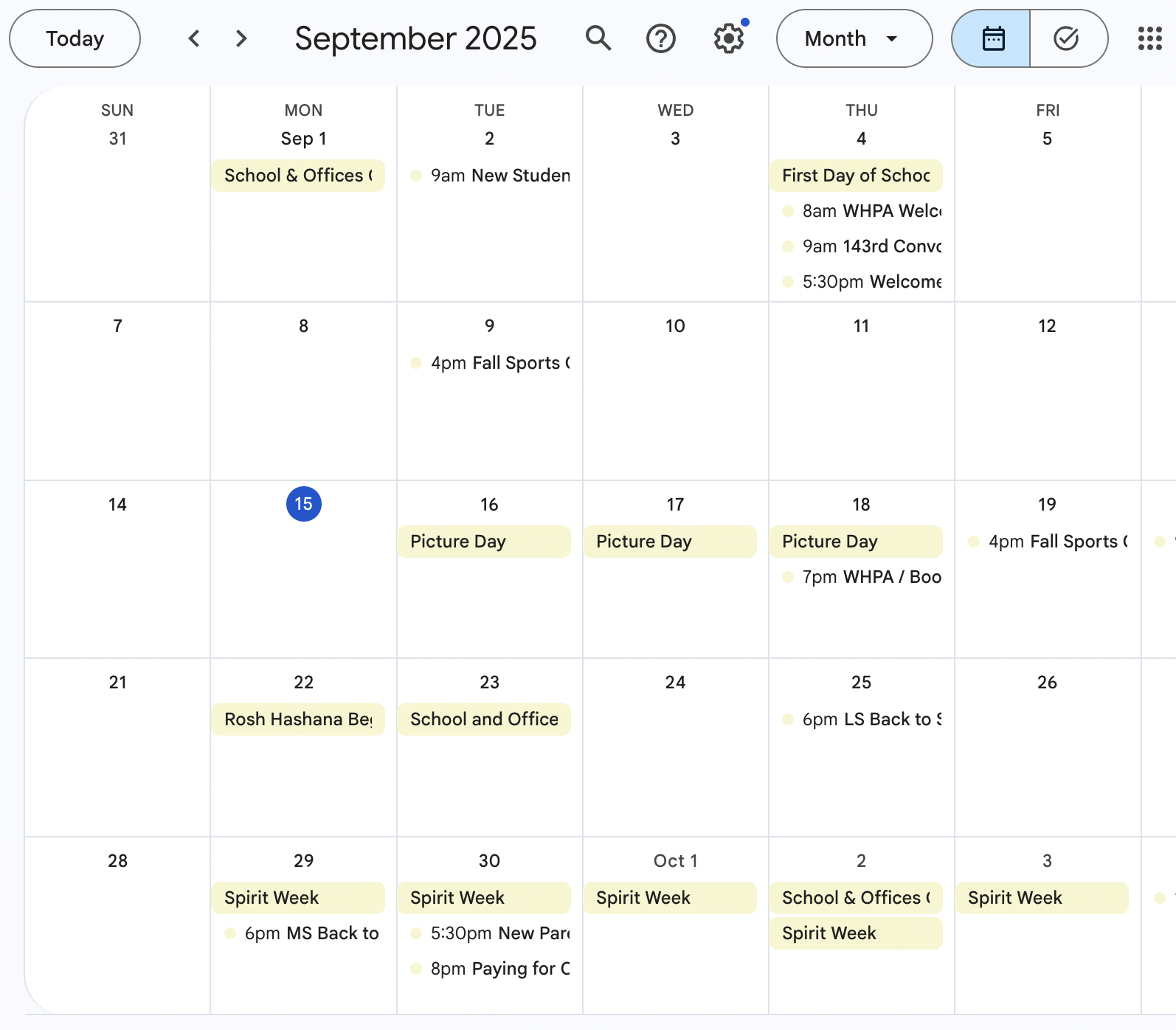
Digitize scans of your paper calendar from school/work
Page Insights
Pros & Cons
Pros
- Digitizes paper calendars into editable digital entries
- Uses advanced image recognition and AI data extraction
- Eliminates manual data entry and reduces errors
- Seamlessly integrates with digital calendar apps
Cons
- Accuracy depends on scan quality of paper calendar
- Primarily focused on calendar conversion, not broader document management
Frequently Asked Questions (FAQ)
What is PDF to Calendar?
PDF to Calendar is a digital tool that converts scans of your paper calendars (from school, work, etc.) into editable digital entries for your preferred calendar apps.
How does PDF to Calendar work?
It uses advanced image recognition and AI to accurately interpret dates, times, and event descriptions from scanned paper calendars, then digitizes them, saving you from manual entry.
Related AIs
Featured



Compare with Alternatives
All VS
GetAi
@getai
Professional Time Management tools for creators.
Pricing Details
More Related AIs
View All
PitchBreeze
PitchBreeze is an AI-powered sales intelligence platform designed to automate and optimize cold out

 Lolit Shevchenko5.0 stars
TimeOS
TimeOS is an AI-powered time management solution designed to automate meetings and scheduling, help

 Devansh Saniel5.0 stars
ChatGPT for Gmail
ChatGPT for Gmail is a versatile AI-powered email assistant designed to help users streamline th

ChatGPT for Gmail is a versatile AI-powered email assistant designed to help users streamline their Gmail experience by leveraging large language models for email drafting, summarization, and response generation. This tool addresses the common problem of email overload and the time-consuming

Incredible.one
Incredible.one is an AI-powered agent platform that enables users to deploy specialized, reliable

 Marcos Molina3.0 stars
Alicia: AI Lecture Assistant
Alicia: AI Lecture Assistant, readily available on the App Store, represents a cutting-edge, AI-powe

Alicia: AI Lecture Assistant, readily available on the App Store, represents a cutting-edge, AI-powered lecture assistant meticulously engineered to revolutionize and significantly enhance how students effectively engage with academic content. This profoundly innovative application harnesses advance
Scottie ΓÇö Read Less, Know More | $12/mo Newsletter AI
Scottie is an AI-powered newsletter summarization tool designed to help users stay informed with le

 Philip Kristensen5.0 stars
CallZero.ai
CallZero.ai is a sophisticated AI-powered phone automation assistant designed to help users deleg

 Draga Stanojević2.0 stars
Profundo
Profundo is an AI-powered research assistant designed to accelerate data insights and revolutionize

 Libid Yanickiy2.0 stars
Supernormal
Supernormal is a powerful AI-powered meeting assistant designed to help users automate the proce

Supernormal is a powerful AI-powered meeting assistant designed to help users automate the process of meeting documentation by leveraging artificial intelligence, natural language processing, and intelligent transcription workflows . By eliminating the need for manual note-taking, the platform

Voyp
Voyp is an innovative AI-powered call assistant designed to help users manage and optimize their

 Jeremy Slawa5.0 stars
Ren AI | Leadership & Accountability Platform
Ren AI is a specialized AI-powered leadership and accountability platform designed to empower man

Ren AI is a specialized AI-powered leadership and accountability platform designed to empower managers and people leaders by providing structured support throughout their professional journeys. By integrating artificial intelligence, conversational coaching, and intelligent tracking , the platfo
intellisay
Intellisay is an innovative AI-powered daily planner designed to help users optimize their sched

 Earl Vasquez3.0 stars
PreCheck.ai
PreCheck.ai is an advanced AI-powered identity verification platform that helps businesses authe

 Josefa Gallego2.0 stars
Quell
Quell is an innovative AI-powered User Acceptance Testing (UAT) automation platform designed to h

 Ishwar Fernandes5.0 stars
Peek
Peek is an innovative AI-powered browser extension designed to help users manage and summarize w

Peek is an innovative AI-powered browser extension designed to help users manage and summarize web tabs by leveraging artificial intelligence and machine learning algorithms . Peek solves the pervasive problem of tab overload and information fatigue experienced by modern internet users. Indivi

CXassist
CXassist is an AI-powered email assistant that automates inbox management, helping users reclaim

CXassist is an AI-powered email assistant that automates inbox management, helping users reclaim their time and improve communication efficiency. It addresses the common problem of email overload by leveraging artificial intelligence to streamline email processing. This tool is designed for cu