No-Code App Development
getaitool.in/c/ai-app-builder/no-code-app-development# No-Code App Development Tools **No-Code App Development** tools make it possible to create mobile apps, web applications, internal business software, websites, dashboards, and digital products without writing traditional programming code. Using visual interfaces, drag-and-drop components, templates, workflows, databases, and AI-powered features, users can build applications with little or no coding experience. At **GetAiTool.in**, the No-Code App Development category helps you discover platforms for building **mobile apps, web apps, SaaS products, business applications, internal tools, dashboards, marketplaces, forms, and automated workflows without traditional programming**. Whether you are a startup founder, entrepreneur, student, business owner, designer, creator, or developer looking to accelerate development, no-code tools can provide a visual approach to application development. ## What Is No-Code App Development? **No-Code App Development** is a software development approach that allows users to create applications through visual interfaces instead of manually writing large amounts of programming code. No-code platforms commonly provide: * Drag-and-drop interfaces * Visual app builders * Pre-built components * Templates * Database integration * Workflow automation * API integrations * User authentication * Forms * Dashboards * Payment integrations * AI-powered development features Instead of writing code for every feature, users can configure visual components and workflows to create an application. ## How Does No-Code App Development Work? No-code platforms abstract many technical development tasks behind visual interfaces. A typical workflow may look like: 1. **Choose an application type or template.** 2. **Design the user interface** using visual components. 3. **Connect a database** or data source. 4. **Configure application logic and workflows.** 5. **Connect APIs and third-party services.** 6. **Add authentication, forms, payments, or automation.** 7. **Test the application.** 8. **Publish or deploy the finished app.** The exact process varies depending on the no-code platform and the type of application being built. ## Why Use No-Code App Development Tools? Traditional application development can require programming knowledge, development environments, frameworks, databases, and deployment infrastructure. No-code platforms provide visual tools that can simplify parts of this process. ### Build Without Traditional Coding Users can create applications without manually writing extensive programming code. ### Faster Prototyping Startups and product teams can create prototypes and test ideas before investing in a larger development project. ### Reduce Development Complexity Visual builders can simplify common tasks such as interface design, forms, databases, and workflow automation. ### Build Business Applications Businesses can create internal tools, dashboards, CRM systems, inventory applications, forms, and other custom software. ### Experiment With Ideas Entrepreneurs can turn product concepts into working prototypes and applications more quickly. ### AI-Assisted Development Modern platforms increasingly include AI features that can generate application structures, interfaces, workflows, database schemas, or other components from natural-language instructions. ## What Can You Build With No-Code Tools? No-code platforms can support many different types of applications. ### Mobile Apps Some platforms allow users to create mobile applications for different devices using visual development tools. ### Web Applications Build browser-based applications, portals, dashboards, and customer-facing platforms. ### SaaS Applications Entrepreneurs can use no-code platforms to prototype or build software-as-a-service products. ### Business Tools Create internal applications for operations, reporting, data management, and business processes. ### Dashboards Build dashboards that display information from databases, spreadsheets, APIs, or other data sources. ### Marketplaces Some no-code platforms provide functionality for creating marketplaces and directory-style applications. ### Customer Portals Create customized portals where customers can access information, submit forms, manage accounts, or interact with services. ### Internal Tools Businesses can build custom tools for employee workflows, project management, inventory, approvals, and data collection. ## No-Code vs Low-Code Development No-code and low-code development are related but different approaches. **No-code platforms** are primarily designed to allow applications to be created through visual interfaces with minimal or no traditional programming. **Low-code platforms** also use visual development tools but typically provide options for developers to add custom code when necessary. No-code can be useful for users who want a highly visual development experience, while low-code can provide additional flexibility for projects requiring custom programming. ## No-Code App Development for Startups Startups can use no-code platforms to rapidly test product ideas and create minimum viable products. A founder can use a visual app builder to develop an initial version of a product, gather feedback, and iterate before committing significant development resources. Possible startup use cases include: * MVP development * SaaS prototypes * Landing pages * Customer portals * Marketplaces * Internal tools * Data dashboards * Workflow automation * Lead management systems The suitability of no-code depends on the product's technical requirements, scalability needs, integrations, and long-term architecture. ## No-Code App Development for Businesses Businesses can use no-code platforms to create custom software for specific operational requirements. Examples include: * CRM tools * Employee portals * Inventory systems * Approval workflows * Data collection applications * Reporting dashboards * Project management tools * Customer management systems * Booking systems * Internal automation No-code development can be particularly useful when an organization needs a custom workflow that is not fully supported by an existing software product. ## AI-Powered No-Code App Builders The combination of artificial intelligence and no-code development is creating new ways to build applications. Some AI-powered app builders allow users to describe an application in natural language. For example, a user might describe: > "Create a customer management dashboard with login, customer profiles, contact forms, search, and a database." Depending on the platform, AI may generate parts of the application structure, interface, database, or workflows. Users can then modify the generated application using visual tools. ## Features to Look for in No-Code App Development Platforms When evaluating no-code app builders, consider features such as: * Visual app builder * Drag-and-drop interface * Mobile app development * Web app development * AI app generation * Database management * User authentication * API integrations * Third-party integrations * Workflow automation * Forms * Payment integration * Custom domains * Responsive design * Analytics * Hosting * Deployment * App publishing * Collaboration features * Templates * Custom branding * Export options * Scalability * Security controls The right platform depends on your application's requirements and technical complexity. ## Free No-Code App Development Tools Some no-code platforms provide free plans, free trials, or limited development features. Free plans can be useful for learning, experimenting, and building prototypes. However, free plans may have limitations such as: * Platform branding * Limited storage * Limited users * Restricted integrations * Limited database capacity * Limited automation * Usage limits * Restricted publishing options * Custom-domain restrictions Check the current pricing and feature limits before selecting a platform for a production application. ## No-Code App Development for Students Students can use no-code tools to experiment with application development without first learning a complete programming stack. Possible projects include: * College project prototypes * Portfolio applications * Student management tools * Event applications * Educational apps * Dashboards * Productivity tools * Community applications No-code platforms can also help students understand concepts such as databases, user interfaces, workflows, APIs, and application architecture. ## No-Code App Development for Entrepreneurs Entrepreneurs can use no-code platforms to turn business ideas into prototypes and functional products. For example, a founder could create an initial application, test it with early users, gather feedback, and improve the product before expanding the development team. No-code can therefore be useful for **idea validation, MVP development, rapid prototyping, and business experimentation**. ## How to Choose a No-Code App Builder Choosing a no-code platform should start with the type of application you want to build. Consider: **Application Type + Features + Database + Integrations + Users + Scalability + Budget** For example, a simple internal dashboard may have very different requirements from a customer-facing SaaS platform. Before choosing a platform, check whether it supports the databases, APIs, authentication systems, payment providers, integrations, deployment options, and user volume required by your project. ## Limitations of No-Code Development No-code platforms can simplify application development, but they also have limitations. Depending on the platform, users may encounter restrictions involving: * Custom functionality * Performance * Complex business logic * Platform dependency * Data portability * Advanced integrations * Scalability * Custom backend architecture * Advanced security requirements For complex applications, a traditional development or low-code approach may provide more customization. Understanding these limitations before starting a project can help avoid technical challenges later. ## No-Code App Development vs Traditional Coding Traditional software development gives developers direct control over application architecture, programming logic, databases, infrastructure, and deployment. No-code development provides a more abstracted visual approach. Neither approach is suitable for every project. No-code can be useful for rapid development, prototypes, business tools, and applications that fit the capabilities of a particular platform. Traditional coding can provide greater control for highly customized or technically complex applications. ## Discover No-Code App Development Tools on GetAiTool Finding the right no-code platform can be difficult because there are many app builders, automation platforms, AI development tools, and visual software-development solutions available. **GetAiTool.in** helps users discover AI and software tools across different categories. The **No-Code App Development** category is designed for users looking for platforms to build applications without traditional programming. Explore tools for **AI app development, mobile app builders, web app builders, SaaS development, business applications, dashboards, automation, prototypes, and visual software development**. ## The Future of No-Code Development No-code development continues to evolve as visual development platforms become more powerful and AI-assisted programming becomes more accessible. AI can potentially reduce the complexity of creating application interfaces, databases, workflows, and integrations by allowing users to describe what they want in natural language. As these technologies develop, no-code and AI-assisted development may become increasingly useful for entrepreneurs, businesses, creators, students, and development teams. Human planning, testing, security review, and technical validation remain important when building production applications. ## Frequently Asked Questions ### What is No-Code App Development? No-Code App Development is an approach to building applications using visual interfaces, templates, workflows, and pre-built components instead of manually writing traditional programming code. ### Can I build an app without coding? Yes. Many no-code platforms allow users to create applications using drag-and-drop interfaces and visual development tools. ### What can I build with a no-code platform? Depending on the platform, you can build mobile apps, web applications, SaaS products, dashboards, internal tools, marketplaces, customer portals, forms, and business applications. ### Are no-code app builders free? Some platforms offer free plans or trials. Free plans often have restrictions on users, storage, integrations, features, or publishing. ### What is an AI no-code app builder? An AI no-code app builder combines visual application development with AI features that can help generate interfaces, workflows, databases, or application components from natural-language instructions. ### Is no-code development suitable for startups? No-code can be useful for startups that want to prototype ideas, validate products, create MVPs, or build certain types of applications without establishing a large development team immediately. ### What is the difference between no-code and low-code? No-code platforms are designed primarily for visual development without traditional programming, while low-code platforms typically allow developers to combine visual tools with custom code. ### Can no-code tools build mobile apps? Yes. Some no-code platforms support mobile application development, although the available features and publishing options vary by platform. ### Can I build a SaaS product with no-code? Some no-code platforms support SaaS-style applications, including user accounts, databases, payments, dashboards, and workflows. The suitability depends on the application's technical and scalability requirements. ### Are no-code apps scalable? Scalability depends heavily on the platform, application architecture, database, integrations, traffic, and usage requirements. Evaluate the platform's documented scalability limits before choosing it for a large production application. ## Explore No-Code App Development Tools Discover **No-Code App Development tools** on GetAiTool.in and explore platforms for building mobile apps, web applications, SaaS products, business tools, dashboards, prototypes, and automated workflows without traditional coding. From **AI-powered app builders and visual development platforms to no-code automation and business application tools**, explore software that can help turn ideas into working digital products.
Top featured

Claude Code
Claude Code is a sophisticated AI-powered coding agent designed to help developers accelerate the

Claude Code is a sophisticated AI-powered coding agent designed to help developers accelerate the software development lifecycle by leveraging artificial intelligence, automation, and intelligent terminal-based workflows . Developed by Anthropic, this tool operates directly within the terminal a
WebTwizz
WebTwizz is a revolutionary AI-driven app development platform that enables users to turn their conc
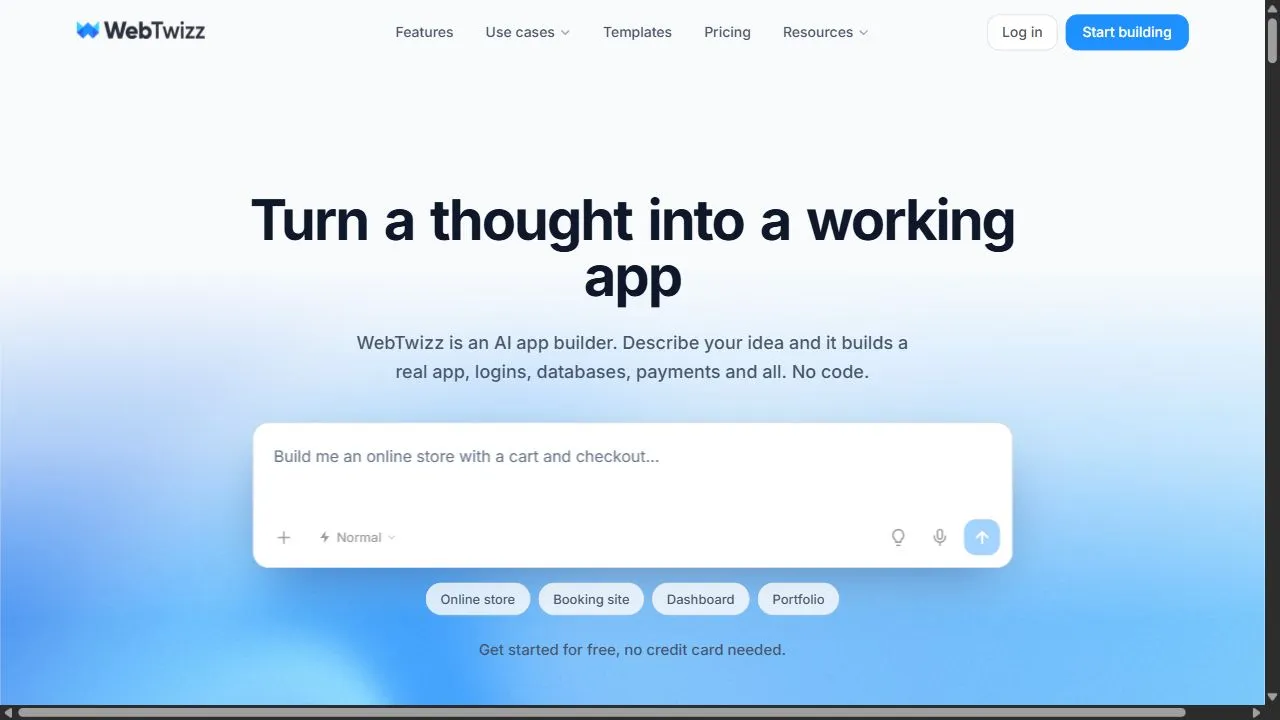
WebTwizz is a revolutionary AI-driven app development platform that enables users to turn their conceptual ideas into fully functional, deployed applications without the need for extensive coding knowledge. By utilizing intuitive natural language prompts, users can describe the functionality and des