 Android
 IOS
IOS Mini Tools
 Software
 Web
WebTop matches
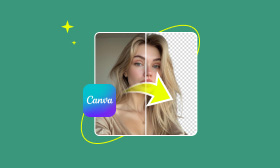
Canva video enhancer
Canva Video Enhancer is a user-friendly AI-powered video enhancement tool that allows users to improve the visual quality of their videos with minimal effort. This tool addresses the common problem of low-quality video footage, whether due to poor lighting, low resolution, or simply the limitations of recording devices. It leverages artificial intelligence to automatically adjust and refine video parameters, resulting in clearer, more vibrant, and more professional-looking videos. Canva Video Enhancer is designed for a broad audience, including social media managers, content creators, marketers, educators, and anyone who needs to quickly and easily enhance video content without requiring extensive video editing expertise. Users searching for solutions like ΓÇ£video quality enhancer,ΓÇ¥ ΓÇ£online video editor,ΓÇ¥ or ΓÇ£AI video upscalingΓÇ¥ will find this tool particularly valuable. Key Features of Canva Video Enhancer Enhances video resolution and clarity. Adjusts brightness and contrast for optimal viewing. Modifies saturation levels to improve color vibrancy. Sharpens video footage to reduce blurriness. Applies a range of filters and effects. Allows for video trimming and cropping. Enables resizing videos for different platforms. Supports adding text overlays to videos. Facilitates the inclusion of music and audio tracks. Offers subtitle capabilities for accessibility. Provides a drag-and-drop interface for ease of use. Supports various video file formats. Allows for direct export to social media platforms. Why People Use Canva Video Enhancer Individuals and businesses utilize Canva Video Enhancer to elevate the quality of their video content quickly and efficiently. Traditional video editing often requires specialized software, significant technical skill, and a substantial time investment. Canva Video Enhancer streamlines this process, offering a simplified, accessible alternative. The AI-driven enhancements automate many of the tedious adjustments typically performed manually, saving users valuable time and resources. This tool is particularly beneficial for those who need to produce a high volume of video content for platforms like YouTube, TikTok, Instagram, and Facebook, where visual appeal is crucial for engagement. The ability to enhance videos directly within the Canva platform also integrates seamlessly with other design and content creation workflows. Popular Use Cases Social Media Marketing: Enhancing videos for increased engagement on platforms like Instagram, Facebook, and TikTok. YouTube Content Creation: Improving the visual quality of vlogs, tutorials, and other YouTube videos. Business Presentations: Polishing video clips for professional presentations and webinars. Educational Videos: Creating clearer and more engaging educational content for online courses and training materials. Marketing Campaigns: Enhancing promotional videos to capture audience attention and drive conversions. Personal Video Editing: Improving the quality of home videos, travel footage, and personal projects. Real Estate Marketing: Enhancing property tour videos to showcase listings effectively. E-commerce Product Demos: Improving the visual appeal of product demonstration videos. Event Highlights: Enhancing footage from events, conferences, and workshops. Remote Learning: Improving the quality of videos used in remote learning environments. Benefits of Canva Video Enhancer Improved Video Quality: Enhances the visual appeal of videos, making them more engaging and professional. Time Savings: Automates the video enhancement process, reducing the time and effort required for editing. Increased Engagement: Higher-quality videos are more likely to capture and retain audience attention. Enhanced Brand Image: Polished videos contribute to a more professional and credible brand image. Accessibility: Easy-to-use interface makes video enhancement accessible to users of all skill levels. Cost-Effectiveness: Offers a free solution for basic video enhancement needs. Seamless Integration: Integrates directly with the Canva design platform for streamlined workflows. Platform Versatility: Videos can be optimized for various platforms and devices. Greater Visual Impact: Enhancements like brightness, contrast, and saturation adjustments create a more visually striking result. Simplified Editing: Eliminates the need for complex video editing software and technical expertise. Increased Reach: High-quality videos are more shareable and have the potential to reach a wider audience. Professional Results: Achieves professional-looking video quality without requiring professional editing skills.
Ai Video enhancer

Visit Website
Canva Video Enhancer is a user-friendly AI-powered video enhancement tool that allows users to improve the visual quality of their videos with minimal effort. This tool addresses the common problem of low-quality video footage, whether due to poor lighting, low resolution, or simply the limitations of recording devices. It leverages artificial intelligence to automatically adjust and refine video parameters, resulting in clearer, more vibrant, and more professional-looking videos. Canva Video Enhancer is designed for a broad audience, including social media managers, content creators, marketers, educators, and anyone who needs to quickly and easily enhance video content without requiring extensive video editing expertise. Users searching for solutions like ΓÇ£video quality enhancer,ΓÇ¥ ΓÇ£online video editor,ΓÇ¥ or ΓÇ£AI video upscalingΓÇ¥ will find this tool particularly valuable. Key Features of Canva Video Enhancer Enhances video resolution and clarity. Adjusts brightness and contrast for optimal viewing. Modifies saturation levels to improve color vibrancy. Sharpens video footage to reduce blurriness. Applies a range of filters and effects. Allows for video trimming and cropping. Enables resizing videos for different platforms. Supports adding text overlays to videos. Facilitates the inclusion of music and audio tracks. Offers subtitle capabilities for accessibility. Provides a drag-and-drop interface for ease of use. Supports various video file formats. Allows for direct export to social media platforms. Why People Use Canva Video Enhancer Individuals and businesses utilize Canva Video Enhancer to elevate the quality of their video content quickly and efficiently. Traditional video editing often requires specialized software, significant technical skill, and a substantial time investment. Canva Video Enhancer streamlines this process, offering a simplified, accessible alternative. The AI-driven enhancements automate many of the tedious adjustments typically performed manually, saving users valuable time and resources. This tool is particularly beneficial for those who need to produce a high volume of video content for platforms like YouTube, TikTok, Instagram, and Facebook, where visual appeal is crucial for engagement. The ability to enhance videos directly within the Canva platform also integrates seamlessly with other design and content creation workflows. Popular Use Cases Social Media Marketing: Enhancing videos for increased engagement on platforms like Instagram, Facebook, and TikTok. YouTube Content Creation: Improving the visual quality of vlogs, tutorials, and other YouTube videos. Business Presentations: Polishing video clips for professional presentations and webinars. Educational Videos: Creating clearer and more engaging educational content for online courses and training materials. Marketing Campaigns: Enhancing promotional videos to capture audience attention and drive conversions. Personal Video Editing: Improving the quality of home videos, travel footage, and personal projects. Real Estate Marketing: Enhancing property tour videos to showcase listings effectively. E-commerce Product Demos: Improving the visual appeal of product demonstration videos. Event Highlights: Enhancing footage from events, conferences, and workshops. Remote Learning: Improving the quality of videos used in remote learning environments. Benefits of Canva Video Enhancer Improved Video Quality: Enhances the visual appeal of videos, making them more engaging and professional. Time Savings: Automates the video enhancement process, reducing the time and effort required for editing. Increased Engagement: Higher-quality videos are more likely to capture and retain audience attention. Enhanced Brand Image: Polished videos contribute to a more professional and credible brand image. Accessibility: Easy-to-use interface makes video enhancement accessible to users of all skill levels. Cost-Effectiveness: Offers a free solution for basic video enhancement needs. Seamless Integration: Integrates directly with the Canva design platform for streamlined workflows. Platform Versatility: Videos can be optimized for various platforms and devices. Greater Visual Impact: Enhancements like brightness, contrast, and saturation adjustments create a more visually striking result. Simplified Editing: Eliminates the need for complex video editing software and technical expertise. Increased Reach: High-quality videos are more shareable and have the potential to reach a wider audience. Professional Results: Achieves professional-looking video quality without requiring professional editing skills.
0

Kera ai
Kera ai is a free AI-powered video generator that transforms text prompts and ideas into fully-formed, engaging video content. It addresses the challenge of video creation for individuals and businesses lacking the time, resources, or technical expertise for traditional video editing. Utilizing artificial intelligence and machine learning algorithms , Kera ai automates the entire video production process, from script generation to visual selection and sequencing. This tool is designed for YouTubers, social media marketers, influencers, small business owners , and anyone seeking to create professional-quality videos quickly and affordably. ItΓÇÖs a valuable resource for those looking to leverage AI video creation for content marketing, social media engagement, and brand storytelling. Key Features of Kera ai Generates videos from text prompts. Offers a completely free usage model. Automates script writing based on user input. Selects relevant visuals to accompany the script. Arranges visuals and text into a cohesive video sequence. Requires no prior video editing experience. Provides a quick turnaround for video creation. Suitable for various video formats, including social media shorts. Simplifies the video production workflow. Enables rapid content creation for marketing purposes. Why People Use Kera ai Individuals and businesses increasingly rely on video content to capture attention and convey messages effectively. However, traditional video production can be time-consuming, expensive, and require specialized skills. Kera ai offers a streamlined alternative, empowering users to create compelling videos without the complexities of manual editing. By automating the core elements of video creation, it significantly reduces the time and effort required to produce high-quality content. Unlike conventional methods that involve storyboarding, filming, editing, and adding visual effects, Kera ai handles these processes automatically, allowing users to focus on their core message and creative vision. This accessibility makes professional video creation attainable for a wider audience, fostering greater content output and engagement. The platformΓÇÖs efficiency allows for rapid iteration and experimentation with different video concepts, ultimately enhancing marketing campaigns and brand presence. Popular Use Cases Social Media Marketing: Creating short, engaging videos for platforms like TikTok, Instagram Reels, and YouTube Shorts to increase brand awareness and follower engagement. Content Marketing: Producing explainer videos, product demonstrations, and thought leadership content for websites and blogs to attract and educate potential customers. YouTube Channel Growth: Generating consistent video content for YouTube channels to build an audience and monetize content. Small Business Promotion: Developing promotional videos for products and services to reach a wider customer base. Educational Content: Creating instructional videos and tutorials for online courses and educational platforms. Influencer Marketing: Producing visually appealing videos for influencer campaigns to promote brands and products. Internal Communications: Developing engaging videos for employee training and company announcements. Personal Projects: Creating videos for personal use, such as birthday greetings, travel vlogs, or family memories. Rapid Prototyping: Quickly visualizing video concepts for presentations or pitches. Advertising Campaigns: Generating video ads for online platforms to drive traffic and conversions. Benefits of Kera ai Increased Efficiency: Significantly reduces the time and effort required to create videos compared to traditional methods. Cost Savings: Eliminates the need for expensive video editing software, equipment, and professional video editors. Accessibility: Empowers users with no prior video editing experience to create professional-quality videos. Enhanced Creativity: Facilitates rapid experimentation with different video concepts and ideas. Improved Content Output: Enables the creation of a higher volume of video content for marketing and engagement purposes. Greater Brand Consistency: Helps maintain a consistent brand image across all video content. Wider Reach: Allows businesses and individuals to reach a broader audience through engaging video content. Simplified Workflow: Streamlines the video production process, from script generation to final output. Faster Time-to-Market: Accelerates the launch of video campaigns and marketing initiatives. Democratization of Video Creation: Makes professional video creation accessible to everyone, regardless of budget or technical skills.
Ai Video generator

Visit Website
Kera ai is a free AI-powered video generator that transforms text prompts and ideas into fully-formed, engaging video content. It addresses the challenge of video creation for individuals and businesses lacking the time, resources, or technical expertise for traditional video editing. Utilizing artificial intelligence and machine learning algorithms , Kera ai automates the entire video production process, from script generation to visual selection and sequencing. This tool is designed for YouTubers, social media marketers, influencers, small business owners , and anyone seeking to create professional-quality videos quickly and affordably. ItΓÇÖs a valuable resource for those looking to leverage AI video creation for content marketing, social media engagement, and brand storytelling. Key Features of Kera ai Generates videos from text prompts. Offers a completely free usage model. Automates script writing based on user input. Selects relevant visuals to accompany the script. Arranges visuals and text into a cohesive video sequence. Requires no prior video editing experience. Provides a quick turnaround for video creation. Suitable for various video formats, including social media shorts. Simplifies the video production workflow. Enables rapid content creation for marketing purposes. Why People Use Kera ai Individuals and businesses increasingly rely on video content to capture attention and convey messages effectively. However, traditional video production can be time-consuming, expensive, and require specialized skills. Kera ai offers a streamlined alternative, empowering users to create compelling videos without the complexities of manual editing. By automating the core elements of video creation, it significantly reduces the time and effort required to produce high-quality content. Unlike conventional methods that involve storyboarding, filming, editing, and adding visual effects, Kera ai handles these processes automatically, allowing users to focus on their core message and creative vision. This accessibility makes professional video creation attainable for a wider audience, fostering greater content output and engagement. The platformΓÇÖs efficiency allows for rapid iteration and experimentation with different video concepts, ultimately enhancing marketing campaigns and brand presence. Popular Use Cases Social Media Marketing: Creating short, engaging videos for platforms like TikTok, Instagram Reels, and YouTube Shorts to increase brand awareness and follower engagement. Content Marketing: Producing explainer videos, product demonstrations, and thought leadership content for websites and blogs to attract and educate potential customers. YouTube Channel Growth: Generating consistent video content for YouTube channels to build an audience and monetize content. Small Business Promotion: Developing promotional videos for products and services to reach a wider customer base. Educational Content: Creating instructional videos and tutorials for online courses and educational platforms. Influencer Marketing: Producing visually appealing videos for influencer campaigns to promote brands and products. Internal Communications: Developing engaging videos for employee training and company announcements. Personal Projects: Creating videos for personal use, such as birthday greetings, travel vlogs, or family memories. Rapid Prototyping: Quickly visualizing video concepts for presentations or pitches. Advertising Campaigns: Generating video ads for online platforms to drive traffic and conversions. Benefits of Kera ai Increased Efficiency: Significantly reduces the time and effort required to create videos compared to traditional methods. Cost Savings: Eliminates the need for expensive video editing software, equipment, and professional video editors. Accessibility: Empowers users with no prior video editing experience to create professional-quality videos. Enhanced Creativity: Facilitates rapid experimentation with different video concepts and ideas. Improved Content Output: Enables the creation of a higher volume of video content for marketing and engagement purposes. Greater Brand Consistency: Helps maintain a consistent brand image across all video content. Wider Reach: Allows businesses and individuals to reach a broader audience through engaging video content. Simplified Workflow: Streamlines the video production process, from script generation to final output. Faster Time-to-Market: Accelerates the launch of video campaigns and marketing initiatives. Democratization of Video Creation: Makes professional video creation accessible to everyone, regardless of budget or technical skills.
0
Related Categories


All results





















Sponsored



Top 10 Trending AI Tools

Comet
Agentic AiAutonomous AI Agents
★4.0

Invideo ai
Ai Video generator
★4.0

D-ID.com
Ai Avatar
★4.0
Kera ai
Ai Video generator
★4.0

Kimi Slides
Ai PresentationPresentation
★4.0

Haiper Ai
Ai Video generator
★4.0

Chrome Webstore
UnCategorized
★4.0
Toki Ai
Ai Avatar
★4.0

ChatGPT
Ai Chatbots
★5.0

Dream Hentai
Hentai & NSFWHentai Character18+
★4.0