Image to Video
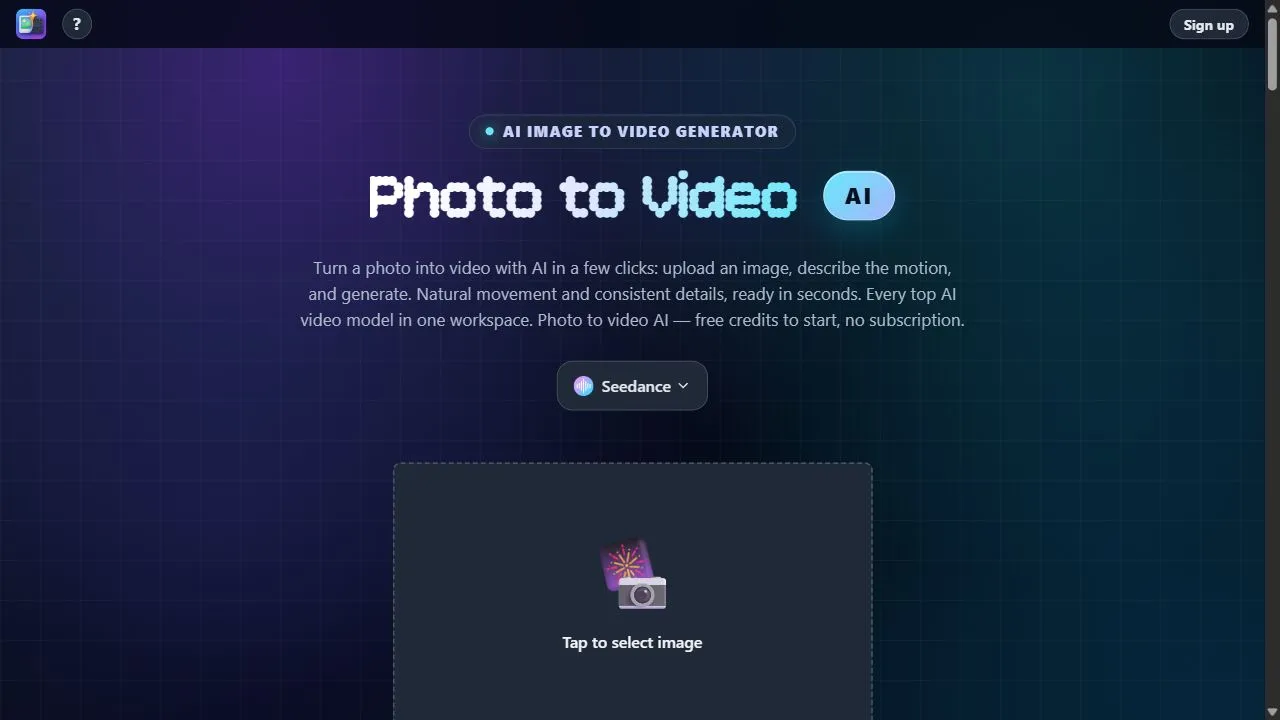
getaitool.in/c/ai-video-generator/image-to-video# Image to Video AI Tools **Image to Video AI tools** use artificial intelligence to transform static images and photos into dynamic video content. Instead of leaving an image as a simple still picture, AI-powered video generators can add motion, camera movements, transitions, visual effects, animation, and other elements to create engaging video clips. At **GetAiTool.in**, the Image to Video category helps you discover AI-powered tools for turning **photos, artwork, product images, character designs, illustrations, and other static visuals into videos**. Whether you are a content creator, marketer, designer, photographer, business owner, filmmaker, or social media professional, Image to Video AI can provide a faster way to bring static visuals to life. ## What Is Image to Video AI? **Image to Video AI** is a technology that generates or animates video content from one or more images using artificial intelligence. Users can typically upload an image and provide additional instructions describing how they want it to move or appear. Depending on the platform, the AI may generate motion, camera movement, environmental effects, transitions, or other visual changes. For example, you could upload an image of a city and provide an instruction such as: > "Create a cinematic camera movement through the city with subtle motion, realistic lighting, and atmospheric effects." The AI video generator can then create a short video based on the uploaded image and instructions. ## How Does Image to Video AI Work? Image to Video generators use AI models to analyze visual information contained in an image and generate a sequence of frames that creates the appearance of motion. A typical workflow includes: 1. **Upload an image** to the AI video generator. 2. **Describe the desired motion** using a text prompt when supported. 3. **AI analyzes the image** and identifies important visual elements. 4. **The video model generates motion** and additional frames. 5. **The generated frames are combined** into a video. 6. **Preview, edit, regenerate, or export** the final video depending on the platform. Different tools can produce different results depending on their AI models, generation settings, image quality, and supported features. ## Why Use Image to Video AI Tools? Traditional animation and video production can require significant time and technical skills. Image to Video AI provides an alternative workflow for quickly experimenting with motion and animation. ### Bring Static Images to Life Turn photographs, illustrations, artwork, and other static visuals into moving video clips. ### Create Social Media Content Transform images into engaging content for platforms such as Instagram, TikTok, YouTube, Facebook, and other social media channels. ### Add Motion to Artwork Artists and designers can experiment with animating illustrations, concept art, digital artwork, and creative visuals. ### Create Marketing Content Businesses can use image-to-video tools to create promotional clips, advertisements, product presentations, and social media campaigns. ### Animate Product Images E-commerce businesses can experiment with adding motion and visual effects to product images for promotional content. ### Visualize Creative Ideas Filmmakers, designers, game developers, and creators can use AI-generated motion to quickly visualize creative concepts. ## Popular Uses of Image to Video AI Image-to-video technology can be used across many creative and professional workflows. ### Photo to Video Convert ordinary photographs into animated video clips with AI-generated movement and effects. ### AI Image Animation Animate characters, portraits, landscapes, illustrations, and other static visuals. ### Product Videos Transform product images into promotional videos for websites, advertisements, and social media. ### Social Media Videos Create short-form videos from photos and graphics for social media platforms. ### Cinematic Videos Add camera movements, depth, environmental motion, and cinematic effects to still images where supported. ### Character Animation Creators can experiment with animating characters, illustrations, and digital artwork. ### Marketing Videos Turn promotional graphics, product images, and campaign visuals into short marketing videos. ### Storytelling Creators can use multiple images and AI-generated motion to develop visual stories and sequences. ## Image to Video vs Text to Video Image to Video and Text to Video are related but different AI video-generation workflows. **Text to Video** starts with a written prompt and generates visual content based primarily on the text description. **Image to Video** starts with an existing image and uses AI to generate motion or transform the image into a video. For example, if you already have a product photograph, Image to Video may be useful for animating that specific visual. If you only have an idea described in words, Text to Video may be more suitable. Some modern AI platforms support **both image-to-video and text-to-video generation**. ## Features to Look for in Image to Video AI Tools When exploring Image to Video platforms, consider features such as: * Image to video generation * Photo to video conversion * AI image animation * Text-guided motion * Camera movement * Motion controls * Cinematic effects * Character animation * Image-to-video prompts * Multiple aspect ratios * HD video generation * High-resolution export * Video duration controls * Multiple image support * AI video editing * Background animation * Visual effects * Video upscaling * Watermark-free exports * Commercial usage options * API access The best features for you will depend on your specific creative workflow and the type of video you want to generate. ## Free Image to Video AI Tools Some AI video generators provide free trials, free credits, or limited free plans that allow users to experiment with image-to-video generation. Free plans may include limitations such as: * Limited generation credits * Watermarks * Lower resolution * Short video duration * Limited generation speed * Restricted features * Commercial-use limitations Before using AI-generated videos commercially, review the tool's current pricing, licensing, copyright, and commercial-use policies. ## Image to Video AI for Content Creators Content creators can use Image to Video AI to turn existing photos, graphics, thumbnails, illustrations, and artwork into short-form video content. For creators who already have a library of visual assets, AI animation can provide another way to repurpose those assets into videos without creating every scene from scratch. This can be useful for **Instagram Reels, YouTube Shorts, TikTok videos, promotional clips, visual storytelling, and creative experiments**. ## Image to Video AI for Businesses Businesses can explore image-to-video technology for marketing campaigns, product promotions, advertisements, presentations, and social media content. For example, a business could start with product photography and use AI to experiment with motion, camera effects, or promotional scenes. Businesses should review the applicable AI platform's terms regarding **commercial usage, copyright, ownership, trademarks, and generated content** before publishing content. ## Image to Video AI for Designers and Artists Designers and artists can use AI video generators to experiment with movement in static artwork. Illustrations, concept art, posters, character designs, and digital artwork can potentially be transformed into animated clips. This can help creators quickly prototype ideas and explore how a static composition might look when converted into a moving scene. ## How to Create Better Image-to-Video Results The quality of an AI-generated video can depend on both the uploaded image and the instructions provided to the AI. When supported, describe the type of movement you want clearly. For example: > "Slow cinematic camera push-in, subtle movement in the background, natural lighting, realistic motion, smooth animation." Useful prompt elements can include: **Camera movement + Subject movement + Environment + Speed + Visual style + Atmosphere** Avoid describing unnecessary changes if you want the original image to remain visually consistent. Experimenting with different prompts and generation settings can help you understand how a particular AI video model handles motion. ## Discover Image to Video AI Tools on GetAiTool Finding the right AI video generator can be challenging because new AI models and creative platforms are launched regularly. **GetAiTool.in** helps users discover AI software across different categories and use cases. The **Image to Video** category is designed for people looking for tools that can transform static images into engaging video content. Explore AI tools for **photo animation, image-to-video generation, cinematic motion, product videos, social media content, character animation, marketing videos, and creative storytelling**. Instead of searching across multiple websites, users can explore relevant AI tools in one place and discover platforms that match their creative requirements. ## The Future of Image to Video AI AI video generation is developing rapidly. Modern models are increasingly capable of understanding visual content and generating more sophisticated motion from static images. As these technologies continue to improve, Image to Video AI may become increasingly useful across **content creation, advertising, entertainment, design, e-commerce, education, marketing, and digital media**. The technology can help creators experiment faster while providing new ways to repurpose existing visual assets. ## Frequently Asked Questions ### What is Image to Video AI? Image to Video AI is technology that uses artificial intelligence to transform a static image or photograph into a video by generating motion and additional frames. ### Can AI turn a photo into a video? Yes. Many AI video generators can transform photographs into short video clips by adding AI-generated motion, camera movement, and visual effects. ### What is the difference between Image to Video and Text to Video? Image to Video starts with an existing image and generates motion from it, while Text to Video starts primarily with a written description and generates the video based on the text prompt. ### Are Image to Video AI tools free? Some platforms offer free credits, trials, or limited free plans. Paid plans may provide higher limits, better resolution, longer videos, and additional features. ### Can I animate an image using AI? Yes. AI image animation tools can add movement to photographs, illustrations, characters, artwork, and other static images. ### Can Image to Video AI create cinematic videos? Many AI video generators support cinematic effects and camera movements. The exact quality and available controls depend on the specific AI model and platform. ### Can I use AI-generated videos commercially? Commercial usage depends on the terms and licensing of the specific AI platform. Always check the current usage rights before using generated content in commercial projects. ### What images work best for Image to Video AI? High-quality images with clear subjects and good composition can generally provide a useful starting point. Results vary depending on the AI model and the type of image. ### Can I use Image to Video AI for social media? Yes. Creators can use image-to-video tools to transform photos, graphics, artwork, and other visuals into short-form content for social media, subject to each platform's rules. ### How do I choose an Image to Video AI tool? Compare the tool's video quality, motion controls, generation speed, supported image formats, resolution, pricing, watermark policy, commercial rights, and other features relevant to your workflow. ## Explore Image to Video AI Tools Explore **Image to Video AI tools** on GetAiTool.in and discover platforms designed to transform static images into dynamic video content. From **AI photo animation and cinematic motion to marketing videos, product content, social media clips, and creative storytelling**, Image to Video AI tools are opening new possibilities for visual content creation.