HomeDesignUX Design
2/15/2026

UX Design AI tools help designers create better user experiences by analyzing user behavior, improving usability, and optimizing user flows. These tools assist with wireframing, prototyping, user research, accessibility testing, and experience optimization. UX design AI is widely searched by product designers and startups looking to build user-friendly apps and websites faster and more efficiently. UX design AI, user experience tools, AI wireframing, usability testing AI, UX research tools

Number of tools
12
Most popular
MockMe.ai
MockMe.ai

Top featured

AI UGC Video Gen

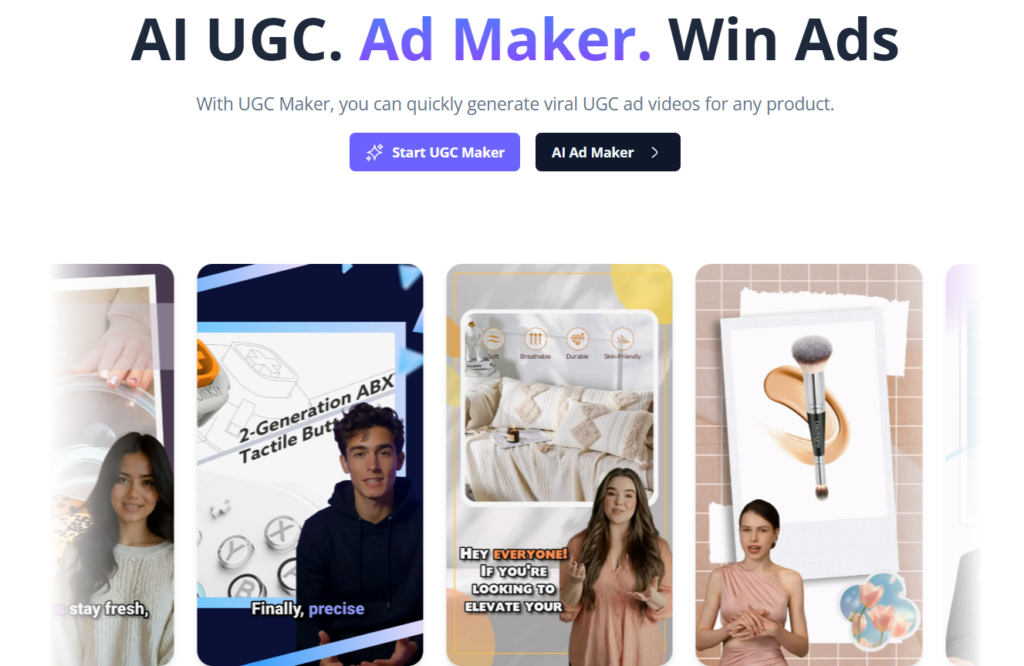
AI UGC Video Gen is an AI-powered video creation platform designed to generate realistic user-generated content (UGC) style videos for marketing, advertising, and social media. It allows businesses, creators, and marketers to produce engaging promotional videos using artificial intelligence without hiring actors, recording footage, or performing complex video editing. The platform focuses on creating authentic-looking content optimized for modern short-form platforms such as TikTok, Instagram Reels, YouTube Shorts, and advertising campaigns. What Is AI UGC Video Gen? AI UGC Video Gen is a content automation tool that converts scripts, product details, or marketing ideas into realistic UGC-style videos using AI avatars, voiceovers, and automated editing. The system simulates natural human presentation styles, helping brands create promotional content that feels organic and relatable to audiences. It is designed to reduce production time and costs while maintaining high-quality and conversion-focused video output. Key Features AI-generated user-generated style videos Realistic AI avatars and presenters Automated script-to-video generation Text-to-speech voiceovers with natural tone Product promotion video automation Social media format optimization Customizable templates and branding Automated captions and subtitles Fast video rendering and export options Why People Use AI UGC Video Gen Traditional video production requires actors, recording equipment, editing software, and significant time investment. AI UGC Video Gen removes these barriers by automating the video creation process and enabling rapid production of authentic marketing content. Brands use AI UGC Video Gen to increase content output, test multiple ad creatives quickly, and produce scalable promotional videos that match current social media trends. Popular Use Cases E-commerce product promotion videos Social media advertising campaigns App promotion and mobile marketing Influencer-style promotional content Affiliate marketing videos Short-form content for reels and shorts User testimonial style videos Brand awareness campaigns Benefits Reduces video production costs Speeds up content creation workflows Produces realistic and engaging promotional content Requires no filming or editing experience Supports high-volume ad testing Optimized for modern short-form platforms Who Should Use AI UGC Video Gen? Digital marketers and advertisers App developers and startup founders E-commerce businesses Social media managers Content creators and agencies Affiliate marketers and online entrepreneurs Frequently Asked Questions What is AI UGC Video Gen used for? It is used to create AI-generated user-generated style videos for marketing, advertising, and social media promotion. Do I need video editing skills? No. The platform automates the video creation process, making it suitable for beginners and professionals. Can AI UGC Video Gen create videos from text? Yes. Users can input scripts or product descriptions to generate complete promotional videos. Are the videos suitable for social media platforms? Yes. Videos are optimized for platforms like TikTok, Instagram Reels, YouTube Shorts, and advertising networks. Can businesses use AI UGC Video Gen for ads? Yes. It is commonly used for product ads, promotional campaigns, and marketing creatives. AI UGC Video Generator, AI User Generated Content Video Tool, AI Marketing Video Creator, AI Ad Video Generator, AI Social Media Video Maker, Automated UGC Video Platform, AI Video Marketing Tool

Latest Ai-ToolsNew releases
AI UGC Video Gen
Visit Website

AI UGC Video Gen is an AI-powered video creation platform designed to generate realistic user-generated content (UGC) style videos for marketing, advertising, and social media. It allows businesses, creators, and marketers to produce engaging promotional videos using artificial intelligence without hiring actors, recording footage, or performing complex video editing. The platform focuses on creating authentic-looking content optimized for modern short-form platforms such as TikTok, Instagram Reels, YouTube Shorts, and advertising campaigns. What Is AI UGC Video Gen? AI UGC Video Gen is a content automation tool that converts scripts, product details, or marketing ideas into realistic UGC-style videos using AI avatars, voiceovers, and automated editing. The system simulates natural human presentation styles, helping brands create promotional content that feels organic and relatable to audiences. It is designed to reduce production time and costs while maintaining high-quality and conversion-focused video output. Key Features AI-generated user-generated style videos Realistic AI avatars and presenters Automated script-to-video generation Text-to-speech voiceovers with natural tone Product promotion video automation Social media format optimization Customizable templates and branding Automated captions and subtitles Fast video rendering and export options Why People Use AI UGC Video Gen Traditional video production requires actors, recording equipment, editing software, and significant time investment. AI UGC Video Gen removes these barriers by automating the video creation process and enabling rapid production of authentic marketing content. Brands use AI UGC Video Gen to increase content output, test multiple ad creatives quickly, and produce scalable promotional videos that match current social media trends. Popular Use Cases E-commerce product promotion videos Social media advertising campaigns App promotion and mobile marketing Influencer-style promotional content Affiliate marketing videos Short-form content for reels and shorts User testimonial style videos Brand awareness campaigns Benefits Reduces video production costs Speeds up content creation workflows Produces realistic and engaging promotional content Requires no filming or editing experience Supports high-volume ad testing Optimized for modern short-form platforms Who Should Use AI UGC Video Gen? Digital marketers and advertisers App developers and startup founders E-commerce businesses Social media managers Content creators and agencies Affiliate marketers and online entrepreneurs Frequently Asked Questions What is AI UGC Video Gen used for? It is used to create AI-generated user-generated style videos for marketing, advertising, and social media promotion. Do I need video editing skills? No. The platform automates the video creation process, making it suitable for beginners and professionals. Can AI UGC Video Gen create videos from text? Yes. Users can input scripts or product descriptions to generate complete promotional videos. Are the videos suitable for social media platforms? Yes. Videos are optimized for platforms like TikTok, Instagram Reels, YouTube Shorts, and advertising networks. Can businesses use AI UGC Video Gen for ads? Yes. It is commonly used for product ads, promotional campaigns, and marketing creatives. AI UGC Video Generator, AI User Generated Content Video Tool, AI Marketing Video Creator, AI Ad Video Generator, AI Social Media Video Maker, Automated UGC Video Platform, AI Video Marketing Tool

LuxReal

LuxReal.ai is an advanced AI-powered 3D video and visual content creation platform designed to generate spatially consistent videos from images, sketches, and 3D models. The platform focuses on producing realistic visuals with accurate object positioning and natural scene movement, solving common problems found in traditional AI video generation tools. LuxReal.ai uses advanced artificial intelligence and 3D scene understanding to help businesses, creators, and marketers generate professional-quality promotional videos and visual content without complex production workflows. What Is LuxReal.ai? LuxReal.ai is an AI-driven content creation system that combines 3D modeling, scene understanding, and automated video generation. It allows users to convert product images or design assets into realistic marketing visuals, promotional videos, and immersive content suitable for digital campaigns and social media platforms. The platform emphasizes spatial consistency, ensuring that objects remain visually stable across frames and camera movements. Key Features AI-powered 3D video generation Spatially consistent object rendering Image, sketch, and 3D model input support Automated scene creation and environment setup Camera angle and motion control Lighting and visual effects customization Batch content generation for multiple products Cloud-based rendering and processing Marketing-ready video templates Why People Use LuxReal.ai Traditional video production can be expensive and time-consuming. LuxReal.ai enables creators and brands to generate realistic video content quickly without requiring professional filming equipment or advanced editing skills. The platform is particularly useful for producing scalable product marketing content while maintaining consistent visual quality across campaigns. Popular Use Cases E-commerce product promotional videos Advertising and marketing visuals Social media content creation Short-form video production Product demonstrations Brand storytelling content Digital design and product visualization Benefits Reduces video production time and costs Maintains visual consistency across scenes Generates professional-quality marketing visuals Simplifies content creation workflows Scales content production for large campaigns Requires minimal technical experience Who Should Use LuxReal.ai? Digital marketers and advertisers E-commerce businesses and product brands Content creators and video editors Creative agencies Social media managers Designers and visual storytellers Frequently Asked Questions What does LuxReal.ai do? LuxReal.ai creates AI-generated 3D videos and visual content with realistic spatial consistency using images or 3D assets. Can LuxReal.ai generate marketing videos? Yes, it is commonly used for product promotions, advertising campaigns, and social media marketing. Do I need professional video editing skills? No. The platform automates most of the video creation process. What types of input does LuxReal.ai support? Users can generate videos using images, sketches, or 3D models. Is LuxReal.ai suitable for businesses? Yes. It is designed for brands, marketers, and agencies that need scalable visual content. LuxReal AI, AI 3D Video Generator, AI Product Video Creator, AI Marketing Video Tool, AI Visual Content Generator, 3D AI Video Platform, AI Advertising Video Creator

Latest Ai-ToolsNew releases
LuxReal
Visit Website

LuxReal.ai is an advanced AI-powered 3D video and visual content creation platform designed to generate spatially consistent videos from images, sketches, and 3D models. The platform focuses on producing realistic visuals with accurate object positioning and natural scene movement, solving common problems found in traditional AI video generation tools. LuxReal.ai uses advanced artificial intelligence and 3D scene understanding to help businesses, creators, and marketers generate professional-quality promotional videos and visual content without complex production workflows. What Is LuxReal.ai? LuxReal.ai is an AI-driven content creation system that combines 3D modeling, scene understanding, and automated video generation. It allows users to convert product images or design assets into realistic marketing visuals, promotional videos, and immersive content suitable for digital campaigns and social media platforms. The platform emphasizes spatial consistency, ensuring that objects remain visually stable across frames and camera movements. Key Features AI-powered 3D video generation Spatially consistent object rendering Image, sketch, and 3D model input support Automated scene creation and environment setup Camera angle and motion control Lighting and visual effects customization Batch content generation for multiple products Cloud-based rendering and processing Marketing-ready video templates Why People Use LuxReal.ai Traditional video production can be expensive and time-consuming. LuxReal.ai enables creators and brands to generate realistic video content quickly without requiring professional filming equipment or advanced editing skills. The platform is particularly useful for producing scalable product marketing content while maintaining consistent visual quality across campaigns. Popular Use Cases E-commerce product promotional videos Advertising and marketing visuals Social media content creation Short-form video production Product demonstrations Brand storytelling content Digital design and product visualization Benefits Reduces video production time and costs Maintains visual consistency across scenes Generates professional-quality marketing visuals Simplifies content creation workflows Scales content production for large campaigns Requires minimal technical experience Who Should Use LuxReal.ai? Digital marketers and advertisers E-commerce businesses and product brands Content creators and video editors Creative agencies Social media managers Designers and visual storytellers Frequently Asked Questions What does LuxReal.ai do? LuxReal.ai creates AI-generated 3D videos and visual content with realistic spatial consistency using images or 3D assets. Can LuxReal.ai generate marketing videos? Yes, it is commonly used for product promotions, advertising campaigns, and social media marketing. Do I need professional video editing skills? No. The platform automates most of the video creation process. What types of input does LuxReal.ai support? Users can generate videos using images, sketches, or 3D models. Is LuxReal.ai suitable for businesses? Yes. It is designed for brands, marketers, and agencies that need scalable visual content. LuxReal AI, AI 3D Video Generator, AI Product Video Creator, AI Marketing Video Tool, AI Visual Content Generator, 3D AI Video Platform, AI Advertising Video Creator

Tattoo AI Design

Tattoo AI Design is an innovative AI-powered tattoo generator that empowers users to create custom tattoo designs from text prompts, offering a novel solution for visualizing and personalizing body art. This tool addresses the challenge of finding unique and fitting tattoo designs, a process that traditionally requires extensive searching, artist consultations, and potential revisions. Tattoo AI Design leverages the power of artificial intelligence and generative AI models to rapidly produce a diverse range of tattoo concepts based on user-defined descriptions. It is designed for individuals seeking inspiration for their next tattoo, tattoo artists looking for design variations, and anyone interested in exploring the intersection of AI and artistic expression. The platform simplifies the design process, making it accessible to a wider audience and fostering creativity in the realm of tattoo art generation . Key Features of Tattoo AI Design Generates tattoo designs from text prompts. Offers a variety of tattoo styles, including traditional, black-and-grey, and abstract. Allows for quick iteration and refinement of design ideas. Provides high-quality visual outputs suitable for tattoo application. Enables users to explore diverse artistic concepts. Requires no artistic skill or prior design experience. Offers a user-friendly interface for easy navigation. Facilitates the creation of personalized and unique tattoo artwork. Supports a broad range of subject matter and design themes. Provides a free and accessible platform for tattoo design exploration. Why People Use Tattoo AI Design Individuals and professionals alike utilize Tattoo AI Design to overcome the limitations of traditional tattoo design methods. Traditionally, finding the perfect tattoo design involved browsing countless images, collaborating with an artist on custom work, or attempting to create a design independently ΓÇô all of which can be time-consuming and potentially costly. Tattoo AI Design streamlines this process by instantly generating a multitude of design options based on a simple text description. This AI tattoo generator offers a significant advantage in terms of speed and efficiency. Users can quickly visualize their ideas and explore different styles without the need for extensive artistic skills or prolonged back-and-forth communication with a tattoo artist. The platform’s ability to rapidly iterate on designs allows for a more dynamic and collaborative design process, ultimately leading to a more satisfying and personalized tattoo experience. It democratizes the design process, making unique and custom artwork accessible to everyone. Popular Use Cases Personal Tattoo Design: Individuals seeking a unique tattoo can use the platform to generate designs based on their personal interests, symbols, or concepts. Tattoo Artist Inspiration: Tattoo artists can utilize the tool to explore new design ideas, variations on existing themes, and potential concepts for client projects. Conceptualization & Visualization: Users can quickly visualize abstract ideas or complex concepts as tattoo designs. Style Exploration: The platform allows users to experiment with different tattoo styles (e.g., traditional, watercolor, geometric) to find the perfect aesthetic. Design Mockups: Individuals can create mockups of potential tattoos to assess their appearance and placement on the body. Gift Ideas: Users can generate custom tattoo designs as unique and personalized gifts for friends or family members. Brand & Logo Integration: Businesses or individuals can explore incorporating their brand elements or logos into tattoo designs. Character & Mascot Design: The tool can be used to generate tattoo designs based on fictional characters or mascots. Event Commemorations: Users can create tattoos to commemorate special events, milestones, or memories. Artistic Exploration: Artists and designers can use the platform as a tool for creative exploration and experimentation. Benefits of Tattoo AI Design Saves Time & Effort: Significantly reduces the time and effort required to find or create a tattoo design. Enhances Creativity: Inspires new ideas and expands creative possibilities for tattoo artwork. Personalized Designs: Enables the creation of truly unique and personalized tattoo designs. Cost-Effective Solution: Offers a free alternative to expensive custom tattoo design services. Accessibility: Makes tattoo design accessible to individuals without artistic skills or experience. Rapid Iteration: Allows for quick and easy refinement of design concepts. Diverse Styles: Supports a wide range of tattoo styles and artistic themes. Visual Clarity: Provides high-quality visual outputs for clear and accurate tattoo application. Increased Confidence: Empowers users to confidently explore their tattoo ideas and make informed decisions. Streamlined Process: Simplifies the entire tattoo design process, from concept to visualization.

DesignUX Design
Tattoo AI Design
Visit Website

Tattoo AI Design is an innovative AI-powered tattoo generator that empowers users to create custom tattoo designs from text prompts, offering a novel solution for visualizing and personalizing body art. This tool addresses the challenge of finding unique and fitting tattoo designs, a process that traditionally requires extensive searching, artist consultations, and potential revisions. Tattoo AI Design leverages the power of artificial intelligence and generative AI models to rapidly produce a diverse range of tattoo concepts based on user-defined descriptions. It is designed for individuals seeking inspiration for their next tattoo, tattoo artists looking for design variations, and anyone interested in exploring the intersection of AI and artistic expression. The platform simplifies the design process, making it accessible to a wider audience and fostering creativity in the realm of tattoo art generation . Key Features of Tattoo AI Design Generates tattoo designs from text prompts. Offers a variety of tattoo styles, including traditional, black-and-grey, and abstract. Allows for quick iteration and refinement of design ideas. Provides high-quality visual outputs suitable for tattoo application. Enables users to explore diverse artistic concepts. Requires no artistic skill or prior design experience. Offers a user-friendly interface for easy navigation. Facilitates the creation of personalized and unique tattoo artwork. Supports a broad range of subject matter and design themes. Provides a free and accessible platform for tattoo design exploration. Why People Use Tattoo AI Design Individuals and professionals alike utilize Tattoo AI Design to overcome the limitations of traditional tattoo design methods. Traditionally, finding the perfect tattoo design involved browsing countless images, collaborating with an artist on custom work, or attempting to create a design independently ΓÇô all of which can be time-consuming and potentially costly. Tattoo AI Design streamlines this process by instantly generating a multitude of design options based on a simple text description. This AI tattoo generator offers a significant advantage in terms of speed and efficiency. Users can quickly visualize their ideas and explore different styles without the need for extensive artistic skills or prolonged back-and-forth communication with a tattoo artist. The platform’s ability to rapidly iterate on designs allows for a more dynamic and collaborative design process, ultimately leading to a more satisfying and personalized tattoo experience. It democratizes the design process, making unique and custom artwork accessible to everyone. Popular Use Cases Personal Tattoo Design: Individuals seeking a unique tattoo can use the platform to generate designs based on their personal interests, symbols, or concepts. Tattoo Artist Inspiration: Tattoo artists can utilize the tool to explore new design ideas, variations on existing themes, and potential concepts for client projects. Conceptualization & Visualization: Users can quickly visualize abstract ideas or complex concepts as tattoo designs. Style Exploration: The platform allows users to experiment with different tattoo styles (e.g., traditional, watercolor, geometric) to find the perfect aesthetic. Design Mockups: Individuals can create mockups of potential tattoos to assess their appearance and placement on the body. Gift Ideas: Users can generate custom tattoo designs as unique and personalized gifts for friends or family members. Brand & Logo Integration: Businesses or individuals can explore incorporating their brand elements or logos into tattoo designs. Character & Mascot Design: The tool can be used to generate tattoo designs based on fictional characters or mascots. Event Commemorations: Users can create tattoos to commemorate special events, milestones, or memories. Artistic Exploration: Artists and designers can use the platform as a tool for creative exploration and experimentation. Benefits of Tattoo AI Design Saves Time & Effort: Significantly reduces the time and effort required to find or create a tattoo design. Enhances Creativity: Inspires new ideas and expands creative possibilities for tattoo artwork. Personalized Designs: Enables the creation of truly unique and personalized tattoo designs. Cost-Effective Solution: Offers a free alternative to expensive custom tattoo design services. Accessibility: Makes tattoo design accessible to individuals without artistic skills or experience. Rapid Iteration: Allows for quick and easy refinement of design concepts. Diverse Styles: Supports a wide range of tattoo styles and artistic themes. Visual Clarity: Provides high-quality visual outputs for clear and accurate tattoo application. Increased Confidence: Empowers users to confidently explore their tattoo ideas and make informed decisions. Streamlined Process: Simplifies the entire tattoo design process, from concept to visualization.

UXMagic AI

UXMagic AI is an innovative AI-powered UX design tool that streamlines the user interface (UI) and user experience (UX) design process by automatically generating design mockups from simple text prompts. It addresses the challenge of time-consuming and resource-intensive manual design work, particularly in the early stages of product development. UXMagic AI leverages generative AI and natural language processing to translate design ideas into visual representations, making it accessible to designers, product managers, and entrepreneurs. This tool is ideal for those seeking to rapidly prototype and iterate on design concepts, validate ideas quickly, and accelerate the overall design workflow. It’s a valuable asset for anyone involved in UX design , UI prototyping , and product innovation . Key Features of UXMagic AI Generates UI mockups from text descriptions. Offers a library of pre-designed UI components. Allows users to customize generated designs. Supports various design styles and themes. Enables rapid iteration on design concepts. Facilitates quick prototyping of user interfaces. Provides a collaborative design environment. Offers a simple and intuitive user interface. Supports exporting designs in multiple formats. Integrates with popular design tools. Allows for the creation of mobile app designs. Enables the generation of website designs. Provides options for specifying design elements like buttons and forms. Offers a history of generated designs for easy access. Supports the creation of designs for different screen sizes. Why People Use UXMagic AI UXMagic AI is utilized by professionals and individuals seeking to dramatically reduce the time and effort associated with initial UX and UI design. Traditionally, creating even basic mockups requires significant manual effort using dedicated design software, often demanding specialized skills and considerable time investment. UXMagic AI disrupts this process by enabling users to generate viable design concepts simply by describing what they envision. This is particularly beneficial in the early stages of product development, where rapid experimentation and validation are crucial. The tool empowers users to quickly visualize their ideas, gather feedback, and iterate on designs without being constrained by the limitations of manual design processes. It democratizes the design process, making it accessible to those without extensive design expertise. By automating the initial mockup generation, UXMagic AI frees up designers to focus on more complex and strategic aspects of the user experience, such as user research, usability testing, and interaction design. The speed and efficiency offered by UXMagic AI allow for faster product development cycles and reduced costs. Popular Use Cases Startup Founders: Quickly visualize and prototype app ideas to secure funding or validate market demand. Product Managers: Generate mockups to communicate design requirements to development teams. UX/UI Designers: Accelerate the initial design exploration phase and create multiple design variations rapidly. Web Developers: Create initial website layouts and UI elements for front-end development. Mobile App Developers: Prototype mobile app interfaces and user flows efficiently. Entrepreneurs: Develop visual representations of product concepts for presentations and pitches. Design Students: Experiment with different design ideas and learn UI/UX principles. Marketing Teams: Create visual assets for user testing and A/B testing of landing pages. Small Businesses: Design basic website interfaces without hiring a professional designer. Agencies: Quickly generate design concepts for client presentations and proposals. Researchers: Create prototypes for usability studies and user research. Non-Technical Users: Bring their product ideas to life visually without coding or design skills. Benefits of UXMagic AI Accelerated Design Process: Significantly reduces the time required to create initial UI mockups. Increased Productivity: Enables designers to focus on higher-level design tasks and strategic thinking. Rapid Prototyping: Facilitates quick iteration and experimentation with different design concepts. Cost Savings: Reduces the need for extensive manual design work and potentially lowers design costs. Enhanced Collaboration: Simplifies communication and collaboration between designers, developers, and stakeholders. Democratized Design: Makes UI/UX design accessible to individuals without specialized design skills. Improved Idea Validation: Allows for quick visualization and testing of product ideas. Streamlined Workflow: Integrates seamlessly into existing design and development workflows. Greater Design Exploration: Encourages exploration of a wider range of design possibilities. Reduced Design Bottlenecks: Eliminates delays caused by manual mockup creation. Faster Time to Market: Accelerates the product development cycle and enables faster product launches. Clearer Communication: Provides visual representations of ideas for more effective communication.

DesignUX Design
UXMagic AI
Visit Website

UXMagic AI is an innovative AI-powered UX design tool that streamlines the user interface (UI) and user experience (UX) design process by automatically generating design mockups from simple text prompts. It addresses the challenge of time-consuming and resource-intensive manual design work, particularly in the early stages of product development. UXMagic AI leverages generative AI and natural language processing to translate design ideas into visual representations, making it accessible to designers, product managers, and entrepreneurs. This tool is ideal for those seeking to rapidly prototype and iterate on design concepts, validate ideas quickly, and accelerate the overall design workflow. It’s a valuable asset for anyone involved in UX design , UI prototyping , and product innovation . Key Features of UXMagic AI Generates UI mockups from text descriptions. Offers a library of pre-designed UI components. Allows users to customize generated designs. Supports various design styles and themes. Enables rapid iteration on design concepts. Facilitates quick prototyping of user interfaces. Provides a collaborative design environment. Offers a simple and intuitive user interface. Supports exporting designs in multiple formats. Integrates with popular design tools. Allows for the creation of mobile app designs. Enables the generation of website designs. Provides options for specifying design elements like buttons and forms. Offers a history of generated designs for easy access. Supports the creation of designs for different screen sizes. Why People Use UXMagic AI UXMagic AI is utilized by professionals and individuals seeking to dramatically reduce the time and effort associated with initial UX and UI design. Traditionally, creating even basic mockups requires significant manual effort using dedicated design software, often demanding specialized skills and considerable time investment. UXMagic AI disrupts this process by enabling users to generate viable design concepts simply by describing what they envision. This is particularly beneficial in the early stages of product development, where rapid experimentation and validation are crucial. The tool empowers users to quickly visualize their ideas, gather feedback, and iterate on designs without being constrained by the limitations of manual design processes. It democratizes the design process, making it accessible to those without extensive design expertise. By automating the initial mockup generation, UXMagic AI frees up designers to focus on more complex and strategic aspects of the user experience, such as user research, usability testing, and interaction design. The speed and efficiency offered by UXMagic AI allow for faster product development cycles and reduced costs. Popular Use Cases Startup Founders: Quickly visualize and prototype app ideas to secure funding or validate market demand. Product Managers: Generate mockups to communicate design requirements to development teams. UX/UI Designers: Accelerate the initial design exploration phase and create multiple design variations rapidly. Web Developers: Create initial website layouts and UI elements for front-end development. Mobile App Developers: Prototype mobile app interfaces and user flows efficiently. Entrepreneurs: Develop visual representations of product concepts for presentations and pitches. Design Students: Experiment with different design ideas and learn UI/UX principles. Marketing Teams: Create visual assets for user testing and A/B testing of landing pages. Small Businesses: Design basic website interfaces without hiring a professional designer. Agencies: Quickly generate design concepts for client presentations and proposals. Researchers: Create prototypes for usability studies and user research. Non-Technical Users: Bring their product ideas to life visually without coding or design skills. Benefits of UXMagic AI Accelerated Design Process: Significantly reduces the time required to create initial UI mockups. Increased Productivity: Enables designers to focus on higher-level design tasks and strategic thinking. Rapid Prototyping: Facilitates quick iteration and experimentation with different design concepts. Cost Savings: Reduces the need for extensive manual design work and potentially lowers design costs. Enhanced Collaboration: Simplifies communication and collaboration between designers, developers, and stakeholders. Democratized Design: Makes UI/UX design accessible to individuals without specialized design skills. Improved Idea Validation: Allows for quick visualization and testing of product ideas. Streamlined Workflow: Integrates seamlessly into existing design and development workflows. Greater Design Exploration: Encourages exploration of a wider range of design possibilities. Reduced Design Bottlenecks: Eliminates delays caused by manual mockup creation. Faster Time to Market: Accelerates the product development cycle and enables faster product launches. Clearer Communication: Provides visual representations of ideas for more effective communication.

DeHome.ai

DeHome.ai is an innovative AI-powered interior design platform that empowers users to visualize and transform their living spaces with ease. It addresses the challenge of costly and time-consuming traditional interior design services by providing accessible, AI-driven solutions for home styling. Utilizing artificial intelligence and computer vision , DeHome.ai generates realistic interior design ideas from uploaded photos, catering to homeowners, renters, and anyone seeking inspiration for their home d├⌐cor. This tool is particularly valuable for individuals exploring different interior design styles , visualizing renovations, or simply seeking a fresh look for their rooms without the expense of a professional designer. Key Features of DeHome.ai Generates interior design ideas from uploaded room photos. Offers a variety of design styles to choose from. Allows users to explore different furniture arrangements and d├⌐cor options. Provides realistic visualizations of redesigned rooms. Enables users to experiment with color palettes and textures. Offers design suggestions tailored to individual preferences. Supports various room types, including living rooms, bedrooms, and kitchens. Provides a user-friendly interface for easy navigation and design exploration. Facilitates quick and effortless room transformations. Offers a free-to-use platform for initial design exploration. Why People Use DeHome.ai Individuals utilize DeHome.ai to overcome the complexities and financial barriers associated with traditional interior design. Historically, achieving a desired aesthetic required hiring a professional designer, a process that could be expensive and time-intensive. DeHome.ai democratizes interior design by offering a readily available, cost-effective alternative. The platform’s AI algorithms analyze existing room layouts and user preferences to generate personalized design suggestions, eliminating the need for extensive research or guesswork. This results in significant time savings and allows users to quickly iterate through various design concepts. Unlike manual methods that rely on mood boards and sketches, DeHome.ai provides realistic visualizations , enabling users to see exactly how a redesigned room will look before making any commitments. The platform’s accessibility and ease of use empower anyone, regardless of design experience, to create their dream home. Popular Use Cases Homeowners planning renovations: Visualize potential changes to room layouts, furniture arrangements, and color schemes before starting a renovation project. Renters seeking to personalize their space: Explore d├⌐cor options that align with rental restrictions and personal style. Real estate agents staging homes for sale: Quickly generate appealing room designs to enhance a property’s marketability. Interior design enthusiasts seeking inspiration: Discover new design ideas and trends. Individuals redecorating a single room: Experiment with different styles and furniture options to refresh a living space. Furniture shoppers visualizing products in their homes: See how new furniture pieces will look within their existing room d├⌐cor. Users exploring different aesthetic styles: Quickly test out various design themes, such as minimalist, modern, or bohemian. Individuals seeking affordable design solutions: Access professional-looking design ideas without the cost of a professional designer. Those preparing for a move: Visualize how their existing furniture will fit into a new space. Users wanting to experiment with color schemes: Explore different paint colors and accent palettes. Benefits of DeHome.ai Cost-effectiveness: Access professional-grade design ideas without the expense of hiring an interior designer. Time efficiency: Quickly generate and visualize design options, saving valuable time and effort. Enhanced visualization: See realistic renderings of redesigned rooms before making any changes. Increased creativity: Explore a wide range of design styles and possibilities. Personalized design: Receive design suggestions tailored to individual preferences and room characteristics. Simplified decision-making: Easily compare different design options and choose the best fit. Empowerment and control: Take charge of the design process and create a home that reflects personal style. Accessibility: Utilize a user-friendly platform that requires no prior design experience. Inspiration and discovery: Uncover new design ideas and trends. Reduced risk: Minimize the risk of costly design mistakes by visualizing changes beforehand.

DesignUX Design
DeHome.ai
Visit Website

DeHome.ai is an innovative AI-powered interior design platform that empowers users to visualize and transform their living spaces with ease. It addresses the challenge of costly and time-consuming traditional interior design services by providing accessible, AI-driven solutions for home styling. Utilizing artificial intelligence and computer vision , DeHome.ai generates realistic interior design ideas from uploaded photos, catering to homeowners, renters, and anyone seeking inspiration for their home d├⌐cor. This tool is particularly valuable for individuals exploring different interior design styles , visualizing renovations, or simply seeking a fresh look for their rooms without the expense of a professional designer. Key Features of DeHome.ai Generates interior design ideas from uploaded room photos. Offers a variety of design styles to choose from. Allows users to explore different furniture arrangements and d├⌐cor options. Provides realistic visualizations of redesigned rooms. Enables users to experiment with color palettes and textures. Offers design suggestions tailored to individual preferences. Supports various room types, including living rooms, bedrooms, and kitchens. Provides a user-friendly interface for easy navigation and design exploration. Facilitates quick and effortless room transformations. Offers a free-to-use platform for initial design exploration. Why People Use DeHome.ai Individuals utilize DeHome.ai to overcome the complexities and financial barriers associated with traditional interior design. Historically, achieving a desired aesthetic required hiring a professional designer, a process that could be expensive and time-intensive. DeHome.ai democratizes interior design by offering a readily available, cost-effective alternative. The platform’s AI algorithms analyze existing room layouts and user preferences to generate personalized design suggestions, eliminating the need for extensive research or guesswork. This results in significant time savings and allows users to quickly iterate through various design concepts. Unlike manual methods that rely on mood boards and sketches, DeHome.ai provides realistic visualizations , enabling users to see exactly how a redesigned room will look before making any commitments. The platform’s accessibility and ease of use empower anyone, regardless of design experience, to create their dream home. Popular Use Cases Homeowners planning renovations: Visualize potential changes to room layouts, furniture arrangements, and color schemes before starting a renovation project. Renters seeking to personalize their space: Explore d├⌐cor options that align with rental restrictions and personal style. Real estate agents staging homes for sale: Quickly generate appealing room designs to enhance a property’s marketability. Interior design enthusiasts seeking inspiration: Discover new design ideas and trends. Individuals redecorating a single room: Experiment with different styles and furniture options to refresh a living space. Furniture shoppers visualizing products in their homes: See how new furniture pieces will look within their existing room d├⌐cor. Users exploring different aesthetic styles: Quickly test out various design themes, such as minimalist, modern, or bohemian. Individuals seeking affordable design solutions: Access professional-looking design ideas without the cost of a professional designer. Those preparing for a move: Visualize how their existing furniture will fit into a new space. Users wanting to experiment with color schemes: Explore different paint colors and accent palettes. Benefits of DeHome.ai Cost-effectiveness: Access professional-grade design ideas without the expense of hiring an interior designer. Time efficiency: Quickly generate and visualize design options, saving valuable time and effort. Enhanced visualization: See realistic renderings of redesigned rooms before making any changes. Increased creativity: Explore a wide range of design styles and possibilities. Personalized design: Receive design suggestions tailored to individual preferences and room characteristics. Simplified decision-making: Easily compare different design options and choose the best fit. Empowerment and control: Take charge of the design process and create a home that reflects personal style. Accessibility: Utilize a user-friendly platform that requires no prior design experience. Inspiration and discovery: Uncover new design ideas and trends. Reduced risk: Minimize the risk of costly design mistakes by visualizing changes beforehand.

YardStyling

YardStyling is an innovative AI-powered landscape design platform that transforms user-submitted photos of their yards into visually stunning and personalized landscape designs. It addresses the challenge of visualizing outdoor space improvements, offering a quick and accessible alternative to traditional landscape architects or extensive manual planning. Utilizing artificial intelligence and computer vision , YardStyling caters to homeowners, renters, and anyone interested in enhancing their outdoor living areas with professional-quality designs. This tool is particularly useful for those exploring garden design , backyard landscaping , and home exterior improvements . Key Features of YardStyling Analyzes user-uploaded photos of their yards. Generates multiple landscape design options based on the uploaded image. Offers a variety of design styles to choose from. Provides visualizations of plant arrangements, hardscaping, and lighting. Allows users to explore different aesthetic themes. Offers design suggestions tailored to the existing yard conditions. Enables users to quickly iterate on designs and explore possibilities. Provides a user-friendly interface for easy navigation and design exploration. Requires no prior landscape design experience. Offers a free plan for basic design generation. Why People Use YardStyling Individuals utilize YardStyling to overcome the difficulties associated with traditional landscape design processes. Historically, achieving a well-designed outdoor space required hiring a professional landscape architect, which can be costly and time-consuming. Alternatively, homeowners might spend countless hours researching plants, materials, and layouts, often with uncertain results. YardStyling streamlines this process by leveraging AI to generate a range of design options in a matter of seconds. The platform empowers users to visualize potential changes to their yards without the commitment of a professional consultation or the effort of extensive manual planning. This is particularly valuable for those who are unsure about their design preferences or want to explore multiple possibilities before making a decision. YardStyling offers a convenient, cost-effective, and inspiring solution for anyone looking to improve their outdoor space, making landscape design accessible to a wider audience. It provides a rapid prototyping experience for outdoor spaces, allowing for quick experimentation and informed decision-making. Popular Use Cases Homeowners planning backyard renovations: Users can upload photos of their existing backyards and receive design suggestions for patios, gardens, and outdoor living areas. Potential homebuyers visualizing property improvements: Individuals considering purchasing a home can use YardStyling to explore the landscaping possibilities and assess the property's potential. Renters seeking to enhance their outdoor spaces: Even those who rent can utilize the platform to generate ideas for container gardens, small-scale landscaping projects, and outdoor dcor. Real estate agents staging properties: Agents can use YardStyling to create visually appealing landscape designs for property listings, enhancing curb appeal and attracting potential buyers. DIY enthusiasts seeking design inspiration: The platform serves as a source of inspiration for individuals who enjoy tackling landscaping projects themselves. Gardeners looking for plant arrangement ideas: Users can explore different plant combinations and layouts to create visually harmonious gardens. Landscape designers seeking initial concept generation: Professionals can use YardStyling as a tool for quickly generating initial design concepts and exploring different options with clients. Individuals planning for seasonal changes: Users can visualize how their yards will look during different seasons with varying plant arrangements and dcor. Benefits of YardStyling Saves time and money: Eliminates the need for expensive landscape architect consultations or extensive manual planning. Provides instant visualization: Allows users to quickly see how different design options will look in their own yards. Inspires creativity: Offers a wide range of design styles and ideas to spark imagination. Simplifies the design process: Makes landscape design accessible to users with no prior experience. Facilitates informed decision-making: Enables users to compare multiple design options and choose the best fit for their needs and preferences. Enhances curb appeal: Helps homeowners create visually appealing outdoor spaces that increase property value. Creates functional outdoor living areas: Supports the design of comfortable and practical outdoor spaces for relaxation, entertainment, and gardening. Offers a risk-free exploration of ideas: Allows users to experiment with different designs without any financial commitment. Provides personalized design suggestions: Tailors designs to the specific characteristics of the user's yard. Empowers users to take control of their outdoor space: Gives individuals the tools to create the yard of their dreams.

DesignUX Design
YardStyling
Visit Website

YardStyling is an innovative AI-powered landscape design platform that transforms user-submitted photos of their yards into visually stunning and personalized landscape designs. It addresses the challenge of visualizing outdoor space improvements, offering a quick and accessible alternative to traditional landscape architects or extensive manual planning. Utilizing artificial intelligence and computer vision , YardStyling caters to homeowners, renters, and anyone interested in enhancing their outdoor living areas with professional-quality designs. This tool is particularly useful for those exploring garden design , backyard landscaping , and home exterior improvements . Key Features of YardStyling Analyzes user-uploaded photos of their yards. Generates multiple landscape design options based on the uploaded image. Offers a variety of design styles to choose from. Provides visualizations of plant arrangements, hardscaping, and lighting. Allows users to explore different aesthetic themes. Offers design suggestions tailored to the existing yard conditions. Enables users to quickly iterate on designs and explore possibilities. Provides a user-friendly interface for easy navigation and design exploration. Requires no prior landscape design experience. Offers a free plan for basic design generation. Why People Use YardStyling Individuals utilize YardStyling to overcome the difficulties associated with traditional landscape design processes. Historically, achieving a well-designed outdoor space required hiring a professional landscape architect, which can be costly and time-consuming. Alternatively, homeowners might spend countless hours researching plants, materials, and layouts, often with uncertain results. YardStyling streamlines this process by leveraging AI to generate a range of design options in a matter of seconds. The platform empowers users to visualize potential changes to their yards without the commitment of a professional consultation or the effort of extensive manual planning. This is particularly valuable for those who are unsure about their design preferences or want to explore multiple possibilities before making a decision. YardStyling offers a convenient, cost-effective, and inspiring solution for anyone looking to improve their outdoor space, making landscape design accessible to a wider audience. It provides a rapid prototyping experience for outdoor spaces, allowing for quick experimentation and informed decision-making. Popular Use Cases Homeowners planning backyard renovations: Users can upload photos of their existing backyards and receive design suggestions for patios, gardens, and outdoor living areas. Potential homebuyers visualizing property improvements: Individuals considering purchasing a home can use YardStyling to explore the landscaping possibilities and assess the property's potential. Renters seeking to enhance their outdoor spaces: Even those who rent can utilize the platform to generate ideas for container gardens, small-scale landscaping projects, and outdoor dcor. Real estate agents staging properties: Agents can use YardStyling to create visually appealing landscape designs for property listings, enhancing curb appeal and attracting potential buyers. DIY enthusiasts seeking design inspiration: The platform serves as a source of inspiration for individuals who enjoy tackling landscaping projects themselves. Gardeners looking for plant arrangement ideas: Users can explore different plant combinations and layouts to create visually harmonious gardens. Landscape designers seeking initial concept generation: Professionals can use YardStyling as a tool for quickly generating initial design concepts and exploring different options with clients. Individuals planning for seasonal changes: Users can visualize how their yards will look during different seasons with varying plant arrangements and dcor. Benefits of YardStyling Saves time and money: Eliminates the need for expensive landscape architect consultations or extensive manual planning. Provides instant visualization: Allows users to quickly see how different design options will look in their own yards. Inspires creativity: Offers a wide range of design styles and ideas to spark imagination. Simplifies the design process: Makes landscape design accessible to users with no prior experience. Facilitates informed decision-making: Enables users to compare multiple design options and choose the best fit for their needs and preferences. Enhances curb appeal: Helps homeowners create visually appealing outdoor spaces that increase property value. Creates functional outdoor living areas: Supports the design of comfortable and practical outdoor spaces for relaxation, entertainment, and gardening. Offers a risk-free exploration of ideas: Allows users to experiment with different designs without any financial commitment. Provides personalized design suggestions: Tailors designs to the specific characteristics of the user's yard. Empowers users to take control of their outdoor space: Gives individuals the tools to create the yard of their dreams.

Tess Design

Tess Design is an innovative AI image generator that empowers users to create unique visuals while ethically compensating artists whose work contributes to its AI model. Tess Design addresses the growing need for ethically sourced AI-generated content, a concern increasingly important to brands and creatives. It leverages generative artificial intelligence to produce high-quality images, but distinguishes itself by directly supporting the artists whose styles and techniques inform the AI’s capabilities. This platform is designed for designers, marketers, and businesses seeking a responsible and sustainable approach to visual content creation, offering a solution that aligns with values of artistic integrity and fair compensation. It provides a powerful alternative to traditional stock photography and design processes, offering a new avenue for AI-powered design and image generation . Key Features of Tess Design Generates unique images from text prompts. Offers a range of artistic styles and aesthetics. Provides commercial usage rights for generated images. Supports high-resolution image outputs. Integrates an ethical compensation model for artists. Allows users to refine and iterate on generated designs. Offers a user-friendly interface for prompt creation and image selection. Provides a curated selection of styles inspired by diverse artists. Enables the creation of consistent visual branding. Facilitates rapid prototyping of visual concepts. Why People Use Tess Design Users choose Tess Design because it offers a compelling solution to the challenges of sourcing high-quality, original visuals. Traditional methods, such as hiring designers or relying on stock photography, can be time-consuming and expensive. While other AI image generators exist, Tess Design uniquely prioritizes ethical considerations by directly compensating the artists whose work influences its AI model. This commitment to fairness resonates with individuals and organizations seeking to align their creative processes with their values. The platform streamlines the design workflow, enabling users to quickly generate a variety of visual assets tailored to their specific needs. This results in significant time savings and increased creative flexibility compared to conventional design approaches. Tess Design empowers users to explore diverse visual concepts without the constraints of traditional design limitations, fostering innovation and brand differentiation . It offers a scalable solution for visual content creation, making it suitable for businesses of all sizes. Popular Use Cases Marketing and Advertising: Generating compelling visuals for social media campaigns, website banners, and advertising materials. Branding and Identity: Creating unique logos, brand assets, and visual guidelines. Content Creation: Producing illustrations for blog posts, articles, and online publications. Product Visualization: Generating realistic images of products for e-commerce and marketing purposes. UX/UI Design: Rapidly prototyping visual elements for websites and mobile applications. Presentations and Reports: Enhancing presentations and reports with engaging visuals. Social Media Management: Creating consistent and eye-catching content for various social media platforms. Book Cover Design: Generating unique and captivating book cover illustrations. Concept Art: Exploring visual ideas for games, films, and other creative projects. Interior Design Visualization: Creating realistic renderings of interior spaces. Benefits of Tess Design Ethical Content Creation: Supports artists and promotes a sustainable creative ecosystem. Time and Cost Efficiency: Reduces the time and expense associated with traditional design processes. Unique Visuals: Generates original images that stand out from generic stock photography. Creative Freedom: Empowers users to explore a wide range of visual styles and concepts. Scalability: Provides a scalable solution for visual content creation, adapting to changing needs. Brand Consistency: Facilitates the creation of consistent visual branding across all platforms. Rapid Prototyping: Enables quick iteration and refinement of visual ideas. Commercial Usage Rights: Offers clear and comprehensive usage rights for generated images. High-Quality Output: Produces high-resolution images suitable for a variety of applications. Simplified Workflow: Streamlines the design process, making it accessible to users of all skill levels.

DesignUX Design
Tess Design
Visit Website

Tess Design is an innovative AI image generator that empowers users to create unique visuals while ethically compensating artists whose work contributes to its AI model. Tess Design addresses the growing need for ethically sourced AI-generated content, a concern increasingly important to brands and creatives. It leverages generative artificial intelligence to produce high-quality images, but distinguishes itself by directly supporting the artists whose styles and techniques inform the AI’s capabilities. This platform is designed for designers, marketers, and businesses seeking a responsible and sustainable approach to visual content creation, offering a solution that aligns with values of artistic integrity and fair compensation. It provides a powerful alternative to traditional stock photography and design processes, offering a new avenue for AI-powered design and image generation . Key Features of Tess Design Generates unique images from text prompts. Offers a range of artistic styles and aesthetics. Provides commercial usage rights for generated images. Supports high-resolution image outputs. Integrates an ethical compensation model for artists. Allows users to refine and iterate on generated designs. Offers a user-friendly interface for prompt creation and image selection. Provides a curated selection of styles inspired by diverse artists. Enables the creation of consistent visual branding. Facilitates rapid prototyping of visual concepts. Why People Use Tess Design Users choose Tess Design because it offers a compelling solution to the challenges of sourcing high-quality, original visuals. Traditional methods, such as hiring designers or relying on stock photography, can be time-consuming and expensive. While other AI image generators exist, Tess Design uniquely prioritizes ethical considerations by directly compensating the artists whose work influences its AI model. This commitment to fairness resonates with individuals and organizations seeking to align their creative processes with their values. The platform streamlines the design workflow, enabling users to quickly generate a variety of visual assets tailored to their specific needs. This results in significant time savings and increased creative flexibility compared to conventional design approaches. Tess Design empowers users to explore diverse visual concepts without the constraints of traditional design limitations, fostering innovation and brand differentiation . It offers a scalable solution for visual content creation, making it suitable for businesses of all sizes. Popular Use Cases Marketing and Advertising: Generating compelling visuals for social media campaigns, website banners, and advertising materials. Branding and Identity: Creating unique logos, brand assets, and visual guidelines. Content Creation: Producing illustrations for blog posts, articles, and online publications. Product Visualization: Generating realistic images of products for e-commerce and marketing purposes. UX/UI Design: Rapidly prototyping visual elements for websites and mobile applications. Presentations and Reports: Enhancing presentations and reports with engaging visuals. Social Media Management: Creating consistent and eye-catching content for various social media platforms. Book Cover Design: Generating unique and captivating book cover illustrations. Concept Art: Exploring visual ideas for games, films, and other creative projects. Interior Design Visualization: Creating realistic renderings of interior spaces. Benefits of Tess Design Ethical Content Creation: Supports artists and promotes a sustainable creative ecosystem. Time and Cost Efficiency: Reduces the time and expense associated with traditional design processes. Unique Visuals: Generates original images that stand out from generic stock photography. Creative Freedom: Empowers users to explore a wide range of visual styles and concepts. Scalability: Provides a scalable solution for visual content creation, adapting to changing needs. Brand Consistency: Facilitates the creation of consistent visual branding across all platforms. Rapid Prototyping: Enables quick iteration and refinement of visual ideas. Commercial Usage Rights: Offers clear and comprehensive usage rights for generated images. High-Quality Output: Produces high-resolution images suitable for a variety of applications. Simplified Workflow: Streamlines the design process, making it accessible to users of all skill levels.

UXSniff

UXSniff is an innovative AI-powered UX analysis tool that helps designers and researchers quickly identify usability issues on any webpage. It solves the problem of time-consuming and subjective manual UX reviews by automating the process of detecting common design flaws and providing actionable insights. Utilizing artificial intelligence and computer vision , UXSniff analyzes visual elements and heuristics to offer objective feedback. This tool is designed for UX designers, UI designers, web developers, product managers , and anyone involved in creating user-friendly digital experiences. It’s particularly useful for those seeking to improve website usability , conversion rates , and overall user satisfaction through data-driven design improvements. Key Features of UXSniff Analyzes webpage screenshots for UX issues. Identifies issues related to color contrast and accessibility. Detects potential problems with visual hierarchy and layout. Highlights areas with excessive text or poor readability. Flags instances of missing alt text on images. Provides a heat map visualization of identified issues. Offers a score representing the overall UX quality of the page. Supports analysis of multiple pages simultaneously. Generates a detailed report summarizing the findings. Allows users to input URLs directly for analysis. Offers a browser extension for convenient testing. Provides insights based on established UX principles. Why People Use UXSniff UXSniff addresses the inherent limitations of traditional UX evaluation methods. Manual reviews are often subjective, time-intensive, and prone to overlooking subtle but impactful usability problems. Relying solely on user testing, while valuable, can be expensive and slow to iterate. UXSniff provides a rapid, automated first pass at identifying potential issues, allowing designers to focus their efforts on the most critical areas for improvement. The tool’s AI-driven approach delivers consistent and objective feedback, eliminating bias and ensuring that all pages are evaluated against the same standards. This leads to more efficient workflows, faster iteration cycles, and ultimately, better user experiences. By automating the initial screening process, UXSniff empowers teams to proactively address usability concerns before they impact users, resulting in increased engagement, conversions, and customer loyalty. It’s a valuable asset for teams of all sizes, from individual designers to large organizations. Popular Use Cases Website Redesign: Identifying usability issues in existing websites before and during redesign projects. Landing Page Optimization: Analyzing landing pages to improve conversion rates by addressing design flaws. A/B Testing Support: Providing insights to inform A/B testing hypotheses and validate design changes. Accessibility Audits: Quickly assessing websites for accessibility issues related to color contrast and alt text. Design System Validation: Ensuring that designs adhere to established design system guidelines. Competitive Analysis: Evaluating the UX of competitor websites to identify areas for differentiation. New Feature Rollouts: Assessing the usability of new features before launch to minimize user friction. Content Audits: Identifying readability issues and areas for content improvement. E-commerce Website Improvement: Enhancing the shopping experience by addressing usability problems on product pages and checkout flows. Portfolio Review: Designers can use UXSniff to quickly assess and improve the usability of their portfolio websites. Rapid Prototyping Feedback: Providing early-stage feedback on design prototypes. Benefits of UXSniff Increased Efficiency: Significantly reduces the time spent on manual UX reviews. Improved Usability: Helps identify and address usability issues that can hinder user experience. Enhanced Accessibility: Ensures websites are more accessible to users with disabilities. Data-Driven Design: Provides objective data to support design decisions. Faster Iteration Cycles: Enables quicker iteration and improvement of designs. Reduced Development Costs: Prevents costly rework by identifying issues early in the design process. Higher Conversion Rates: Improves conversion rates by optimizing the user experience. Increased User Satisfaction: Creates more user-friendly websites that lead to higher satisfaction. Proactive Problem Solving: Allows teams to proactively address usability concerns before they impact users. Consistent Evaluation: Provides a consistent and objective evaluation of all webpages. Simplified Workflow: Integrates seamlessly into existing design workflows. Empowered Designers: Gives designers the tools they need to create better user experiences.

DesignUX Design
UXSniff
Visit Website

UXSniff is an innovative AI-powered UX analysis tool that helps designers and researchers quickly identify usability issues on any webpage. It solves the problem of time-consuming and subjective manual UX reviews by automating the process of detecting common design flaws and providing actionable insights. Utilizing artificial intelligence and computer vision , UXSniff analyzes visual elements and heuristics to offer objective feedback. This tool is designed for UX designers, UI designers, web developers, product managers , and anyone involved in creating user-friendly digital experiences. It’s particularly useful for those seeking to improve website usability , conversion rates , and overall user satisfaction through data-driven design improvements. Key Features of UXSniff Analyzes webpage screenshots for UX issues. Identifies issues related to color contrast and accessibility. Detects potential problems with visual hierarchy and layout. Highlights areas with excessive text or poor readability. Flags instances of missing alt text on images. Provides a heat map visualization of identified issues. Offers a score representing the overall UX quality of the page. Supports analysis of multiple pages simultaneously. Generates a detailed report summarizing the findings. Allows users to input URLs directly for analysis. Offers a browser extension for convenient testing. Provides insights based on established UX principles. Why People Use UXSniff UXSniff addresses the inherent limitations of traditional UX evaluation methods. Manual reviews are often subjective, time-intensive, and prone to overlooking subtle but impactful usability problems. Relying solely on user testing, while valuable, can be expensive and slow to iterate. UXSniff provides a rapid, automated first pass at identifying potential issues, allowing designers to focus their efforts on the most critical areas for improvement. The tool’s AI-driven approach delivers consistent and objective feedback, eliminating bias and ensuring that all pages are evaluated against the same standards. This leads to more efficient workflows, faster iteration cycles, and ultimately, better user experiences. By automating the initial screening process, UXSniff empowers teams to proactively address usability concerns before they impact users, resulting in increased engagement, conversions, and customer loyalty. It’s a valuable asset for teams of all sizes, from individual designers to large organizations. Popular Use Cases Website Redesign: Identifying usability issues in existing websites before and during redesign projects. Landing Page Optimization: Analyzing landing pages to improve conversion rates by addressing design flaws. A/B Testing Support: Providing insights to inform A/B testing hypotheses and validate design changes. Accessibility Audits: Quickly assessing websites for accessibility issues related to color contrast and alt text. Design System Validation: Ensuring that designs adhere to established design system guidelines. Competitive Analysis: Evaluating the UX of competitor websites to identify areas for differentiation. New Feature Rollouts: Assessing the usability of new features before launch to minimize user friction. Content Audits: Identifying readability issues and areas for content improvement. E-commerce Website Improvement: Enhancing the shopping experience by addressing usability problems on product pages and checkout flows. Portfolio Review: Designers can use UXSniff to quickly assess and improve the usability of their portfolio websites. Rapid Prototyping Feedback: Providing early-stage feedback on design prototypes. Benefits of UXSniff Increased Efficiency: Significantly reduces the time spent on manual UX reviews. Improved Usability: Helps identify and address usability issues that can hinder user experience. Enhanced Accessibility: Ensures websites are more accessible to users with disabilities. Data-Driven Design: Provides objective data to support design decisions. Faster Iteration Cycles: Enables quicker iteration and improvement of designs. Reduced Development Costs: Prevents costly rework by identifying issues early in the design process. Higher Conversion Rates: Improves conversion rates by optimizing the user experience. Increased User Satisfaction: Creates more user-friendly websites that lead to higher satisfaction. Proactive Problem Solving: Allows teams to proactively address usability concerns before they impact users. Consistent Evaluation: Provides a consistent and objective evaluation of all webpages. Simplified Workflow: Integrates seamlessly into existing design workflows. Empowered Designers: Gives designers the tools they need to create better user experiences.

AI Kitchen Design

AI Kitchen Design is an innovative AI-powered kitchen design tool that allows users to generate photorealistic kitchen visualizations from simple text prompts. It addresses the challenge of visualizing kitchen ideas and streamlines the design process, eliminating the need for extensive manual drafting or expensive design software. The tool leverages generative AI and diffusion models to create unique and personalized kitchen designs. It is intended for homeowners, interior designers, kitchen remodelers, and anyone seeking inspiration for their kitchen space. This platform is a valuable resource for AI kitchen visualization , kitchen planning , and interior design ideation . Key Features of AI Kitchen Design Generates photorealistic kitchen designs from text prompts. Offers a variety of kitchen styles, including modern, traditional, and minimalist. Allows users to specify materials, colors, and appliances. Provides multiple design variations based on a single prompt. Enables users to refine designs through iterative prompting. Offers high-resolution image outputs for detailed visualization. Supports customization of kitchen layouts and configurations. Provides a user-friendly interface for easy navigation. Requires no prior design experience or software knowledge. Facilitates quick exploration of diverse design possibilities. Why People Use AI Kitchen Design Individuals and professionals alike utilize AI Kitchen Design to overcome the limitations of traditional kitchen design methods. Historically, visualizing a kitchen remodel or new build required either significant artistic skill, expensive 3D modeling software, or the engagement of a professional interior designer. These options can be time-consuming, costly, and often involve a lengthy iterative process. AI Kitchen Design democratizes the design process by providing an accessible and efficient solution. The tool empowers users to rapidly prototype kitchen concepts, experiment with different styles and materials, and refine their vision without the constraints of manual drafting or complex software. This results in significant time savings , reduced costs, and increased creative freedom. Unlike traditional methods, AI Kitchen Design allows for the exploration of numerous design options in a matter of minutes, fostering innovation and ensuring users arrive at a design that perfectly matches their preferences. The platform’s ability to quickly translate ideas into visual representations is particularly valuable for those who struggle to articulate their vision or lack the technical skills to create detailed renderings. Popular Use Cases Homeowners planning kitchen renovations: Visualize potential remodel options before committing to a design. Interior designers seeking inspiration: Generate initial concepts and explore different styles for client presentations. Kitchen remodelers showcasing possibilities to clients: Provide realistic visualizations to help clients understand design options. Real estate agents staging virtual renovations: Enhance property listings with appealing kitchen designs. Furniture retailers demonstrating product placement: Showcase how furniture and appliances look within a kitchen setting. Architects exploring initial design concepts: Quickly visualize kitchen layouts and aesthetics during the early stages of a project. DIY enthusiasts designing their dream kitchens: Create personalized designs without the need for professional assistance. Students learning interior design principles: Experiment with different design elements and visualize their impact. Bloggers and content creators generating visual content: Create engaging kitchen design images for articles and social media. Individuals seeking inspiration for kitchen aesthetics: Explore a wide range of kitchen styles and design ideas. Benefits of AI Kitchen Design Accelerated Design Process: Quickly generate multiple kitchen designs from text prompts, significantly reducing design time. Cost-Effectiveness: Eliminate the need for expensive design software or professional design services. Enhanced Visualization: Create photorealistic renderings that provide a clear understanding of the final result. Increased Creativity: Explore a wider range of design possibilities and experiment with different styles and materials. Improved Communication: Effectively communicate design ideas to contractors, clients, or family members. Simplified Planning: Streamline the kitchen planning process and make informed decisions about layout, materials, and appliances. Accessibility: Empower users with no prior design experience to create professional-looking kitchen visualizations. Personalized Designs: Tailor kitchen designs to individual preferences and specific requirements. Reduced Errors: Minimize the risk of costly mistakes by visualizing designs before implementation. Inspiration and Discovery: Discover new design ideas and trends through the exploration of diverse kitchen styles.

DesignUX Design
AI Kitchen Design
Visit Website

AI Kitchen Design is an innovative AI-powered kitchen design tool that allows users to generate photorealistic kitchen visualizations from simple text prompts. It addresses the challenge of visualizing kitchen ideas and streamlines the design process, eliminating the need for extensive manual drafting or expensive design software. The tool leverages generative AI and diffusion models to create unique and personalized kitchen designs. It is intended for homeowners, interior designers, kitchen remodelers, and anyone seeking inspiration for their kitchen space. This platform is a valuable resource for AI kitchen visualization , kitchen planning , and interior design ideation . Key Features of AI Kitchen Design Generates photorealistic kitchen designs from text prompts. Offers a variety of kitchen styles, including modern, traditional, and minimalist. Allows users to specify materials, colors, and appliances. Provides multiple design variations based on a single prompt. Enables users to refine designs through iterative prompting. Offers high-resolution image outputs for detailed visualization. Supports customization of kitchen layouts and configurations. Provides a user-friendly interface for easy navigation. Requires no prior design experience or software knowledge. Facilitates quick exploration of diverse design possibilities. Why People Use AI Kitchen Design Individuals and professionals alike utilize AI Kitchen Design to overcome the limitations of traditional kitchen design methods. Historically, visualizing a kitchen remodel or new build required either significant artistic skill, expensive 3D modeling software, or the engagement of a professional interior designer. These options can be time-consuming, costly, and often involve a lengthy iterative process. AI Kitchen Design democratizes the design process by providing an accessible and efficient solution. The tool empowers users to rapidly prototype kitchen concepts, experiment with different styles and materials, and refine their vision without the constraints of manual drafting or complex software. This results in significant time savings , reduced costs, and increased creative freedom. Unlike traditional methods, AI Kitchen Design allows for the exploration of numerous design options in a matter of minutes, fostering innovation and ensuring users arrive at a design that perfectly matches their preferences. The platform’s ability to quickly translate ideas into visual representations is particularly valuable for those who struggle to articulate their vision or lack the technical skills to create detailed renderings. Popular Use Cases Homeowners planning kitchen renovations: Visualize potential remodel options before committing to a design. Interior designers seeking inspiration: Generate initial concepts and explore different styles for client presentations. Kitchen remodelers showcasing possibilities to clients: Provide realistic visualizations to help clients understand design options. Real estate agents staging virtual renovations: Enhance property listings with appealing kitchen designs. Furniture retailers demonstrating product placement: Showcase how furniture and appliances look within a kitchen setting. Architects exploring initial design concepts: Quickly visualize kitchen layouts and aesthetics during the early stages of a project. DIY enthusiasts designing their dream kitchens: Create personalized designs without the need for professional assistance. Students learning interior design principles: Experiment with different design elements and visualize their impact. Bloggers and content creators generating visual content: Create engaging kitchen design images for articles and social media. Individuals seeking inspiration for kitchen aesthetics: Explore a wide range of kitchen styles and design ideas. Benefits of AI Kitchen Design Accelerated Design Process: Quickly generate multiple kitchen designs from text prompts, significantly reducing design time. Cost-Effectiveness: Eliminate the need for expensive design software or professional design services. Enhanced Visualization: Create photorealistic renderings that provide a clear understanding of the final result. Increased Creativity: Explore a wider range of design possibilities and experiment with different styles and materials. Improved Communication: Effectively communicate design ideas to contractors, clients, or family members. Simplified Planning: Streamline the kitchen planning process and make informed decisions about layout, materials, and appliances. Accessibility: Empower users with no prior design experience to create professional-looking kitchen visualizations. Personalized Designs: Tailor kitchen designs to individual preferences and specific requirements. Reduced Errors: Minimize the risk of costly mistakes by visualizing designs before implementation. Inspiration and Discovery: Discover new design ideas and trends through the exploration of diverse kitchen styles.

AI Menu Photo

AI Menu Photo is an AI-powered image enhancement tool specifically designed to transform standard food photography into high-quality, professional-looking menu images. It addresses the challenge restaurants and food businesses face in creating visually appealing menus without the expense and logistical complexities of professional food photography. The tool leverages artificial intelligence and advanced image processing techniques to automatically optimize food photos for use on digital menus, websites, and printed materials. It is intended for restaurant owners, marketing managers, food bloggers, and anyone in the hospitality industry needing compelling food visuals. This tool is a valuable asset for those seeking AI photo editing , restaurant menu design , and food photography enhancement solutions. Key Features of AI Menu Photo Enhances food photography with AI-powered optimization. Automatically adjusts lighting and color balance. Improves texture and detail in food images. Offers quick and easy image processing. Provides high-resolution output for professional use. Supports various image formats for upload and download. Allows for batch processing of multiple images. Optimizes images for web and print applications. Offers a user-friendly interface requiring no technical expertise. Provides consistent image quality across all menu items. Why People Use AI Menu Photo Many food businesses struggle with the cost and time commitment associated with professional food photography. Traditional methods require hiring photographers, styling food, and coordinating shoots, which can be expensive and disruptive. AI Menu Photo offers a streamlined alternative, enabling users to quickly and affordably enhance their existing food photos. The tool eliminates the need for extensive photo editing skills, as the AI automatically handles complex adjustments. This results in significant time savings and a more cost-effective solution for maintaining a visually appealing and up-to-date menu. Unlike manual editing, AI Menu Photo ensures consistency in image quality, presenting a professional and cohesive brand image. It empowers businesses to control their visual branding and respond rapidly to menu changes without external dependencies. Popular Use Cases Restaurants: Enhancing food photos for online ordering platforms, websites, and digital menus. Cafes & Bakeries: Creating attractive visuals for social media marketing and in-store displays. Food Delivery Services: Improving the presentation of menu items on their platforms to increase order rates. Catering Companies: Showcasing their culinary offerings with professional-quality images in proposals and marketing materials. Food Bloggers & Influencers: Quickly enhancing food photos for blog posts and social media content. Hotel Restaurants: Updating menu visuals to reflect seasonal changes and special promotions. Ghost Kitchens: Creating appealing menu imagery for delivery-only services. Food Trucks: Generating attractive visuals for online menus and social media promotion. Grocery Stores (Prepared Foods): Enhancing images of ready-to-eat meals for online ordering and in-store displays. Corporate Cafeterias: Improving the visual appeal of menu offerings for employees. Benefits of AI Menu Photo Increased Sales: High-quality food photos can significantly increase customer appetite and drive order volume. Reduced Costs: Eliminates the need for expensive professional food photography services. Time Savings: Automates the image enhancement process, freeing up valuable time for other tasks. Improved Brand Image: Consistent, professional-looking images enhance brand credibility and appeal. Enhanced Menu Appeal: Makes menu items more visually enticing, encouraging customers to try new dishes. Greater Control: Allows businesses to quickly and easily update their menu visuals as needed. Simplified Workflow: User-friendly interface requires no specialized skills or training. Increased Efficiency: Batch processing capabilities streamline the image enhancement process for large menus. Higher Quality Visuals: Delivers professional-grade images that rival those produced by professional photographers. Competitive Advantage: Helps businesses stand out from competitors with visually appealing menus.

DesignUX Design
AI Menu Photo
Visit Website

AI Menu Photo is an AI-powered image enhancement tool specifically designed to transform standard food photography into high-quality, professional-looking menu images. It addresses the challenge restaurants and food businesses face in creating visually appealing menus without the expense and logistical complexities of professional food photography. The tool leverages artificial intelligence and advanced image processing techniques to automatically optimize food photos for use on digital menus, websites, and printed materials. It is intended for restaurant owners, marketing managers, food bloggers, and anyone in the hospitality industry needing compelling food visuals. This tool is a valuable asset for those seeking AI photo editing , restaurant menu design , and food photography enhancement solutions. Key Features of AI Menu Photo Enhances food photography with AI-powered optimization. Automatically adjusts lighting and color balance. Improves texture and detail in food images. Offers quick and easy image processing. Provides high-resolution output for professional use. Supports various image formats for upload and download. Allows for batch processing of multiple images. Optimizes images for web and print applications. Offers a user-friendly interface requiring no technical expertise. Provides consistent image quality across all menu items. Why People Use AI Menu Photo Many food businesses struggle with the cost and time commitment associated with professional food photography. Traditional methods require hiring photographers, styling food, and coordinating shoots, which can be expensive and disruptive. AI Menu Photo offers a streamlined alternative, enabling users to quickly and affordably enhance their existing food photos. The tool eliminates the need for extensive photo editing skills, as the AI automatically handles complex adjustments. This results in significant time savings and a more cost-effective solution for maintaining a visually appealing and up-to-date menu. Unlike manual editing, AI Menu Photo ensures consistency in image quality, presenting a professional and cohesive brand image. It empowers businesses to control their visual branding and respond rapidly to menu changes without external dependencies. Popular Use Cases Restaurants: Enhancing food photos for online ordering platforms, websites, and digital menus. Cafes & Bakeries: Creating attractive visuals for social media marketing and in-store displays. Food Delivery Services: Improving the presentation of menu items on their platforms to increase order rates. Catering Companies: Showcasing their culinary offerings with professional-quality images in proposals and marketing materials. Food Bloggers & Influencers: Quickly enhancing food photos for blog posts and social media content. Hotel Restaurants: Updating menu visuals to reflect seasonal changes and special promotions. Ghost Kitchens: Creating appealing menu imagery for delivery-only services. Food Trucks: Generating attractive visuals for online menus and social media promotion. Grocery Stores (Prepared Foods): Enhancing images of ready-to-eat meals for online ordering and in-store displays. Corporate Cafeterias: Improving the visual appeal of menu offerings for employees. Benefits of AI Menu Photo Increased Sales: High-quality food photos can significantly increase customer appetite and drive order volume. Reduced Costs: Eliminates the need for expensive professional food photography services. Time Savings: Automates the image enhancement process, freeing up valuable time for other tasks. Improved Brand Image: Consistent, professional-looking images enhance brand credibility and appeal. Enhanced Menu Appeal: Makes menu items more visually enticing, encouraging customers to try new dishes. Greater Control: Allows businesses to quickly and easily update their menu visuals as needed. Simplified Workflow: User-friendly interface requires no specialized skills or training. Increased Efficiency: Batch processing capabilities streamline the image enhancement process for large menus. Higher Quality Visuals: Delivers professional-grade images that rival those produced by professional photographers. Competitive Advantage: Helps businesses stand out from competitors with visually appealing menus.

Tattoo AI Design | Try On

Tattoo AI Design | Try On is an innovative AI-powered tattoo simulator that enables users to visualize tattoo designs on their own bodies virtually. It addresses the challenge of uncertainty and regret associated with permanent body art by offering a risk-free preview experience. Utilizing artificial intelligence and image processing, the platform caters to individuals considering a tattoo, tattoo artists seeking design visualization tools, and anyone interested in exploring tattoo aesthetics. This tool falls into the category of AI design tools and specifically serves the needs of the body art community. Key Features of Tattoo AI Design | Try On Upload custom tattoo designs for realistic simulation. Explore a library of AI-generated tattoo ideas and styles. Virtually “try on” tattoos on different body parts using uploaded photos. Adjust tattoo size, rotation, and placement for optimal fit. Simulate how tattoos will appear with realistic skin texture and lighting. Generate variations of existing designs using AI-powered suggestions. Share tattoo previews with friends and family for feedback. Offers a user-friendly interface for easy navigation and design exploration. Provides a realistic preview of tattoo appearance over time, considering skin changes. Supports a wide range of tattoo styles, including traditional, watercolor, and geometric. Why People Use Tattoo AI Design | Try On Individuals often hesitate before getting a tattoo due to the permanence of the decision. Traditional methods involve relying on artist sketches or temporary tattoos, which may not accurately represent the final result. Tattoo AI Design | Try On offers a significant improvement by providing a highly realistic, personalized preview. The platform eliminates much of the guesswork involved in choosing a design and placement, reducing the risk of dissatisfaction. Compared to manually sketching designs or applying temporary tattoos, this tool saves considerable time and effort. It allows users to experiment with numerous options quickly and efficiently, all from the comfort of their own homes. The AI-driven simulation ensures that the tattoo appears natural and conforms to the body’s contours, offering a level of accuracy unattainable through conventional methods. This empowers users to make confident, informed decisions about their body art. Popular Use Cases Individuals planning a first tattoo: Users can explore different styles and placements without commitment. Tattoo enthusiasts seeking new design ideas: The AI-generated library provides inspiration and creative starting points. Users wanting to visualize custom designs: Uploading personal artwork allows for a realistic preview before inking. Tattoo artists showcasing designs to clients: The platform facilitates clear communication and client approval. Individuals considering tattoo placement on specific body areas: The tool allows for precise visualization of tattoo fit and flow. Exploring different tattoo sizes and orientations: Users can experiment with various dimensions to find the perfect look. Virtual tattoo parties and design sharing: Friends can collaborate and provide feedback on tattoo ideas. Educational purposes for tattoo art students: The platform offers a visual aid for understanding tattoo design principles. Content creators generating tattoo-related visuals: The tool can produce high-quality images for social media and marketing. Individuals wanting to see how a tattoo will age: The simulation can provide a glimpse into the potential long-term appearance. Benefits of Tattoo AI Design | Try On Reduced risk of tattoo regret: Realistic previews minimize the chance of dissatisfaction with the final result. Increased confidence in tattoo decisions: Informed choices lead to greater satisfaction with body art. Time savings in the design process: Rapid experimentation with various options streamlines the selection process. Enhanced communication with tattoo artists: Clear visualization facilitates effective collaboration and client approval. Creative exploration of tattoo styles: The AI-generated library inspires new ideas and design possibilities. Cost-effective alternative to temporary tattoos: Virtual try-ons eliminate the expense of multiple temporary applications. Convenient and accessible design tool: Users can explore tattoo options from anywhere with an internet connection. Improved understanding of tattoo placement: Visualization helps determine the optimal fit and flow on the body. Empowerment to express individuality: Confident design choices allow for authentic self-expression through body art. A modern and innovative approach to tattoo planning: Leveraging AI technology provides a cutting-edge design experience.

DesignUX Design
Tattoo AI Design | Try On
Visit Website

Tattoo AI Design | Try On is an innovative AI-powered tattoo simulator that enables users to visualize tattoo designs on their own bodies virtually. It addresses the challenge of uncertainty and regret associated with permanent body art by offering a risk-free preview experience. Utilizing artificial intelligence and image processing, the platform caters to individuals considering a tattoo, tattoo artists seeking design visualization tools, and anyone interested in exploring tattoo aesthetics. This tool falls into the category of AI design tools and specifically serves the needs of the body art community. Key Features of Tattoo AI Design | Try On Upload custom tattoo designs for realistic simulation. Explore a library of AI-generated tattoo ideas and styles. Virtually “try on” tattoos on different body parts using uploaded photos. Adjust tattoo size, rotation, and placement for optimal fit. Simulate how tattoos will appear with realistic skin texture and lighting. Generate variations of existing designs using AI-powered suggestions. Share tattoo previews with friends and family for feedback. Offers a user-friendly interface for easy navigation and design exploration. Provides a realistic preview of tattoo appearance over time, considering skin changes. Supports a wide range of tattoo styles, including traditional, watercolor, and geometric. Why People Use Tattoo AI Design | Try On Individuals often hesitate before getting a tattoo due to the permanence of the decision. Traditional methods involve relying on artist sketches or temporary tattoos, which may not accurately represent the final result. Tattoo AI Design | Try On offers a significant improvement by providing a highly realistic, personalized preview. The platform eliminates much of the guesswork involved in choosing a design and placement, reducing the risk of dissatisfaction. Compared to manually sketching designs or applying temporary tattoos, this tool saves considerable time and effort. It allows users to experiment with numerous options quickly and efficiently, all from the comfort of their own homes. The AI-driven simulation ensures that the tattoo appears natural and conforms to the body’s contours, offering a level of accuracy unattainable through conventional methods. This empowers users to make confident, informed decisions about their body art. Popular Use Cases Individuals planning a first tattoo: Users can explore different styles and placements without commitment. Tattoo enthusiasts seeking new design ideas: The AI-generated library provides inspiration and creative starting points. Users wanting to visualize custom designs: Uploading personal artwork allows for a realistic preview before inking. Tattoo artists showcasing designs to clients: The platform facilitates clear communication and client approval. Individuals considering tattoo placement on specific body areas: The tool allows for precise visualization of tattoo fit and flow. Exploring different tattoo sizes and orientations: Users can experiment with various dimensions to find the perfect look. Virtual tattoo parties and design sharing: Friends can collaborate and provide feedback on tattoo ideas. Educational purposes for tattoo art students: The platform offers a visual aid for understanding tattoo design principles. Content creators generating tattoo-related visuals: The tool can produce high-quality images for social media and marketing. Individuals wanting to see how a tattoo will age: The simulation can provide a glimpse into the potential long-term appearance. Benefits of Tattoo AI Design | Try On Reduced risk of tattoo regret: Realistic previews minimize the chance of dissatisfaction with the final result. Increased confidence in tattoo decisions: Informed choices lead to greater satisfaction with body art. Time savings in the design process: Rapid experimentation with various options streamlines the selection process. Enhanced communication with tattoo artists: Clear visualization facilitates effective collaboration and client approval. Creative exploration of tattoo styles: The AI-generated library inspires new ideas and design possibilities. Cost-effective alternative to temporary tattoos: Virtual try-ons eliminate the expense of multiple temporary applications. Convenient and accessible design tool: Users can explore tattoo options from anywhere with an internet connection. Improved understanding of tattoo placement: Visualization helps determine the optimal fit and flow on the body. Empowerment to express individuality: Confident design choices allow for authentic self-expression through body art. A modern and innovative approach to tattoo planning: Leveraging AI technology provides a cutting-edge design experience.

MockMe.ai

MockMe.ai is an innovative AI-powered system design interview practice platform that helps software engineers prepare for and excel in technical interviews by simulating realistic scenarios and providing intelligent feedback. The platform addresses the significant challenge many engineers face in effectively communicating and designing scalable systems under pressure. Traditional preparation methods often lack the dynamic interaction and personalized guidance needed to truly refine these skills. MockMe.ai leverages artificial intelligence to offer a comprehensive, interactive environment where users can practice their system design abilities, receive constructive criticism, and build confidence. This tool is specifically designed for software engineers, aspiring developers, and anyone preparing for technical interviews at companies prioritizing system design proficiency. It provides a focused solution for mastering a critical skill often determining success in the competitive tech job market. Key Features of MockMe.ai Users can practice system design interviews through voice and drawing. The platform provides real-time feedback on technical architecture. AI-driven evaluation assesses communication skills during interviews. Users can select from a library of common system design interview questions. The platform offers a collaborative environment for peer practice. MockMe.ai provides detailed performance analytics and insights. Users can customize interview difficulty and focus areas. The tool supports diagramming and whiteboarding directly within the interface. It offers a simulated interview experience with an AI interviewer. Users can review and replay their practice sessions. Why People Use MockMe.ai Individuals utilize MockMe.ai to overcome the anxieties and challenges associated with system design interviews. Traditional preparation often involves studying theoretical concepts and practicing with peers, which can be inconsistent and lack objective feedback. MockMe.ai offers a consistent, on-demand environment for focused practice, eliminating the need to coordinate schedules or rely on subjective assessments. The platform’s AI-powered feedback provides immediate insights into areas for improvement, accelerating the learning process and building confidence. By simulating the pressure of a real interview, MockMe.ai helps users refine their ability to think on their feet, articulate their ideas clearly, and design robust, scalable systems. This results in a more effective and efficient preparation process compared to conventional methods, ultimately increasing the likelihood of success in technical interviews. Popular Use Cases Software Engineers preparing for interviews at FAANG companies: MockMe.ai helps engineers specifically target the rigorous system design questions asked by leading tech companies. Recent Computer Science Graduates: New graduates can build a strong foundation in system design principles and practice applying them in a realistic interview setting. Experienced Developers transitioning to new roles: Engineers changing companies or seeking promotions can refresh their system design skills and prepare for more challenging interviews. University Students supplementing coursework: Students can use the platform to reinforce concepts learned in system design courses and gain practical experience. Individuals seeking career changes into software engineering: Those transitioning from other fields can quickly acquire and practice essential system design skills. Teams conducting internal technical assessments: Companies can utilize MockMe.ai to evaluate the system design capabilities of their engineering teams. Engineers practicing for behavioral interview components related to technical design: The platform helps articulate design choices and reasoning. Benefits of MockMe.ai Improved System Design Skills: Users develop a deeper understanding of system design principles and best practices through consistent practice. Enhanced Communication Skills: The platform helps users articulate their technical ideas clearly and concisely, a crucial skill in interviews. Increased Interview Confidence: Realistic simulations and constructive feedback build confidence and reduce anxiety during interviews. Personalized Learning Experience: AI-driven feedback identifies individual strengths and weaknesses, allowing users to focus on areas needing improvement. Time-Efficient Preparation: MockMe.ai provides a focused and efficient way to prepare for system design interviews, saving valuable time. Reduced Interview Stress: Familiarity with the interview format and practice under pressure minimize stress during real interviews. Objective Performance Evaluation: The AI provides unbiased feedback, offering a clear understanding of areas for growth. Greater Job Opportunity Success: Improved skills and confidence increase the likelihood of landing desired roles at top tech companies. Accessible and Convenient Practice: The platform is available anytime, anywhere, providing flexibility for busy schedules. Practical Application of Theoretical Knowledge: Users apply system design concepts in a realistic context, solidifying their understanding.

DesignUX Design
MockMe.ai
Visit Website

MockMe.ai is an innovative AI-powered system design interview practice platform that helps software engineers prepare for and excel in technical interviews by simulating realistic scenarios and providing intelligent feedback. The platform addresses the significant challenge many engineers face in effectively communicating and designing scalable systems under pressure. Traditional preparation methods often lack the dynamic interaction and personalized guidance needed to truly refine these skills. MockMe.ai leverages artificial intelligence to offer a comprehensive, interactive environment where users can practice their system design abilities, receive constructive criticism, and build confidence. This tool is specifically designed for software engineers, aspiring developers, and anyone preparing for technical interviews at companies prioritizing system design proficiency. It provides a focused solution for mastering a critical skill often determining success in the competitive tech job market. Key Features of MockMe.ai Users can practice system design interviews through voice and drawing. The platform provides real-time feedback on technical architecture. AI-driven evaluation assesses communication skills during interviews. Users can select from a library of common system design interview questions. The platform offers a collaborative environment for peer practice. MockMe.ai provides detailed performance analytics and insights. Users can customize interview difficulty and focus areas. The tool supports diagramming and whiteboarding directly within the interface. It offers a simulated interview experience with an AI interviewer. Users can review and replay their practice sessions. Why People Use MockMe.ai Individuals utilize MockMe.ai to overcome the anxieties and challenges associated with system design interviews. Traditional preparation often involves studying theoretical concepts and practicing with peers, which can be inconsistent and lack objective feedback. MockMe.ai offers a consistent, on-demand environment for focused practice, eliminating the need to coordinate schedules or rely on subjective assessments. The platform’s AI-powered feedback provides immediate insights into areas for improvement, accelerating the learning process and building confidence. By simulating the pressure of a real interview, MockMe.ai helps users refine their ability to think on their feet, articulate their ideas clearly, and design robust, scalable systems. This results in a more effective and efficient preparation process compared to conventional methods, ultimately increasing the likelihood of success in technical interviews. Popular Use Cases Software Engineers preparing for interviews at FAANG companies: MockMe.ai helps engineers specifically target the rigorous system design questions asked by leading tech companies. Recent Computer Science Graduates: New graduates can build a strong foundation in system design principles and practice applying them in a realistic interview setting. Experienced Developers transitioning to new roles: Engineers changing companies or seeking promotions can refresh their system design skills and prepare for more challenging interviews. University Students supplementing coursework: Students can use the platform to reinforce concepts learned in system design courses and gain practical experience. Individuals seeking career changes into software engineering: Those transitioning from other fields can quickly acquire and practice essential system design skills. Teams conducting internal technical assessments: Companies can utilize MockMe.ai to evaluate the system design capabilities of their engineering teams. Engineers practicing for behavioral interview components related to technical design: The platform helps articulate design choices and reasoning. Benefits of MockMe.ai Improved System Design Skills: Users develop a deeper understanding of system design principles and best practices through consistent practice. Enhanced Communication Skills: The platform helps users articulate their technical ideas clearly and concisely, a crucial skill in interviews. Increased Interview Confidence: Realistic simulations and constructive feedback build confidence and reduce anxiety during interviews. Personalized Learning Experience: AI-driven feedback identifies individual strengths and weaknesses, allowing users to focus on areas needing improvement. Time-Efficient Preparation: MockMe.ai provides a focused and efficient way to prepare for system design interviews, saving valuable time. Reduced Interview Stress: Familiarity with the interview format and practice under pressure minimize stress during real interviews. Objective Performance Evaluation: The AI provides unbiased feedback, offering a clear understanding of areas for growth. Greater Job Opportunity Success: Improved skills and confidence increase the likelihood of landing desired roles at top tech companies. Accessible and Convenient Practice: The platform is available anytime, anywhere, providing flexibility for busy schedules. Practical Application of Theoretical Knowledge: Users apply system design concepts in a realistic context, solidifying their understanding.

Redesignr Ai - website redesign and landing page builder

Redesignr Ai is an innovative AI-powered website redesign and landing page builder that enables users to modernize and rebuild websites, documentation, and blogs with remarkable speed and efficiency. It addresses the challenge of outdated or ineffective online presences by automating the design and development process, offering a streamlined solution for individuals and businesses seeking a contemporary digital footprint. Utilizing artificial intelligence and machine learning algorithms , Redesignr Ai is designed for entrepreneurs, marketers, designers, and anyone looking to quickly improve their website’s aesthetics and functionality without extensive technical expertise. This tool is particularly relevant for those searching for AI website builders , website redesign tools , and landing page generators . Key Features of Redesignr Ai Redesigns entire websites from a single URL input. Generates new landing pages based on provided text content. Modernizes existing website designs with AI-driven improvements. Creates blog posts from text prompts, including formatting and images. Offers customizable design templates and style options. Provides a user-friendly drag-and-drop interface for further refinement. Supports various website platforms and content management systems. Automatically optimizes designs for mobile responsiveness. Allows for easy content editing and updates post-generation. Facilitates A/B testing of different design variations. Enables the creation of visually appealing and engaging website sections. Offers the ability to clone existing website designs for rapid iteration. Why People Use Redesignr Ai Individuals and organizations utilize Redesignr Ai to overcome the limitations of traditional website design and development methods. Manually redesigning a website can be a time-consuming, expensive, and technically demanding process, often requiring the involvement of professional web developers and designers. Redesignr Ai drastically reduces this effort by automating the core aspects of the redesign process. The platform’s AI algorithms analyze existing websites, identify areas for improvement, and generate modernized designs in a matter of minutes. This allows users to focus on refining the generated designs and implementing their specific branding and content strategies, rather than getting bogged down in the technical complexities of coding and design. The tool provides a significant advantage in terms of time efficiency , cost-effectiveness , and accessibility , making professional-quality website redesign available to a wider audience. It’s a solution for those who need to quickly adapt to changing market trends and maintain a competitive online presence. Popular Use Cases Small Business Website Revamps: Small businesses can quickly update their websites to reflect current branding and attract more customers. Marketing Campaign Landing Pages: Marketers can generate high-converting landing pages for specific campaigns without relying on extensive design resources. Blog Content Creation: Bloggers and content creators can rapidly produce visually appealing and well-formatted blog posts. Startup Website Development: Startups can quickly establish an online presence with a professional-looking website, even with limited budgets. Portfolio Website Updates: Designers and creatives can easily refresh their online portfolios to showcase their latest work. Documentation Modernization: Businesses can modernize their online documentation and help centers for improved user experience. E-commerce Store Design: E-commerce businesses can redesign product pages and improve the overall shopping experience. Agency Website Updates: Agencies can quickly update client websites and demonstrate the value of modern design. Personal Website Creation: Individuals can create personal websites to showcase their skills, experience, and projects. A/B Testing of Website Designs: Businesses can test different website designs to optimize conversion rates and user engagement. Benefits of Redesignr Ai Accelerated Website Redesign: Significantly reduces the time required to redesign a website, from days or weeks to just minutes. Cost Savings: Eliminates the need for expensive web developers and designers, reducing overall project costs. Improved Website Aesthetics: Creates visually appealing and modern website designs that enhance brand perception. Enhanced User Experience: Optimizes website layouts and content for improved user engagement and conversion rates. Increased Efficiency: Automates the design process, freeing up valuable time and resources for other tasks. Simplified Website Management: Provides a user-friendly interface for easy content editing and updates. Mobile Responsiveness: Ensures that websites are fully responsive and optimized for all devices. Scalability: Enables businesses to quickly scale their online presence by creating multiple landing pages and websites. Accessibility: Makes professional-quality website design accessible to users with limited technical skills. Competitive Advantage: Helps businesses stay ahead of the curve by maintaining a modern and engaging online presence. Rapid Prototyping: Allows for quick creation of website prototypes for testing and feedback. Content-Focused Design: Prioritizes content presentation and readability for improved user engagement.

DesignUX Design
Redesignr Ai -  website redesign and landing page builder
Visit Website

Redesignr Ai is an innovative AI-powered website redesign and landing page builder that enables users to modernize and rebuild websites, documentation, and blogs with remarkable speed and efficiency. It addresses the challenge of outdated or ineffective online presences by automating the design and development process, offering a streamlined solution for individuals and businesses seeking a contemporary digital footprint. Utilizing artificial intelligence and machine learning algorithms , Redesignr Ai is designed for entrepreneurs, marketers, designers, and anyone looking to quickly improve their website’s aesthetics and functionality without extensive technical expertise. This tool is particularly relevant for those searching for AI website builders , website redesign tools , and landing page generators . Key Features of Redesignr Ai Redesigns entire websites from a single URL input. Generates new landing pages based on provided text content. Modernizes existing website designs with AI-driven improvements. Creates blog posts from text prompts, including formatting and images. Offers customizable design templates and style options. Provides a user-friendly drag-and-drop interface for further refinement. Supports various website platforms and content management systems. Automatically optimizes designs for mobile responsiveness. Allows for easy content editing and updates post-generation. Facilitates A/B testing of different design variations. Enables the creation of visually appealing and engaging website sections. Offers the ability to clone existing website designs for rapid iteration. Why People Use Redesignr Ai Individuals and organizations utilize Redesignr Ai to overcome the limitations of traditional website design and development methods. Manually redesigning a website can be a time-consuming, expensive, and technically demanding process, often requiring the involvement of professional web developers and designers. Redesignr Ai drastically reduces this effort by automating the core aspects of the redesign process. The platform’s AI algorithms analyze existing websites, identify areas for improvement, and generate modernized designs in a matter of minutes. This allows users to focus on refining the generated designs and implementing their specific branding and content strategies, rather than getting bogged down in the technical complexities of coding and design. The tool provides a significant advantage in terms of time efficiency , cost-effectiveness , and accessibility , making professional-quality website redesign available to a wider audience. It’s a solution for those who need to quickly adapt to changing market trends and maintain a competitive online presence. Popular Use Cases Small Business Website Revamps: Small businesses can quickly update their websites to reflect current branding and attract more customers. Marketing Campaign Landing Pages: Marketers can generate high-converting landing pages for specific campaigns without relying on extensive design resources. Blog Content Creation: Bloggers and content creators can rapidly produce visually appealing and well-formatted blog posts. Startup Website Development: Startups can quickly establish an online presence with a professional-looking website, even with limited budgets. Portfolio Website Updates: Designers and creatives can easily refresh their online portfolios to showcase their latest work. Documentation Modernization: Businesses can modernize their online documentation and help centers for improved user experience. E-commerce Store Design: E-commerce businesses can redesign product pages and improve the overall shopping experience. Agency Website Updates: Agencies can quickly update client websites and demonstrate the value of modern design. Personal Website Creation: Individuals can create personal websites to showcase their skills, experience, and projects. A/B Testing of Website Designs: Businesses can test different website designs to optimize conversion rates and user engagement. Benefits of Redesignr Ai Accelerated Website Redesign: Significantly reduces the time required to redesign a website, from days or weeks to just minutes. Cost Savings: Eliminates the need for expensive web developers and designers, reducing overall project costs. Improved Website Aesthetics: Creates visually appealing and modern website designs that enhance brand perception. Enhanced User Experience: Optimizes website layouts and content for improved user engagement and conversion rates. Increased Efficiency: Automates the design process, freeing up valuable time and resources for other tasks. Simplified Website Management: Provides a user-friendly interface for easy content editing and updates. Mobile Responsiveness: Ensures that websites are fully responsive and optimized for all devices. Scalability: Enables businesses to quickly scale their online presence by creating multiple landing pages and websites. Accessibility: Makes professional-quality website design accessible to users with limited technical skills. Competitive Advantage: Helps businesses stay ahead of the curve by maintaining a modern and engaging online presence. Rapid Prototyping: Allows for quick creation of website prototypes for testing and feedback. Content-Focused Design: Prioritizes content presentation and readability for improved user engagement.

TheLoops

TheLoops is an AI-powered customer experience (CX) platform designed to help businesses optimize support operations and enhance customer satisfaction by leveraging artificial intelligence, natural language processing, and real-time data analysis . TheLoops addresses the challenges of fragmented customer data and inefficient support workflows that often lead to slow resolution times and decreased customer loyalty. It utilizes AI to analyze customer interactions across various channels, providing support agents with the insights they need to deliver personalized and effective assistance. This platform is particularly valuable for medium to large enterprises seeking to improve their CX, reduce operational costs, and proactively address customer churn. It’s a solution for companies focused on AI-driven customer support , CX analytics , and support automation . TheLoops distinguishes itself by focusing on the entire customer journey, not just individual interactions. By identifying patterns and predicting potential issues, it empowers businesses to move beyond reactive support and towards a proactive, customer-centric approach. The platform’s ability to integrate with existing support tools ensures a seamless implementation and minimal disruption to existing workflows. Key Features of TheLoops Analyzes customer interactions across multiple channels including chat, email, and phone. Provides real-time insights to support agents during customer interactions. Identifies key themes and sentiment within customer conversations. Predicts potential customer churn based on behavioral patterns. Offers a unified view of the customer journey. Automates repetitive tasks and streamlines support workflows. Integrates with popular helpdesk and CRM systems. Enables proactive outreach to at-risk customers. Generates reports and dashboards on key CX metrics. Facilitates knowledge base optimization based on customer inquiries. Why People Use TheLoops Organizations adopt TheLoops to overcome the limitations of traditional customer support methods. Manually analyzing customer interactions is time-consuming, prone to human error, and often fails to uncover hidden patterns. TheLoops automates this process, providing accurate and actionable insights in real-time. This allows support teams to resolve issues faster, personalize interactions, and ultimately improve customer satisfaction. Compared to relying on lagging indicators like customer surveys, TheLoops offers a proactive approach to CX management. By identifying potential problems before they escalate, businesses can prevent churn and build stronger customer relationships. The platform’s scalability ensures that it can handle growing volumes of customer data without compromising performance, making it a valuable asset for organizations of all sizes. It moves businesses from reactive problem-solving to proactive customer engagement. Popular Use Cases Customer Support Optimization: Improving first call resolution rates and reducing average handle time for support agents. Churn Prediction: Identifying customers at risk of churn and proactively engaging them with targeted offers or support. Product Improvement: Analyzing customer feedback to identify areas for product development and enhancement. Agent Training: Providing support agents with real-time guidance and coaching based on customer interactions. Personalized Customer Experiences: Delivering tailored support and recommendations based on individual customer needs and preferences. Contact Center Analytics: Gaining insights into contact center performance and identifying areas for improvement. Service Operations Management: Streamlining support workflows and optimizing resource allocation. Customer Journey Mapping: Visualizing the customer journey and identifying pain points. Voice of the Customer (VoC) Programs: Capturing and analyzing customer feedback from various sources. Enterprise Feedback Management (EFM): Centralizing and analyzing customer feedback across the organization. Benefits of TheLoops Increased Customer Satisfaction: By providing faster, more personalized support, TheLoops helps businesses build stronger customer relationships. Reduced Support Costs: Automation and improved efficiency lead to lower operational costs for support teams. Proactive Churn Prevention: Identifying at-risk customers allows businesses to take action before they defect. Improved Agent Productivity: Real-time insights and automated tasks empower support agents to handle more interactions effectively. Data-Driven Decision Making: Comprehensive analytics provide valuable insights into customer behavior and support performance. Enhanced Customer Loyalty: A seamless and positive customer experience fosters loyalty and advocacy. Streamlined Support Workflows: Integration with existing tools simplifies support processes and reduces friction. Greater Operational Efficiency: Automation and optimization lead to a more efficient and effective support operation. Actionable Insights: The platform delivers clear, concise insights that can be used to improve CX. Scalable Solution: TheLoops can handle growing volumes of customer data without compromising performance.

DesignUX Design
TheLoops
Visit Website

TheLoops is an AI-powered customer experience (CX) platform designed to help businesses optimize support operations and enhance customer satisfaction by leveraging artificial intelligence, natural language processing, and real-time data analysis . TheLoops addresses the challenges of fragmented customer data and inefficient support workflows that often lead to slow resolution times and decreased customer loyalty. It utilizes AI to analyze customer interactions across various channels, providing support agents with the insights they need to deliver personalized and effective assistance. This platform is particularly valuable for medium to large enterprises seeking to improve their CX, reduce operational costs, and proactively address customer churn. It’s a solution for companies focused on AI-driven customer support , CX analytics , and support automation . TheLoops distinguishes itself by focusing on the entire customer journey, not just individual interactions. By identifying patterns and predicting potential issues, it empowers businesses to move beyond reactive support and towards a proactive, customer-centric approach. The platform’s ability to integrate with existing support tools ensures a seamless implementation and minimal disruption to existing workflows. Key Features of TheLoops Analyzes customer interactions across multiple channels including chat, email, and phone. Provides real-time insights to support agents during customer interactions. Identifies key themes and sentiment within customer conversations. Predicts potential customer churn based on behavioral patterns. Offers a unified view of the customer journey. Automates repetitive tasks and streamlines support workflows. Integrates with popular helpdesk and CRM systems. Enables proactive outreach to at-risk customers. Generates reports and dashboards on key CX metrics. Facilitates knowledge base optimization based on customer inquiries. Why People Use TheLoops Organizations adopt TheLoops to overcome the limitations of traditional customer support methods. Manually analyzing customer interactions is time-consuming, prone to human error, and often fails to uncover hidden patterns. TheLoops automates this process, providing accurate and actionable insights in real-time. This allows support teams to resolve issues faster, personalize interactions, and ultimately improve customer satisfaction. Compared to relying on lagging indicators like customer surveys, TheLoops offers a proactive approach to CX management. By identifying potential problems before they escalate, businesses can prevent churn and build stronger customer relationships. The platform’s scalability ensures that it can handle growing volumes of customer data without compromising performance, making it a valuable asset for organizations of all sizes. It moves businesses from reactive problem-solving to proactive customer engagement. Popular Use Cases Customer Support Optimization: Improving first call resolution rates and reducing average handle time for support agents. Churn Prediction: Identifying customers at risk of churn and proactively engaging them with targeted offers or support. Product Improvement: Analyzing customer feedback to identify areas for product development and enhancement. Agent Training: Providing support agents with real-time guidance and coaching based on customer interactions. Personalized Customer Experiences: Delivering tailored support and recommendations based on individual customer needs and preferences. Contact Center Analytics: Gaining insights into contact center performance and identifying areas for improvement. Service Operations Management: Streamlining support workflows and optimizing resource allocation. Customer Journey Mapping: Visualizing the customer journey and identifying pain points. Voice of the Customer (VoC) Programs: Capturing and analyzing customer feedback from various sources. Enterprise Feedback Management (EFM): Centralizing and analyzing customer feedback across the organization. Benefits of TheLoops Increased Customer Satisfaction: By providing faster, more personalized support, TheLoops helps businesses build stronger customer relationships. Reduced Support Costs: Automation and improved efficiency lead to lower operational costs for support teams. Proactive Churn Prevention: Identifying at-risk customers allows businesses to take action before they defect. Improved Agent Productivity: Real-time insights and automated tasks empower support agents to handle more interactions effectively. Data-Driven Decision Making: Comprehensive analytics provide valuable insights into customer behavior and support performance. Enhanced Customer Loyalty: A seamless and positive customer experience fosters loyalty and advocacy. Streamlined Support Workflows: Integration with existing tools simplifies support processes and reduces friction. Greater Operational Efficiency: Automation and optimization lead to a more efficient and effective support operation. Actionable Insights: The platform delivers clear, concise insights that can be used to improve CX. Scalable Solution: TheLoops can handle growing volumes of customer data without compromising performance.